

ProductPRODUCT
Featured products
Contact Us
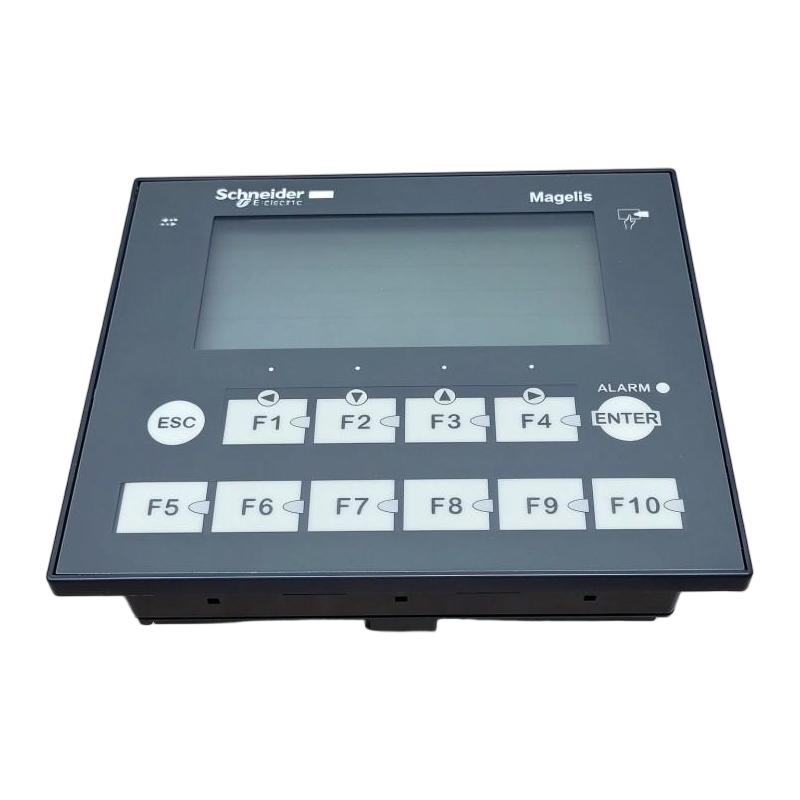
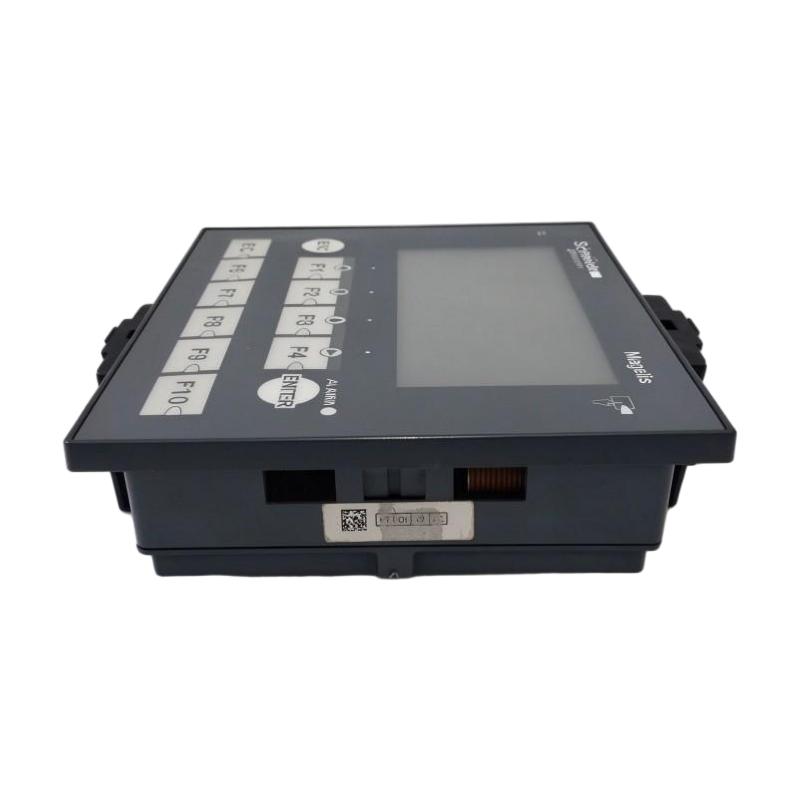
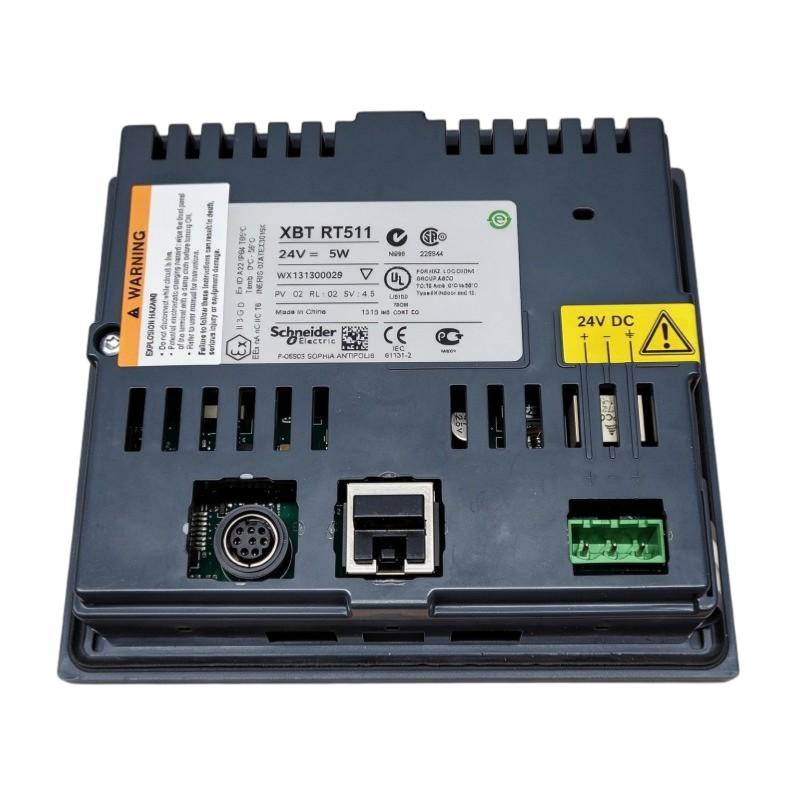
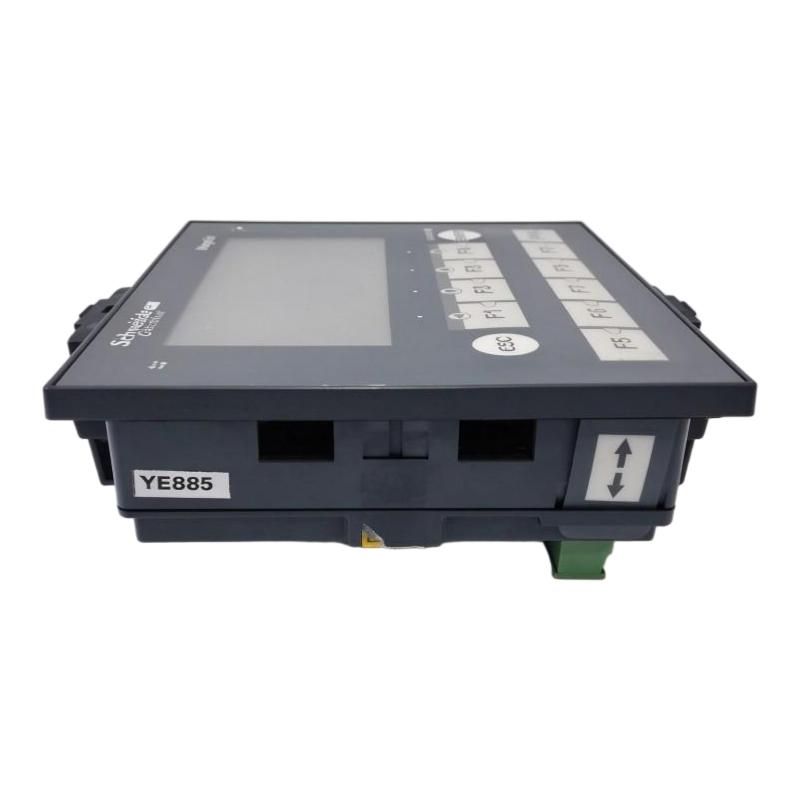
- Schneider
- XBTRT511
- Small Panel with Touchscreen and Keyboard
- France
- 118 x 137 x 79 mm
- 0.55 kg
- Xiamen, China
- New & In Stock
- T/T, PayPal, Western Union
- 1 Year
- 1-3 Working Days
- DHL, UPS, TNT, FedEx and EMS.
- 24-Hour Service
- COO
- 6
Our advantage

Global Logistics
We have a 10-year logistics and express cooperation agreement, so our products can be shipped to any place in the world.

Brand new and original
Our products are imported in bulk from the place of origin. Because of the cooperative relationship, our products are all original and 100% new.

24-hour service
We provide 7*24 hours service to our customers. We will be there whenever you need us.

Price advantage
All our products are priced very favorably because we have our own warehouse and supply.
| Company Information | |||
| [email protected] | |||
| Mobile | +8615980777398 | ||
| +8615980777398 | |||
| 15980777398 |
Product Overview
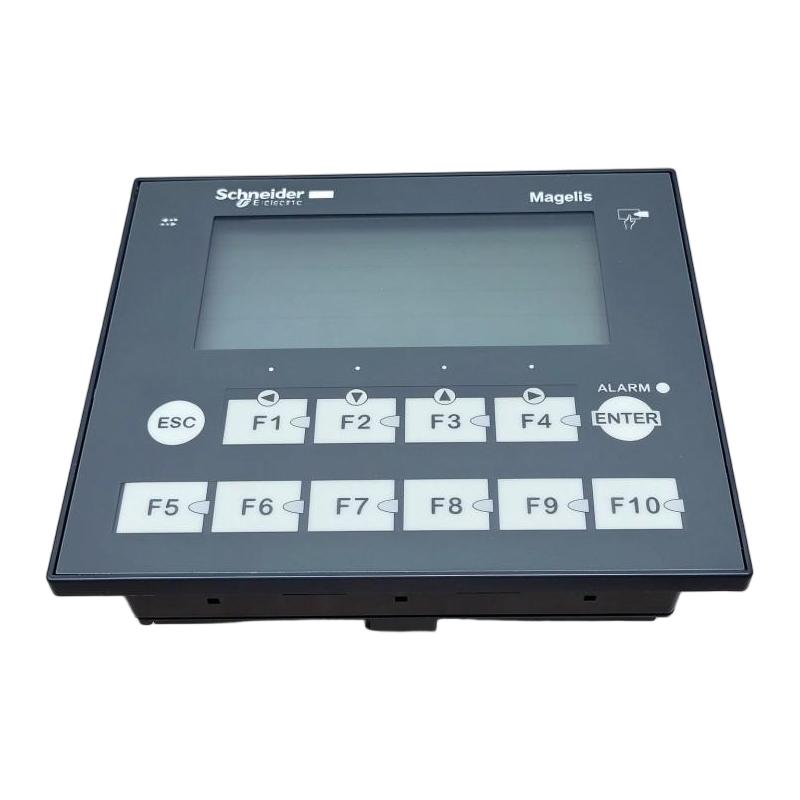
The Schneider Electric XBTRT511 is a compact human-machine interface (HMI) terminal from the Magelis XBTRT series. Designed for industrial automation systems, it provides operators with a local interface for viewing machine information, monitoring operating conditions, acknowledging alarms, and interacting with compatible programmable logic controllers (PLCs).
Unlike a conventional text-only display, the XBTRT511 combines a matrix LCD screen, a touch-sensitive operating area, and a physical keypad. This arrangement gives operators multiple ways to navigate application pages and enter commands. Its compact design makes it suitable for control cabinets and machine panels where installation space is limited.
The display has a resolution of 198 × 80 pixels and supports green, orange, and red display colors. It can present text messages and basic graphic objects, including buttons, indicators, and bar graphs. The terminal supports up to 200 application pages and 256 alarm pages, providing a structured interface for machine operation and diagnostic information.
The XBTRT511 operates from an external 24 V DC supply and supports serial communication through RS232C or RS485 interfaces. Its documented protocol options include Modbus and Uni-TE, allowing integration with compatible Schneider Electric automation equipment and selected third-party controllers.
Configuration is performed using Vijeo Designer Lite software. The terminal is associated with several Schneider Electric PLC families, including Modicon M340, Momentum, Premium, Quantum, TSX Micro, and Twido.
With dimensions of 118 × 137 × 79 mm and a weight of 0.55 kg, the XBTRT511 is a lightweight operator-interface component for legacy industrial automation installations. Since the model has been discontinued, accurate identification and communication compatibility checks are particularly important when sourcing a replacement or spare unit.
Technical Specifications
| Parameter | Specification |
|---|---|
| Brand | Schneider Electric |
| Product Series | Magelis XBTRT |
| Model | XBTRT511 |
| Product Type | Small HMI Panel with Touchscreen and Keypad |
| Display Type | Matrix backlit LCD |
| Display Resolution | 198 × 80 pixels |
| Display Colors | Green, Orange, Red |
| Touch-Sensitive Area | Matrix, 11 × 5 cells |
| Number of Keys | 12 |
| Fixed Keys | 2 |
| Customizable Keys | 10 |
| Local Indicators | 13 LEDs and 1 buzzer |
| Application Pages | Up to 200 |
| Alarm Pages | Up to 256 |
| Memory Type | Flash |
| Memory Capacity | 512 KB |
| Rated Supply Voltage | 24 V DC |
| Supply Voltage Limits | 18–30 V DC |
| Maximum Power Consumption | 5 W |
| Communication Interfaces | RS232C / RS485 serial link |
| Communication Protocols | Modbus, Uni-TE, third-party protocols |
| Configuration Software | Vijeo Designer Lite |
| Mounting Type | Flush mounting |
| Protection Rating | IP65 front panel, IP20 rear panel |
| Operating Temperature | 0–55 °C |
| Storage Temperature | -20–60 °C |
| Relative Humidity | 0–85%, non-condensing |
| Dimensions | 118 × 137 × 79 mm |
| Weight | 0.55 kg |
| Product Status | Discontinued |
Function and Working Principle
The XBTRT511 functions as an operator interface between industrial personnel and an automation control system. It receives information from a compatible PLC, presents that information on its display, and allows operators to send commands through the touchscreen or keypad.
1. Machine Status Display
The terminal displays information supplied by the connected controller. Depending on the application program, this may include machine status, operating modes, process values, production information, and equipment messages.
The 198 × 80 pixel matrix display is designed for compact industrial information presentation. Its graphic capabilities allow application designers to combine text with simple visual elements such as indicators and bar graphs.
2. Touchscreen Operation
The XBTRT511 includes a matrix touch-sensitive area divided into 11 × 5 cells. Operators can interact with configured screen objects by touching the corresponding areas.
Typical functions may include:
- Navigating between application pages.
- Selecting operating modes.
- Activating configured screen buttons.
- Viewing process information.
- Accessing alarm and diagnostic pages.
The actual functions depend on the application designed and downloaded to the terminal.
3. Physical Keypad Control
In addition to touch operation, the panel provides 12 physical keys. Two are fixed keys, while ten can be customized according to the application.
The keypad offers an alternative input method for operators working in environments where physical controls are preferred. Key assignments depend on the HMI project and its configured functions.
4. Alarm and Event Presentation
The XBTRT511 supports up to 256 alarm pages. These pages can be configured to present machine alarms and operating messages received from the PLC.
Alarm information helps operators identify abnormal conditions and determine whether maintenance or process intervention is necessary.
The terminal also includes 13 LEDs and a buzzer for local signaling. Their functions depend on the application configuration.
5. Serial Communication
The panel communicates with compatible controllers through its serial interface. The documented connection supports RS232C and RS485 asynchronous communication.
Modbus and Uni-TE are among the supported protocol options. The selected protocol, communication parameters, cable, and PLC port must be configured consistently on both sides.
Role in Industrial Control Systems
The XBTRT511 provides the operator-facing part of an industrial control system. It does not replace the PLC responsible for executing machine logic. Instead, it displays information from the controller and provides an interface through which operators can interact with configured processes.
PLC and HMI Communication
A PLC monitors field inputs, executes control logic, and operates connected equipment. The XBTRT511 communicates with the PLC through a supported serial protocol.
For example, a PLC may monitor a conveyor motor, temperature sensor, and safety interlock. The HMI can display the corresponding machine status and provide configured commands for starting, stopping, or changing operating modes.
The exact functions depend on the PLC program and the HMI application.
Operator Monitoring
The terminal provides a local location for viewing important machine information. Operators can monitor process conditions without accessing the PLC program directly.
Typical displayed information may include:
- Machine running or stopped status.
- Production sequence information.
- Process values and operating parameters.
- Alarm messages.
- Manual and automatic operating modes.
- Equipment maintenance notifications.
Alarm Handling
The alarm-page capability allows the application to organize machine fault messages. When a configured PLC condition becomes active, the HMI can display the corresponding alarm information.
This helps operators identify abnormal conditions and communicate more effectively with maintenance personnel.
Integration with Legacy Automation Systems
The XBTRT511 is associated with several earlier Schneider Electric PLC families. It can therefore be relevant to maintenance projects involving established Modicon installations.
When replacing an existing terminal, engineers should verify the PLC model, serial interface, protocol settings, application software version, and cable arrangement.
Industrial Applications
The XBTRT511 is suitable for compact operator-interface applications where a small display and keypad provide sufficient information and control functionality.
1. Manufacturing Machinery
Manufacturing machines often require a local interface for operating-mode selection, machine status, and alarm presentation.
The XBTRT511 can provide a compact operator station for compatible machinery. Its combination of touchscreen and physical keys supports different methods of operator interaction.
2. Packaging Equipment
Packaging machinery may use an HMI to display operating sequences, production status, and equipment alarms.
A configured XBTRT511 application can allow operators to navigate machine pages and interact with PLC-controlled functions. The actual operating functions are determined by the machine program.
3. Conveyor and Material-Handling Systems
Conveyor systems often require local monitoring of motor status, operating modes, and fault conditions.
The HMI can present information supplied by the PLC and provide configured operator commands. This can help maintenance personnel identify equipment conditions during troubleshooting.
4. Process Control Equipment
Small process-control machines may use an HMI to display temperature, pressure, flow, and other values obtained from PLC-connected instruments.
The terminal can present these values through configured text and graphic objects. Its role is to display and exchange information rather than directly perform the underlying control calculations.
5. Utility and Auxiliary Equipment
Industrial utility systems may include pumps, ventilation equipment, compressors, and auxiliary machinery. A local operator terminal can provide basic status information and access to configured operating commands.
The XBTRT511 may be suitable for legacy installations where its communication and display capabilities match the system requirements.
Installation and System Integration
Correct installation is important for reliable operation and communication with the connected controller.
1. Power Supply Requirements
The XBTRT511 uses an external 24 V DC power supply. Its specified supply voltage limits are 18–30 V DC, and its maximum power consumption is 5 W.
The power supply should provide stable voltage and sufficient current capacity. Confirm the polarity and terminal assignments before energizing the panel.
2. Panel Mounting
The terminal is designed for flush mounting in a control-panel opening. It is secured using four spring clips and supports panel thicknesses from 1.5 to 6 mm.
The manufacturer’s cut-out dimensions are approximately 119.6 × 105.2 mm, subject to the specified tolerances.
The product’s external dimensions are 118 × 137 × 79 mm. Panel designers should also consider the space required behind the terminal for connectors and communication cables.
3. Environmental Protection
The XBTRT511 has an IP65-rated front panel and an IP20-rated rear panel.
This distinction is important. The front panel provides protection against dust and water jets under the specified test conditions, while the rear side requires protection through an appropriate control-cabinet installation.
The specified operating temperature range is 0–55 °C. Avoid installation locations where excessive heat, condensation, or contaminants could affect the terminal.
4. Serial Communication Wiring
The terminal uses a serial communication interface supporting RS232C and RS485. Select the connection type according to the PLC and application requirements.
During installation:
- Confirm the PLC communication port.
- Verify RS232 or RS485 wiring requirements.
- Select a suitable communication cable.
- Configure matching baud rate and communication parameters.
- Confirm the protocol selected in the HMI project.
- Check cable routing and grounding requirements.
Incorrect wiring or mismatched communication parameters may prevent the terminal from exchanging data with the PLC.
5. HMI Project Configuration
The XBTRT511 uses Vijeo Designer Lite configuration software. The application project defines the screen pages, text messages, graphic objects, alarm pages, key assignments, and communication settings.
Before replacing an existing terminal, obtain a backup of the original HMI project whenever possible. Confirm that the available software version can open and transfer the application to the replacement unit.
6. Commissioning and Testing
After installation, verify the power supply, mounting, and communication connections.
Commissioning should include:
- Checking that the terminal starts normally.
- Confirming that the configured display pages load.
- Testing communication with the PLC.
- Verifying displayed values and machine status.
- Testing touchscreen operation.
- Checking physical key assignments.
- Confirming alarm presentation and local signaling.
The terminal should only be returned to normal operation after the complete interface has been tested with the connected control system.
Compatible System Components
The XBTRT511 is designed to operate with compatible PLCs and serial communication equipment. The following components describe typical integration categories.
| Component | Function | Integration Considerations |
|---|---|---|
| Modicon M340 PLC | Executes automation control logic | Verify supported communication configuration |
| Modicon Momentum PLC | Controls distributed automation equipment | Confirm protocol and serial interface |
| Modicon Premium PLC | Provides machine and process control | Check application and communication compatibility |
| Modicon Quantum PLC | Supports larger control-system architectures | Verify serial port and protocol settings |
| Modicon TSX Micro PLC | Controls compact industrial machinery | Confirm model-specific connection requirements |
| Twido PLC | Provides compact machine-control functions | Check supported serial connection and software project |
| 24 V DC power supply | Powers the HMI | Confirm voltage stability and current capacity |
| Serial communication cable | Connects the HMI to the PLC | Select the correct cable and pinout |
| Control cabinet | Provides mechanical and environmental protection | Allow sufficient rear clearance and ventilation |
The listed PLC families are documented compatibility categories, but not every PLC configuration uses the same cable or communication settings. Always verify the exact controller and port before installation.
Alternative Models and Replacement Considerations
The XBTRT511 has been discontinued and Schneider Electric does not identify a direct replacement for this reference. Selecting another HMI therefore requires a system-level compatibility review.
| Alternative or Related Product | Considerations |
|---|---|
| Schneider Magelis XBTRT500 | Related small-panel family, but has a different supply and display configuration |
| Schneider Magelis XBTR411 | Related keypad-based operator terminal; verify display and communication differences |
| Schneider Magelis XBTN series | Earlier compact operator terminals with different display and input capabilities |
| Schneider Magelis XBTGT series | Touchscreen HMI family with different hardware and software requirements |
| Schneider Harmony ST6 series | A newer HMI family that may be considered for an upgrade, subject to engineering evaluation |
Before choosing a replacement, compare:
- Display resolution and screen dimensions.
- Touchscreen and keypad requirements.
- Supply voltage and power consumption.
- Serial and Ethernet communication interfaces.
- Supported PLC protocols.
- PLC model and communication port.
- HMI configuration software.
- Application-project conversion requirements.
- Panel cut-out and mounting dimensions.
- Operating temperature and protection rating.
A newer HMI may provide more advanced functions, but it should not be assumed to support the original XBTRT511 project without modification.
Key Advantages
Compact Panel Design
The small dimensions allow the XBTRT511 to be installed in compact machine panels and control cabinets.
Combined Touchscreen and Keypad
The terminal provides two operator-input methods. This allows application designers to combine touch-based navigation with physical key functions.
Multiple Display Colors
The green, orange, and red display capability supports the presentation of different operating conditions and configured messages.
Serial Communication Support
RS232C and RS485 communication options provide connectivity with compatible controllers and serial automation equipment.
Alarm and Status Presentation
The terminal supports application pages and alarm pages, helping operators monitor machine conditions and identify abnormal events.
Broad Legacy PLC Compatibility
Its documented compatibility with several Modicon PLC families makes the XBTRT511 relevant to the maintenance of existing Schneider Electric automation installations.
Compact Operator Interface
The 198 × 80 pixel display and configurable keypad provide basic monitoring and operating functions without requiring a larger touchscreen terminal.
Technical FAQs
1. What is the Schneider Electric XBTRT511?
The XBTRT511 is a Magelis XBTRT small HMI panel with a matrix touchscreen and physical keypad. It is used for operator interaction with compatible industrial automation systems.
2. What is the display resolution?
The display resolution is 198 × 80 pixels. It uses a matrix backlit LCD and supports green, orange, and red display colors.
3. What power supply does the XBTRT511 require?
It uses an external 24 V DC supply, with specified voltage limits of 18–30 V DC. Its maximum power consumption is 5 W.
4. Which communication protocols does it support?
The documented protocol options include Modbus, Uni-TE, and third-party protocols. Communication is provided through an RS232C/RS485 serial interface.
5. Which PLCs are compatible with the XBTRT511?
Documented PLC families include Modicon M340, Momentum, Premium, Quantum, TSX Micro, and Twido. The exact connection method depends on the PLC model and communication configuration.
6. What software is used to configure the terminal?
The XBTRT511 uses Vijeo Designer Lite configuration software. Project compatibility and software availability should be checked before maintenance or replacement.
7. How many keys does the terminal have?
It has 12 keys in total: two fixed keys and ten customizable keys.
8. What are the mounting dimensions?
The external dimensions are 118 × 137 × 79 mm. The specified panel cut-out is approximately 119.6 × 105.2 mm.
9. Is the XBTRT511 waterproof?
The front panel has an IP65 protection rating, while the rear panel is rated IP20. It should be installed in an appropriate control-panel environment rather than exposed directly to water.
10. Is the XBTRT511 still manufactured?
No. Schneider Electric has discontinued the model and does not list a direct replacement. Availability is generally dependent on remaining stock, surplus inventory, or the industrial spare-parts market.
Procurement and Maintenance Recommendations
Because the XBTRT511 is a discontinued HMI, buyers should verify the complete model number and the condition of the unit before ordering.
For replacement projects, confirm that the terminal has the required display, keypad, communication interface, and supply-voltage configuration. A similar Magelis model may have a different power supply, serial connection, screen resolution, or application-software requirement.
When purchasing used or surplus equipment, request photographs of the front panel, rear label, connectors, and mounting clips. Confirm whether the unit has been tested and whether the seller can provide a suitable warranty or return arrangement.
For existing installations, retain a backup of the HMI application project and document the communication parameters. This can reduce the work required if the terminal needs to be replaced.
Maintenance personnel should inspect the display, touch-sensitive area, physical keys, mounting clips, connectors, and power supply. Check for visible damage, loose wiring, and signs of moisture or contamination around the rear of the panel.
If a replacement is necessary, evaluate the complete PLC-HMI system rather than selecting a terminal based only on physical dimensions. Communication compatibility and project conversion are essential to a successful upgrade.
Conclusion
The Schneider Electric XBTRT511 Magelis Small HMI Panel is a compact operator-interface terminal combining a 198 × 80 pixel matrix LCD, touchscreen, and 12-key keypad. It operates from an external 24 V DC supply and supports serial communication through RS232C and RS485 interfaces.
With support for Modbus and Uni-TE protocols, application-page management, alarm presentation, and compatibility with several legacy Modicon PLC families, the XBTRT511 remains relevant to the maintenance of established industrial automation systems.
Since the model has been discontinued, accurate identification, application backup, and communication verification are important when sourcing or replacing this terminal.