

ProductPRODUCT
Featured products
Contact Us
- Schneider
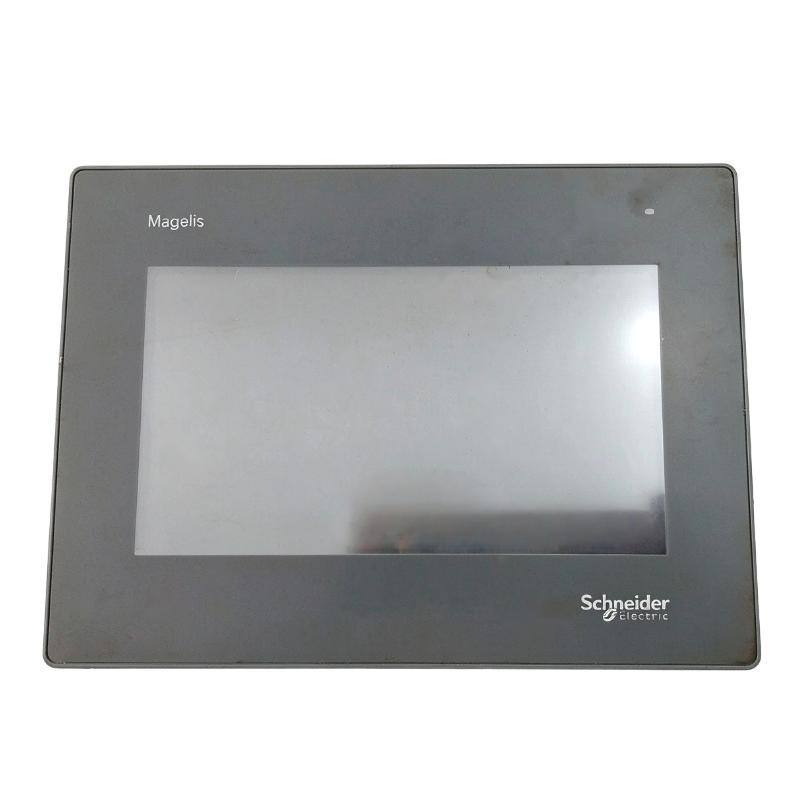
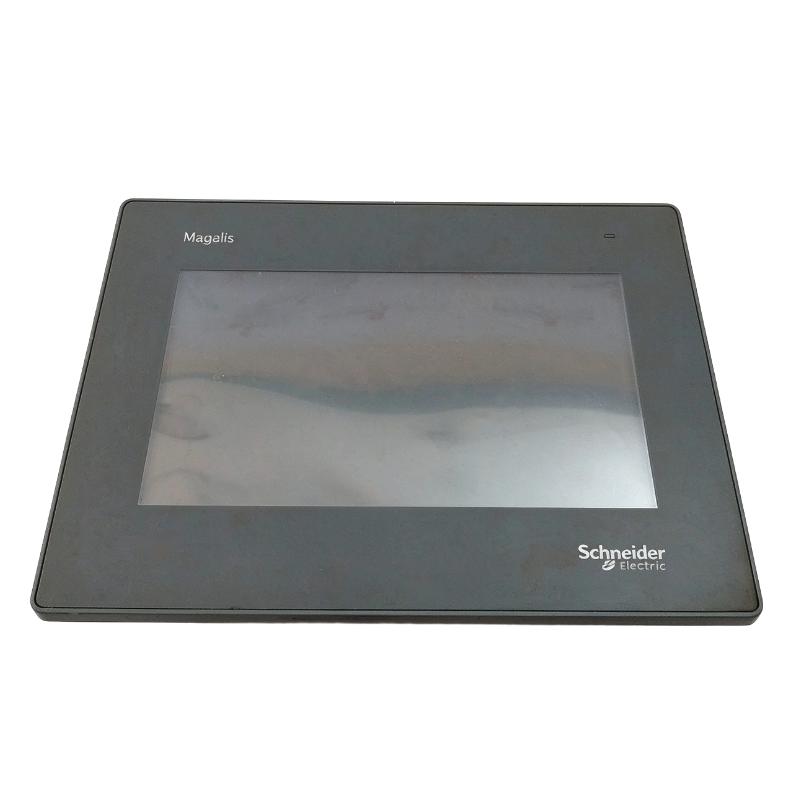
- HMIGXU3500
- Touch Panel
- France
- 207 × 38.2 × 152.3 mm
- 0.24 kg
- Xiamen, China
- New & In Stock
- T/T, PayPal, Western Union
- 1 Year
- 1-3 Working Days
- DHL, UPS, TNT, FedEx and EMS.
- 24-Hour Service
- COO
- 6
Our advantage

Global Logistics
We have a 10-year logistics and express cooperation agreement, so our products can be shipped to any place in the world.

Brand new and original
Our products are imported in bulk from the place of origin. Because of the cooperative relationship, our products are all original and 100% new.

24-hour service
We provide 7*24 hours service to our customers. We will be there whenever you need us.

Price advantage
All our products are priced very favorably because we have our own warehouse and supply.
| Company Information | |||
| [email protected] | |||
| Mobile | +8615980777398 | ||
| +8615980777398 | |||
| 15980777398 |
Product Overview
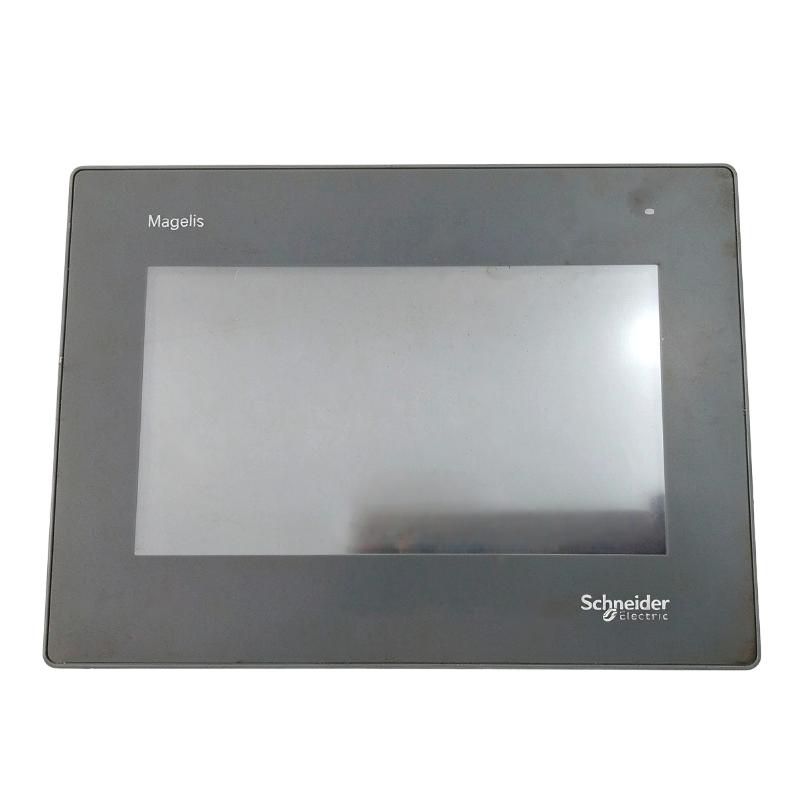
The Schneider Electric HMIGXU3500 is a 7-inch basic touchscreen panel from the Harmony Easy GXU series. It is intended for straightforward machine-level visualization, where operators need to view equipment status, enter operating values, and interact with a PLC without the additional communication functions found in more advanced HMI models.
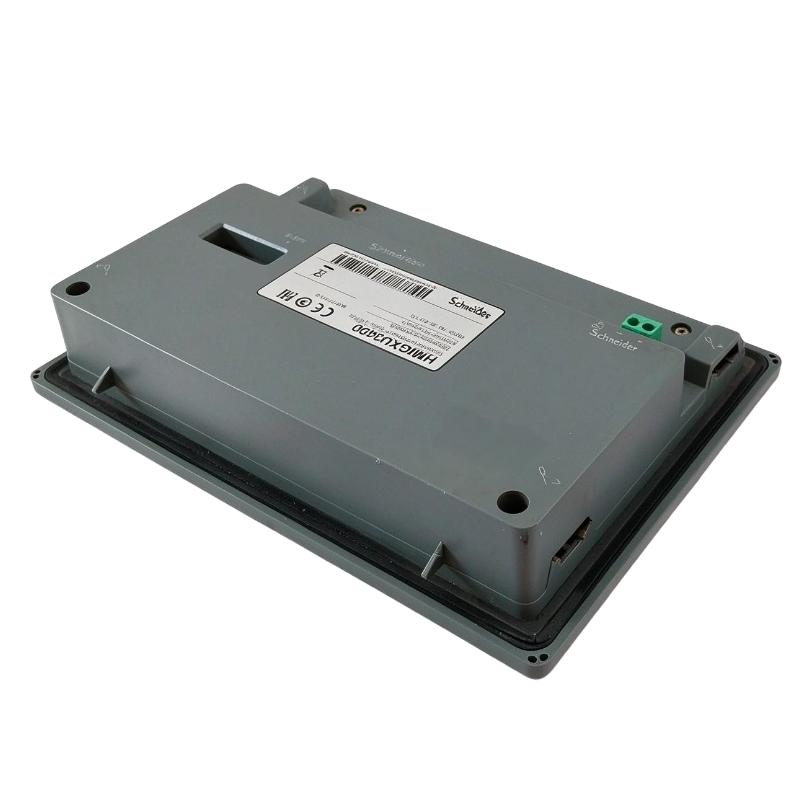
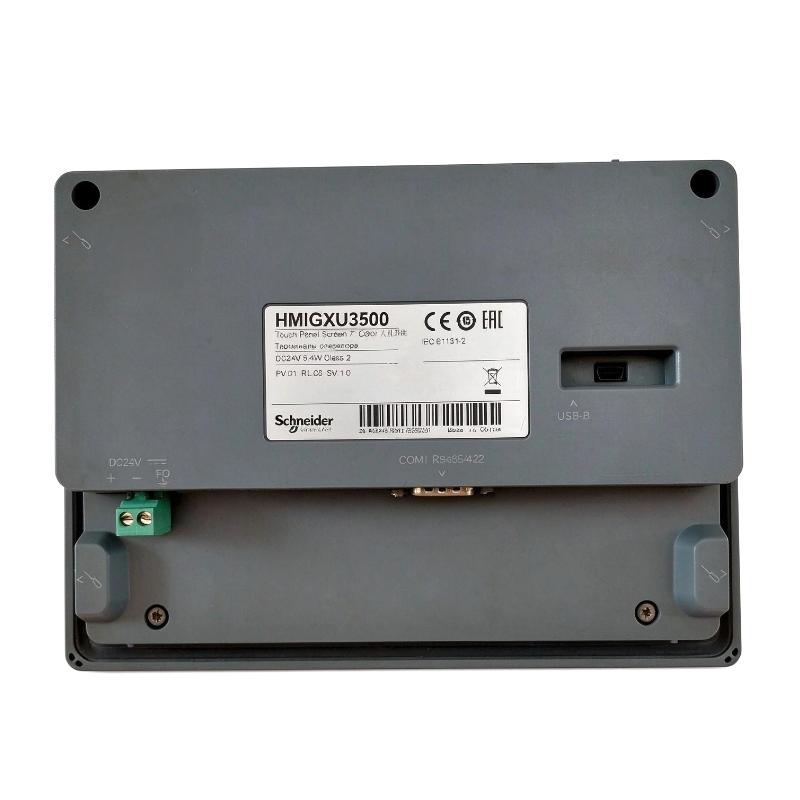
Unlike the universal HMIGXU3512, the HMIGXU3500 uses a basic communication configuration with one RS-422/RS-485 serial port and one USB Mini-B connection. It does not include an integrated Ethernet port or USB Type-A host interface. This distinction is important when selecting a replacement terminal or planning the communication arrangement of a machine.
The display uses an 800 × 480 WVGA color TFT touchscreen with 65,536 colors. Its 7-inch screen is suitable for presenting machine operating parameters, numerical indicators, status messages, and basic graphical controls. The application is developed using Vijeo Designer Basic, which provides the tools required to configure screens and establish communication with compatible controllers.
The HMIGXU3500 includes 32 MB of application memory, 128 MB of internal DDR memory, and 128 KB of backup memory. An integrated real-time clock maintains time-related information, while its replaceable RTC battery supports clock operation when the panel is not powered.
In a typical installation, the HMIGXU3500 is connected to a compatible PLC through its serial communication interface. The PLC handles machine logic and field signal processing, while the HMI displays operating information and accepts commands from production personnel. This arrangement is suitable for compact packaging equipment, pumps, machine tools, and other applications with relatively simple operator-interface requirements.
Technical Specifications
| Parameter | Specification |
|---|---|
| Manufacturer | Schneider Electric |
| Model | HMIGXU3500 |
| Product Type | Advanced Touchscreen Panel |
| Product Series | Harmony Easy GXU |
| Model Configuration | Basic |
| Display Size | 7 inch |
| Display Type | Color TFT LCD Touchscreen |
| Display Resolution | 800 × 480 pixels (WVGA) |
| Display Colors | 65,536 |
| Backlight Lifespan | 20,000 hours |
| Internal Application Memory | 32 MB |
| Internal DDR Memory | 128 MB |
| Backup Memory | 128 KB |
| Real-Time Clock | Integrated |
| RTC Battery | Replaceable |
| Configuration Software | Vijeo Designer Basic |
| Rated Supply Voltage | 24 V DC |
| Serial Interface | 1 × COM1 |
| Serial Connector | 9-way Male SUB-D |
| Serial Communication | RS-422 / RS-485 |
| USB Interface | 1 × USB Mini-B |
| Ethernet Interface | Not Available |
| USB Type-A Host | Not Available |
| Front Protection | IP65 |
| Operating Temperature | 0–50°C |
| Storage Temperature | -20–60°C |
| Mounting Method | Panel Mounting |
| Panel Cutout | 190 × 135 mm |
| Dimensions | 207 × 38.2 × 152.3 mm |
| Weight | 0.24 kg |
Product Features
- 7-Inch WVGA Color Touchscreen
The HMIGXU3500 features a 7-inch TFT color display with an 800 × 480-pixel resolution. It supports machine operating screens, numerical displays, status indicators, and basic graphical interfaces used in everyday production operations.
- Basic Serial Communication
The terminal provides one COM1 serial interface supporting RS-422 and RS-485 communication. This configuration is suitable for PLC connections and other compatible serial automation devices.
- 32 MB Application Memory
The internal 32 MB Flash memory stores the configured HMI application. Engineers can develop operator screens, numerical displays, and machine-control interfaces using Vijeo Designer Basic.
- 128 MB Internal DDR Memory
The integrated DDR memory supports application execution and screen operation during normal use.
- Integrated Real-Time Clock
The built-in RTC maintains time-related information for applications that use timestamps, operating records, or clock-based functions. Its replaceable battery supports clock retention when external power is removed.
- USB Mini-B Connection
The USB Mini-B interface provides a connection for supported application transfer and engineering operations. Unlike the universal GXU models, the HMIGXU3500 does not include a USB Type-A host port.
- IP65 Front Protection
The front panel has an IP65 protection rating when installed correctly in a suitable enclosure. This helps protect the operator interface against dust and water jets.
- Compact Basic Configuration
The HMIGXU3500 focuses on essential visualization and serial communication functions. Its simplified interface configuration makes it appropriate for machines that do not require an integrated Ethernet connection.
- Vijeo Designer Basic Support
The terminal is configured through Vijeo Designer Basic. Engineers can create screen layouts, configure serial communication, define operating parameters, and organize machine information within the HMI application.
Working Principle
The HMIGXU3500 operates as the local visualization and operator-input device in a serial PLC control system. It exchanges data with the connected controller through its COM1 RS-422/RS-485 interface.
During normal machine operation, the PLC processes signals from sensors, switches, motors, and other field devices. Selected operating variables are made available to the HMI through the configured communication protocol.
The HMIGXU3500 reads these variables and updates the corresponding screen objects. Operators can view equipment conditions, check numerical values, review machine messages, and enter authorized parameters through the touchscreen.
When an operator selects a configured control or changes a setpoint, the HMI sends the corresponding data through the serial connection. The PLC receives the input and evaluates it according to its control program before executing the requested machine operation.
The basic model is particularly relevant where Ethernet communication is unnecessary. For example, a compact pumping machine may use an RS-485 connection between the HMI and PLC. The panel displays pump status, operating pressure, accumulated running time, and alarm information, while the controller manages the actual pump sequence.
Application development and transfer are handled through Vijeo Designer Basic and the supported USB Mini-B connection. The integrated RTC also allows applications to use clock-related information where required.
Typical Communication Path:
PLC / Controller → RS-422 or RS-485 → HMIGXU3500 → Touchscreen Display → Operator Input → PLC
Application Development Path:
Engineering Computer → Vijeo Designer Basic → USB Mini-B Connection → HMIGXU3500
Role in Harmony Easy GXU Control Architecture
Within the Harmony Easy GXU range, the HMIGXU3500 serves as a basic operator interface for machines that require local visualization and serial communication rather than a more extensive network configuration.
Its single serial interface connects the terminal to a compatible PLC. The controller continues to handle field I/O processing, machine sequences, and equipment control, while the HMI provides the operator with access to configured information and commands.
The distinction between the basic and universal GXU configurations is important when planning system integration. The HMIGXU3500 does not have the Ethernet and USB Type-A interfaces available on models such as the HMIGXU3512. A replacement or system upgrade must therefore account for the original communication method and required application functions.
| Control System Component | Function |
|---|---|
| HMIGXU3500 | Provides local machine visualization and operator input |
| Easy Modicon M100 PLC | Handles compact machine control |
| Easy Modicon M200 PLC | Executes machine logic and processes field signals |
| Compatible Modicon Controllers | Exchanges configured data with the HMI through supported serial communication |
| RS-422 / RS-485 Network | Provides the communication link between the HMI and controller |
| Vijeo Designer Basic | Develops and configures HMI applications |
| Engineering Computer | Supports application programming and transfer |
| USB Mini-B Cable | Connects the engineering computer to the HMI |
| Field I/O Modules | Acquire sensor signals and control connected equipment |
Industrial Applications
| Application | HMI Function |
|---|---|
| Packaging Machinery | Displays production status, operating parameters, and machine alarms |
| Pumping Equipment | Provides local monitoring of pump conditions and operating values |
| Machine Tools | Displays machine status and allows operators to enter configured commands |
| Plastic and Rubber Processing | Presents operating parameters and equipment status for extrusion machinery |
| Printing Machinery | Supports operator interaction with stamping, folding, and printing equipment |
| Textile Machinery | Displays machine conditions and production-related information |
| HVAC Equipment | Provides local control and monitoring of compatible HVAC machinery |
| Construction Machinery | Displays operating information and configured equipment functions |
| General OEM Machinery | Provides a basic touchscreen interface for PLC-controlled equipment |
Installation and Maintenance
- Verify the Model Configuration: Confirm that the terminal is HMIGXU3500. Do not confuse it with HMIGXU3512, which has additional communication interfaces.
- Prepare the Panel Opening: Check that the enclosure cutout matches the specified 190 × 135 mm mounting requirement before installing the terminal.
- Inspect Mounting Hardware: Check the supplied screw fixings and anti-drop mounting hooks. Ensure that the terminal is securely positioned against the enclosure.
- Verify the Power Supply: Use a regulated 24 V DC supply and inspect the power connector for loose terminals or damaged wiring.
- Check Grounding Arrangements: Connect the functional ground according to the electrical installation requirements to reduce interference in the control system.
- Inspect the Serial Connection: Check the COM1 connector, cable condition, and pin assignments before connecting the HMI to the PLC.
- Configure Communication Parameters: Verify the selected RS-422 or RS-485 mode, baud rate, data format, and PLC communication settings against the connected equipment.
- Check the HMI Application: Confirm that the Vijeo Designer Basic project matches the installed terminal and the connected controller.
- Test Touchscreen Functions: Check screen navigation, numerical entry, operating commands, and alarm displays before returning the machine to production.
- Inspect the RTC Battery: Check the real-time clock operation and replace the battery when clock retention becomes unreliable. Follow the applicable battery replacement precautions.
- Maintain Front-Panel Protection: Inspect the front sealing surface and mounting arrangement. Clean the panel using suitable materials that will not damage the touchscreen or enclosure seal.
- Back Up Application Data: Keep a separate copy of the Vijeo Designer Basic project, serial communication settings, and relevant machine configuration records for future maintenance.
Compatible System Components
| Component | Product Type | Application |
|---|---|---|
| Easy Modicon M100 | Logic Controller | Compact machine control |
| Easy Modicon M200 | Logic Controller | Machine automation and sequence control |
| Modicon M221 | Logic Controller | PLC-based machine control through supported communication arrangements |
| Modicon M241 | Logic Controller | Machine automation and serial communication |
| Modicon M251 | Logic Controller | Distributed machine control |
| Vijeo Designer Basic | HMI Configuration Software | Creates and transfers HMIGXU applications |
| RS-422 Cable | Serial Communication Cable | Connects compatible controllers and HMI devices |
| RS-485 Cable | Serial Communication Cable | Supports serial data exchange |
| USB Mini-B Cable | Programming Cable | Transfers HMI applications from an engineering computer |
| RTC Replacement Battery | Battery Component | Maintains real-time clock operation |
Recommended Related Models
| Model | Product Description |
|---|---|
| HMIGXU3512 | Harmony Easy GXU 7-Inch Universal Touchscreen Panel |
| HMIGXU5500 | Harmony Easy GXU 10-Inch Basic Touchscreen Panel |
| HMIGXU5512 | Harmony Easy GXU 10-Inch Universal Touchscreen Panel |
| HMIGTO2310 | Harmony GTO 5.7-Inch Advanced Touchscreen Panel |
| HMIGTO3510 | Harmony GTO 7-Inch Advanced Touchscreen Panel |
| HMIGTO5310 | Harmony GTO 10.4-Inch Advanced Touchscreen Panel |
Key Advantages
- 7-inch WVGA color touchscreen.
- 800 × 480-pixel display resolution.
- 65,536 display colors.
- Single RS-422/RS-485 serial communication port.
- 32 MB application memory.
- 128 MB internal DDR memory.
- Integrated real-time clock with replaceable battery.
- USB Mini-B application transfer connection.
- IP65 front-panel protection.
- Vijeo Designer Basic configuration software.
Technical FAQs
What is the difference between HMIGXU3500 and HMIGXU3512?
Both models belong to the 7-inch Harmony Easy GXU range and use an 800 × 480-pixel WVGA display. The HMIGXU3500 is the basic version with one RS-422/RS-485 serial port and one USB Mini-B connection. The HMIGXU3512 is the universal version, adding Ethernet, USB Type-A, and a second serial communication interface. Their communication capabilities should be considered when selecting a replacement.
Does the HMIGXU3500 support Ethernet communication?
No. The HMIGXU3500 does not have an integrated Ethernet port. Its controller communication is handled through the COM1 RS-422/RS-485 serial interface. Applications requiring an Ethernet connection should use a suitable alternative HMI configuration.
Which software is required to program the HMIGXU3500?
The terminal uses Vijeo Designer Basic configuration software. The engineering project can be developed on a compatible computer and transferred to the HMI through its USB Mini-B connection using the supported programming cable.
What happens if the HMIGXU3500 RTC battery needs replacement?
The integrated real-time clock uses a replaceable battery to maintain clock information when the panel is disconnected from its external power supply. If the clock repeatedly loses its settings after power interruptions, the battery should be inspected and replaced according to the maintenance procedure.