

ProductPRODUCT
Featured products
Contact Us
- Woodward
- SST-DN3-PCI-2
- Network Interface Card
- USA
- 155 × 25 × 100 mm
- 0.45 kg
- Xiamen, China
- New & In Stock
- T/T, PayPal, Western Union
- 1 Year
- 1-3 Working Days
- DHL, UPS, TNT, FedEx and EMS.
- 24-Hour Service
- COO
- 8
Our advantage

Global Logistics
We have a 10-year logistics and express cooperation agreement, so our products can be shipped to any place in the world.

Brand new and original
Our products are imported in bulk from the place of origin. Because of the cooperative relationship, our products are all original and 100% new.

24-hour service
We provide 7*24 hours service to our customers. We will be there whenever you need us.

Price advantage
All our products are priced very favorably because we have our own warehouse and supply.
| Company Information | |||
| [email protected] | |||
| Mobile | +8615980777398 | ||
| +8615980777398 | |||
| 15980777398 |
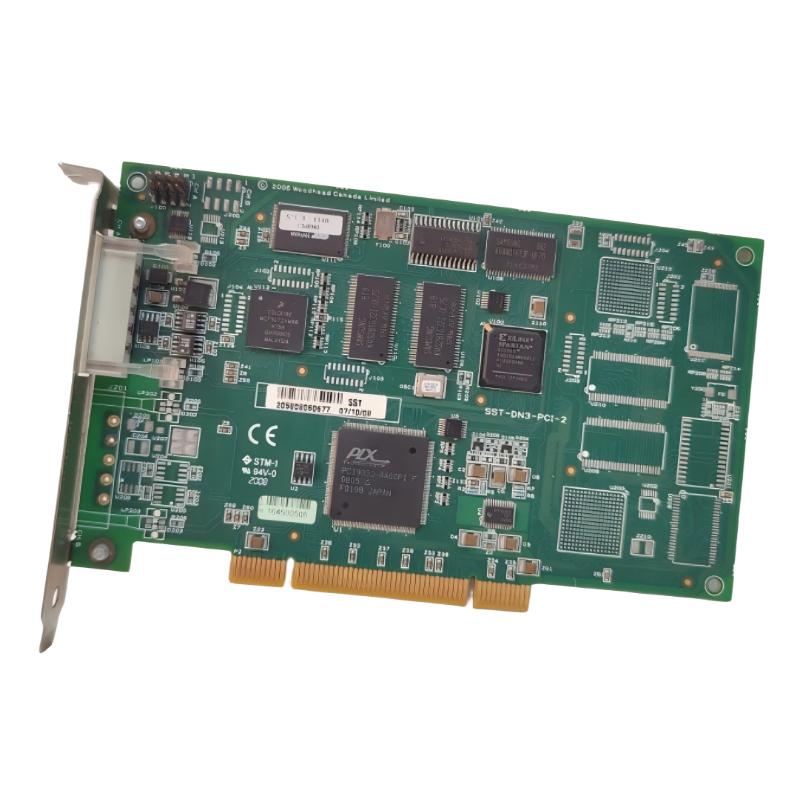
Product Overview
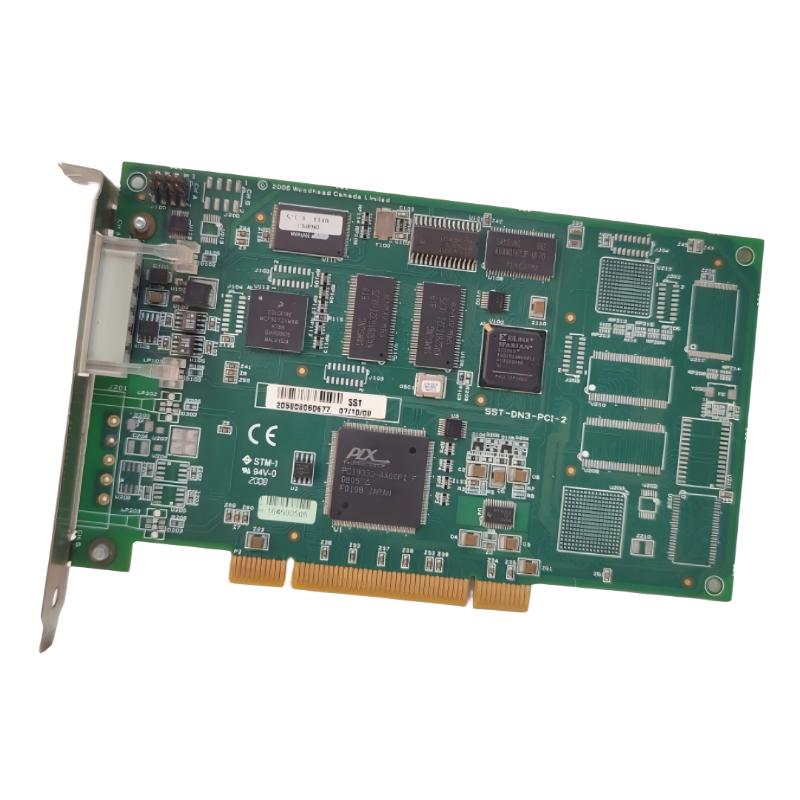
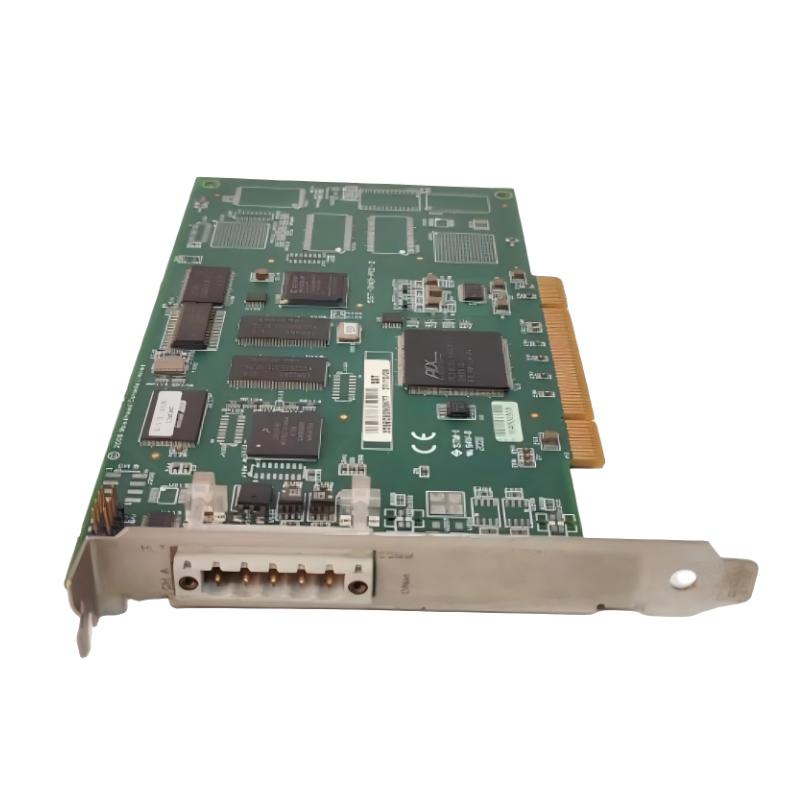
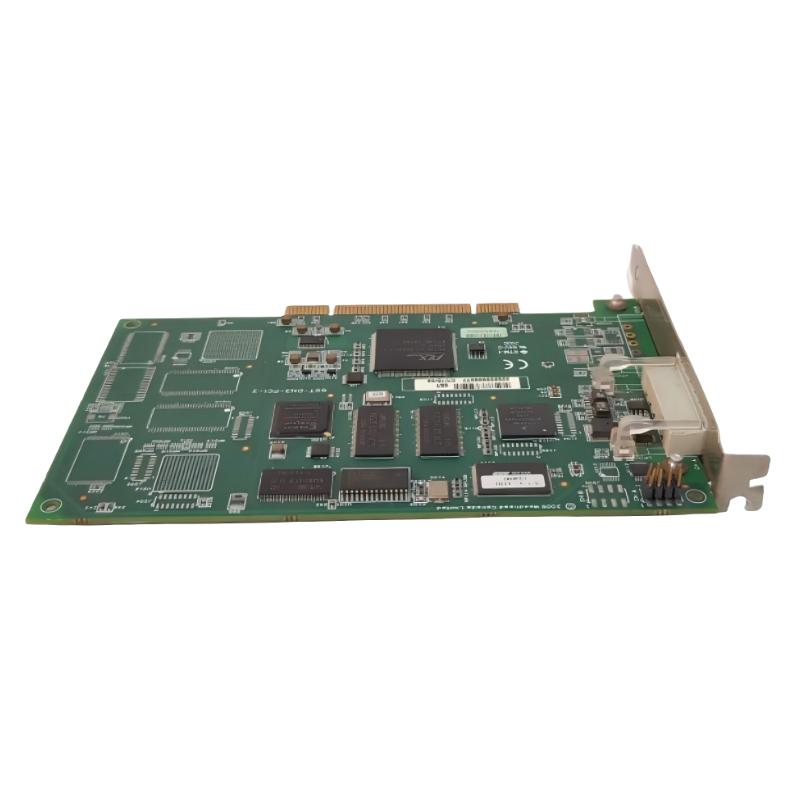
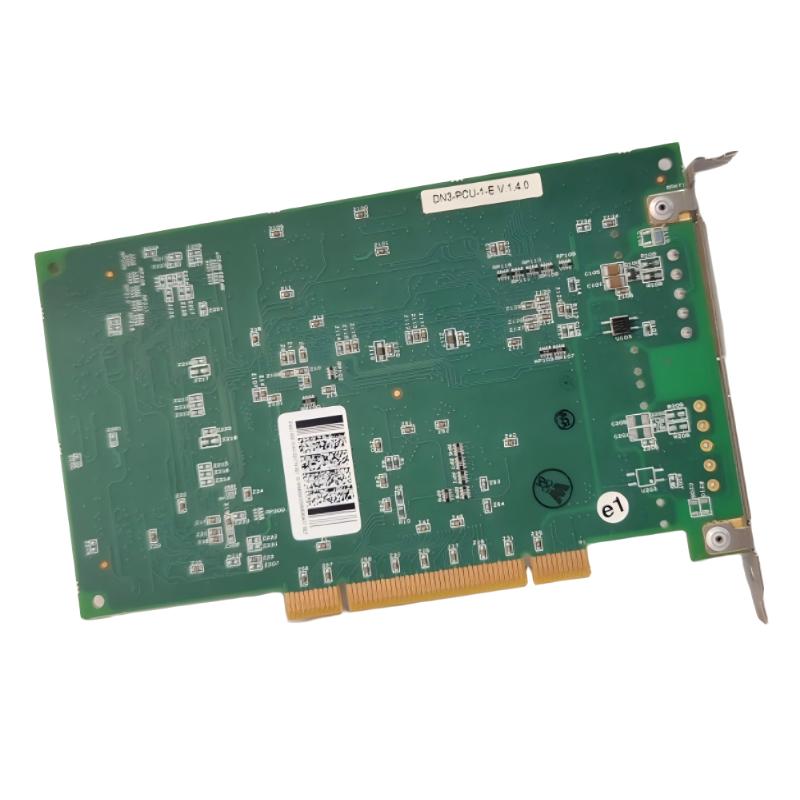
The Woodward SST-DN3-PCI-2 Network Interface Card connects a host computer to DeviceNet networks through a conventional PCI expansion interface. It is a dual-channel communication card used in industrial PC-based control systems where the computer needs to exchange data with networked field devices, rather than relying solely on onboard communication ports.
The card contains two independent DeviceNet interfaces, each controlled by its own CPU. This arrangement allows the two channels to handle separate network connections without sharing the same channel-processing resources. In a control cabinet or industrial computer, this can be useful when equipment is divided across two DeviceNet segments or when separate groups of field devices must communicate with the host application.
The SST-DN3-PCI-2 is particularly relevant to legacy automation systems built around industrial PCs with standard PCI slots. A replacement computer must support the card’s physical bus interface, and the application software must be compatible with its drivers and communication API. A PCI Express slot alone is not equivalent to a conventional PCI slot, so computer compatibility needs to be established before replacing the host platform.
During commissioning, engineers should verify both DeviceNet channels independently, including network wiring, node addressing, communication speed, and application-level data exchange. The card provides the computer-side network interface; the connected DeviceNet devices, network configuration, and host software determine how the exchanged data is used by the control application.
Technical Specifications
| Parameter | Specification |
|---|---|
| Manufacturer | Woodward |
| Model | SST-DN3-PCI-2 |
| Product Type | Network Interface Card |
| Network Protocol | DeviceNet |
| Host Interface | 32-bit PCI |
| Number of Channels | 2 independent channels |
| Channel Processing | Independent CPUs |
| DeviceNet Baud Rates | 125, 250, and 500 kbps |
| General CAN Data Rate | Up to 1 Mbps, subject to the applicable operating mode |
| Network Connector | 5-pin CAN / DeviceNet connector |
| Host Power | Supplied through the PCI slot |
| Status Indicators | Channel and card-status LEDs |
| Installation | Compatible conventional PCI expansion slot |
| Size | 155 × 25 × 100 mm |
| Weight | 0.45 kg |
Product Features
- Dual DeviceNet channels: Provides two independent network interfaces on one PCI card.
- Independent channel processing: Each channel uses its own CPU, separating its processing resources from the other channel.
- Conventional PCI interface: Connects to a compatible host computer with a standard PCI expansion slot.
- DeviceNet communication: Supports network connections to compatible industrial field devices.
- Multiple network speeds: Supports the standard DeviceNet baud rates of 125, 250, and 500 kbps.
- Channel status indication: Onboard LEDs assist with checking card health and communication conditions.
- Host application integration: Firmware and application software determine how the card’s communication capabilities are used.
- Industrial network segmentation: Allows two DeviceNet connections to be managed through a single host interface card.
Working Principle
The SST-DN3-PCI-2 acts as the communication link between the host computer and two DeviceNet networks. The card’s PCI interface connects it to the host system, while its two DeviceNet channels connect to field devices through the network connectors.
A typical communication path is:
Host Computer / Control Application → PCI Bus → SST-DN3-PCI-2 → DeviceNet Network → Field Devices
When the host application needs information from a connected device, the application software uses the appropriate interface functions to exchange data through the card. The card’s channel processor handles the network-side communication according to the loaded firmware and configured operating mode. Data received from the network is then made available to the host application for monitoring, control, or other programmed tasks.
The two channels can operate independently. For example, one channel may connect to a group of remote I/O devices while the second connects to another DeviceNet segment. Because each channel has its own CPU, communication activity on one channel does not directly consume the processing resources of the other channel.
The host computer must still have the appropriate drivers, firmware, and application software. Installing the card in a compatible slot does not by itself establish communication. Engineers must also configure the network baud rate, node addresses, wiring, and application parameters to match the connected devices.
DeviceNet uses CAN-based communication, so network termination, cable layout, grounding, and power distribution must follow the requirements of the network installation. If the card is detected by the computer but devices remain unreachable, troubleshooting should cover both the host-side configuration and the physical network.
Role in an Industrial Communication Architecture
The SST-DN3-PCI-2 provides the interface between a PCI-based host computer and DeviceNet field networks. It handles the network connection, while the host application determines how device data is interpreted and used.
Control Application → Host Driver / API → PCI Bus → SST-DN3-PCI-2 → DeviceNet → Remote I/O and Field Devices
| System Element | Function |
|---|---|
| Industrial PC | Runs the control or monitoring application |
| PCI Expansion Bus | Provides the host-side connection to the card |
| SST-DN3-PCI-2 | Provides two independent DeviceNet interfaces |
| DeviceNet Network | Carries data between the card and connected field devices |
| Remote I/O Modules | Exchange input and output data with the host application |
| Sensors and Actuators | Supply process signals or carry out control commands through compatible devices |
| DeviceNet Power Supply | Supplies the network where required by the installation |
| Network Termination | Maintains the electrical characteristics required for the CAN-based network |
| Host Driver and API | Allows the application to access the card’s communication functions |
| Diagnostic LEDs | Help identify card and channel status during troubleshooting |
The card’s role depends on the software environment and network configuration. Correct operation requires compatibility across the PCI hardware, driver and firmware versions, host application, and connected DeviceNet devices.
Industrial Applications
| Application | Typical Use |
|---|---|
| Industrial PC-Based Automation | Connecting a computer-based control application to DeviceNet devices |
| Distributed I/O Systems | Exchanging input and output data with remote I/O modules |
| Machine Control | Linking a host computer to networked control devices |
| Manufacturing Equipment | Connecting compatible field devices on DeviceNet segments |
| Legacy Control Systems | Maintaining communication in installations built around conventional PCI computers |
| Industrial Data Acquisition | Collecting data from supported networked devices |
| Equipment Integration | Connecting separate groups of DeviceNet devices through two independent channels |
| System Maintenance and Retrofit | Replacing a failed interface card after checking host and software compatibility |
The card is appropriate for systems that specifically require DeviceNet communication through a conventional PCI interface. It should not be treated as a direct substitute for a PCI Express card, a PROFIBUS interface, or an Ethernet adapter without confirming that the replacement meets the host and network requirements.
Installation and Maintenance
- Verify the model number: Confirm that the card is SST-DN3-PCI-2 and distinguish it from single-channel or differently interfaced variants.
- Check the host bus: Ensure that the industrial computer provides a compatible conventional PCI slot rather than relying on PCI Express alone.
- Shut down the host computer: Disconnect power and follow the computer manufacturer’s procedures before installing or removing the card.
- Use ESD precautions: Handle the circuit board with suitable electrostatic-discharge protection to avoid damaging sensitive components.
- Inspect the PCI connector: Check the card edge connector and mounting bracket for damage before installation.
- Secure the card: Seat it fully in the expansion slot and fasten the bracket to prevent movement during operation.
- Check DeviceNet wiring: Verify the connector pin assignments, cable condition, network polarity, and shield arrangement.
- Confirm network speed: Set the DeviceNet baud rate to match the connected devices and the existing network.
- Verify node addressing: Check node addresses and ensure that no duplicate addresses exist on either network segment.
- Check driver and firmware compatibility: Confirm that the host software recognizes the card and supports the installed firmware and API.
- Test both channels separately: Verify communication, device discovery, and data exchange on each channel before testing the complete application.
- Record the configuration: Document the host computer, software versions, channel assignments, baud rates, node addresses, and diagnostic results.
Before inserting or removing the card, ensure the host computer is fully powered down. For DeviceNet troubleshooting, inspect the physical network and its termination before assuming the PCI card has failed. A card that is correctly detected by the host may still be unable to communicate if the network wiring, baud rate, node addressing, or application configuration is incorrect.
Compatible System Components
The SST-DN3-PCI-2 requires a compatible host computer, suitable software support, and correctly configured DeviceNet network components. The following components describe the surrounding communication system rather than a guaranteed list of specific compatible part numbers.
| Component | Function |
|---|---|
| Industrial PC with Conventional PCI Slot | Hosts the interface card and control application |
| Compatible DeviceNet Devices | Communicate with the host through the card |
| DeviceNet Remote I/O Modules | Exchange process input and output data |
| DeviceNet Sensors and Actuators | Provide field-level measurements or actions |
| DeviceNet Network Cable | Carries communication and network power as required |
| DeviceNet Power Supply | Supplies network power where applicable |
| Network Termination Resistors | Maintain proper bus termination |
| Compatible Host Driver | Enables the operating system and application to access the card |
| SST Communication API and Firmware | Support the card’s application-level communication functions |
| ESD Protection Equipment | Protects the card during handling and maintenance |
Recommended Related Models
The following interface cards are related by network type or host interface. They serve different communication requirements, so selection should be based on the existing network protocol, computer bus, and software environment.
| Model | Product Type | Relevance |
|---|---|---|
| Woodhead SST-DN3-PCI-1 | DeviceNet PCI Interface Card | Related single-channel version |
| Woodhead SST-DN3-PCU-2 | DeviceNet Interface Card | Related DeviceNet interface in a different host-interface format |
| Woodhead SST-DN4-PCI | DeviceNet PCI Interface Card | Related DeviceNet PCI interface family |
| Woodhead SST-PFB-PCI | PROFIBUS PCI Interface Card | Related PCI communication card for a different fieldbus |
| Woodhead SST-PFB-PCU | PROFIBUS Communication Card | Related PROFIBUS interface in a different host-interface format |
| Woodhead SST-ESR2-PCI | Ethernet Interface Card | Related host communication card for Ethernet networking |
Key Advantages
- Two independent DeviceNet channels on one PCI card.
- Separate channel processing for independent network operation.
- Conventional PCI integration for compatible industrial computers.
- Support for standard DeviceNet communication speeds.
- Onboard indicators for basic card and channel diagnostics.
- Suitable for maintaining existing PC-based DeviceNet architectures.
Technical FAQs
Can the SST-DN3-PCI-2 be installed in a PCI Express slot?
The card uses a conventional 32-bit PCI interface. PCI Express uses a different bus architecture, so a PCI Express slot should not be assumed to support this card directly. Check the host computer’s expansion hardware before planning an installation.
What is the benefit of having two independent DeviceNet channels?
The two channels can connect to separate DeviceNet networks or device groups. Each channel has its own CPU, allowing the communication processing for one channel to operate independently of the other. The actual system arrangement depends on the host software and network design.
Why is the card detected by the computer but unable to communicate with field devices?
Possible causes include an incorrect baud rate, duplicate node addresses, incorrect wiring, missing network termination, unsuitable firmware, or incompatible host software. Check the host driver and card status first, then verify the physical network and test each channel independently.
Can both channels operate at different DeviceNet baud rates?
Each channel has independent processing resources, but the supported network configuration must be confirmed against the card firmware and software interface. Verify the channel-specific settings and the requirements of the connected devices before assigning different baud rates.