

ProductPRODUCT
Featured products
Contact Us
- Schneider
- XBTGT6340
- Advanced Touchscreen Panel
- France
- 313 x 239 x 56 mm
- 3 kg
- Xiamen, China
- New & In Stock
- T/T, PayPal, Western Union
- 1 Year
- 1-3 Working Days
- DHL, UPS, TNT, FedEx and EMS.
- 24-Hour Service
- COO
- 7
Our advantage

Global Logistics
We have a 10-year logistics and express cooperation agreement, so our products can be shipped to any place in the world.

Brand new and original
Our products are imported in bulk from the place of origin. Because of the cooperative relationship, our products are all original and 100% new.

24-hour service
We provide 7*24 hours service to our customers. We will be there whenever you need us.

Price advantage
All our products are priced very favorably because we have our own warehouse and supply.
| Company Information | |||
| [email protected] | |||
| Mobile | +8615980777398 | ||
| +8615980777398 | |||
| 15980777398 |
Product Overview
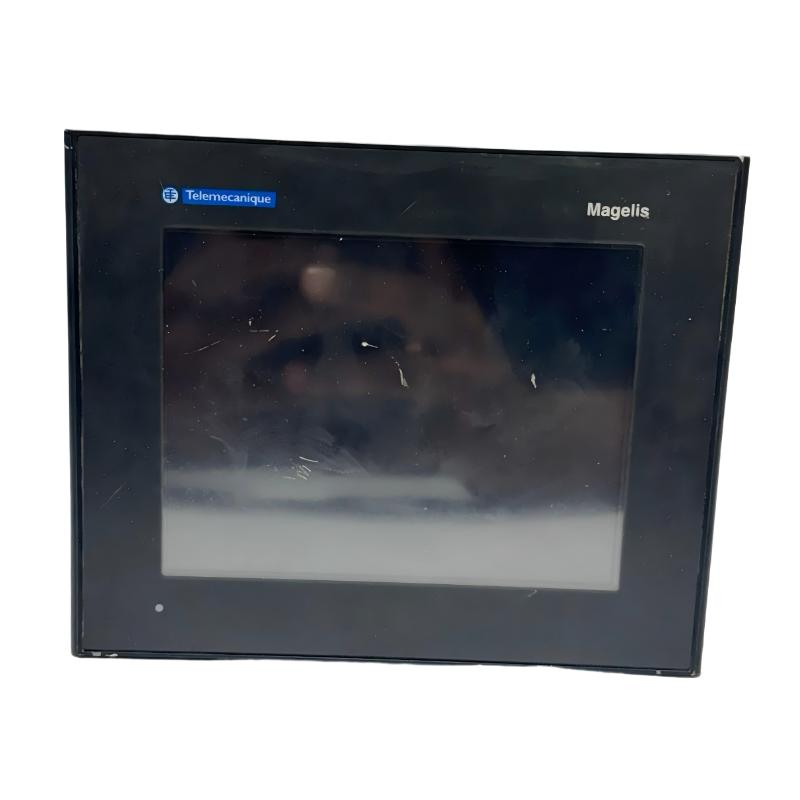
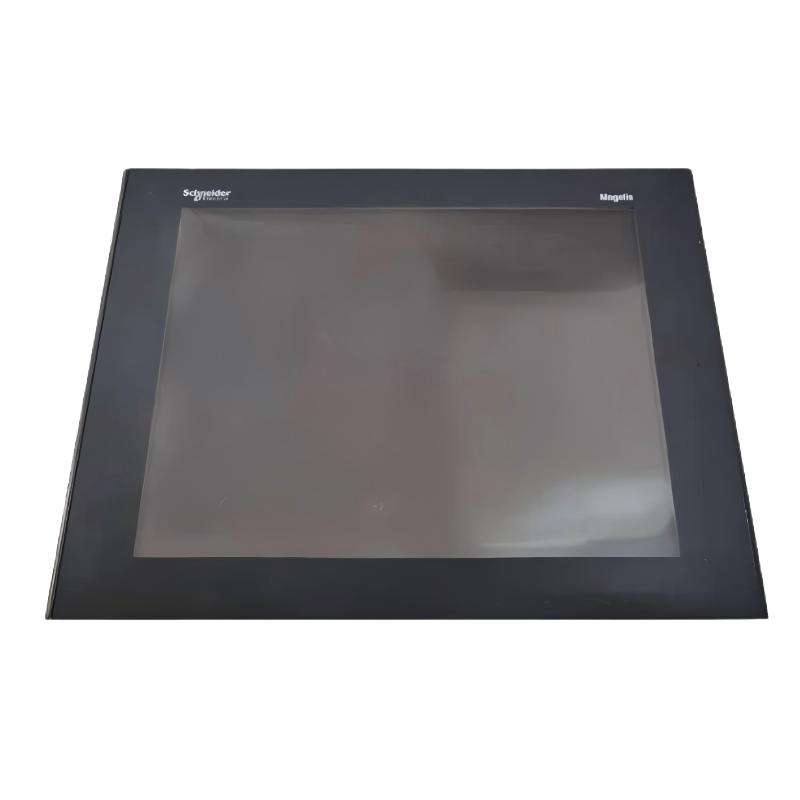
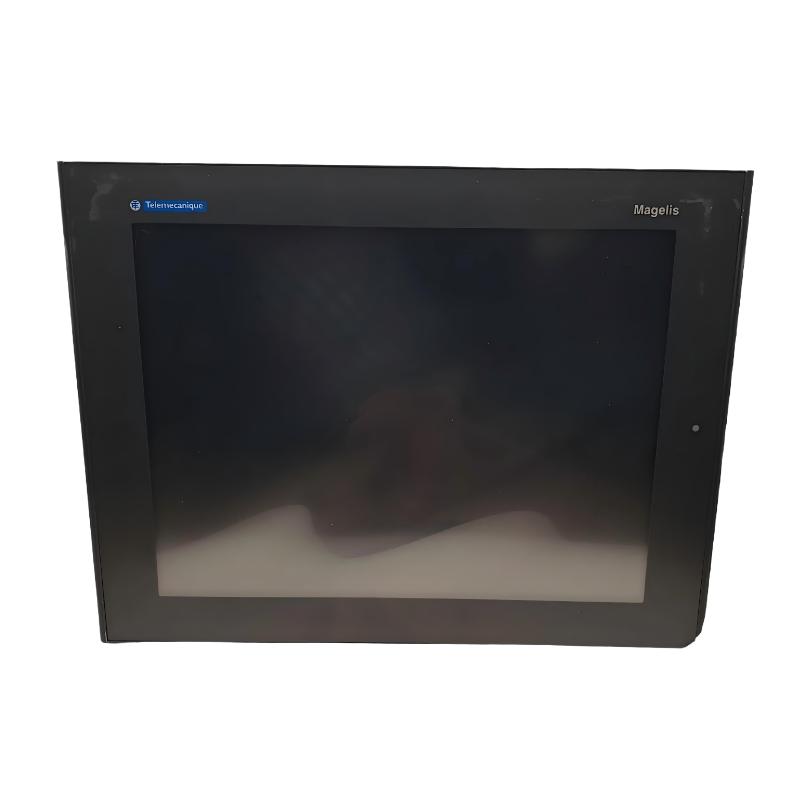
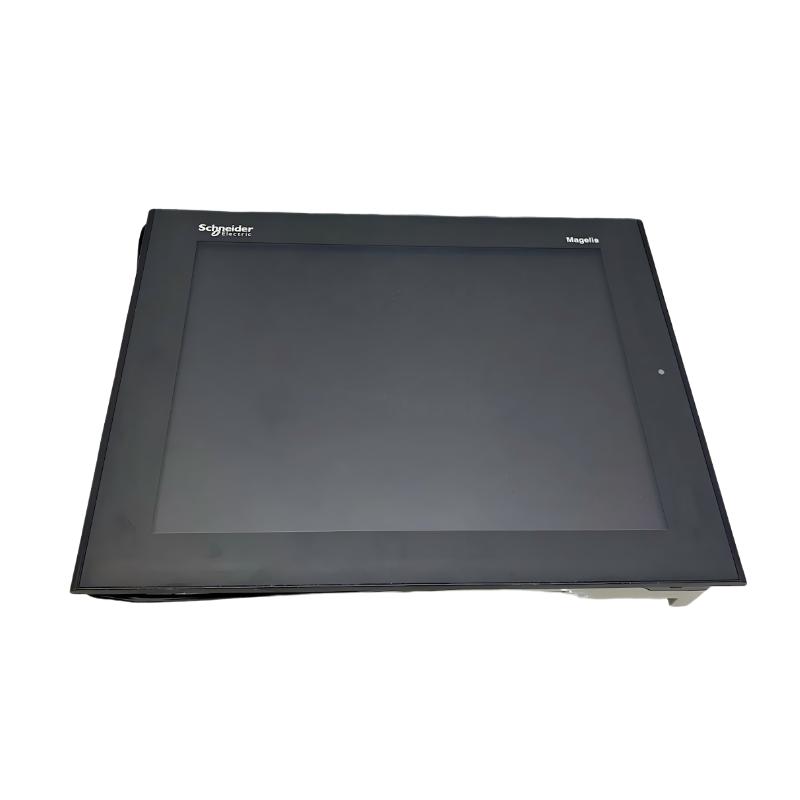
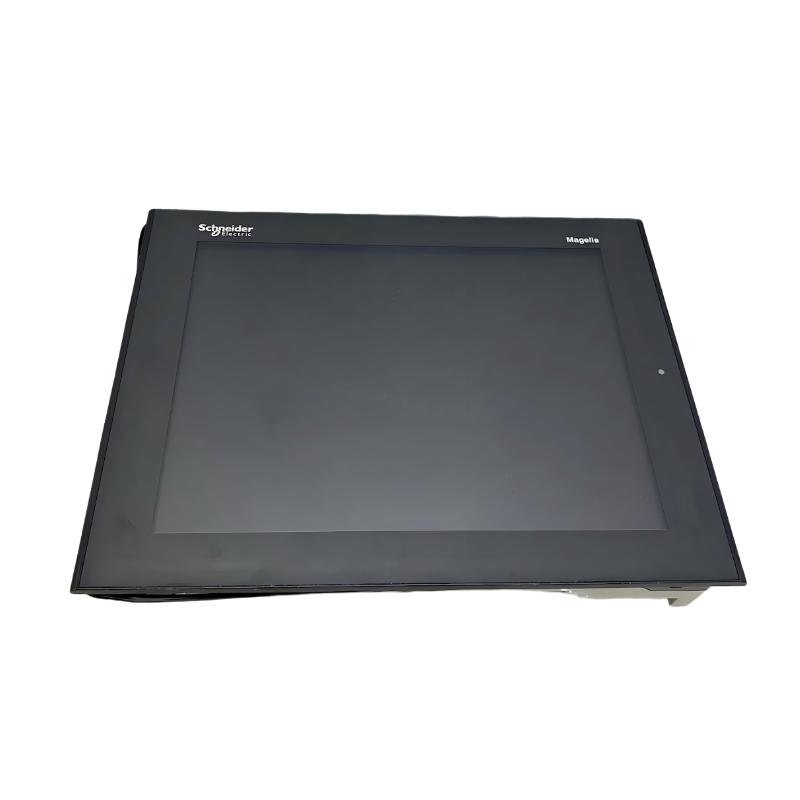
The Schneider Electric XBTGT6340 Advanced Touchscreen Panel is an industrial human-machine interface (HMI) from the Magelis XBT GT series. It is designed to provide operators with a graphical interface for monitoring machine conditions, viewing process information, acknowledging alarms, and interacting with industrial automation systems.
The XBTGT6340 features a 12.1-inch color TFT LCD display with an 800 × 600 SVGA resolution. Its touchscreen interface allows operators to navigate application screens, access machine parameters, and issue authorized commands without relying exclusively on physical push buttons or indicator lamps.
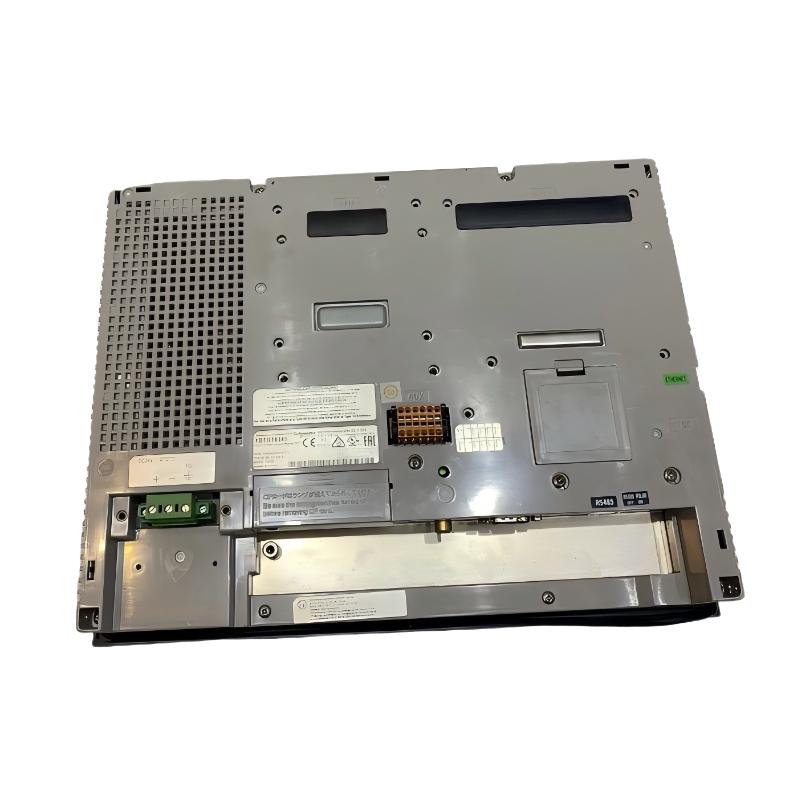
The panel supports a 24 V DC power supply and provides Ethernet and serial communication interfaces for integration with compatible programmable logic controllers (PLCs) and other automation equipment. Additional interfaces include two USB Type-A master ports, digital inputs and outputs, audio connections, and a composite video input.
The HMI uses Vijeo Designer configuration software to create and manage graphical operator applications. Depending on the project design, the interface can display equipment status, process variables, alarm messages, operating instructions, and other information required for daily plant operation.
The XBTGT6340 is suited to existing industrial installations that use the Magelis XBT GT platform. Because the model is discontinued, buyers should verify hardware condition, communication requirements, software compatibility, and replacement options before purchasing.
Technical Specifications
| Parameter | Specification |
|---|---|
| Brand | Schneider Electric |
| Product Series | Magelis XBT GT |
| Model | XBTGT6340 |
| Product Type | Advanced Touchscreen Panel / HMI |
| Display Type | Backlit color TFT LCD |
| Display Size | 12.1 inches |
| Display Resolution | 800 × 600 pixels, SVGA |
| Display Colors | 65,536 colors |
| Touchscreen | Analog touchscreen |
| Rated Supply Voltage | 24 V DC |
| Permitted Supply Range | 19.2–28.8 V DC |
| Rated Power Consumption | 30 W |
| Configuration Software | Vijeo Designer |
| Processor | RISC CPU |
| Processor Frequency | 266 MHz |
| Application Memory | 32 MB Flash EPROM |
| Backup Memory | 512 KB SRAM with lithium battery backup |
| Ethernet Interface | RJ45, Ethernet TCP/IP |
| Serial Interface COM1 | DB9, RS-232C / RS-422 / RS-485 |
| Serial Interface COM2 | RJ45, RS-485; compatible Siemens MPI at supported settings |
| USB Ports | 2 × USB Type-A master ports |
| Additional Interfaces | Digital inputs and outputs, audio input/output, composite video input |
| Overall Dimensions | 313 × 239 × 56 mm |
| Weight Provided | 3 kg |
| Product Lifecycle | Discontinued |
| Typical Application | Industrial machine monitoring and operator control |
Note: The dimensions and weight are the supplied listing values. Confirm the actual unit and packaging weight before shipment. Interface availability and communication support should be checked against the product documentation and installed firmware.
Function and Working Principle
The XBTGT6340 serves as the operator-facing interface between an industrial control system and the people operating or maintaining the equipment. It displays information supplied by connected controllers and allows users to interact with the machine through configured touchscreen objects.
1. Graphical Operator Interface
The 12.1-inch TFT LCD screen provides a graphical workspace for machine operation. Application designers can organize information into screens showing operating status, process values, equipment conditions, and operator commands.
For example, a packaging machine interface might display conveyor status, production counts, operating modes, and alarm notifications. Operators can navigate between screens to view different parts of the process.
The actual content and functionality depend on the application developed for the panel.
2. Touchscreen Operation
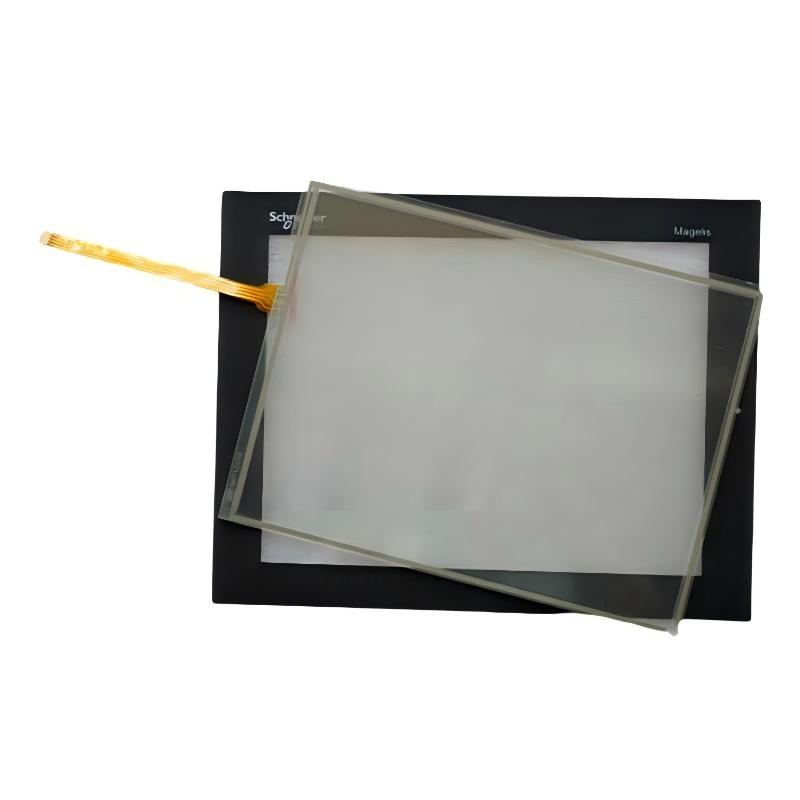
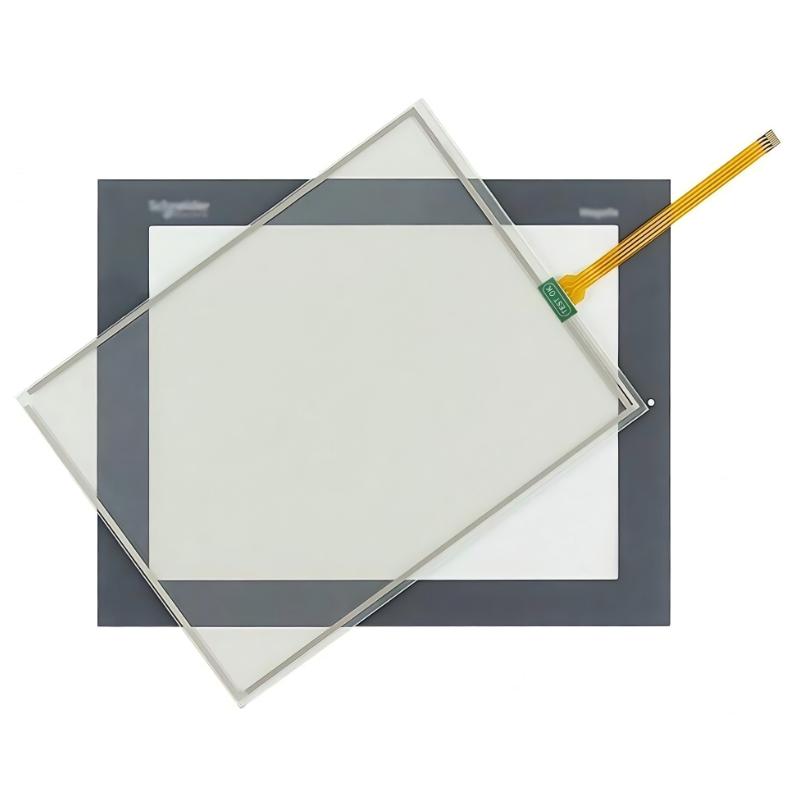
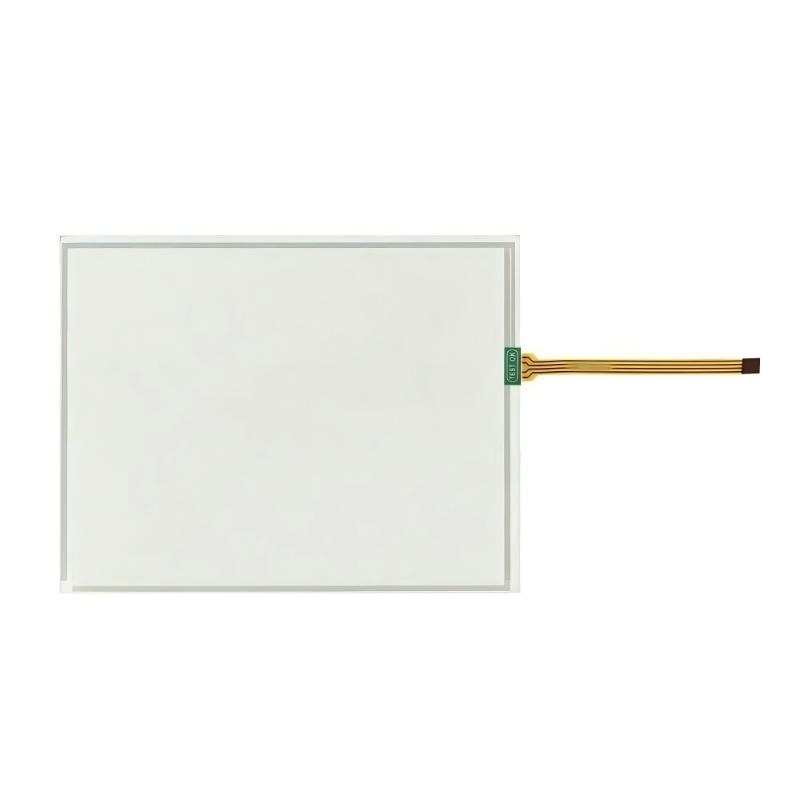
The analog touchscreen detects operator input and allows configured buttons, selectors, and other screen objects to be activated directly.
This approach can reduce the number of separate physical controls required on a machine panel. It also allows the same physical display to present different controls according to the current operating mode or user permissions.
Touchscreen commands should be designed with appropriate confirmation, access control, and interlocking. Safety-critical functions must use suitable safety-rated devices and architectures rather than relying on an ordinary HMI touchscreen alone.
3. PLC Communication
The XBTGT6340 exchanges data with compatible controllers through supported communication interfaces. Depending on the selected protocol and project configuration, the HMI can read controller variables and write authorized values or commands.
A PLC may provide information such as motor status, sensor readings, production counts, and fault conditions. The HMI presents this information in a form that is easier for operators to understand.
Successful communication depends on the controller model, protocol configuration, cable type, addressing, baud rate where applicable, and the HMI project settings.
4. Alarm and Status Display
An HMI can display alarms and equipment status to help operators identify abnormal conditions. A well-designed application distinguishes between warnings, faults, and normal operating states and provides meaningful messages.
Where supported by the application, operators may acknowledge alarms or navigate to diagnostic screens. The controller and control logic remain responsible for detecting process conditions and executing the required responses.
5. Data Presentation
The panel can display numerical values, status indicators, trends, and other visual objects supported by the configured application.
These displays can help operators monitor machine performance and recognize changes in process conditions. The quality of the information depends on the variables supplied by the PLC, the HMI project’s design, and the communication system.
Role in Industrial Control Systems
The XBTGT6340 normally operates as the visualization and operator-interaction layer of an automation system. It complements the PLC and other control equipment rather than replacing their control functions.
PLC and Controller Integration
A PLC executes the machine-control program and processes signals from sensors and other field devices. The HMI displays selected PLC data and provides an interface for authorized operator commands.
For example, an operator might select a production mode on the HMI. The command is transferred to the controller, which checks operating conditions and determines whether the requested action is permitted.
Before integration, engineers should verify the PLC model, communication protocol, required driver, addressing scheme, and available ports.
Ethernet-Based Communication
The integrated Ethernet interface can support compatible TCP/IP-based communication. In suitable configurations, it allows the HMI to exchange data with controllers or other supported devices over an industrial network.
Network design should account for addressing, segmentation, access control, and electromagnetic interference. Ethernet availability alone does not guarantee compatibility with every PLC protocol.
Serial Communication
The panel also provides serial communication interfaces. Depending on the selected port and supported protocol, these interfaces may be used with compatible controllers or legacy automation equipment.
RS-232, RS-422, and RS-485 have different electrical characteristics and wiring requirements. The interface type and protocol must match the connected device. For RS-485 installations, topology, termination, cable characteristics, and grounding should follow the relevant equipment instructions.
Machine-Level Visualization
In a production system, the HMI may serve as the main operator interface for one machine or a section of a production line. It can display operating modes, machine readiness, alarms, and process values supplied by the controller.
This arrangement helps operators understand machine status without accessing the PLC program directly.
Industrial Applications
The XBTGT6340 can be used in industrial environments where a compatible Magelis HMI is required for monitoring and operating machinery.
1. Manufacturing Equipment
Manufacturing machines often require an interface for selecting operating modes, viewing machine status, and checking production information. The XBTGT6340 can provide these functions through a project designed for the connected controller.
2. Packaging Machinery
Packaging systems may use an HMI to display production counts, line status, operating settings, and fault messages. The touchscreen can provide access to configured machine controls and diagnostic information.
Actual performance depends on the PLC application, communication setup, and screen design.
3. Material-Handling Systems
Conveyors, transfer stations, and material-handling equipment can use an HMI to display motor status, sensor conditions, and operating sequences. Operators can use the interface to review equipment conditions and issue authorized commands.
4. Process Monitoring
In suitable process-control installations, the panel can present variables such as temperatures, pressures, levels, flow values, and equipment status when these are provided by the controller.
The HMI is a visualization device; measurement accuracy and control performance depend on the underlying instruments, controller, and application logic.
5. OEM Machinery
Original equipment manufacturers may integrate the XBTGT6340 into machine cabinets to provide a consistent operator interface. A customized Vijeo Designer application can organize operating parameters, alarm screens, maintenance information, and other machine-specific functions.
When maintaining existing OEM equipment, preserve the original project files and communication settings whenever possible.
Installation and System Integration
Correct installation helps ensure reliable operation and reduces the risk of communication problems, electrical damage, or touchscreen malfunction.
1. Verify the Power Supply
The panel uses a nominal 24 V DC supply, with a documented permitted range of 19.2–28.8 V DC. The supply should have sufficient current capacity and be installed according to the manufacturer’s instructions.
The published power consumption is 30 W. Allow for the required current capacity, startup behavior, wiring losses, and other devices sharing the same supply.
Confirm polarity and terminal assignments before energizing the unit.
2. Prepare the Panel Cutout
The overall dimensions are 313 × 239 × 56 mm. The documented panel cutout is approximately 301.5 × 227.5 mm, subject to the specified manufacturing tolerance.
Use the model-specific dimensional drawing when preparing the cabinet opening. The panel cutout is not the same as the overall front dimensions.
Ensure that the mounting surface is flat and that the required panel thickness, mounting hardware, and clearances comply with the manufacturer’s installation instructions.
3. Provide Appropriate Environmental Protection
The HMI should be installed in an environment that meets its documented temperature, humidity, vibration, and contamination limits.
Protect the rear of the unit and its connectors from conductive dust, moisture, and mechanical damage. Avoid installing the panel where excessive heat or direct exposure to liquids could affect reliability.
4. Configure Communication
Select the appropriate Ethernet or serial interface for the connected controller. Configure the protocol, device address, communication parameters, and corresponding HMI project settings.
For Ethernet installations, check the IP address and subnet configuration. For serial connections, verify the port assignment, electrical interface, cable pinout, and communication speed.
Test data exchange before commissioning the complete machine.
5. Load and Verify the HMI Project
Use a compatible Vijeo Designer environment and the correct project files for the installed panel. Confirm software version compatibility, target configuration, required drivers, and any available backups before transferring an application.
After downloading the project, check screen navigation, variable updates, alarm messages, and operator commands. Verify that the application displays accurate information from the connected controller.
6. Test the Touchscreen and Interfaces
Inspect the display for visible damage and check the touchscreen response across the active area. Test Ethernet and serial communication, USB functions required by the application, and other interfaces used in the installation.
Where a replacement unit is installed, confirm that the screen layout, touch positions, communication settings, and operator workflow remain correct.
Compatible System Components
The XBTGT6340 is designed to work with compatible industrial controllers and supporting equipment. Compatibility must be confirmed for the specific hardware, communication protocol, and application.
| Component | Function | Integration Considerations |
|---|---|---|
| Compatible PLC | Executes machine-control logic | Verify protocol, driver, controller model, and project compatibility |
| 24 V DC power supply | Supplies HMI operating power | Confirm voltage range and current capacity |
| Ethernet switch | Connects supported network devices | Check network configuration and protocol compatibility |
| Serial communication cable | Connects compatible controllers | Match RS-232, RS-422, or RS-485 requirements and pinout |
| Industrial sensors | Provide process measurements | Signals are normally processed by the PLC before visualization |
| Motor drives | Control motor speed and operation | HMI monitoring depends on the PLC or supported communication path |
| Control cabinet | Provides mounting and environmental protection | Verify cutout, panel thickness, clearances, and environmental conditions |
| USB storage device | Supports compatible service or transfer tasks | Confirm supported media and functions for the installed software version |
| Vijeo Designer software | Creates the HMI application | Verify version and target compatibility |
The listed components are examples of equipment that may be used in an integrated installation. They are not necessarily supplied with the XBTGT6340.
Alternative Models and Replacement Considerations
The XBTGT6340 is discontinued, so replacement planning should consider the existing application and the long-term maintainability of the control system.
| Alternative Model | Considerations |
|---|---|
| Schneider Electric HMIGTO6310 | An officially identified replacement option in some regional documentation; verify project conversion and installation compatibility |
| Schneider Electric Harmony GTU HMIDT642 with HMIG3U base unit | A replacement combination identified in some regional documentation; confirm the required hardware configuration and software migration |
| Another compatible Magelis XBT GT panel | May help preserve an existing installation if the model, screen characteristics, interfaces, and project compatibility match |
| A current-generation Schneider Electric HMI | May be suitable for a modernization project, but can require project conversion, wiring changes, and commissioning |
Before selecting a replacement, compare:
- Display size, resolution, and overall dimensions.
- Panel cutout and mounting requirements.
- Power supply and electrical connections.
- Ethernet and serial communication interfaces.
- PLC model and communication protocol.
- Vijeo Designer project compatibility and conversion requirements.
- Required application memory and backup procedures.
- Alarm, trend, and data-display functions.
- Availability of technical support and spare parts.
A newer HMI is not necessarily a direct replacement. Even when a replacement offers similar display characteristics, the application project, communication drivers, and mounting arrangement may differ.
Key Advantages
Large Color Display
The 12.1-inch TFT LCD screen provides a graphical interface for presenting operating information, process values, and machine status.
SVGA Resolution
The 800 × 600 display resolution supports organized screen layouts for alarms, machine diagrams, operating controls, and status indicators.
Multiple Communication Interfaces
Ethernet and serial interfaces support integration with compatible industrial controllers. The actual communication method depends on the selected protocol and application configuration.
Touchscreen Operation
The analog touchscreen allows operators to interact directly with configured controls and navigate between application screens.
Flexible HMI Configuration
Vijeo Designer provides the development environment for creating application-specific operator interfaces.
Support for Existing Automation Systems
For installations already using the Magelis XBT GT platform, the XBTGT6340 may serve as a maintenance spare when the exact model and hardware condition are confirmed.
Technical FAQs
1. What is the Schneider Electric XBTGT6340?
The XBTGT6340 is a Magelis XBT GT advanced touchscreen HMI designed for industrial machine monitoring and operator interaction.
2. What is the display size and resolution?
It has a 12.1-inch color TFT LCD display with an 800 × 600 SVGA resolution and supports 65,536 colors.
3. What power supply does the XBTGT6340 require?
It operates from a nominal 24 V DC supply, with a documented permitted range of 19.2–28.8 V DC. Its published power consumption is 30 W.
4. Which configuration software does it use?
The panel uses Vijeo Designer. Verify software version and project compatibility before modifying or downloading an existing application.
5. Does it support Ethernet communication?
Yes. It includes an RJ45 Ethernet TCP/IP interface. The supported controller protocols and network configuration must be confirmed for the intended application.
6. Which serial interfaces are available?
The documented configuration includes a DB9 COM1 port supporting RS-232C, RS-422, and RS-485 interfaces, and an RJ45 COM2 RS-485 interface. Confirm the required port, protocol, and cable arrangement before connection.
7. What is the panel cutout size?
The documented cutout is approximately 301.5 × 227.5 mm, with specified tolerances. Use the model-specific dimensional drawing before machining the cabinet.
8. Is the XBTGT6340 still manufactured?
No. The model has been discontinued. Availability of unused, refurbished, or used units depends on industrial spare-parts suppliers and remaining inventory.
9. Can the XBTGT6340 be replaced by an HMIGTO6310?
The HMIGTO6310 is identified as a replacement option in some Schneider Electric regional documentation. However, the change may require project conversion and verification of communication, mounting, and application compatibility.
10. What should be checked before purchasing a used panel?
Check the full model number, display condition, touchscreen response, power-up behavior, communication ports, connector condition, and availability of the original application project. Ask the supplier to clarify the unit’s tested condition and warranty terms.
Procurement and Maintenance Recommendations
Because the XBTGT6340 is discontinued, procurement should begin with exact model identification and a review of the existing installation.
Before ordering, confirm the complete model number, screen specification, power supply requirements, communication interfaces, and physical dimensions. Request clear photographs of the front label, rear label, connectors, and overall condition. For used equipment, ask whether the touchscreen, display, and communication ports have been functionally tested.
Preserve the original Vijeo Designer project files, communication settings, and relevant controller documentation. These materials can reduce downtime when the panel must be replaced or recommissioned.
During maintenance, keep the screen clean using suitable methods, inspect connectors and power wiring, and check for display deterioration or intermittent communication. Avoid applying excessive pressure to the touchscreen or exposing the panel to cleaning agents that may damage its surface.
For a modernization project, evaluate the total replacement effort rather than comparing display specifications alone. Software migration, communication drivers, cabinet modifications, and operator retraining may all affect the final cost and commissioning schedule.
Conclusion
The Schneider Electric XBTGT6340 Magelis Advanced Touchscreen Panel is a 12.1-inch industrial HMI with an 800 × 600 SVGA color display, 24 V DC power supply, Ethernet and serial communication interfaces, and Vijeo Designer application support.
It provides an operator interface for machine monitoring, alarm presentation, process visualization, and authorized control commands. Since the model is discontinued, careful verification of the unit, software project, communication configuration, and replacement requirements is essential for reliable maintenance and industrial automation upgrades.