

ProductPRODUCT
Featured products
Contact Us
- Schneider
- XBTGT2220
- Advanced Touchscreen Panel
- France
- 167.5 x 135 x 59.5 mm
- 1 kg
- Xiamen, China
- New & In Stock
- T/T, PayPal, Western Union
- 1 Year
- 1-3 Working Days
- DHL, UPS, TNT, FedEx and EMS.
- 24-Hour Service
- COO
- 7
Our advantage

Global Logistics
We have a 10-year logistics and express cooperation agreement, so our products can be shipped to any place in the world.

Brand new and original
Our products are imported in bulk from the place of origin. Because of the cooperative relationship, our products are all original and 100% new.

24-hour service
We provide 7*24 hours service to our customers. We will be there whenever you need us.

Price advantage
All our products are priced very favorably because we have our own warehouse and supply.
| Company Information | |||
| [email protected] | |||
| Mobile | +8615980777398 | ||
| +8615980777398 | |||
| 15980777398 |
Product Overview
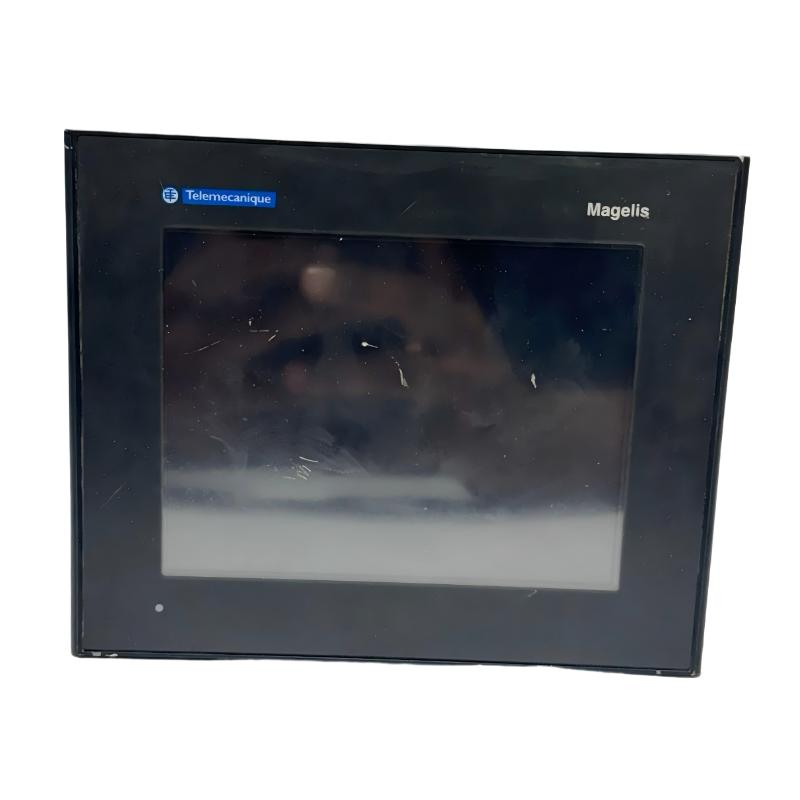
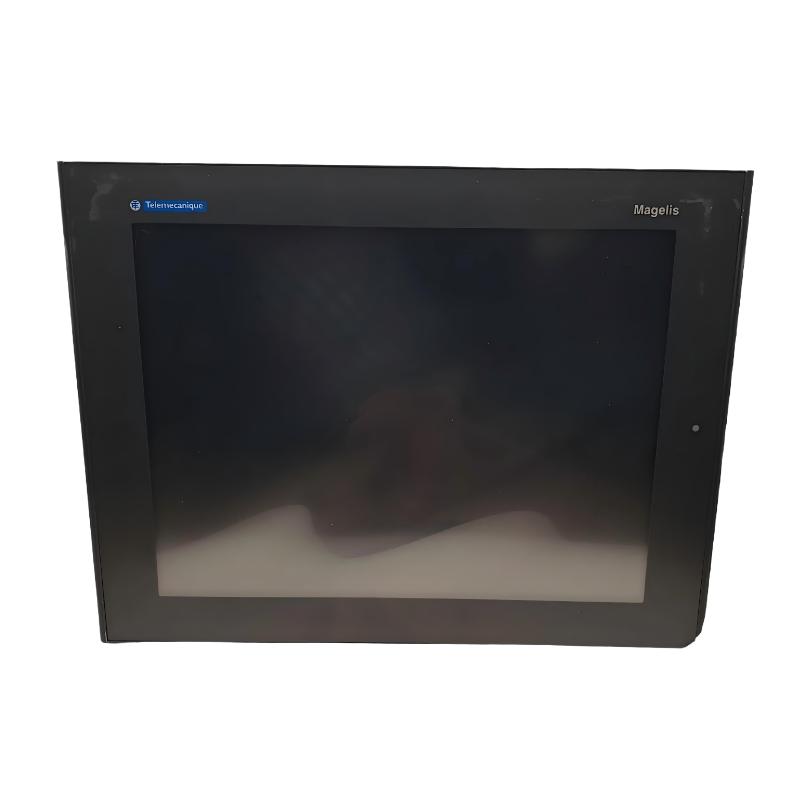
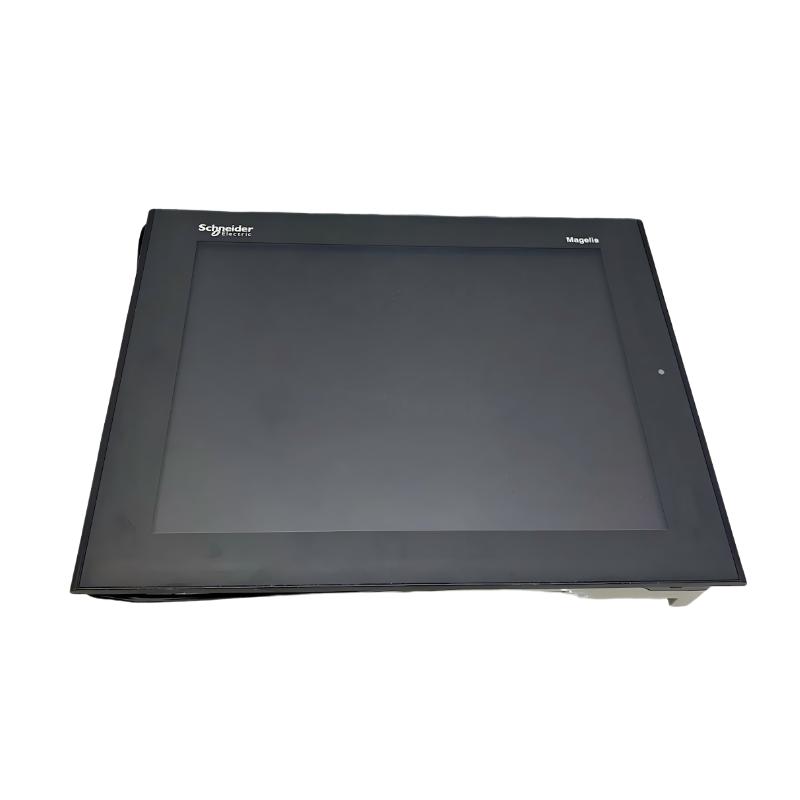
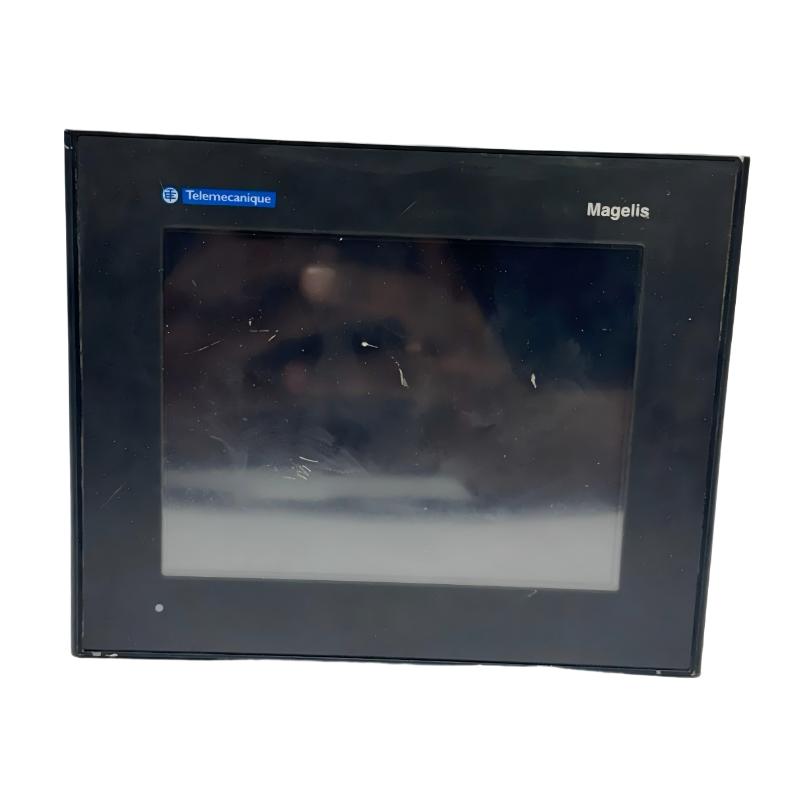
The Schneider Electric XBTGT2220 Magelis Advanced Touchscreen Panel is an industrial human-machine interface (HMI) designed to provide operators with a visual interface for monitoring and controlling automated machinery. As part of the Magelis XBTGT series, this panel allows users to interact with control systems through configurable graphical screens, process indicators, alarm displays, and touch-based commands.
In industrial automation, an HMI connects machine operators with the underlying control system. Instead of relying exclusively on physical switches and indicator lamps, operators can use graphical screens to view equipment status, monitor process values, acknowledge alarms, and issue authorized commands. The actual functions depend on the application developed for the panel and the PLC or controller connected to it.
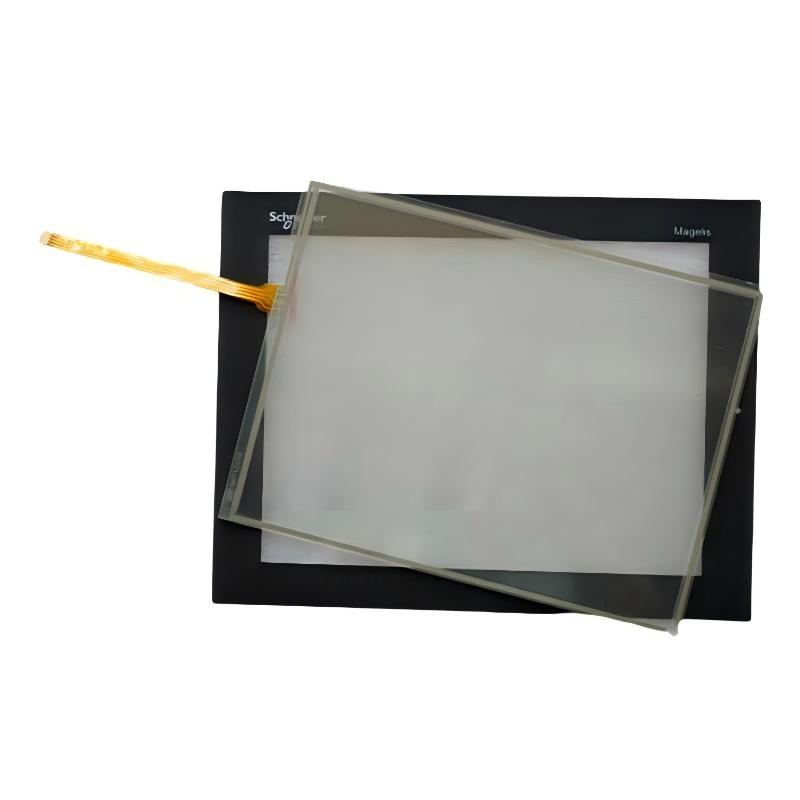
The XBTGT2220 features a 5.7-inch backlit colour STN LCD with a resolution of 320 × 240 pixels. It supports up to 4,096 display colours and uses an analogue touch panel. Its compact format makes it suitable for machine control panels and equipment where operators need access to essential process information without installing a large industrial display.
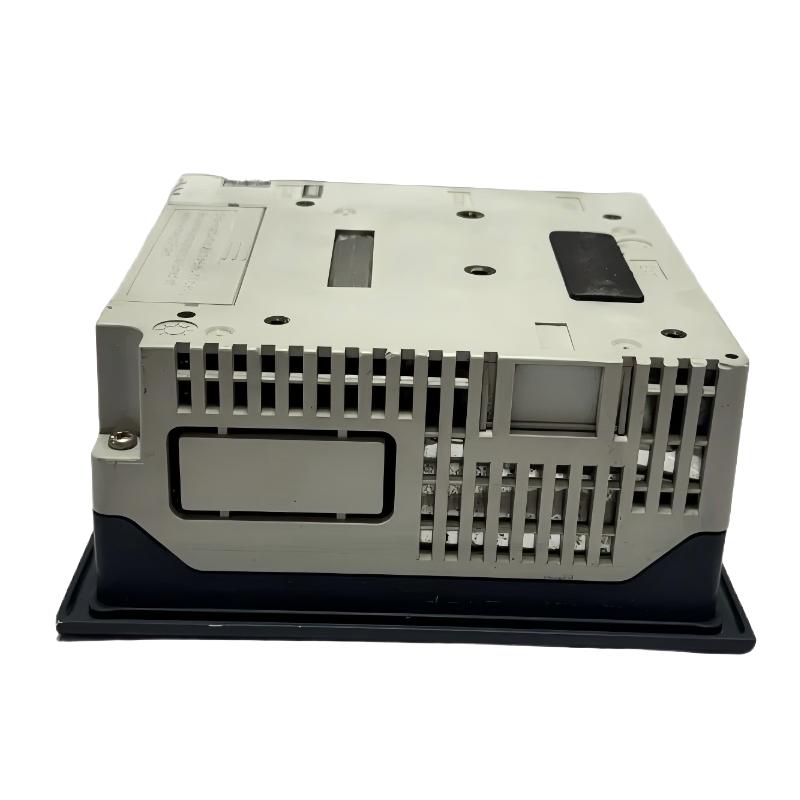
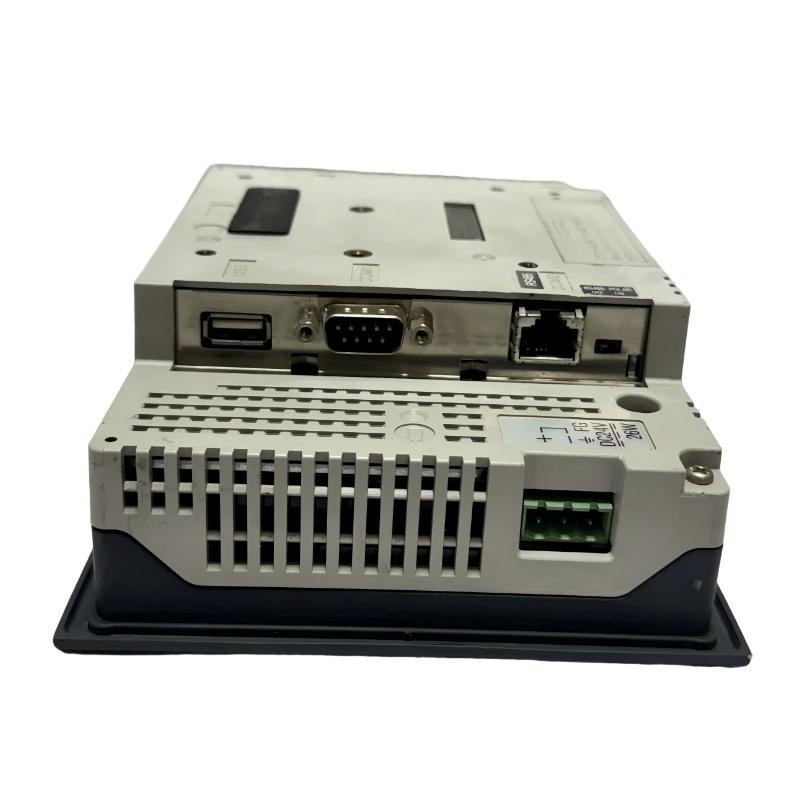
The panel uses a 24 V DC power supply and is configured using Vijeo Designer software. Communication interfaces include a serial COM1 port supporting RS-232C, RS-422, or RS-485, an RJ45 COM2 RS-485 interface, and a USB Type-A master port. These interfaces allow integration with supported automation equipment and engineering workflows, subject to the relevant communication protocol and device configuration.
The XBTGT2220 is a discontinued product. It may remain relevant to industrial facilities maintaining existing Magelis installations, but buyers should verify its condition, firmware, communication compatibility, and availability before purchasing a replacement unit.
Technical Specifications
| Parameter | Specification |
|---|---|
| Brand | Schneider Electric |
| Product Series | Magelis XBTGT |
| Model | XBTGT2220 |
| Product Type | Advanced Touchscreen Panel / HMI |
| Display Size | 5.7 inches |
| Display Technology | Backlit colour STN LCD |
| Display Resolution | 320 × 240 pixels, QVGA |
| Display Colours | 4,096 |
| Touch Technology | Analogue touch panel |
| Rated Supply Voltage | 24 V DC |
| Supply Voltage Limits | 19.2–28.8 V DC |
| Power Consumption | 26 W |
| Processor | RISC CPU |
| Processor Frequency | 133 MHz |
| Application Memory | 16 MB flash EPROM |
| Backup Memory | 512 kB SRAM with lithium battery backup |
| Configuration Software | Vijeo Designer |
| COM1 Interface | DB9 serial, RS-232C/RS-422/RS-485 |
| COM1 Maximum Serial Rate | Up to 115.2 kbit/s |
| COM2 Interface | RJ45 RS-485 |
| COM2 Maximum Serial Rate | Up to 187.5 kbit/s |
| USB Interface | USB Type-A master, USB 1.1 |
| Data Storage | CompactFlash card support |
| Front Panel Cutout | Approximately 156 × 123.5 mm |
| Dimensions Provided | 167.5 × 135 × 59.5 mm |
| Weight Provided | 1 kg |
| Operating Temperature | 0–50°C |
| Product Lifecycle | Discontinued |
Specifications should be checked against the exact unit and its documentation. The listed dimensions and weight are the supplied product-listing values.
Function and Working Principle
The XBTGT2220 functions as an operator interface between personnel and an industrial control system. Its operation depends on the application installed in the panel and the communication connection established with a PLC or another supported controller.
1. Graphical Process Monitoring
The panel displays configured screens containing process values, equipment status, operating modes, and other information supplied by the control system.
For example, a machine screen may show motor running status, production counts, temperature readings, or conveyor operating conditions. The panel displays the information made available by the controller; it does not independently measure these process variables unless appropriate external equipment provides the data.
2. Touch-Based Operator Commands
The analogue touchscreen enables operators to interact with graphical objects configured in the HMI project. Depending on the application, these objects may include buttons, numeric-entry fields, selection controls, alarm acknowledgements, and navigation elements.
Command functions should be designed with appropriate permissions, confirmation steps, and interlocks. Safety-critical functions must use suitable safety-rated hardware and control systems rather than relying on an ordinary HMI touchscreen alone.
3. Alarm and Status Display
An HMI application can present alarm messages and equipment status to help operators identify abnormal operating conditions. Alarm screens may show fault descriptions, timestamps, or instructions for investigating a problem, depending on how the project is designed.
The panel’s effectiveness depends on the quality of the alarm logic and the information provided by the connected controller.
4. Communication with Automation Equipment
The XBTGT2220 provides serial communication interfaces for supported devices and protocols. Depending on the system configuration, it may exchange operating data with a PLC, controller, or other compatible automation equipment.
The communication interface alone does not guarantee compatibility. Engineers must verify the selected protocol, controller model, cable wiring, port settings, baud rate, and application configuration before connecting the panel.
5. Application Storage and Retention
The panel includes flash memory for its application and battery-backed SRAM for data retention. The battery-backed memory supports the documented retention function, while the flash memory stores application data.
Maintenance teams should follow the manufacturer’s instructions for battery replacement, application backup, and project restoration. The condition of the backup battery is particularly important when maintaining older equipment.
Role in Industrial Control Systems
The XBTGT2220 is generally used as the operator-facing component of a PLC-based automation system. It provides the visual interface, while the PLC performs the underlying control logic and communicates with field devices.
PLC and Controller Integration
The panel can exchange information with supported controllers through compatible communication interfaces. It may display input and output states, operating parameters, fault information, and production data provided by the controller.
Before integration, confirm that the PLC model and communication protocol are supported by the installed software and firmware. Older installations may rely on legacy serial communication settings that must be reproduced during replacement.
Machine Operation and Monitoring
An HMI project can provide different screens for machine startup, normal operation, manual control, maintenance, and fault diagnosis. The exact functions depend on the project developed for the machine.
Clear screen organization and consistent operating terminology help reduce operator confusion. Numeric-entry fields should include suitable limits, while command buttons should be coordinated with PLC interlocks and equipment states.
Maintenance and Troubleshooting
The panel can help technicians view operating information and identify faults without inspecting every control cabinet component manually. When a communication problem occurs, technicians should distinguish between a display fault, a communication fault, a controller fault, and a problem in the underlying machine.
Keeping a copy of the original HMI project and recording the communication settings can simplify future maintenance.
Industrial Applications
The XBTGT2220 is suitable for legacy automation installations where a compact colour touchscreen is required and its technical capabilities meet the application’s requirements.
1. Manufacturing Machinery
Manufacturing equipment may use the panel to display machine status, production counters, operating modes, and maintenance messages. Operators can use the configured screens to navigate between machine functions and monitor production progress.
2. Packaging and Material Handling
Packaging equipment and conveyors often require straightforward operator interaction. An HMI can display line status, operating speed references, sensor conditions, and alarm messages when those values are available from the control system.
The XBTGT2220 may be used in existing installations where the screen size and communication interfaces are sufficient.
3. Process Equipment
Small process systems may use an HMI to display temperatures, pressures, flow values, or equipment status supplied by the PLC and connected instruments. Operators can use the interface to review process information and issue permitted commands.
Actual measurement and regulation are performed by the appropriate field instruments and control equipment, not by the HMI alone.
4. Industrial Test Equipment
Test benches and inspection machines may use an HMI to display test sequences, measured values, pass/fail indications, and alarm information. The application must be designed to handle data correctly and maintain the required test records through the appropriate control or data-storage system.
5. Existing Magelis Control Panels
The XBTGT2220 is particularly relevant to maintenance projects involving installed Magelis XBTGT equipment. Retaining the same model may reduce the scope of mechanical and software changes, provided that the replacement unit is compatible and in suitable condition.
Because the product is discontinued, facilities should also consider long-term spare availability and the feasibility of migrating to a newer HMI platform.
Installation and System Integration
Correct installation and configuration are essential for reliable operation.
1. Verify the Power Supply
The panel uses a nominal 24 V DC supply, with a documented allowable range of 19.2–28.8 V DC. The supply should have sufficient capacity for the panel’s power requirements and any other connected loads.
Verify polarity, terminal assignments, protective measures, and grounding requirements before energizing the unit.
2. Check the Panel Cutout
The supplied external dimensions are 167.5 × 135 × 59.5 mm. The documented panel cutout is approximately 156 × 123.5 mm.
External dimensions and cutout dimensions serve different purposes. Before replacing an existing panel, verify the actual enclosure opening, mounting arrangement, clearance behind the panel, and cable access.
3. Configure Communication Parameters
Select the appropriate COM1 or COM2 interface according to the controller and communication protocol. Confirm the cable pinout, baud rate, parity, data bits, stop bits, node address, and other protocol-specific settings.
For serial networks, incorrect wiring or mismatched communication parameters can prevent the HMI from exchanging data even when the panel powers on normally.
4. Prepare the HMI Application
The XBTGT2220 uses Vijeo Designer for application configuration. Before modifying or replacing the panel, confirm that the engineering software version, project files, target device settings, and firmware are appropriate for the installed unit.
Back up the original project and verify that the application can be transferred to the replacement panel. Do not assume that a project designed for a different Magelis model can be downloaded without modification.
5. Confirm Environmental Conditions
The documented operating temperature range is 0–50°C. Install the panel in a suitable industrial enclosure and avoid exposure to temperatures, vibration, moisture, or contaminants outside its permitted conditions.
Ensure that heat generated by adjacent equipment does not cause the panel to exceed its operating limits.
6. Commission the Interface
After installation, verify that the display operates correctly, touch inputs register accurately, and communication with the controller is stable. Test each operator command, screen transition, alarm display, and numeric-entry field.
Where the panel is part of a production-critical system, conduct a controlled test before returning the machine to normal operation.
Compatible System Components
The XBTGT2220 operates as part of a larger automation system. Compatibility depends on the controller, communication protocol, software version, and project configuration.
| Component | Function | Integration Considerations |
|---|---|---|
| PLC or industrial controller | Executes control logic | Verify the exact model and supported communication protocol |
| 24 V DC power supply | Powers the HMI | Confirm voltage range, capacity, polarity, and wiring |
| Serial communication cable | Connects the panel to compatible equipment | Verify pinout and electrical interface |
| Ethernet or serial-connected gateway, where applicable | Provides communication between supported systems | Confirm that the required hardware and protocol are supported |
| Vijeo Designer software | Configures the HMI application | Verify software version, target model, and project compatibility |
| CompactFlash card | Provides supported removable storage | Check media capacity, format, and application requirements |
| Sensors and transmitters | Provide process measurements | Values must be acquired by the controller or appropriate interface |
| Industrial control cabinet | Houses the HMI and related equipment | Check cutout, mounting, grounding, and environmental requirements |
These components are examples of equipment used in a complete installation. They are not necessarily included with the touchscreen panel.
Alternative Models and Replacement Considerations
The XBTGT2220 is discontinued. Schneider Electric identifies the HMIGTO2310 and a Harmony GTU configuration consisting of an HMIDT351 display with an HMIG3U base unit among its replacement options.
| Alternative | Considerations |
|---|---|
| Schneider Electric HMIGTO2310 | A listed replacement option with a 5.7-inch QVGA display; verify project migration and communication compatibility |
| Schneider Electric HMIDT351 with HMIG3U | A newer Harmony GTU combination with a 7-inch wide display; requires assessment of mounting and system integration |
| Another compatible Magelis XBTGT panel | May simplify replacement in some legacy installations, but exact model and firmware compatibility must be confirmed |
| A current-generation Schneider Electric HMI | May be suitable for modernization projects, with possible software, wiring, and mechanical changes |
Before choosing a replacement, compare the following:
- Display size, resolution, and screen layout.
- External dimensions and panel cutout.
- Supply voltage and power consumption.
- Serial and other communication interfaces.
- PLC protocol and communication parameters.
- Vijeo Designer project compatibility and migration requirements.
- Application memory and data-retention needs.
- Firmware, software support, and long-term spare availability.
A newer panel should not be treated as a direct plug-in replacement until the engineering team confirms the mechanical, electrical, communication, and application requirements.
Key Advantages
Compact Industrial Display
The 5.7-inch colour screen provides a practical interface for compact machinery and existing control panels.
Touch-Based Operation
The analogue touchscreen allows operators to interact with configurable graphical controls without requiring a separate physical keypad for every function.
Multiple Serial Interfaces
COM1 and COM2 support several serial communication options, allowing integration with compatible legacy automation devices.
Configurable HMI Application
Vijeo Designer supports the creation of application screens for monitoring, operator commands, alarm handling, and machine navigation.
Built-In Memory
Flash application memory and battery-backed SRAM support the panel’s application and documented data-retention functions.
Legacy System Maintenance
The XBTGT2220 can be relevant when maintaining existing installations where the original hardware, project, and communication configuration must be preserved.
Technical FAQs
1. What is the Schneider Electric XBTGT2220?
It is a Magelis XBTGT advanced touchscreen HMI panel used for industrial machine monitoring and operator interaction.
2. What is the display size and resolution?
The panel has a 5.7-inch backlit colour STN LCD with a resolution of 320 × 240 pixels (QVGA) and supports 4,096 colours.
3. What power supply does it require?
It uses a nominal 24 V DC supply, with a documented supply range of 19.2–28.8 V DC.
4. Which software is used to configure the panel?
The XBTGT2220 is configured using Vijeo Designer. Confirm the installed software version, target-device support, and project compatibility before attempting a download.
5. Which communication interfaces are available?
The documented interfaces include COM1 serial communication through a DB9 connector, COM2 RS-485 through an RJ45 connector, and a USB Type-A master port. Supported protocols depend on the device and application configuration.
6. Can the XBTGT2220 communicate with a Siemens or Allen-Bradley PLC?
The panel documentation lists support for selected third-party protocols, including Siemens SIMATIC and Allen-Bradley protocols. Compatibility must be verified for the exact PLC model, protocol, driver, software version, and communication interface.
7. What are the panel cutout dimensions?
The documented cutout is approximately 156 × 123.5 mm. Verify the manufacturer’s mechanical drawing before modifying an enclosure.
8. Is the XBTGT2220 still manufactured?
No. The model is discontinued. Schneider Electric’s published lifecycle information also indicates that its standard service period has ended. Availability of new-old-stock, used, or refurbished units depends on suppliers.
9. What should be checked before buying a used panel?
Confirm the full model number, display condition, touchscreen response, connectors, power-up behaviour, and communication functionality. Check whether the unit includes the required accessories and whether the original HMI project can be recovered.
10. Can a newer Harmony HMI replace the XBTGT2220?
Potentially, but a replacement requires a compatibility assessment. Screen dimensions, panel cutout, communication protocols, project migration, and controller integration may differ.
Procurement and Maintenance Recommendations
Because the XBTGT2220 is discontinued, procurement should begin with verification of the complete model number and the requirements of the installed system.
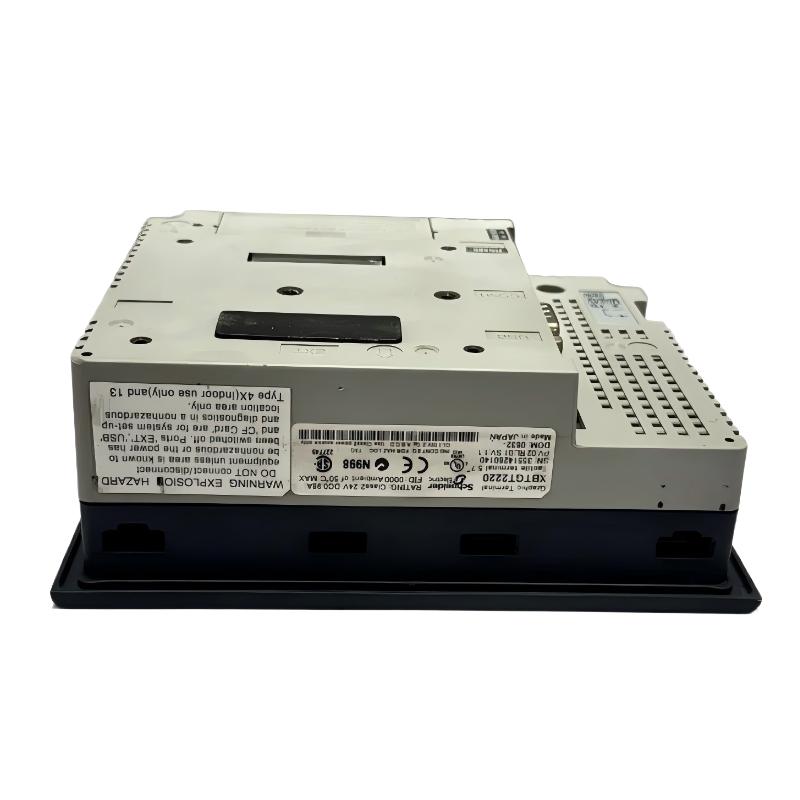
For a replacement purchase, request photographs of the product label, front display, rear connectors, and mounting area. Confirm whether the unit is new-old-stock, used, or refurbished, and establish the warranty and return conditions before ordering.
If the original panel is still operational, back up the HMI project and record its firmware, communication parameters, and connected controller model. These details can be critical when replacing the panel or migrating to a newer product family.
During maintenance, inspect the screen and touch response, check power and communication wiring, and monitor the backup battery according to the manufacturer’s guidance. Store project backups in a controlled location and document any application changes.
For modernization projects, compare the cost and availability of a replacement legacy unit with the engineering effort required to migrate to a current-generation HMI. A planned migration can reduce long-term dependence on discontinued hardware, but it should include testing of the new application and communication behaviour.
Conclusion
The Schneider Electric XBTGT2220 Magelis Advanced Touchscreen Panel is a compact industrial HMI featuring a 5.7-inch colour STN LCD, 320 × 240 QVGA resolution, 24 V DC power, and multiple serial communication interfaces. It is designed to provide operators with graphical monitoring and control functions within compatible automation systems.
Although the XBTGT2220 is discontinued, it remains relevant to facilities maintaining existing Magelis installations. Accurate model identification, preservation of the original HMI project, and verification of communication compatibility are essential when sourcing a replacement or planning a migration to a newer industrial touchscreen panel.