

ProductPRODUCT
Featured products
Contact Us
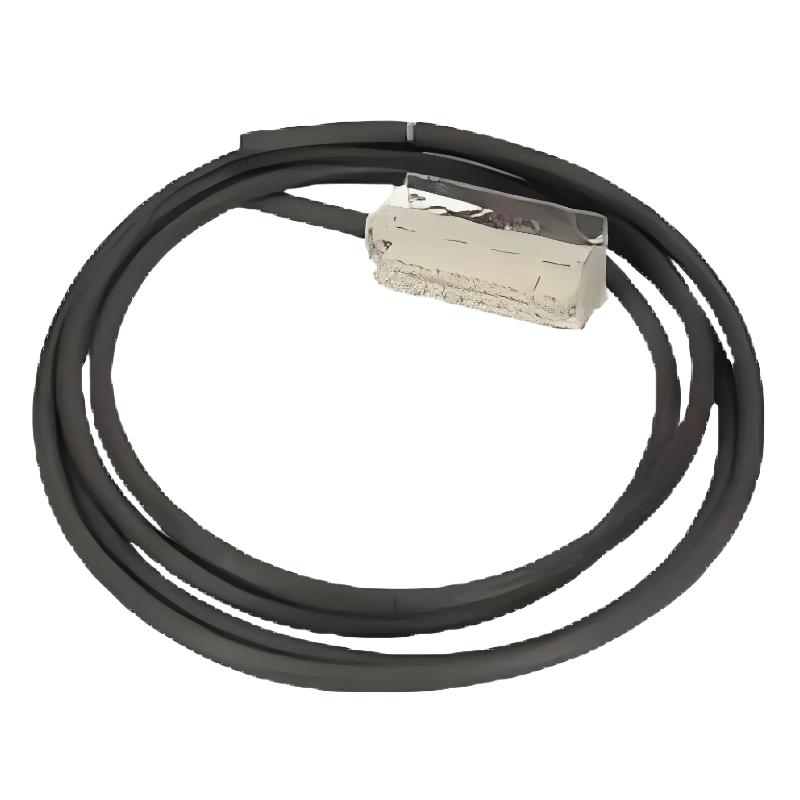
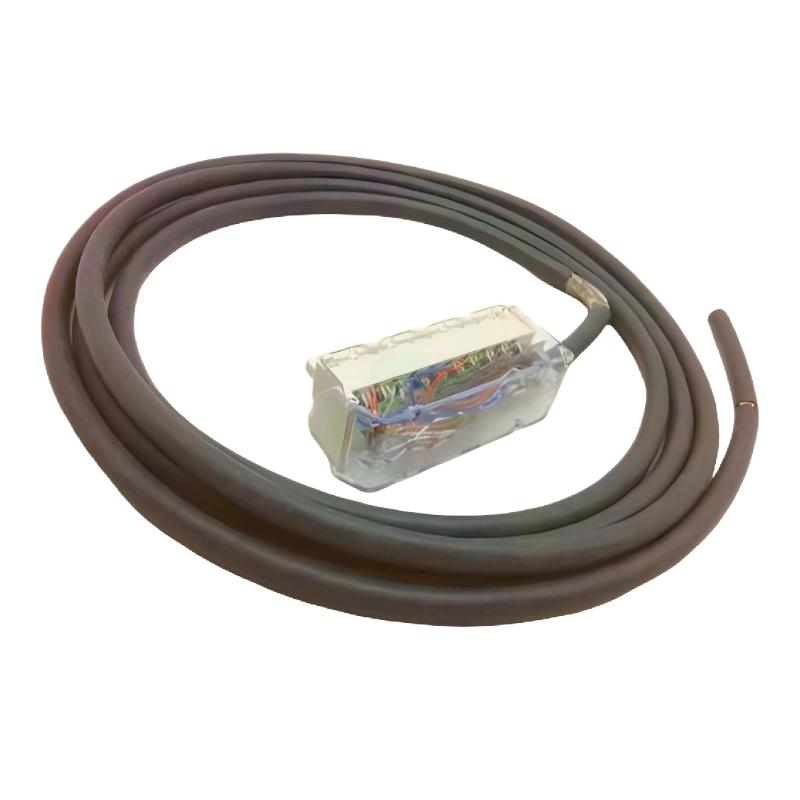
- Schneider
- BMXFTW301S
- Pre-formed Cable Sleeve
- France
- 3 meters
- 0.47 kg
- Xiamen, China
- New & In Stock
- T/T, PayPal, Western Union
- 1 Year
- 1-3 Working Days
- DHL, UPS, TNT, FedEx and EMS.
- 24-Hour Service
- COO
- 9
Our advantage

Global Logistics
We have a 10-year logistics and express cooperation agreement, so our products can be shipped to any place in the world.

Brand new and original
Our products are imported in bulk from the place of origin. Because of the cooperative relationship, our products are all original and 100% new.

24-hour service
We provide 7*24 hours service to our customers. We will be there whenever you need us.

Price advantage
All our products are priced very favorably because we have our own warehouse and supply.
| Company Information | |||
| [email protected] | |||
| Mobile | +8615980777398 | ||
| +8615980777398 | |||
| 15980777398 |
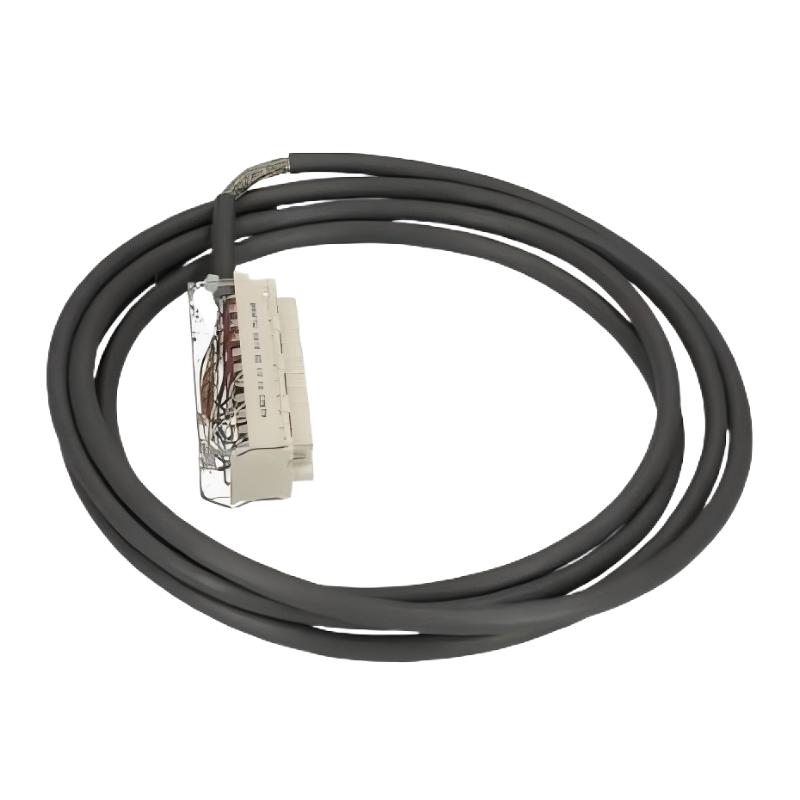
Product Overview
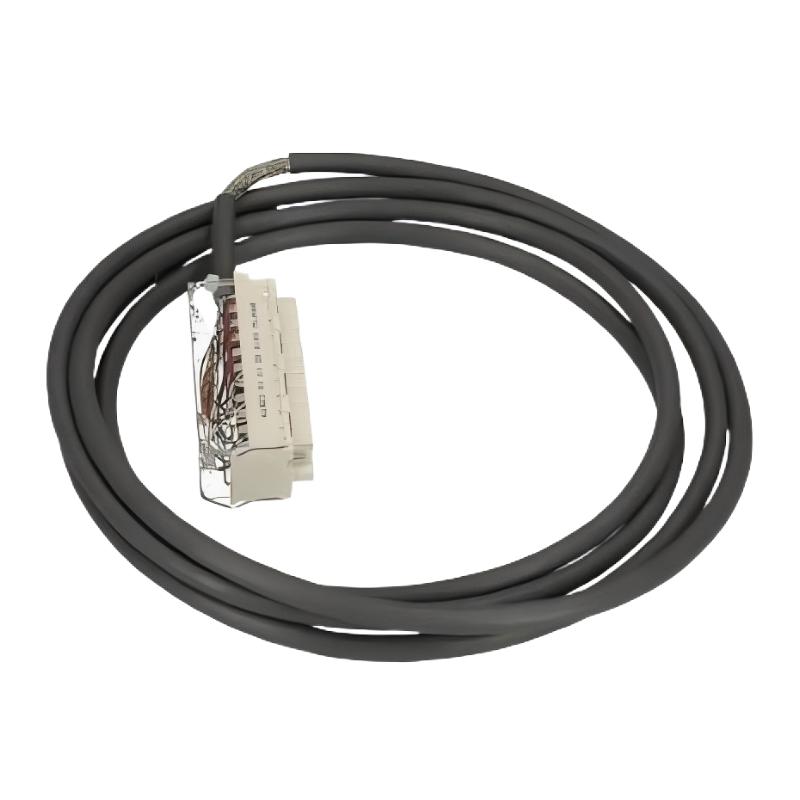
The Schneider BMXFTW301S Pre-formed Cable Sleeve is a cable-management component designed to support organized, protected, and serviceable cable routing in industrial automation systems. With a specified cable length of 3 meters and a weight of 0.47 kg, the BMXFTW301S is suitable for installations where cables need to be arranged along a defined route within control cabinets, PLC systems, automation panels, and industrial equipment.
Cable management is an important part of industrial automation engineering. PLC systems and control cabinets often contain large numbers of power, I/O, communication, instrumentation, and field cables. Without a structured routing arrangement, wiring can become difficult to identify and maintain while also being exposed to unnecessary mechanical stress.
A pre-formed cable sleeve provides a practical way to organize cables along an intended path. The BMXFTW301S can therefore form part of the physical installation infrastructure surrounding Schneider automation equipment.
The specified 3-meter length provides a relatively long cable-management section, while the 0.47 kg weight is useful for inventory, transportation, and installation planning.
Exact construction details such as material, internal capacity, sleeve diameter, temperature range, environmental protection, and bending specifications should be confirmed from the applicable product documentation before detailed engineering or installation.
Technical Specifications
| Parameter | Specification |
|---|---|
| Manufacturer | Schneider Electric |
| Model | BMXFTW301S |
| Product Type | Pre-formed Cable Sleeve |
| Cable Length | 3 meters |
| Weight | 0.47 kg |
| Primary Function | Cable organization and physical protection |
| Application | Industrial Automation and Control Systems |
| Typical Installation | PLC Cabinets, Control Panels, Automation Equipment |
| Product Category | Cable Management Component |
The exact values provided for the BMXFTW301S are a 3-meter cable length and 0.47 kg weight.
No additional mechanical or environmental specifications should be assumed without confirming the exact product configuration.
What Is the Schneider BMXFTW301S?
The Schneider BMXFTW301S is a Pre-formed Cable Sleeve used to support structured cable routing in industrial automation installations.
Unlike a PLC processor, I/O module, communication module, or power supply, the BMXFTW301S is a passive cable-management component. Its purpose is related to the physical arrangement and protection of cables rather than signal processing or control logic.
In an automation cabinet, cables may connect:
- PLC CPUs
- I/O modules
- Terminal blocks
- Sensors
- Actuators
- Communication equipment
- Remote I/O stations
- HMI equipment
- Power equipment
- Field devices
A suitable cable-management arrangement helps maintain an orderly physical connection between these devices.
The BMXFTW301S provides a specified 3-meter cable-management length, making it suitable for applications where a longer organized routing path is required.
Main Function of the BMXFTW301S
The primary role of the BMXFTW301S is to assist with organized cable installation.
Cable Organization
Multiple cables can create significant congestion in industrial control cabinets. A structured sleeve arrangement helps maintain a more organized cable path.
Physical Protection
Cable sleeves can provide an additional physical barrier around cables and help reduce exposure to normal contact and routing-related mechanical effects.
The actual protection capability depends on the specific construction and installation conditions.
Defined Cable Routing
A pre-formed sleeve provides a predictable cable-management route that can make installation more systematic.
Maintenance Support
Organized cable routing allows technicians to identify and inspect wiring more easily during maintenance.
Reduced Cable Congestion
A planned cable-management system can reduce loose or uncontrolled cable movement inside an automation cabinet.
Role in Industrial Automation
Industrial automation systems rely on reliable communication and electrical connections between control equipment and field devices.
A simplified automation architecture can be represented as:
Controller → I/O System → Terminal Interface → Field Wiring → Sensors / Actuators
Cable-management components such as the BMXFTW301S support the physical portion of this architecture.
The sleeve itself does not execute PLC logic or transmit control signals as an active electronic device. Instead, it helps organize the cables that carry those signals.
This distinction is important when selecting replacement parts. The BMXFTW301S should be evaluated according to its cable-management requirements rather than the electrical specifications of the connected equipment.
3-Meter Cable Length
The specified cable length of the BMXFTW301S is 3 meters.
This length can be useful when the cable-management route extends across a substantial section of a control cabinet or automation installation.
During system planning, engineers should consider:
- Distance between equipment
- Cable entry and exit points
- Cabinet dimensions
- Routing direction
- Connector locations
- Maintenance access
- Cable bending requirements
- Required service allowance
The nominal 3-meter length should not automatically be treated as a usable straight-line distance. Actual installation geometry should be evaluated before cutting, securing, or routing cables.
Cable Management in PLC Control Cabinets
PLC cabinets frequently contain a mixture of electrical and communication wiring.
For example, a Schneider automation installation may contain:
PLC CPU → I/O Modules → Terminal Blocks → Field Devices
It may also contain:
PLC → Communication Module → Remote I/O
and:
Power Supply → Control Equipment → Field Equipment
These connections can create complicated cable routes.
A pre-formed cable sleeve can help keep these routes organized while allowing technicians to understand the physical wiring arrangement more easily.
Good cable management also makes future system modifications easier because additional cables can be planned around an established routing structure.
Installation Guidelines
Correct installation is important to maintain the physical integrity of the cable-management system.
Inspect the BMXFTW301S
Before installation, visually inspect the component.
Check for:
- Cuts
- Deformation
- Abrasion
- Compression damage
- Contamination
- Packaging damage
Do not install a visibly damaged component without evaluating its condition.
Plan the Routing Path
The cable path should be established before installation.
Consider the positions of:
- PLC racks
- I/O modules
- Terminal blocks
- Cable entry points
- Field connections
- Communication interfaces
A well-planned route minimizes unnecessary cable crossings.
Avoid Excessive Mechanical Stress
Avoid pulling, twisting, crushing, or sharply bending the sleeve.
Cable-management components should not be used in a way that transfers excessive mechanical force to electrical connectors.
Maintain Connector Accessibility
The routing arrangement should allow technicians to access connectors and terminals during maintenance.
A sleeve should organize the wiring without making critical connections inaccessible.
Cable Routing Best Practices
A professional automation installation should treat cable routing as part of the overall electrical design.
Use Defined Cable Paths
Cable paths should be consistent and easy to identify.
Avoid Sharp Bends
Cables should not be forced into excessively tight bends.
Prevent Cable Pinching
The sleeve and surrounding cabinet structure should not compress cables unnecessarily.
Maintain Service Access
Allow sufficient space for inspection, troubleshooting, and replacement.
Protect Connector Areas
Avoid placing mechanical loads on connectors or terminal blocks.
Label Cables
Cable identification should remain visible or accessible after the sleeve is installed.
Power and Signal Cable Separation
Industrial control cabinets may contain circuits with significantly different electrical characteristics.
Examples include:
- AC power wiring
- Motor wiring
- Variable speed drive cables
- Digital I/O
- Analog instrumentation
- Communication cables
- Safety circuits
Where required by the system design, power and signal wiring should be routed separately to reduce the potential for electromagnetic interference.
The BMXFTW301S can support organized routing, but it should not automatically be considered an EMC filtering or shielding device.
Effective EMC performance depends on the complete installation, including:
- Cable selection
- Shielding
- Grounding
- Cable separation
- Cabinet design
- Equipment placement
- Connector installation
Industrial Applications
The Schneider BMXFTW301S can be considered for cable-management applications associated with a range of industrial automation equipment.
PLC Automation
PLC systems can contain numerous I/O and communication connections. Organized cable routing makes these systems easier to maintain.
Control Panels
Control panels require structured wiring to preserve cabinet accessibility and reduce cable congestion.
Remote I/O Systems
Distributed automation architectures can involve longer cable routes between controllers and remote I/O equipment.
Machine Control
Industrial machinery frequently contains sensors, actuators, controllers, and communication devices distributed throughout the machine.
Automation System Upgrades
When existing control systems are expanded, additional wiring can be routed using a structured cable-management arrangement.
Industrial Instrumentation
Instrumentation systems can require organized routing for sensor and control wiring, particularly where many field devices are connected to centralized equipment.
Troubleshooting the BMXFTW301S Installation
Because the BMXFTW301S is a passive cable-management component, troubleshooting generally focuses on physical installation issues.
Cable Movement
If cables move excessively inside the sleeve, inspect:
- Routing arrangement
- Cable grouping
- Securing method
- Mechanical movement
- Installation geometry
Sleeve Damage
Possible causes include:
- Sharp cabinet edges
- Excessive bending
- Mechanical abrasion
- Improper handling
- Compression
- Contact with moving equipment
The cause should be corrected before installing a replacement.
Difficult Cable Identification
If technicians cannot easily identify individual cables, review the cable-labeling and routing strategy.
A well-organized installation should make important cables traceable without requiring extensive disassembly.
Excessive Cable Congestion
If the installation remains congested, review the entire cabinet layout.
Simply adding additional cable-management components may not solve a routing problem caused by insufficient cabinet space or poor cable grouping.
Preventive Maintenance
Although the BMXFTW301S does not contain active electronic circuitry, its physical condition can affect the organization and protection of the cable installation.
Recommended inspections include:
Sleeve Condition
Check for:
- Cracks
- Abrasion
- Deformation
- Contamination
- Mechanical damage
Cable Condition
Inspect surrounding cables for:
- Damaged insulation
- Abrasion
- Excessive bending
- Connector strain
- Signs of pulling or compression
Routing Condition
Verify that cables remain in their intended positions after maintenance work.
Connector Condition
Check that cable-management arrangements are not placing excessive force on connectors or terminals.
Replacement Considerations
When replacing a Schneider BMXFTW301S Pre-formed Cable Sleeve, the complete model number should be verified.
Important identification information includes:
- Manufacturer
- Product model
- Product type
- Cable length
- Product weight
- Existing routing arrangement
- Host equipment
- Physical installation requirements
The specified BMXFTW301S has a 3-meter cable length and a 0.47 kg weight.
A visually similar cable sleeve should not automatically be considered an equivalent replacement. Differences in physical dimensions, construction, routing capacity, or installation method may affect suitability.
Physical Length and Weight
The supplied physical specifications for the BMXFTW301S are:
Cable Length: 3 meters
Weight: 0.47 kg
These parameters can be useful for:
- Spare-parts management
- Inventory planning
- Shipping calculations
- Installation planning
- Equipment documentation
- Replacement identification
The weight should not be interpreted as an electrical or mechanical load rating.
Storage and Handling
Proper storage helps maintain the condition of the BMXFTW301S before installation.
Recommended handling practices include:
- Keep the component protected during transportation.
- Avoid unnecessary compression.
- Avoid sharp bending during storage.
- Keep the product clean.
- Prevent heavy objects from being placed on the sleeve.
- Inspect the component before installation.
Storage conditions should be appropriate for the product and the intended industrial environment.
Engineering Best Practices
Several practices can improve the reliability and maintainability of an installation using the BMXFTW301S.
Design Cable Routing Early
Cable-management requirements should be considered during the cabinet design stage.
Maintain Clear Cable Identification
Cable labels should remain accessible after installation.
Separate Different Wiring Categories
Where required, power, signal, communication, and other cable groups should follow appropriate routing practices.
Avoid Connector Loading
Cable sleeves should not pull directly on connectors or terminals.
Provide Maintenance Access
Technicians should be able to inspect and replace cables without unnecessarily dismantling unrelated equipment.
Document Cable Changes
When wiring is modified, update the relevant electrical drawings and maintenance documentation.
Compatible Automation Equipment
The BMXFTW301S may be incorporated into installations containing various Schneider automation components, including:
- Modicon PLC CPUs
- Modicon I/O modules
- Analog input modules
- Analog output modules
- Digital input modules
- Digital output modules
- Communication modules
- Remote I/O equipment
- Terminal blocks
- Industrial Ethernet equipment
- HMI systems
- Control cabinets
- Sensors
- Actuators
Compatibility should be evaluated according to the actual physical installation and cable-routing requirements.
The BMXFTW301S should not be treated as an active electrical interface simply because it is installed around PLC or I/O equipment.
Key Advantages
3-Meter Routing Length
The specified 3-meter length provides a defined cable-management section for longer routing requirements.
Organized Cable Installation
The pre-formed design supports a structured cable-management approach.
Physical Cable Protection
The sleeve can help protect cables from normal mechanical contact when correctly installed.
Improved Maintenance
Organized cables are easier to trace, inspect, and maintain.
Suitable for Automation Cabinets
The BMXFTW301S can form part of a cable-management strategy for PLC and industrial control installations.
Lightweight Construction
With a specified weight of 0.47 kg, the component can be conveniently accounted for during installation and spare-parts planning.
Technical FAQs
What is the Schneider BMXFTW301S?
The Schneider BMXFTW301S is a Pre-formed Cable Sleeve intended for organized cable routing and physical cable-management applications in industrial automation systems.
What is the cable length of the BMXFTW301S?
The specified cable length is 3 meters.
What is the weight of the BMXFTW301S?
The specified weight is 0.47 kg.
Is the BMXFTW301S an electronic module?
No. It is a passive cable-management component rather than a PLC CPU, I/O module, or communication module.
What is the purpose of a pre-formed cable sleeve?
It is generally used to organize cables along a defined route and provide physical protection against normal installation-related mechanical effects.
Can the BMXFTW301S be used around Schneider PLC equipment?
It can be incorporated into suitable Schneider PLC and automation installations as part of the physical cable-management system. Exact suitability depends on the actual installation arrangement.
Does the BMXFTW301S process electrical signals?
No. Its primary purpose is physical cable organization and protection.
What should be checked before installing the sleeve?
The component condition, cable route, available space, connector locations, cable arrangement, mechanical clearances, and maintenance access should be checked.
Can the BMXFTW301S replace another Schneider cable sleeve?
Replacement should be based on the exact model and installation requirements. A similar-looking sleeve should not automatically be considered interchangeable.
Conclusion
The Schneider BMXFTW301S Pre-formed Cable Sleeve is a passive cable-management component designed to support structured cable routing in industrial automation and control installations. With a specified 3-meter cable length and 0.47 kg weight, it can provide a practical solution for organizing cables around PLC systems, control cabinets, automation panels, remote I/O equipment, and related industrial equipment.
Proper cable management contributes to a more maintainable automation system by helping organize wiring, reduce unnecessary mechanical stress, improve cable identification, and provide easier access during troubleshooting and maintenance.
The BMXFTW301S should be installed as part of a complete cable-routing strategy that considers cable grouping, cabinet layout, connector access, mechanical protection, maintenance requirements, and applicable electrical installation practices.
For replacement, inventory, and engineering purposes, the complete Schneider BMXFTW301S model number should be verified. The specified 3-meter cable length and 0.47 kg weight should also be retained in technical and spare-parts records to ensure accurate product identification.