

ProductPRODUCT
Featured products
Contact Us
- GE
- IC697ADC701
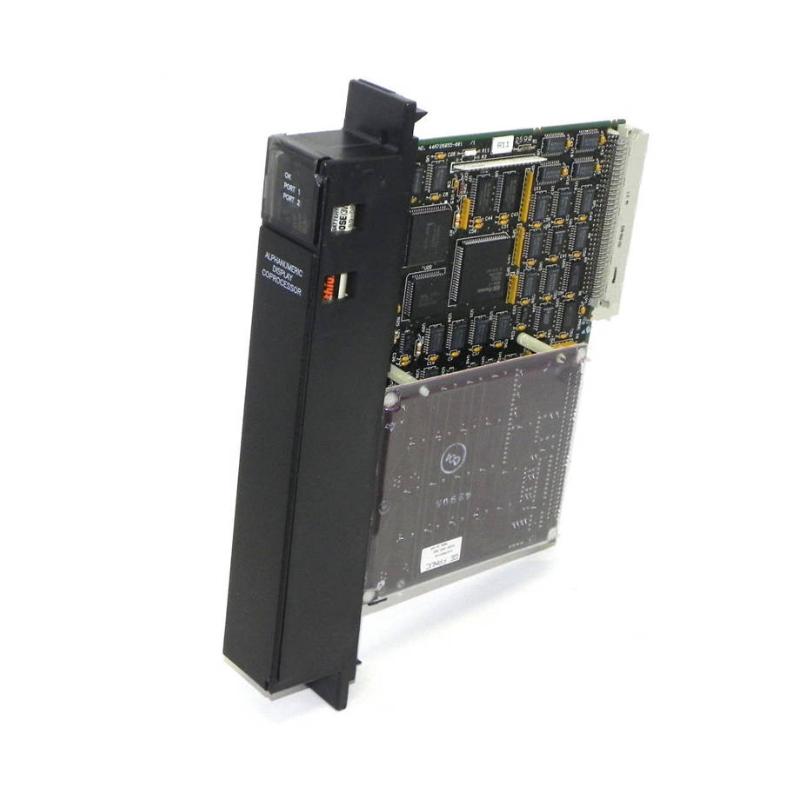
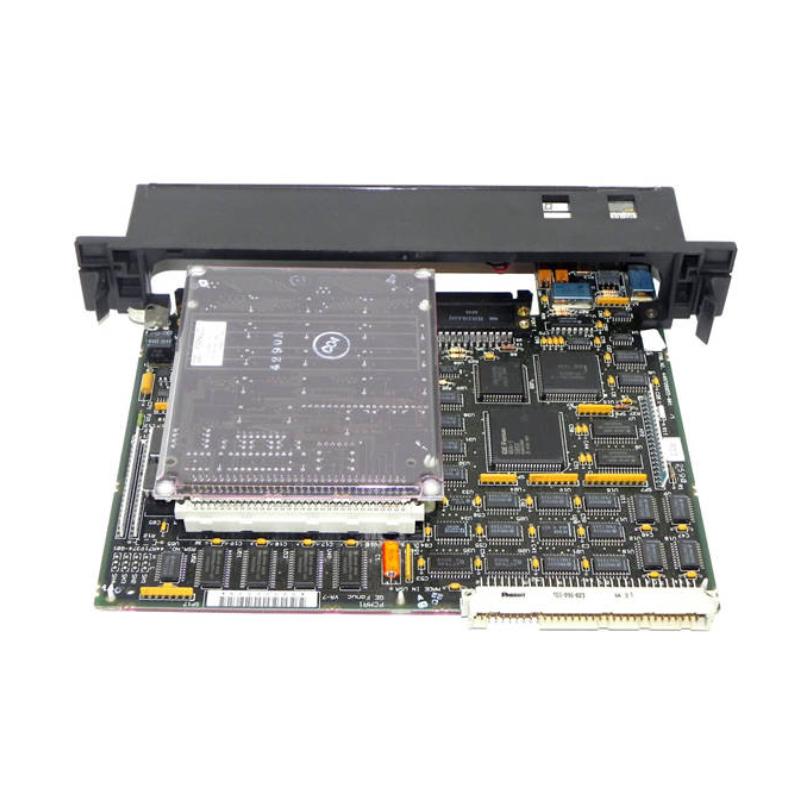
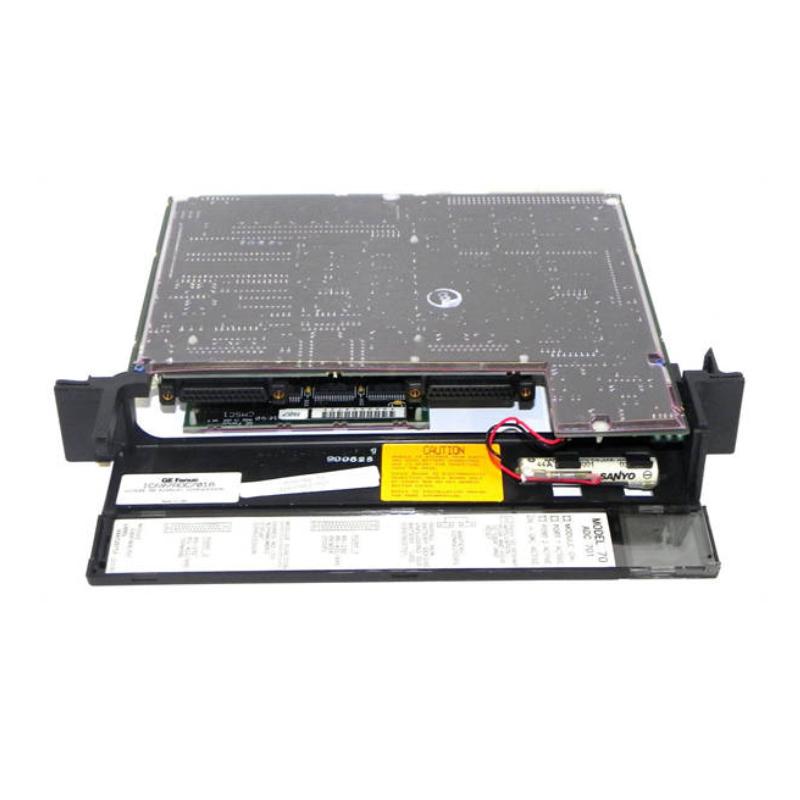
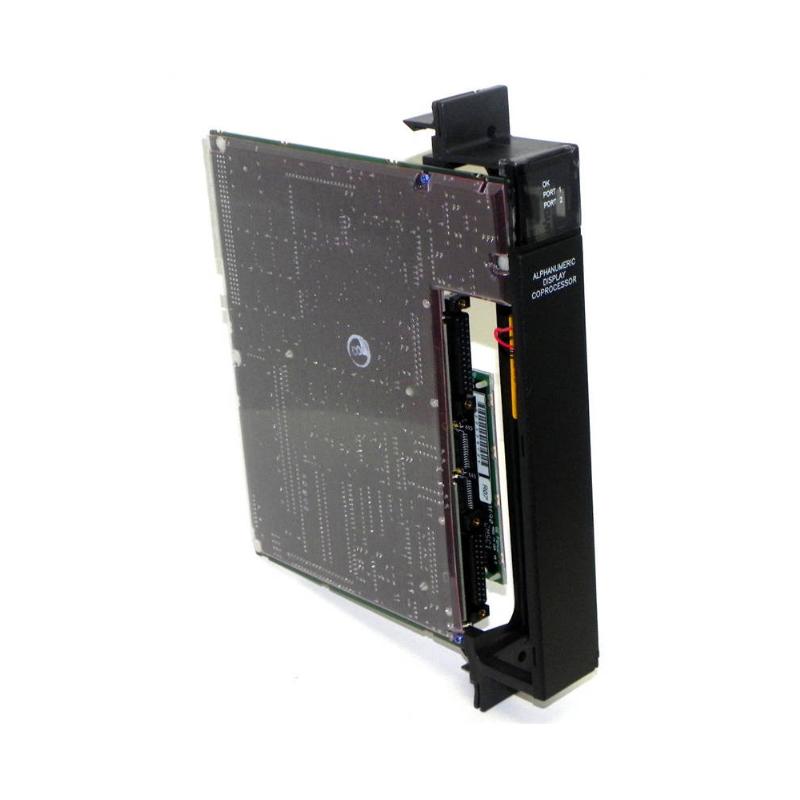
- Alphanumeric Display Coprocessor
- USA
- 138 × 70 × 25 mm
- 0.68 kg
- Xiamen, China
- New & In Stock
- T/T, PayPal, Western Union
- 1 Year
- 1-3 Working Days
- DHL, UPS, TNT, FedEx and EMS.
- 24-Hour Service
- COO
- 36
Our advantage

Global Logistics
We have a 10-year logistics and express cooperation agreement, so our products can be shipped to any place in the world.

Brand new and original
Our products are imported in bulk from the place of origin. Because of the cooperative relationship, our products are all original and 100% new.

24-hour service
We provide 7*24 hours service to our customers. We will be there whenever you need us.

Price advantage
All our products are priced very favorably because we have our own warehouse and supply.
| Company Information | |||
| [email protected] | |||
| Mobile | +8615980777398 | ||
| +8615980777398 | |||
| 15980777398 |
Product Overview
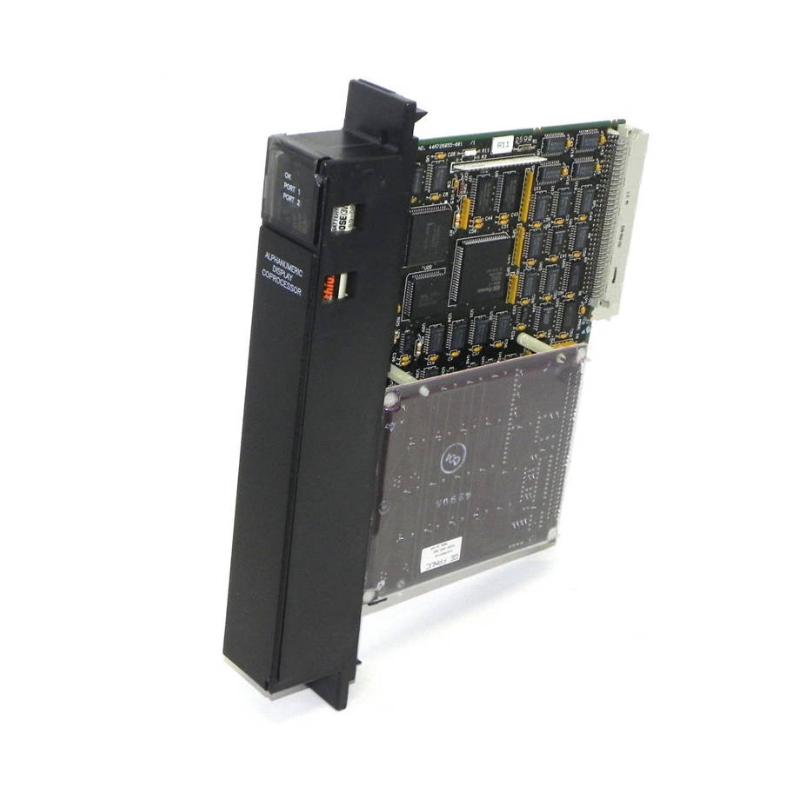
The GE IC697ADC701 Alphanumeric Display Coprocessor is a specialized industrial control-system module designed to provide alphanumeric display and coprocessor functionality within compatible GE PLC architectures.
In industrial automation applications, operators and maintenance personnel often need access to controller information without relying exclusively on a programming workstation. An alphanumeric display interface can present status information, diagnostic messages, operational values, or other controller-related information in a concise format.
The coprocessor aspect of the module provides dedicated processing functionality that can complement the primary PLC CPU. This architecture can help separate specific display or data-processing tasks from the main control program.
The supplied physical specifications for the GE IC697ADC701 are 138 × 70 × 25 mm, with a listed weight of 0.68 kg.
Product Identification
| Parameter | Specification |
|---|---|
| Manufacturer | GE |
| Model | IC697ADC701 |
| Product Type | Alphanumeric Display Coprocessor |
| Product Category | PLC Intelligent Module |
| Primary Function | Display and Dedicated Processing |
| Application | Industrial Automation |
| Dimensions | 138 × 70 × 25 mm |
| Weight | 0.68 kg |
| Installation | Compatible GE PLC System |
| Maintenance | Module, Connector, and Configuration Inspection |
Technical Specifications
| Technical Item | Specification |
|---|---|
| Brand | GE |
| Model Number | IC697ADC701 |
| Product Type | Alphanumeric Display Coprocessor |
| Main Function | Alphanumeric Information Display / Coprocessing |
| Dimensions | 138 × 70 × 25 mm |
| Weight | 0.68 kg |
| Installation Type | PLC System Module |
| Application | Industrial Control |
| System Role | Intelligent Interface / Coprocessor |
| Maintenance Requirement | Periodic Inspection |
| Primary Service Areas | Module, Connections, Configuration |
What Is the GE IC697ADC701?
The GE IC697ADC701 combines display-oriented functionality with dedicated processing capability.
A typical industrial control architecture can be represented as:
Field Devices
↓
I/O Modules
↓
PLC CPU
↓
IC697ADC701
↓
Alphanumeric Information / Dedicated Processing
↓
Operator or Maintenance Personnel
This arrangement allows selected information to be made available in a more direct form.
Depending on the overall application, display-related information can include:
- Controller status
- Process values
- Diagnostic information
- Operating conditions
- Maintenance messages
- System information
The exact information available depends on the system configuration and application software.
Main Functions
Alphanumeric Information Display
The module is designed to support alphanumeric information presentation within compatible control-system architectures.
Dedicated Coprocessing
The module provides processing capability separate from the primary PLC CPU.
Operator Information
It can support applications where personnel need access to controller or process-related information.
Diagnostic Support
Display-oriented information can be useful during commissioning and troubleshooting.
System Integration
The module operates as part of a larger GE industrial automation architecture rather than as an independent controller.
Role in Industrial Control Systems
The IC697ADC701 can provide an interface between controller information and personnel responsible for machine or process operation.
A simplified workflow is:
Sensors / Field Inputs
→ PLC I/O
→ Controller Processing
→ IC697ADC701
→ Alphanumeric Information
→ Operator / Maintenance Technician
This architecture can improve access to system information without requiring every technician to connect a programming computer.
Typical Industrial Applications
The GE IC697ADC701 may be suitable for compatible industrial control applications such as:
Manufacturing
- Production-line monitoring
- Machine status indication
- Equipment diagnostics
- Manufacturing control
Process Automation
- Process-value display
- Equipment status
- Alarm information
- Maintenance indication
Utilities
- Pump-system monitoring
- Water-treatment equipment
- Power-system auxiliary controls
Industrial Machinery
- Machine status
- Operating information
- Maintenance messages
- Controller diagnostics
Installation Guide
1. Verify System Compatibility
Before installing the IC697ADC701, confirm:
- PLC platform
- Rack configuration
- Module position
- Backplane compatibility
- Power requirements
- Application configuration
Do not install the module based only on its physical dimensions.
2. Back Up the PLC Configuration
Before modifying the rack:
- Back up the controller application.
- Record the existing hardware configuration.
- Document current module positions.
- Record diagnostic conditions.
- Confirm that the system can be restored if required.
This is particularly important when adding an intelligent or coprocessor-type module.
3. Shut Down the PLC System
Before removing or installing the module:
- Stop the controlled process.
- Shut down the PLC according to plant procedures.
- Isolate applicable power.
- Follow lockout/tagout requirements.
- Verify that the rack is safe to access.
4. Inspect the Module
Check the IC697ADC701 for:
- Cracked housing
- Damaged connector
- Bent contacts
- Contamination
- Mechanical deformation
- Signs of overheating
Do not install a damaged module.
5. Inspect the Rack and Backplane
Before installation, inspect the intended rack position.
Look for:
- Bent contacts
- Foreign objects
- Dust
- Corrosion
- Mechanical damage
A poor backplane connection can produce symptoms that appear to be caused by the module.
6. Install the Module
Align the IC697ADC701 with the correct rack position.
The supplied module dimensions are:
138 × 70 × 25 mm
The supplied weight is:
0.68 kg
Insert the module evenly and make sure it is fully seated.
Never force the module into the rack.
7. Secure the Module
Confirm that the module is mechanically secure.
Check:
- Module seating
- Retaining hardware
- Connector engagement
- Adjacent module clearance
8. Restore Power
After verifying the installation:
- Confirm that no tools remain in the cabinet.
- Restore power.
- Start the PLC.
- Observe module indicators and diagnostics.
9. Configure the Module
If the application requires hardware or software configuration, verify the module’s configuration parameters using the applicable GE programming and configuration procedures.
Check:
- Module identification
- Rack position
- Application parameters
- Communication settings where applicable
- Display-related configuration
10. Verify Operation
Confirm:
- PLC starts normally
- IC697ADC701 is recognized
- Display-related functions operate
- Coprocessor functions operate as intended
- No unexpected diagnostics occur
Commissioning Checklist
| Item | Verification |
|---|---|
| IC697ADC701 Identified | Confirmed |
| PLC Compatibility Checked | Confirmed |
| Rack Position Verified | Confirmed |
| Application Backup Completed | Confirmed |
| Power Isolated | Confirmed |
| Backplane Inspected | Confirmed |
| Module Installed | Confirmed |
| Module Fully Seated | Confirmed |
| Configuration Verified | Confirmed |
| PLC Restarted | Confirmed |
| Module Diagnostics Checked | Confirmed |
| Display Function Verified | Confirmed |
Troubleshooting Guide
Module Is Not Recognized
Possible causes include:
- Poor backplane connection
- Incorrect rack position
- Configuration mismatch
- Damaged module
- Rack power problem
Start with physical installation and configuration checks.
Display Does Not Show Information
Possible causes include:
- Configuration problem
- Communication problem
- Incorrect application data
- Module initialization failure
- Connection problem
Check module status and application configuration before replacing the hardware.
Display Information Is Incorrect
If the display operates but shows unexpected information, investigate:
- PLC application logic
- Data mapping
- Configuration parameters
- Communication path
- Source process values
A functioning display does not necessarily indicate that the source data is correct.
Module Starts but Coprocessor Function Is Unavailable
Possible causes:
- Incorrect configuration
- Application software problem
- Initialization failure
- Communication issue
- Module hardware fault
Check the system configuration and diagnostic information first.
Intermittent Module Operation
Possible causes include:
- Loose module seating
- Backplane contact problems
- Vibration
- Power instability
- Thermal problems
- Internal hardware degradation
Inspect the physical installation before replacing the module.
Communication Errors
Possible causes include:
- Backplane connection issue
- Incorrect configuration
- Electrical noise
- Power instability
- Application configuration problem
Check whether the problem occurs continuously or only under specific operating conditions.
Module Resets Unexpectedly
Possible causes include:
- Power interruption
- Power-supply instability
- Thermal stress
- Hardware fault
- System configuration problem
Monitor the module and system power conditions during the event.
Excessive Temperature
Possible causes include:
- Insufficient cabinet cooling
- Blocked ventilation
- High ambient temperature
- Excessive rack loading
- Fan failure
Check the complete cabinet thermal environment.
PLC Operates Normally but Display Module Fails
This condition may indicate that the primary controller and I/O system remain operational while the IC697ADC701 has a localized issue.
Inspect:
- Module seating
- Backplane interface
- Module configuration
- Application data
- Module hardware
This approach can prevent unnecessary replacement of the main CPU.
Preventive Maintenance
Monthly Inspection
Check:
- Module status
- Diagnostic indicators
- Display operation
- Cabinet temperature
- Visible contamination
Quarterly Inspection
Inspect:
- Module seating
- Backplane connection
- Rack condition
- Cooling system
- Cabinet cleanliness
Annual Maintenance
Perform:
- Detailed module inspection
- Connector inspection
- Rack inspection
- Thermal review
- Configuration backup
- Diagnostic review
Maintenance Checklist
| Inspection Item | Status |
|---|---|
| Module Housing Inspected | ✓ |
| Connector Checked | ✓ |
| Module Seating Verified | ✓ |
| Backplane Inspected | ✓ |
| Display Function Checked | ✓ |
| Configuration Reviewed | ✓ |
| Cabinet Temperature Checked | ✓ |
| Cooling System Checked | ✓ |
| Diagnostic Status Reviewed | ✓ |
| Application Backup Updated | ✓ |
Replacement Considerations
When replacing a GE IC697ADC701, verify:
| Check Item | Purpose |
|---|---|
| Model Number | Confirms correct module |
| PLC Platform | Ensures system compatibility |
| Rack Position | Ensures correct installation |
| Dimensions | Confirms physical fit |
| Backplane Interface | Ensures electrical connection |
| Configuration | Maintains system operation |
| Application Compatibility | Ensures intended functionality |
| Environmental Conditions | Supports reliability |
Compatible System Components
The IC697ADC701 operates as part of a broader PLC system.
| Component | Function |
|---|---|
| PLC CPU | Main Control Processing |
| I/O Modules | Field Signal Processing |
| Power Supply | System Power |
| VME Backplane | Module Interconnection |
| Communication Modules | Data Communication |
| IC697ADC701 | Display / Coprocessing |
| Rack Fan | Thermal Management |
| Programming Device | Configuration and Maintenance |
The exact combination of modules should be determined from the host system architecture and application requirements.
Key Advantages
Dedicated Information Interface
The IC697ADC701 provides a specialized way to present alphanumeric information within the control-system architecture.
Coprocessing Capability
Dedicated processing can reduce the need to place every application task directly on the primary controller.
Diagnostic Support
Accessible status information can help maintenance personnel identify operating conditions and potential problems.
Compact Module
The supplied dimensions are 138 × 70 × 25 mm, allowing the module to fit within a compact industrial control installation.
Industrial Application
The module is intended for integration into PLC-based industrial automation systems rather than general-purpose computing environments.
Frequently Asked Questions
What is the GE IC697ADC701?
The GE IC697ADC701 is an Alphanumeric Display Coprocessor designed for compatible GE industrial PLC and control-system applications.
What are its dimensions?
The supplied dimensions are:
138 × 70 × 25 mm
What is its weight?
The listed weight is:
0.68 kg
What is the purpose of the display function?
The display function provides a way to present alphanumeric controller or application information to operators and maintenance personnel.
What does the coprocessor function do?
The coprocessor provides dedicated processing capability that can complement the primary PLC CPU, depending on the application.
Can the module operate independently from the PLC?
It should be treated as part of the compatible GE control-system architecture. Its actual functionality depends on the host PLC configuration and application.
What should I check if the module is not recognized?
Check:
- Module seating
- Backplane connection
- Rack position
- Power
- Hardware configuration
- Module condition
Why is the display showing incorrect values?
The problem may originate from the source data or application configuration rather than the display hardware itself. Check data mapping and PLC application logic.
Can the module be replaced while powered?
Unless the host system explicitly supports energized module replacement, power should be isolated before servicing the rack.
Installation Checklist
| Item | Status |
|---|---|
| Correct IC697ADC701 Identified | ✓ |
| Host PLC Verified | ✓ |
| Rack Position Confirmed | ✓ |
| Application Backed Up | ✓ |
| Power Isolated | ✓ |
| Module Inspected | ✓ |
| Backplane Inspected | ✓ |
| Module Installed | ✓ |
| Module Fully Seated | ✓ |
| Configuration Verified | ✓ |
| PLC Restarted | ✓ |
| Display Function Tested | ✓ |
| Diagnostics Checked | ✓ |
Conclusion
The GE IC697ADC701 Alphanumeric Display Coprocessor is a specialized intelligent module intended to provide display-oriented information and dedicated processing capability within compatible GE industrial control architectures.
The supplied dimensions are 138 × 70 × 25 mm, with a listed weight of 0.68 kg. During installation, technicians should verify PLC compatibility, rack position, backplane condition, module seating, configuration, and application requirements.
When troubleshooting, it is important to distinguish between a hardware problem and an application-data problem. A blank or incorrect display does not automatically mean that the module itself has failed. Configuration, source data, backplane connections, power stability, and environmental conditions should also be evaluated.
With proper installation, configuration, cooling, and preventive maintenance, the GE IC697ADC701 can provide useful display and coprocessing functionality within compatible GE industrial automation systems.