

ProductPRODUCT
Featured products
Contact Us
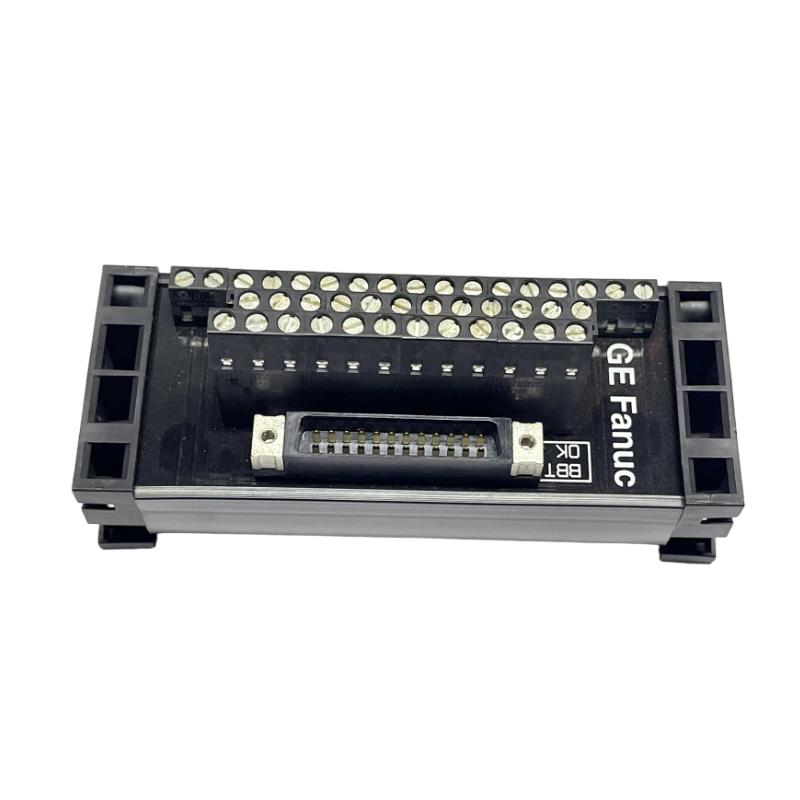
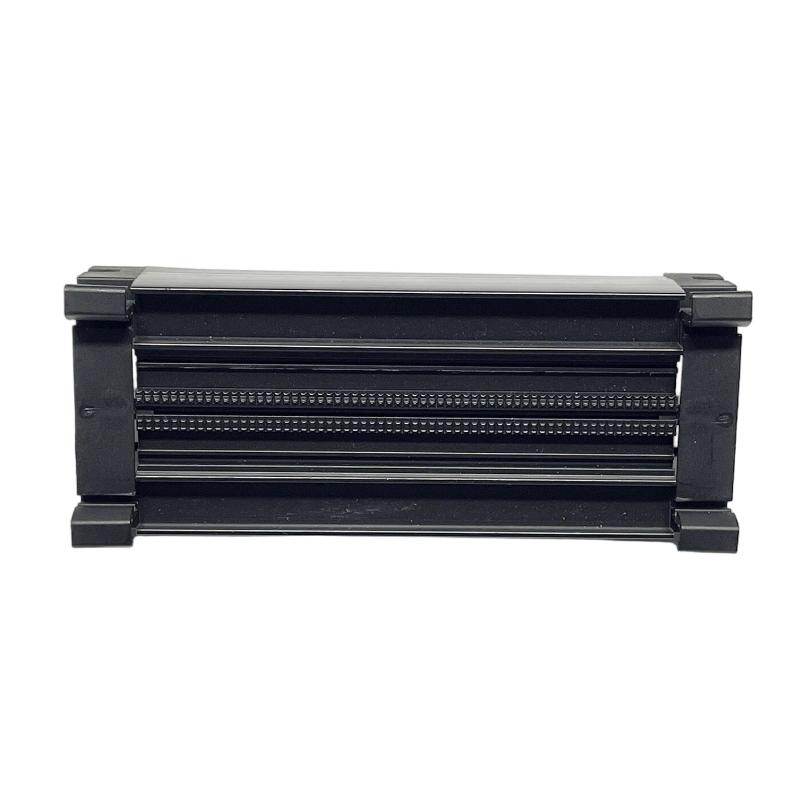
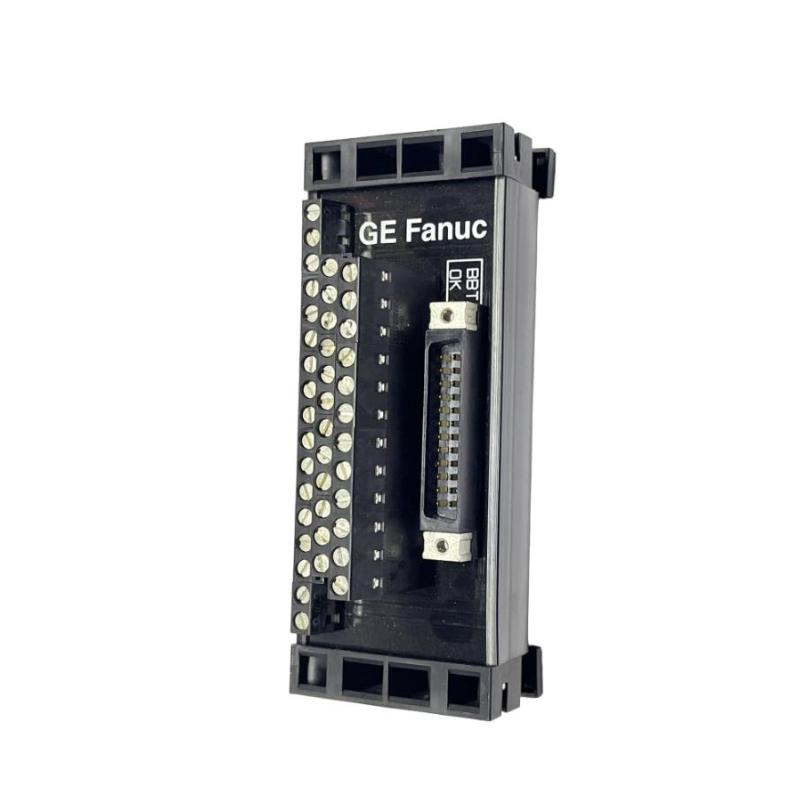
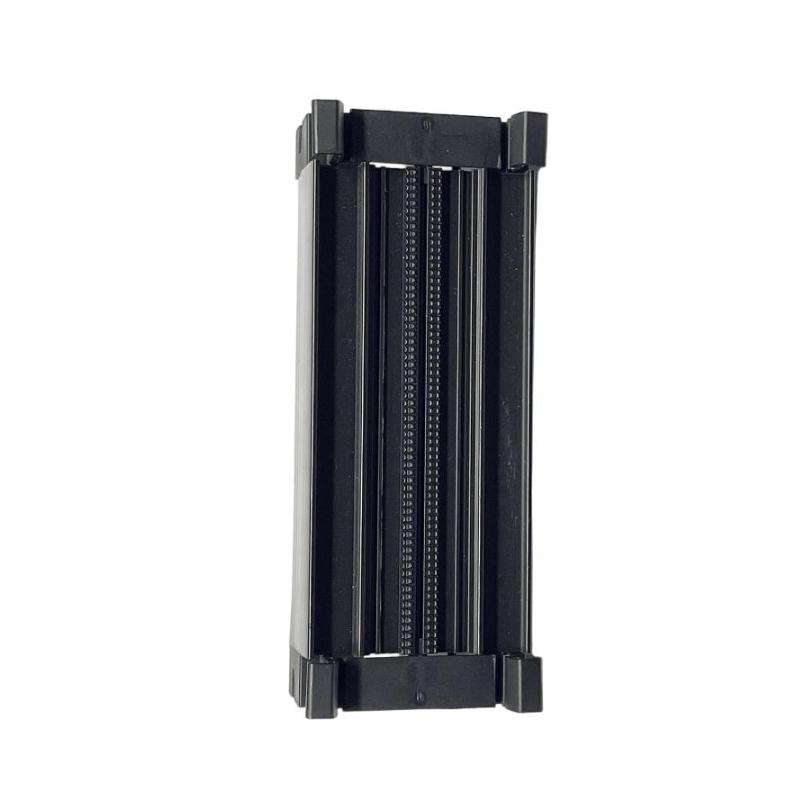
- GE
- IC697ACC730
- Spare Slot Terminal
- USA
- 80 × 100 × 50 mm
- 0.16 kg
- Xiamen, China
- New & In Stock
- T/T, PayPal, Western Union
- 1 Year
- 1-3 Working Days
- DHL, UPS, TNT, FedEx and EMS.
- 24-Hour Service
- COO
- 55
Our advantage

Global Logistics
We have a 10-year logistics and express cooperation agreement, so our products can be shipped to any place in the world.

Brand new and original
Our products are imported in bulk from the place of origin. Because of the cooperative relationship, our products are all original and 100% new.

24-hour service
We provide 7*24 hours service to our customers. We will be there whenever you need us.

Price advantage
All our products are priced very favorably because we have our own warehouse and supply.
| Company Information | |||
| [email protected] | |||
| Mobile | +8615980777398 | ||
| +8615980777398 | |||
| 15980777398 |
Product Overview
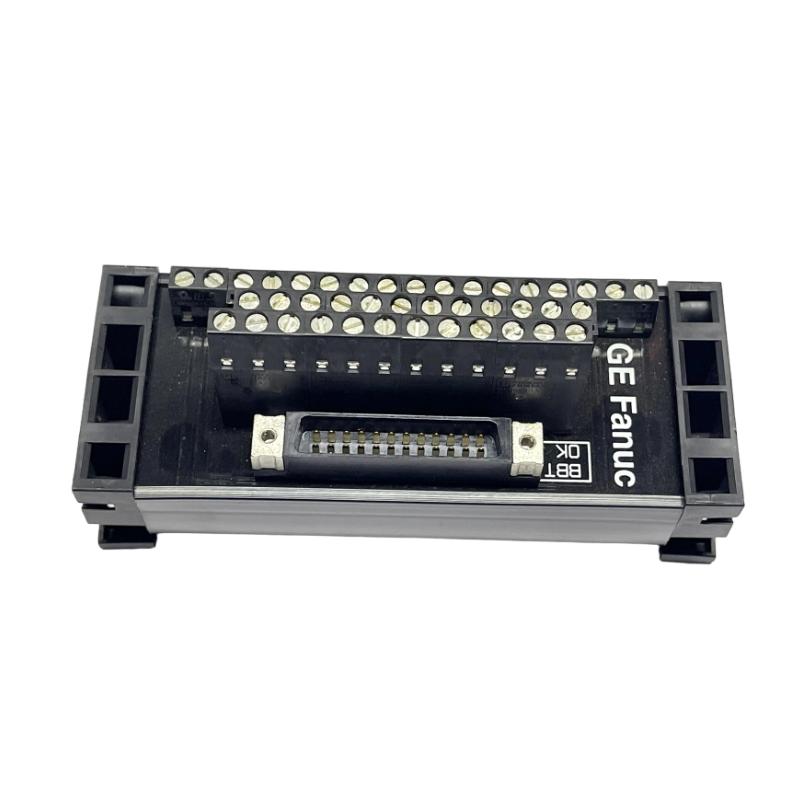
The GE IC697ACC730 Spare Slot Terminal is an accessory component intended for compatible GE industrial automation and PLC rack systems. It is used in conjunction with rack hardware where an unused or reserved position requires an appropriate terminal or mechanical interface.
Spare-slot accessories are important in industrial control systems because an empty rack position should not always be treated as an insignificant space. Depending on the rack architecture, a spare position may require mechanical protection, termination, or a defined interface to maintain an organized and serviceable system configuration.
The supplied specifications for the GE IC697ACC730 are 80 × 100 × 50 mm, with a listed weight of 0.16 kg.
Because rack accessories can vary according to the host system configuration, the IC697ACC730 should be installed only after confirming the applicable rack type, slot arrangement, and intended function.
Product Identification
| Parameter | Specification |
|---|---|
| Manufacturer | GE |
| Model | IC697ACC730 |
| Product Type | Spare Slot Terminal |
| Product Category | PLC Rack Accessory |
| Primary Function | Spare / Unused Slot Interface |
| Dimensions | 80 × 100 × 50 mm |
| Weight | 0.16 kg |
| Installation | Compatible GE PLC Rack |
| Application | Industrial Automation |
| Maintenance | Mechanical and Connection Inspection |
Technical Specifications
| Technical Item | Specification |
|---|---|
| Brand | GE |
| Model Number | IC697ACC730 |
| Product Type | Spare Slot Terminal |
| Function | Spare Slot Management |
| Dimensions | 80 × 100 × 50 mm |
| Weight | 0.16 kg |
| Installation Type | Rack Mounted |
| Application | Industrial PLC Systems |
| Maintenance Requirement | Periodic Inspection |
| Primary Maintenance Areas | Terminal, Mounting, Rack Interface |
What Is the GE IC697ACC730?
The IC697ACC730 Spare Slot Terminal is an accessory used in a compatible GE control-system rack configuration.
Its purpose is associated with maintaining an appropriate physical and system arrangement when a rack position is unused, reserved, or otherwise requires a designated spare-slot component.
A simplified rack arrangement can be represented as:
PLC Rack
→ CPU
→ I/O Module
→ Communication Module
→ Spare Slot / IC697ACC730
→ Additional Module
The exact role of the spare-slot terminal depends on the equipment configuration and rack design.
Main Functions
Spare Slot Management
Provides a designated accessory for an unused or reserved rack position.
Mechanical Protection
Helps maintain an organized rack assembly and may protect an unused position from accidental contact or contamination.
System Organization
Makes it easier for maintenance personnel to identify a deliberately unused rack location.
Maintenance Support
A defined spare-slot component can simplify future system expansion and maintenance activities.
Why Spare Rack Positions Matter
Industrial PLC systems frequently undergo modifications throughout their service life.
A rack may initially be designed for:
- Future I/O expansion
- Additional communication modules
- Process upgrades
- Redundant equipment
- Additional instrumentation
Leaving an unused position unmanaged can create confusion during maintenance.
A clearly defined spare position helps technicians understand the intended rack configuration and reduces the risk of incorrectly installing a module into a reserved location.
Typical Industrial Applications
The IC697ACC730 may be used in compatible GE industrial automation environments.
Manufacturing
- Production machinery
- Assembly lines
- Packaging equipment
- Material handling
Process Control
- Chemical processing
- Water treatment
- Pump systems
- Instrumentation
Power and Utilities
- Plant automation
- Generator control
- Electrical monitoring
Infrastructure
- Transportation systems
- Building automation
- Industrial utilities
PLC Expansion Systems
- Reserved I/O positions
- Future expansion slots
- Maintenance spares
- Rack configuration management
Installation Guide
1. Verify the Rack Configuration
Before installing the IC697ACC730, determine:
- Rack model
- Slot arrangement
- CPU position
- Existing modules
- Spare position
- Future expansion requirements
Do not install the component simply because an empty slot is available.
2. Verify the Part Number
Confirm that the component is:
GE IC697ACC730
Check:
- Model marking
- Physical condition
- Dimensions
- Mounting interface
- Intended rack application
The supplied dimensions are:
80 × 100 × 50 mm
The supplied weight is:
0.16 kg
3. Shut Down the System
Before accessing the rack:
- Stop the controlled process.
- Shut down the PLC.
- Isolate applicable power.
- Apply lockout/tagout procedures where required.
- Verify that the rack is safe to service.
4. Inspect the Spare Slot
Check the unused position for:
- Dust
- Foreign material
- Damaged contacts
- Bent mechanical elements
- Corrosion
- Physical obstruction
The rack should be clean and mechanically sound before installation.
5. Inspect the IC697ACC730
Inspect the terminal for:
- Cracks
- Deformation
- Damaged mounting points
- Contamination
- Loose components
Do not install a visibly damaged component.
6. Position the Spare Slot Terminal
Align the IC697ACC730 with the intended rack location.
Make sure the component is correctly oriented before applying pressure.
7. Secure the Component
Install the applicable mounting hardware according to the rack assembly procedure.
Do not overtighten mounting hardware because excessive mechanical force can damage the housing or rack.
8. Check Clearance
After installation, verify that:
- Adjacent modules are not obstructed
- Cabinet covers can close
- Ventilation paths remain clear
- Wiring is not pinched
- The terminal is mechanically secure
9. Restore Power
After the installation area has been inspected:
- Remove tools and foreign objects.
- Restore power.
- Start the controller.
- Observe rack diagnostics.
10. Verify the Rack
Confirm:
- Controller starts normally
- Existing modules remain operational
- No unexpected rack alarms occur
- The spare position remains secure
- No mechanical interference exists
Commissioning Checklist
| Item | Verification |
|---|---|
| IC697ACC730 Identified | Confirmed |
| Rack Compatibility Checked | Confirmed |
| Spare Slot Identified | Confirmed |
| Power Isolated | Confirmed |
| Slot Inspected | Confirmed |
| Terminal Inspected | Confirmed |
| Terminal Installed | Confirmed |
| Mounting Secured | Confirmed |
| Clearance Checked | Confirmed |
| Controller Restarted | Confirmed |
| Rack Diagnostics Checked | Confirmed |
Troubleshooting Guide
Spare Slot Terminal Does Not Fit
Possible causes include:
- Incorrect rack position
- Incorrect component
- Mechanical obstruction
- Damaged mounting interface
- Incorrect orientation
Verify the component and rack configuration before applying force.
Terminal Is Loose
Possible causes include:
- Loose mounting hardware
- Incorrect installation
- Damaged mounting point
- Mechanical vibration
Inspect the mounting structure and secure the terminal according to the applicable maintenance procedure.
Visible Mechanical Damage
Damage may result from:
- Impact
- Incorrect installation
- Excessive force
- Vibration
- Cabinet interference
Replace damaged components where necessary.
Rack Cover Cannot Close
Possible causes include:
- Terminal incorrectly positioned
- Component protrusion
- Cable interference
- Adjacent hardware interference
Check the physical installation and verify the correct mounting orientation.
Existing PLC Modules Develop Faults After Installation
If PLC operation changes after installing a spare-slot accessory, inspect:
- Rack configuration
- Adjacent module seating
- Backplane connections
- Wiring
- Mechanical interference
The spare-slot terminal itself may not be the source of an electronic fault, but installation work may inadvertently disturb nearby components.
Intermittent Rack Faults
Possible causes include:
- Mechanical vibration
- Loose rack hardware
- Poor module seating
- Contamination
- Damaged rack components
Check the complete rack assembly rather than focusing only on the spare terminal.
Spare Slot Becomes Contaminated
Dust or moisture can accumulate around unused rack positions.
Inspect:
- Terminal surface
- Rack enclosure
- Cabinet filters
- Ventilation openings
Improve cabinet environmental control if contamination is recurring.
Preventive Maintenance
Monthly Inspection
Check:
- Terminal condition
- Mounting stability
- Cabinet cleanliness
- Signs of vibration
Quarterly Inspection
Inspect:
- Mounting hardware
- Adjacent modules
- Rack enclosure
- Dust accumulation
- Ventilation
Annual Maintenance
Perform:
- Detailed rack inspection
- Spare-slot inspection
- Cabinet cleaning
- Mechanical connection inspection
- Hardware configuration review
Maintenance Checklist
| Inspection Item | Status |
|---|---|
| Terminal Housing Inspected | ✓ |
| Mounting Hardware Checked | ✓ |
| Spare Slot Inspected | ✓ |
| Adjacent Modules Checked | ✓ |
| Dust Checked | ✓ |
| Moisture Checked | ✓ |
| Cabinet Ventilation Checked | ✓ |
| Mechanical Stability Verified | ✓ |
| Rack Configuration Reviewed | ✓ |
Replacement Considerations
When replacing a GE IC697ACC730, verify the following:
| Check Item | Purpose |
|---|---|
| Model Number | Confirms correct component |
| Rack Compatibility | Ensures correct application |
| Dimensions | Ensures physical fit |
| Mounting Interface | Ensures secure installation |
| Slot Position | Confirms intended location |
| Adjacent Modules | Prevents interference |
| Cabinet Clearance | Maintains proper enclosure fit |
| Environmental Conditions | Supports long-term reliability |
Compatible System Components
The IC697ACC730 is part of a broader industrial control-system architecture.
| Component | Function |
|---|---|
| PLC CPU | Control Processing |
| I/O Modules | Field Signal Processing |
| Communication Modules | Network Communication |
| Power Supply | System Power |
| Rack / Backplane | Module Interconnection |
| Spare Slot Terminal | Spare Position Management |
| Cabinet | Environmental Protection |
| Cooling System | Thermal Management |
The exact system compatibility should be confirmed before installation.
Key Advantages
Organized Rack Configuration
Provides a defined solution for managing an unused or reserved rack position.
Compact Design
The supplied dimensions are 80 × 100 × 50 mm, making it suitable for rack-level installation.
Lightweight Construction
The listed weight is 0.16 kg, allowing easy handling during maintenance.
Supports Future Expansion
A properly identified spare position can simplify future PLC system upgrades.
Maintenance-Friendly
A defined spare-slot component makes the rack layout easier for technicians to understand during inspection and servicing.
Frequently Asked Questions
What is the GE IC697ACC730?
The GE IC697ACC730 is a Spare Slot Terminal intended for compatible GE industrial PLC rack configurations.
What are its dimensions?
The supplied dimensions are:
80 × 100 × 50 mm
What is its weight?
The listed weight is:
0.16 kg
Why would a PLC rack require a spare-slot terminal?
A reserved or unused rack position may require a designated mechanical or system accessory to maintain an organized rack configuration and support future expansion.
Can any empty slot use the IC697ACC730?
Not necessarily. Compatibility depends on the rack type and intended system configuration. The component should be installed only in a position for which it is designed.
Can the terminal be installed while the PLC is powered?
Unless the host equipment explicitly supports energized servicing, power should be isolated before accessing rack hardware.
What should I check if the terminal does not fit?
Check the model number, rack position, orientation, mounting interface, and any mechanical obstruction.
Can a spare-slot problem cause PLC faults?
The spare terminal itself is primarily a rack accessory, but improper installation can disturb adjacent modules or rack components. If faults appear after installation, inspect the surrounding hardware and backplane connections.
Installation Checklist
| Item | Status |
|---|---|
| Correct IC697ACC730 Identified | ✓ |
| Host Rack Verified | ✓ |
| Spare Position Confirmed | ✓ |
| PLC Configuration Reviewed | ✓ |
| Power Isolated | ✓ |
| Rack Position Inspected | ✓ |
| Terminal Inspected | ✓ |
| Terminal Installed | ✓ |
| Mounting Hardware Secured | ✓ |
| Adjacent Modules Checked | ✓ |
| Cabinet Clearance Verified | ✓ |
| PLC Restarted | ✓ |
| Rack Operation Verified | ✓ |
Conclusion
The GE IC697ACC730 Spare Slot Terminal is a compact rack accessory intended for compatible GE industrial automation systems. Its primary role is to provide an appropriate solution for an unused or reserved rack position, helping maintain an organized and serviceable PLC installation.
With supplied dimensions of 80 × 100 × 50 mm and a listed weight of 0.16 kg, the IC697ACC730 is easy to handle during installation and maintenance. However, technicians should verify the host rack, slot position, mounting arrangement, and system configuration before installation.
When troubleshooting problems associated with a recently serviced rack, attention should be given not only to the spare-slot terminal but also to nearby modules, mechanical connections, backplane interfaces, and wiring that may have been disturbed during maintenance.
Proper installation, regular inspection, and good cabinet housekeeping can help maintain a clean and reliable PLC rack environment while leaving reserved positions ready for future system expansion.