

ProductPRODUCT
Featured products
Contact Us
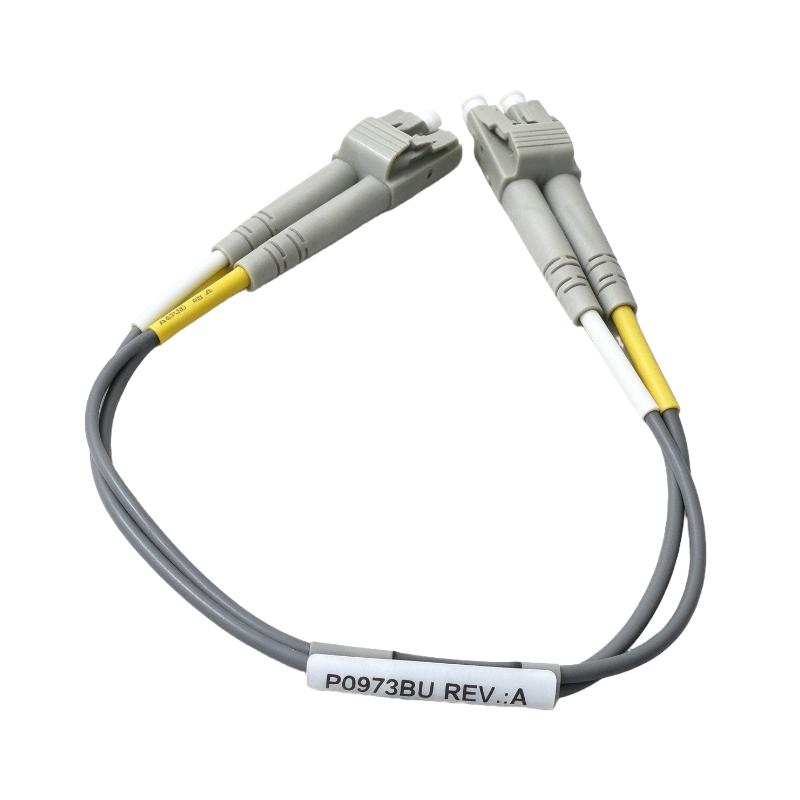
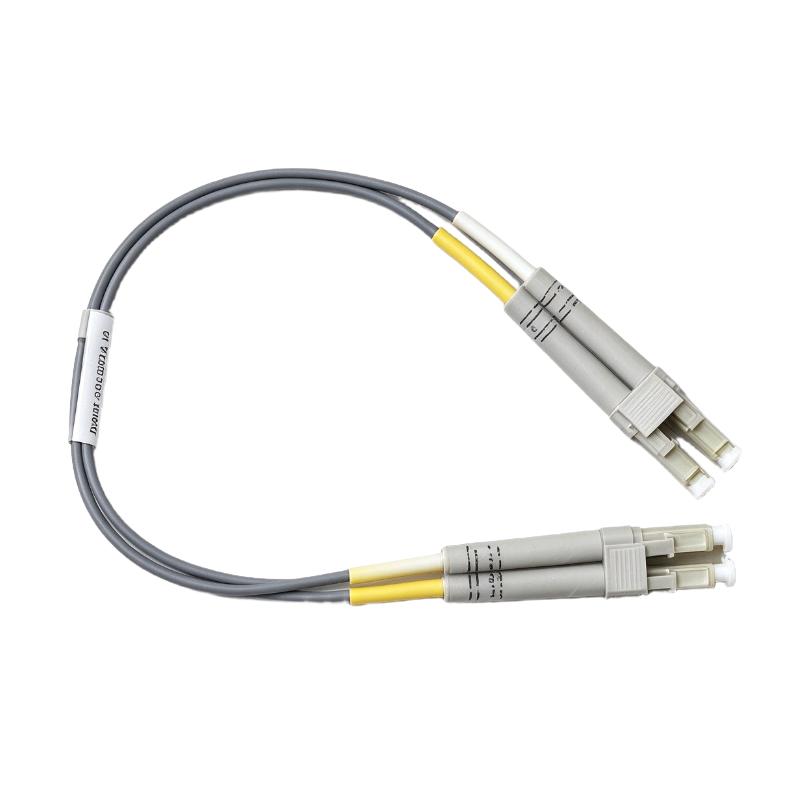
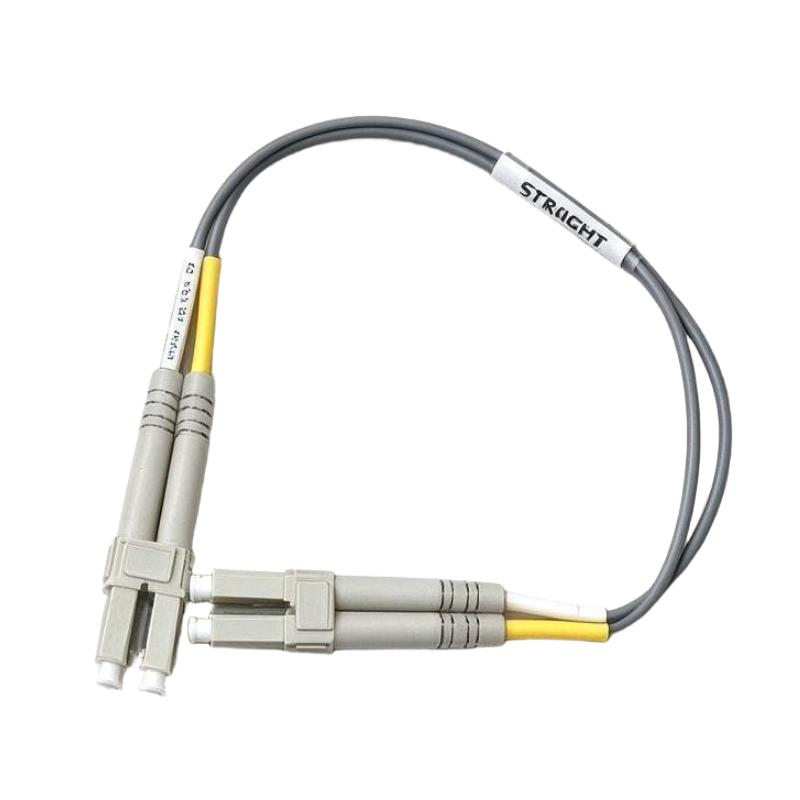
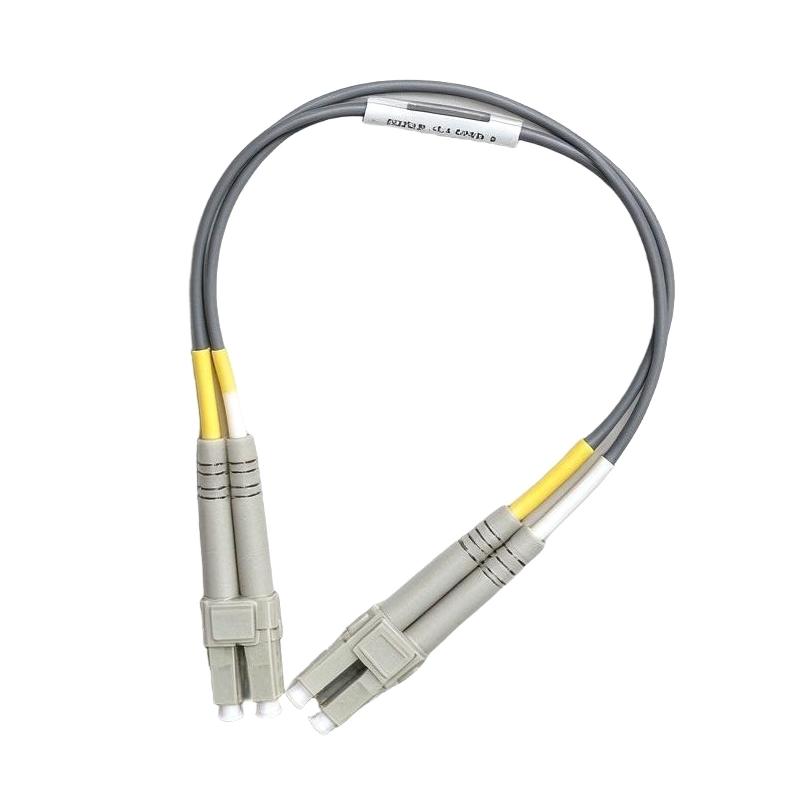
- Foxboro
- P0973BU
- Fiber Optic Cable
- USA
- 0.25 meters
- 3 kg
- Xiamen, China
- New & In Stock
- T/T, PayPal, Western Union
- 1 Year
- 1-3 Working Days
- DHL, UPS, TNT, FedEx and EMS.
- 24-Hour Service
- COO
- 6
Our advantage

Global Logistics
We have a 10-year logistics and express cooperation agreement, so our products can be shipped to any place in the world.

Brand new and original
Our products are imported in bulk from the place of origin. Because of the cooperative relationship, our products are all original and 100% new.

24-hour service
We provide 7*24 hours service to our customers. We will be there whenever you need us.

Price advantage
All our products are priced very favorably because we have our own warehouse and supply.
| Company Information | |||
| [email protected] | |||
| Mobile | +8615980777398 | ||
| +8615980777398 | |||
| 15980777398 |
Product Overview
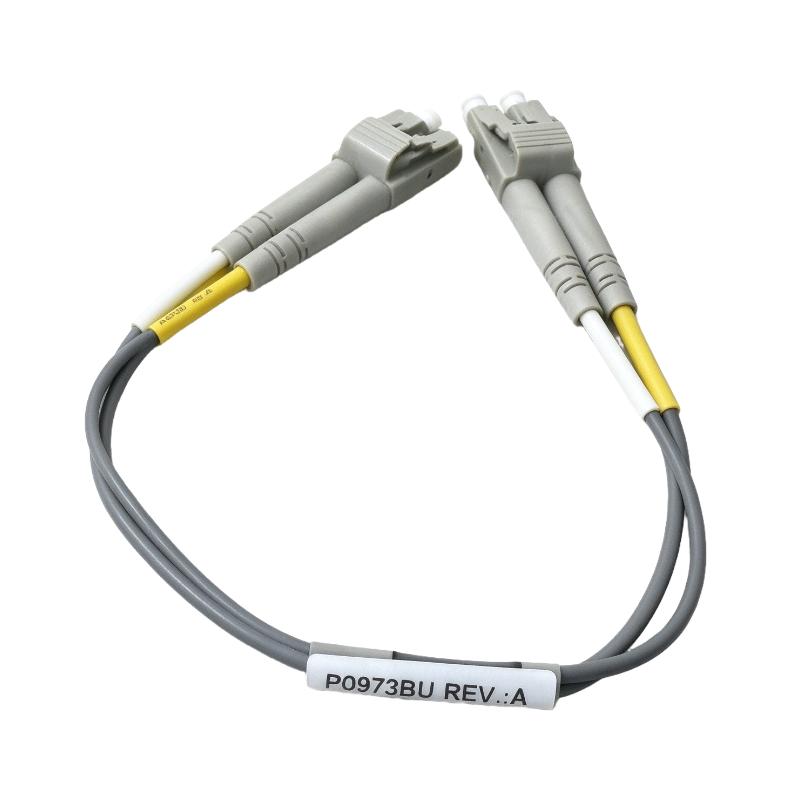
The Foxboro P0973BU Fiber Optic Cable is a short fiber-optic jumper designed for optical interconnections in industrial control and communication environments. Foxboro equipment is widely associated with distributed control systems (DCS) used in process industries, where dependable communication between control-network components is essential for coordinated plant operation.
Fiber-optic cabling transmits data using light rather than electrical signals. This makes it useful in environments where electromagnetic interference from motors, variable frequency drives, switching equipment, and other electrical devices can affect copper communication links. A properly selected fiber-optic connection can support reliable data transmission while providing electrical isolation between connected devices.
The P0973BU is listed as a compact cable with a supplied length of 0.25 meters. Product listings identify it as a fiber-optic jumper with LC-to-LC connections, making it suitable for short-distance interconnections where the connected equipment supports the corresponding optical interface.
In industrial automation installations, a short jumper can help connect compatible optical ports, patch panels, or communication equipment within a control cabinet. Its compact length can also help reduce excess cable routing and keep cabinet wiring organized.
However, the part number alone should not be used to assume compatibility with every Foxboro controller or network interface. Connector type, fiber mode, optical interface requirements, and the equipment’s supported cable specifications should all be confirmed before installation.
The supplied shipping weight is 3 kg. Since this is unusually high for a 0.25-meter fiber-optic jumper, it should be treated as a shipping or listing value rather than the verified cable-only weight until confirmed by the supplier.
Technical Specifications
| Parameter | Specification |
|---|---|
| Brand | Foxboro |
| Product Model | P0973BU |
| Product Type | Fiber Optic Cable / Fiber Optic Jumper |
| Cable Length | 0.25 m |
| Connector Type | LC-to-LC, as listed by product suppliers |
| Fiber Type | Verify against the actual product label and supplier documentation |
| Transmission Medium | Optical fiber |
| Typical Use | Short-distance optical interconnection |
| Application Environment | Industrial control cabinets and compatible communication systems |
| Shipping Weight Provided | 3 kg |
| Cable-Only Weight | Not independently verified |
| Compatibility | Depends on connector, fiber type, and optical interface requirements |
Note: Confirm the connector type and fiber specifications against the actual cable before ordering. The 3 kg value is retained as the supplied shipping weight and should be checked with the supplier.
Function and Working Principle
The P0973BU fiber-optic cable provides a physical optical path between compatible communication interfaces. Unlike copper conductors, optical fiber carries information as light pulses through a fiber core.
1. Optical Data Transmission
An optical transmitter converts electrical data into light signals. These signals travel through the fiber and are converted back into electrical data by a compatible receiver.
The cable itself does not generate, process, or interpret data. Its role is to maintain the optical connection between the transmitting and receiving interfaces.
Successful transmission depends on the optical equipment, connector compatibility, cable condition, and the total signal loss across the link.
2. Short-Distance Interconnection
The supplied cable length of 0.25 meters makes this product suitable for applications where two compatible optical ports are positioned close together.
Short jumpers are commonly used inside cabinets, network enclosures, and equipment racks. They can connect an optical interface to a nearby patch panel or link compatible communication devices without introducing unnecessary cable length.
The actual application must follow the system manufacturer’s recommended topology and optical connection requirements.
3. Electrical Isolation
Fiber-optic cables do not conduct electrical current along the optical path. This provides electrical isolation between the connected optical interfaces and prevents the cable itself from creating a conductive path between the devices.
This characteristic can be valuable in industrial installations containing equipment with different electrical grounding conditions. It does not replace proper protective grounding or other electrical safety measures for the connected equipment.
4. Resistance to Electromagnetic Interference
Because the signal travels as light, optical fiber is inherently resistant to electromagnetic interference along the transmission medium. This can help maintain communication integrity in control cabinets containing drives, contactors, power supplies, and other electrically noisy equipment.
Reliable operation still requires suitable optical components, correct connector handling, and compliance with the supported network design.
Role in Industrial Control Systems
Fiber-optic connections can form part of the communication infrastructure used by distributed control systems and industrial networks. The P0973BU may be used as a short jumper where the connected Foxboro or compatible equipment supports its interface specifications.
1. Distributed Control System Communication
A DCS coordinates process measurements, control logic, operator interfaces, alarms, and plant equipment. Its communication network allows different system components to exchange information.
A fiber-optic jumper can provide a short optical connection within this network architecture when the relevant ports and cable specifications match.
The cable is a passive interconnection component. It does not function as a controller, network switch, or signal-conversion device.
2. Network Cabinet Interconnections
Control cabinets often contain communication equipment, patch panels, controllers, and other automation hardware. Short fiber jumpers can connect adjacent optical interfaces while helping maintain a tidy wiring arrangement.
Proper routing is important because fiber-optic cables must not be bent beyond their permitted bend radius or subjected to excessive pulling force.
3. Communication Equipment Connections
Depending on the system design, fiber-optic jumpers may connect optical ports on network equipment, media interfaces, or compatible communication modules.
The P0973BU should only be connected where the equipment documentation confirms the required connector and fiber specifications. A matching connector shape alone does not guarantee optical compatibility.
4. Maintenance and Replacement
A damaged or contaminated fiber connection may contribute to intermittent communication or loss of optical signal. Replacing a faulty jumper with the correct part can help restore the physical link.
Before replacement, maintenance personnel should identify the original cable routing, connector type, fiber type, and connected equipment. This helps avoid substituting a cable that fits mechanically but does not meet the optical requirements.
Industrial Applications
1. DCS Control Cabinets
In process automation installations, short optical jumpers can connect compatible communication interfaces within control cabinets. They help maintain organized connections between equipment located close together.
The P0973BU may be considered for this type of installation when the required optical specifications have been confirmed.
2. Industrial Network Enclosures
Industrial network enclosures may contain switches, optical interfaces, patch panels, and other communication equipment. A short jumper can connect adjacent optical ports while minimizing excess cable.
Cabinet layout, connector accessibility, and the cable’s bend radius should be considered during installation.
3. Process Automation Facilities
Industries such as chemical processing, oil and gas, power generation, and manufacturing rely on communication networks to coordinate process-control equipment.
Fiber-optic links may be used in these environments to support data transmission where optical networking is part of the approved system architecture. The P0973BU is intended only for compatible short-distance connections, not as a substitute for a cable designed for a longer network run.
4. Optical Patch Panels
A fiber patch panel provides an organized termination and distribution point for optical connections. A short jumper can connect the panel to nearby equipment or another compatible optical interface.
Connector cleanliness, polarity where applicable, and correct port identification are important for maintaining a reliable link.
5. Industrial Equipment Maintenance
During troubleshooting, technicians may inspect or replace short optical jumpers when a communication link is unstable. A replacement cable must match the original interface requirements and the installed network design.
Cable replacement should be accompanied by an inspection of connectors, port condition, routing, and any relevant optical signal diagnostics.
Installation and System Integration
Correct handling and installation are essential to protect fiber-optic connectors and maintain signal quality.
1. Verify Connector Compatibility
Product listings identify the P0973BU as an LC-to-LC cable. Confirm the connector type on the actual cable and the connected equipment before installation.
Also verify whether the system requires single-mode or multimode fiber. Connector compatibility alone is not sufficient to establish that the cable is suitable for the optical interface.
2. Confirm the Optical Specifications
Check the connected equipment’s supported fiber type, wavelength, optical budget, and link requirements. Use the manufacturer’s system documentation to confirm the correct cable for the intended connection.
Do not infer transmission distance or data rate solely from the cable’s length or part number.
3. Handle Connectors Carefully
Fiber connectors are sensitive to contamination and physical damage. Keep dust caps in place when the cable is not connected, and use approved fiber-optic inspection and cleaning procedures.
Avoid touching the connector end face directly. Never look into an optical connector or port unless the equipment has been verified as safe and the appropriate inspection procedure is being followed.
4. Observe Bend-Radius Requirements
Avoid sharp bends, crushing, twisting, or pulling the cable by its connectors. Excessive bending can increase optical loss or damage the fiber.
Although the P0973BU is a short jumper, it should still be routed without unnecessary mechanical stress.
5. Route and Secure the Cable
Keep the cable organized and away from sharp cabinet edges, moving components, and sources of excessive heat. Use suitable cable-management accessories where required.
Do not tighten cable ties so firmly that they deform the cable jacket or apply excessive pressure to the fiber.
6. Test the Connection
After installation, confirm that the connectors are fully seated and that the connected equipment recognizes the optical link where applicable.
If communication remains unstable, inspect the connector end faces, verify the correct ports and fiber specifications, and use the system’s diagnostic tools to identify possible optical-link problems.
Compatible System Components
The P0973BU can be used only with equipment that supports its actual optical interface specifications.
| Component | Function | Compatibility Considerations |
|---|---|---|
| Foxboro DCS communication equipment | Exchanges control and network data | Confirm the supported optical interface and exact cable requirement |
| Compatible optical network switch | Provides network connectivity | Verify connector type, fiber mode, and optical specifications |
| Fiber-optic patch panel | Organizes and distributes optical connections | Confirm adapter type and connection layout |
| Optical transceiver | Converts electrical data to and from optical signals | Match fiber type, wavelength, connector, and supported link characteristics |
| Compatible optical interface module | Provides an optical communication port | Follow the module’s hardware and installation documentation |
| Fiber inspection and cleaning tools | Help maintain clean optical connections | Use procedures and materials approved for the connector |
| Cable-management accessories | Support orderly cabinet routing | Avoid excessive pressure or bending of the cable |
These are possible components in an optical communication installation, not a list of items included with the cable. Actual compatibility must be confirmed for the equipment being connected.
Alternative Models and Replacement Considerations
When replacing a P0973BU cable, the primary requirement is to match the original optical interface and cable characteristics. A different part number may be suitable only if the system documentation confirms equivalence.
| Alternative Category | Replacement Considerations |
|---|---|
| Identical Foxboro P0973BU cable | Preferred when the original part number and connector configuration are confirmed |
| Equivalent LC-to-LC fiber jumper | Verify fiber mode, connector polish, optical specifications, and system approval |
| Foxboro-approved fiber jumper of another length | Consider only when the required length and optical path are compatible with the system |
| Compatible fiber jumper from another manufacturer | Confirm the complete technical specification and acceptance requirements before substitution |
Before ordering a replacement, verify:
- Complete part number and manufacturer identification.
- Connector type at both ends.
- Single-mode or multimode fiber requirement.
- Required cable length and routing path.
- Optical interface and link-budget requirements.
- Connector condition and cleanliness.
- Cable jacket and environmental suitability.
- Whether the quoted weight is the cable weight or shipping weight.
A cable that fits the ports physically may still be unsuitable if its fiber type or optical characteristics do not match the connected equipment.
Key Advantages
Compact Cable Length
The specified 0.25-meter length is suitable for short-distance connections between nearby compatible optical interfaces.
Optical Signal Transmission
The cable carries data through optical fiber, supporting communication between compatible optical ports without using copper conductors along the signal path.
Immunity to Electromagnetic Interference
Optical fiber is inherently resistant to electromagnetic interference along the cable itself, making it useful in electrically noisy industrial environments.
Electrical Isolation
The optical path does not provide a conductive connection between the devices, helping separate their electrical domains.
Organized Cabinet Wiring
A short jumper can reduce unnecessary cable slack and support cleaner routing inside control cabinets and network enclosures.
Maintenance Flexibility
A removable fiber jumper can be inspected or replaced during maintenance without replacing a longer permanent cable run, provided the system architecture uses an accessible patch connection.
Technical FAQs
1. What is the Foxboro P0973BU?
The Foxboro P0973BU is listed as a fiber-optic jumper cable for short-distance optical interconnections. Supplier listings describe it as a 0.25-meter cable with LC-to-LC connectors.
2. What is the cable length?
The supplied product specification gives a length of 0.25 meters. Confirm the actual cable and connector arrangement before installation.
3. What connectors does the P0973BU use?
Product listings identify LC-to-LC connectors. Verify the physical connectors and the connected equipment’s requirements before ordering.
4. Is the P0973BU compatible with every Foxboro DCS system?
No. Compatibility depends on the actual optical interface, fiber type, connector requirements, and system design. Check the relevant equipment documentation before connecting the cable.
5. Can this cable be used in an electrically noisy industrial cabinet?
Fiber-optic cable is inherently resistant to electromagnetic interference along the optical transmission path. The connected devices and the overall installation must still meet their environmental and electrical requirements.
6. Does the cable require a power supply?
No. A passive fiber-optic jumper does not require a separate electrical power supply. The connected communication equipment provides the optical transmit and receive functions.
7. Can a standard LC fiber cable replace the P0973BU?
Only if the alternative cable matches the required fiber mode, connector specifications, optical characteristics, length, and system requirements. The connector type alone does not guarantee compatibility.
8. Why is the shipping weight listed as 3 kg?
The supplied listing specifies a shipping weight of 3 kg, but this is unusually high for a 0.25-meter jumper cable. Confirm whether it includes packaging, additional components, or a data-entry discrepancy before calculating freight charges.
9. What should be checked before installation?
Confirm the part number, connector type, fiber specifications, cable length, routing requirements, and condition of the connector end faces. Keep connectors clean and observe the required bend radius.
10. How should the cable be maintained?
Inspect the cable jacket and connectors for damage, keep connector end faces clean using approved tools, and avoid excessive bending or pulling. If communication faults occur, verify the optical connection and use appropriate system diagnostics.
Procurement and Maintenance Recommendations
When sourcing the Foxboro P0973BU, verify the full part number and confirm that the cable’s connector type and fiber characteristics match the existing installation. If replacing a failed cable, compare the new unit directly with the original where possible.
For industrial spare-parts procurement, request clear product photographs, confirmation of the cable length, and details of the product’s condition. If the cable is supplied as new surplus or refurbished stock, clarify the packaging and return conditions before purchase.
The listed shipping weight of 3 kg should be checked with the supplier before arranging transportation. Ask whether the value includes protective packaging or other items, and use the confirmed shipping weight for freight calculations.
During maintenance, avoid unnecessary disconnection of optical connectors. When disconnection is required, protect the exposed connector ends with suitable caps and clean them according to the manufacturer’s approved procedure before reconnection.
For critical DCS communication links, keep the correct spare cable available and document the connector type, fiber mode, and connection points. This can reduce troubleshooting time and help prevent the installation of an incompatible substitute.
Conclusion
The Foxboro P0973BU Fiber Optic Cable is listed as a compact 0.25-meter optical jumper for short-distance connections between compatible communication interfaces. Its reported LC-to-LC connector arrangement makes it a potential option for cabinet-level optical interconnections, subject to confirmation of the actual fiber and interface specifications.
For reliable industrial automation communication, verify the full part number, connector configuration, fiber type, and system compatibility before installation. The supplied 3 kg shipping weight should also be confirmed with the supplier to ensure accurate logistics planning.