

ProductPRODUCT
Featured products
Contact Us
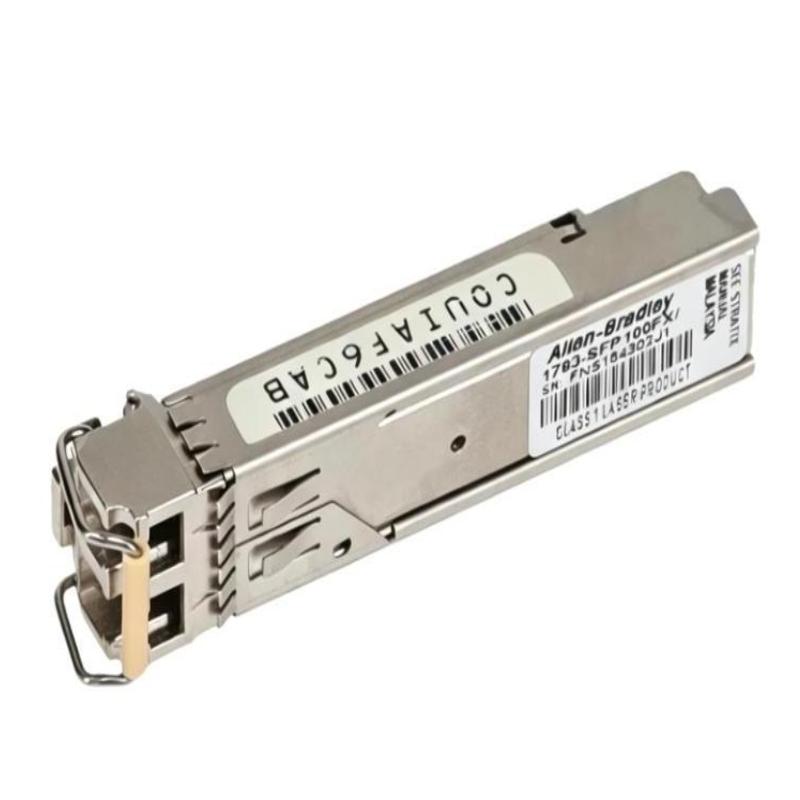
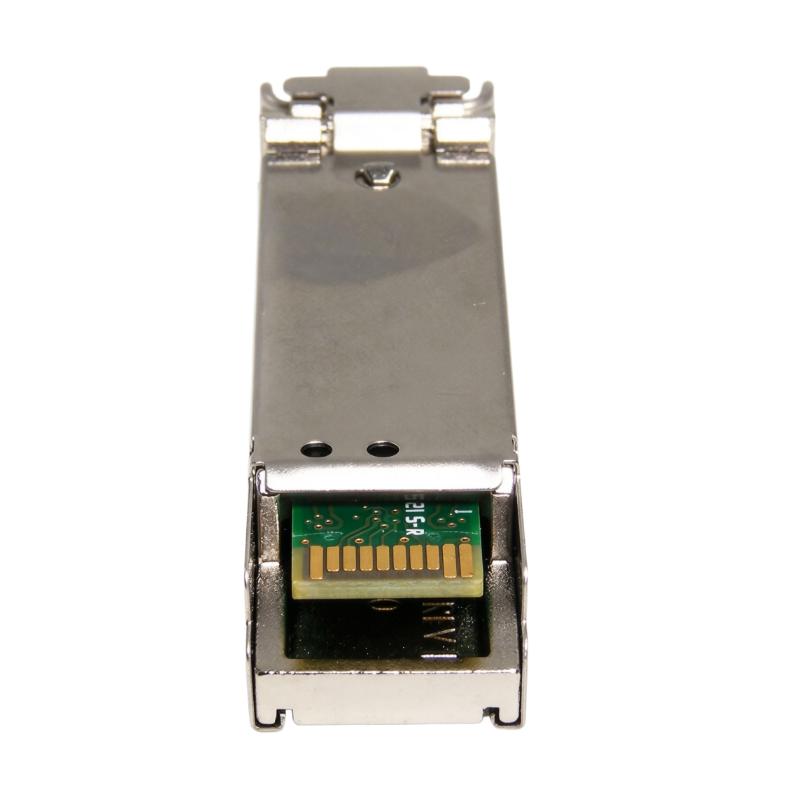
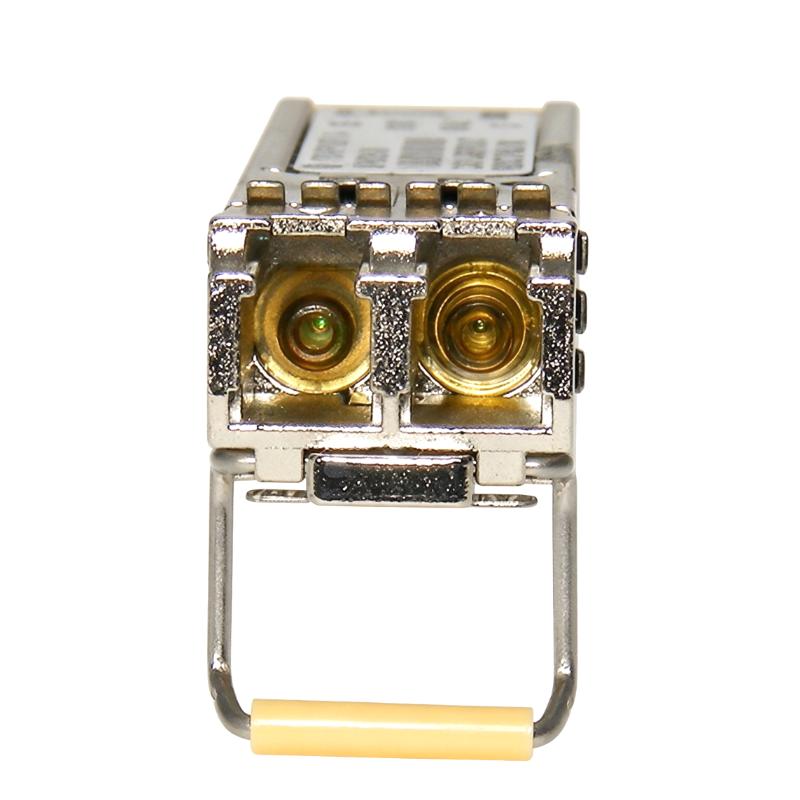
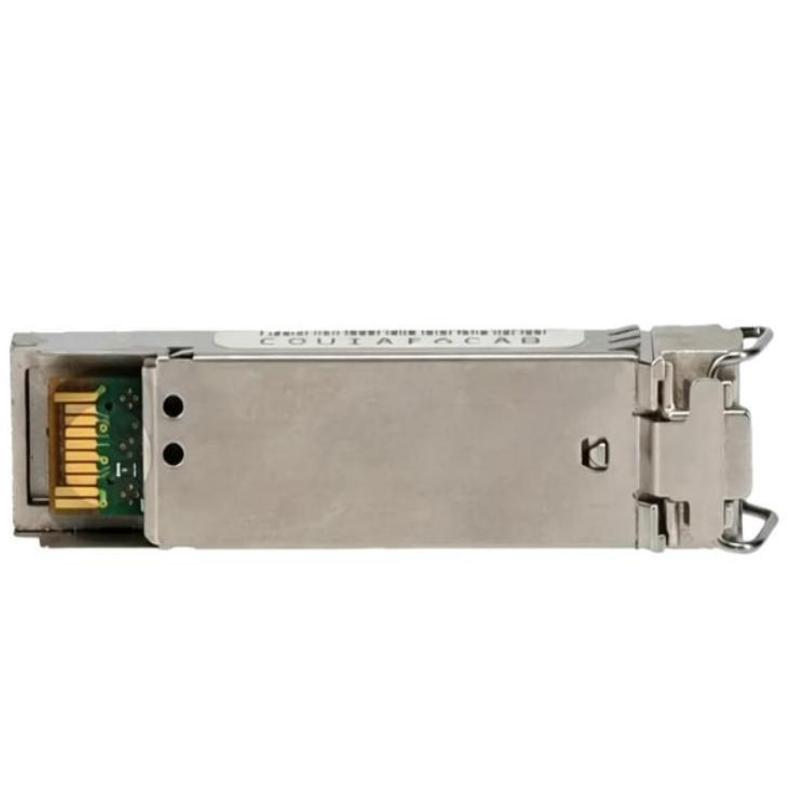
- Allen Bradley
- 1783-SFP100FX
- 100BASE-FX SFP Fiber Transceiver
- USA
- 90 × 25 × 50 mm
- 0.03 kg
- Xiamen, China
- New & In Stock
- T/T, PayPal, Western Union
- 1 Year
- 1-3 Working Days
- DHL, UPS, TNT, FedEx and EMS.
- 24-Hour Service
- COO
- 4
Our advantage

Global Logistics
We have a 10-year logistics and express cooperation agreement, so our products can be shipped to any place in the world.

Brand new and original
Our products are imported in bulk from the place of origin. Because of the cooperative relationship, our products are all original and 100% new.

24-hour service
We provide 7*24 hours service to our customers. We will be there whenever you need us.

Price advantage
All our products are priced very favorably because we have our own warehouse and supply.
| Company Information | |||
| [email protected] | |||
| Mobile | +8615980777398 | ||
| +8615980777398 | |||
| 15980777398 |
Product Overview
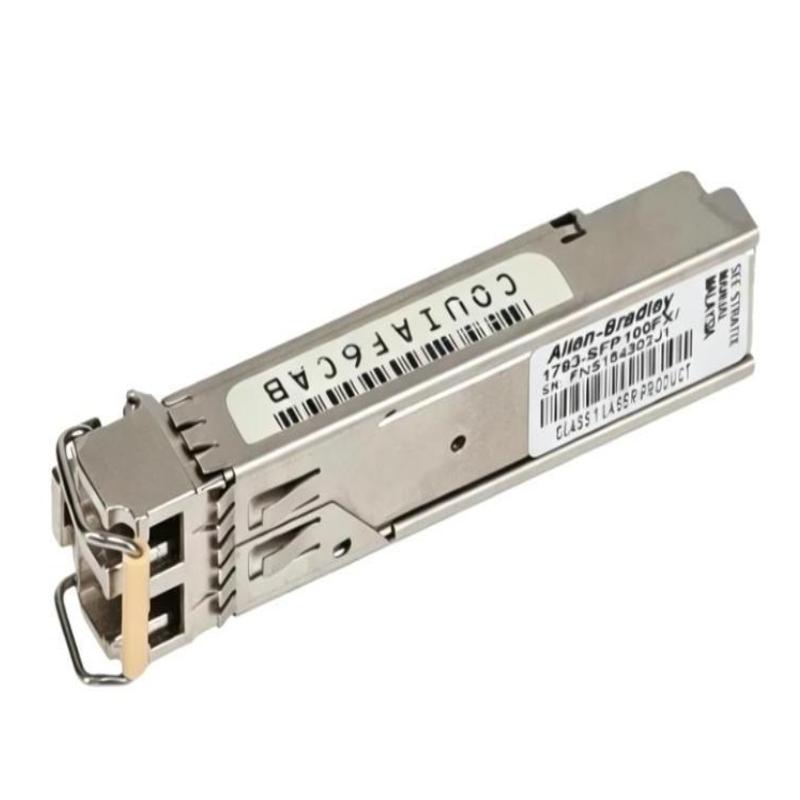
The Allen Bradley 1783-SFP100FX Stratix 100BASE-FX SFP Fiber Transceiver is an optical Ethernet module used to connect compatible industrial network equipment through fiber-optic cabling. It provides a fiber interface for network devices equipped with a supported SFP slot, making it useful when copper Ethernet is unsuitable for a particular connection or when an installation requires electrical isolation between network locations.
In a manufacturing environment, fiber links are commonly used to connect switches in separate control cabinets, link production cells, or carry Ethernet traffic through areas with significant electrical interference. The 1783-SFP100FX supports 100BASE-FX connectivity, which operates at 100 Mbps over compatible multimode fiber. Its use allows network engineers to extend an Ethernet connection through an optical path while retaining the switching and traffic-management functions of the host equipment.
This module is a transceiver rather than a standalone switch or router. Its suitability depends on the host device’s supported SFP modules, the fiber cable and connector arrangement, and the optical interface at the other end of the link. Matching these elements correctly is essential when installing or replacing a fiber transceiver in an existing Stratix network.
Technical Specifications
| Parameter | Specification |
|---|---|
| Brand | Allen Bradley |
| Model | 1783-SFP100FX |
| Product Series | Stratix |
| Product Type | 100BASE-FX SFP Fiber Transceiver |
| Module Category | Small Form-Factor Pluggable (SFP) Transceiver |
| Ethernet Standard | 100BASE-FX |
| Data Rate | 100 Mbps |
| Transmission Medium | Multimode Fiber Optic Cable |
| Interface Type | SFP Optical Interface |
| Primary Function | Optical Ethernet Signal Conversion |
| Network Application | Industrial Fiber Ethernet Connectivity |
| Typical Host Equipment | Compatible Stratix Ethernet Switches |
| Installation Method | SFP Port Installation |
| Communication Medium | Fiber-Optic Link |
| Dimensions | 90 × 25 × 50 mm |
| Weight | 0.03 kg |
Product Features
- 100BASE-FX connectivity: Supports 100 Mbps Ethernet communication over a compatible fiber-optic connection.
- SFP module format: Installs in a supported SFP slot, allowing optical connectivity to be added without replacing the complete network device.
- Fiber-based transmission: Carries Ethernet data through optical signals rather than electrical signals along the cable.
- Electrical isolation: The fiber link does not provide a conductive path between the connected network devices, helping prevent ground-potential differences and electrical interference from propagating along the communication cable.
- Industrial network integration: Can be used in compatible Stratix network installations that require fiber Ethernet connections.
- Cabinet-to-cabinet connectivity: Supports fiber links between distributed network equipment where the cable route or operating environment favors optical transmission.
- Modular maintenance: The transceiver format allows the optical interface to be replaced separately from the host switch, subject to the equipment’s installation procedures.
- Flexible network placement: Allows engineers to select an optical connection at a suitable network point while the host equipment continues to manage Ethernet forwarding.
Working Principle
The 1783-SFP100FX converts electrical Ethernet signaling from a compatible host device into optical signaling for transmission through fiber-optic cable. At the receiving end, a compatible optical transceiver converts the incoming optical signal back into electrical Ethernet signaling so the connected network equipment can process the data.
When the module is inserted into a supported SFP port, the host device supplies the electrical interface and handles network traffic. The transceiver performs the electrical-to-optical and optical-to-electrical conversion needed for the fiber connection. It does not independently route packets or perform the switching functions of the host equipment.
For example, a Stratix switch in a machine-control cabinet may need to communicate with another switch located in a remote production area. The local switch sends Ethernet data through the SFP module, the module converts the signal to light, and the fiber cable carries it to the remote optical interface. The receiving device then forwards the traffic according to its own configuration.
A simplified signal path is:
Industrial Ethernet Switch → 1783-SFP100FX → Multimode Fiber Cable → Compatible Remote Optical Interface → Network Devices
Successful operation requires compatible optical interfaces at both ends, suitable fiber cabling, correct connector installation, and support for the selected transceiver by the host equipment.
Role in an Industrial Ethernet Control Architecture
The 1783-SFP100FX provides the physical optical interface for an Ethernet connection within an industrial control network. It can be used to connect network segments across a fiber link while leaving network addressing, VLAN handling, traffic forwarding, and other network functions to the connected switches or controllers.
| Network Component | Function | Relationship to the 1783-SFP100FX |
|---|---|---|
| Stratix Industrial Ethernet Switch | Connects network devices and forwards Ethernet frames | Provides the compatible SFP slot and electrical Ethernet interface |
| 1783-SFP100FX | Converts electrical Ethernet signaling to optical signaling and back | Establishes the optical interface for a supported 100BASE-FX link |
| Multimode Fiber Cable | Carries optical signals between network locations | Provides the physical transmission path |
| Remote Fiber Transceiver | Provides the optical interface at the opposite end | Must match the required optical characteristics and link standard |
| PLC or PAC Controller | Executes machine and process control logic | Exchanges control data over the connected Ethernet network |
| HMI Panel | Displays process values, alarms, and operator controls | Communicates with controllers through the network |
| SCADA Server | Collects process information and supports supervisory functions | Uses the fiber-connected network when required by the architecture |
| Engineering Workstation | Supports programming and troubleshooting | Accesses controllers and network equipment through configured communication paths |
In a distributed control system, the fiber connection may link a local switch to a remote switch serving a production cell or equipment area. The transceiver supplies the optical connection, while the network design determines how traffic moves between devices. Engineers should verify the supported SFP type, fiber specification, and remote interface before commissioning the link.
Industrial Applications
| Application | Network Requirement | Role of the 1783-SFP100FX |
|---|---|---|
| Manufacturing Production Lines | Ethernet connectivity between machine cells and control cabinets | Provides a fiber interface for compatible 100 Mbps links |
| PLC Network Interconnection | Data exchange between network segments containing controllers | Carries Ethernet traffic through a fiber-optic connection |
| Industrial Control Cabinets | Communication between equipment in separate cabinets | Supports optical connections where fiber is preferred |
| Motor and Drive Areas | Ethernet communication near electrically noisy equipment | Provides a nonconductive optical transmission path |
| Packaging Systems | Network links between distributed machines and supervisory equipment | Supports fiber-based connections between compatible network devices |
| Water and Wastewater Facilities | Connectivity across process areas and equipment rooms | Provides an optical interface for suitable industrial network links |
| Material Handling Systems | Ethernet communication between conveyors, control panels, and monitoring stations | Supports connections between network switches over fiber |
| Factory Network Expansion | Adding an optical link to an existing compatible switch | Uses an SFP interface for fiber connectivity |
| Industrial Monitoring Networks | Communication between switches serving HMI and supervisory systems | Carries network traffic across a fiber segment |
Installation and Maintenance
- Verify host-device compatibility. Confirm that the target switch or network device supports the 1783-SFP100FX and the required 100BASE-FX interface.
- Review the network plan. Identify the local and remote devices, cable route, required link speed, and intended network connection before installation.
- Prepare the installation area. Ensure the host equipment is securely installed and that there is sufficient access for handling the transceiver and fiber cable.
- Follow electrical safety procedures. Apply the appropriate equipment isolation and handling procedures before inserting or removing the module.
- Inspect the transceiver. Check the module housing and optical interface for visible damage. Avoid touching exposed optical surfaces.
- Install the module in the correct slot. Align the transceiver with the supported SFP port and seat it securely according to the host equipment’s installation procedure.
- Confirm fiber type and connectors. Use compatible multimode fiber and verify that the connector arrangement and optical characteristics meet the requirements of the complete link.
- Clean optical connectors before connection. Dust and contamination can increase optical loss or prevent the link from establishing. Use appropriate fiber inspection and cleaning practices.
- Connect and route the fiber carefully. Avoid excessive bending, pulling, crushing, or twisting of the cable, and maintain the required bend radius.
- Check link indicators and device status. After connecting the cable, inspect the host equipment’s status indicators or management interface for evidence of an active optical link.
- Test end-to-end network communication. Verify connectivity between the local and remote devices, then confirm that required PLC, HMI, or supervisory communications operate normally.
- Record and maintain the installation. Document the module location, cable route, remote endpoint, and relevant network configuration. Inspect connectors and cable condition during troubleshooting or scheduled maintenance.
If the link remains down, check host compatibility, cable type, connector cleanliness, cable continuity, and the transceiver installed at the remote end. Confirm that the link uses compatible 100BASE-FX interfaces. A communication failure may originate in the cabling or host configuration rather than in the SFP module itself.
Related Components
| Component | Function | Relationship to the 1783-SFP100FX |
|---|---|---|
| Stratix Industrial Ethernet Switch | Provides industrial Ethernet switching | Hosts the SFP module when the specific model supports it |
| Multimode Fiber-Optic Cable | Carries optical signals between devices | Provides the transmission path for the 100BASE-FX connection |
| Compatible Remote SFP Transceiver | Supplies the optical interface at the far end | Completes the optical link when its characteristics match |
| Fiber Patch Panel | Organizes and terminates fiber runs | Supports structured cabling between cabinets and network locations |
| PLC or PAC Controller | Executes automation logic | Exchanges process and control data through the network |
| HMI Panel | Provides operator visualization and control | Uses the connected Ethernet network to communicate with controllers |
| Managed Ethernet Switch | Connects network devices and manages traffic | Can serve as the remote endpoint when its SFP interface is compatible |
| Fiber Inspection and Cleaning Tools | Inspect and clean optical connectors | Help maintain the optical path and reduce connection-related faults |
Recommended Related Models
| Model | Product Name | Typical Application |
|---|---|---|
| 1783-SFP100EXC | Allen Bradley Stratix 100BASE-EX Single-Mode Fiber SFP Module | 100 Mbps Ethernet connectivity over a compatible single-mode fiber link |
| 1783-SFP1GSX | Allen Bradley Stratix 1000BASE-SX Fiber SFP Module | Gigabit Ethernet connectivity using compatible multimode fiber |
| 1783-SFP1GLX | Allen Bradley Stratix 1000BASE-LX Fiber SFP Module | Gigabit Ethernet connectivity using the applicable LX optical interface |
| 1783-SFP100FX | Allen Bradley Stratix 100BASE-FX SFP Fiber Transceiver | 100 Mbps Ethernet connectivity over compatible multimode fiber |
| 1783-RA2TGB | Allen Bradley Stratix 4300 Remote Access Router | Industrial remote-access networking |
| 1783-RA5TGB | Allen Bradley Stratix 4300 Remote Access Router | Industrial remote-access networking |
| 1783-RMS06T | Allen Bradley Stratix 8300 6-Port Ethernet Switch | Managed industrial Ethernet switching |
These models serve different networking purposes and should not be treated as interchangeable. When selecting a replacement or an alternative, compare the supported SFP interface, Ethernet speed, fiber type, connector arrangement, optical link requirements, and host-device compatibility.
Key Advantages
- Adds fiber-optic connectivity to compatible industrial Ethernet equipment.
- Supports 100 Mbps Ethernet communication over a suitable multimode fiber link.
- Provides electrical isolation between the connected ends of the fiber path.
- Fits a modular SFP-based network architecture.
- Supports Ethernet connections between industrial network locations where fiber is appropriate.
- Allows the optical interface to be replaced separately from the host device.
Technical FAQs
1. What is the Allen Bradley 1783-SFP100FX used for?
The 1783-SFP100FX is a Stratix 100BASE-FX SFP fiber transceiver. It provides an optical Ethernet interface for compatible network equipment, allowing Ethernet traffic to travel over a suitable multimode fiber connection at 100 Mbps.
2. What type of fiber is used with the 1783-SFP100FX?
The 100BASE-FX interface is associated with multimode fiber. The specific fiber specification, connector type, and optical link requirements must match the module and the equipment at the opposite end.
3. Does the 1783-SFP100FX perform switching or routing?
No. It is a transceiver module that converts between electrical Ethernet signaling and optical signaling. Switching, routing, VLAN configuration, and other network functions are handled by the host device and the wider network architecture.
4. What should be checked if the 1783-SFP100FX link does not come up?
Check that the host device supports the module, the fiber type and connectors are appropriate, the optical connectors are clean, and the remote transceiver is compatible. Also inspect the cable for damage and check the host device’s link status and network configuration.