

ProductPRODUCT
Featured products
Contact Us
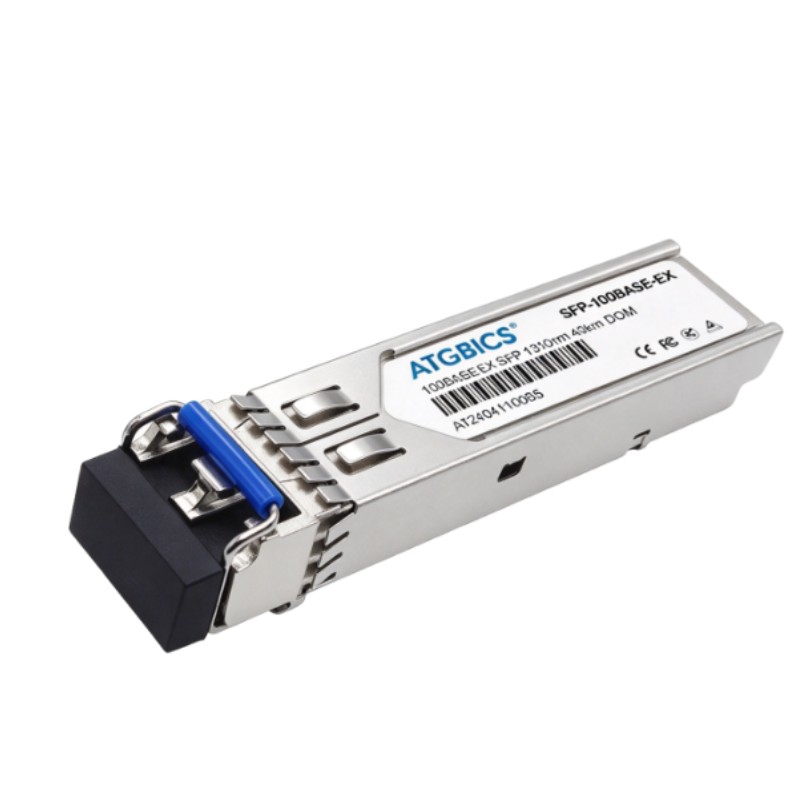
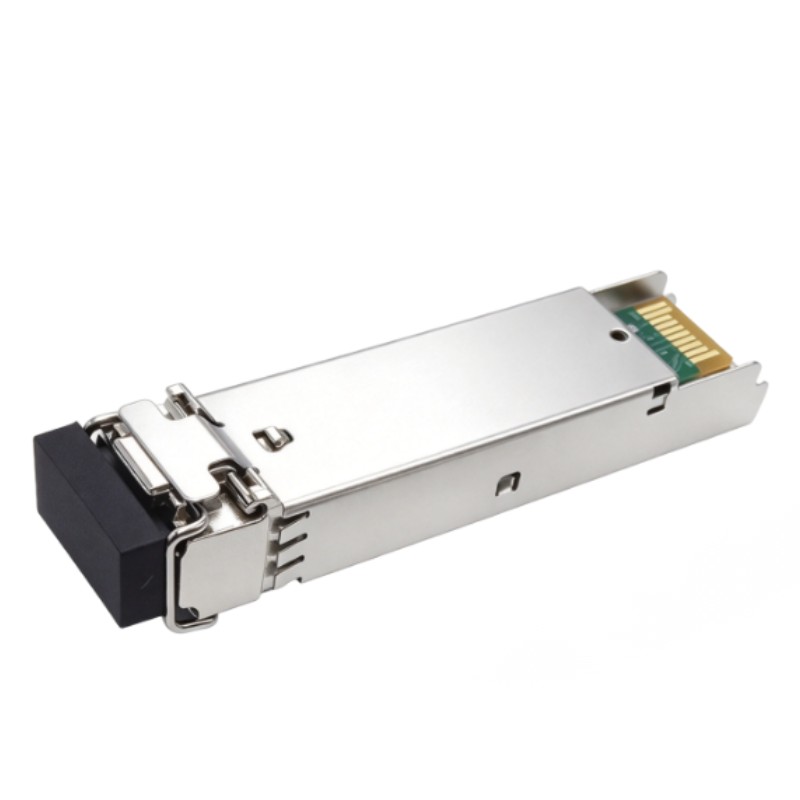
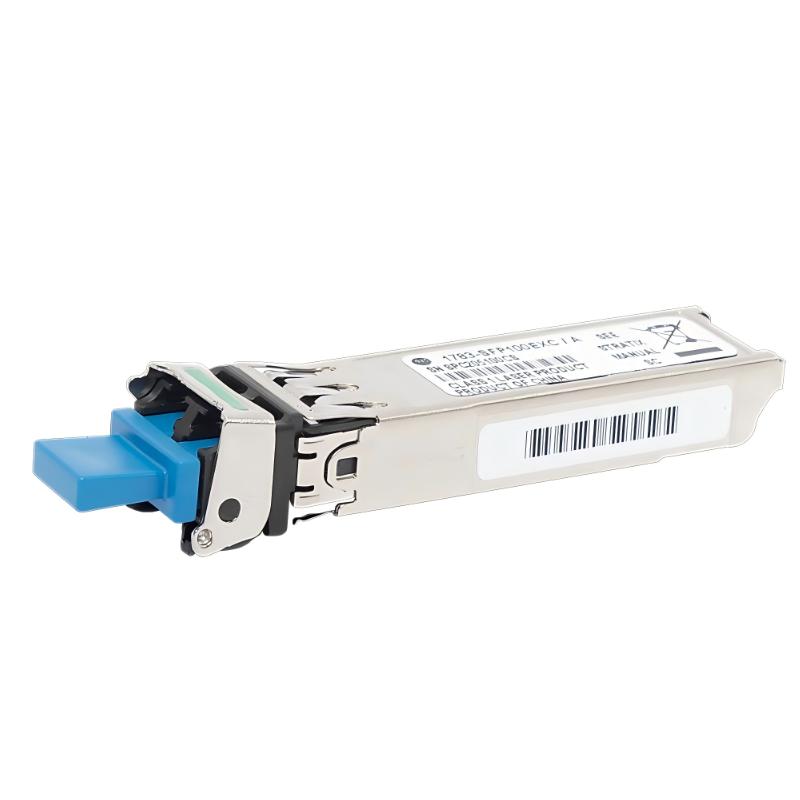
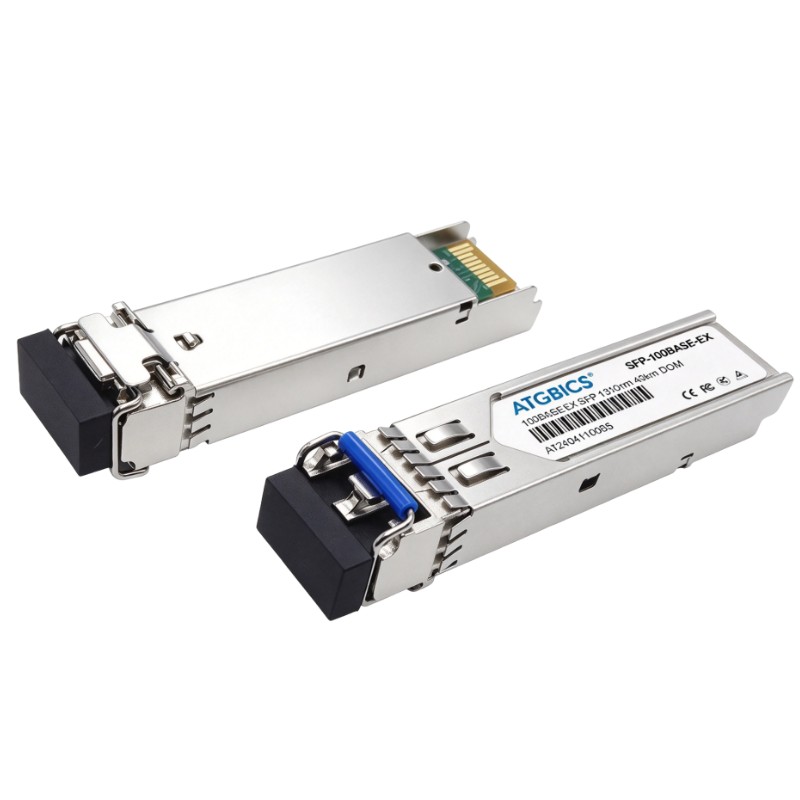
- Allen Bradley
- 1783-SFP100EXC
- 100BASE-EX Single-Mode Fiber SFP Module
- USA
- 90 × 25 × 50 mm
- 0.03 kg
- Xiamen, China
- New & In Stock
- T/T, PayPal, Western Union
- 1 Year
- 1-3 Working Days
- DHL, UPS, TNT, FedEx and EMS.
- 24-Hour Service
- COO
- 2
Our advantage

Global Logistics
We have a 10-year logistics and express cooperation agreement, so our products can be shipped to any place in the world.

Brand new and original
Our products are imported in bulk from the place of origin. Because of the cooperative relationship, our products are all original and 100% new.

24-hour service
We provide 7*24 hours service to our customers. We will be there whenever you need us.

Price advantage
All our products are priced very favorably because we have our own warehouse and supply.
| Company Information | |||
| [email protected] | |||
| Mobile | +8615980777398 | ||
| +8615980777398 | |||
| 15980777398 |
Product Overview
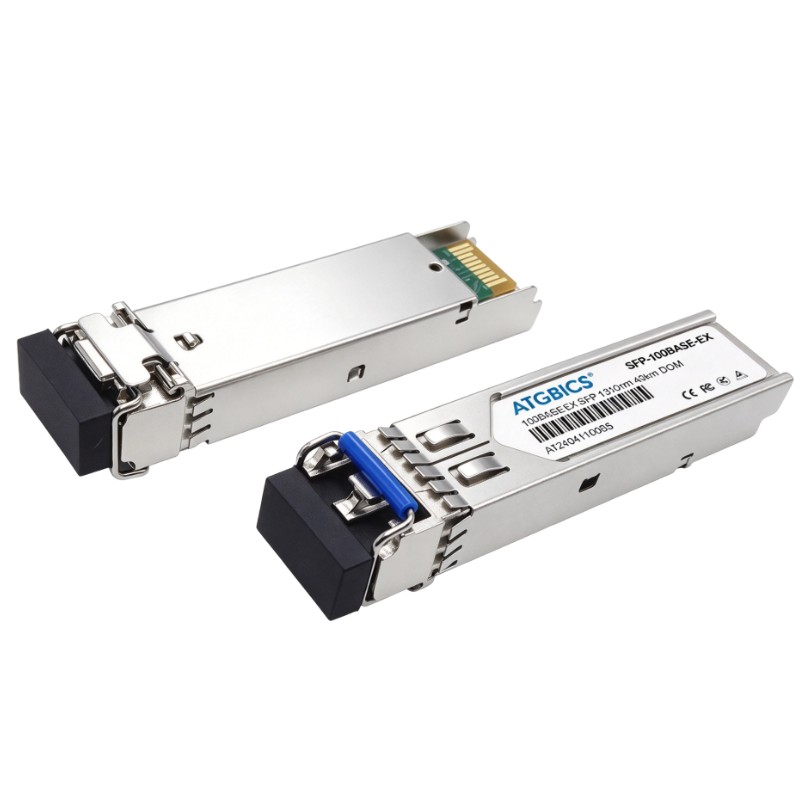
The Allen Bradley 1783-SFP100EXC Stratix 100BASE-EX Single-Mode Fiber SFP Module is a fiber-optic transceiver used to establish optical Ethernet connections in industrial networks. It fits into compatible equipment with an SFP interface, allowing a network designer to use fiber rather than copper cabling for a particular link. This is useful when connecting network cabinets across a production floor, linking equipment in separate electrical areas, or extending communications over a distance where fiber is more suitable than conventional copper Ethernet.
The module operates with single-mode fiber and supports 100BASE-EX Ethernet connectivity. In a Stratix industrial network, an optical link can connect switches or other compatible network devices while helping separate the communication path from sources of electrical interference commonly found around motors, drives, and switching equipment.
The 1783-SFP100EXC is a connectivity component rather than a standalone network switch. Its application depends on the host device’s SFP compatibility, the fiber type and connector arrangement, and the optical link requirements at the opposite end. Correctly matching both ends of the link is essential for establishing a stable connection.
Technical Specifications
| Parameter | Specification |
|---|---|
| Brand | Allen Bradley |
| Model | 1783-SFP100EXC |
| Product Series | Stratix |
| Product Type | 100BASE-EX Single-Mode Fiber SFP Module |
| Module Category | Small Form-Factor Pluggable (SFP) Transceiver |
| Ethernet Standard | 100BASE-EX |
| Data Rate | 100 Mbps |
| Transmission Medium | Single-Mode Fiber Optic Cable |
| Network Interface | SFP Optical Transceiver Interface |
| Primary Function | Optical Ethernet Connectivity |
| Typical Host Equipment | Compatible Industrial Ethernet Switches |
| Network Application | Industrial Fiber Ethernet Links |
| Installation Method | SFP Port Installation |
| Dimensions | 90 × 25 × 50 mm |
| Weight | 0.03 kg |
Product Features
- Single-mode fiber connectivity: Supports optical Ethernet links using single-mode fiber, making it suitable for industrial network layouts that require fiber-based connections.
- 100BASE-EX operation: Provides a 100 Mbps Ethernet connection for compatible network equipment and link configurations.
- SFP form factor: Fits into a compatible SFP interface, allowing optical connectivity to be selected according to the requirements of the network link.
- Electrical noise isolation: Fiber-optic transmission does not conduct electrical interference between the two ends of the link, which can be beneficial in electrically noisy industrial environments.
- Separation between network locations: Enables fiber connections between cabinets, production areas, and other network locations where copper cabling may be less suitable.
- Industrial Ethernet integration: Can be used as part of a Stratix-based network when the host device supports the module.
- Modular network design: Allows optical connectivity to be added at a compatible SFP port without replacing the entire network device.
- Link-specific selection: Supports an optical network design in which the transceiver, fiber cable, connector, and remote-end interface are selected as a matched set.
Working Principle
The 1783-SFP100EXC converts electrical Ethernet signals from a compatible host device into optical signals for transmission over single-mode fiber. At the receiving end, a compatible optical transceiver converts the incoming light back into electrical Ethernet signals for processing by the connected network equipment.
When installed in a supported SFP port, the module forms the optical interface between the switch and the fiber cable. Ethernet frames pass through the host device’s switching functions, while the transceiver handles the conversion between electrical and optical signaling. The module itself does not perform the switching or routing functions of the host equipment.
In a factory network, this arrangement can connect two compatible switches located in separate cabinets. The electrical signal from one switch is converted to light, carried over the fiber link, and converted back into an electrical signal at the receiving switch. The receiving equipment then processes the traffic according to its own network configuration.
A simplified signal path is:
Industrial Ethernet Switch → 1783-SFP100EXC → Single-Mode Fiber Cable → Compatible Optical Interface → Remote Network Device
Successful communication depends on compatible transceivers at both ends, correct fiber and connector selection, proper installation, and support for the required optical link by the host devices.
Role in an Industrial Ethernet Control Architecture
The 1783-SFP100EXC provides the optical interface for a fiber Ethernet connection within an industrial network. Its role is to carry Ethernet traffic between compatible devices, while the connected switches or other host equipment manage forwarding, network segmentation, and communication with control-system devices.
| Network Component | Function | Relationship to the Fiber SFP Module |
|---|---|---|
| Stratix Industrial Ethernet Switch | Connects industrial network devices and forwards Ethernet frames | Provides the compatible SFP port and network-side electrical interface |
| 1783-SFP100EXC | Converts electrical Ethernet signaling to optical signaling and back | Establishes the optical link when installed in supported equipment |
| Single-Mode Fiber Cable | Carries optical signals between network locations | Forms the physical transmission path |
| Remote Optical Transceiver | Provides the optical interface at the opposite end | Must be compatible with the link’s optical characteristics |
| PLC or PAC Controller | Executes machine and process control logic | Exchanges data through the connected Ethernet network |
| HMI Panel | Displays operating status and supports operator commands | Communicates with controllers over the network |
| SCADA or Supervisory Server | Collects process data and supports supervisory functions | Uses the network link when required by the system architecture |
| Engineering Workstation | Supports programming and troubleshooting | Accesses network devices and controllers through configured communication paths |
In a typical architecture, the module is installed at the point where a switch needs an optical uplink or interconnection. The host device determines how traffic is handled; the SFP module supplies the physical optical interface. Before deployment, the engineer should verify the supported SFP types, link requirements, and fiber characteristics for the equipment at both ends.
Industrial Applications
| Application | Network Requirement | Role of the 1783-SFP100EXC |
|---|---|---|
| Factory Ethernet Backbone | Fiber connectivity between network cabinets or production areas | Provides an optical interface for a compatible 100 Mbps Ethernet link |
| PLC Network Interconnection | Ethernet communication between network segments containing controllers | Carries traffic over a fiber connection between compatible devices |
| Motor and Drive Areas | Network links operating near equipment that generates electrical noise | Provides a nonconductive optical transmission path |
| Process Automation Facilities | Communication between distributed control-network locations | Supports fiber-based Ethernet interconnections |
| Water and Wastewater Plants | Network connectivity across separate equipment areas | Enables a suitable optical link where the host equipment supports it |
| Packaging and Material Handling | Ethernet links between production cells and network cabinets | Supports interconnection of compatible network devices over fiber |
| Industrial Network Expansion | Adding an optical connection to an existing compatible switch | Uses an SFP interface instead of requiring a separate standalone optical converter |
| Supervisory Network Links | Ethernet connectivity between switches serving HMI and monitoring systems | Carries network traffic across the selected fiber path |
Installation and Maintenance
- Confirm SFP compatibility. Check that the intended host device supports the 1783-SFP100EXC and the required 100BASE-EX optical interface.
- Review the link design. Identify the remote device, required link speed, fiber route, connector type, and intended network topology before installation.
- Inspect the installation environment. Ensure the host device is mounted appropriately and that the work area allows safe access to the SFP port and fiber connections.
- Follow electrical safety procedures. Apply the required equipment isolation and handling procedures before installing or removing the module.
- Inspect the module. Check the housing and optical interface for visible damage or contamination. Do not touch exposed optical surfaces.
- Install the module correctly. Align it with the supported SFP port and seat it securely according to the host equipment’s installation method.
- Verify fiber compatibility. Confirm that the cable is single-mode fiber and that its connector and optical characteristics match the installed transceiver and remote-end equipment.
- Keep optical connectors clean. Use suitable fiber-optic inspection and cleaning practices before making the connection. Dust or contamination can cause link loss or intermittent operation.
- Connect the fiber carefully. Observe the correct connector arrangement and avoid excessive bending, pulling, or twisting of the cable.
- Check link status. After the equipment is powered and the connection is established, inspect the host device’s indicators or management interface to determine whether the optical link is active.
- Test end-to-end communication. Verify communication between the devices across the fiber link, then check application traffic such as PLC data exchange or HMI access as applicable.
- Document and maintain the link. Record the module location, cable route, remote endpoint, and relevant network settings. During maintenance, inspect connectors and cable condition if the link becomes unstable.
If the link does not come up, check module compatibility, fiber type, connector cleanliness, cable continuity, and the transceiver at the remote end. Also confirm that both host devices support the intended link mode. Replacing the module before checking the complete optical path may not resolve a problem caused by cabling or incompatible equipment.
Related Components
| Component | Function | Relationship to the 1783-SFP100EXC |
|---|---|---|
| Stratix Industrial Ethernet Switch | Provides industrial Ethernet switching | Hosts the SFP module when the specific switch model supports it |
| Single-Mode Fiber Optic Cable | Transmits optical signals between network devices | Provides the physical link used by the module |
| Compatible Remote SFP Transceiver | Provides the optical interface at the opposite end | Completes the fiber connection when optical characteristics are matched |
| Fiber Optic Connector and Patch Panel | Organizes and connects fiber runs | Supports structured fiber installation and maintenance |
| PLC or PAC Controller | Executes automation logic | Communicates over the Ethernet network connected through the host switch |
| HMI Panel | Provides operator visualization and control | Exchanges data through the industrial Ethernet network |
| Managed Ethernet Switch | Connects network segments and manages traffic | May serve as the remote endpoint if its SFP interface is compatible |
| Fiber Inspection and Cleaning Tools | Help inspect and clean optical connectors | Support maintenance of the optical path |
Recommended Related Models
| Model | Product Name | Typical Application |
|---|---|---|
| 1783-SFP100FX | Allen Bradley Stratix 100BASE-FX Fiber SFP Module | Fiber Ethernet connectivity using the applicable 100BASE-FX interface |
| 1783-SFP1GSX | Allen Bradley Stratix 1000BASE-SX Fiber SFP Module | Shorter-reach Gigabit Ethernet fiber links using compatible multimode fiber |
| 1783-SFP1GLX | Allen Bradley Stratix 1000BASE-LX Fiber SFP Module | Gigabit Ethernet fiber connectivity using the applicable LX optical interface |
| 1783-SFP100EXC | Allen Bradley Stratix 100BASE-EX Single-Mode Fiber SFP Module | 100 Mbps single-mode fiber connectivity |
| 1783-RA2TGB | Allen Bradley Stratix 4300 Remote Access Router | Industrial remote-access networking |
| 1783-RA5TGB | Allen Bradley Stratix 4300 Remote Access Router | Industrial remote-access networking |
| 1783-RMS06T | Allen Bradley Stratix 8300 6-Port Ethernet Switch | Managed industrial Ethernet switching |
These models serve different network requirements and are not interchangeable solely because they belong to the Stratix family. When selecting a replacement or an alternative, compare the host device’s supported transceivers, Ethernet speed, fiber type, connector, optical link requirements, and intended network role.
Key Advantages
- Adds single-mode fiber connectivity to compatible industrial Ethernet equipment.
- Supports 100 Mbps Ethernet communication over an optical link.
- Helps separate network communications from electrical interference along the fiber path.
- Fits a modular SFP-based network design.
- Supports connections between industrial network locations where fiber is appropriate.
- Simplifies optical-link maintenance by using a replaceable transceiver module.
Technical FAQs
1. What is the Allen Bradley 1783-SFP100EXC used for?
The 1783-SFP100EXC is a Stratix 100BASE-EX single-mode fiber SFP module. It provides an optical Ethernet interface for compatible network equipment, allowing Ethernet traffic to travel over a single-mode fiber link.
2. Does the 1783-SFP100EXC function as an Ethernet switch?
No. It is a transceiver module, not a standalone switch. It converts electrical Ethernet signaling to optical signaling and back, while the host switch or other compatible equipment performs network forwarding and related functions.
3. What should be checked before installing the 1783-SFP100EXC?
Verify that the host equipment supports the module and the intended 100BASE-EX link. Confirm the single-mode fiber type, connector arrangement, remote-end transceiver compatibility, and the optical requirements of the complete link.
4. Why might a fiber link using the 1783-SFP100EXC fail to establish communication?
Possible causes include an unsupported SFP module, incorrect fiber or connector type, contaminated optical connectors, a damaged cable, an incompatible remote transceiver, or a problem with the host interface. Check the physical optical path and host-device status before changing network settings.