

ProductPRODUCT
Featured products
Contact Us
- Allen Bradley
- 1783-MMS10R
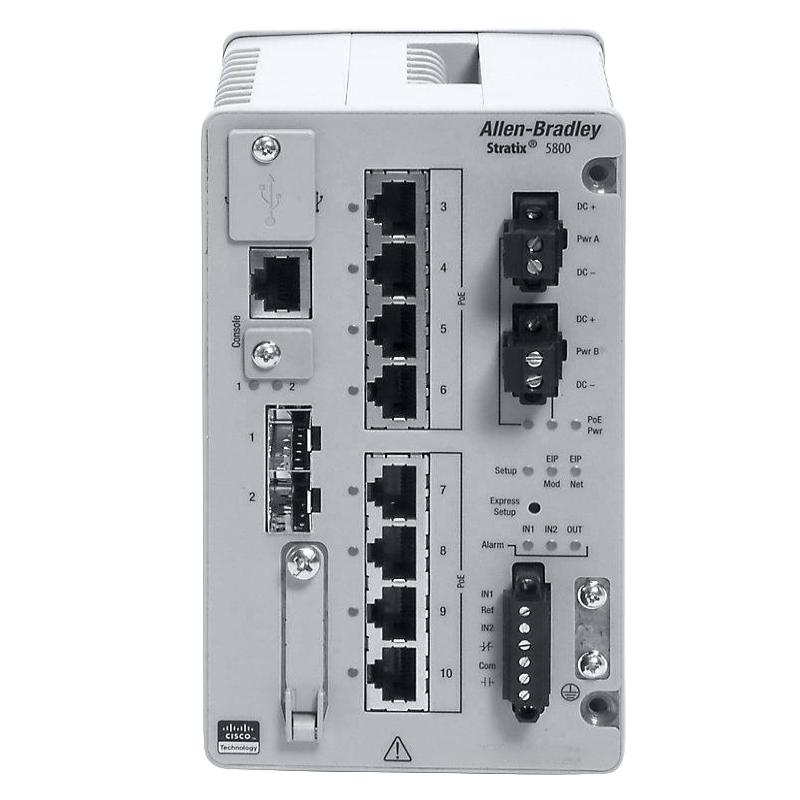
- Managed Ethernet Switch
- USA
- 153.23 × 91.4 × 151.6 mm
- 0.95 kg
- Xiamen, China
- New & In Stock
- T/T, PayPal, Western Union
- 1 Year
- 1-3 Working Days
- DHL, UPS, TNT, FedEx and EMS.
- 24-Hour Service
- COO
- 38
Our advantage

Global Logistics
We have a 10-year logistics and express cooperation agreement, so our products can be shipped to any place in the world.

Brand new and original
Our products are imported in bulk from the place of origin. Because of the cooperative relationship, our products are all original and 100% new.

24-hour service
We provide 7*24 hours service to our customers. We will be there whenever you need us.

Price advantage
All our products are priced very favorably because we have our own warehouse and supply.
| Company Information | |||
| [email protected] | |||
| Mobile | +8615980777398 | ||
| +8615980777398 | |||
| 15980777398 |
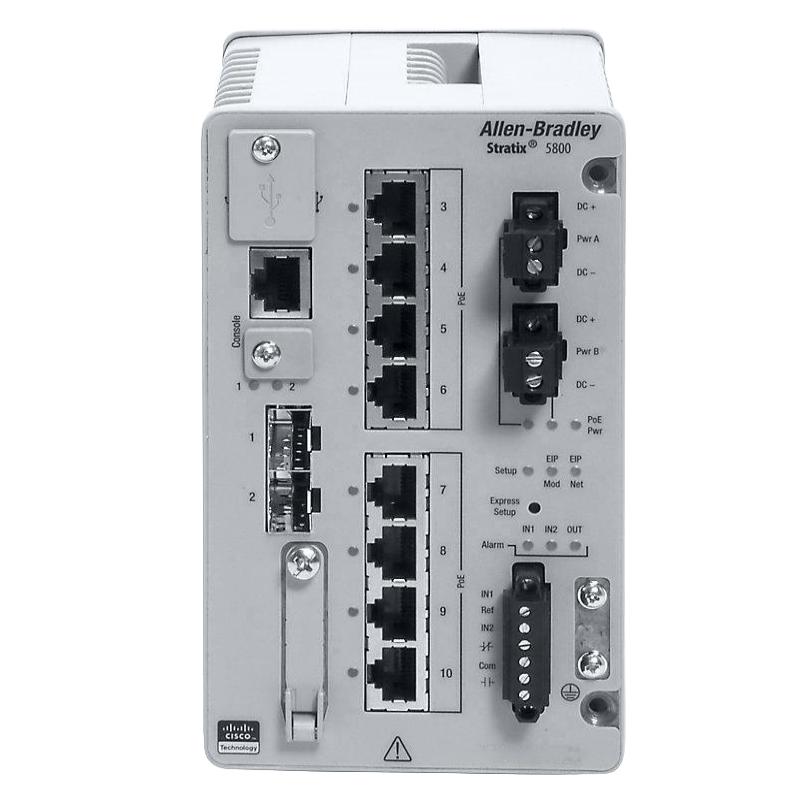
Product Overview
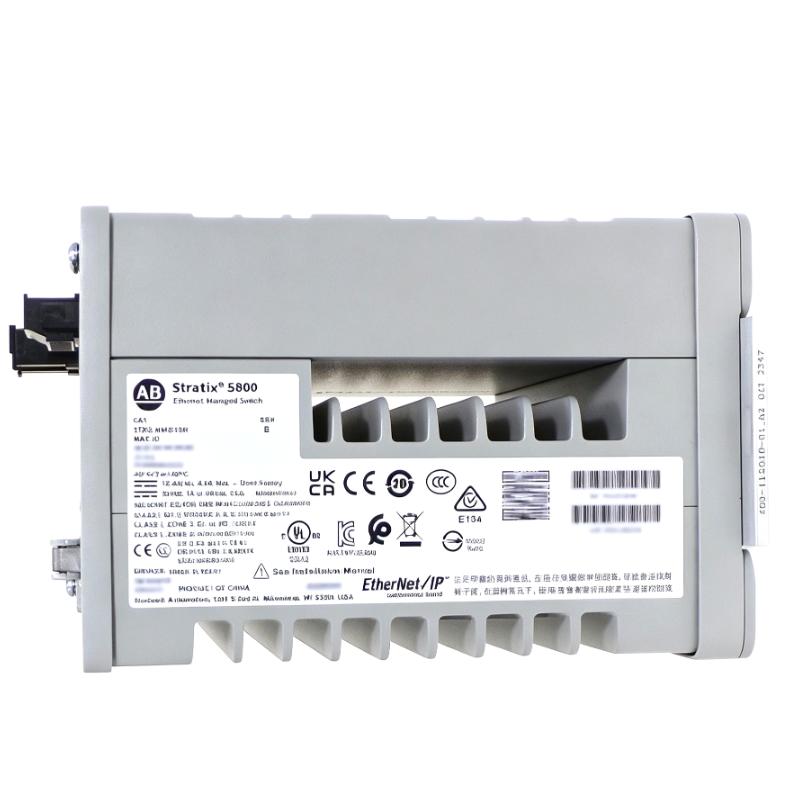
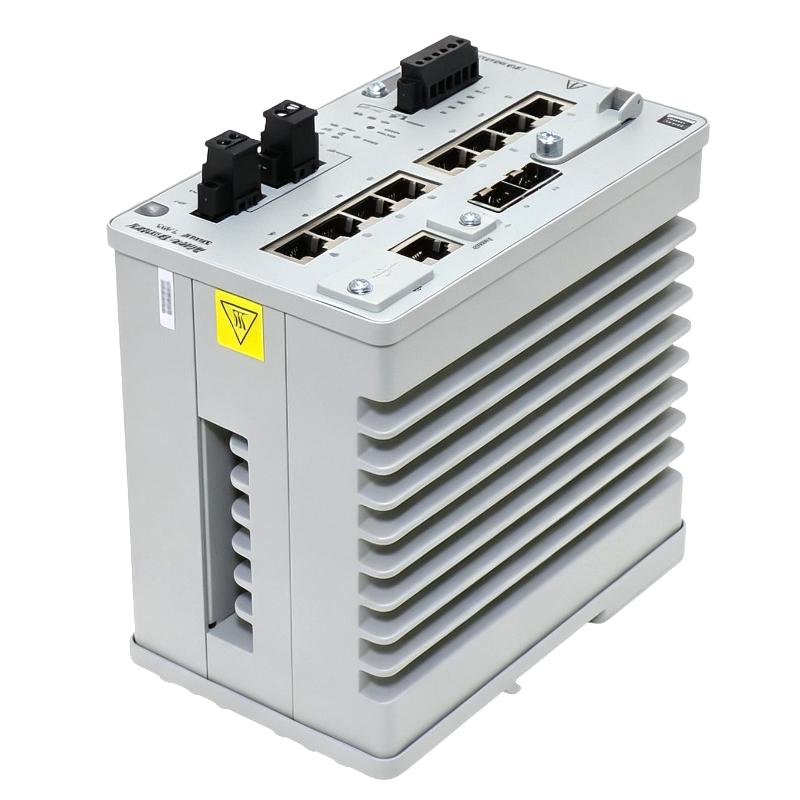
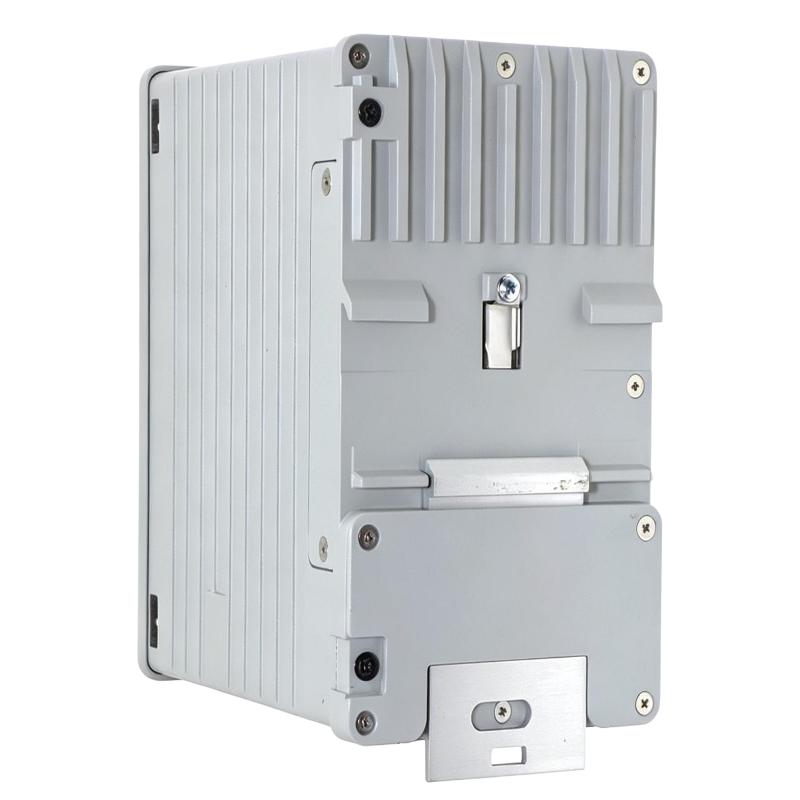
The Allen Bradley 1783-MMS10R is a Stratix 5800 managed switch used to connect and manage industrial Ethernet devices within an automation network. As part of the Stratix platform, it is intended for applications where network infrastructure needs more than basic Ethernet connectivity, such as machine networks, control-system networks, and plant-floor communication architectures.
A managed industrial switch sits between controllers, remote I/O, drives, HMIs, engineering workstations, and other Ethernet-enabled equipment. Instead of simply passing Ethernet traffic between connected devices, it participates in network management and provides configuration capabilities that help engineers organize communications and maintain visibility of the industrial network.
The 1783-MMS10R can be used in control cabinets and industrial network installations where managed Ethernet connectivity is required. It is particularly relevant to automation upgrades, machine-network expansion, plant-floor networking, and maintenance of established Allen Bradley Ethernet architectures.
Technical Specifications
| Parameter | Specification |
|---|---|
| Manufacturer | Allen Bradley |
| Product Model | 1783-MMS10R |
| Product Type | Managed Ethernet Switch |
| Product Family | Stratix 5800 |
| Series | Stratix 5800 |
| Network Type | Industrial Ethernet |
| Switch Type | Managed Switch |
| Primary Function | Industrial Network Switching and Management |
| System Role | Industrial Ethernet Infrastructure |
| Application | Industrial Automation Networking |
| Network Integration | Controllers, I/O, Drives, HMIs and Ethernet Devices |
| Installation | Industrial Control Cabinet / Network Installation |
| Dimensions | 153.23 × 91.4 × 151.6 mm |
| Weight | 0.95 kg |
Product Features
- Stratix 5800 managed switch for industrial Ethernet networks
- Supports managed network architecture for industrial automation systems
- Provides Ethernet connectivity between controllers, I/O, drives, HMIs, and other network devices
- Suitable for machine-level and plant-floor communication infrastructure
- Allows network configuration and management beyond basic unmanaged switching
- Supports structured industrial network deployment and maintenance
- Can be integrated into Allen Bradley automation architectures
- Suitable for system expansion where additional managed Ethernet connectivity is required
- Useful for troubleshooting and maintaining organized industrial communications
- Can serve as an Ethernet infrastructure component between control-system devices and higher-level network segments
Working Principle
The 1783-MMS10R operates as a managed Ethernet switching device. Ethernet devices connect to the switch through their network interfaces, and the switch receives Ethernet frames from connected equipment before forwarding them toward the appropriate network destination.
In an automation system, a controller may exchange data with remote I/O, drives, HMIs, or other Ethernet-enabled devices through the switch. The switch handles the movement of network traffic between these connected nodes while its management functions allow the network administrator or controls engineer to configure and monitor the switching environment.
Controller / I/O / Drive / HMI → Ethernet Connection → 1783-MMS10R → Appropriate Network Device
The switch does not execute PLC control logic or replace the automation controller. Its role is to establish and manage the communication infrastructure through which automation devices exchange information.
During commissioning, the network engineer normally considers the complete communication path rather than the switch alone. Device addressing, network configuration, cable connections, port assignments, and the overall network topology all affect whether the connected automation equipment can communicate correctly.
Role in an Allen Bradley Stratix 5800 Industrial Ethernet Control Architecture
The 1783-MMS10R occupies the network infrastructure layer of an industrial automation architecture. It connects Ethernet-based automation equipment and supports managed network operation, while controllers and I/O devices remain responsible for control and field-process functions.
| System Layer | Typical Component | Function |
|---|---|---|
| Supervisory Layer | HMI / SCADA System | Provides operator visualization, diagnostics, and supervisory functions |
| Control Layer | Allen Bradley PLC / Controller | Executes machine or process control logic |
| Network Infrastructure | 1783-MMS10R | Connects and manages industrial Ethernet traffic |
| I/O Layer | Ethernet-Based Remote I/O | Exchanges field data with the control system |
| Motion Layer | Ethernet-Connected Drive | Communicates motion and drive information |
| Device Layer | Sensors / Instruments / Intelligent Devices | Provides process or equipment information |
| Field Process | Industrial Machinery | Performs the controlled production or process operation |
Industrial Applications
| Application | Switch Role |
|---|---|
| Factory Automation | Connects controllers, I/O, HMIs, drives, and other Ethernet-enabled equipment |
| Machine Control | Provides managed Ethernet infrastructure for individual machines and automation cells |
| Packaging Machinery | Supports communication between machine controllers and networked devices |
| Material Handling | Connects distributed control and automation equipment across handling systems |
| Manufacturing Lines | Provides structured Ethernet connectivity between multiple automation stations |
| Process Automation | Supports communication infrastructure for Ethernet-based control equipment |
| Plant Network Expansion | Adds managed switching capability to an existing industrial Ethernet architecture |
| Automation System Maintenance | Provides a configurable network component for troubleshooting and network upgrades |
Installation and Maintenance
- Verify the network architecture — Confirm that the 1783-MMS10R is appropriate for the planned industrial Ethernet topology and connected equipment.
- Check the installation documentation — Review the applicable control cabinet drawings, network diagrams, and equipment documentation before installation.
- Isolate equipment as required — Follow the plant’s electrical and network maintenance procedures before installing or replacing the switch.
- Inspect the switch and interfaces — Check the housing and network interfaces for visible damage, contamination, or other installation issues.
- Confirm network connections — Verify that each Ethernet cable is connected to the intended network device and switch interface.
- Check cable condition — Inspect Ethernet cables and connectors for physical damage, loose connections, or unsuitable routing.
- Install the switch securely — Mount the unit according to the applicable cabinet or equipment installation arrangement.
- Verify network configuration — Check the required management and communication settings against the approved network design before placing the switch into service.
- Check connected devices — Confirm that controllers, I/O systems, drives, HMIs, and other Ethernet devices are connected to the intended network segments.
- Test communication — After energizing the network section, verify communication between the switch and connected automation equipment.
- Monitor network operation — Check for unexpected communication loss, connection faults, configuration problems, or other network abnormalities during commissioning and operation.
- Record network changes — Document the installed switch, port connections, configuration changes, and related network information for future maintenance and troubleshooting.
Related Components
| Component | Function |
|---|---|
| Allen Bradley PLC / Controller | Executes machine or process control logic |
| Ethernet-Based Remote I/O | Exchanges field input and output data with the control system |
| Allen Bradley HMI | Provides operator interface and equipment status |
| Industrial Ethernet Drive | Communicates drive and motion information over the automation network |
| Industrial Ethernet Cables | Provide physical network connections between devices |
| Stratix Managed Switches | Provide additional managed industrial Ethernet infrastructure |
| Network Management System | Supports network monitoring, configuration, and diagnostics |
| Control Cabinet | Houses network and automation equipment in an organized installation |
Recommended Related Models
| Model | Product Type | Typical Relationship |
|---|---|---|
| Allen Bradley 1783-MMS10T | Stratix 5800 Managed Switch | Related Stratix 5800 managed switching configuration |
| Allen Bradley 1783-MMS4S | Stratix 5800 Managed Switch | Related managed industrial Ethernet switch |
| Allen Bradley 1783-MMS10CL | Stratix 5800 Managed Switch | Related Stratix 5800 network infrastructure model |
| Allen Bradley 1783-BMS10CGN | Stratix 5700 Managed Switch | Related Allen Bradley Stratix managed switch |
| Allen Bradley 1783-BMS20CGN | Stratix 5700 Managed Switch | Related managed industrial Ethernet switch |
Key Advantages
- Managed Ethernet switching for industrial automation networks
- Supports structured communication between Ethernet-enabled control devices
- Integrates with Allen Bradley industrial automation architectures
- Suitable for machine and plant-floor network infrastructure
- Provides a configurable alternative to basic unmanaged switching
- Useful for network expansion, commissioning, and maintenance applications
- Supports organized connectivity between controllers, I/O, drives, HMIs, and other devices
Technical FAQs
What is the main function of the Allen Bradley 1783-MMS10R?
The 1783-MMS10R is a managed industrial Ethernet switch used to connect Ethernet-enabled automation equipment. It handles network traffic between connected devices and provides network management capabilities for the industrial communication infrastructure.
Is the 1783-MMS10R a PLC or controller?
No. The 1783-MMS10R is a network switch rather than a programmable controller. The PLC or other control processor executes the machine or process logic, while the switch provides the Ethernet communication infrastructure used by the control system.
What should be considered when replacing a 1783-MMS10R?
The replacement should be evaluated against the existing network architecture, connected equipment, Ethernet cabling, port requirements, configuration, and installation arrangement. Network settings should also be reviewed so that the replacement integrates correctly with the established automation network.
How can communication problems involving the switch be investigated?
Troubleshooting should begin with the physical Ethernet connections and then progress through device connectivity, network configuration, switch interfaces, and communication between the affected automation devices. Comparing the current network configuration with the approved network documentation can also help identify incorrect connections or settings.