
NewsNEWCENTER
Featured products
Contact Us
Allen-Bradley 100-DNY41R DeviceNet Starter Auxiliary Fault Diagnosis Guide
2026-06-08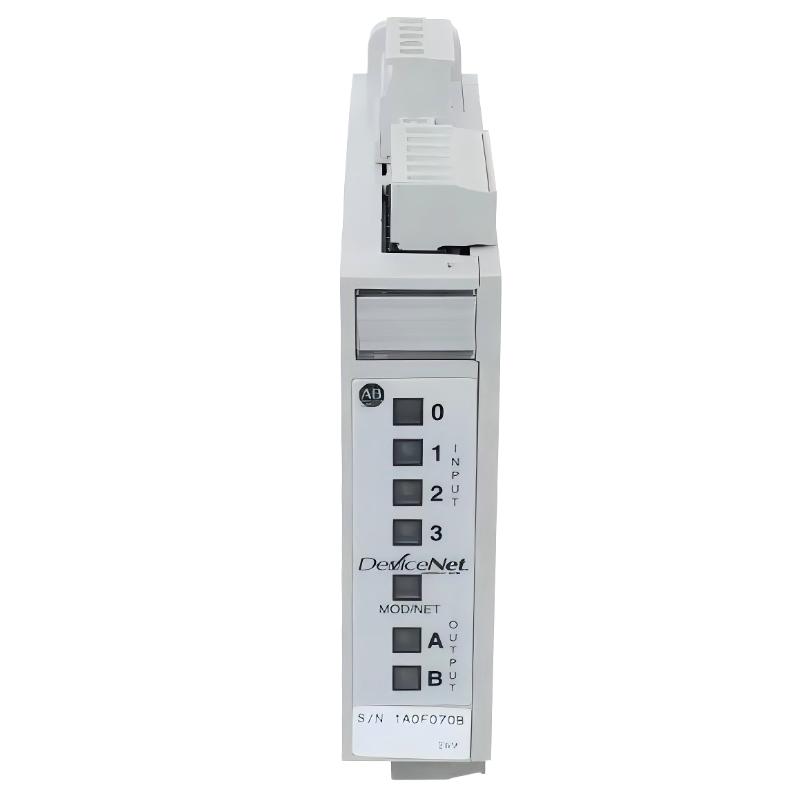
Table of Contents
- Field Case: DeviceNet Node Dropout in 100-DNY41R Starter Auxiliary
- Fault Symptoms in DeviceNet Starter Auxiliary System
- Observed Network & I/O Behavior
- Root Cause Analysis (DeviceNet, Power & Addressing)
- Diagnostic Workflow for 100-DNY41R
- Repair & Recovery Actions
- Prevention Strategy for DeviceNet Systems
- FAQs on 100-DNY41R Faults
- Engineering Summary
Field Case: DeviceNet Node Dropout in 100-DNY41R Starter Auxiliary
Allen-Bradley 100-DNY41R DeviceNet Starter Auxiliary faults are frequently misdiagnosed as motor starter or PLC logic issues. In one conveyor system upgrade, multiple starter auxiliaries intermittently disappeared from the DeviceNet scanner, causing random motor stoppages. Initial replacement of starters did not resolve the issue until the network layer was analyzed.
Fault Symptoms in DeviceNet Starter Auxiliary System
Common field symptoms include:
- DeviceNet node intermittently missing in RSNetWorx
- Starter auxiliary input status not updating in PLC tags
- Random motor start/stop behavior under load
- Scanner showing “I/O data size mismatch” or node fault
Observed Network & I/O Behavior
During diagnostics, engineers observed unstable network and inconsistent I/O mapping behavior:
NODE_STATUS = intermittent dropout
I/O_DATA_SIZE = mismatch error in scanner
INPUT_CHANNELS = flickering ON/OFF
DEVICEVOLTAGE = 22.8V DC under load
NETWORK_NOISE = high during motor startup
Dropouts were strongly correlated with VFD motor acceleration events on the same power segment.
Root Cause Analysis (DeviceNet, Power & Addressing)
Most 100-DNY41R faults are network-related rather than hardware failure:
- DeviceNet trunk power drop during simultaneous starter activation
- Poor CAN shielding or improper cable routing near VFD lines
- Incorrect node addressing or scan list mismatch in scanner configuration
- Loose DeviceNet connectors causing intermittent communication loss
In one commissioning case, correcting scan list configuration and replacing a single damaged trunk cable restored full network stability without replacing any device.
Diagnostic Workflow for 100-DNY41R
Engineers should follow a structured DeviceNet troubleshooting approach:
- Check node status in RSNetWorx / scanner diagnostics
- Verify scan list configuration and I/O size mapping
- Measure DeviceNet trunk voltage under full load
- Inspect connector integrity and cable shielding continuity
- Isolate VFD noise sources and test segment stability
DN_DIAG /NODE=100-DNY41R /SCAN_CHECK /POWER_MONITOR /NOISE_ANALYSIS
Repair & Recovery Actions
- Re-terminated DeviceNet connectors with proper torque
- Reconfigured scanner scan list and corrected I/O mapping
- Separated DeviceNet cable routing from high-power motor lines
- Stabilized 24V DC network power supply with proper filtering
After corrective actions, node stability improved from intermittent dropout to continuous 100% online status over long-term operation.
Prevention Strategy for DeviceNet Systems
- Maintain proper DeviceNet cable shielding and grounding strategy
- Avoid shared routing with VFD or high-frequency switching cables
- Regularly verify scanner configuration and node scan consistency
- Monitor network voltage drop under full load conditions
- Perform periodic inspection of all DeviceNet connectors
FAQs on 100-DNY41R Faults
Why do DeviceNet nodes randomly disappear?
This is usually caused by network voltage instability or communication noise rather than module failure.
Can scan list mismatch cause motor control issues?
Yes. Incorrect I/O mapping can cause PLC logic to misinterpret starter status, leading to unexpected operation.
Is DeviceNet still reliable for modern systems?
Yes, but it requires strict wiring discipline and is more sensitive to noise compared to Ethernet-based systems.
Engineering Summary
The Allen-Bradley 100-DNY41R DeviceNet Starter Auxiliary is a reliable industrial component, but field experience shows that most faults originate from network configuration, power stability, and wiring practices rather than internal device failure. Proper DeviceNet design, noise isolation, and scanner configuration are essential to ensure stable distributed motor control in industrial environments.