
NewsNEWCENTER
Featured products
Contact Us
Allen-Bradley 100-DNY41R DeviceNet Starter Auxiliary Installation Guide
2026-06-08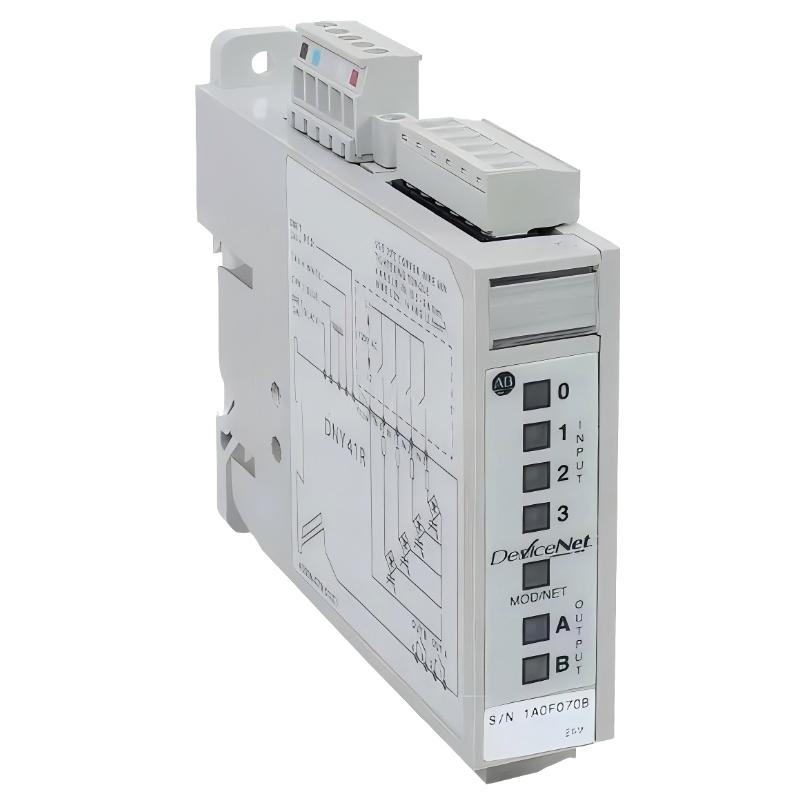
Table of Contents
- Installation Overview of 100-DNY41R DeviceNet Starter Auxiliary
- Role of 100-DNY41R in DeviceNet Motor Control System
- Pre-Installation Checks & System Preparation
- DeviceNet Network Wiring & Topology Setup
- Power Distribution & Node Configuration
- Commissioning & Scanner Integration
- FAQs on 100-DNY41R Installation
- Engineering Summary & Field Practices
Installation Overview of 100-DNY41R DeviceNet Starter Auxiliary
Allen-Bradley 100-DNY41R DeviceNet starter auxiliary installation is critical in distributed motor control systems. Proper network setup ensures reliable communication between PLC scanner modules and motor starters. Field experience shows that most commissioning issues originate from incorrect node addressing or poor DeviceNet cabling practices.
Role of 100-DNY41R in DeviceNet Motor Control System
The 100-DNY41R acts as a smart motor starter interface on the DeviceNet network, enabling remote start/stop control, status feedback, and protection monitoring. In real industrial conveyor systems, correct installation improves startup coordination and reduces manual intervention in motor control logic.
Pre-Installation Checks & System Preparation
- Verify PLC scanner compatibility with DeviceNet network
- Confirm node addressing scheme and network topology plan
- Inspect DeviceNet trunk cable and drop lines for damage
- Ensure 24V DC power supply stability for all nodes
- Review RSNetWorx configuration file before commissioning
DeviceNet Network Wiring & Topology Setup
Correct wiring is essential for stable DeviceNet communication:
- Use approved DeviceNet thick or thin trunk cable
- Maintain correct CAN_H / CAN_L polarity
- Install terminating resistors at both ends of trunk line
- Keep cable separation from VFD and high-voltage lines
Field case: improper termination resistance caused intermittent node dropout until corrected with proper 121Ω terminators.
Power Distribution & Node Configuration
Stable power distribution is critical for DeviceNet reliability:
- Provide regulated 24V DC power supply for network segment
- Calculate total current load for all nodes
- Ensure voltage drop does not exceed network limits
- Assign unique node addresses to each 100-DNY41R unit
In one commissioning project, voltage drop below 20.5V caused random node resets, resolved after upgrading power supply capacity.
Commissioning & Scanner Integration
- Upload DeviceNet scan list into PLC scanner module
- Verify all 100-DNY41R nodes appear online
- Test start/stop commands for each motor starter
- Monitor real-time status feedback in PLC tags
- Perform load simulation test under full system operation
DN_SCAN /ADD_NODE=100-DNY41R /VERIFY_IO /ONLINE_CHECK
FAQs on 100-DNY41R Installation
Can multiple starters share one DeviceNet trunk?
Yes, but total current and voltage drop must be carefully calculated to avoid communication instability.
What happens if node address is duplicated?
DeviceNet scanner will report communication conflict and both nodes may go offline intermittently.
Is shielding mandatory for DeviceNet cables?
Yes, shielding is essential to prevent EMI from motor drives and switching equipment.
Engineering Summary & Field Practices
Proper installation of Allen-Bradley 100-DNY41R DeviceNet starter auxiliary ensures stable distributed motor control and reliable PLC integration. Field experience confirms that correct wiring, proper termination, stable 24V supply, and accurate node configuration are the key factors for long-term system stability and reduced downtime.