

ProductPRODUCT
Featured products
Contact Us
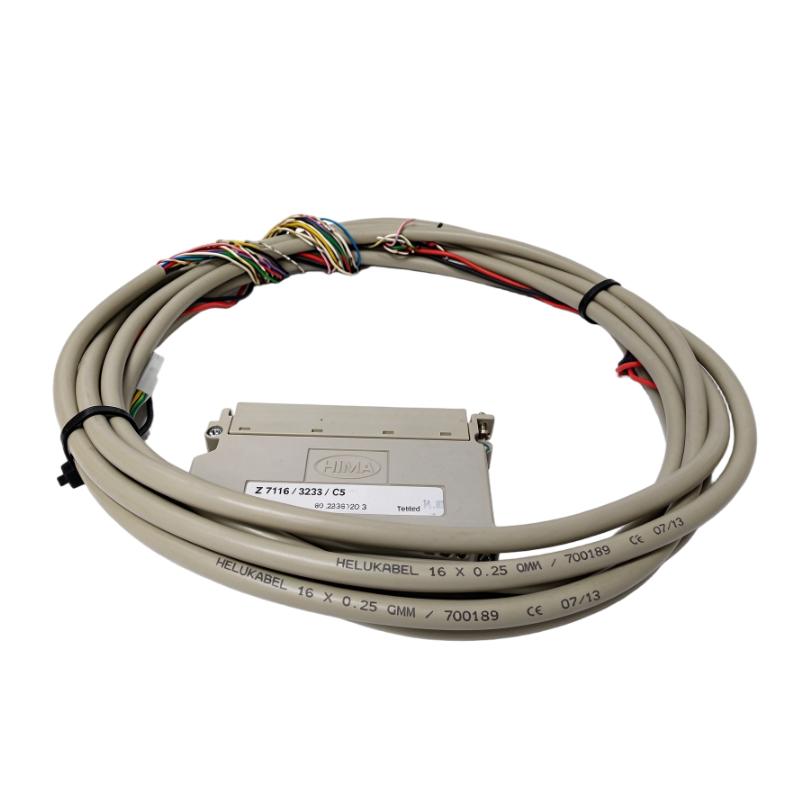
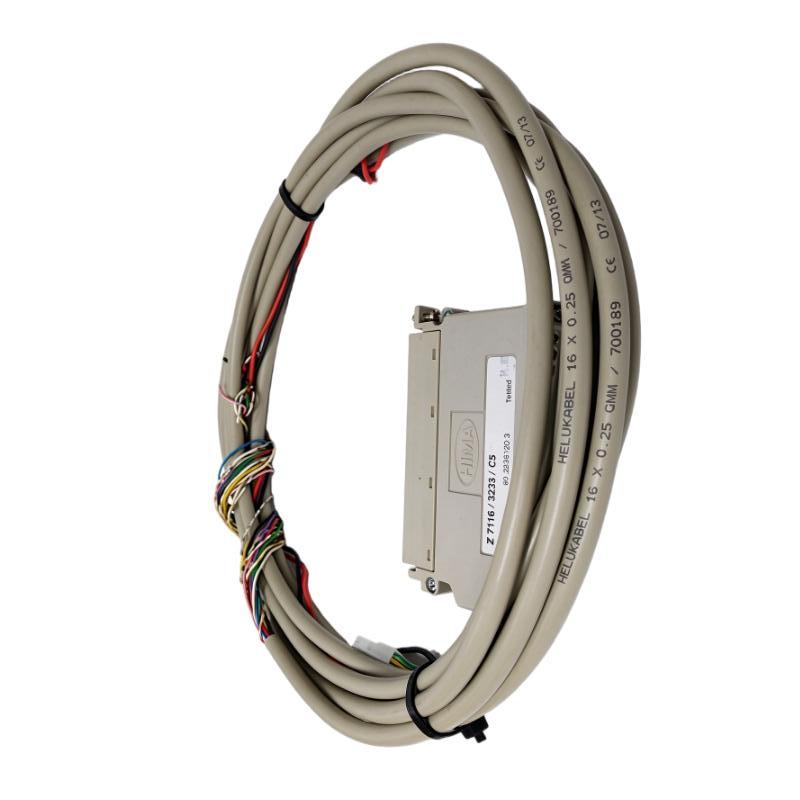
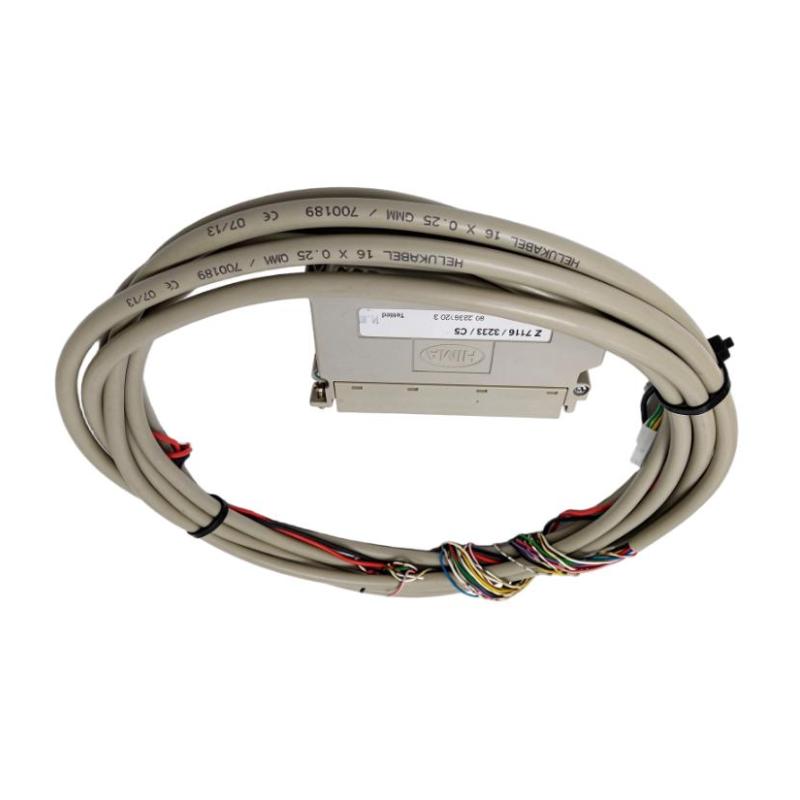
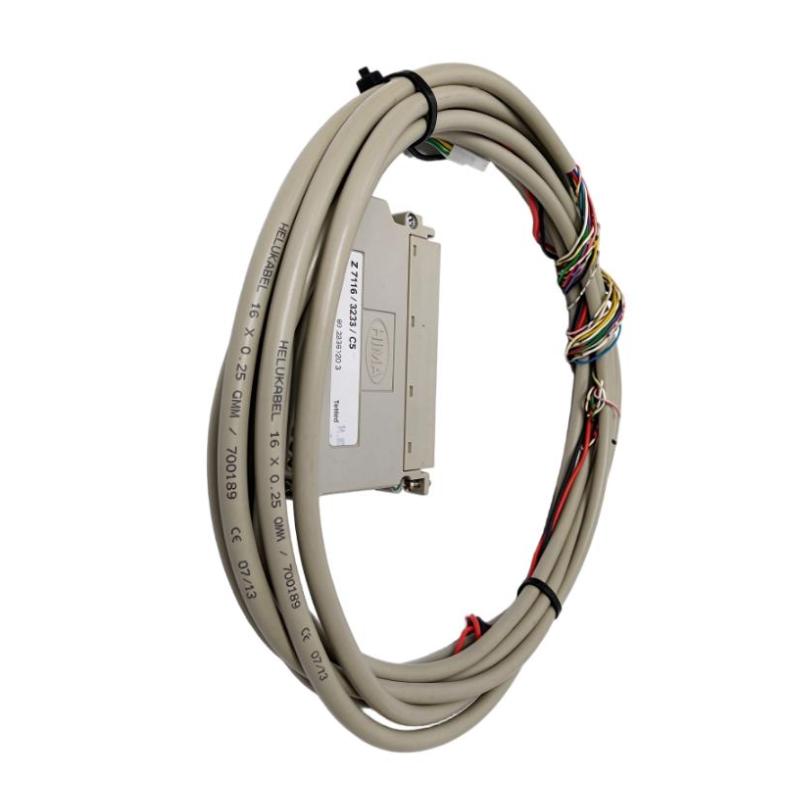
- HIMA
- Z7116/3236/C5/R
- LED Cable Plug
- Germany
- 5 meters
- 3 kg
- Xiamen, China
- New & In Stock
- T/T, PayPal, Western Union
- 1 Year
- 1-3 Working Days
- DHL, UPS, TNT, FedEx and EMS.
- 24-Hour Service
- COO
- 9
Our advantage

Global Logistics
We have a 10-year logistics and express cooperation agreement, so our products can be shipped to any place in the world.

Brand new and original
Our products are imported in bulk from the place of origin. Because of the cooperative relationship, our products are all original and 100% new.

24-hour service
We provide 7*24 hours service to our customers. We will be there whenever you need us.

Price advantage
All our products are priced very favorably because we have our own warehouse and supply.
| Company Information | |||
| [email protected] | |||
| Mobile | +8615980777398 | ||
| +8615980777398 | |||
| 15980777398 |
Product Overview
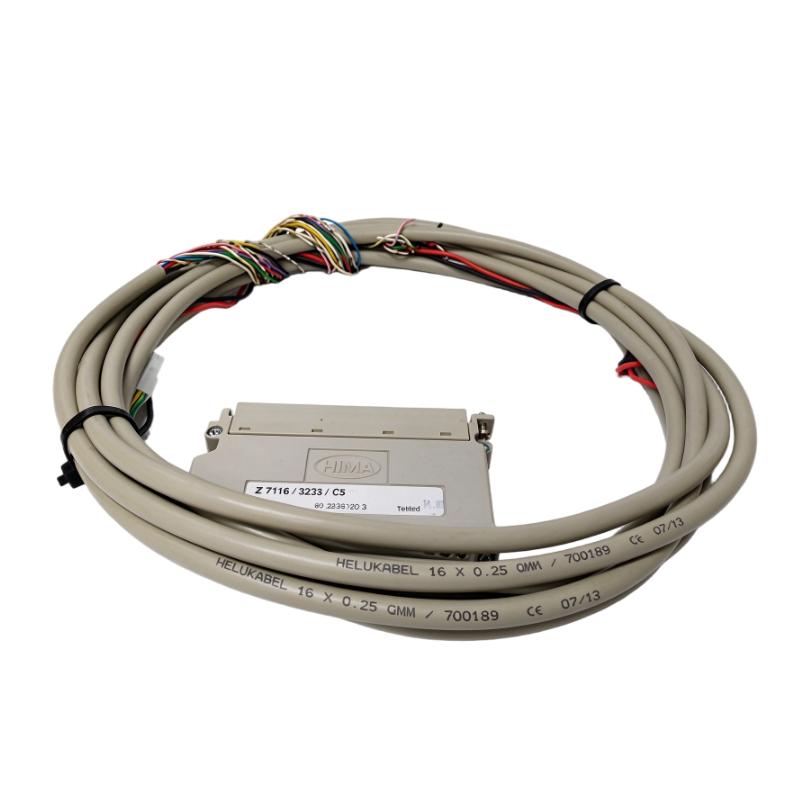
The HIMA Z7116/3236/C5/R is an LED cable plug assembly used with compatible HIMA digital input systems. It combines a dedicated connector with a 5-meter cable and 16 LED indicators, allowing the assembly to provide an electrical connection between the designated input module and its associated wiring.
The model designation identifies a cable assembly associated with the HIMA F3236 digital input module. The /R variant is associated with a redundant connection arrangement, making the exact suffix important when selecting replacement parts for an existing control cabinet.
In a digital input system, field devices such as switches and contact sensors provide discrete signals to the controller. The cable plug establishes the connection to the corresponding input hardware, while the integrated LED indicators provide a visual reference for checking input-channel status where supported by the connected module and wiring configuration.
This assembly is particularly relevant to maintenance work involving established HIMA control installations. Replacing it with a cable plug of similar appearance is not sufficient: connector pin assignments, the intended input module, cable routing, and the redundant connection arrangement must match the existing installation.
Technical Specifications
| Parameter | Specification |
|---|---|
| Manufacturer | HIMA |
| Model | Z7116/3236/C5/R |
| Product Type | LED Cable Plug |
| Application | Digital Input |
| LED Indicators | 16 |
| Cable Length | 5 meters |
| Connection Arrangement | Redundant connection variant |
| Shipping Weight | 3 kg |
Product Features
- 16 LED indicators: Provides visual indication associated with the connected digital input channels, subject to the system’s signal and wiring configuration.
- 5-meter cable assembly: Supports connection routing between the designated control-system interface and the corresponding installation point.
- Digital input connection: Intended for use in compatible HIMA digital input applications.
- F3236-associated configuration: The Z7116/3236 designation identifies the assembly associated with the corresponding digital input hardware.
- Redundant connection variant: The
/Rsuffix distinguishes this version from the standard cable assembly and must be retained when matching replacement parts. - Preassembled connection: Combines the cable and connector into one assembly, reducing the need to fabricate the corresponding connection in the field.
Working Principle
The Z7116/3236/C5/R provides a physical electrical connection for the designated digital input system. Signals from field contacts or switching devices pass through the associated wiring and cable assembly to the compatible input hardware, where the input module processes them according to the configured control logic.
The general signal path is:
Field Contact or Switch → Cable Assembly → HIMA Digital Input Module → Control Logic
The 16 LED indicators provide a visual reference for input status. Their interpretation depends on the channel assignment, electrical wiring, and behavior of the connected input module. An illuminated or extinguished indicator should therefore be interpreted in conjunction with the system’s expected signal state and diagnostic information.
The /R version is associated with a redundant connection arrangement. During installation, the redundant wiring configuration and connector assignments must match the original design. Incorrect connections can cause missing input signals or misleading status indications.
For troubleshooting, technicians should distinguish between a field-device fault, a cable or connector problem, and an input-module fault. Checking the LED indications alongside the module diagnostics and field signal measurements helps narrow down the source of an input-channel problem.
Role in the HIMA Digital Input Architecture
The Z7116/3236/C5/R acts as a connection and indication component between field wiring and the designated HIMA digital input hardware. It does not independently execute the safety logic; its role is to establish the appropriate electrical connection and provide visual channel-status references.
Field Devices → Z7116/3236/C5/R Cable Plug → HIMA F3236 Digital Input Module → Safety Control Logic
| System Element | Function |
|---|---|
| Z7116/3236/C5/R | Provides the specified cable connection and 16 LED indicators |
| Field Contacts and Switches | Generate discrete input signals |
| Cable Assembly | Carries signals between the connection point and input hardware |
| HIMA F3236 Digital Input Module | Receives and processes connected digital input signals |
| LED Indicators | Provide visual references for the associated input-channel states |
| Control Logic | Processes the input information according to the configured application |
Industrial Applications
| Application | Typical Use |
|---|---|
| HIMA Digital Input Systems | Connecting field signals to compatible digital input hardware |
| Process Safety Installations | Maintaining input connections for configured switches and contact devices |
| Industrial Control Cabinets | Routing input wiring through a preassembled cable connection |
| Emergency Shutdown Systems | Connecting designated discrete input circuits where supported by the installed architecture |
| Plant Maintenance | Replacing a damaged or defective cable plug with the matching variant |
| Control-System Troubleshooting | Using channel indicators alongside module diagnostics to investigate input faults |
| Redundant Control Installations | Maintaining the specified redundant connection arrangement |
Installation and Maintenance
- Verify the complete model number: Confirm Z7116/3236/C5/R, including the
/Rsuffix, before ordering or installing the replacement. - Check input-module compatibility: Confirm that the assembly matches the intended HIMA digital input module and its connector configuration.
- Verify the redundant arrangement: Check the existing wiring diagram and confirm that the redundant connection version is required for the installation.
- Identify the channel assignments: Record the relationship between field devices, input channels, and the corresponding LED indicators before disconnecting the existing assembly.
- Follow safety procedures: Apply the plant’s approved isolation and maintenance procedures before working on the control-system connections.
- Inspect the connector: Check the plug contacts and housing for contamination, corrosion, deformation, or other visible damage.
- Examine the cable: Inspect the 5-meter cable along its routing path for cuts, crushing, excessive bending, and damaged insulation.
- Check cable routing: Keep the cable arranged according to the cabinet’s wiring design and avoid unnecessary mechanical strain on the connector.
- Verify pin assignments: Use the applicable wiring documentation to confirm the connector pinout and input-channel mapping.
- Check LED indications: After installation and under approved test conditions, compare the indicators with the expected input states and the module’s diagnostic information.
- Perform a functional test: Verify the affected input circuits and confirm that the control system receives the expected signals before returning the installation to service.
- Record the replacement: Document the installed part number, wiring checks, channel tests, and any identified faults.
Compatible System Components
| Component | Function |
|---|---|
| HIMA F3236 Digital Input Module | Receives the associated digital input signals |
| Field Contact Devices | Provide discrete signals from the process or machine |
| Industrial Switches | Generate input states for the configured control application |
| Cable and Connector Interfaces | Establish the electrical path between field wiring and input hardware |
| Redundant Input Wiring | Provides the connection arrangement required by the system design |
| Control-System Diagnostics | Helps verify input status and investigate signal discrepancies |
Recommended Related Models
| Model | Product Type | Selection Consideration |
|---|---|---|
| HIMA Z7116/3236/C5 | LED Cable Plug | Compare the standard connection version with the redundant /R variant |
| HIMA F3236 | Digital Input Module | Verify the module interface and cable assembly compatibility |
| HIMA Z7108/3237/C5 | LED Cable Plug | Confirm the input-module type and connector assignments before considering it |
| HIMA Z7108/3237/C8 | LED Cable Plug | Check the complete connection configuration and cable specification before selection |
Key Advantages
- Integrated cable and connector assembly for compatible digital input applications.
- 16 LED indicators for visual input-status reference.
- 5-meter cable for connection routing within the intended installation.
- Dedicated model identification for maintenance and spare-parts management.
- Redundant connection variant for installations requiring the corresponding configuration.
Technical FAQs
What is the purpose of the 16 LEDs on the Z7116/3236/C5/R?
The LEDs provide visual references for the associated digital input channels. Their exact interpretation depends on the connected input module, wiring arrangement, and channel assignments.
What does the /R suffix mean when ordering this cable plug?
The /R version is associated with a redundant connection arrangement. Confirm the existing system’s wiring design before choosing between this variant and the standard Z7116/3236/C5 assembly.
Can the Z7116/3236/C5/R be connected to any HIMA digital input module?
No. The connector configuration and channel assignments must match the intended input hardware. The model designation associates this assembly with the F3236 input configuration, so compatibility should be verified before installation.
What should be checked if an LED does not indicate the expected input state?
Check the field contact, cable continuity, connector contacts, channel assignment, and input-module diagnostics. Confirm the actual electrical signal and the indicator’s expected behavior before concluding that the cable assembly is defective.