

ProductPRODUCT
Featured products
Contact Us
- Siemens
- 6AV3688-3EH47-0AX0
- SIMATIC HMI Key Panel
- Germany
- 295 × 155 × 37 mm
- 1.871 kg
- Xiamen, China
- New & In Stock
- T/T, PayPal, Western Union
- 1 Year
- 1-3 Working Days
- DHL, UPS, TNT, FedEx and EMS.
- 24-Hour Service
- COO
- 4
Our advantage

Global Logistics
We have a 10-year logistics and express cooperation agreement, so our products can be shipped to any place in the world.

Brand new and original
Our products are imported in bulk from the place of origin. Because of the cooperative relationship, our products are all original and 100% new.

24-hour service
We provide 7*24 hours service to our customers. We will be there whenever you need us.

Price advantage
All our products are priced very favorably because we have our own warehouse and supply.
| Company Information | |||
| [email protected] | |||
| Mobile | +8615980777398 | ||
| +8615980777398 | |||
| 15980777398 |
Product Overview
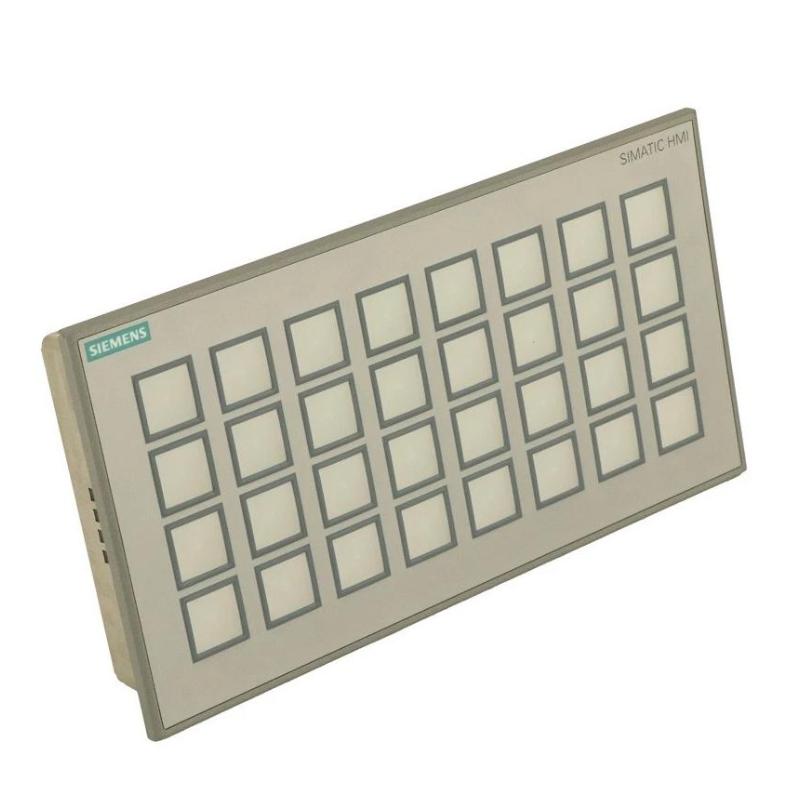
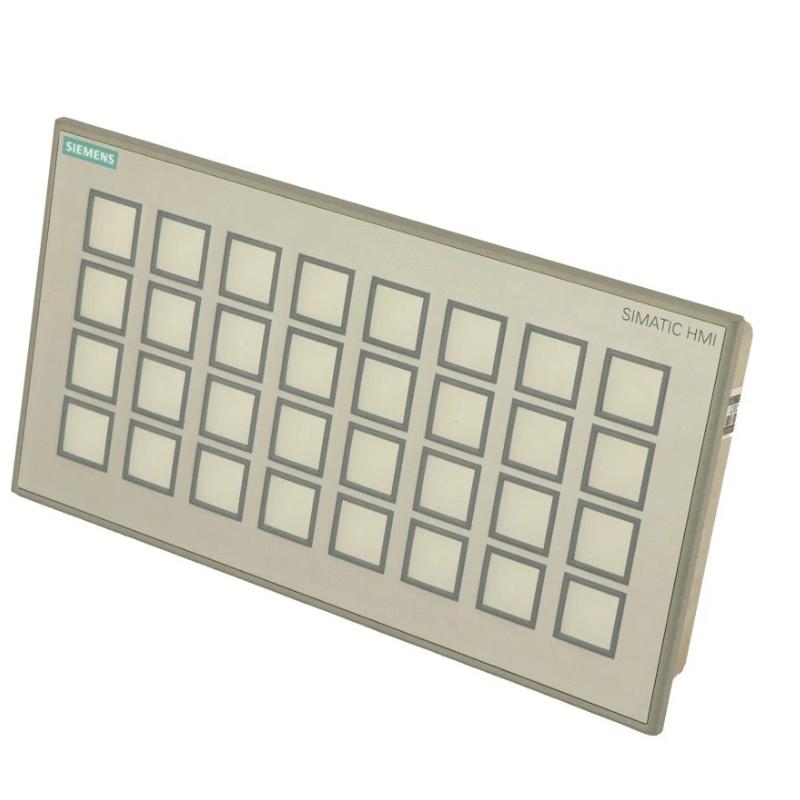
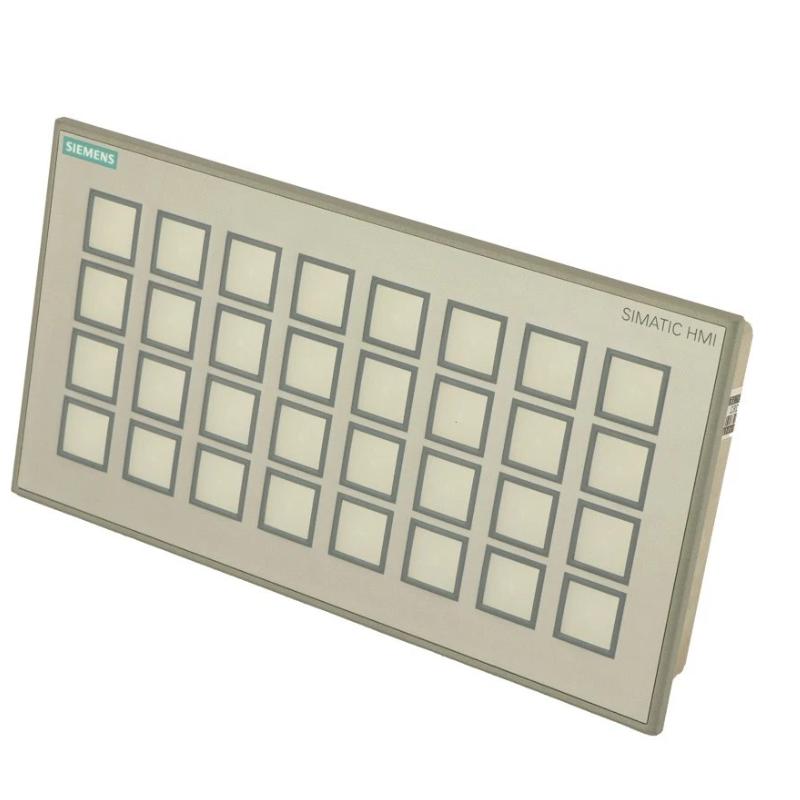
The Siemens 6AV3688-3EH47-0AX0 SIMATIC HMI Key Panel is the SIMATIC HMI KP32F PN, a 32-key operator panel combining short-stroke keys, multicolored LED indicators, PROFINET communication and PROFIsafe support. It is intended for machine-control applications where operators need multiple physical controls and clear visual feedback at the point of operation.
With 32 configurable keys, the KP32F PN can accommodate a broader range of machine commands than the eight-key KP8 series. It can be installed at a production workstation, packaging machine or industrial control station where operators regularly start sequences, select operating modes, acknowledge process conditions or control individual machine functions. The meaning of each key and its illuminated status depends on the application configuration.
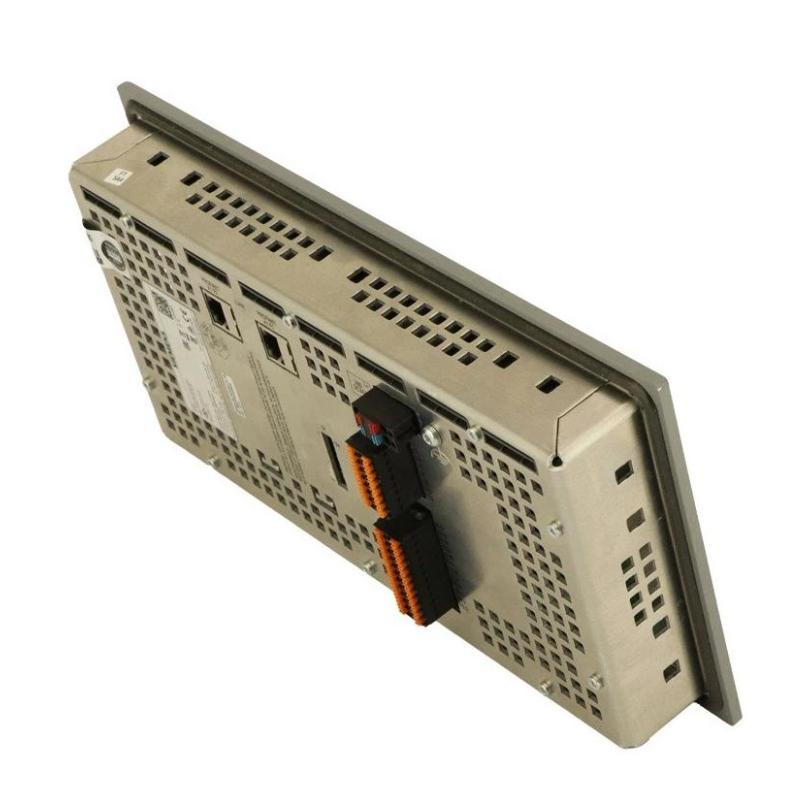
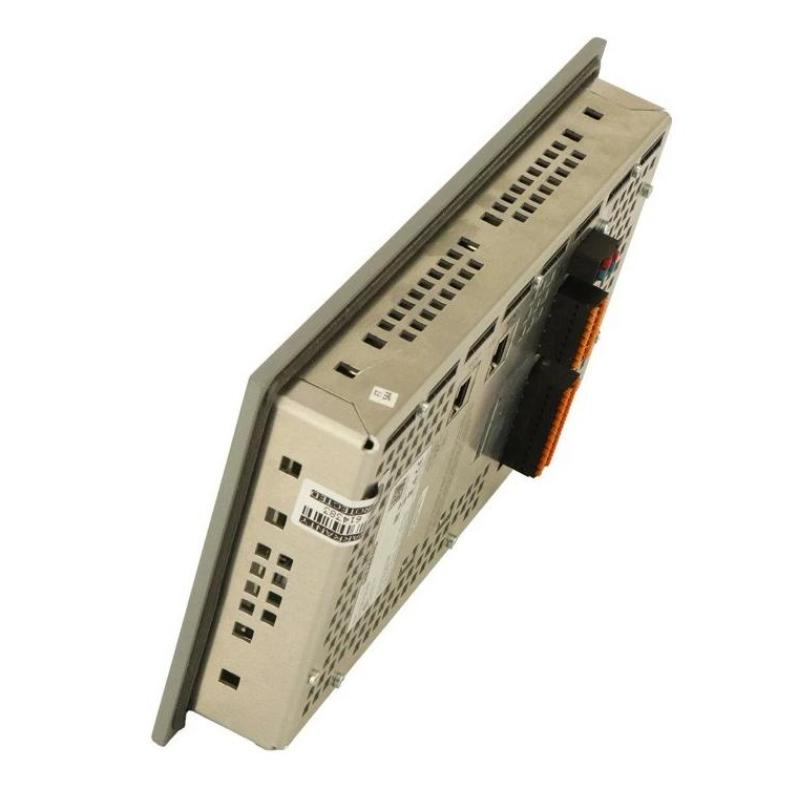
The panel incorporates 16 digital inputs, 16 configurable digital input/output connections and four safety-related digital input pins. Its two PROFINET interfaces and integrated switch support industrial network integration, while PROFIsafe enables safety-related communication within a compatible, properly configured safety system.
The KP32F PN is particularly relevant when a machine requires a larger bank of operator keys together with safety-related input handling. It should not be confused with the standard KP8 PN or KP8F PN variants, which have different key counts and I/O arrangements. Selection should account for the required operator functions, safety architecture, network topology and panel wiring.
Technical Specifications
| Parameter | Specification |
|---|---|
| Manufacturer | Siemens |
| Model / Order Number | 6AV3688-3EH47-0AX0 |
| Product Family | SIMATIC HMI KP8/KP8F/KP32F |
| Product Type | SIMATIC HMI KP32F PN Key Panel |
| Product Category | Industrial Operator Panel |
| Number of Keys | 32 |
| Key Type | Short-stroke keys |
| Key Configuration | Parameterizable |
| LED Indicators | Multicolored |
| LED Color Modes | 5: red, green, blue, yellow and white |
| Communication Interface | PROFINET |
| Ethernet Interfaces | 2 |
| Integrated Ethernet Switch | Yes |
| Digital Inputs | 16 |
| Configurable Digital Input/Output Connections | 16 DI/DO |
| Safety-Related Digital Input Pins | 4 |
| Safety Communication | PROFIsafe |
| Supply Voltage | 24 V DC |
| Rated Current Consumption | 1 A |
| Power Loop-Through | Supported through the connector |
| Configuration Software | STEP 7 V5.5 or later, subject to applicable configuration requirements |
| Front Protection Rating | IP65 |
| Rear Protection Rating | IP20 |
| Mounting Type | Panel mounting |
| Dimensions | 295 × 155 × 37 mm |
| Weight | 1.871 kg |
Product Features
- 32 short-stroke keys: Provides a larger set of physical controls for machines with multiple operator commands.
- Multicolored LED indication: Uses configurable illumination to distinguish machine states and operator functions.
- PROFINET communication: Connects the panel to compatible PLC-based automation networks.
- PROFIsafe support: Enables safety-related communication when integrated into an appropriate fail-safe architecture.
- Integrated digital I/O: Combines 16 digital inputs with 16 configurable digital input/output connections.
- Four safety-related input pins: Supports the specified safety-related input arrangement for compatible applications.
- Dual Ethernet interfaces: Provides two network interfaces with an integrated switch for supported network topologies.
- 24 V DC power supply: Uses the specified industrial DC supply, with power loop-through supported at the connector.
- Configurable key behavior: Allows machine-specific functions and LED indications to be assigned through the automation project.
- Panel-mounted construction: Supports installation at machine operator stations and industrial control enclosures.
Working Principle
The KP32F PN translates physical key operations into signals that the automation system can process. When an operator presses a configured key, the panel communicates the corresponding input through PROFINET. The PLC evaluates the request against the machine program and determines the appropriate response.
The integrated LEDs provide feedback according to the configured application. For example, different colors can distinguish an enabled function, an active operating sequence or a condition requiring operator attention. These indications are application-specific rather than fixed meanings assigned to each key.
The panel’s digital connections provide additional options for discrete signal handling. The 16 digital inputs receive supported signals, while the 16 configurable DI/DO connections can be assigned according to the permitted configuration and electrical requirements. The precise arrangement should be established in the wiring plan before commissioning.
PROFIsafe communication supports the exchange of safety-related information between compatible devices. However, the panel alone does not establish a complete safety function. Safety-related operation depends on the connected devices, fail-safe controller, configuration and validation of the entire machine safety system.
Role in a SIMATIC HMI and PLC Control Architecture
The 6AV3688-3EH47-0AX0 serves as a local operator interface within a PROFINET-based automation system. It combines extensive key operation, visual status feedback and safety-related communication capabilities in one panel.
Operator Input → KP32F PN Key Panel → PROFINET / PROFIsafe Network → Standard or Fail-Safe Controller → Machine Control and Safety Functions
| System Component | Function | Relationship to the KP32F PN |
|---|---|---|
| 6AV3688-3EH47-0AX0 KP32F PN | Provides 32 keys, LED indication, digital connections and communication | Serves as the local operator interface |
| SIMATIC PLC | Executes standard machine-control logic | Processes operator commands and returns operating status |
| SIMATIC Fail-Safe CPU | Executes configured safety-related logic | Handles safety communication through a compatible PROFIsafe architecture |
| PROFINET Network | Exchanges control and status data | Connects the panel to compatible automation devices |
| Integrated Ethernet Switch | Supports network connections | Enables supported line or ring arrangements |
| Digital Input Devices | Receive discrete electrical signals | Connect to the panel’s specified digital inputs |
| Configurable DI/DO Connections | Exchange supported discrete signals | Provide additional I/O functionality |
| Safety Devices | Detect hazardous conditions or initiate safety responses | Connect through the appropriate safety architecture |
| Machine Sensors | Detect process conditions | Supply information to the controller |
| Machine Actuators | Perform physical operations | Execute commands from the control system |
| Engineering Software | Configures panel behavior and communication | Defines key assignments, LED indications and network parameters |
Industrial Applications
| Application | Typical Equipment | Role of the KP32F PN |
|---|---|---|
| Packaging Machinery | Filling, sealing and wrapping lines | Provides numerous physical controls for machine sequences and operating modes |
| Assembly Automation | Automated assembly stations | Supports local commands and visual status indication |
| Manufacturing Lines | Production machines with multiple operator functions | Groups frequently used controls at a single operating point |
| Material Handling | Conveyor and transfer systems | Supports configured commands and operating feedback |
| Machine Tools | Automated machining equipment | Provides direct access to selected machine functions |
| Robotic Workcells | PLC-controlled robotic stations | Supports operator interaction within the configured control architecture |
| Industrial Control Stations | Centralized machine-control panels | Combines physical keys, status indication and network communication |
| Safety-Related Machinery | Equipment with a compatible fail-safe controller | Supports PROFIsafe communication within the validated safety system |
Installation and Maintenance
- Verify the order number: Confirm that 6AV3688-3EH47-0AX0 matches the required KP32F PN configuration, including the key count, I/O arrangement and safety communication requirements.
- Check the mounting opening: Verify the panel cutout and mounting arrangement against the applicable installation drawing before preparing the enclosure.
- Plan cable routing: Allow adequate clearance for the power connector, PROFINET connections and digital I/O wiring.
- Isolate the electrical supply: Disconnect the applicable power and communication connections according to the machine’s safety procedures before installation or maintenance.
- Inspect the mounting surface: Ensure that the enclosure opening is clean and correctly prepared so the panel can seat securely.
- Mount the panel: Secure the unit using the specified mounting arrangement and check that the front sealing interface is seated correctly.
- Connect the 24 V DC supply: Verify the supply voltage, polarity and wiring arrangement before energizing the panel.
- Connect the PROFINET network: Use suitable Ethernet cabling and connect both interfaces according to the planned network topology.
- Wire the digital connections: Check the 16 digital inputs, 16 configurable DI/DO connections and four safety-related input pins against the approved wiring diagram.
- Configure key and LED behavior: Assign the required machine functions and status indications in the automation project.
- Validate communication and safety functions: Test key response, LED behavior, digital I/O, PROFINET diagnostics and the configured PROFIsafe functions before releasing the machine for operation.
- Record maintenance findings: Document the panel reference, wiring changes, configuration version and any faults observed during commissioning or service.
Related Components
| Component | Function | Relationship to the KP32F PN |
|---|---|---|
| SIMATIC PLC | Executes standard machine-control logic | Processes operator commands and provides status information |
| SIMATIC Fail-Safe CPU | Executes safety-related control logic | Supports compatible PROFIsafe applications |
| PROFINET Cable | Carries industrial Ethernet communication | Connects the panel to the automation network |
| 24 V DC Power Supply | Supplies operating power | Powers the panel according to its electrical requirements |
| Digital Input Devices | Supply discrete signals | Connect to the panel’s digital inputs where appropriate |
| Digital Output Loads | Receive supported output signals | May use configurable DI/DO connections within the permitted ratings |
| Safety Sensors | Detect hazardous conditions | Supply safety-related information to the safety controller |
| Emergency-Stop Devices | Initiate emergency-stop functions where required | Must be integrated into the validated safety circuit |
| Machine Sensors | Detect process conditions | Supply signals used by the control system |
| Engineering Software | Configures communication and application behavior | Defines key assignments, LED indication and safety parameters |
Recommended Related Models
| Model / Product | Product Type | Relationship | Selection Consideration |
|---|---|---|---|
| Siemens 6AV3688-3AF37-0AX0 | SIMATIC HMI KP8F PN Key Panel | Related eight-key panel with PROFIsafe support | Consider when fewer operator keys are required |
| Siemens 6AV3688-3AY36-0AX0 | SIMATIC HMI KP8 PN Key Panel | Standard eight-key PROFINET panel | Suitable for simpler operator interfaces that do not require integrated PROFIsafe functionality |
| Siemens 6AV3688-3XY38-3AX0 | SIMATIC HMI KP8 Empty Front | Empty-front design for standard 22.5 mm operator controls | Consider for modular operator-panel assemblies |
| Siemens SIMATIC S7-1200F | Fail-Safe PLC Family | Potential controller platform for compatible safety applications | Verify the required safety functions and system configuration |
| Siemens SIMATIC S7-1500F | Fail-Safe PLC Family | Controller family for more extensive automation and safety architectures | Select according to the machine’s control and safety requirements |
Key Advantages
- Provides 32 configurable short-stroke keys with multicolored LED indication.
- Supports PROFINET communication and PROFIsafe.
- Integrates digital inputs and configurable digital I/O connections.
- Includes four safety-related input pins.
- Provides two Ethernet interfaces and an integrated switch.
- Combines local operator control and status indication in one panel.
Technical FAQs
When is the KP32F PN preferable to the KP8F PN?
The KP32F PN provides 32 short-stroke keys and a larger digital I/O arrangement, making it suitable for applications with many operator commands. The KP8F PN has eight keys and a different I/O configuration. The choice depends on the number of required controls and the system’s signal requirements.
What is the purpose of the four safety-related input pins?
They support the panel’s specified safety-related input arrangement within a compatible PROFIsafe application. Their use must follow the safety design, wiring requirements and configuration of the complete machine-control system.
Can all 32 keys be assigned independent machine functions?
The keys are parameterizable, allowing their behavior to be configured for the application. The actual functions and LED indications depend on the engineering configuration, PLC logic and supported operating mode.
What should be checked if the panel communicates over PROFINET but safety communication fails?
Check the configured device identity, network connection, fail-safe controller setup, PROFIsafe parameters and safety-related wiring. Confirm that the safety configuration has been validated and that the controller and connected devices support the intended safety architecture.