

ProductPRODUCT
Featured products
Contact Us
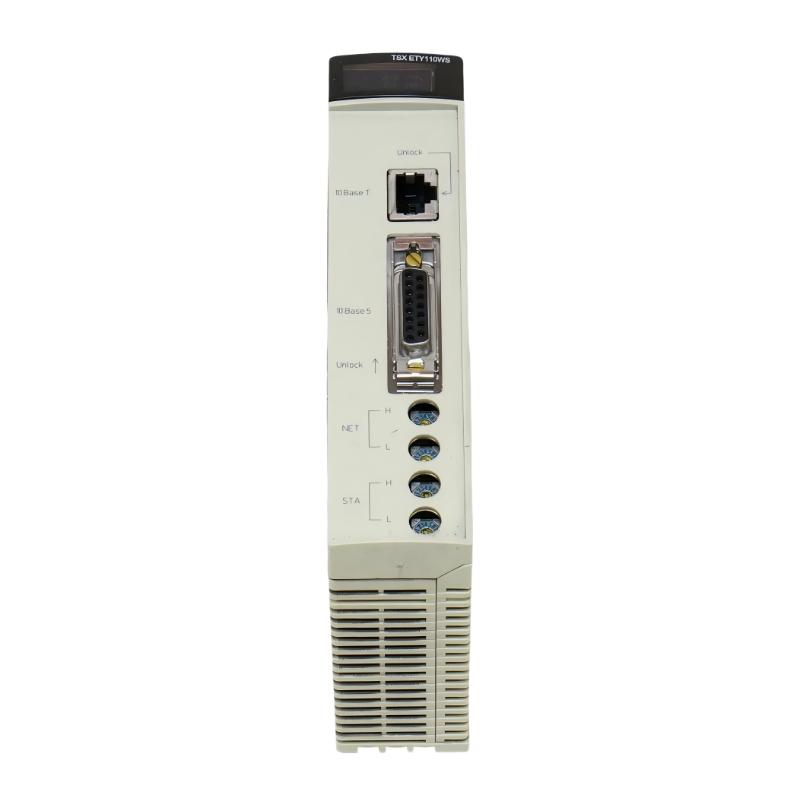
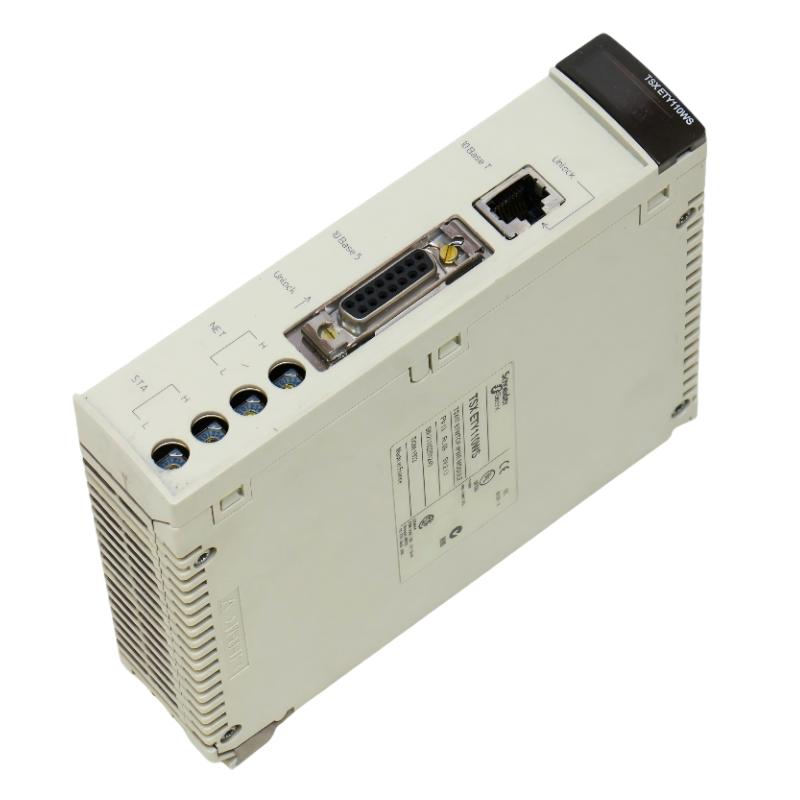
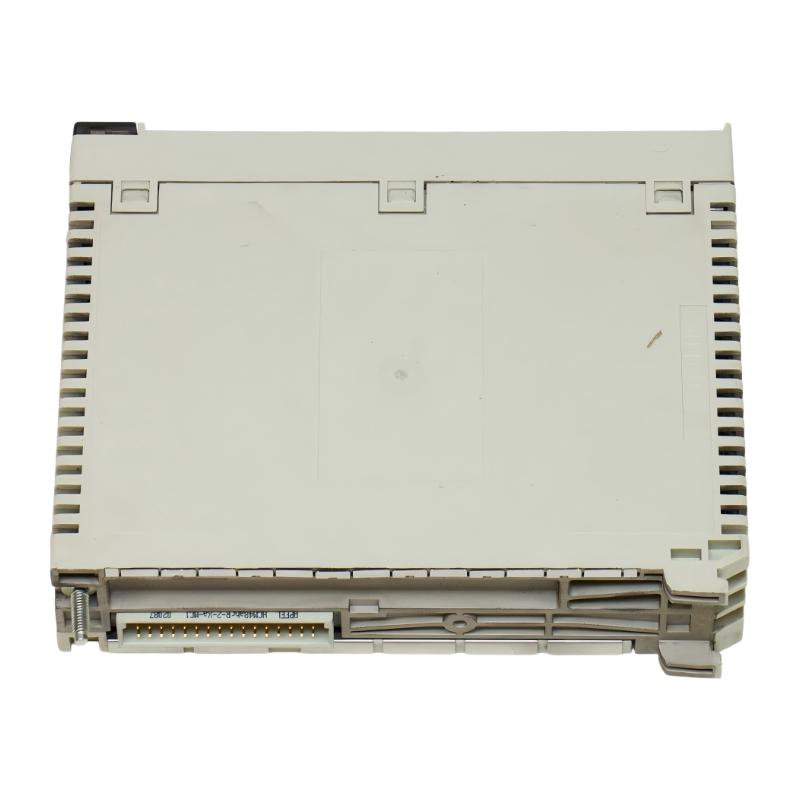
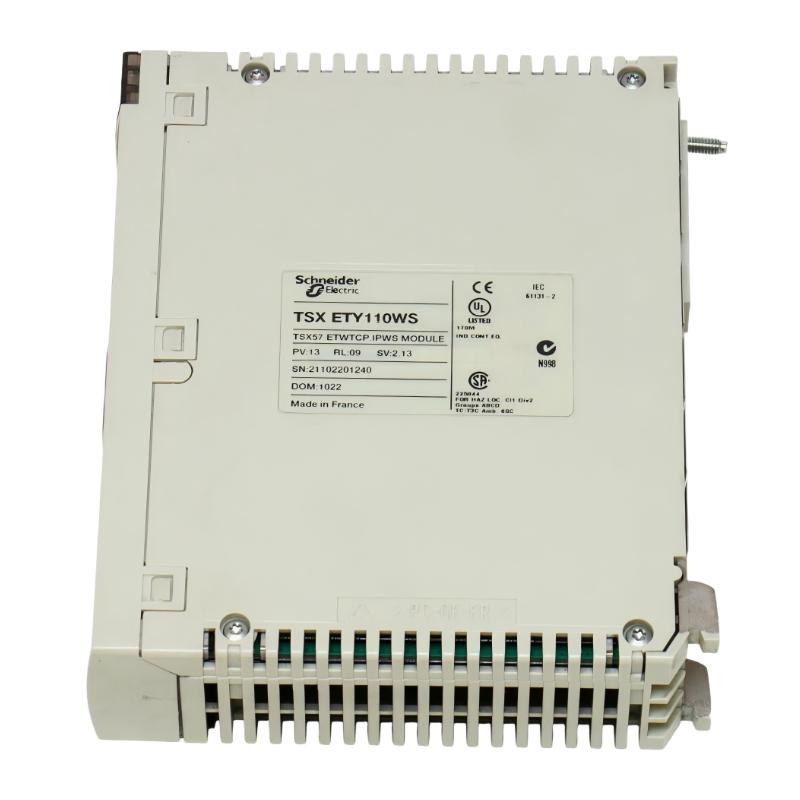
- Schneider
- TSXETY110WS
- Ethernet TCP/IP Module
- France
- 260 x 180 x 55 mm
- 0.37 kg
- Xiamen, China
- New & In Stock
- T/T, PayPal, Western Union
- 1 Year
- 1-3 Working Days
- DHL, UPS, TNT, FedEx and EMS.
- 24-Hour Service
- COO
- 2
Our advantage

Global Logistics
We have a 10-year logistics and express cooperation agreement, so our products can be shipped to any place in the world.

Brand new and original
Our products are imported in bulk from the place of origin. Because of the cooperative relationship, our products are all original and 100% new.

24-hour service
We provide 7*24 hours service to our customers. We will be there whenever you need us.

Price advantage
All our products are priced very favorably because we have our own warehouse and supply.
| Company Information | |||
| [email protected] | |||
| Mobile | +8615980777398 | ||
| +8615980777398 | |||
| 15980777398 |
1. Product Overview
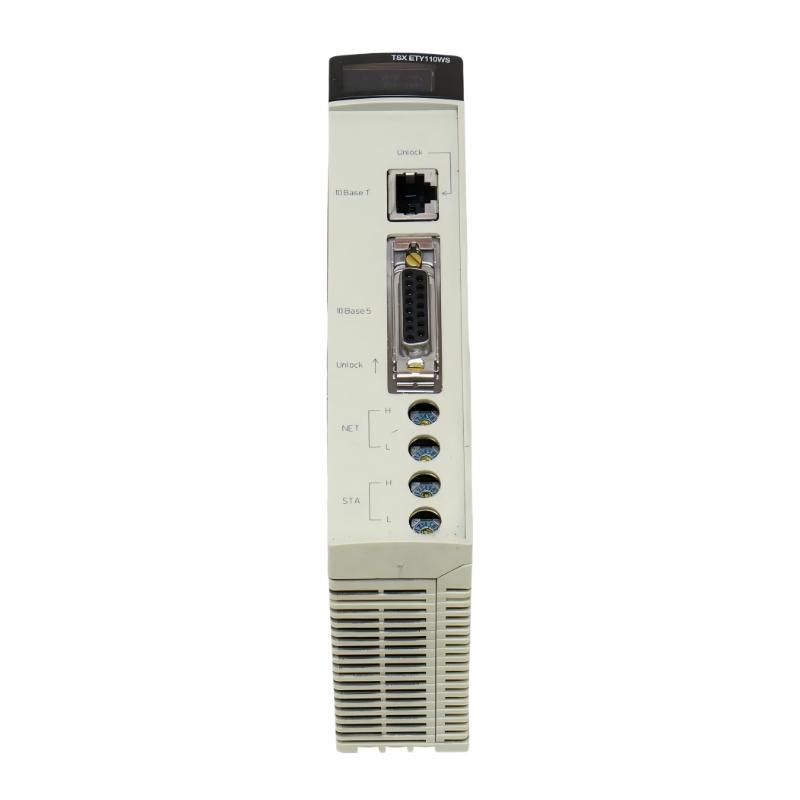
The Schneider Electric TSXETY110WS Ethernet TCP/IP Module is an industrial communication module designed for the Modicon Premium automation platform. It provides Ethernet networking capabilities for compatible PLC systems, enabling data exchange between controllers, industrial devices, engineering workstations, and supervisory monitoring applications.
In industrial automation, reliable communication between control equipment and higher-level systems is essential for efficient production, equipment monitoring, and coordinated process control. The TSXETY110WS supports communication services including Modbus TCP, Ethway/X-Way, and Uni-TE, helping integrate compatible automation equipment into an Ethernet-based network architecture.
The module supports a transmission rate of 10 Mbit/s and includes an embedded web server with monitoring and configuration-related functions. Depending on the system configuration, these capabilities can help engineers access equipment information and monitor networked automation systems.
The TSXETY110WS is designed for installation in a compatible Modicon Premium PLC rack and receives its power through the rack. Its supplied dimensions are 260 × 180 × 55 mm, with a weight of 0.37 kg, making it suitable for designated industrial control cabinet installations.
This model is a discontinued product, so it is particularly relevant to industrial facilities maintaining existing Modicon Premium systems, replacing failed communication modules, or sourcing legacy automation spare parts.
2. Technical Specifications
| Parameter | Specification |
|---|---|
| Brand | Schneider Electric |
| Model | TSXETY110WS |
| Product Type | Ethernet TCP/IP Module |
| Product Range | Modicon Premium Automation Platform |
| Communication Speed | 10 Mbit/s |
| Ethernet Interfaces | RJ45 10BASE-T and AUI 100BASE-5 |
| Supported Protocols | Modbus TCP, Ethway/X-Way, Uni-Telway, Uni-TE |
| Additional Services | SNMP agent, optional TCP Open |
| Maximum Connections | Up to 64 |
| Embedded Web Server | Transparent Ready Class C10 |
| Web Features | Data Editor, Rack Viewer, configurable FactoryCast functions |
| User Web Page Memory | 1.4 MB |
| Power Supply | Through the PLC rack |
| Current Consumption | 800 mA at 5 V DC without remote AUI power; 1200 mA at 5 V DC with remote AUI power |
| Product Compatibility | PL7 Pro |
| Dimensions | 260 × 180 × 55 mm |
| Weight | 0.37 kg |
| Product Status | Discontinued |
Specifications should be checked against the exact hardware revision and existing system configuration before ordering or installation.
3. Function and Working Principle
The TSXETY110WS provides Ethernet communication capabilities for compatible Modicon Premium PLC installations. It allows supported controllers and applications to exchange information through industrial network protocols.
3.1 Ethernet TCP/IP Communication
TCP/IP is a fundamental networking technology used to exchange information between connected devices. In industrial automation, Ethernet communication can connect PLC systems to supervisory computers, engineering stations, and other network-enabled equipment.
The TSXETY110WS provides Ethernet connectivity through its supported interfaces. Its 10 Mbit/s transmission rate is intended for compatible legacy network environments.
When integrated correctly, the module can help make PLC data available to authorized network applications and support communication between compatible automation components.
3.2 Modbus TCP Data Exchange
Modbus TCP is an industrial communication protocol used to exchange structured data between compatible devices over Ethernet networks.
The TSXETY110WS supports Modbus TCP messaging, allowing it to participate in compatible industrial communication architectures. Depending on the connected equipment and application configuration, exchanged data may include process values, equipment status, operating parameters, and other controller information.
Successful communication requires correct addressing, compatible protocol settings, and appropriate data mapping.
3.3 Ethway/X-Way and Uni-TE Communication
In addition to Modbus TCP, the module supports Schneider Electric’s legacy Ethway/X-Way communication services and Uni-TE messaging.
These capabilities are relevant to installations that use compatible Schneider Electric automation products and established communication architectures. They can help maintain data exchange between legacy equipment and supported applications.
The precise services available depend on the configuration, controller, software version, and overall network design.
3.4 Embedded Web Server
The TSXETY110WS includes a Transparent Ready Class C10 web server. Supported functions include a Data Editor, Rack Viewer, and configurable FactoryCast-related services.
These functions can assist with equipment information access and system monitoring. Available features depend on the module configuration and the compatible software environment.
The web server should be deployed according to the facility’s industrial cybersecurity policies, particularly where control networks are connected to enterprise networks.
4. Role in Industrial Automation Systems
4.1 PLC Network Integration
The TSXETY110WS extends the communication capabilities of a compatible Modicon Premium PLC rack. It can form part of the communication infrastructure connecting a controller to industrial Ethernet networks.
This integration helps compatible systems exchange information with engineering tools, supervisory applications, and other supported devices.
4.2 SCADA and Supervisory Monitoring
SCADA systems collect and present operational data from industrial processes. Ethernet communication modules help establish the communication path between PLC controllers and supervisory software.
When the required drivers, protocol settings, and network connections are configured correctly, the TSXETY110WS can support compatible monitoring architectures.
4.3 Legacy Automation System Maintenance
Many industrial facilities continue to operate established Modicon Premium PLC installations because their control logic, machinery, and production processes remain functional.
Replacing a failed Ethernet module can help restore communication without requiring immediate replacement of the entire control system. However, the replacement must match the original hardware and communication requirements.
4.4 Industrial Data Access
Network connectivity allows authorized systems to access supported PLC data for monitoring, diagnostics, and operational analysis. The TSXETY110WS can contribute to this architecture where its protocols and services are compatible with the connected applications.
5. Industrial Applications
5.1 Manufacturing and Production Lines
Manufacturing facilities use PLC networks to coordinate machinery, production sequences, and equipment status monitoring. The TSXETY110WS may be used in compatible Modicon Premium installations where Ethernet communication is required.
Potential applications include production-line monitoring, controller data exchange, and communication with engineering workstations.
5.2 Process Automation
Process industries rely on continuous communication between controllers, operator interfaces, and monitoring applications. The module can support compatible legacy network architectures in process control environments.
Its suitability depends on the existing PLC configuration, communication requirements, and the availability of compatible engineering software.
5.3 Water and Wastewater Treatment
Water treatment plants use automation systems to monitor pumps, valves, tanks, flow measurements, and other process equipment. Ethernet communication can help transfer controller data to supervisory systems.
The TSXETY110WS may be appropriate for existing installations using compatible Modicon Premium controllers and network protocols.
5.4 Energy and Utility Facilities
Industrial utility systems often require communication between controllers and centralized monitoring applications. In compatible legacy installations, the module can support data exchange and network integration.
Engineers should confirm the required protocols, controller compatibility, and system reliability requirements before deployment.
5.5 Infrastructure and Building Automation
Large facilities may use PLC-based control systems to coordinate mechanical equipment, utility processes, and other infrastructure. The TSXETY110WS can be considered where the existing automation architecture specifically supports this module.
6. Installation and System Integration
Correct installation is essential for reliable communication and safe operation. Always follow the applicable Schneider Electric installation documentation and the facility’s electrical safety procedures.
6.1 Verify the Model
Before installation, confirm that the module is marked TSXETY110WS. Check the hardware condition, connector condition, and compatibility with the target Modicon Premium rack.
For replacement projects, record the original module’s configuration and network settings before removing it.
6.2 Check Rack Compatibility
The TSXETY110WS is designed for the Modicon Premium automation platform. Confirm the rack configuration, available slot, controller arrangement, and system documentation before installation.
Do not assume that the module can be installed in a different PLC family simply because the other system supports Ethernet communication.
6.3 Confirm Power Requirements
The module receives power through the PLC rack. Verify that the rack power supply can support the module and that the complete system remains within its specified power budget.
The documented current consumption differs depending on whether remote power is supplied through the AUI interface. Use the applicable configuration values when calculating the system load.
6.4 Connect the Ethernet Interface
The TSXETY110WS supports an RJ45 10BASE-T interface and an AUI 100BASE-5 interface.
Select the interface appropriate for the intended network configuration. Verify cable compatibility, connector condition, network equipment compatibility, and any required AUI accessories before connecting the module.
Because the module supports legacy Ethernet technology, check that the existing network infrastructure can accommodate its interface and transmission rate.
6.5 Configure Network Communication
Configure the module according to the existing PLC program, network plan, and supported communication services.
Typical commissioning checks include:
- Confirming the intended IP configuration.
- Checking network address conflicts.
- Verifying protocol settings and communication partners.
- Confirming compatibility with the installed PL7 Pro environment.
- Checking that the intended supervisory application can communicate with the PLC.
- Reviewing the module’s status indicators.
Configuration procedures should follow the documentation for the exact hardware and software versions.
6.6 Perform Functional Testing
After installation, test communication before returning the equipment to normal production.
Confirm that the module initializes correctly, network communication is established, and required applications can access the expected data. Review status indicators and available diagnostics to identify communication faults.
For critical processes, conduct testing under the facility’s approved commissioning and change-control procedures.
7. Common Problems and Troubleshooting
7.1 Ethernet Communication Failure
Possible causes:
- Incorrect network settings.
- Damaged or incompatible cabling.
- Network address conflicts.
- Incorrect switch configuration.
- Unsupported interface or accessory.
- Module or rack power problems.
Troubleshooting:
Verify rack power and module status first. Inspect the cable and connectors, confirm network settings, and check the connected network equipment. Where possible, test the connection using a known-good compatible cable or port.
7.2 PLC Cannot Communicate with a Supervisory System
Possible causes:
- Incompatible communication drivers.
- Incorrect protocol configuration.
- Incorrect addressing.
- Software-version incompatibility.
- Network filtering or access restrictions.
Troubleshooting:
Confirm that the supervisory application supports the required communication service. Check the PLC configuration, protocol settings, and network path. Verify that the installed engineering software is compatible with the legacy controller and module.
7.3 Modbus TCP Communication Errors
Possible causes:
- Incorrect device addressing.
- Incorrect data mapping.
- Unsupported communication settings.
- Network interruptions.
- Application configuration errors.
Troubleshooting:
Review the Modbus TCP configuration and compare the requested data with the PLC application’s data definitions. Check the network connection and confirm that both ends use compatible communication settings.
7.4 Status Indicator Alarms
The module provides indicators for collision detection, Ethernet network status, port faults, and transmission/reception activity.
Interpret each indicator according to the applicable documentation. A fault indicator should be investigated alongside network connectivity, cable condition, and configuration status rather than treated as proof of a specific component failure.
7.5 Replacement Module Fails to Restore Communication
A replacement module may have a different hardware condition or configuration, or the fault may originate elsewhere in the system.
Confirm the complete model number, check the rack and network settings, and verify compatibility with the controller and engineering software. If the replacement does not resolve the issue, investigate the network infrastructure and other connected components.
8. Preventive Maintenance
8.1 Inspect Hardware and Connections
Periodically inspect the module, Ethernet cabling, connectors, and rack installation. Look for physical damage, loose connections, contamination, or signs of overheating.
8.2 Monitor Network Performance
Review communication errors, connection interruptions, and available diagnostic information. Investigate recurring network faults before they affect production operations.
8.3 Back Up PLC and Network Configuration
Maintain current copies of PLC programs, network settings, and relevant communication configuration records. Store backups securely and verify that they can be used during recovery.
8.4 Maintain Legacy Software Compatibility
Because the TSXETY110WS belongs to a legacy automation platform, preserve compatible software, configuration records, and system documentation. Verify software and operating-system compatibility before making changes to the engineering environment.
8.5 Plan Spare-Parts Availability
Since the TSXETY110WS is discontinued, maintenance teams should evaluate spare-parts requirements and expected equipment service life.
When purchasing a replacement, verify the product’s condition, exact model number, and compatibility with the installed system. A suitable spare can reduce the time required to recover from a communication module failure.
9. Compatibility and Replacement Considerations
The TSXETY110WS is associated with the Modicon Premium automation platform and PL7 Pro engineering environment. It should not be assumed to be directly interchangeable with Ethernet modules designed for other PLC families.
Schneider Electric has identified BMXNOE0100, a Modicon M340 network module, as a replacement option for the TSXETY110WS. However, this should not be treated as a universal plug-and-play substitute. The M340 platform differs from Modicon Premium, so a migration may require hardware changes, configuration work, program adjustments, and communication testing.
Before selecting a replacement, evaluate the following:
- PLC platform: Confirm the installed controller family and rack architecture.
- Protocol requirements: Identify the required Modbus TCP, Ethway/X-Way, Uni-TE, or other communication functions.
- Network interfaces: Check the required RJ45 or AUI connection arrangements.
- Software compatibility: Confirm engineering software and application support.
- Power requirements: Verify the replacement’s electrical requirements and system power budget.
- Configuration migration: Determine whether network settings and PLC application changes are required.
- Lifecycle considerations: Assess long-term support, spare availability, and future modernization plans.
For an existing installation, replacing the original TSXETY110WS with the same model may minimize changes, provided the replacement unit is in suitable condition and compatible with the installed configuration.
10. Key Advantages
Industrial Ethernet Connectivity
The TSXETY110WS provides Ethernet TCP/IP communication for compatible Modicon Premium PLC installations.
Support for Legacy Protocols
Its support for Modbus TCP, Ethway/X-Way, and Uni-TE is relevant to established Schneider Electric automation architectures.
Embedded Web Services
The Transparent Ready Class C10 web server provides supported data and rack-viewing functions, subject to configuration and software compatibility.
Integration with Existing Systems
The module can help maintain communication capabilities in operating facilities that continue to use compatible Modicon Premium controllers.
Established Industrial Application
Its role in industrial networking makes it relevant to maintenance, repair, and spare-parts sourcing for legacy PLC installations.
11. Frequently Asked Questions
Q1: What is the Schneider TSXETY110WS?
The TSXETY110WS is an Ethernet TCP/IP communication module for the Schneider Electric Modicon Premium automation platform. It supports selected industrial communication services, including Modbus TCP and Ethway/X-Way.
Q2: What are the dimensions and weight of the TSXETY110WS?
The supplied dimensions are 260 × 180 × 55 mm, and the weight is 0.37 kg.
Q3: What is the communication speed of the TSXETY110WS?
The documented Ethernet transmission rate is 10 Mbit/s.
Q4: Which protocols does the TSXETY110WS support?
Supported communication services include Modbus TCP, Ethway/X-Way, Uni-TE, and an SNMP agent. Optional TCP Open functionality is also documented. Actual availability should be checked against the system configuration.
Q5: Is the TSXETY110WS discontinued?
Yes. Schneider Electric has discontinued this model. It may still be sourced through industrial spare-parts suppliers, depending on availability and condition. Buyers should verify authenticity, condition, and any applicable warranty terms.
Q6: Can the TSXETY110WS be replaced by BMXNOE0100?
BMXNOE0100 has been identified as a replacement option, but it belongs to the Modicon M340 platform. It should not be assumed to be a direct drop-in replacement for a Modicon Premium installation. A migration assessment is necessary.
Q7: Which engineering software is associated with the TSXETY110WS?
The documented compatible engineering environment is PL7 Pro. Compatibility should be checked against the installed controller, software version, and existing application.
Q8: What should be checked before purchasing a used TSXETY110WS?
Confirm the exact model, physical condition, connector condition, hardware identification, and suitability for the existing PLC rack. Where possible, request evidence of functional testing and verify the seller’s return or warranty terms.
Q9: Why is the TSXETY110WS still needed in industrial facilities?
Some facilities continue to operate established Modicon Premium control systems. Maintaining a compatible Ethernet module can help restore network communication without immediately replacing the entire automation platform.
12. Conclusion
The Schneider Electric TSXETY110WS Ethernet TCP/IP Module is a legacy industrial communication component designed for compatible Modicon Premium PLC systems. With 10 Mbit/s Ethernet communication, support for Modbus TCP and Ethway/X-Way services, and an embedded Transparent Ready Class C10 web server, it can help maintain network connectivity in established automation installations.
Its dimensions of 260 × 180 × 55 mm and weight of 0.37 kg are useful for physical identification and spare-parts planning. Since the model is discontinued, purchasers and maintenance engineers should pay particular attention to hardware condition, software compatibility, network interface requirements, and replacement planning.
For industrial repair and maintenance projects, confirming the exact part number and existing system requirements is essential to selecting a suitable TSXETY110WS module and restoring reliable PLC communication.