

ProductPRODUCT
Featured products
Contact Us
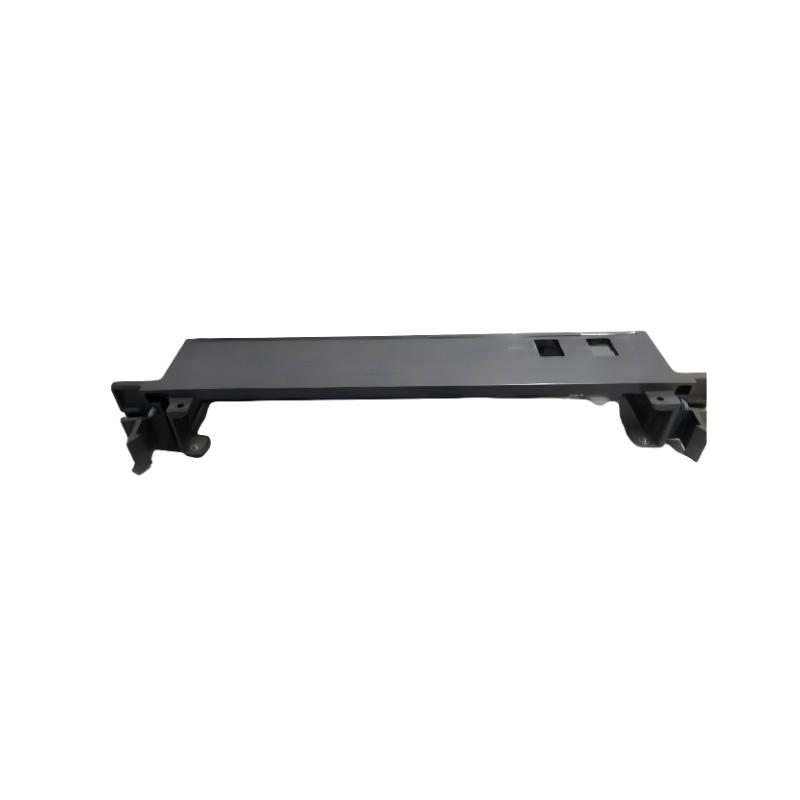
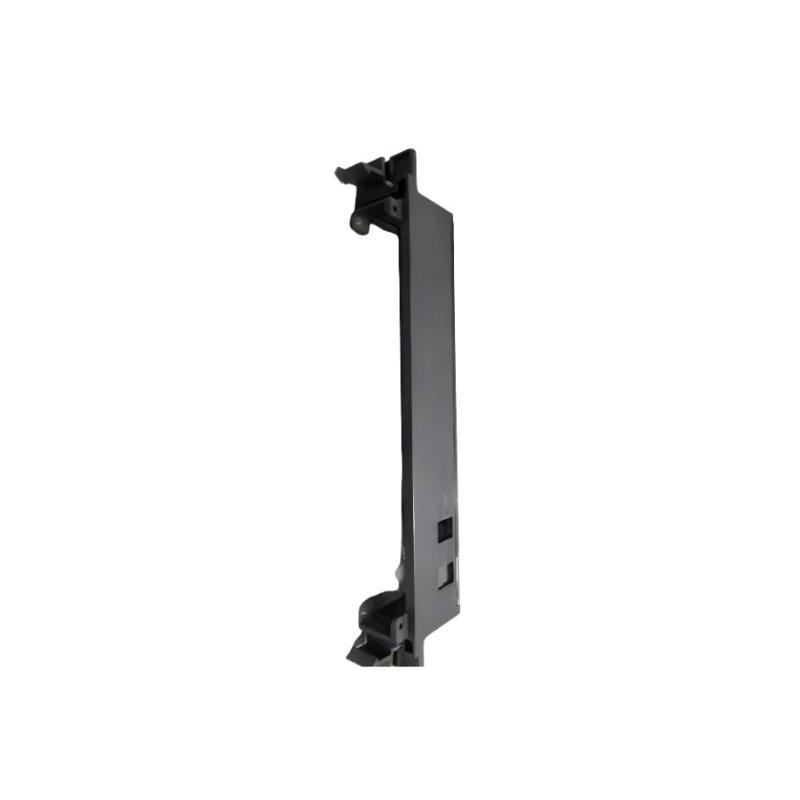
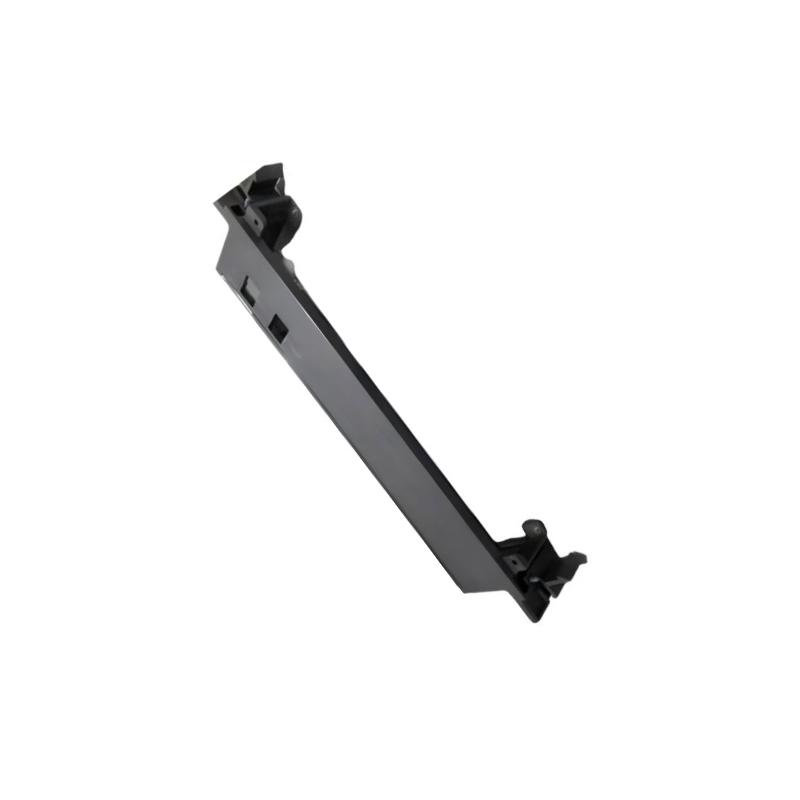
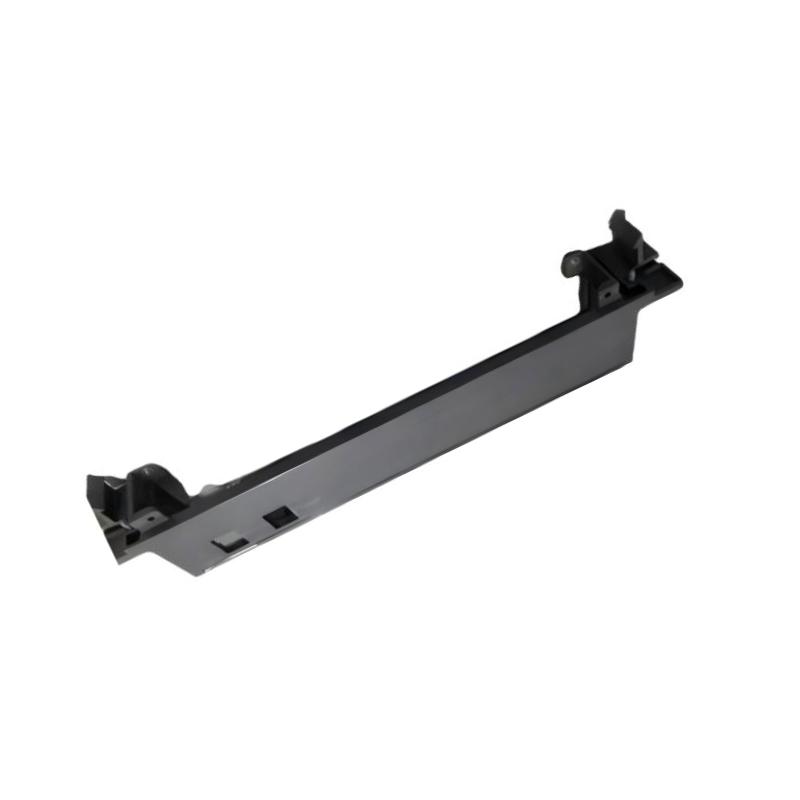
- GE
- IC697ACC720
- Blank Slot Filler
- USA
- 120 x 60 x 40 mm
- 0.3 kg
- Xiamen, China
- New & In Stock
- T/T, PayPal, Western Union
- 1 Year
- 1-3 Working Days
- DHL, UPS, TNT, FedEx and EMS.
- 24-Hour Service
- COO
- 46
Our advantage

Global Logistics
We have a 10-year logistics and express cooperation agreement, so our products can be shipped to any place in the world.

Brand new and original
Our products are imported in bulk from the place of origin. Because of the cooperative relationship, our products are all original and 100% new.

24-hour service
We provide 7*24 hours service to our customers. We will be there whenever you need us.

Price advantage
All our products are priced very favorably because we have our own warehouse and supply.
| Company Information | |||
| [email protected] | |||
| Mobile | +8615980777398 | ||
| +8615980777398 | |||
| 15980777398 |
Product Overview
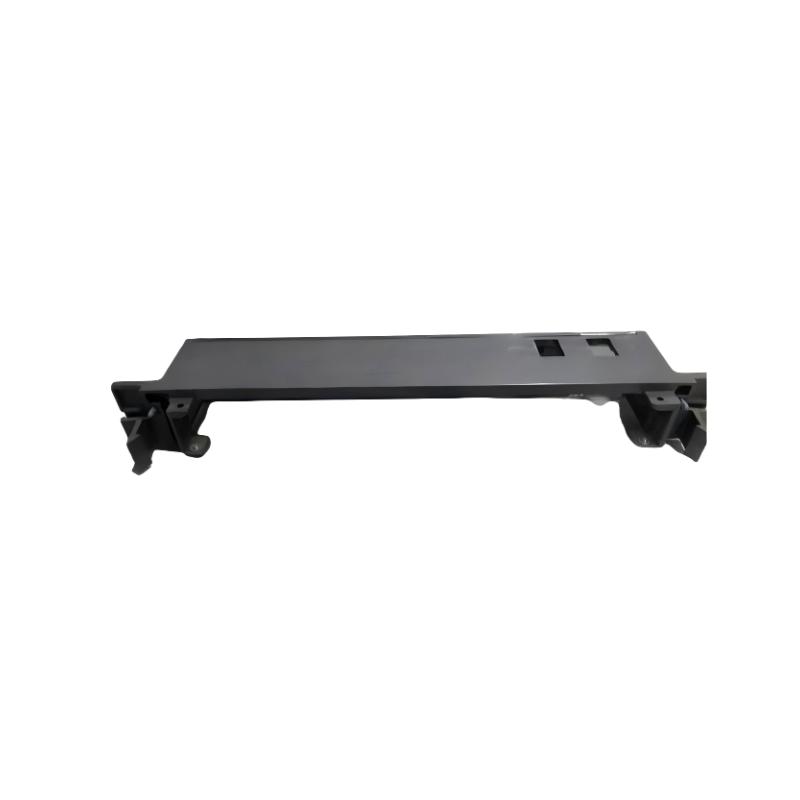
The GE IC697ACC720 Blank Slot Filler is a mechanical protection component used in compatible GE industrial control and PLC rack assemblies. Its primary function is to cover an unused module position in a control rack, helping maintain a clean and protected rack configuration while preventing accidental exposure of an unused slot.
Blank slot fillers are useful in industrial automation systems because unused rack positions can otherwise leave openings that expose internal areas to dust, foreign objects, accidental contact, and mechanical damage. A properly fitted filler also helps maintain consistent cabinet organization and can improve the overall serviceability of the PLC installation.
The supplied dimensions of the GE IC697ACC720 are 120 × 60 × 40 mm, with a listed weight of 0.3 kg. Its compact mechanical design allows it to occupy an unused rack position without requiring an active electrical function.
Product Identification
| Parameter | Specification |
|---|---|
| Manufacturer | GE |
| Model | IC697ACC720 |
| Product Type | Blank Slot Filler |
| Product Category | PLC Rack Mechanical Accessory |
| Primary Function | Unused Slot Protection |
| Dimensions | 120 × 60 × 40 mm |
| Weight | 0.3 kg |
| Installation | Compatible GE Control Rack |
| Electrical Function | None |
| Application | Industrial Automation / PLC Systems |
| Maintenance | Mechanical Inspection |
Technical Specifications
| Technical Item | Specification |
|---|---|
| Brand | GE |
| Model Number | IC697ACC720 |
| Product Type | Blank Slot Filler |
| Function | Covers Unused Rack Position |
| Electrical Interface | None |
| Dimensions | 120 × 60 × 40 mm |
| Weight | 0.3 kg |
| Installation Type | Rack / Slot Mounted |
| Application | Industrial Control Cabinet |
| Maintenance Requirement | Visual and Mechanical Inspection |
| Cooling Role | Maintains Intended Rack Opening Configuration |
What Is a Blank Slot Filler?
A blank slot filler is a non-functional mechanical component installed in an unused rack position.
A PLC rack may contain several module positions, but not every position needs to be populated in every system configuration.
For example:
PLC Rack
- CPU Module
- Power Supply
- Communication Module
- Digital I/O Module
- Unused Slot → IC697ACC720
- Analog I/O Module
The filler occupies the unused position and provides a finished mechanical surface.
It does not replace an active PLC module and should not be treated as an electrical I/O component.
Main Functions
Unused Slot Protection
Covers an empty rack position and helps prevent accidental access to exposed internal areas.
Mechanical Protection
Reduces the possibility of foreign objects entering through an unused module opening.
Cabinet Organization
Maintains a consistent and professional rack arrangement.
Maintenance Safety
A covered unused position reduces the chance of accidental contact with internal rack areas during routine cabinet maintenance.
Typical Industrial Applications
The GE IC697ACC720 can be useful in industrial control systems where the rack configuration contains unused module positions.
Manufacturing
- Production line PLCs
- Packaging machines
- Automated assembly systems
- Material handling equipment
Process Automation
- Process control cabinets
- Pump control systems
- Instrumentation panels
Power Systems
- Generator control
- Substation automation
- Plant auxiliary systems
Water Treatment
- Pump stations
- Filtration systems
- Remote control panels
Installation Guide
1. Verify the Rack Configuration
Before installation, identify the unused rack position.
Confirm:
- Correct rack
- Correct slot
- No active module is required in that position
- Filler dimensions are suitable
- Mechanical mounting arrangement is compatible
2. Shut Down the Equipment
Although the filler itself has no electrical function, installation should normally be performed during an appropriate maintenance shutdown.
Before working on the rack:
- Stop the controlled process.
- Follow plant safety procedures.
- Isolate power when required.
- Verify the equipment is safe to access.
3. Inspect the Empty Slot
Inspect the unused slot for:
- Dust
- Foreign objects
- Mechanical damage
- Bent mounting components
- Damaged rack surfaces
Clean the area if necessary using an appropriate maintenance procedure.
4. Inspect the Blank Slot Filler
Before installation inspect the IC697ACC720 for:
- Cracks
- Deformation
- Damaged mounting points
- Loose hardware
- Contamination
Do not install a damaged filler.
5. Install the Filler
Align the filler with the unused rack position.
Carefully insert or mount it according to the compatible rack arrangement.
Verify:
- Correct orientation
- Full engagement
- Secure mounting
- No interference with adjacent modules
The supplied dimensions are:
120 × 60 × 40 mm
The supplied weight is:
0.3 kg
6. Check Adjacent Modules
After installation, verify that the filler does not interfere with:
- Adjacent module handles
- Wiring
- Ventilation paths
- Rack mounting hardware
- Cabinet doors
7. Restore the System
After completing installation:
- Perform a visual inspection.
- Confirm all modules are secure.
- Restore system power where applicable.
- Monitor the controller for normal operation.
Because the filler is a passive mechanical component, it should not introduce an electrical configuration change by itself.
8. Verify the Completed Rack
Confirm:
- Unused slot is fully covered
- Filler is secure
- Adjacent modules remain properly seated
- No cables are obstructed
- Cabinet airflow remains appropriate
Commissioning Checklist
| Item | Verification |
|---|---|
| Correct Slot Identified | Confirmed |
| Slot Confirmed Unused | Confirmed |
| Filler Model Verified | Confirmed |
| Filler Inspected | Confirmed |
| Rack Opening Inspected | Confirmed |
| Filler Installed | Confirmed |
| Mechanical Fit Verified | Confirmed |
| Adjacent Modules Checked | Confirmed |
| Cabinet Condition Verified | Confirmed |
Troubleshooting Guide
Blank Slot Filler Does Not Fit
Possible causes include:
- Incorrect model
- Incorrect orientation
- Rack mismatch
- Damaged mounting points
- Foreign material inside the slot
Verify the filler model and rack configuration before applying force.
Filler Is Loose
Possible causes include:
- Improper installation
- Damaged mounting hardware
- Worn rack mounting point
- Incorrect positioning
Remove and reinstall the filler, then inspect the mounting mechanism.
Filler Falls Out During Maintenance
Possible causes include:
- Insufficient mechanical retention
- Damaged mounting components
- Excessive cabinet vibration
- Incorrect installation
Inspect the rack and filler before reinstalling.
Visible Cracks or Deformation
A damaged filler may no longer adequately protect the unused rack position.
Replace it if:
- Housing is cracked
- Mounting points are broken
- Component is significantly deformed
- It cannot remain securely installed
Dust Accumulation Around the Slot
Possible causes include:
- Poor cabinet sealing
- Excessive dust
- Damaged cabinet enclosure
- Open or improperly covered rack position
Clean the cabinet and address the environmental cause rather than relying solely on the filler.
Cabinet Temperature Increases
The filler itself is not an active cooling device. If cabinet temperature increases after installation, inspect:
- Cabinet ventilation
- Cooling fans
- Air filters
- Adjacent equipment
- Internal airflow
Do not modify the filler to create openings unless specifically required by the system design.
Preventive Maintenance
Monthly Inspection
Check:
- Filler position
- Mechanical condition
- Cabinet cleanliness
- Adjacent module condition
Quarterly Inspection
Inspect:
- Mounting security
- Rack condition
- Dust accumulation
- Cabinet vibration
Annual Maintenance
Perform:
- Complete rack inspection
- Cabinet cleaning
- Mechanical mounting inspection
- Environmental condition review
Maintenance Checklist
| Inspection Item | Status |
|---|---|
| Filler Housing Inspected | ✓ |
| Mounting Points Checked | ✓ |
| Rack Slot Inspected | ✓ |
| Filler Securely Installed | ✓ |
| Adjacent Modules Checked | ✓ |
| Cabinet Cleanliness Verified | ✓ |
| Ventilation Checked | ✓ |
| Mechanical Condition Normal | ✓ |
Replacement Considerations
When replacing a GE IC697ACC720, verify more than the physical dimensions.
| Check Item | Reason |
|---|---|
| Model Number | Confirms correct component |
| Rack Type | Ensures mechanical compatibility |
| Slot Size | Confirms proper fit |
| Mounting Arrangement | Ensures secure installation |
| Adjacent Modules | Prevents mechanical interference |
| Cabinet Clearance | Ensures proper installation |
| Environmental Conditions | Supports long-term reliability |
Compatible System Components
The IC697ACC720 is a mechanical accessory and normally operates alongside the following types of control-system components:
| Component | Function |
|---|---|
| GE PLC CPU | Controller Processing |
| Power Supply | System Power |
| Digital I/O Modules | Discrete Signal Processing |
| Analog I/O Modules | Analog Signal Processing |
| Communication Modules | Network Communication |
| Rack / Backplane | Module Interconnection |
| Terminal Blocks | Field Wiring |
| Control Cabinet | System Enclosure |
The exact mechanical compatibility should be verified against the installed rack.
Key Advantages
Unused Slot Protection
Provides a physical cover for an unoccupied rack position.
Improved Cabinet Organization
Maintains a consistent rack appearance and organized installation.
Reduced Foreign-Object Exposure
Helps prevent dust and other contaminants from entering an open rack area.
Compact Design
The supplied dimensions are 120 × 60 × 40 mm, allowing the filler to occupy a designated rack position without excessive cabinet space.
Lightweight Construction
With a listed weight of 0.3 kg, the component is easy to handle during installation and maintenance.
Frequently Asked Questions
What is the GE IC697ACC720?
The IC697ACC720 is a Blank Slot Filler designed to cover an unused position in a compatible GE industrial control rack.
Does the IC697ACC720 perform an electrical function?
No. It is primarily a mechanical protection component and should not be considered an active PLC or I/O module.
What are its dimensions?
The supplied dimensions are:
120 × 60 × 40 mm
What is its weight?
The supplied weight is:
0.3 kg
Why use a blank slot filler?
It helps protect an unused rack position from dust, foreign objects, accidental contact, and unnecessary exposure.
Can the filler be installed in any unused PLC slot?
Not necessarily. The filler should be mechanically compatible with the specific rack and slot arrangement.
Can a filler replace an active PLC module?
No. A blank slot filler does not provide processing, I/O, communication, or power functions.
Does the filler affect PLC configuration?
Because it is a passive mechanical component, it does not provide an active electrical function. However, the rack configuration should still be checked to ensure the unused slot is intentionally unpopulated.
Installation Checklist
| Item | Status |
|---|---|
| Correct IC697ACC720 Identified | ✓ |
| Compatible Rack Verified | ✓ |
| Unused Slot Confirmed | ✓ |
| Power / Maintenance Safety Procedure Followed | ✓ |
| Slot Inspected | ✓ |
| Filler Inspected | ✓ |
| Filler Installed | ✓ |
| Mechanical Fit Verified | ✓ |
| Adjacent Modules Checked | ✓ |
| Cabinet Condition Verified | ✓ |
| Final Inspection Completed | ✓ |
Conclusion
The GE IC697ACC720 Blank Slot Filler is a simple but useful mechanical component for maintaining protected and organized PLC rack installations. Its purpose is to occupy an unused rack position rather than provide an active electrical or control function.
With supplied dimensions of 120 × 60 × 40 mm and a listed weight of 0.3 kg, the IC697ACC720 can provide a practical solution for covering unused positions in compatible GE control-system racks. Proper installation helps prevent unnecessary exposure of rack openings to dust, foreign objects, and accidental contact.
During maintenance, technicians should verify that the slot is intentionally unused, inspect the rack opening and filler for damage, and ensure that the component is securely mounted without interfering with neighboring modules or cabinet airflow.
When correctly installed, the GE IC697ACC720 contributes to a cleaner, safer, and more maintainable industrial automation cabinet while helping preserve the mechanical integrity of the control rack.