

ProductPRODUCT
Featured products
Contact Us
- Allen Bradley
- 1783-RA2TGB
- Remote Access Router
- USA
- 146 × 36.4 × 129 mm
- 0.415 kg
- Xiamen, China
- New & In Stock
- T/T, PayPal, Western Union
- 1 Year
- 1-3 Working Days
- DHL, UPS, TNT, FedEx and EMS.
- 24-Hour Service
- COO
- 23
Our advantage

Global Logistics
We have a 10-year logistics and express cooperation agreement, so our products can be shipped to any place in the world.

Brand new and original
Our products are imported in bulk from the place of origin. Because of the cooperative relationship, our products are all original and 100% new.

24-hour service
We provide 7*24 hours service to our customers. We will be there whenever you need us.

Price advantage
All our products are priced very favorably because we have our own warehouse and supply.
| Company Information | |||
| [email protected] | |||
| Mobile | +8615980777398 | ||
| +8615980777398 | |||
| 15980777398 |
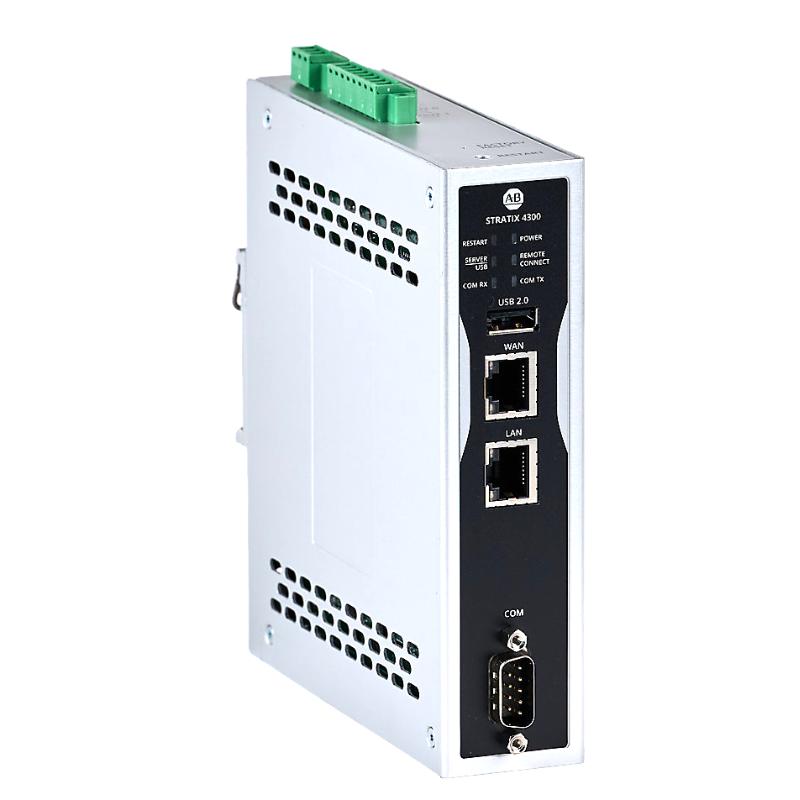
Product Overview
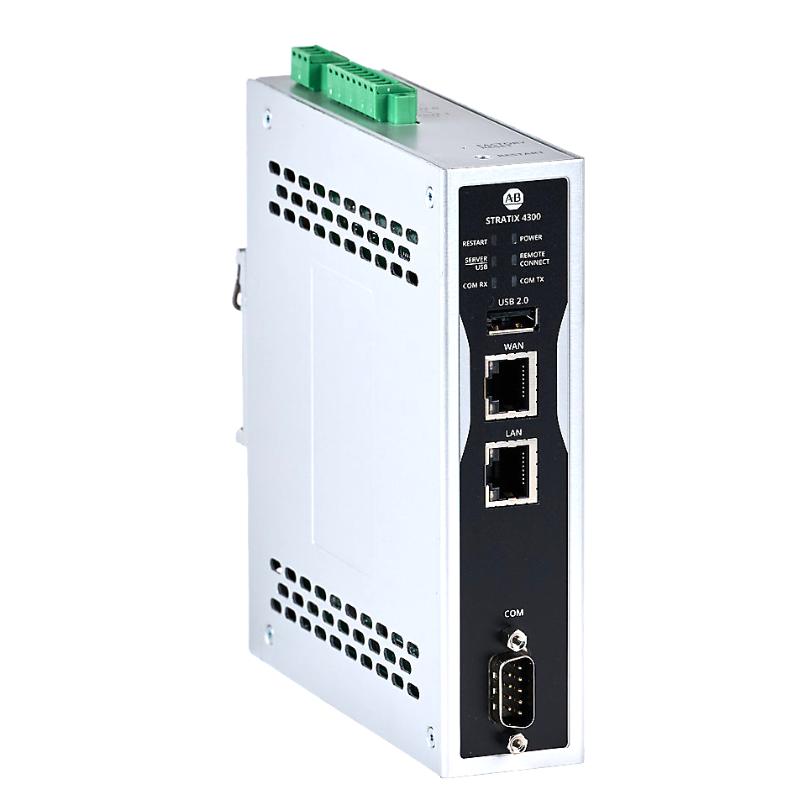
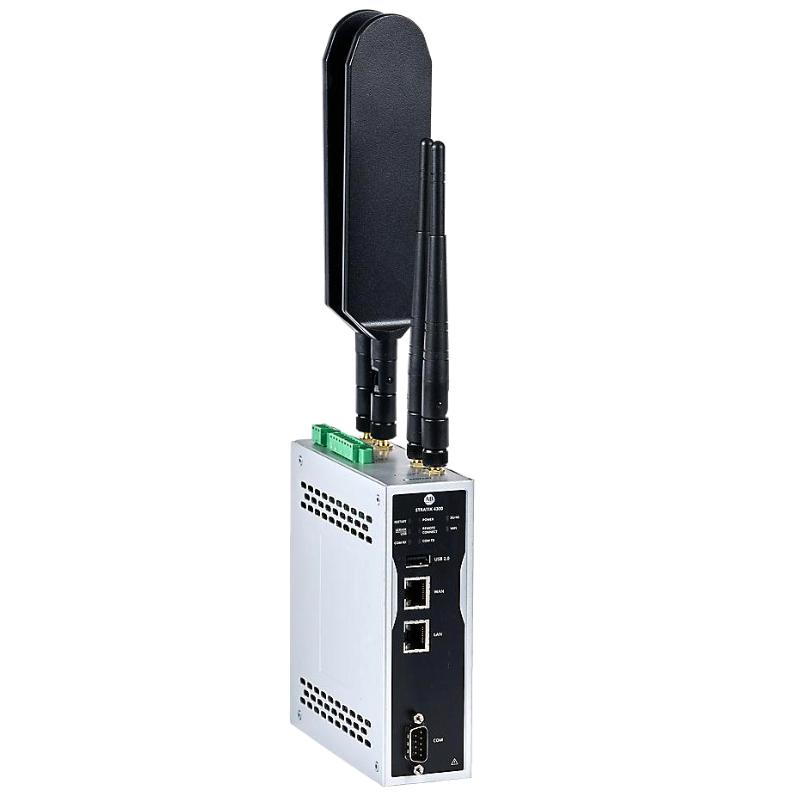
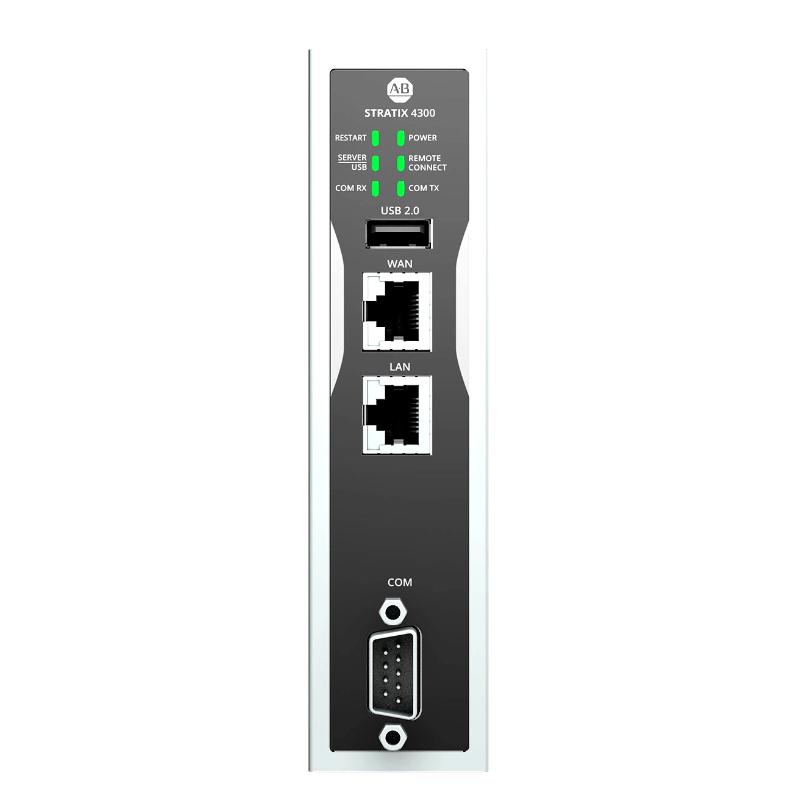
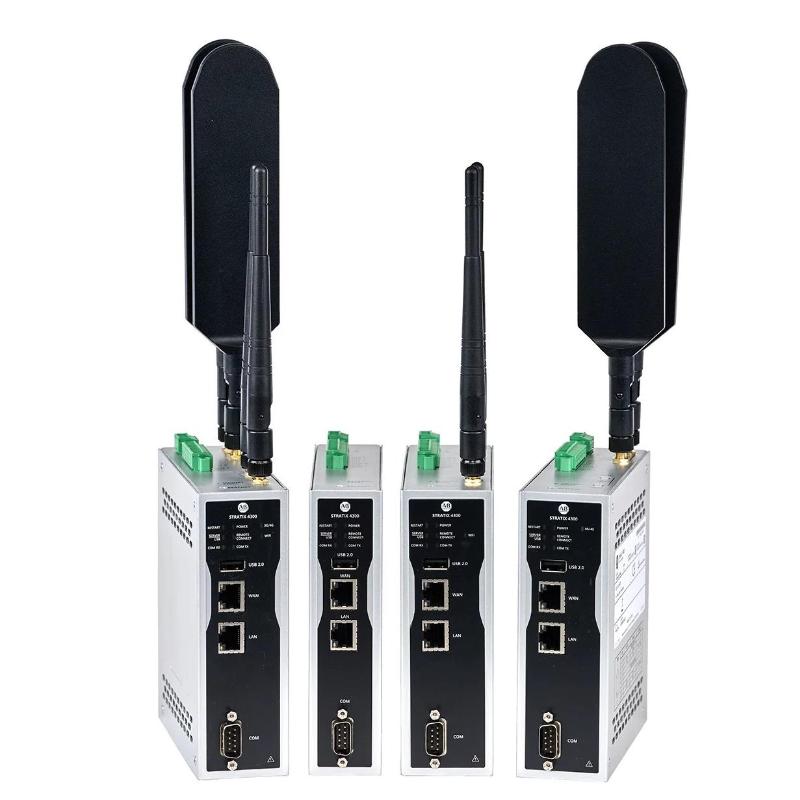
The Allen Bradley 1783-RA2TGB Stratix 4300 Remote Access Router is used to establish remote connectivity with industrial automation equipment, allowing authorized personnel to access supported control systems for troubleshooting, diagnostics, and maintenance. In a manufacturing plant, for example, a technician can use a remote access connection to investigate a PLC communication issue or assist with equipment commissioning without needing to be physically present at the machine.
The Stratix 4300 family supports remote access applications in industrial networks where controlled connectivity between engineering workstations and automation equipment is required. Typical installations may involve PLCs, operator interfaces, industrial Ethernet devices, and machine-level networks that need to be accessed by maintenance personnel or authorized service engineers.
The router forms part of the communication path between the remote user and the industrial network. Its suitability for a particular installation depends on the network topology, remote access requirements, security configuration, and compatibility with the existing automation infrastructure. Proper deployment helps maintenance teams diagnose faults and perform support tasks while keeping remote connectivity under the control of the site’s network and security policies.
Technical Specifications
| Parameter | Specification |
|---|---|
| Manufacturer | Allen-Bradley |
| Model | 1783-RA2TGB |
| Product Family | Stratix 4300 |
| Product Type | Remote Access Router |
| Device Category | Industrial Networking Equipment |
| Primary Function | Remote access to industrial automation networks |
| Network Application | Industrial Ethernet connectivity |
| Typical Connected Equipment | PLCs, HMIs, and industrial Ethernet devices |
| Intended Use | Remote diagnostics, maintenance, and technical support |
| Network Integration | Industrial automation network |
| Access Management | Subject to device configuration and deployment |
| Installation Environment | Industrial control cabinet or suitable equipment enclosure |
| Dimensions | 146 × 36.4 × 129 mm |
| Weight | 0.415 kg |
Product Features
- Remote industrial access: Supports remote connectivity for maintenance and troubleshooting of automation equipment.
- Stratix 4300 platform: Belongs to Allen-Bradley’s industrial remote access networking product family.
- Automation network connectivity: Can form part of a network connecting authorized remote users with supported industrial devices.
- Maintenance support: Helps service personnel investigate faults and assist with commissioning without always traveling to the equipment location.
- Network separation considerations: Can be incorporated into an industrial network architecture that defines boundaries between remote users and control equipment.
- Configurable access policies: Remote connectivity should be configured according to the site’s authentication, authorization, and cybersecurity requirements.
- Industrial system integration: Suitable for remote access scenarios involving supported PLCs, HMIs, and industrial Ethernet equipment.
- Centralized troubleshooting workflow: Allows remote support to be incorporated into established maintenance procedures.
Working Principle
The 1783-RA2TGB operates as part of the communication path between an authorized remote user and an industrial automation network. Once the network connections and access settings have been configured, a service engineer can establish a remote session to reach permitted devices or services within the supported network arrangement.
Consider a production line that stops because a controller is no longer communicating with an operator interface. Instead of immediately sending a technician to the plant, the maintenance team may use the remote access connection to inspect permitted network devices, review controller diagnostics, or help local personnel identify the source of the fault. The router supports the communication path; the actual troubleshooting tools and accessible functions depend on the connected equipment and the access configuration.
A typical remote support path can be represented as:
Authorized Remote User → Remote Access Connection → Stratix 4300 Router → Industrial Ethernet Network → Permitted Automation Devices
The router does not replace the PLC program or determine machine operating sequences. Its role is network connectivity for remote support. Authentication, access permissions, network segmentation, and session management should be established before remote access is enabled, particularly where the connection reaches production equipment.
Role in a Remote Industrial Access Architecture
The 1783-RA2TGB serves as a remote connectivity point within an industrial network. It allows authorized service personnel to reach designated automation resources through a configured access path, subject to the router’s supported capabilities and the site’s network security design.
Remote Engineering Workstation → Remote Access Network → 1783-RA2TGB → Industrial Ethernet → PLC / HMI / Automation Devices
| System Element | Function |
|---|---|
| 1783-RA2TGB Stratix 4300 | Provides the remote access router function within the configured network |
| Remote Engineering Workstation | Runs the tools used by authorized engineers for diagnostics and maintenance |
| Industrial Ethernet Network | Carries communication between the router and connected automation devices |
| Allen-Bradley PLC | Executes machine or process control logic |
| HMI | Displays operating conditions, alarms, and process information |
| Managed Industrial Ethernet Switch | Connects network devices and supports the site’s network topology |
| Firewall or Security Gateway | Enforces additional network boundaries and access rules where required |
| Remote Access Management System | May support user access administration and remote support workflows, depending on the deployment |
| Engineering Software | Provides configuration, diagnostics, or maintenance functions for compatible automation equipment |
The final architecture should be based on the router’s supported interfaces and features, the required remote access method, and the plant’s cybersecurity policies. Not every listed component is required in every installation.
Industrial Applications
| Application | Typical Use | Benefit to Maintenance Operations |
|---|---|---|
| Factory Automation | Remote access to permitted PLC and HMI resources | Helps engineers investigate control-system issues |
| Packaging Lines | Technical support for equipment distributed across production areas | Reduces the need for on-site troubleshooting in some cases |
| Machine Building | Remote assistance during commissioning and service | Allows machine builders to support installed equipment |
| Process Automation | Remote diagnostics for designated industrial network devices | Supports maintenance of geographically distributed equipment |
| Material Handling | Troubleshooting communication issues affecting conveyors and transfer systems | Helps narrow down network-related faults |
| OEM Equipment Support | Remote service access for customer-installed machinery | Enables structured support by authorized service personnel |
| Multi-Site Manufacturing | Remote assistance across approved site connections | Supports consistent maintenance procedures across facilities |
| Industrial System Integration | Access to permitted devices during commissioning and testing | Assists engineers with integration and fault diagnosis |
Installation and Maintenance
- Verify the complete model number, 1783-RA2TGB, and confirm that the router matches the intended remote access application.
- Review the proposed network topology and identify which industrial devices must be reachable through the remote connection.
- Isolate the relevant power supply before installing or wiring the equipment, following the site’s electrical safety procedures.
- Mount the router in the designated location and confirm that the installation environment meets the product’s applicable requirements.
- Connect the network interfaces according to the approved wiring plan and the intended separation between remote access and control networks.
- Verify the power connections and any required grounding or bonding arrangements before energizing the equipment.
- Configure the network addressing and routing settings to match the approved industrial network design.
- Establish authentication and access permissions before allowing remote connections to reach automation equipment.
- Restrict access to the devices and services required for maintenance rather than exposing the entire control network unnecessarily.
- Test remote connectivity with a non-disruptive diagnostic task and confirm that only the intended network resources are accessible.
- Review status indicators, configuration settings, and available diagnostic information if the remote connection fails or becomes intermittent.
- Document the network configuration, authorized access procedures, maintenance contacts, and any changes made during commissioning.
If remote access is unavailable, check the power supply, physical network connections, addressing, routing, access permissions, and the status of the remote connection. If the connection works but a specific PLC or HMI cannot be reached, investigate the target device’s network settings and the access rules between network segments before changing the controller configuration.
Related Components
| Component | Function |
|---|---|
| Allen-Bradley ControlLogix PLC | Executes control logic for larger machine and process automation systems |
| Allen-Bradley CompactLogix PLC | Provides controller functionality for machine-level and modular automation applications |
| Allen-Bradley PanelView HMI | Gives operators access to machine status, alarms, and control interfaces |
| Allen-Bradley Stratix Industrial Ethernet Switch | Connects automation devices within an industrial Ethernet network |
| Industrial Firewall | Adds network protection and controls traffic between designated network zones |
| Engineering Workstation | Runs PLC programming, diagnostics, and maintenance software |
| Industrial Ethernet Cabling | Connects the router to compatible network equipment |
| Remote Access Management Infrastructure | Supports authorized remote service workflows where required by the deployment |
Recommended Related Models
| Model / Product Family | Product Type | Application Context |
|---|---|---|
| Allen-Bradley 1783-RA Series | Stratix Remote Access Router | Remote connectivity for industrial automation networks |
| Allen-Bradley Stratix 5700 | Managed Industrial Ethernet Switch | Industrial network connectivity and traffic management |
| Allen-Bradley Stratix 5400 | Managed Industrial Ethernet Switch | Industrial network aggregation and larger automation networks |
| Allen-Bradley Stratix 5200 | Managed Industrial Ethernet Switch | Industrial Ethernet connectivity for automation equipment |
| Allen-Bradley CompactLogix 5380 | Programmable Automation Controller | Machine-level control and remote diagnostics |
| Allen-Bradley ControlLogix 5580 | Programmable Automation Controller | Process and high-performance machine control |
| Allen-Bradley PanelView 5000 | Operator Interface Terminal | Local operation and monitoring of automation systems |
Key Advantages
- Supports remote troubleshooting of permitted industrial network devices.
- Helps reduce unnecessary on-site visits for selected maintenance tasks.
- Can be integrated into an industrial remote support architecture.
- Allows remote access policies to be incorporated into plant cybersecurity procedures.
- Supports maintenance workflows for distributed automation equipment.
Technical FAQs
1. What is the main purpose of the Allen-Bradley 1783-RA2TGB?
The 1783-RA2TGB is identified as a Stratix 4300 Remote Access Router. Its primary application is providing remote connectivity to industrial automation networks for authorized troubleshooting, diagnostics, and service activities.
2. Can the router be used to access Allen-Bradley PLCs remotely?
It can form part of a remote access arrangement for supported automation devices, including Allen-Bradley PLCs, when the network path, device configuration, and access permissions are correctly established. Actual accessibility depends on the installed hardware, supported communication methods, and network security configuration.
3. What should be considered before connecting the router to a production network?
Plan the network boundaries, permitted destinations, user authentication, access permissions, and remote support procedures. Remote access should be limited to the resources required for the task, with additional network security controls applied where appropriate.
4. What is the difference between a remote access router and an industrial Ethernet switch?
An industrial Ethernet switch primarily connects network devices and forwards Ethernet traffic within a network. A remote access router is used in a remote connectivity architecture, where routing and access-control arrangements determine how authorized remote users reach designated industrial resources. Their specific capabilities depend on the individual product model and configuration.