

ProductPRODUCT
Featured products
Contact Us
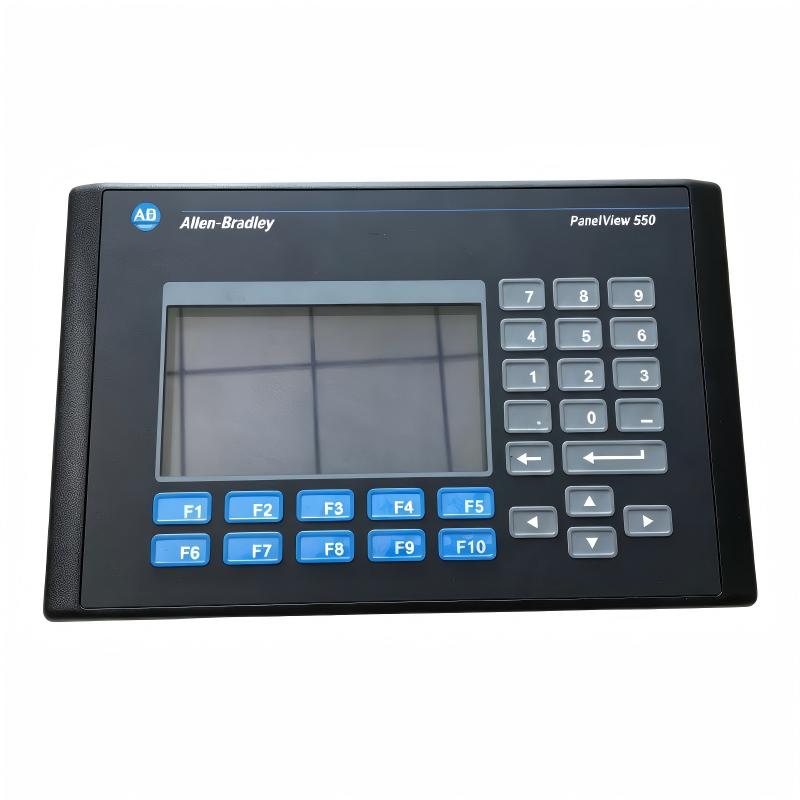
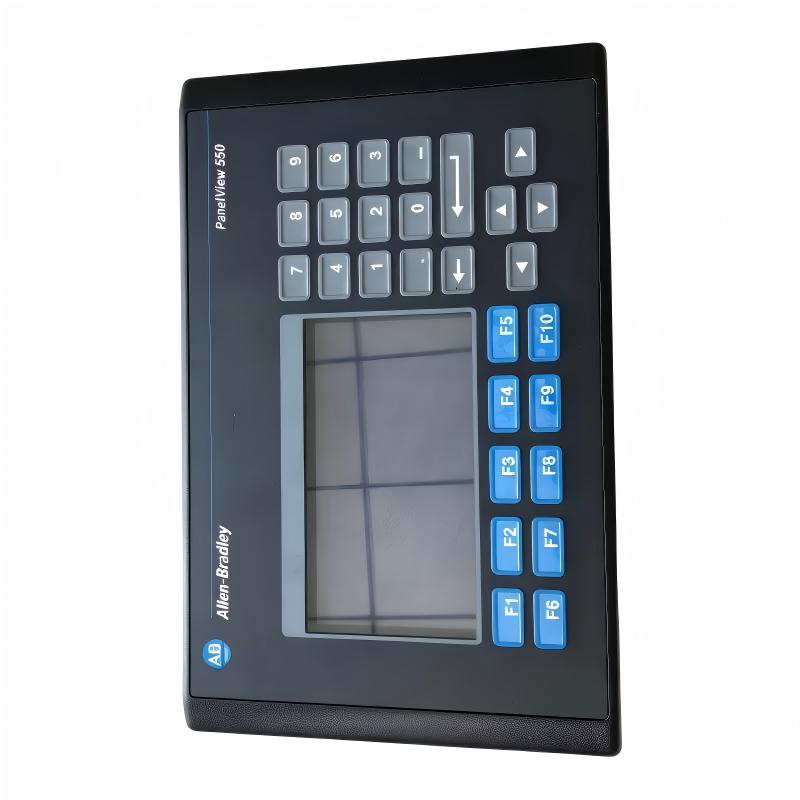
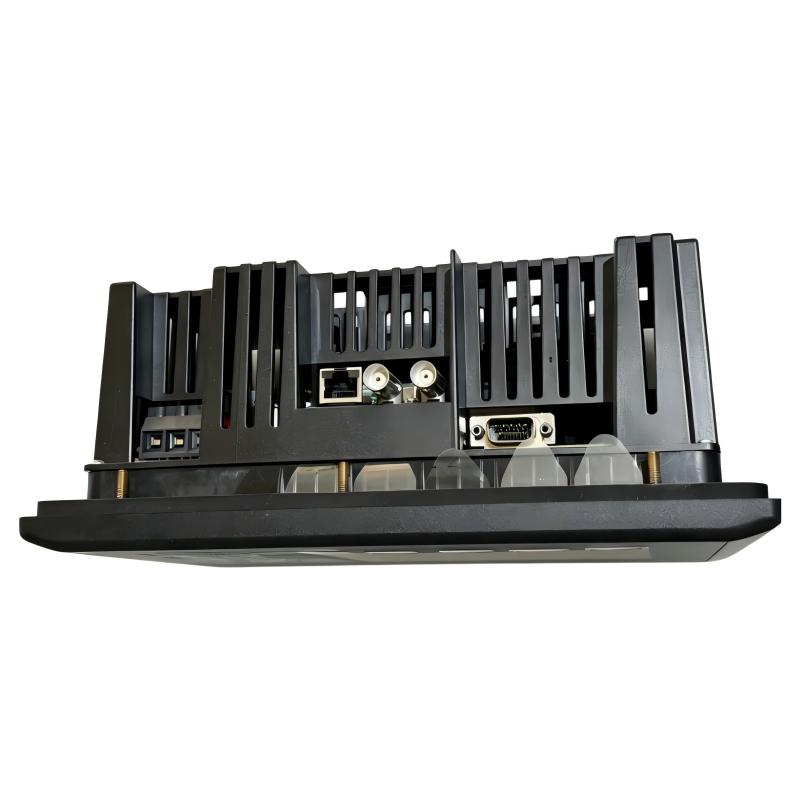
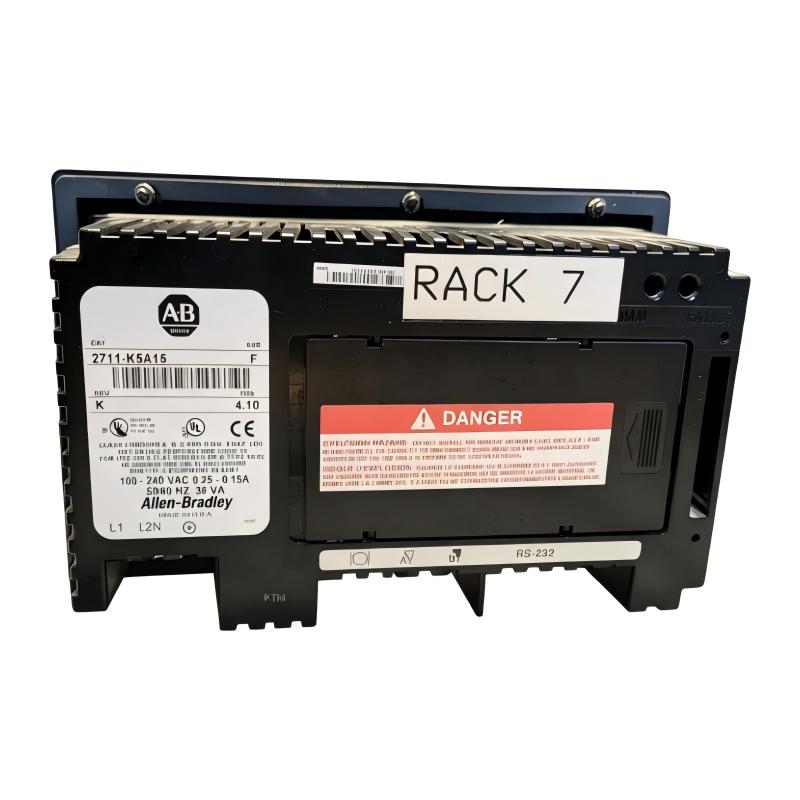
- Allen Bradley
- 2711-K5A15
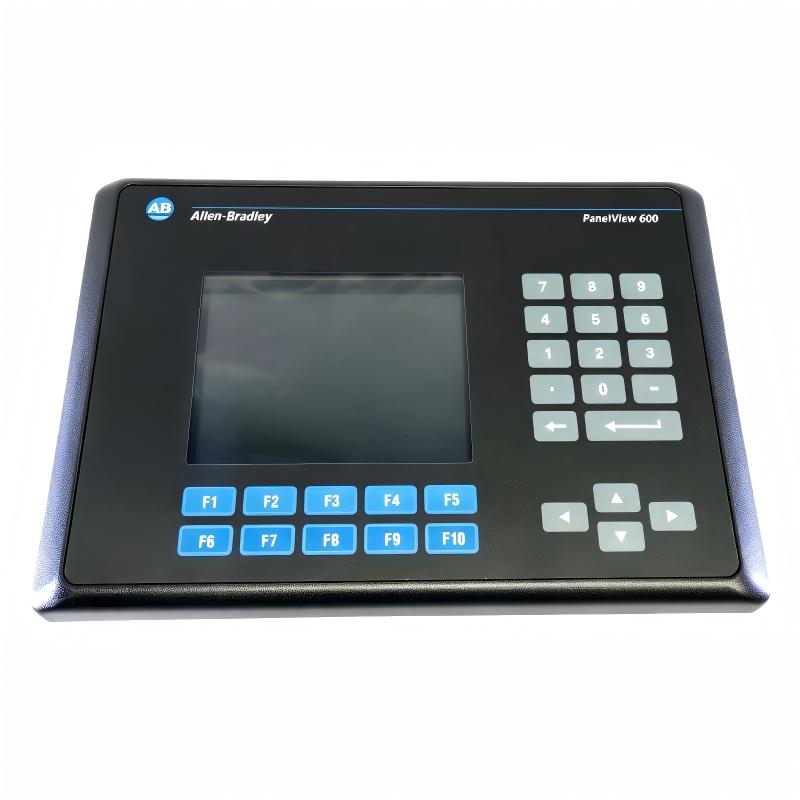
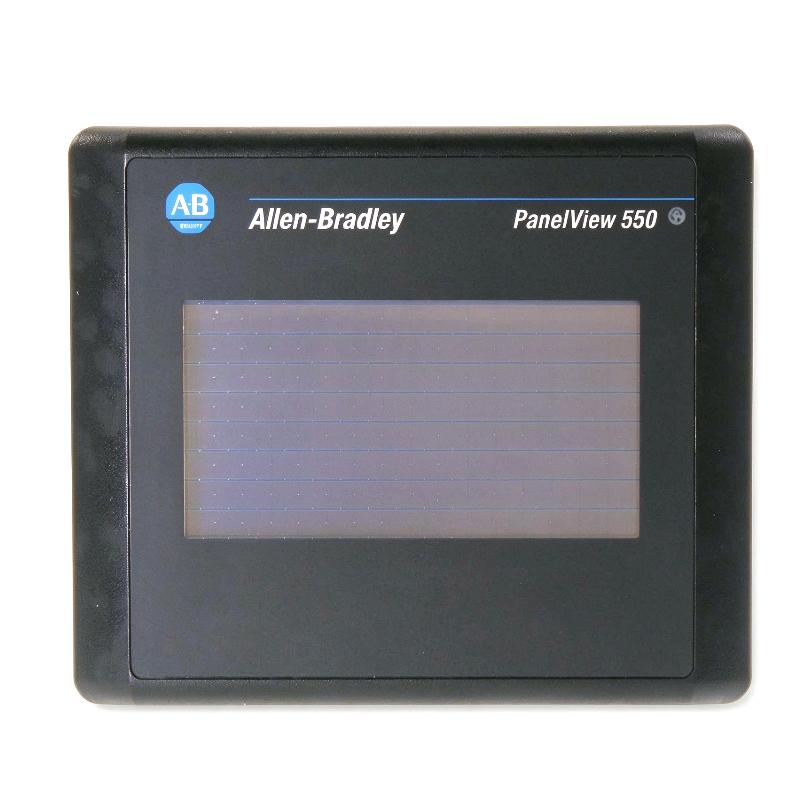
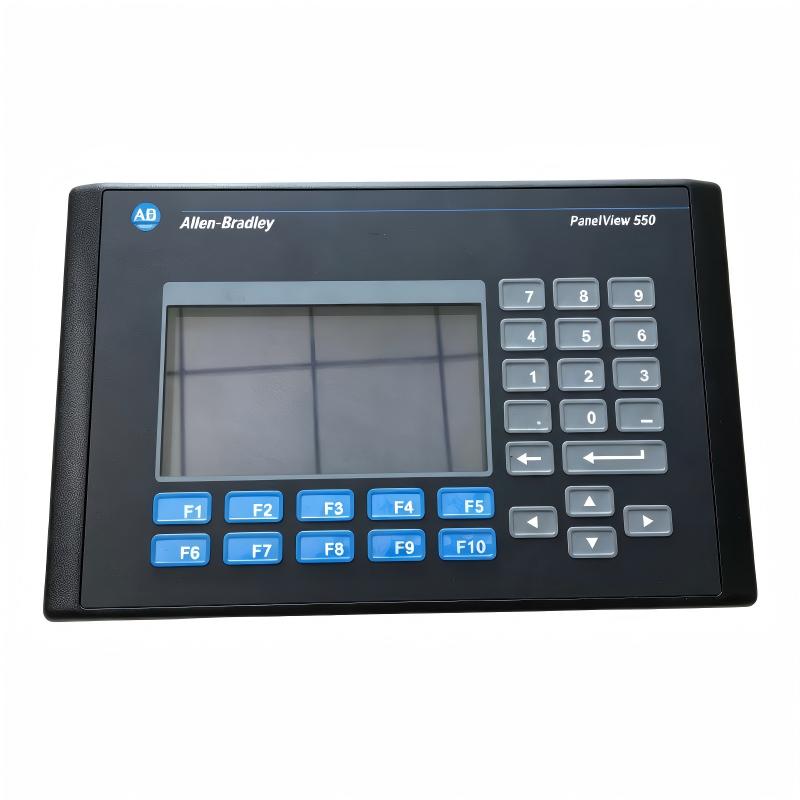
- PanelView 550 Operator Interface
- USA
- 266 x 106 x 167 mm
- 1.2 kg
- Xiamen, China
- New & In Stock
- T/T, PayPal, Western Union
- 1 Year
- 1-3 Working Days
- DHL, UPS, TNT, FedEx and EMS.
- 24-Hour Service
- COO
- 9
Our advantage

Global Logistics
We have a 10-year logistics and express cooperation agreement, so our products can be shipped to any place in the world.

Brand new and original
Our products are imported in bulk from the place of origin. Because of the cooperative relationship, our products are all original and 100% new.

24-hour service
We provide 7*24 hours service to our customers. We will be there whenever you need us.

Price advantage
All our products are priced very favorably because we have our own warehouse and supply.
| Company Information | |||
| [email protected] | |||
| Mobile | +8615980777398 | ||
| +8615980777398 | |||
| 15980777398 |
1. Product Overview
The Allen-Bradley 2711-K5A15 PanelView 550 Operator Interface is a human-machine interface (HMI) terminal designed to provide operators with a local interface for monitoring and controlling industrial equipment. As part of the PanelView Standard 550 family from Rockwell Automation, this terminal supports operator interaction with control systems through application screens, status information, alarms, and keypad-based commands.
The PanelView 550 series is designed for industrial environments where operators need a straightforward way to view machine conditions and interact with PLC-based automation systems. The 2711-K5A15 features a 5.5-inch monochrome LCD with a resolution of 256 × 128 pixels. Its physical keypad provides function keys and navigation controls for accessing configured screens and entering operator commands.
Unlike a general-purpose computer, the PanelView 550 is intended for industrial HMI applications. It runs compatible PanelView applications developed using the legacy PanelBuilder32 software environment. Depending on the installed application and configured communication interface, the terminal can display process values, machine status, alarms, operating instructions, and other information required by production personnel.
The 2711-K5A15 is an older-generation PanelView terminal. It remains relevant to facilities that maintain existing automation systems and need compatible spare parts to support installed equipment. When sourcing this model, buyers should verify the complete catalog number, communication interface, power requirements, and hardware revision before purchasing.
2. Technical Specifications
| Parameter | Specification |
|---|---|
| Brand | Allen-Bradley |
| Manufacturer | Rockwell Automation |
| Model | 2711-K5A15 |
| Product Family | PanelView 550 Standard Operator Terminals |
| Product Type | Human-Machine Interface (HMI) |
| Display Size | 5.5 inches |
| Display Type | Monochrome LCD |
| Display Resolution | 256 × 128 pixels |
| Display Area | Approximately 120 × 60 mm |
| Operator Input | Physical keypad |
| Function Keys | F1–F10 |
| Application Software | PanelBuilder32 |
| Application Runtime Memory | Approximately 170 KB |
| Nonvolatile Application Memory | Approximately 240 KB |
| Power Supply Type | AC |
| AC Input Voltage | 85–264 V AC |
| AC Input Frequency | 47–63 Hz |
| Maximum Power Consumption | Approximately 45 VA |
| Communication Interface | Verify exact interface from the full catalog number and nameplate |
| Printer Interface | RS-232 printer port, subject to model configuration |
| Dimensions | 266 × 106 × 167 mm, as provided |
| Weight | 1.2 kg, as provided |
| Typical Applications | Machine operation, process visualization, equipment status monitoring, and PLC-based control systems |
Specification note: The dimensions above follow the supplied product listing, expressed as width × depth × height. Manufacturer documentation commonly lists the terminal dimensions as approximately 167 × 266 × 106 mm in height × width × depth order. Confirm the exact communication interface and electrical configuration before ordering, as PanelView 550 terminals were offered in multiple configurations.
3. Function and Working Principle
3.1 Human-Machine Interaction
The main function of the 2711-K5A15 is to provide a local interface between an operator and an industrial control system.
The HMI displays information prepared by the configured application, allowing operators to understand machine conditions without directly accessing PLC programming software. Depending on the application design, the display may include numeric values, status indicators, alarm messages, operating instructions, and navigation menus.
The physical keypad enables operators to select screens, enter values, and activate configured commands. This input method is useful in environments where a dedicated keypad is preferred over a touchscreen interface.
3.2 Display and Operator Input
The terminal uses a 5.5-inch monochrome LCD with a resolution of 256 × 128 pixels. Although this is less sophisticated than a modern color HMI, it is suitable for many established automation applications that use text, symbols, numeric data, and simple process graphics.
The function keys can be assigned to application-specific actions. For example, a machine application might use one key to open a status page, another to display alarm information, and others to navigate between operating screens.
The available functions depend on the application loaded into the terminal. The keypad itself does not define the machine logic; it sends operator input through the HMI application and configured control-system interface.
3.3 Communication with Industrial Controllers
An HMI must exchange information with the relevant controller or communication network to display live process information and send authorized operator commands.
The 2711-K5A15 belongs to a product family that supported multiple communication options across different catalog numbers. The exact communication method of a particular unit must be identified from its complete model designation, nameplate, and configuration.
Once communication has been configured correctly, the HMI can read selected controller data and display it through the application screens. Operator actions may write values or command bits to the controller when the application and control program permit them.
The terminal does not replace the PLC. The PLC or other controller continues to execute the control logic, while the HMI provides the operator-facing interface.
3.4 Application Runtime
The PanelView 550 platform uses applications created with PanelBuilder32. Application development includes arranging screens, defining tags, configuring operator inputs, and setting up communication with the target controller.
The application determines what the operator sees and which actions are available. Consequently, replacing a terminal with another unit does not automatically guarantee correct operation if the original application, communication settings, or controller addressing are unavailable.
For maintenance purposes, preserving a verified copy of the original application and documenting its communication configuration can significantly reduce recovery time.
4. Role in Industrial Control Systems
4.1 Local Machine Operation
The 2711-K5A15 can serve as the local operator interface for machinery controlled by a compatible PLC. Operators can use the configured screens to review operating states and perform permitted actions without opening the controller cabinet or connecting a programming computer.
Typical screen functions may include start and stop requests, mode selection, setpoint entry, equipment status, and alarm review. These functions depend on the original application and the control-system design.
4.2 Process Visualization
Industrial processes often involve multiple signals, interlocks, operating modes, and status conditions. An HMI organizes selected information into a format that operators can understand.
The PanelView 550’s monochrome display is suited to applications where clear text, numeric values, and simple graphics are more important than advanced visual presentation. Proper screen design helps operators identify important conditions quickly.
4.3 Alarm and Fault Information
The HMI application may display alarm messages or fault indicators based on controller data. This helps operators identify abnormal conditions and follow the appropriate troubleshooting procedure.
The terminal displays information defined by the application; alarm detection and control responses are generally implemented in the PLC or other control equipment.
4.4 Support for Legacy Automation Systems
Many industrial plants operate equipment with long service lives. Replacing an entire control system may require engineering work, production downtime, application redevelopment, and extensive testing.
Maintaining a compatible PanelView 550 terminal can be a practical option when the existing HMI remains functional within the established architecture. For this reason, the 2711-K5A15 can be relevant to maintenance teams, system integrators, and spare-parts suppliers supporting legacy installations.
5. Industrial Applications
5.1 Manufacturing and Production Lines
Manufacturing equipment frequently requires a local interface for selecting operating modes, viewing machine status, and acknowledging alarms. The 2711-K5A15 can support these tasks when connected to a compatible controller and configured application.
Typical applications include packaging equipment, assembly machinery, material handling systems, and dedicated production machines.
5.2 Packaging and Material Handling
Packaging and material handling systems often use PLCs to coordinate motors, sensors, actuators, and product-flow sequences. An HMI allows operators to monitor these operations and access selected control functions.
The PanelView 550 keypad interface may be appropriate for established machines whose original application was designed around physical function keys.
5.3 Water and Wastewater Equipment
Pumping stations, filtration equipment, and auxiliary treatment machinery may require local status displays and operator controls. A compatible HMI application can show pump status, operating modes, alarms, and configured process values.
The terminal’s suitability depends on the environmental conditions, enclosure arrangement, and electrical requirements of the installation.
5.4 Industrial Utilities
Industrial utility systems may include compressors, fans, pumps, and other equipment controlled by PLCs. An operator interface can make selected status information and control functions available at the equipment location.
For existing systems using the PanelView 550 platform, maintaining a compatible terminal can help preserve established operator workflows.
5.5 OEM Machinery
Original equipment manufacturers may have deployed PanelView 550 terminals in machines supplied to industrial customers. In these cases, the HMI application and communication configuration may be closely tied to the machine design.
When replacing a failed terminal, the exact catalog number and application compatibility should be verified before the replacement is commissioned.
6. Installation and System Integration
Correct installation and configuration are essential for reliable operation of the 2711-K5A15.
6.1 Verify the Complete Catalog Number
Before purchasing or installing a replacement, inspect the terminal label and record the full catalog number, including any suffixes or revision markings.
PanelView 550 models may differ in communication interfaces and power configuration. A terminal with a similar appearance may not provide the same interface or support the same system connections.
6.2 Confirm AC Power Requirements
The specified AC input range for the relevant PanelView 550 keypad terminal family is 85–264 V AC at 47–63 Hz, with a maximum power consumption of approximately 45 VA.
Confirm the rating of the individual unit before connecting it to a power source. Disconnect power before installation or wiring work, and use the protective devices and wiring practices required by the applicable electrical standards.
6.3 Prepare the Panel Cutout
The terminal is designed for panel mounting. Before cutting a new opening, check the installation instructions for the correct cutout dimensions, mounting clearance, and sealing requirements.
The external dimensions are not the same as the panel cutout dimensions. Use the manufacturer’s mounting template and avoid relying on the overall product measurements alone.
6.4 Check Communication Compatibility
Identify the interface installed on the terminal and confirm that it matches the controller or network used by the machine.
Communication settings may include the protocol, node address, controller path, and other configuration parameters. These must be consistent with the existing system design.
6.5 Load or Restore the Correct Application
The terminal requires an application compatible with the PanelView 550 platform. Before replacing an existing unit, check whether the original PanelBuilder32 project and any required runtime or communication settings are available.
If the application must be restored, follow the applicable transfer procedure and verify that the loaded application corresponds to the correct machine and controller.
6.6 Test Before Returning to Production
After installation, verify display operation, keypad response, communication status, alarm display, and the operation of all required screens.
Any commands that can affect machinery should be tested under an approved commissioning procedure. Confirm that interlocks and safety functions remain implemented in the appropriate control and safety systems rather than relying on the HMI alone.
7. Compatible System Components
The following component families may be relevant when maintaining a PanelView 550 installation. Exact compatibility depends on the HMI catalog number, controller model, communication interface, and application configuration.
| Component or Product Family | Description | Integration Consideration |
|---|---|---|
| Allen-Bradley PLC-5 | Legacy programmable controller family | Requires a compatible communication path and application configuration |
| Allen-Bradley SLC 500 | Modular and fixed PLC family | Verify the selected interface and controller communication settings |
| Allen-Bradley MicroLogix | Compact PLC family | Confirm protocol support and available communication hardware |
| Allen-Bradley ControlLogix | Programmable automation controller family | Integration depends on the terminal interface and the established network architecture |
| PanelBuilder32 | Legacy HMI application development software | Used to create compatible PanelView Standard applications |
| Compatible communication cable or network hardware | Communication connection between the HMI and controller | Select according to the exact terminal interface |
| Industrial AC power source | Power supply for the AC version | Must meet the terminal’s specified voltage and frequency requirements |
| Industrial control cabinet | Panel mounting and equipment protection | Must provide suitable clearances and environmental protection |
This table identifies relevant system categories rather than guaranteeing universal compatibility. Verify the exact hardware and software requirements for the existing installation before purchasing associated components.
8. Alternative Models and Replacement Considerations
The 2711-K5A15 is part of an older HMI family. If the exact unit is unavailable, replacement selection should consider not only physical size but also the application, communication interface, power supply, and panel cutout.
| Model or Family | Description | Replacement Consideration |
|---|---|---|
| 2711-K5A15 | PanelView 550 keypad operator terminal | Preferred when maintaining an installation designed for this exact configuration |
| Other PanelView 550 catalog variants | PanelView 550 terminals with different communication or power options | Verify full catalog number and interface; similar appearance does not guarantee interchangeability |
| PanelView Plus 7 | Newer-generation operator interface family | May be considered for a migration project, but requires compatibility and engineering review |
| PanelView 800 | Operator interface family for selected automation applications | Confirm supported controllers, communication protocols, application development tools, and mounting requirements |
Important Replacement Notes
A newer HMI should not be treated as a direct plug-in replacement simply because it performs similar operator-interface functions. Differences in application software, controller communication, panel cutout, power supply, and network configuration may require additional engineering work.
For an existing machine, first determine whether the priority is an exact replacement or a broader system upgrade. An exact replacement can reduce redesign effort, while a migration may provide newer capabilities but typically requires application conversion and commissioning.
9. Key Advantages of the Allen-Bradley 2711-K5A15
Dedicated Operator Interface
The terminal provides a local interface for viewing machine status and accessing configured operator functions, reducing the need for direct interaction with PLC programming tools during normal operation.
Physical Keypad Operation
The keypad and function keys provide a defined input method that can be useful in established production environments where operators are accustomed to physical controls.
Compact Industrial Design
Its panel-mount format allows the terminal to be integrated into machinery enclosures and operator stations with appropriate mounting provisions.
Simple Monochrome Visualization
The 256 × 128 monochrome display supports text, numeric values, status indications, and simple application graphics. This is sufficient for many legacy control applications.
Established PanelView 550 Platform
The terminal belongs to a widely deployed legacy HMI family, making it relevant to facilities that need to maintain existing equipment and preserve established operator workflows.
Practical Spare-Parts Option
For plants that rely on an existing PanelView 550 application, a compatible replacement can help reduce the engineering work associated with replacing the entire HMI platform.
10. Frequently Asked Questions
Q1: What is the Allen-Bradley 2711-K5A15?
The 2711-K5A15 is a PanelView 550 Standard Operator Interface. It is an industrial HMI terminal used to display machine and process information and provide keypad-based operator interaction with a compatible control system.
Q2: What is the display resolution of the 2711-K5A15?
The PanelView 550 keypad terminal family uses a monochrome LCD with a resolution of 256 × 128 pixels and an approximate display area of 120 × 60 mm.
Q3: Does the 2711-K5A15 use AC or DC power?
The 2711-K5A15 is an AC-powered version. The relevant PanelView 550 keypad terminal specification lists an input range of 85–264 V AC at 47–63 Hz. Always confirm the individual unit’s nameplate before wiring.
Q4: Which software is used to configure the 2711-K5A15?
PanelView Standard 550 applications are associated with the PanelBuilder32 development environment. Application compatibility and transfer procedures should be checked before attempting to restore or modify a legacy terminal.
Q5: Can the 2711-K5A15 communicate with any Allen-Bradley PLC?
No. Compatibility depends on the HMI’s exact communication interface, the PLC model, the network hardware, and the application configuration. Check the full catalog number and existing system documentation.
Q6: What are the dimensions and weight of the 2711-K5A15?
The supplied listing gives dimensions of 266 × 106 × 167 mm and a weight of 1.2 kg. Manufacturer documentation commonly expresses the dimensions as 167 × 266 × 106 mm in height × width × depth order.
Q7: Is the 2711-K5A15 suitable for a new automation project?
It may be technically relevant in a project that must maintain an existing PanelView 550-based machine. For a new design, engineers should assess long-term support, application tools, communication requirements, and the availability of newer HMI platforms.
Q8: What should be checked when buying a replacement?
Confirm the complete catalog number, communication interface, AC input rating, display and keypad condition, application availability, and panel-mount requirements. For used or refurbished units, request clear product identification and verify operating condition before installation.
11. Procurement and Maintenance Recommendations
The 2711-K5A15 is most relevant to organizations maintaining established PanelView 550 installations. Because this is a legacy operator interface, careful model verification is particularly important when purchasing replacement hardware.
Recommended checks include:
- Confirm the full catalog number and hardware identification label.
- Verify that the communication interface matches the existing PLC or network.
- Check the AC power rating and the condition of the power connection.
- Inspect the LCD for missing segments, uneven display, or backlight problems.
- Test the keypad and function keys for reliable response.
- Check the panel housing, mounting hardware, and gasket condition.
- Confirm the availability of the original application and its configuration files.
- Verify that the replacement terminal can be commissioned using the tools and procedures available at the facility.
- Keep a record of the installed firmware or hardware revision where applicable.
- Test the complete HMI-to-controller communication path before returning the equipment to normal operation.
For export procurement, buyers should also clarify whether the product is new, unused surplus, used, or refurbished. Packaging, identification labels, included accessories, and the expected operating condition should be agreed upon before shipment.
12. Conclusion
The Allen-Bradley 2711-K5A15 PanelView 550 Operator Interface is a legacy industrial HMI designed to provide keypad-based operator interaction with compatible automation systems. Its 5.5-inch monochrome LCD, 256 × 128 resolution, function keys, and PanelBuilder32 application environment support machine-status visualization and operator commands in established PLC-based installations.
For maintenance teams and industrial spare-parts buyers, the key purchasing considerations are the complete catalog number, communication interface, AC power rating, and availability of the original HMI application. These details help ensure that a replacement terminal can be integrated into the existing control architecture with less disruption.
When the installed PanelView 550 remains part of a functioning machine, selecting the correct 2711-K5A15 configuration can support continued operation and simplify maintenance planning. For new projects or wider upgrades, compatibility, lifecycle support, and migration requirements should be evaluated before choosing a replacement platform.