

ProductPRODUCT
Featured products
Contact Us
- Schneider
- XBTZ9008
- Connecting Cable
- France
- 2.5 meters
- 0.121 kg
- Xiamen, China
- New & In Stock
- T/T, PayPal, Western Union
- 1 Year
- 1-3 Working Days
- DHL, UPS, TNT, FedEx and EMS.
- 24-Hour Service
- COO
- 8
Our advantage

Global Logistics
We have a 10-year logistics and express cooperation agreement, so our products can be shipped to any place in the world.

Brand new and original
Our products are imported in bulk from the place of origin. Because of the cooperative relationship, our products are all original and 100% new.

24-hour service
We provide 7*24 hours service to our customers. We will be there whenever you need us.

Price advantage
All our products are priced very favorably because we have our own warehouse and supply.
| Company Information | |||
| [email protected] | |||
| Mobile | +8615980777398 | ||
| +8615980777398 | |||
| 15980777398 |
Product Overview
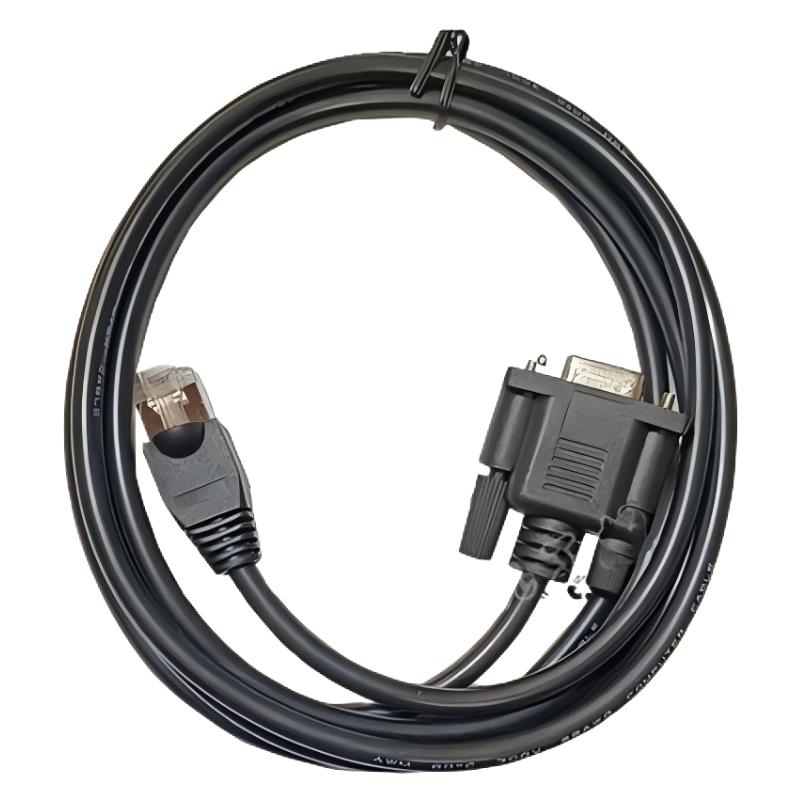
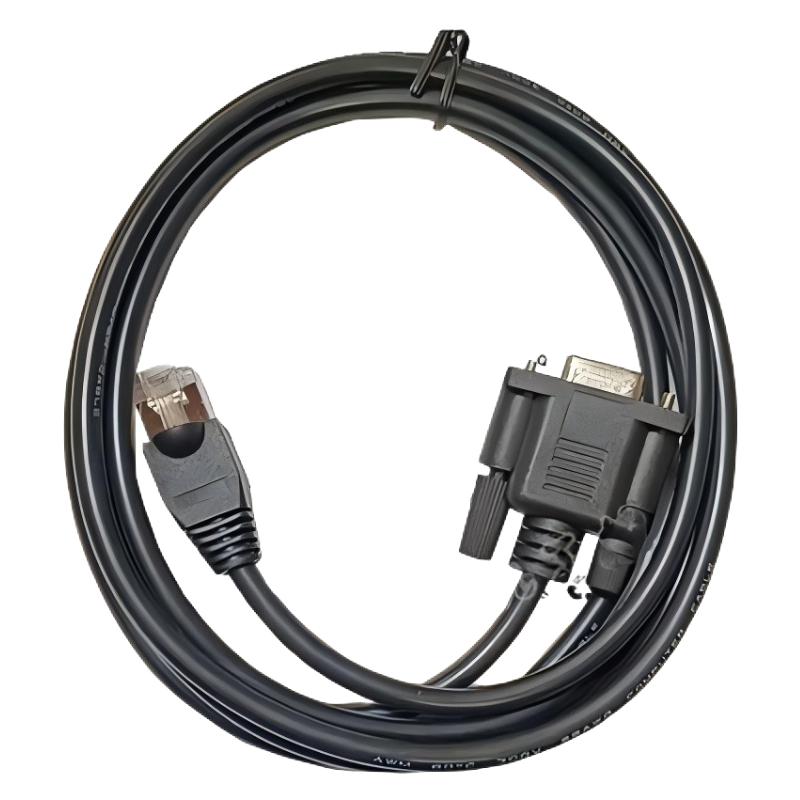
The Schneider Electric XBTZ9008 Connecting Cable is an industrial communication accessory designed to connect compatible human-machine interface (HMI) terminals with automation equipment. With a cable length of 2.5 meters and a stated weight of 0.121 kg, it supports serial communication in industrial control environments where reliable data exchange between operator interfaces and control devices is required.
The XBTZ9008 belongs to the Schneider Electric Harmony XBT accessory family. It is described as a Modbus serial communication cable using an RS485 physical interface. The cable is associated with compatible XBTGT2-series and XBTGK-series HMI terminals and has been listed for use with various Schneider Electric automation products, including Modicon M340 PLCs, Altivar drives, Altistart soft starters, Lexium 05 motion-control equipment, and TeSys devices. Actual compatibility depends on the equipment model, communication port, and wiring arrangement.
In an industrial automation system, communication cables provide the physical connection that allows controllers, operator panels, and other devices to exchange information. A suitable communication cable helps operators monitor machine conditions, access device information, and interact with the control system through a supported HMI interface.
The XBTZ9008 is particularly relevant to maintenance teams supporting existing Schneider Electric installations. When an original cable becomes damaged, is lost during maintenance, or needs to be replaced during a system refurbishment, identifying the correct reference helps reduce wiring errors and unnecessary downtime.
Product lifecycle note: Schneider Electric’s US product information lists the XBTZ9008 as discontinued on September 15, 2023, and indicates that standard service ended on December 31, 2024. The same listing does not specify a direct replacement. Availability and service status may vary by region, so buyers should confirm the current situation with their supplier.
Technical Specifications
| Parameter | Specification |
|---|---|
| Manufacturer | Schneider Electric |
| Model | XBTZ9008 |
| Product type | Connecting cable / communication cable |
| Product family | Harmony XBT |
| Cable length | 2.5 m |
| Stated weight | 0.121 kg |
| Communication protocol | Modbus |
| Physical interface | RS485 |
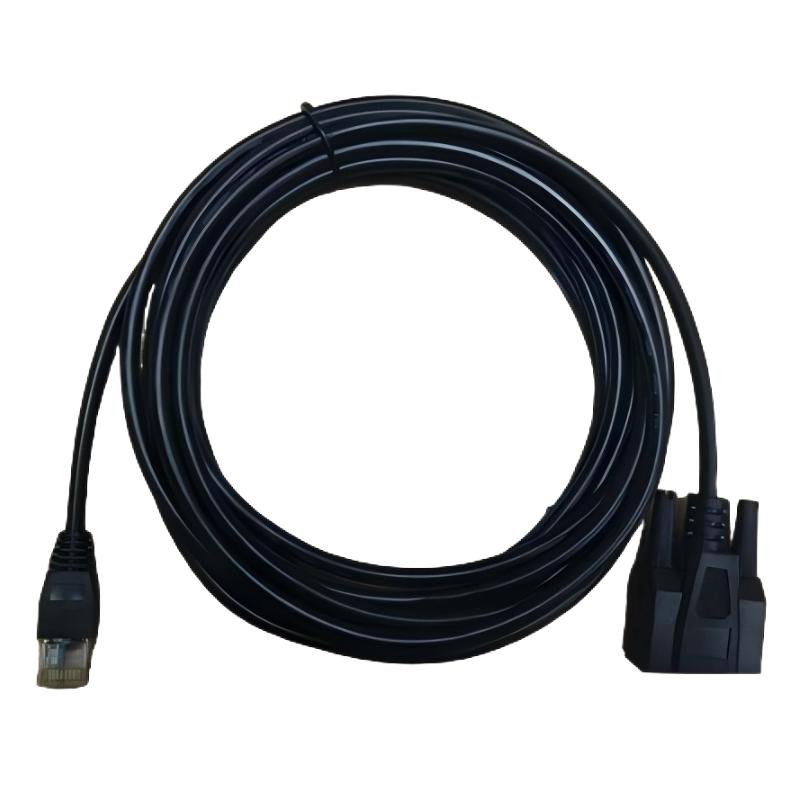
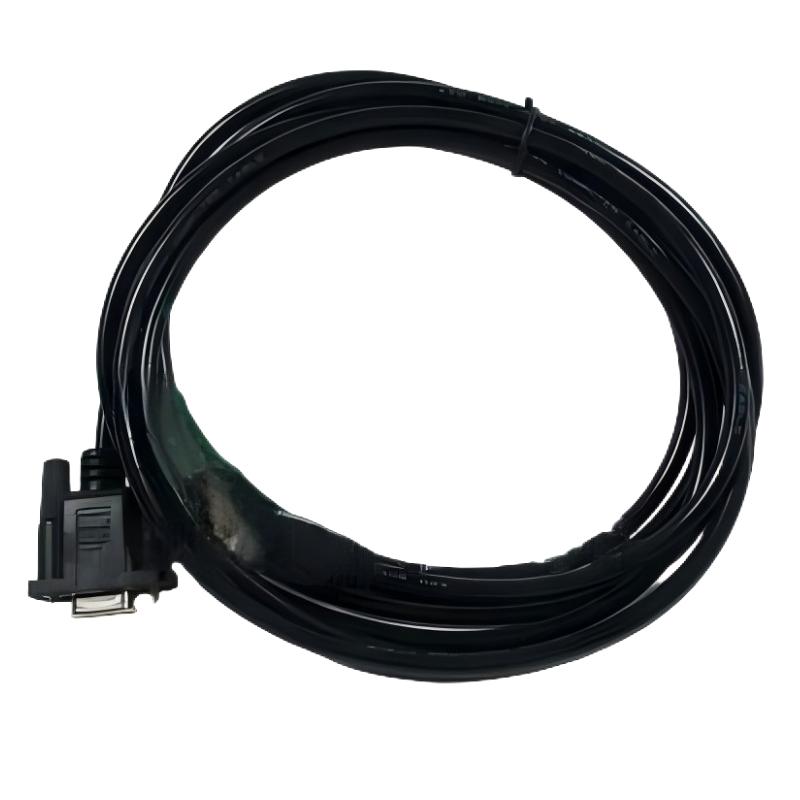
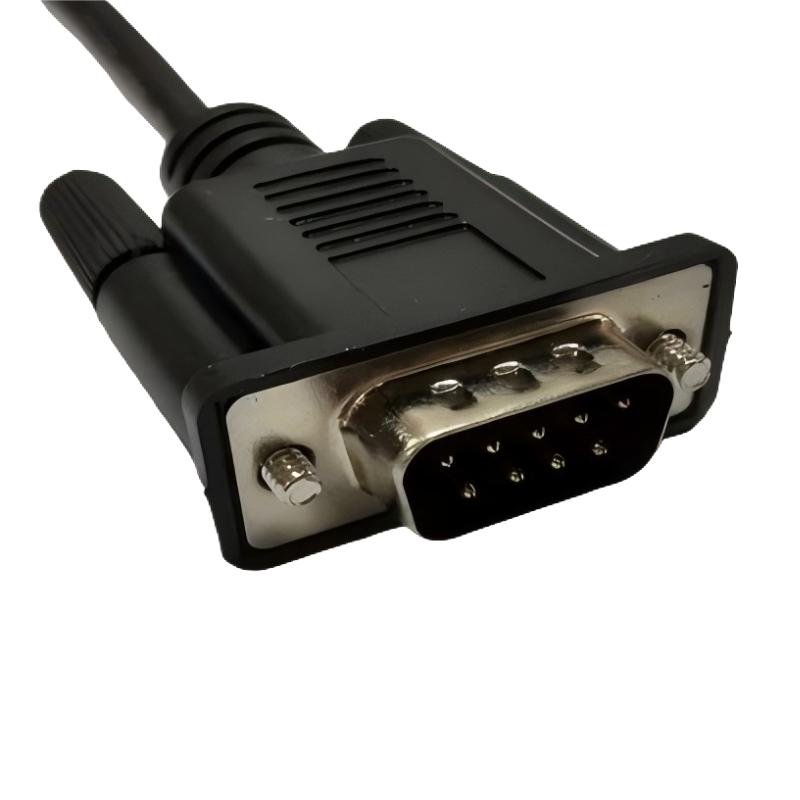
| Connector information | Product information describes an HMI Sub-D9-to-PLC RJ45 connection; verify the exact connector arrangement for the intended equipment |
| HMI compatibility | Listed XBTGT2-series and XBTGK-series terminals |
| Associated automation equipment | Selected Modicon, Altivar, Altistart, Lexium, TeSys, and Preventa products |
| Typical purpose | HMI-to-device serial communication |
| Lifecycle status | Listed as discontinued in Schneider Electric’s US product information |
| Direct replacement | No direct replacement specified in the cited US listing |
The stated cable length and weight are based on the supplied product details and available product information. Before ordering, confirm the connector configuration and compatibility with the exact terminal and target device.
Function and Working Principle
The XBTZ9008 is a communication accessory rather than a controller or signal-processing module. Its primary purpose is to provide a physical communication path for supported serial data exchange.
1. Establishing a communication connection
In a typical industrial control installation, an HMI terminal provides the operator interface, while a PLC, drive, soft starter, or other automation device performs control or equipment-management functions.
A compatible communication cable connects the appropriate communication ports. Once the devices are connected and correctly configured, they can exchange data according to the supported protocol and electrical interface.
The XBTZ9008 is associated with RS485-based Modbus communication. The exact communication arrangement depends on the equipment connected at each end and the port configuration specified in the applicable manuals.
2. Supporting Modbus communication
Modbus is widely used in industrial automation to exchange information between controllers, operator interfaces, and field devices. Depending on the device and configuration, this information may include operating status, measurements, alarms, parameters, or command data.
The protocol defines how information is organized and exchanged, while RS485 describes the electrical signaling interface used for the physical communication link.
The XBTZ9008 provides the cable connection for compatible installations. It does not independently implement Modbus functions; those functions are handled by the connected devices and their configuration.
3. Enabling operator access to equipment information
An HMI can present equipment information in a format that operators can understand. Depending on the system design, users may view machine status, operating values, alarm messages, or other information provided by the connected device.
A correctly selected communication cable supports the physical connection required for this exchange. However, successful communication also depends on protocol support, communication parameters, port assignments, device addressing where applicable, and correct wiring.
4. Maintaining a reliable physical connection
Industrial communication depends on more than protocol settings. Damaged conductors, loose connectors, electrical interference, incorrect pin assignments, and unsuitable cable routing can interrupt data exchange.
Using the correct cable reference and following the equipment manufacturer’s installation requirements help reduce connection problems and simplify maintenance.
Role in Industrial Control Systems
The XBTZ9008 can support communication between compatible operator interfaces and automation equipment. Its practical role depends on the system architecture and the specific device being connected.
Human-machine interface integration
An HMI enables operators to interact with an industrial machine or process. Depending on the terminal and application, it may display equipment status, process values, alarms, and operating information.
A compatible communication cable establishes the physical connection required for the HMI and target device to exchange supported data.
PLC communication
Programmable logic controllers coordinate machine sequences, process logic, and input/output operations. When a compatible PLC and HMI use the appropriate serial interface, their communication link can support operator monitoring and interaction.
The XBTZ9008 has been listed for selected Schneider Electric Modicon equipment, including the M340 family. Compatibility should be checked against the exact PLC reference, communication port, HMI model, and system documentation.
Drive and motor-control applications
Industrial drives and motion-control equipment may expose communication interfaces for monitoring, configuration, or supported command exchange. The XBTZ9008 is listed among cable accessories associated with selected Altivar and Lexium products.
The presence of a product in a compatibility family does not mean that every model supports the same cable or port. Verify the applicable drive manual before connecting the cable.
Maintenance and troubleshooting
When an established communication link stops working, a damaged or incorrect cable is one possible cause. Replacing the cable with a verified compatible reference can help restore the physical connection without changing the broader system architecture.
Technicians should also check communication settings, device status, port selection, and the condition of the connected equipment before concluding that the cable is the cause of a fault.
Industrial Applications
1. Machine operator panels
Industrial machines often use HMI terminals to present operating information and allow authorized operators to interact with the control system. A suitable serial communication cable helps establish the required connection between the terminal and compatible equipment.
Typical applications include packaging machinery, assembly equipment, material handling systems, and general-purpose production machines.
2. PLC-based automation
PLC-based systems coordinate machine operations, interlocks, and process sequences. Where supported by the installed hardware, an HMI-to-PLC serial connection allows the operator interface to exchange data with the controller.
For systems using Schneider Electric Modicon equipment, cable selection must follow the exact terminal and controller documentation.
3. Variable-speed drive systems
Variable-speed drives regulate motor operation in applications such as pumps, fans, conveyors, and processing machinery. Compatible communication accessories may be used to connect operator interfaces with supported drive communication ports.
The XBTZ9008 is associated with selected Altivar products, but the exact drive model and communication interface must be verified before use.
4. Soft starter installations
Soft starters control motor starting and stopping behavior within their supported operating range. In installations that use an appropriate communication interface, a compatible cable may support access to device information or configuration functions.
Confirm the applicable soft starter model and connection diagram before selecting the cable.
5. Industrial maintenance and retrofit projects
Older machines may remain in productive service long after the original accessories become difficult to source. During maintenance or refurbishment, the XBTZ9008 may be relevant when the installed system specifically requires this reference.
Because the model has been listed as discontinued, maintenance teams should confirm stock availability and exact compatibility before scheduling a replacement.
Installation and System Integration
Correct installation helps maintain stable communication and prevents avoidable equipment faults.
1. Confirm the equipment references
Before installation, record the full model numbers of the HMI terminal and the target device. Check that the required communication port is supported and that the XBTZ9008 is specified for the intended connection.
Do not select a cable based solely on the connector’s appearance. Similar-looking cables may use different pin assignments or support different protocols.
2. Verify the connector arrangement
Product information describes the XBTZ9008 as an HMI Sub-D9-to-PLC RJ45 connection cable and identifies an RS485 communication interface. Confirm the actual connector arrangement against the device manuals and the cable label before connecting it.
Never force a connector into a port or assume that every RJ45 connector carries Ethernet. An RJ45 connector can be used for different electrical interfaces, including serial communication, depending on the equipment.
3. Check communication settings
A physical cable connection alone does not guarantee successful data exchange. Confirm the settings required by the connected devices, which may include baud rate, data format, parity, device address, protocol selection, and the appropriate communication port.
Use the device manuals and existing project configuration to establish the correct settings.
4. Route the cable appropriately
Route the cable so that it is protected from crushing, abrasion, sharp bends, excessive pulling force, and accidental disconnection. Where the cable is installed inside a control cabinet, keep the wiring organized and follow the manufacturer’s separation and grounding recommendations.
For RS485 installations, the overall network design, cable routing, termination, and grounding arrangements can influence communication reliability.
5. Test the communication link
After installation, check the connector seating and confirm that both devices are powered and configured correctly. Review HMI diagnostics, controller status, and any available communication error messages.
If communication fails, verify the pin assignment, protocol settings, port selection, and device compatibility. Where necessary, test with a known-good cable that has been confirmed for the same equipment.
Compatible System Components
| Component family | Typical role | Compatibility considerations |
|---|---|---|
| Schneider Electric Harmony XBT terminals | Operator interface | XBTGT2-series and XBTGK-series terminals are listed; verify the exact model and port |
| Modicon M340 PLC | Programmable logic control | Confirm the intended serial port and wiring arrangement |
| Altivar drives | Variable-speed motor control | Check the exact drive model and supported communication connection |
| Altistart soft starters | Motor starting and stopping | Confirm the relevant communication interface and application |
| Lexium 05 equipment | Motion control | Verify the required cable reference and interface |
| TeSys devices | Motor and electrical equipment management | Check the individual product’s communication requirements |
| Preventa XPSMC products | Safety-related control applications | Follow the specific product documentation and applicable safety requirements |
This table describes product families associated with the cable in available product information. It should not be treated as universal compatibility confirmation for every model within each family.
Recommended Alternatives and Replacement Considerations
Schneider Electric lists the XBTZ9008 as discontinued in its US product information and does not specify a direct replacement in that listing. Consequently, buyers should not assume that another communication cable is interchangeable solely because it is also 2.5 meters long or uses an RJ45 connector.
When evaluating alternatives, consider the following criteria:
| Selection criterion | What to verify |
|---|---|
| Communication protocol | The cable and connected equipment must support the intended Modbus communication arrangement |
| Physical interface | Confirm RS485 support and the exact port configuration |
| Connector type | Verify both ends, including the connector gender and pin assignment |
| Equipment compatibility | Match the exact HMI and target device references |
| Cable length | Ensure that 2.5 meters is suitable for the installation |
| Wiring diagram | Confirm that the cable’s electrical connections match the equipment requirements |
| Lifecycle and availability | Confirm stock status and obtain documentation for any proposed substitute |
A replacement should be selected according to the complete electrical and communication requirements, not simply the product category. If an alternative is proposed, request the manufacturer’s compatibility information or a documented wiring diagram before purchasing it.
Key Advantages
Dedicated communication accessory
The XBTZ9008 is designed for a defined industrial communication application. Using the correct cable reference helps preserve the intended connection between compatible devices.
Support for serial Modbus systems
Its documented RS485 interface and Modbus protocol association make it relevant to compatible industrial installations using serial communication.
Practical cable length
The stated 2.5-meter length can be suitable for local connections between equipment mounted in the same cabinet or in nearby locations, provided that the installation layout allows adequate routing and strain relief.
Helps simplify maintenance
Maintaining the correct cable reference and connection information helps technicians identify the appropriate spare part and avoid unnecessary wiring modifications.
Relevant to legacy Schneider Electric installations
Although the model is listed as discontinued in Schneider Electric’s US information, it may remain relevant to existing installations that require the original cable reference. Availability should be confirmed before ordering.
Technical FAQs
1. What is the Schneider Electric XBTZ9008?
The XBTZ9008 is a connecting cable associated with the Harmony XBT product family. It is described as a 2.5-meter Modbus serial communication cable using an RS485 interface.
2. What is the cable length?
The specified cable length is 2.5 meters.
3. What is the product weight?
The supplied product information gives a weight of 0.121 kg.
4. Which communication protocol does it support?
The XBTZ9008 is documented for Modbus serial communication using an RS485 physical interface. Correct operation also requires compatible ports and matching communication settings.
5. Which HMI terminals are associated with this cable?
Available product information lists compatibility with XBTGT2-series and XBTGK-series terminals. Check the exact terminal model and communication port before ordering.
6. Can the XBTZ9008 be used with a Schneider Electric PLC?
It is listed for selected Schneider Electric automation equipment, including Modicon M340 and certain other device families. However, compatibility depends on the exact PLC, port, and connection arrangement.
7. Is the XBTZ9008 discontinued?
Schneider Electric’s US product page lists the model as discontinued on September 15, 2023, with an end-of-service date of December 31, 2024. Lifecycle information and remaining stock may vary by region.
8. Does Schneider Electric specify a direct replacement?
The cited US product listing states that the XBTZ9008 has not been replaced. If a substitute is required, verify the electrical interface, connector pinout, protocol, and compatibility with the installed devices.
9. Can an ordinary Ethernet cable replace the XBTZ9008?
Not automatically. Even if a connector appears similar, the electrical interface and pin assignment may differ. Use only a cable confirmed for the intended RS485 connection and equipment.
10. What should I check if communication fails?
Check the connector seating, cable condition, port selection, device compatibility, Modbus settings, and any available communication diagnostics. If the problem persists, test the connection using a verified compatible cable and follow the equipment manufacturer’s troubleshooting instructions.
Procurement and Maintenance Recommendations
When sourcing the Schneider Electric XBTZ9008, provide the complete part number and confirm the required 2.5-meter length. Ask the supplier to verify the connector arrangement, cable condition, and suitability for the exact HMI and target device.
Because the model is listed as discontinued, buyers may need to check remaining inventory or specialist industrial spare-parts suppliers. For used or surplus stock, request clear photographs of the product label and connectors, and confirm the cable’s physical condition before purchase.
For maintenance planning, retain the original wiring diagram and record the HMI, controller, and communication port references. This information can reduce the time required to identify a suitable replacement if the cable becomes damaged.
If a proposed alternative is offered, obtain confirmation that it supports the same electrical interface and pin assignment. Avoid unverified substitutions, especially in established control systems where a wiring change could disrupt communication or require additional configuration.
Conclusion
The Schneider Electric XBTZ9008 Connecting Cable is a 2.5-meter industrial communication cable associated with the Harmony XBT family. Its documented RS485 interface and Modbus protocol support make it relevant to compatible HMI and automation equipment connections.
With a stated weight of 0.121 kg, the XBTZ9008 can be an important spare part for maintaining an existing Schneider Electric installation. Since the model is listed as discontinued and no direct replacement is specified in the cited US product information, buyers should verify availability, connector configuration, and equipment compatibility before purchasing.
Accurate part identification and correct installation help support reliable serial communication, simplify maintenance, and preserve the performance of industrial automation systems.