

ProductPRODUCT
Featured products
Contact Us
- Schneider
- MCSESU053FN0
- Network Switch
- France
- 26 × 79 × 102 mm
- 0.125 kg
- Xiamen, China
- New & In Stock
- T/T, PayPal, Western Union
- 1 Year
- 1-3 Working Days
- DHL, UPS, TNT, FedEx and EMS.
- 24-Hour Service
- COO
- 4
Our advantage

Global Logistics
We have a 10-year logistics and express cooperation agreement, so our products can be shipped to any place in the world.

Brand new and original
Our products are imported in bulk from the place of origin. Because of the cooperative relationship, our products are all original and 100% new.

24-hour service
We provide 7*24 hours service to our customers. We will be there whenever you need us.

Price advantage
All our products are priced very favorably because we have our own warehouse and supply.
| Company Information | |||
| [email protected] | |||
| Mobile | +8615980777398 | ||
| +8615980777398 | |||
| 15980777398 |
Product Overview
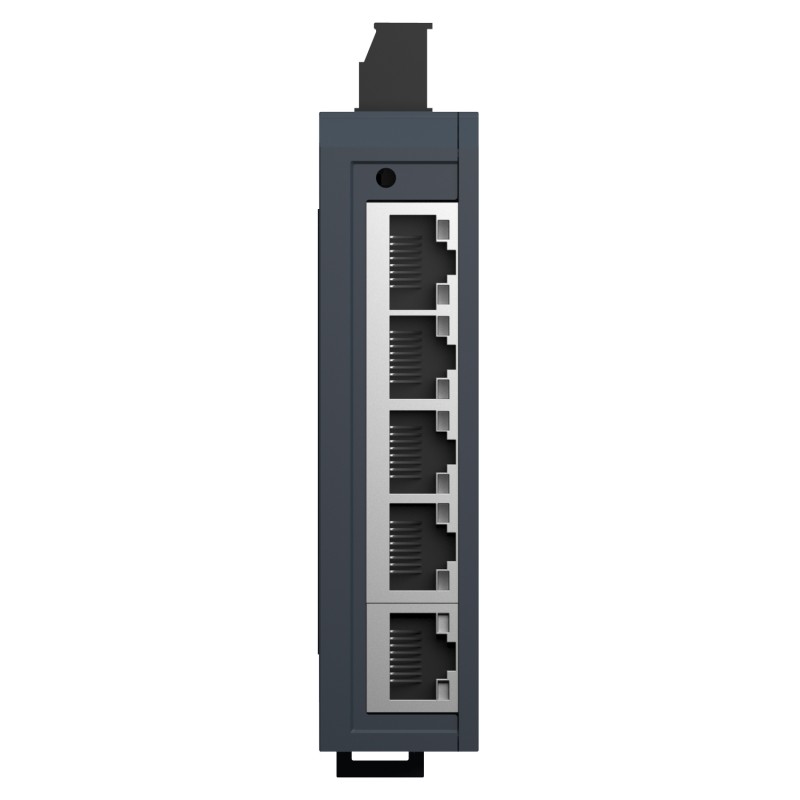
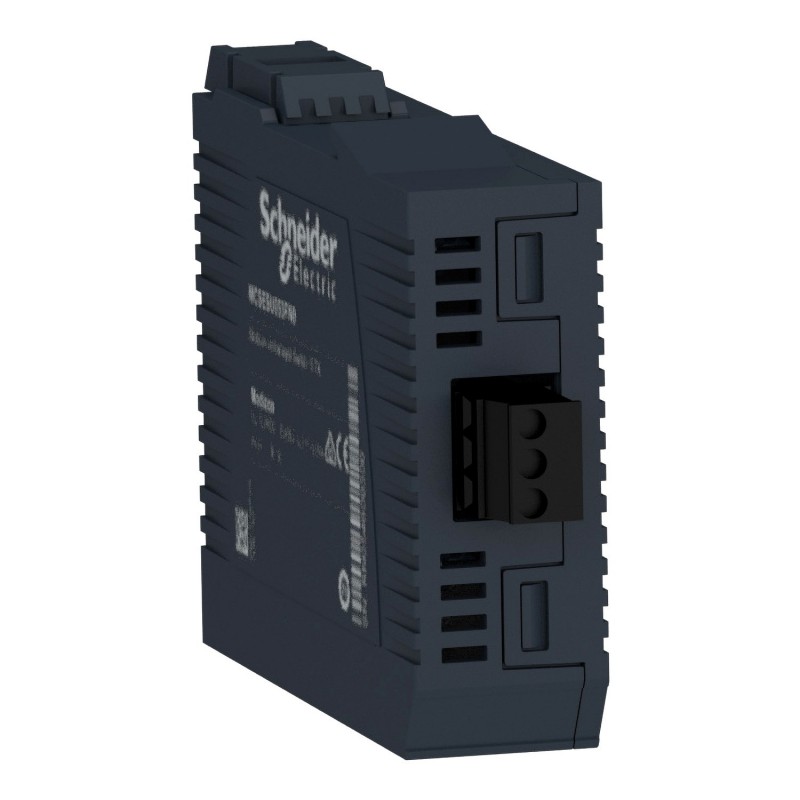
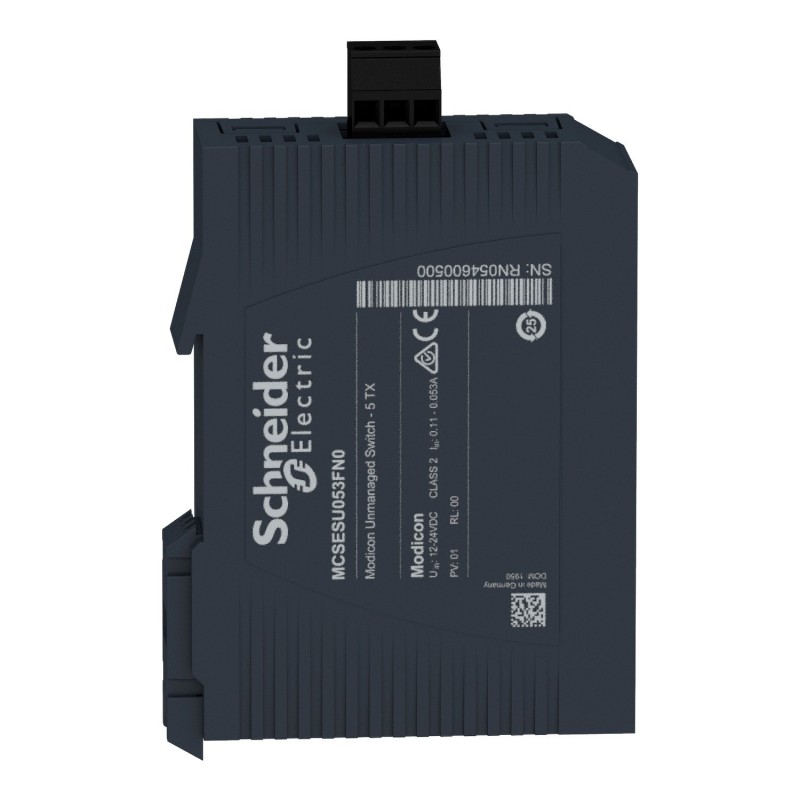
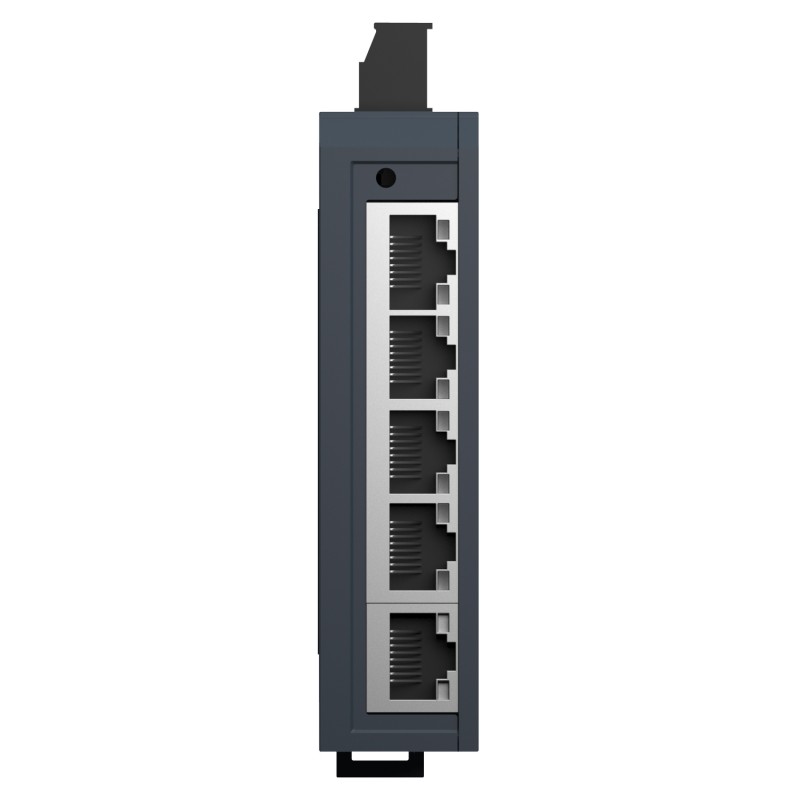
The Schneider Electric MCSESU053FN0 is a five-port unmanaged Ethernet switch in the Modicon Networking range. It connects compatible industrial devices over copper Ethernet, allowing PLCs, HMIs, industrial computers, and other network-enabled equipment to exchange data across a local control network.
In a compact automation cabinet, several devices may need Ethernet connections even when the machine does not require managed switching functions. The MCSESU053FN0 provides five 10/100BASE-TX copper ports with shielded RJ45 connections, making it suitable for straightforward network layouts where devices communicate over standard industrial Ethernet cabling.
For example, a packaging machine may have a PLC, an operator terminal, a barcode reader, a supervisory computer, and another network-enabled device. The switch provides the physical connections needed to bring these devices onto the same Ethernet segment. Communication between them still depends on their individual protocols, IP configuration, and application settings.
Because the MCSESU053FN0 is unmanaged, it does not require a network management interface for routine operation. This simplifies deployment in small, relatively uncomplicated networks where fixed connectivity is sufficient. It is not a substitute for a managed switch when the installation requires VLAN configuration, advanced diagnostics, traffic prioritization, or other managed-network functions.
The switch operates from a DC supply within its specified input range of 9.6–32 V DC. Its low power consumption and 35 mm symmetrical DIN-rail mounting make it suitable for installation alongside control equipment in an electrical enclosure. Status LEDs help technicians identify power and Ethernet link activity during commissioning and troubleshooting.
Cable selection also matters. The switch uses shielded RJ45 copper connections and supports CAT 5E shielded twisted-pair cabling. The specified maximum copper cable distance between devices is 100 m. Correct cable routing, grounding, and separation from sources of electrical interference remain important in industrial environments.
The MCSESU053FN0 is best suited to compact networks that need simple Ethernet connectivity rather than advanced network administration. Before integrating it into a machine, engineers should consider the number of connected devices, communication requirements, network traffic, and the diagnostic capabilities needed for ongoing maintenance.
Technical Specifications
| Parameter | Specification |
|---|---|
| Manufacturer | Schneider Electric |
| Model | MCSESU053FN0 |
| Product Type | Ethernet TCP/IP Unmanaged Switch |
| Product Family | Modicon Networking |
| Network Protocol | Ethernet TCP/IP |
| Ethernet Ports | 5 copper ports |
| Port Type | 10/100BASE-TX |
| Connector Type | Shielded RJ45 |
| Supported Cabling | CAT 5E shielded twisted-pair copper cable |
| Maximum Copper Cable Distance | 100 m between devices |
| Switching Type | Unmanaged |
| Rated Supply Voltage | 12–24 V DC |
| Supply Voltage Limits | 9.6–32 V DC SELV |
| Power Consumption | 1.3 W |
| Power Connection | Removable 3-way power supply connector |
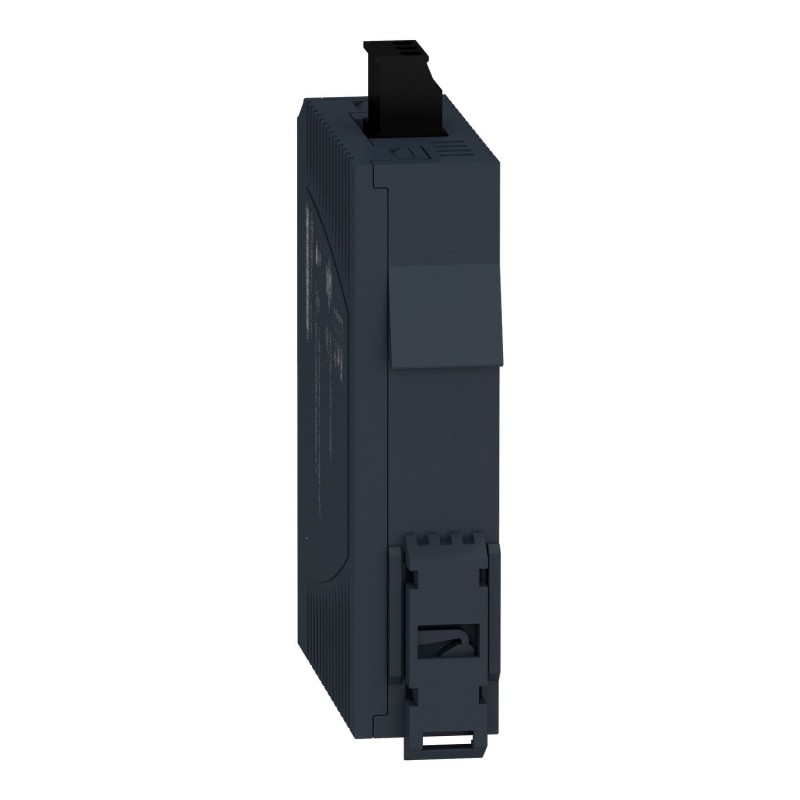
| Mounting Support | 35 mm symmetrical DIN rail |
| Power Indicator | Green LED |
| Ethernet Link/Data Indicators | Yellow channel LEDs and a dual-colour green/yellow link-status LED |
| Maximum Number of Switches in Cascade | Unlimited, according to the product specification |
| Protection Rating | IP30 |
| Operating Temperature | 0–60°C |
| Relative Humidity | 10–95%, non-condensing |
| Standards | UL 61010-2-201; EN/IEC 61131-2 |
| Product Certifications | CE, UL, RCM, EAC, UKCA |
| Dimensions | 26 × 79 × 102 mm |
| Weight | 0.125 kg |
Product Features
- Five copper Ethernet ports: Connects up to five Ethernet devices directly to the switch.
- 10/100BASE-TX connectivity: Supports standard 10 Mbps and 100 Mbps Ethernet connections.
- Unmanaged operation: Requires no routine network-management configuration.
- Wide DC input range: Accepts 9.6–32 V DC within the specified supply limits.
- Shielded RJ45 connections: Supports shielded copper Ethernet cabling for industrial installations.
- DIN-rail mounting: Fits standard 35 mm symmetrical DIN-rail arrangements.
- Low power consumption: Uses approximately 1.3 W during operation.
- LED status indication: Helps technicians check power and individual Ethernet connections.
- Compact installation format: Suits control cabinets with limited rail space.
- IP30 protection: Intended for installation in an appropriately protected industrial environment.
Working Principle
The MCSESU053FN0 receives Ethernet frames through one of its copper ports and forwards traffic to the appropriate connected port. Because it is an unmanaged switch, its basic forwarding operation takes place without requiring the user to configure VLANs, routing rules, or other managed-network settings.
PLC / HMI / Industrial PC / Other Ethernet Devices → MCSESU053FN0 → Connected Ethernet Devices
Consider a machine where a PLC exchanges operating data with an HMI while another Ethernet device sends production information to a computer. Each device connects to one of the switch’s five ports. The switch provides the local Ethernet connectivity needed for these devices to exchange frames, while the endpoints handle their own application protocols and addressing.
The switch does not determine what the PLC commands or how the HMI displays information. Instead, it handles the network traffic between connected devices. If two endpoints cannot communicate, the problem may involve IP addressing, subnet settings, application configuration, cabling, or the endpoint itself rather than the switch.
Each port supports 10/100BASE-TX copper Ethernet. The connected equipment and cable must support the intended network speed, and the copper cable distance between devices should remain within the specified 100 m limit. Shielded CAT 5E cabling is appropriate for the stated connection arrangement.
The power connection uses a removable three-way connector. The supply must remain within the specified 9.6–32 V DC range, and the installation must meet the requirements for SELV power and protective wiring. The power LED provides a quick indication that the switch is receiving power.
The channel LEDs help identify Ethernet link and data-rate conditions, while the dual-colour indicator provides link-status information. During commissioning, these indicators can help distinguish a physical connection problem from a higher-level communication issue. A lit link indicator alone does not confirm that the connected application is exchanging valid data.
As an unmanaged device, the MCSESU053FN0 is intended for networks where straightforward connectivity is sufficient. If the system requires traffic segmentation, network redundancy features, advanced event logs, or detailed remote diagnostics, the network architecture may need additional or different switching equipment.
Role in a Modicon Industrial Ethernet Network
The MCSESU053FN0 acts as a local Ethernet connection point within an industrial control network. It links network-enabled devices so that supported Ethernet communication can take place between the connected endpoints.
Industrial Ethernet Devices → MCSESU053FN0 → PLC / HMI / Supervisory Equipment
| System Component | Function |
|---|---|
| Schneider Electric MCSESU053FN0 | Provides five-port unmanaged Ethernet connectivity |
| PLC | Executes machine logic and exchanges control data |
| HMI | Displays machine status and accepts operator commands |
| Industrial Computer | Runs supervisory, data-collection, or production applications |
| Ethernet-Enabled Sensors or Devices | Exchange supported network data where applicable |
| Shielded CAT 5E Ethernet Cable | Connects devices to the switch’s RJ45 ports |
| 24 V DC Control Power Supply | Supplies power when operated within the switch’s permitted input range |
| DIN Rail | Supports installation within the electrical enclosure |
| Grounding and Shielding Arrangement | Helps maintain electrical safety and manage interference |
Industrial Applications
| Application | Typical Use |
|---|---|
| PLC Control Cabinets | Connecting a PLC, HMI, and other Ethernet-enabled equipment |
| Packaging Machinery | Linking machine control and operator-interface devices |
| Automated Assembly Lines | Providing local network connections between controllers and supervisory equipment |
| Material Handling Systems | Connecting Ethernet-enabled control devices within a machine |
| Water and Wastewater Equipment | Linking supported monitoring and control devices on a local network |
| Building and Utility Control Panels | Connecting compatible Ethernet-based automation equipment |
| Production Data Collection | Providing network connectivity for industrial computers and data terminals |
| Machine Vision Systems | Connecting compatible Ethernet devices where the required bandwidth and topology are suitable |
| Test Benches | Linking controllers, operator terminals, and test computers |
| Standalone Industrial Machines | Providing simple local Ethernet connectivity without managed switching functions |
The switch is most appropriate for compact industrial networks where five copper Ethernet ports and unmanaged operation meet the communication requirements.
Installation and Maintenance
- Verify the DC supply: Confirm that the supply voltage remains within the specified 9.6–32 V DC range and that the power arrangement meets the installation requirements.
- Check connector wiring: Use the correct removable power connector and confirm polarity and terminal assignments before applying power.
- Mount securely on the DIN rail: Install the switch on a compatible 35 mm symmetrical DIN rail and check that the housing is properly seated.
- Plan the network layout: Assign the five ports according to the machine’s connection requirements and leave suitable access for servicing.
- Use suitable Ethernet cables: Select shielded CAT 5E twisted-pair copper cables compatible with the RJ45 ports.
- Respect cable-distance limits: Keep each copper Ethernet connection within the specified maximum distance of 100 m between devices.
- Route cables carefully: Separate Ethernet wiring from high-noise power circuits where practicable and follow the installation’s grounding and shielding practices.
- Check the operating environment: Maintain ambient temperature and humidity within the specified limits and protect the switch from conditions outside its IP30 rating.
- Inspect the power indicator: Confirm that the green power LED indicates normal power presence after energizing the switch.
- Check individual port indicators: Inspect the link and data-rate LEDs to identify disconnected cables, inactive devices, or unexpected link conditions.
- Test endpoint communication: Verify IP settings and application-level communication between the connected devices rather than relying on link indicators alone.
- Record network connections: Document port assignments, connected equipment, cable routes, and power arrangements to simplify future fault diagnosis.
If a connected device loses communication, first inspect the cable, connector seating, link indicators, and endpoint configuration. Where the physical connection appears normal, check IP addressing, subnet settings, and the relevant application protocol before replacing the switch.
Related Components
| Component | Function |
|---|---|
| Schneider Electric MCSESU053FN0 | Provides five-port unmanaged Ethernet connectivity |
| Modicon PLC | Executes control logic and exchanges machine data |
| HMI Terminal | Provides operator access to machine status and commands |
| Industrial Computer | Supports monitoring, production data collection, or supervisory applications |
| Shielded CAT 5E Ethernet Cable | Connects network devices through the switch’s RJ45 ports |
| 24 V DC Power Supply | Supplies the switch within its permitted DC input range |
| 35 mm DIN Rail | Supports mounting inside the control cabinet |
| Ethernet-Enabled Automation Devices | Exchange supported network traffic with connected equipment |
| Grounding and Shielding Accessories | Support the installation’s electrical and electromagnetic-compatibility requirements |
Recommended Related Models
| Model | Product Type | Typical Application |
|---|---|---|
| Schneider MCSESU083FN0 | Modicon Networking 8-Port Unmanaged Ethernet Switch | Networks requiring additional copper Ethernet ports |
| Schneider MCSESU053F1CU0 | Modicon Networking 5-Port Switch with Copper and Multimode Fibre Connectivity | Networks requiring a fibre-optic connection alongside copper ports |
| Schneider MCSESU083F2CU0 | Modicon Networking 8-Port Switch with Copper and Multimode Fibre Connectivity | Industrial networks requiring more copper connections and multimode fibre |
| Schneider MCSESU083F2CS0 | Modicon Networking 8-Port Switch with Copper and Single-Mode Fibre Connectivity | Networks requiring single-mode fibre connectivity |
Key Advantages
- Connects five Ethernet devices through copper ports.
- Supports standard 10/100BASE-TX Ethernet.
- Requires no routine managed-switch configuration.
- Accepts a wide range of DC input voltages.
- Uses shielded RJ45 connectors and CAT 5E cabling.
- Supports straightforward DIN-rail installation.
- Provides LED indicators for power and port status.
- Suits compact industrial networks with basic connectivity requirements.
Technical FAQs
Can the MCSESU053FN0 connect a PLC and an HMI on the same local network?
Yes. The switch can provide the physical Ethernet connection between a PLC and HMI, provided both devices support compatible Ethernet communication and their network settings are configured correctly. The switch does not configure the devices’ IP addresses or application protocols.
Does the MCSESU053FN0 require an IP address for normal switching?
As an unmanaged switch, it does not require a routine management IP address to perform its basic Ethernet forwarding function. Network addressing is configured on the connected endpoints according to the network design.
What should be checked if a port LED is on but the connected device cannot communicate?
A link indication confirms a physical Ethernet link condition, not successful application communication. Check the endpoint’s IP address, subnet configuration, protocol settings, cable integrity, and application status. If other devices communicate normally through the same switch, investigate the affected endpoint and its connection first.
When should an unmanaged switch be replaced by a managed industrial switch?
A managed switch is more appropriate when the network requires VLAN segmentation, advanced diagnostics, traffic prioritization, redundancy functions, or remote configuration. The MCSESU053FN0 is intended for simpler networks where basic Ethernet connectivity meets the operational requirements.