

ProductPRODUCT
Featured products

Contact Us
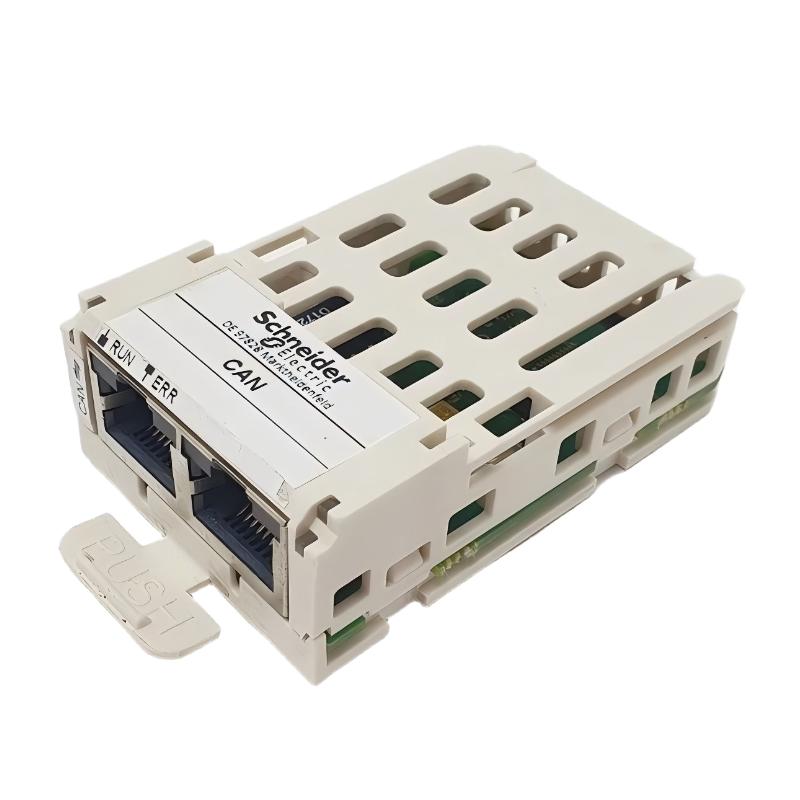
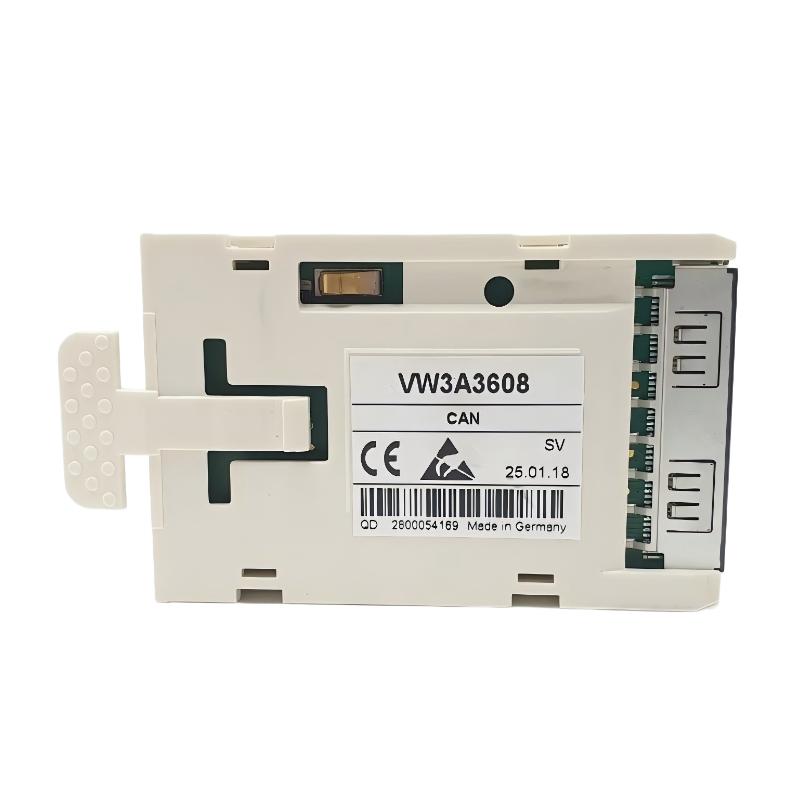
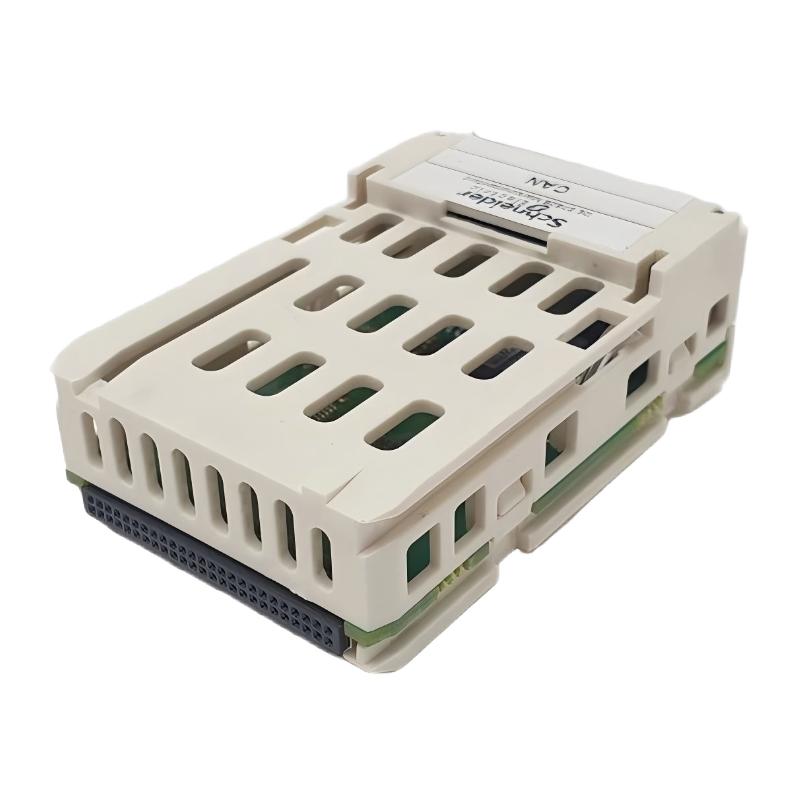
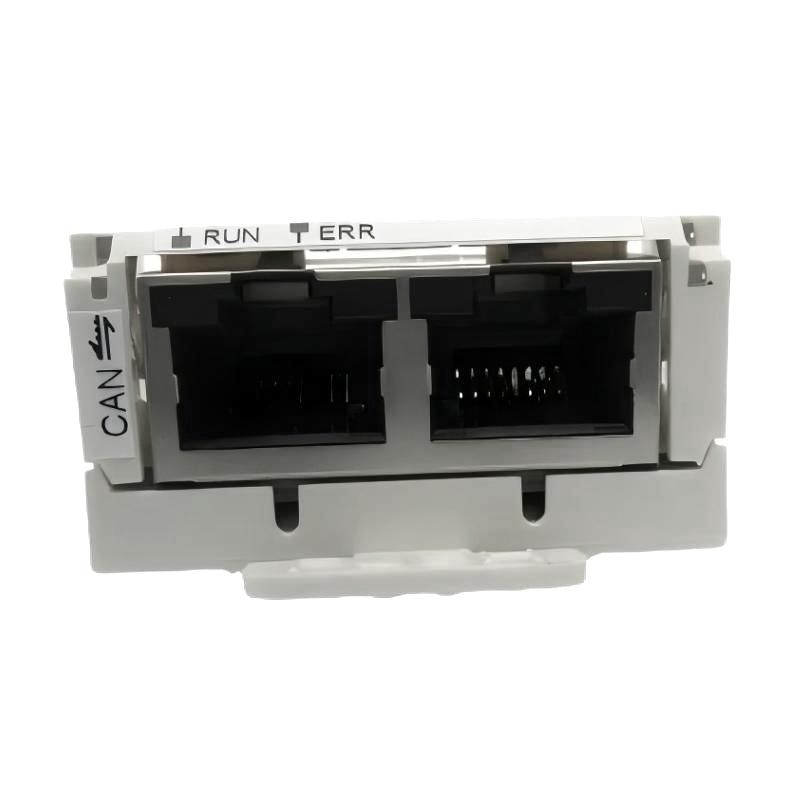
- Schneider
- VW3A3608
- Communication Module
- France
- 88 x 62 x 47 mm
- 0.066 kg
- Xiamen, China
- New & In Stock
- T/T, PayPal, Western Union
- 1 Year
- 1-3 Working Days
- DHL, UPS, TNT, FedEx and EMS.
- 24-Hour Service
- COO
- 18
Our advantage

Global Logistics
We have a 10-year logistics and express cooperation agreement, so our products can be shipped to any place in the world.

Brand new and original
Our products are imported in bulk from the place of origin. Because of the cooperative relationship, our products are all original and 100% new.

24-hour service
We provide 7*24 hours service to our customers. We will be there whenever you need us.

Price advantage
All our products are priced very favorably because we have our own warehouse and supply.
| Company Information | |||
| [email protected] | |||
| Mobile | +8615980777398 | ||
| +8615980777398 | |||
| 15980777398 |
1. Product Overview
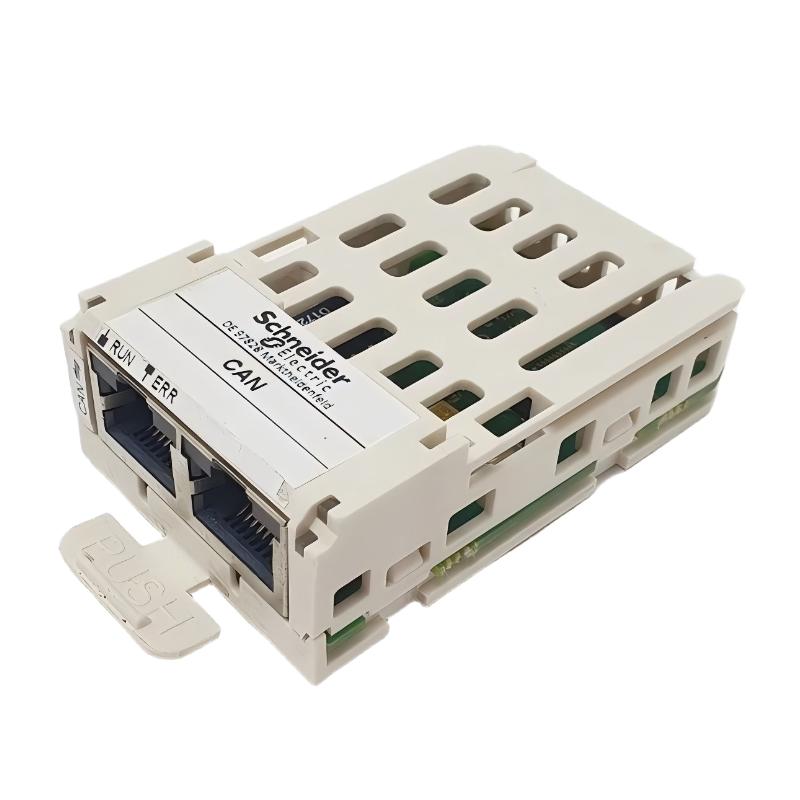
The Schneider Electric VW3A3608 Communication Module is an industrial automation component identified by the model number VW3A3608. Communication modules are used in automation systems to provide designated connectivity between compatible devices, helping equipment exchange information within an industrial control architecture.
In modern industrial environments, communication interfaces support the coordination of drives, controllers, supervisory systems, and other automation equipment. The appropriate communication module depends on the intended application, supported communication interface, device compatibility, and system configuration.
The VW3A3608 should be identified and evaluated according to its exact model designation and the requirements of the target equipment. The specific communication protocol, supported devices, connector arrangement, and configuration requirements should be confirmed from the applicable technical documentation before installation.
The supplied dimensions are 88 × 62 × 47 mm, and the listed weight is 0.066 kg. These specifications are useful for preliminary product identification, equipment layout planning, and spare-parts management. They do not independently establish the module’s communication protocol or compatibility with a particular drive or controller.
For maintenance engineers, system integrators, and industrial automation buyers, selecting the correct communication module helps reduce integration errors and supports reliable equipment operation.
2. Technical Specifications
| Parameter | Specification |
|---|---|
| Brand | Schneider Electric |
| Model Number | VW3A3608 |
| Product Type | Communication Module |
| Product Category | Industrial automation communication accessory |
| Dimensions | 88 × 62 × 47 mm |
| Weight | 0.066 kg |
| Primary Function | Communication connectivity, subject to model-specific verification |
| Communication Protocol | Confirm the supported protocol for the exact model |
| Compatible Equipment | Verify the supported controller, drive, or automation device |
| Physical Interface | Confirm the connector and interface specifications |
| Electrical Requirements | Follow the applicable product documentation |
| Configuration Requirements | Verify supported settings and software requirements |
| Mounting Method | Follow the approved installation procedure |
| Operating Environment | Confirm the specified environmental limits |
| Replacement Requirements | Match the complete model number and system requirements |
The dimensions and weight listed above are based on the supplied product information. The supported communication protocol, data rate, connector type, network topology, and compatible equipment should be verified before purchasing or commissioning the module.
3. Function and Working Principle
A communication module provides a designated interface through which compatible automation devices can exchange information. Depending on the product architecture, this information may include operating data, control commands, device status, or diagnostic information.
The exact working principle of the VW3A3608 must be confirmed for the specific model and intended equipment. Its product name alone does not establish which protocol it supports or whether it is designed for a particular industrial network.
3.1 Communication Interface
A communication module connects equipment through a supported physical and logical interface. Reliable operation requires compatible interfaces at both ends of the connection and the correct configuration of the connected devices.
Before integrating the VW3A3608, verify its designated interface and supported communication standards.
3.2 Data Exchange
Depending on its capabilities, a communication module may support the exchange of information between an automation device and other components in the control system. The types of data exchanged depend on the protocol, device functions, and application configuration.
The specific data-handling capabilities of the VW3A3608 should be confirmed using the applicable technical specifications.
3.3 Device Integration
Industrial automation systems often combine equipment from different functional groups, including drives, controllers, and supervisory interfaces. Communication hardware must match the requirements of the target device and the overall system architecture.
Correct module selection helps avoid unsupported connections and configuration problems.
3.4 Diagnostic Information
Some communication interfaces support device-status reporting and diagnostic information that can help maintenance personnel investigate network or connection faults.
The diagnostic features available with the VW3A3608 depend on its verified functions and the equipment with which it is used.
4. Role in Industrial Automation Systems
Communication modules support information exchange between compatible components in an industrial control system. Their exact role depends on the supported protocol and the devices being integrated.
Variable Speed Drive Integration
Industrial drive systems may use dedicated communication accessories to connect drives with controllers or supervisory equipment. Such connections can support selected monitoring and control functions when the relevant hardware and protocol are compatible.
The suitability of the VW3A3608 for a particular drive installation must be confirmed before use.
Controller Connectivity
Automation controllers coordinate equipment operation by processing application logic and exchanging information with connected devices. Compatible communication modules can provide the interfaces needed for supported data exchange.
The target controller’s hardware and software requirements should be checked before integration.
Supervisory Monitoring
Industrial installations may use supervisory systems to monitor equipment states, process information, and operational conditions. Communication hardware can help transfer supported information between devices and the supervisory layer.
The functions available depend on the network architecture and the module’s confirmed capabilities.
Maintenance and Diagnostics
Communication faults can interrupt data exchange and affect system availability. Correct module identification, suitable configuration, and documented connection details help maintenance personnel investigate faults systematically.
5. Industrial Applications
The suitability of the VW3A3608 for a particular application depends on its verified communication function and compatibility. The following examples describe general industrial environments where appropriate communication modules may be used.
Manufacturing Machinery
Manufacturing systems use connected controllers and devices to coordinate machine sequences, monitor operating states, and manage production processes. Compatible communication interfaces help the relevant equipment exchange required information.
Before installation, verify the module’s supported protocol and the requirements of the connected devices.
Packaging Equipment
Packaging machinery may integrate controllers, drives, operator interfaces, and other automation components. Communication modules can support data exchange when their interfaces match the equipment and system design.
The module should only be used where its compatibility and intended function have been confirmed.
Material Handling Systems
Conveyors, sorting equipment, and transfer systems often contain multiple interconnected control devices. Communication interfaces help compatible components exchange operational information as part of the system architecture.
Network configuration and cable routing should follow the requirements of the selected communication technology.
Industrial Drive Systems
Drive installations may use communication accessories for integration with a controller or a wider automation network. Correct selection is essential to ensure that the intended interface and functions are supported.
Confirm the exact drive model and approved accessories before selecting the VW3A3608.
Equipment Modernization
When upgrading or repairing an existing control system, engineers may need to replace a communication module while preserving the established architecture. Compatibility with the existing devices, protocol, and configuration is essential.
A replacement should not be selected solely because it has similar dimensions or a comparable product description.
6. Installation and System Integration
Correct installation helps reduce connection faults and configuration errors. The following workflow provides general guidance; the instructions for the exact module and connected equipment take precedence.
Step 1: Verify the Model Number
Inspect the product label or packaging and confirm that the model is VW3A3608. Compare it with the equipment documentation, original module, and spare-parts records.
Do not substitute a similar-looking module without confirming its compatibility.
Step 2: Identify the Target Equipment
Determine the exact model of the drive, controller, or other device intended to use the module. Confirm that the VW3A3608 is supported by that equipment and that the intended communication function is available.
Step 3: Review the Communication Requirements
Confirm the supported protocol, physical interface, connection method, and any network configuration requirements. Check the approved system drawings and relevant technical documentation before making connections.
Do not infer the communication protocol from the product name alone.
Step 4: Isolate Equipment When Required
Place the equipment in the required safe state and isolate relevant power sources according to the manufacturer’s instructions and site lockout/tagout procedures.
Do not install or remove the module while equipment is powered unless the documentation explicitly permits that procedure.
Step 5: Inspect the Module and Interface
Check the module housing, connectors, mounting features, and installation area for visible damage or contamination. Confirm that the module can be installed using the approved mounting arrangement.
Step 6: Install the Module
Fit the module according to the specified installation procedure. Ensure that mechanical connections are properly engaged and that any required electrical or communication connections are secure.
Avoid excessive force, which may damage connectors or mounting features.
Step 7: Configure the Communication System
Where configuration is required, set up the connected devices according to the supported protocol and system design. Verify applicable network settings, device identification, and controller configuration.
The precise parameters depend on the module and the equipment being connected.
Step 8: Restore Power and Verify Operation
After completing installation and inspection, restore power according to the approved commissioning procedure. Check the equipment’s status and review available diagnostics for communication-related errors.
Confirm that the intended data exchange works correctly before returning the system to normal operation.
7. Common Problems and Troubleshooting
Communication problems may arise from incorrect module selection, incompatible protocols, connection faults, configuration errors, or faults elsewhere in the network.
| Symptom | Possible Cause | Recommended Action |
|---|---|---|
| Module is not recognized | Unsupported hardware, incorrect installation, or connection problem | Verify the model, equipment compatibility, and mounting |
| No communication with the connected device | Incorrect interface, incompatible protocol, or configuration error | Check the supported protocol, wiring, and device settings |
| Intermittent communication | Loose connection, damaged cable, interference, or unstable power | Inspect connections and verify the installation conditions |
| Network reports an error | Incorrect configuration or a fault in the communication path | Review diagnostic messages and approved network settings |
| Data is missing or unexpected | Unsupported function, incorrect configuration, or device-side issue | Confirm supported data functions and review controller diagnostics |
| Module fault persists after replacement | The underlying issue may be external to the module | Check the connected equipment, cables, power, and configuration |
| Equipment cannot establish a connection | Incorrect device settings or incompatible communication interfaces | Verify compatibility and compare settings with the approved system design |
7.1 Check Hardware Compatibility
Confirm that the VW3A3608 is supported by the target device. A module that physically fits may still be incompatible with the controller or drive.
Check the complete model numbers and any applicable hardware or firmware requirements.
7.2 Inspect Connections
Inspect the relevant connectors and cables for looseness, contamination, and visible damage. Confirm that the connection method and pin assignments match the equipment documentation.
Replace damaged cables or connectors using approved components and procedures.
7.3 Review Communication Settings
Where configuration is required, compare the installed settings with the approved system configuration. Incorrect device identification, protocol selection, or other parameters may prevent communication.
Avoid changing unrelated settings during troubleshooting.
7.4 Review Diagnostic Information
Record error messages and status indicators before making changes. Use the diagnostic tools supported by the controller, drive, or communication system to help identify the source of the fault.
7.5 Investigate External Causes
If the module appears to be installed correctly but communication remains unavailable, investigate associated devices, cables, power supplies, network configuration, and other components in the communication path.
Do not assume that the module itself is defective until the surrounding system has been checked.
8. Preventive Maintenance and Reliability
Routine inspection and accurate configuration records help maintain communication reliability in industrial automation systems.
- Inspect the module: Check the housing and connectors for visible damage or contamination.
- Check connections: Inspect relevant cables and connection points during scheduled maintenance.
- Monitor diagnostics: Record recurring communication errors and investigate their underlying causes.
- Maintain configuration records: Keep accurate network settings, equipment models, and system drawings.
- Protect spare parts: Store replacement modules in suitable packaging and protect them from moisture, impact, and electrostatic discharge where applicable.
- Document replacements: Record the model number, installation date, and commissioning results.
- Review compatibility: Confirm that replacement modules meet the requirements of the installed hardware and software.
- Follow approved procedures: Observe the manufacturer’s installation instructions and site electrical safety requirements.
Inspection intervals should reflect the installation environment, system criticality, and the site’s maintenance policy.
9. Compatibility and Replacement Considerations
Selecting a replacement for the Schneider Electric VW3A3608 requires verification of its intended function and compatibility with the installed automation system.
| Selection Factor | What to Verify |
|---|---|
| Exact model | Confirm VW3A3608 |
| Dimensions | 88 × 62 × 47 mm |
| Weight | 0.066 kg |
| Communication protocol | Verify the supported protocol for the exact model |
| Physical interface | Confirm connector type and connection requirements |
| Equipment compatibility | Check the supported drive, controller, or automation device |
| Hardware and firmware | Confirm any applicable support requirements |
| Configuration | Verify required settings and system integration procedures |
| Environmental conditions | Check the specified operating limits |
| Replacement condition | Inspect the module and confirm its suitability for installation |
Selecting an Alternative Module
An alternative communication module should only be selected after its protocol, physical interface, supported devices, and configuration requirements have been confirmed. Similar dimensions or a comparable product description do not establish technical equivalence.
When maintaining a legacy system, retaining the original supported model may reduce the need for changes to wiring or configuration. If an alternative is necessary, validate its compatibility and operation before returning the system to service.
10. Key Benefits of Correct Communication Module Selection
Choosing a communication module that matches the installed system supports more reliable integration and efficient maintenance.
Appropriate System Integration
A compatible module supports the intended communication architecture and reduces the risk of unsupported connections.
Reliable Information Exchange
Correct hardware selection and configuration help establish the communication functions required by the system design.
Efficient Troubleshooting
Accurate model identification and configuration records help maintenance personnel investigate connection problems more systematically.
Better Spare-Parts Management
Recording the complete model number and verified technical characteristics supports inventory accuracy and replacement planning.
Organized Equipment Maintenance
Documented installation and commissioning procedures help technicians maintain consistent practices across industrial automation equipment.
These benefits depend on confirming the module’s actual capabilities and using it in a compatible system.
11. Technical FAQs
Q1: What is the Schneider Electric VW3A3608?
The VW3A3608 is identified in the supplied product information as a Schneider Electric Communication Module. Its exact protocol and functional role should be confirmed from the technical documentation for the specific model.
Q2: What are the dimensions of the VW3A3608?
The supplied dimensions are 88 × 62 × 47 mm.
Q3: How much does the VW3A3608 weigh?
The supplied product weight is 0.066 kg.
Q4: Which communication protocol does the VW3A3608 support?
The supported protocol has not been established by the supplied product information. Confirm the exact communication standard before selecting or integrating the module.
Q5: Which Schneider Electric devices are compatible with this module?
Compatibility must be verified against the exact device models and hardware configuration. Do not assume that the module is compatible with every Schneider Electric drive or controller.
Q6: What should be checked if the module does not communicate?
Verify hardware compatibility, connector seating, cable condition, protocol settings, and controller diagnostics. Follow the approved troubleshooting procedure for the installed system.
Q7: Does the VW3A3608 require configuration?
Configuration requirements depend on the module’s functions and the connected equipment. Check the applicable technical documentation for any required settings or software support.
Q8: Can a similar communication module replace the VW3A3608?
Only if the alternative is confirmed to support the required protocol, physical interface, connected equipment, and configuration. Similar dimensions alone are not sufficient.
Q9: Can the module be installed while the equipment is powered?
Do not assume that powered installation or removal is supported. Follow the manufacturer’s instructions and isolate the equipment when required.
Q10: How can communication-related downtime be reduced?
Use compatible hardware, follow approved installation procedures, maintain accurate configuration records, inspect connections regularly, and investigate recurring diagnostic errors.
12. Conclusion
The Schneider Electric VW3A3608 Communication Module is an industrial automation component identified for communication-related applications. Its supplied dimensions of 88 × 62 × 47 mm and weight of 0.066 kg provide useful information for product identification, installation planning, and spare-parts management.
Before installation or replacement, verify the module’s precise communication protocol, compatible equipment, electrical and interface requirements, and configuration needs. Correct installation, systematic troubleshooting, and documented maintenance procedures help reduce avoidable connection faults and support reliable industrial control system operation.
For automation engineers, maintenance teams, and industrial spare-parts buyers, confirming the complete model designation and system compatibility is essential to selecting the VW3A3608 for its intended application.