

ProductPRODUCT
Featured products

Contact Us
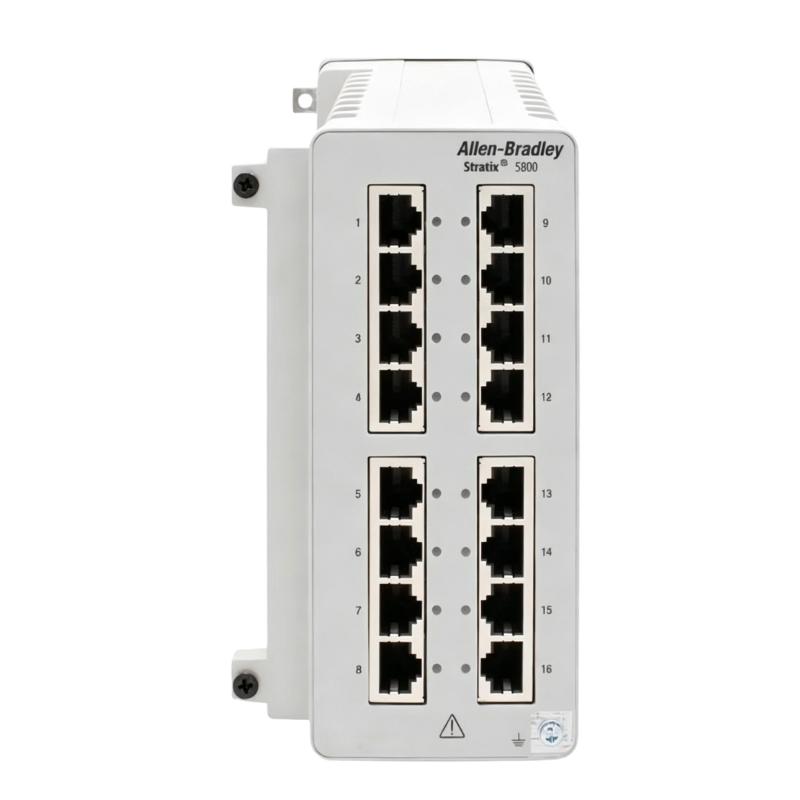
- Allen Bradley
- 1783-MMX14T2S
- Expansion Module
- USA
- 152.4 × 77.2 × 151.6 mm
- 1.81 kg
- Xiamen, China
- New & In Stock
- T/T, PayPal, Western Union
- 1 Year
- 1-3 Working Days
- DHL, UPS, TNT, FedEx and EMS.
- 24-Hour Service
- COO
- 37
Our advantage

Global Logistics
We have a 10-year logistics and express cooperation agreement, so our products can be shipped to any place in the world.

Brand new and original
Our products are imported in bulk from the place of origin. Because of the cooperative relationship, our products are all original and 100% new.

24-hour service
We provide 7*24 hours service to our customers. We will be there whenever you need us.

Price advantage
All our products are priced very favorably because we have our own warehouse and supply.
| Company Information | |||
| [email protected] | |||
| Mobile | +8615980777398 | ||
| +8615980777398 | |||
| 15980777398 |
Product Overview
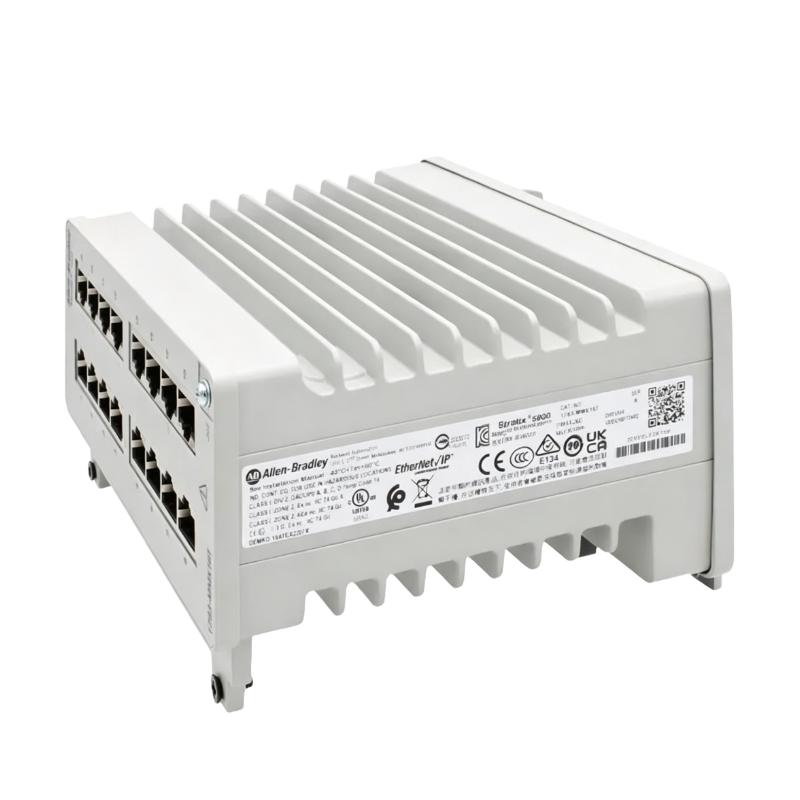
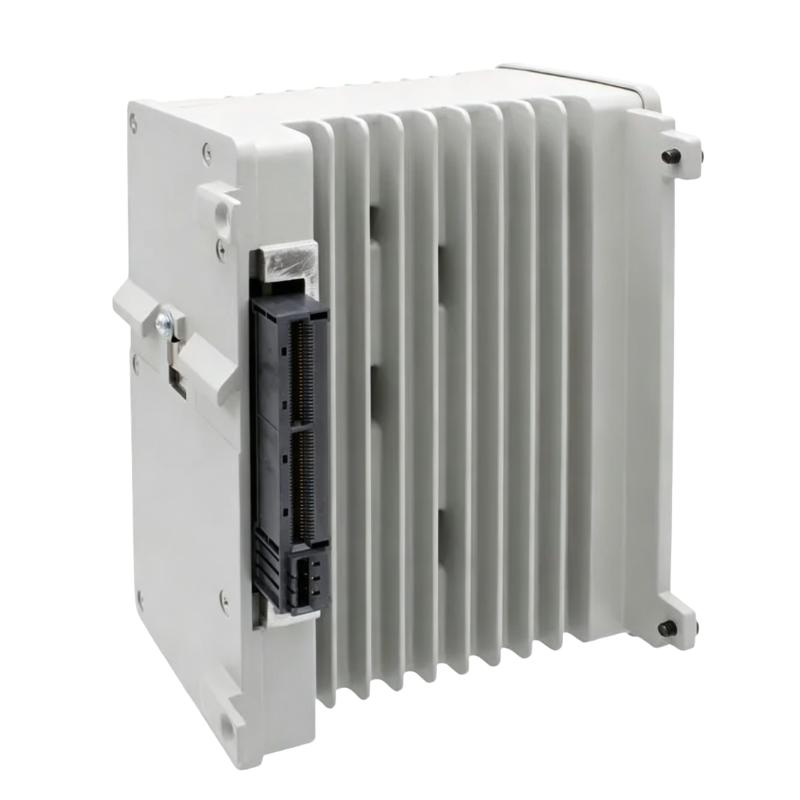
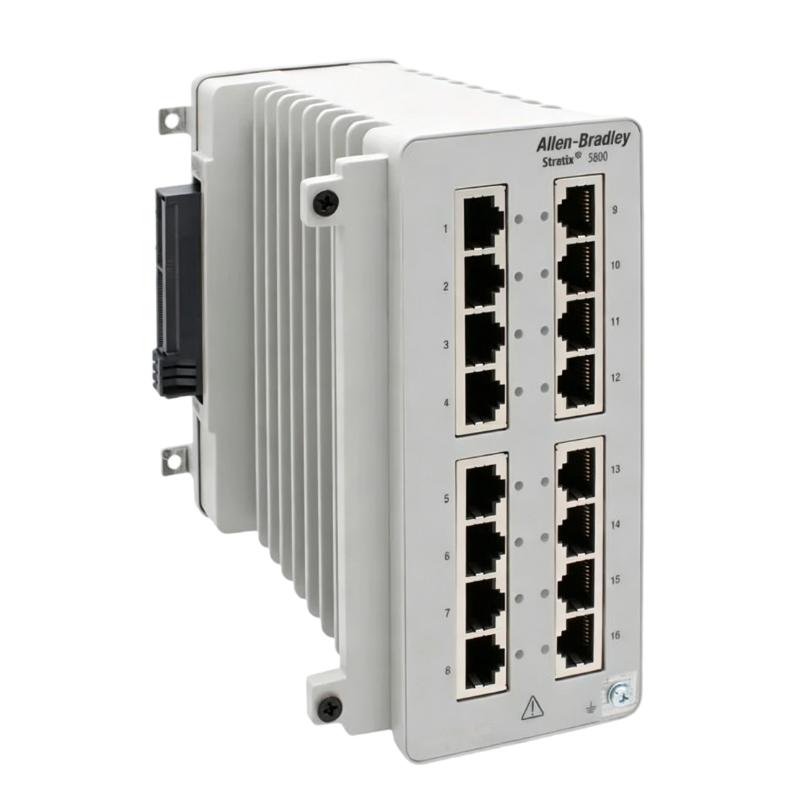
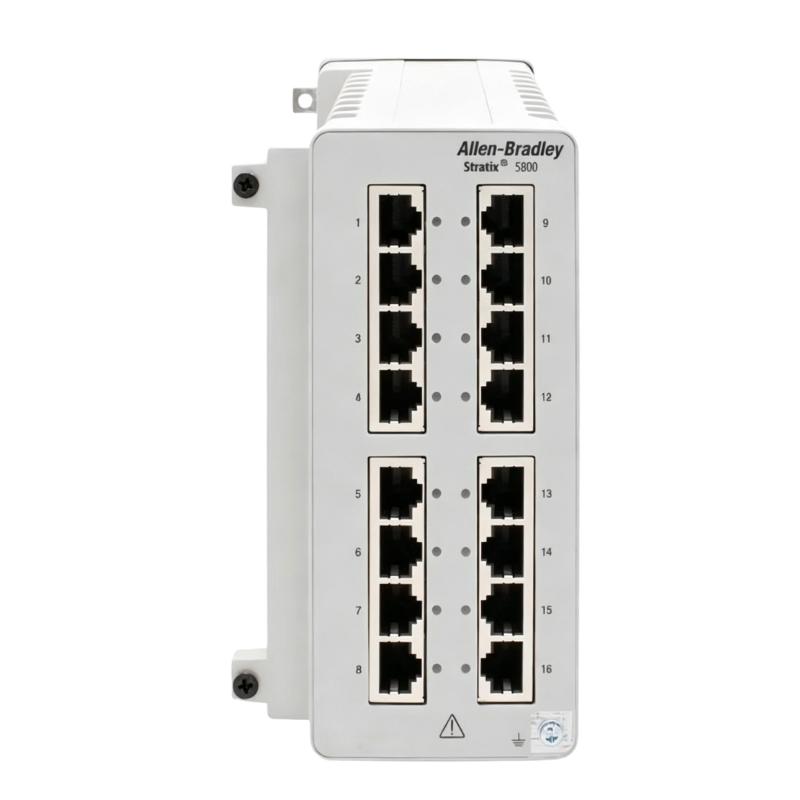
The Allen Bradley 1783-MMX14T2S is a Stratix 5800 expansion module used to extend the networking capabilities of a compatible industrial Ethernet switch. Rather than operating as a standalone controller or field I/O device, the module forms part of the switch infrastructure and adds network interface capacity to the overall Stratix 5800 configuration.
Expansion modules are useful when an existing industrial network needs additional connectivity without replacing the primary switching platform. In an automation cabinet, the module can be integrated with the associated Stratix 5800 switch to accommodate a broader range of network connections and equipment.
The 1783-MMX14T2S is therefore relevant to industrial Ethernet installations that are being expanded, reconfigured, or maintained. Typical environments include manufacturing cells, process-control cabinets, machine networks, and plant-floor automation systems where additional network connectivity needs to be incorporated into an established Stratix architecture.
Technical Specifications
| Parameter | Specification |
|---|---|
| Manufacturer | Allen Bradley |
| Product Model | 1783-MMX14T2S |
| Product Type | Expansion Module |
| Product Family | Stratix 5800 |
| Series | Stratix 5800 |
| Module Type | Network Expansion Module |
| Primary Function | Industrial Ethernet Network Expansion |
| System Role | Network Infrastructure |
| Application | Industrial Automation Networking |
| Network Integration | Compatible Stratix 5800 Switching Platform |
| Installation | Industrial Control Cabinet / Network Equipment |
| System Function | Adds Network Interface Capacity |
| Dimensions | 152.4 × 77.2 × 151.6 mm |
| Weight | 1.81 kg |
Product Features
- Stratix 5800 expansion module for industrial Ethernet networking
- Extends the connectivity capability of a compatible Stratix 5800 switch
- Intended for expansion of established industrial network architectures
- Suitable for control cabinets and plant-floor network installations
- Supports additional network connectivity within an existing switching platform
- Useful when network infrastructure needs to accommodate additional automation devices
- Integrates with the broader Allen Bradley Stratix industrial networking platform
- Suitable for system expansion, network modification, and maintenance projects
- Helps avoid unnecessary replacement of the complete switching infrastructure when expansion is appropriate
- Functions as network infrastructure rather than as a PLC, I/O module, or standalone controller
Working Principle
The 1783-MMX14T2S works as an expansion component of the Stratix 5800 switching architecture. It is installed with the compatible switching platform so that additional network connectivity can be incorporated into the overall Ethernet infrastructure.
When automation equipment such as controllers, remote I/O, drives, HMIs, or other Ethernet devices needs to communicate across the industrial network, the switching platform manages the movement of Ethernet traffic between the connected devices. The expansion module contributes additional interface capacity to this network arrangement.
Automation Devices → Ethernet Connections → Stratix 5800 Switch + Expansion Module → Industrial Network
The module does not execute PLC logic or directly control field devices. Its function is associated with the physical and network infrastructure required for communication between industrial automation devices.
During installation, the module and host switch should be considered as one network infrastructure arrangement. Compatibility, physical installation, network connections, and the resulting network configuration should all be checked before the expanded system is placed into operation.
Role in an Allen Bradley Stratix 5800 Industrial Ethernet Control Architecture
The 1783-MMX14T2S belongs to the network infrastructure layer of an industrial automation system. It works with the compatible Stratix 5800 switching platform to extend network connectivity while controllers, I/O systems, drives, and supervisory devices perform their respective control and monitoring functions.
| System Layer | Typical Component | Function |
|---|---|---|
| Supervisory Layer | HMI / SCADA System | Provides operator visualization and supervisory functions |
| Control Layer | Allen Bradley PLC / Controller | Executes machine or process control logic |
| Network Infrastructure | Stratix 5800 Switch | Manages Ethernet communication between connected devices |
| Network Expansion | 1783-MMX14T2S | Extends the connectivity capability of the switching platform |
| I/O Layer | Ethernet-Based Remote I/O | Exchanges process signals with the control system |
| Motion Layer | Ethernet-Connected Drive | Communicates drive and motion information |
| Device Layer | Networked Instruments / Devices | Exchanges equipment or process information |
| Field Process | Industrial Machinery | Performs the required production or process operation |
Industrial Applications
| Application | Expansion Module Role |
|---|---|
| Factory Automation | Extends Ethernet connectivity for controllers, I/O, drives, and HMIs |
| Machine Networks | Adds network capacity to an established automation-cell architecture |
| Packaging Machinery | Supports additional Ethernet-connected machine equipment |
| Material Handling | Expands network infrastructure across automated handling systems |
| Manufacturing Lines | Accommodates additional networked automation stations |
| Process Automation | Supports expansion of industrial Ethernet communication infrastructure |
| Plant Network Expansion | Provides additional connectivity within a Stratix 5800-based network |
| Automation System Modernization | Supports network upgrades while retaining compatible switching infrastructure |
Installation and Maintenance
- Verify platform compatibility — Confirm that the 1783-MMX14T2S is suitable for the specific Stratix 5800 switching platform before installation.
- Review the network design — Check the current network topology and determine where the expansion module will be incorporated.
- Isolate the equipment as required — Follow the plant’s electrical and network maintenance procedures before installing or replacing the module.
- Inspect the module — Check the housing and accessible interfaces for visible damage, contamination, or other conditions that could affect installation.
- Inspect the host switch — Verify that the associated Stratix 5800 switch is in suitable condition and prepared for the expansion module.
- Install the module correctly — Follow the applicable Allen Bradley installation procedure and ensure the module is mechanically secured.
- Check the interface connection — Confirm that the module is fully engaged with the compatible switching platform and that the connection is mechanically secure.
- Plan Ethernet connections — Verify that network cables are routed to the intended interfaces and are protected from unnecessary mechanical stress.
- Review network configuration — Check the switch and network settings against the approved automation network documentation.
- Test network communication — After the system is energized, verify communication between the expanded switching infrastructure and connected automation devices.
- Monitor network operation — Check for communication interruptions, connection faults, unexpected network behavior, or configuration issues during commissioning.
- Record the expansion — Update network drawings and maintenance records with the installed module, associated switch, network connections, and relevant configuration information.
Related Components
| Component | Function |
|---|---|
| Allen Bradley Stratix 5800 Managed Switch | Provides the host industrial Ethernet switching platform |
| Industrial Ethernet Cable | Provides physical network connections between automation devices |
| Allen Bradley PLC / Controller | Executes machine or process control logic |
| Ethernet-Based Remote I/O | Exchanges field data with the control system |
| Allen Bradley HMI | Provides operator control, visualization, and equipment status |
| Ethernet-Connected Servo Drive | Exchanges motion and drive information over the industrial network |
| Networked Automation Devices | Provide process, equipment, or diagnostic information |
| Industrial Control Cabinet | Houses the switching and automation infrastructure |
Recommended Related Models
| Model | Product Type | Typical Relationship |
|---|---|---|
| Allen Bradley 1783-MMS10R | Stratix 5800 Managed Switch | Associated Stratix 5800 switching platform |
| Allen Bradley 1783-MMS10T2C | Stratix 5800 Managed Switch | Related Stratix 5800 managed networking configuration |
| Allen Bradley 1783-MMS10T2S | Stratix 5800 Managed Switch | Related Stratix 5800 switching model |
| Allen Bradley 1783-MMS4S | Stratix 5800 Managed Switch | Related Stratix 5800 managed switch |
| Allen Bradley 1783-MMX20T | Stratix 5800 Expansion Module | Related Stratix 5800 network expansion component |
Key Advantages
- Extends the connectivity capability of a compatible Stratix 5800 switching platform
- Supports expansion of established industrial Ethernet architectures
- Integrates with Allen Bradley Stratix 5800 network infrastructure
- Suitable for machine, manufacturing, and plant-floor networking
- Useful for network expansion and automation modernization projects
- Helps accommodate additional Ethernet-connected automation equipment
- Functions as a dedicated network infrastructure component rather than a control device
Technical FAQs
What is the purpose of the Allen Bradley 1783-MMX14T2S?
The 1783-MMX14T2S is a Stratix 5800 expansion module used to extend the network connectivity of a compatible switching platform. It belongs to the network infrastructure portion of an industrial automation system rather than the control or I/O layer.
Can the 1783-MMX14T2S operate as a standalone Ethernet switch?
The 1783-MMX14T2S should be treated as an expansion component of the compatible Stratix 5800 switching architecture rather than assumed to be a standalone managed switch. The host platform and module compatibility should be confirmed before installation.
What should be checked when replacing or adding this expansion module?
Check the host Stratix 5800 switch, module compatibility, physical installation arrangement, Ethernet connections, network configuration, and applicable network documentation. The expanded network should also be tested after installation.
What symptoms can indicate a problem with the expansion module or its connection?
Possible indications include loss of expected network connectivity, communication interruptions involving connected devices, or unexpected behavior at the associated network interfaces. Troubleshooting should begin with the module installation and host-switch connection, followed by cable connections and network configuration.