

ProductPRODUCT
Featured products



Contact Us
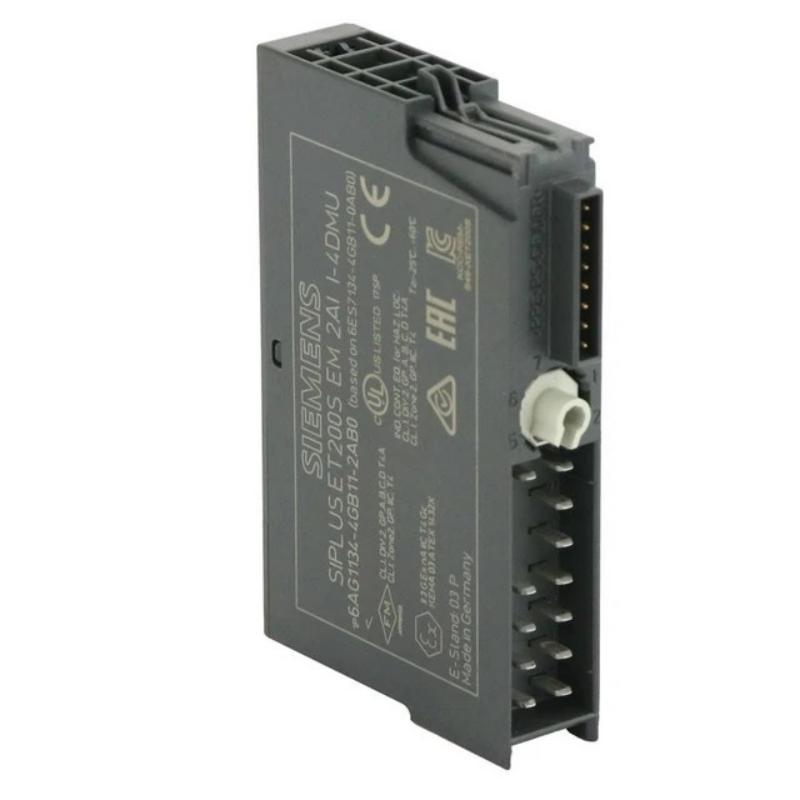
- Siemens
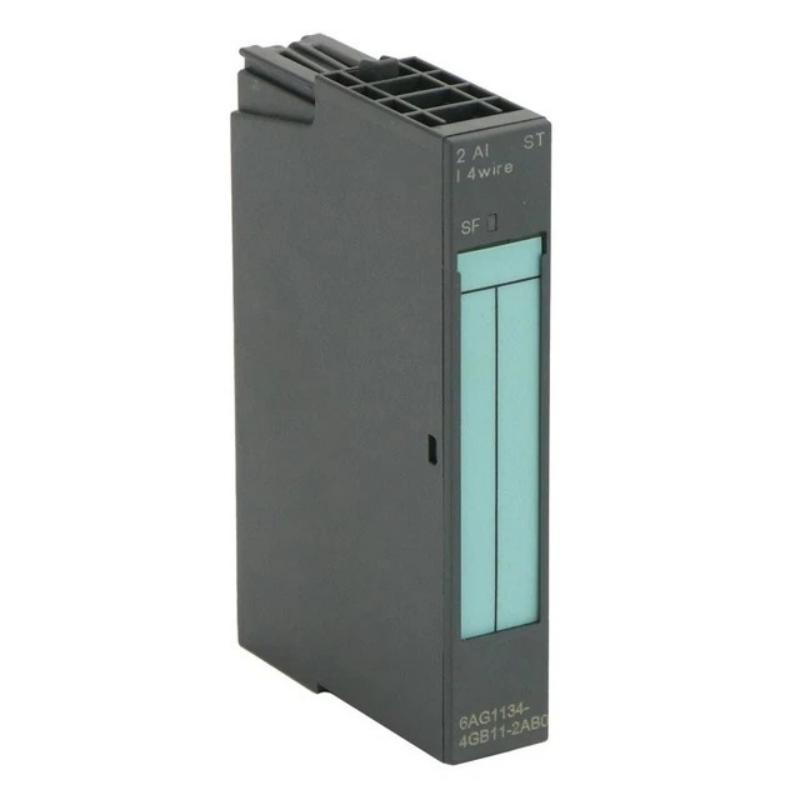
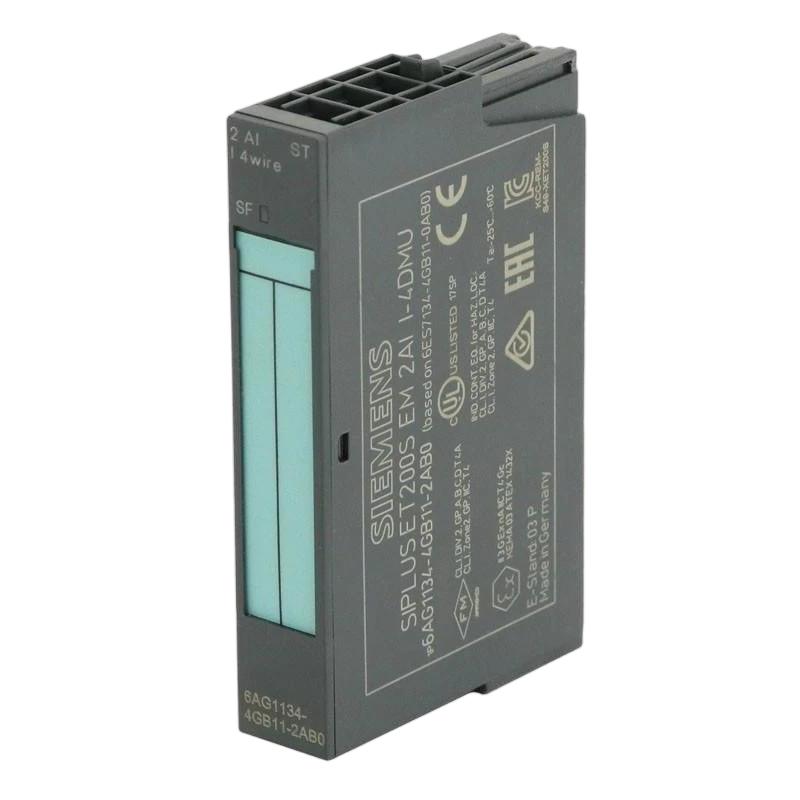
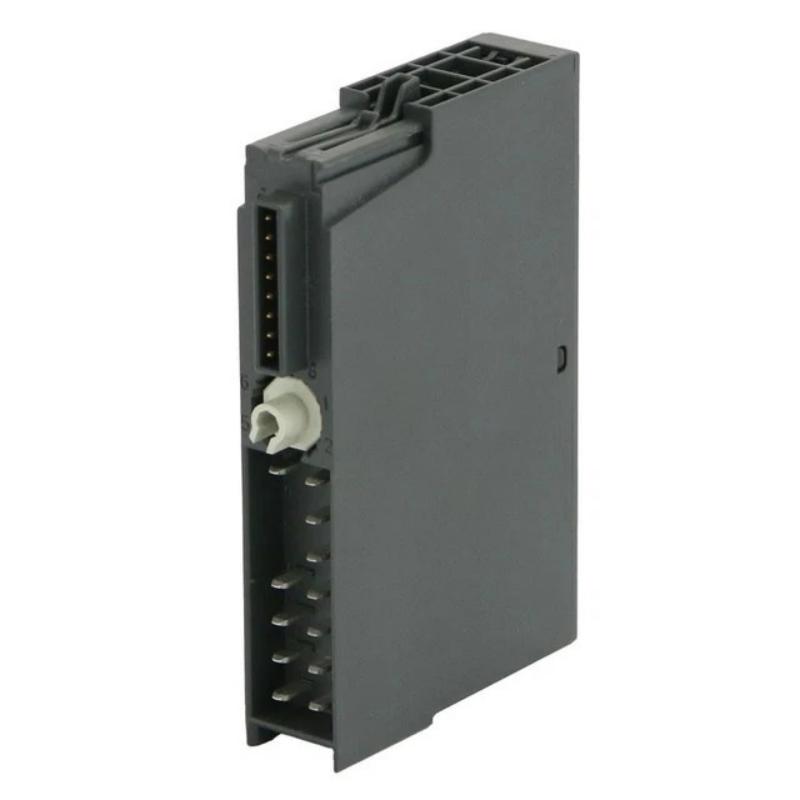
- 6AG1134-4GB11-2AB0
- Analog Input Module
- Germany
- 15 × 81 × 52 mm
- 0.04 kg
- Xiamen, China
- New & In Stock
- T/T, PayPal, Western Union
- 1 Year
- 1-3 Working Days
- DHL, UPS, TNT, FedEx and EMS.
- 24-Hour Service
- COO
- 53
Our advantage

Global Logistics
We have a 10-year logistics and express cooperation agreement, so our products can be shipped to any place in the world.

Brand new and original
Our products are imported in bulk from the place of origin. Because of the cooperative relationship, our products are all original and 100% new.

24-hour service
We provide 7*24 hours service to our customers. We will be there whenever you need us.

Price advantage
All our products are priced very favorably because we have our own warehouse and supply.
| Company Information | |||
| [email protected] | |||
| Mobile | +8615980777398 | ||
| +8615980777398 | |||
| 15980777398 |
Product Overview
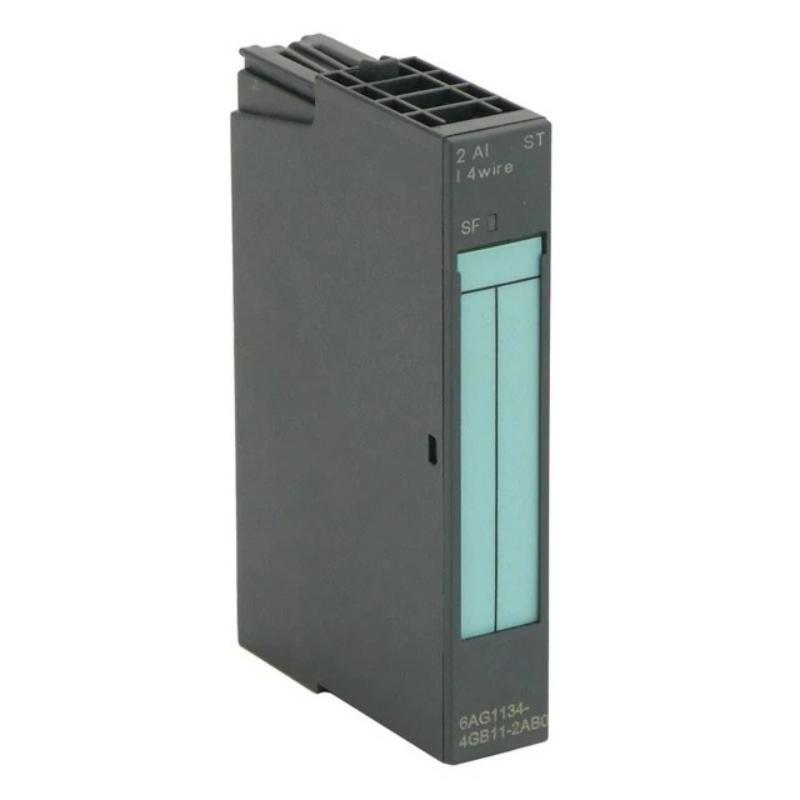
The Siemens 6AG1134-4GB11-2AB0 Analog Input Module is a high-performance industrial analog input module designed for reliable signal acquisition in PLC-based distributed automation systems. As part of the SIPLUS ET 200S series, it is intended for demanding industrial environments where stable analog signal processing and long-term operational reliability are essential.
The module receives analog current signals from field devices—including pressure transmitters, temperature transmitters, flow meters, level transmitters, and other industrial sensors—and converts them into digital values for processing by the PLC CPU. The 6AG1134-4GB11-2AB0 is designed as a 2-channel analog current input module for 4-wire transmitters within the ET 200S distributed I/O platform.
The supplied product information identifies the Siemens 6AG1134-4GB11-2AB0 as an Analog Input Module, with dimensions of 15 × 81 × 52 mm and a weight of 0.04 kg.
Product Information
- Manufacturer: Siemens
- Model: 6AG1134-4GB11-2AB0
- Product Type: Analog Input Module
- Dimensions: 15 × 81 × 52 mm
- Weight: 0.04 kg
- Primary Function: Analog Current Signal Acquisition
- Application: ET 200S Distributed I/O System
Technical Specifications
| Parameter | Specification |
|---|---|
| Manufacturer | Siemens |
| Model Number | 6AG1134-4GB11-2AB0 |
| Product Type | Analog Input Module |
| Dimensions | 15 × 81 × 52 mm |
| Weight | 0.04 kg |
| Installation | ET 200S Distributed I/O |
| Signal Type | Analog Current Input |
| Number of Channels | 2 Analog Inputs |
| Primary Function | Signal Acquisition |
| Maintenance | Inspection and Troubleshooting |
Function and Working Principle
The Siemens 6AG1134-4GB11-2AB0 continuously receives analog current signals from industrial field instruments and converts them into digital process values that can be processed by the PLC.
Typical signal flow:
Field Instrument
↓
Current Signal
↓
6AG1134-4GB11-2AB0
↓
PLC CPU
↓
Control Program
↓
Industrial Process
Typical connected devices include:
- Pressure transmitters
- Flow transmitters
- Temperature transmitters
- Level transmitters
- Position transmitters
- Industrial analyzers
- Process instrumentation
The module performs continuous signal conversion to provide real-time process information for industrial control applications.
Features and Advantages
- Compact mechanical design
- Two-channel analog current acquisition
- High signal stability
- Reliable industrial performance
- Suitable for distributed I/O architecture
- Easy PLC integration
- Excellent resistance to industrial environments
- Low maintenance requirements
- Lightweight installation
- Long service life
Industrial Applications
Process Automation
Collects process variables for continuous industrial production.
Chemical Plants
Receives analog measurements from process transmitters.
Water and Wastewater Treatment
Acquires pressure, flow, and level measurements.
Oil and Gas
Supports process monitoring throughout production and transportation systems.
Food and Beverage
Provides accurate analog measurements for process control.
Power Generation
Collects operating data from auxiliary process instrumentation.
Manufacturing
Supplies analog process information for automated production equipment.
Installation Guide
Step 1 – Verify the Module
Confirm the complete product identification:
- Siemens
- 6AG1134-4GB11-2AB0
- Analog Input Module
Always verify the model before installation.
Step 2 – Inspect the Module
Inspect for:
- Housing damage
- Bent connector contacts
- Damaged terminals
- Cracks
- Moisture
- Contamination
- Shipping damage
Do not install damaged equipment.
Step 3 – Prepare the Installation Environment
Ensure:
- Adequate ventilation
- Proper grounding
- Clean cabinet
- Stable mounting
- Easy maintenance access
Step 4 – Mount the Module
Module dimensions:
15 × 81 × 52 mm
Weight:
0.04 kg
Install securely on the ET 200S station according to the system design.
Step 5 – Connect Field Wiring
Verify:
- Correct transmitter wiring
- Terminal assignments
- Shielded cable installation where required
- Ground continuity
- Secure electrical connections
Avoid routing analog cables together with high-power wiring.
Step 6 – Configure the PLC
Verify:
- Hardware configuration
- Module addressing
- Channel settings
- Signal type
- Measurement range
- Diagnostic configuration
Configuration should correspond to the connected field devices.
Step 7 – Power Up
Before energizing the system, verify:
- Wiring integrity
- Grounding
- Module installation
- PLC hardware configuration
Confirm normal module operation after power is applied.
Commissioning Procedure
- Verify module installation.
- Inspect field wiring.
- Apply system power.
- Check module indicators.
- Confirm PLC recognition.
- Verify analog signal values.
- Compare readings with field instruments.
- Test under multiple operating conditions.
- Record commissioning data.
Troubleshooting Guide
Problem 1 – Module Not Detected
Possible causes:
- Incorrect installation
- Poor connector contact
- PLC configuration error
- Power supply issue
- Hardware failure
Recommended actions:
- Reseat the module.
- Verify hardware configuration.
- Check power supply.
- Inspect connectors.
- Replace the module if necessary.
Problem 2 – No Analog Input Signal
Possible causes:
- Sensor failure
- Wiring fault
- Incorrect terminal assignment
- Broken cable
- PLC configuration error
Verify the complete signal path from the transmitter to the PLC.
Problem 3 – Unstable Measurements
Possible causes:
- Electrical interference
- Loose wiring
- Poor grounding
- Sensor malfunction
- Improper cable routing
Inspect shielding and grounding.
Problem 4 – Incorrect Analog Values
Possible causes:
- Incorrect channel configuration
- Wrong measuring range
- Sensor calibration error
- Wiring mistakes
- Instrument failure
Compare PLC readings with calibrated test equipment.
Problem 5 – Diagnostic Alarm
Possible causes:
- Module fault
- Configuration mismatch
- Communication issue
- Internal hardware problem
Review PLC diagnostics before replacing hardware.
Problem 6 – Intermittent Operation
Possible causes:
- Loose connector
- Cabinet vibration
- Power fluctuations
- Damaged wiring
Inspect all electrical connections.
Problem 7 – Electrical Noise
Possible causes:
- Poor grounding
- Improper cable routing
- High-power electrical interference
- Shield termination problems
Maintain separation between analog and power cables.
Problem 8 – Channel Failure
Possible causes:
- Wiring damage
- Internal circuit failure
- Incorrect field wiring
- Channel overload
Test channels individually.
Problem 9 – Module Overheating
Possible causes:
- Poor ventilation
- High ambient temperature
- Cabinet heat accumulation
- Environmental contamination
Maintain sufficient airflow around the module.
Problem 10 – PLC Communication Error
Possible causes:
- Configuration mismatch
- Bus communication fault
- Connector problem
- Module failure
Verify communication between the PLC and the ET 200S station.
Fault Diagnosis Flow
Recommended troubleshooting sequence:
Power Supply
↓
PLC Hardware Configuration
↓
Module Status
↓
Field Wiring
↓
Sensor
↓
Signal Verification
↓
Normal Operation
Following this process helps isolate electrical, configuration, and instrumentation faults efficiently.
Module Replacement Procedure
Preparation
- Save PLC configuration.
- Record wiring.
- Label field cables.
- Isolate system power.
Removal
- Disconnect power.
- Remove field wiring.
- Remove the module.
- Inspect connectors.
Installation
- Verify replacement model.
- Install the new module.
- Reconnect field wiring.
- Check all terminals.
Commissioning
- Restore power.
- Confirm PLC recognition.
- Verify signal acquisition.
- Test normal operation.
- Record maintenance results.
Preventive Maintenance
| Maintenance Item | Recommended Action |
|---|---|
| Module Housing | Inspect regularly |
| Connectors | Check security |
| Wiring | Inspect condition |
| Grounding | Verify continuity |
| PLC Diagnostics | Review periodically |
| Cabinet | Keep clean |
| Ventilation | Maintain airflow |
| Signal Quality | Verify regularly |
| Mounting | Check mechanical security |
| Maintenance Records | Update after servicing |
Environmental Considerations
Temperature
Maintain suitable cabinet temperatures for reliable operation.
Dust
Remove accumulated dust during routine maintenance.
Moisture
Prevent condensation and water ingress.
Vibration
Inspect connectors periodically in vibrating environments.
Electromagnetic Interference
Use proper shielding and cable routing practices.
Common Installation Mistakes
- Installing the wrong module
- Incorrect channel configuration
- Improper transmitter wiring
- Poor grounding
- Loose terminal connections
- Mixing analog and power wiring
- Ignoring PLC diagnostics
- Skipping commissioning tests
- Insufficient cabinet ventilation
- Failure to document configuration changes
Key Advantages
- Compact dimensions of 15 × 81 × 52 mm
- Lightweight 0.04 kg construction
- Reliable analog current acquisition
- Two analog input channels
- Easy integration with ET 200S systems
- Stable industrial performance
- Suitable for continuous operation
- Simple maintenance
- Excellent signal stability
- Long operational life
Technical FAQs
What is the Siemens 6AG1134-4GB11-2AB0?
It is a SIPLUS ET 200S two-channel analog current input module for distributed PLC automation systems.
What is its primary function?
It receives analog current signals from industrial field devices and transfers digital process data to the PLC.
What are its dimensions?
The module measures 15 × 81 × 52 mm.
What is its weight?
The supplied weight is 0.04 kg.
Why is the PLC not detecting the module?
Possible causes include installation errors, configuration issues, connector problems, power supply faults, or hardware failure.
Why are analog readings unstable?
Common causes include electrical interference, grounding issues, loose wiring, sensor faults, or incorrect cable routing.
Why is there no analog signal?
Inspect the transmitter, field wiring, terminal assignments, PLC configuration, and signal continuity.
Where is this module commonly used?
It is widely used in industrial automation, process control, manufacturing, water treatment, oil and gas, chemical processing, and power generation.
How should the module be maintained?
Regularly inspect wiring, connectors, grounding, cabinet cleanliness, ventilation, and PLC diagnostics.
When should the module be replaced?
Replace the module if hardware faults persist after proper troubleshooting or if reliable signal acquisition cannot be restored.
Conclusion
The Siemens 6AG1134-4GB11-2AB0 Analog Input Module provides dependable analog current signal acquisition for ET 200S distributed I/O systems. With compact dimensions of 15 × 81 × 52 mm and a lightweight design of 0.04 kg, it is suitable for high-density industrial control cabinets while delivering reliable measurement performance.
Proper installation requires careful attention to wiring, grounding, PLC configuration, and environmental conditions. Thorough commissioning, routine preventive maintenance, and systematic fault diagnosis help maximize reliability, reduce downtime, and ensure long-term stable operation in industrial automation systems.