

ProductPRODUCT
Featured products
Contact Us
- Siemens
- 6AV7674-1LA30-0AA0
- Extension Unit Box 12"
- Germany
- 313 × 100.3 × 11 mm
- 1.973 kg
- Xiamen, China
- New & In Stock
- T/T, PayPal, Western Union
- 1 Year
- 1-3 Working Days
- DHL, UPS, TNT, FedEx and EMS.
- 24-Hour Service
- COO
- 5
Our advantage

Global Logistics
We have a 10-year logistics and express cooperation agreement, so our products can be shipped to any place in the world.

Brand new and original
Our products are imported in bulk from the place of origin. Because of the cooperative relationship, our products are all original and 100% new.

24-hour service
We provide 7*24 hours service to our customers. We will be there whenever you need us.

Price advantage
All our products are priced very favorably because we have our own warehouse and supply.
| Company Information | |||
| [email protected] | |||
| Mobile | +8615980777398 | ||
| +8615980777398 | |||
| 15980777398 |
Product Overview
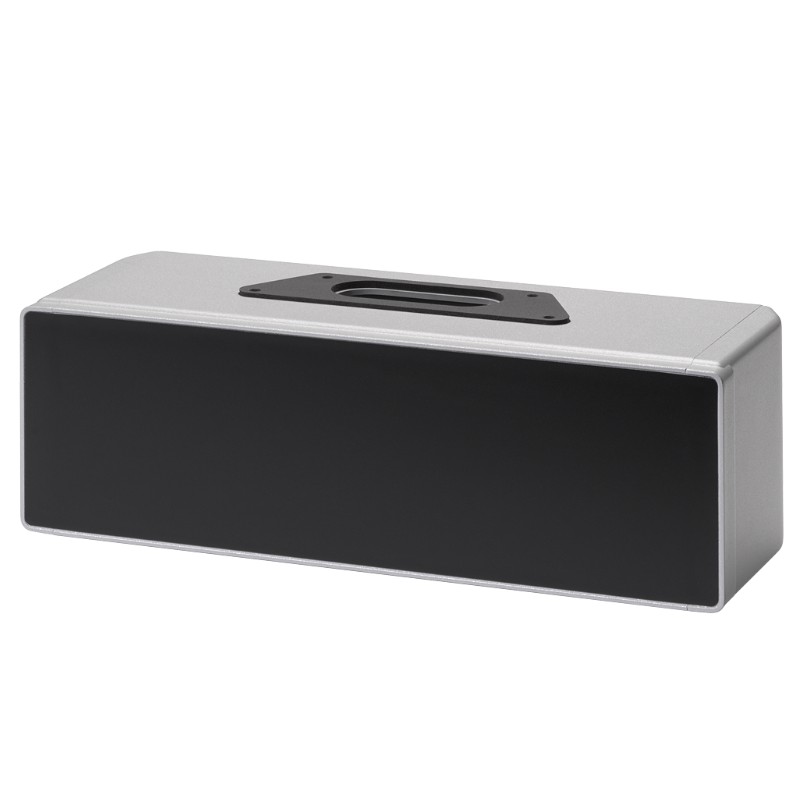
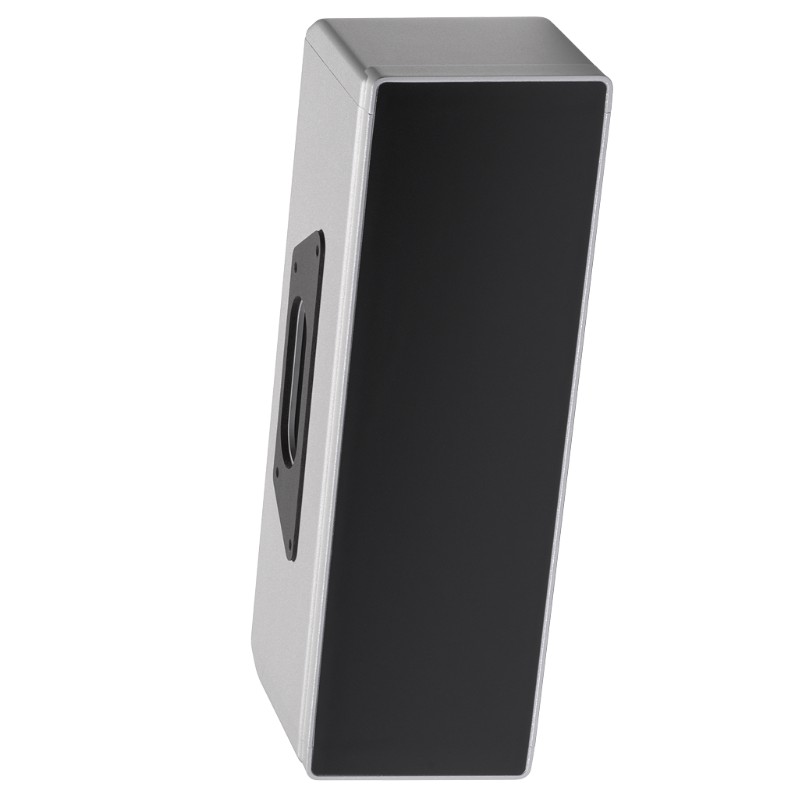
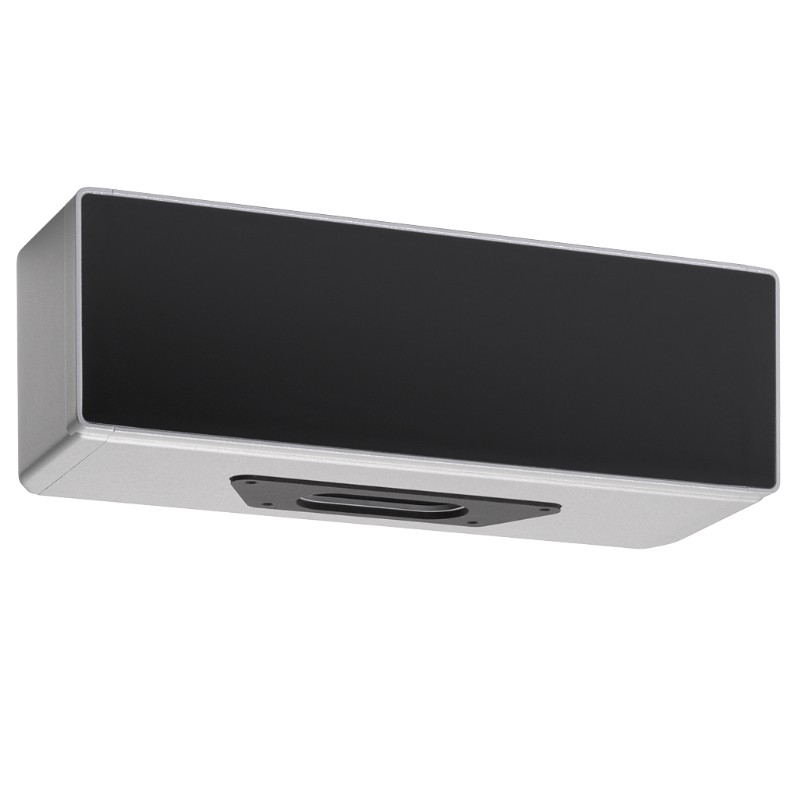
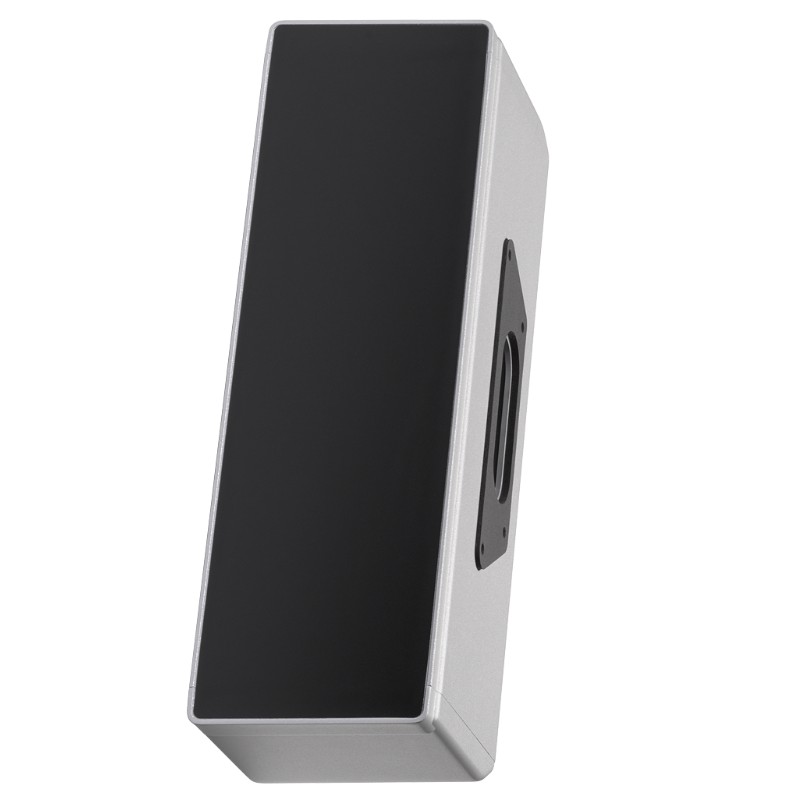
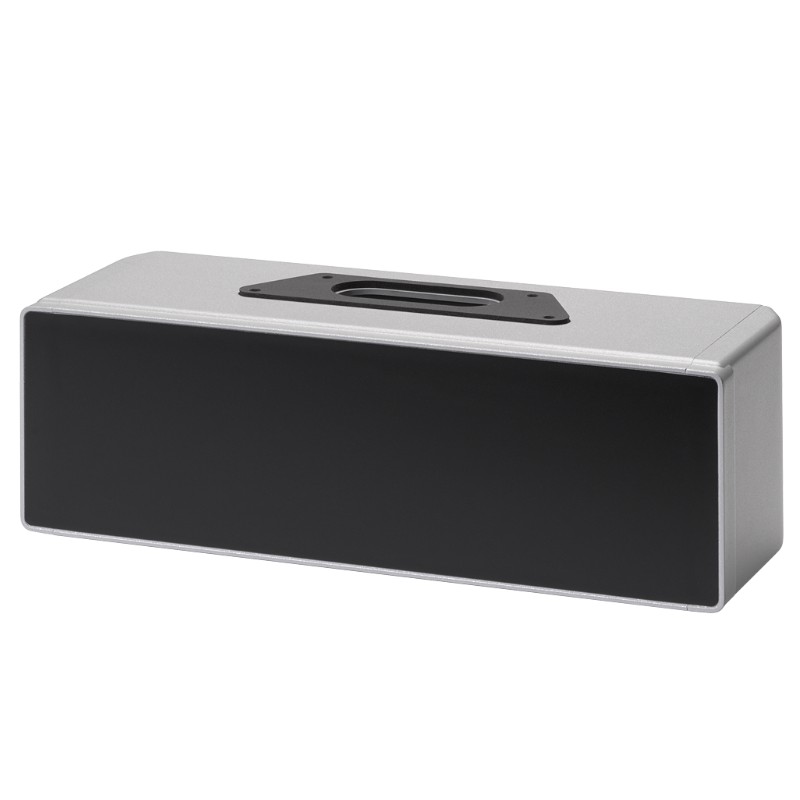
The Siemens 6AV7674-1LA30-0AA0 Extension Unit Box 12″ is an empty expansion enclosure for compatible, fully enclosed 16:9 SIMATIC HMI PRO devices. It mounts beneath the HMI and creates a separate space for customer-specific operating components, particularly where a machine requires additional physical controls alongside its touchscreen interface.
On an automated production line, an HMI may display alarms, production counts, machine status, and operating parameters, but operators may still need dedicated pushbuttons, selector switches, or indicator lights. Installing these components in a separate enclosure beneath the display keeps the operator station organized and places frequently used controls within easy reach.
Unlike a preconfigured Extension Unit, this model is supplied without operator controls, and its front panel has no pre-cut openings. Machine builders can therefore plan the control layout around the actual application instead of adapting the machine to a fixed arrangement. The enclosure also contains four internal screw channels for mounting suitable components.
The 12-inch designation identifies the Extension Unit Box variant within the SIMATIC HMI PRO accessory range. Compatibility depends on the HMI format and mounting arrangement, not simply on the display’s nominal diagonal measurement. The box is intended for fully enclosed 16:9 HMI/IPC devices using the corresponding pedestal connection with an extendable flange bottom or support arm with an extendable round-tube connection.
For example, a packaging machine may use the HMI for recipe selection and production monitoring while retaining separate physical controls for manual operation and maintenance. The extension box gives the machine builder a dedicated place to integrate those controls without adding another standalone enclosure beside the operator panel.
The box itself does not execute control logic, transmit PROFINET data, or provide a PROFIsafe connection. These functions depend on the components installed inside it and the associated electrical architecture. Its purpose is to provide the mechanical enclosure needed to integrate those components into the operator station.
Technical Specifications
| Parameter | Specification |
|---|---|
| Manufacturer | Siemens |
| Model | 6AV7674-1LA30-0AA0 |
| Product Type | Extension Unit Box 12″ |
| Product Family | SIMATIC HMI Extension Units and Operator Controls |
| Product Category | HMI Expansion Enclosure |
| Primary Function | Empty housing for customer-specific control components |
| Compatible Device Format | Fully enclosed 16:9 SIMATIC HMI PRO devices |
| Installation Position | Beneath the compatible HMI/IPC device |
| Mounting Options | Extendable pedestal with flange-bottom connection or support arm with round-tube connection |
| Front Panel | Without pre-perforation |
| Internal Mounting Features | Four universal screw channels |
| Operator Controls Included | No |
| Communication Interface | None inherent to the empty enclosure |
| Enclosure Purpose | Installation of larger customer-specific components |
| Dimensions | 313 × 100.3 × 11 mm |
| Weight | 1.973 kg |
Product Features
- Empty enclosure configuration: Leaves the selection and arrangement of operator controls to the machine builder.
- Unprepared front panel: Allows openings to be planned around the selected switches, buttons, and other compatible components.
- Four internal screw channels: Provide mounting options for suitable components inside the enclosure.
- HMI PRO integration: Fits the mounting concept used with compatible fully enclosed 16:9 SIMATIC HMI PRO devices.
- Pedestal and support-arm arrangements: Supports the specified mounting concepts when the matching interfaces are used.
- Dedicated control area: Separates supplementary physical controls from the main touchscreen interface.
- Custom component layout: Accommodates different control arrangements according to machine operating requirements.
- Mechanical expansion: Adds an enclosure to the operator station without introducing a separate display or controller.
- Application-specific wiring: Allows installed components to be connected according to the machine’s electrical design.
- Defined accessory identification: The complete article number helps distinguish the empty box from preconfigured Extension Unit variants.
Working Principle
The 6AV7674-1LA30-0AA0 functions as a mechanical housing. It does not process operator commands itself; instead, it provides the mounting space for controls that are connected to the machine’s electrical and automation systems.
SIMATIC HMI PRO Device → Extension Unit Box → Installed Operator Controls → Electrical Control Circuit → PLC or Machine Controller
The enclosure is mounted beneath a compatible HMI PRO device using the corresponding mounting arrangement. Once mechanically secured, it provides a dedicated space for the selected controls. The four internal screw channels can be used to mount suitable components according to the enclosure layout.
Because the front panel is supplied without pre-perforation, the openings must be prepared to match the chosen components. Their positions should be established before machining so that the controls have adequate clearance and do not interfere with internal mounting hardware or cable routing.
After installation, each control is wired to the appropriate circuit. A pushbutton may send a discrete command to a PLC input, a selector switch may determine an operating mode, and an indicator light may display a machine status. These behaviors depend on the installed components and the control program, not on the enclosure.
The final assembly must also account for mechanical support, cable protection, and the environmental requirements of the operator station. Poorly positioned openings, loose components, or cables trapped between adjoining sections can compromise the installation even when the enclosure itself is suitable.
Role in a Siemens SIMATIC HMI PRO Operator Station
The Extension Unit Box adds a physical control area beneath the main HMI. This arrangement is useful when touchscreen operation alone does not meet the machine’s operating requirements or when certain commands need dedicated hardware controls.
Operator Interface → Extension Unit Box → Physical Control Devices → Machine I/O → PLC and Controlled Equipment
| System Component | Function |
|---|---|
| Siemens 6AV7674-1LA30-0AA0 | Provides an empty enclosure for additional operating components |
| SIMATIC HMI PRO Device | Displays process information, alarms, and machine status |
| Pushbuttons | Provide discrete operator commands when installed |
| Selector Switches | Select designated machine modes or operating states |
| Indicator Lights | Display selected operating or fault conditions |
| Internal Screw Channels | Provide mounting points for suitable internal components |
| Electrical Wiring | Connects installed controls to the relevant circuits |
| PLC or Machine Controller | Processes control inputs and executes programmed machine logic |
| Pedestal or Support Arm | Supports the combined HMI and extension enclosure |
| Cable Routing Components | Help organize and protect wiring within the operator station |
The enclosure determines where additional controls can be mounted; their electrical behavior and safety functions must be established by the equipment design.
Industrial Applications
| Application | Typical Use |
|---|---|
| Packaging Machinery | Adding physical controls for manual operation alongside touchscreen recipe management |
| Automotive Assembly | Integrating machine start, stop, or mode-selection controls beneath an HMI |
| Conveyor Systems | Providing a dedicated location for selected controls at transfer and handling stations |
| Robotic Workcells | Organizing supplementary operator controls around a compatible HMI installation |
| Food and Beverage Equipment | Creating a consolidated operator station for process monitoring and physical commands |
| Pharmaceutical Machinery | Integrating selected equipment controls into a custom HMI station |
| Machine Tools | Mounting dedicated operating controls beneath the display used for machine status and settings |
| Automated Assembly Cells | Combining touchscreen visualization with application-specific physical controls |
| Inspection Equipment | Providing a separate control area for test initiation and equipment operation |
| Custom Machine Building | Adapting the operator station to a project-specific control layout |
The appropriate control arrangement depends on the machine’s operating sequence, the selected components, and the requirements of the completed enclosure. Safety-related commands must use suitable safety-rated components and an appropriate safety architecture rather than relying on the empty box itself.
Installation and Maintenance
- Verify device compatibility: Confirm that the HMI/IPC is a fully enclosed 16:9 SIMATIC HMI PRO device compatible with the Extension Unit Box mounting arrangement.
- Select the mounting arrangement: Check the pedestal or support-arm interface and ensure that the required mechanical connection matches the HMI installation.
- Inspect the enclosure: Examine the housing and front panel for damage before preparing the panel or fitting components.
- Plan the front-panel layout: Mark the required control positions according to the selected component specifications and the intended operator workflow.
- Check internal clearances: Confirm that the four screw channels and available enclosure space can accommodate the proposed component arrangement.
- Prepare the panel openings: Machine the front panel to match the selected controls, observing their mounting requirements and maintaining adequate clearance.
- Secure the installed components: Fit the selected controls and verify that their mounting hardware is properly engaged.
- Organize internal wiring: Route conductors away from sharp edges, moving interfaces, and mounting hardware that could damage insulation.
- Mount the extension box: Attach the enclosure beneath the compatible HMI using the specified mechanical interfaces and fastening procedure.
- Check assembly stability: Inspect the complete HMI and extension arrangement for loose connections, misalignment, or unwanted movement.
- Test the control functions: After electrical installation, verify each control’s signal, intended response, and integration with the machine control system.
- Inspect during scheduled maintenance: Check fasteners, panel openings, wiring condition, and the mechanical interfaces for wear or damage.
Related Components
| Component | Function |
|---|---|
| Siemens 6AV7674-1LA30-0AA0 | Empty 12-inch enclosure for customer-specific controls |
| Siemens SIMATIC HMI PRO Device | Main touchscreen operator interface mounted above the enclosure |
| Siemens 6AV7674-1LA40-0AA0 | Extension Unit Box 15″ for compatible HMI/IPC installations |
| Siemens 6AV7674-1LA50-0AA0 | Extension Unit Box 19″ for compatible HMI/IPC installations |
| Siemens 6AV7674-1LA60-0AA0 | Extension Unit Box 22″ for compatible HMI/IPC installations |
| Siemens 6AV7674-1LA70-0AA0 | Extension Unit Box 24″ for compatible HMI/IPC installations |
| Siemens 6AV7674-1LA80-0AA0 | Extension Unit Box 24″ Portrait for compatible PRO devices |
| Pushbuttons and Selector Switches | Provide application-specific operator commands |
| Indicator Lights | Display selected machine states and alarms |
| Compatible Pedestal or Support Arm | Supports the assembled operator station |
Recommended Related Models
| Model / Product Reference | Product Type | Typical Application |
|---|---|---|
| Siemens 6AV7674-1LA30-0AA0 | Extension Unit Box 12″ | Custom control enclosure beneath a compatible HMI PRO device |
| Siemens 6AV7674-1LA40-0AA0 | Extension Unit Box 15″ | Larger empty enclosure for compatible 16:9 HMI/IPC devices |
| Siemens 6AV7674-1LA50-0AA0 | Extension Unit Box 19″ | Additional space for customer-specific operating components |
| Siemens 6AV7674-1LA60-0AA0 | Extension Unit Box 22″ | Larger-format enclosure for compatible PRO mounting arrangements |
| Siemens 6AV7674-1LA70-0AA0 | Extension Unit Box 24″ | Extension enclosure for compatible 24-inch PRO devices |
| Siemens 6AV7674-1LA80-0AA0 | Extension Unit Box 24″ Portrait | Portrait-format enclosure for the corresponding PRO device arrangement |
| Siemens 6AV7674-1LA31-0AA0 | Extension Unit 12″ Hardwired | Preconfigured extension unit using hardwired control connections |
| Siemens 6AV7674-1LA32-0AA0 | Extension Unit 12″ PROFINET | Preconfigured extension unit using PROFINET communication |
| Siemens 6AV7674-1LA33-0AA0 | Extension Unit 12″ PROFIsafe | Preconfigured extension unit for compatible PROFIsafe applications |
Key Advantages
- Adds a dedicated enclosure for physical controls beneath a compatible HMI PRO device.
- Allows the front-panel layout to match the machine’s operating requirements.
- Provides four internal screw channels for suitable component mounting.
- Supports the specified pedestal and round-tube support-arm mounting concepts.
- Keeps supplementary controls organized within the operator station.
- Separates mechanical enclosure functions from control logic and communication functions.
Technical FAQs
Can the 6AV7674-1LA30-0AA0 be used with a standard SIMATIC HMI Comfort Panel?
Compatibility should not be assumed from the SIMATIC HMI family name alone. This enclosure is intended for compatible fully enclosed 16:9 HMI/IPC devices using the corresponding PRO mounting arrangement. Check the exact panel model and its mounting interface before selecting the enclosure.
Are the front-panel openings supplied ready for pushbuttons and selector switches?
No. The front panel is supplied without pre-perforation, and the operator controls are not included. The required openings must be prepared to suit the selected components and their mounting specifications.
What should be considered when choosing controls for this empty enclosure?
Check the component mounting requirements, available internal clearance, wiring space, operating environment, and intended control functions. Components must also be appropriate for any required safety functions; the enclosure itself does not provide safety logic or signal processing.
Does the Extension Unit Box provide PROFINET or PROFIsafe connectivity?
No. The 6AV7674-1LA30-0AA0 is an empty mechanical enclosure. PROFINET, PROFIsafe, or hardwired control functionality depends on the installed equipment and the selected electrical architecture. Preconfigured Extension Unit models are separate products with their own connection arrangements.