

ProductPRODUCT
Featured products
Contact Us
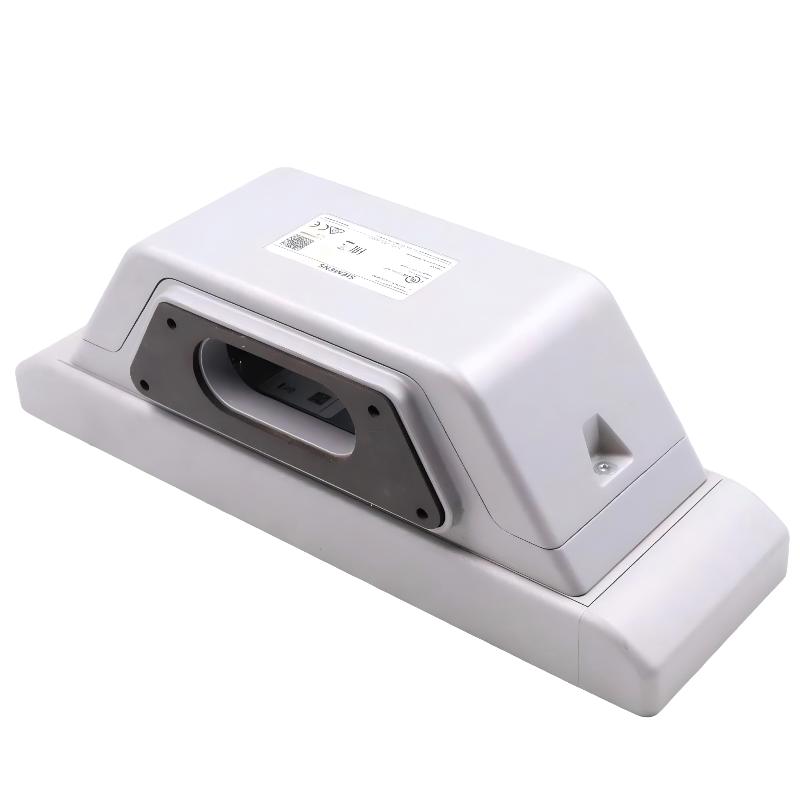
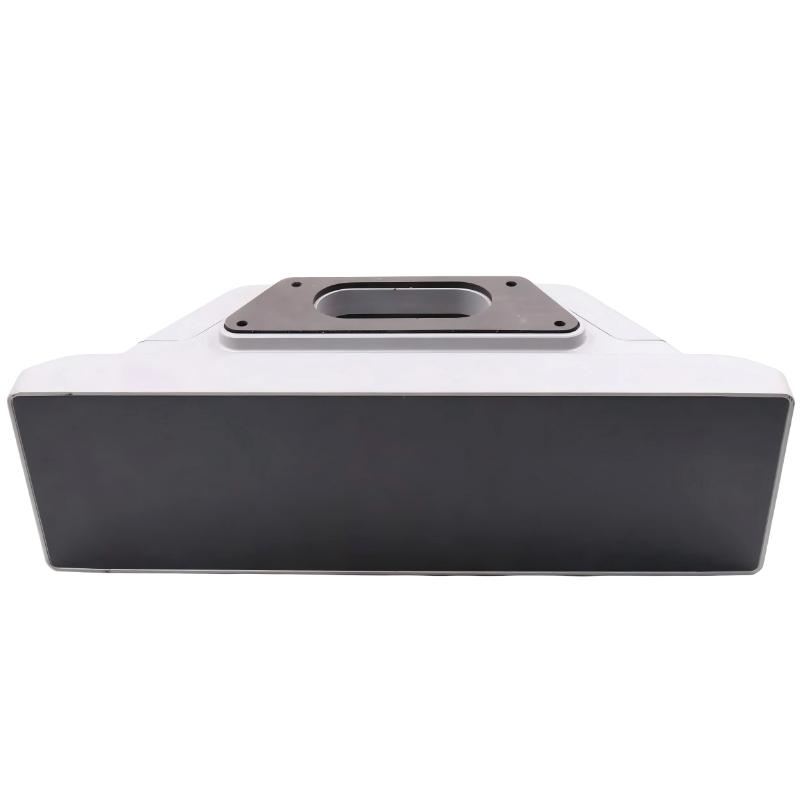
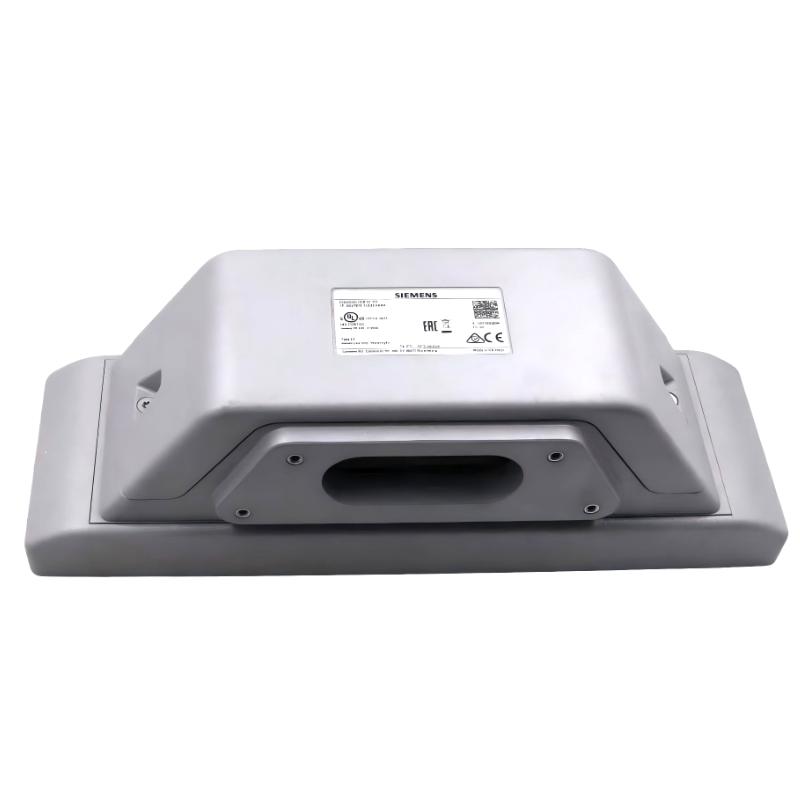
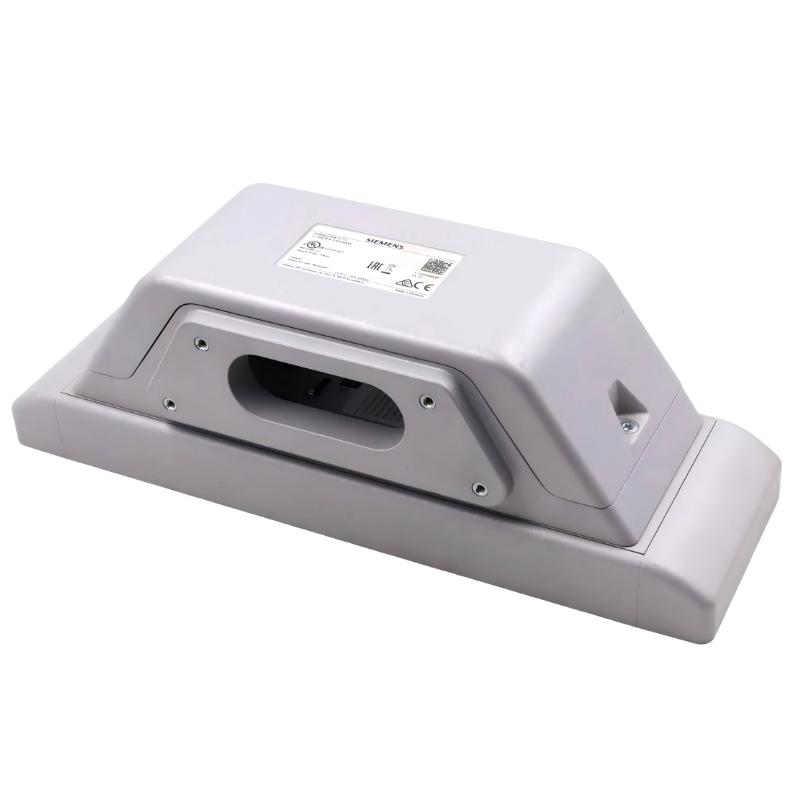
- Siemens
- 6AV7674-1LA33-0AA0
- Extension Unit 12" PROFISAFE
- Germany
- 313 × 99 × 100.65 mm
- 2.206 kg
- Xiamen, China
- New & In Stock
- T/T, PayPal, Western Union
- 1 Year
- 1-3 Working Days
- DHL, UPS, TNT, FedEx and EMS.
- 24-Hour Service
- COO
- 4
Our advantage

Global Logistics
We have a 10-year logistics and express cooperation agreement, so our products can be shipped to any place in the world.

Brand new and original
Our products are imported in bulk from the place of origin. Because of the cooperative relationship, our products are all original and 100% new.

24-hour service
We provide 7*24 hours service to our customers. We will be there whenever you need us.

Price advantage
All our products are priced very favorably because we have our own warehouse and supply.
| Company Information | |||
| [email protected] | |||
| Mobile | +8615980777398 | ||
| +8615980777398 | |||
| 15980777398 |
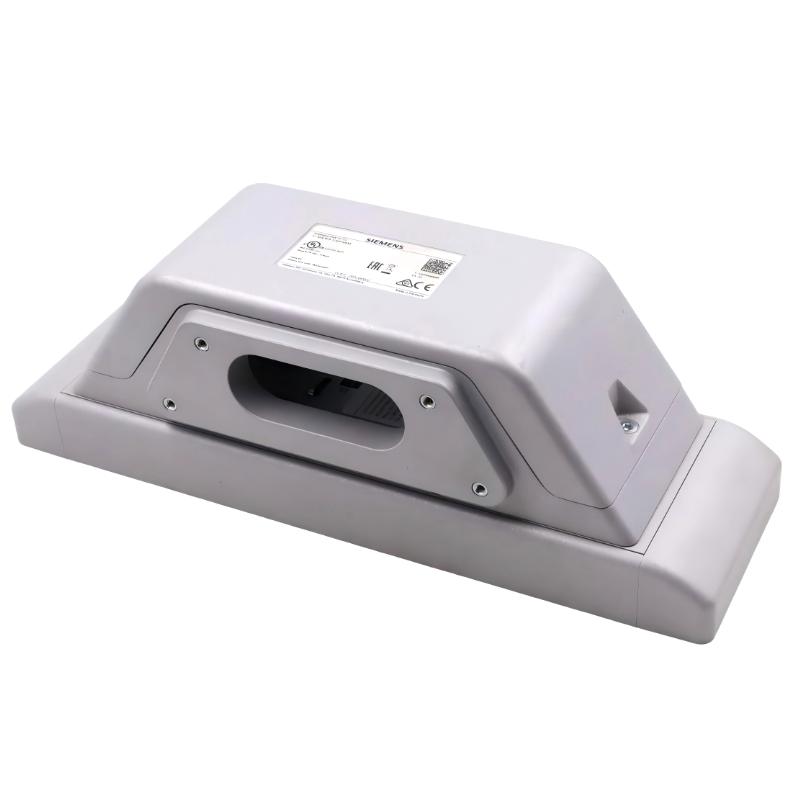
Product Overview
The Siemens 6AV7674-1LA33-0AA0 Extension Unit 12″ PROFISAFE adds physical operator controls to a compatible SIMATIC HMI PRO installation, with both standard I/O and safety-related signals transmitted through PROFINET/PROFIsafe. It is intended for machine applications where operators need dedicated hardware controls and the control architecture must accommodate safety-related commands over an industrial communication network.
A typical example is an automated production cell with a touchscreen for machine status, recipes, and diagnostics, combined with physical pushbuttons, selector switches, or an emergency-stop device. The HMI handles screen-based interaction, while the Extension Unit gives operators a separate physical interface for frequently used commands and safety-related operations.
The unit mounts beneath a compatible, fully enclosed 16:9 HMI/IPC PRO device. Its six mounting positions allow the operator-control layout to be configured around the machine’s requirements. Supported components can include illuminated pushbuttons, selector switches, key switches, emergency-stop pushbuttons, and other compatible command or signaling devices. The required operating elements are ordered separately, so the final configuration depends on the selected controls and their mounting requirements.
The defining feature of the 6AV7674-1LA33-0AA0 is its PROFIsafe communication arrangement. Unlike the 6AV7674-1LA31-0AA0 Hardwired version, which connects I/O signals directly to the plant, or the 6AV7674-1LA32-0AA0 PROFINET version, which directly wires safety-related signals while transmitting other I/O over PROFINET, the PROFIsafe version transmits both standard and safety-related I/O signals through PROFINET/PROFIsafe.
This architecture can reduce the amount of individual safety-signal wiring between a remote operator station and the control cabinet. It is particularly useful when the HMI is installed on a machine pedestal or support structure away from the main electrical enclosure. Network design, safety configuration, and compatible control equipment must still be planned as part of the complete system.
The Extension Unit is a control interface, not a standalone safety controller. Its safety functions depend on compatible safety devices, the configured PROFIsafe communication, the safety controller, and the machine’s validated safety program. Correct integration is therefore essential when the unit is used for emergency-stop or other safety-related commands.
Technical Specifications
| Parameter | Specification |
|---|---|
| Manufacturer | Siemens |
| Model | 6AV7674-1LA33-0AA0 |
| Product Type | Extension Unit 12″ PROFISAFE |
| Product Family | SIMATIC HMI Extension Units and Operator Controls |
| Product Category | HMI Safety Operator Control Unit |
| Primary Function | Physical operator controls with PROFINET/PROFIsafe signal transmission |
| Compatible Device Format | Fully enclosed 16:9 HMI/IPC PRO devices |
| Mounting Position | Lower part of the compatible HMI/IPC PRO device |
| Mounting Type | Screwed joint |
| Number of Mounting Positions | 6 |
| Control Elements | Ordered separately |
| Parameterizable Keys | Supported |
| Communication Protocol | PROFINET with PROFIsafe |
| Standard I/O Transmission | Via PROFINET |
| Safety-Related I/O Transmission | Via PROFIsafe |
| PROFINET Interfaces | 2 |
| Network Topology | Line and ring configurations supported |
| Media Redundancy | MRP supported |
| Rated Supply Voltage | 24 V DC |
| Protection Rating | IP65 all-round when correctly installed |
| Compatible Control Elements | Suitable pushbuttons, selector switches, key switches, emergency-stop devices, and signaling units |
| Safety Capability | Supports configured safety applications subject to the selected devices and safety architecture |
| Dimensions | 313 × 99 × 100.65 mm |
| Weight | 2.206 kg |
Product Features
- PROFINET/PROFIsafe communication: Transmits standard and safety-related I/O signals through the industrial network.
- Six mounting positions: Allows the operator interface to be configured with compatible command and signaling devices.
- Parameterizable keys: Supports configurable key functions for application-specific operation.
- Safety-related command integration: Supports emergency-stop and other compatible safety-related controls within a correctly configured PROFIsafe system.
- Reduced individual signal wiring: Can reduce the need for separate field wiring for each standard and safety-related signal.
- Dual PROFINET interfaces: Supports line or ring network arrangements without requiring an external switch solely to establish the connection between the two interfaces.
- MRP support: Allows integration into compatible media-redundant PROFINET ring topologies.
- 24 V DC supply: Uses the specified DC supply arrangement for industrial operator-station integration.
- IP65 all-round protection: Supports enclosed industrial installations when the complete assembly is correctly configured and installed.
- Modular operator interface: Allows the physical controls to be selected according to the machine’s operating and safety requirements.
Working Principle
The 6AV7674-1LA33-0AA0 combines physical control inputs with network-based transmission of both standard and safety-related signals. When an operator activates a configured control, the Extension Unit communicates the corresponding signal through PROFINET, using PROFIsafe for safety-related data.
Physical Control → Extension Unit → PROFINET/PROFIsafe Network → Compatible Controller → Machine Response
For normal machine operation, a pushbutton or selector switch generates an input that is transmitted through PROFINET. The PLC processes the signal according to its program, operating conditions, and interlocks. A command may request a machine start, select a permitted mode, or acknowledge a condition, depending on the configured control layout.
Safety-related commands follow the PROFIsafe communication path. When an appropriately configured emergency-stop device is activated, its safety-related signal is transmitted through the network to the compatible safety controller. The safety program evaluates the signal and initiates the defined safety response. This arrangement allows safety-related communication to be integrated into the network architecture rather than relying on an individual hardwired signal path for every safety device.
The use of PROFIsafe does not remove the need for safety engineering. The selected devices, controller, communication configuration, safety program, and machine response must all meet the requirements of the intended safety function. The complete circuit must be validated before the equipment is released for operation.
Two PROFINET interfaces support line or ring network arrangements. Where MRP is used, the network devices and topology must be configured to support media redundancy. MRP and PROFIsafe address different requirements: MRP concerns network recovery following certain communication-path failures, while PROFIsafe provides the safety communication mechanisms used for safety-related data.
During commissioning, engineers should verify standard I/O, safety-related signals, controller diagnostics, network configuration, and the actual machine response separately. A successful network connection alone does not demonstrate that the safety function has been correctly implemented.
Role in a Siemens SIMATIC HMI PRO Safety Architecture
The Extension Unit provides the physical operator interface and the communication path for standard and safety-related commands. It allows the machine builder to integrate dedicated controls beneath the HMI while keeping the signal architecture consistent with a PROFINET/PROFIsafe-based automation system.
SIMATIC HMI PRO Device → Extension Unit 12″ PROFISAFE → PROFINET/PROFIsafe Network → PLC and Safety Controller
| System Component | Function |
|---|---|
| Siemens 6AV7674-1LA33-0AA0 | Provides physical controls and network-based standard and safety-related I/O |
| SIMATIC HMI PRO Device | Displays process status, alarms, operating parameters, and diagnostic information |
| Command Devices | Generate standard operating commands |
| Safety-Related Control Devices | Generate safety-related signals for the configured safety functions |
| PROFINET Network | Transports the Extension Unit’s standard I/O data |
| PROFIsafe Communication | Transports safety-related data between compatible devices |
| PLC | Executes normal machine-control logic |
| Safety Controller | Evaluates safety-related inputs and executes the configured safety program |
| PROFINET Switches or Network Devices | Support the selected network topology and, where configured, MRP |
| 24 V DC Power Supply | Supplies the required operating voltage |
| Machine Actuators and Drives | Execute commands or enter the defined safe state according to the control architecture |
The distinction between standard automation and safety-related processing must remain clear in the system design, even when both types of signals use the same network infrastructure.
Industrial Applications
| Application | Typical Use |
|---|---|
| Automotive Assembly Lines | Integrating physical machine commands and safety-related controls at operator stations |
| Packaging Machinery | Combining touchscreen recipe management with network-connected operating and emergency-stop devices |
| Robotic Workcells | Providing a physical operator interface for machine operation and safety-related commands |
| Conveyor Systems | Integrating distributed operator stations into a PROFINET/PROFIsafe architecture |
| Automated Assembly Equipment | Configuring dedicated controls for routine commands and safety functions |
| Machine Tools | Adding physical controls to a compatible HMI installation while supporting network-based safety communication |
| Material Handling Systems | Connecting remote operator stations to central control and safety equipment |
| Industrial Production Cells | Supporting coordinated operation of multiple machine functions through networked automation |
| Test and Inspection Equipment | Combining screen-based diagnostics with dedicated physical control devices |
| Custom Machine Building | Integrating standard and safety-related operator signals into a common network architecture |
This configuration is most appropriate where the control system supports PROFIsafe and the project benefits from transmitting safety-related signals over the network. The required safety performance depends on the complete system design, not the Extension Unit alone.
Installation and Maintenance
- Verify device compatibility: Confirm that the HMI/IPC is a compatible, fully enclosed 16:9 SIMATIC HMI PRO device with the required lower mounting interface.
- Plan the control layout: Select compatible command devices and signaling units for the six mounting positions according to the operator workflow and safety requirements.
- Inspect the assembly: Check the enclosure, connectors, mounting points, and selected control devices for visible damage before installation.
- Confirm the network architecture: Verify that the PLC, safety controller, PROFINET devices, and network topology support the intended PROFIsafe configuration.
- Secure the Extension Unit: Mount the unit beneath the HMI using the specified mechanical interface and fastening procedure.
- Install the control devices: Fit each selected command or signaling device in its designated position and verify its mechanical engagement.
- Connect the PROFINET interfaces: Route and connect the network cables according to the planned topology, checking connector engagement and cable protection.
- Connect the power supply: Verify the 24 V DC supply arrangement and ensure that the electrical connection follows the installation requirements.
- Configure standard I/O: Assign and test the normal operator-control signals in the PLC configuration and verify that each command reaches the intended logic.
- Configure PROFIsafe: Establish the required safety communication parameters and verify compatibility between the Extension Unit and the safety controller.
- Validate safety functions: Test emergency-stop and other configured safety-related functions using the approved machine safety validation procedure.
- Record maintenance findings: Document the device configuration, network diagnostics, safety test results, and any replaced control elements or connection components.
During routine maintenance, inspect the control devices, mounting connections, network cables, and power supply. If a safety-related command fails, review the device diagnostics, PROFIsafe configuration, safety-controller status, and field device behavior before replacing the Extension Unit.
Related Components
| Component | Function |
|---|---|
| Siemens 6AV7674-1LA33-0AA0 | 12-inch PROFIsafe Extension Unit for compatible HMI PRO installations |
| Siemens SIMATIC HMI PRO Device | Main visualization and touchscreen operator interface |
| PROFINET Industrial Ethernet Cable | Connects the Extension Unit to the industrial network |
| PROFIsafe-Compatible Safety Controller | Evaluates safety-related signals and executes the configured safety program |
| PROFINET-Compatible PLC | Processes standard operator-control signals |
| Compatible Emergency-Stop Pushbutton | Generates a safety-related input for the configured emergency-stop function |
| Illuminated Pushbuttons and Selector Switches | Provide physical operating commands and visual indication |
| 24 V DC Power Supply | Supplies operating power to the operator-control assembly |
| PROFINET Network Devices Supporting MRP | Support the selected line or ring topology and media redundancy |
| Siemens 6AV7674-1LA32-0AA0 | PROFINET Extension Unit with direct system wiring for safety-related signals |
| Siemens 6AV7674-1LA31-0AA0 | Hardwired Extension Unit with direct plant connections for all I/O signals |
Recommended Related Models
| Model / Product Reference | Product Type | Typical Application |
|---|---|---|
| Siemens 6AV7674-1LA33-0AA0 | Extension Unit 12″ PROFISAFE | Network-based standard and safety-related operator signals |
| Siemens 6AV7674-1LA43-0AA0 | Extension Unit 15″ PROFISAFE | PROFIsafe operator controls for compatible 15-inch-format installations |
| Siemens 6AV7674-1LA53-0AA0 | Extension Unit 19″ PROFISAFE | Network-connected safety operator interface for compatible 19-inch-format installations |
| Siemens 6AV7674-1LA63-0AA0 | Extension Unit 22″ PROFISAFE | PROFIsafe control extension for compatible 22-inch-format installations |
| Siemens 6AV7674-1LA73-0AA0 | Extension Unit 24″ PROFISAFE | Network-based operator controls for compatible 24-inch-format installations |
| Siemens 6AV7674-1LA83-0AA0 | Extension Unit 24″ Portrait PROFISAFE | Portrait-format PROFIsafe operator-control arrangement |
| Siemens 6AV7674-1LA32-0AA0 | Extension Unit 12″ PROFINET | Standard I/O over PROFINET with safety-related signals wired directly |
| Siemens 6AV7674-1LA31-0AA0 | Extension Unit 12″ Hardwired | Direct-wired operator I/O for installations requiring individual plant connections |
| Siemens 6AV7674-1LA30-0AA0 | Extension Unit Box 12″ | Empty enclosure for customer-selected operating components |
Key Advantages
- Transmits standard and safety-related I/O signals through PROFINET/PROFIsafe.
- Supports a configurable physical operator interface with six mounting positions.
- Can reduce individual field wiring for network-connected operator stations.
- Supports line and ring network arrangements through dual PROFINET interfaces.
- Supports MRP in compatible network configurations.
- Integrates physical controls with a compatible HMI PRO installation and safety-control architecture.
Technical FAQs
How does the PROFIsafe version differ from the standard PROFINET Extension Unit?
The 6AV7674-1LA33-0AA0 transmits both standard and safety-related I/O signals through PROFINET/PROFIsafe. The 6AV7674-1LA32-0AA0 transmits non-safety signals over PROFINET but connects safety-related signals directly to the system. The correct choice depends on the required safety communication architecture.
Does using PROFIsafe eliminate the need for a separate safety controller?
No. PROFIsafe provides safety-related communication, but the safety function still requires compatible safety-capable control equipment, an appropriate safety program, and a validated machine safety architecture. The Extension Unit does not independently evaluate all safety conditions or control the machine’s safe response.
What should be checked if standard commands work but safety commands do not?
Check the selected safety device, PROFIsafe configuration, safety-controller diagnostics, communication status, and the safety program’s input mapping. The safety circuit must be tested using the approved validation procedure rather than relying only on normal PLC diagnostics.
When is MRP useful in a PROFIsafe installation?
MRP is useful when the PROFINET network is configured as a compatible ring and network recovery following certain link failures is required. It addresses network availability rather than the safety logic itself, so the network topology, connected devices, and recovery behavior must be validated for the application.