

ProductPRODUCT
Featured products
Contact Us
- Siemens
- 6AG1688-3EH47-2AX0
- Keypad Panel
- Germany
- 465 × 330 × 130 mm
- 1.849 kg
- Xiamen, China
- New & In Stock
- T/T, PayPal, Western Union
- 1 Year
- 1-3 Working Days
- DHL, UPS, TNT, FedEx and EMS.
- 24-Hour Service
- COO
- 2
Our advantage

Global Logistics
We have a 10-year logistics and express cooperation agreement, so our products can be shipped to any place in the world.

Brand new and original
Our products are imported in bulk from the place of origin. Because of the cooperative relationship, our products are all original and 100% new.

24-hour service
We provide 7*24 hours service to our customers. We will be there whenever you need us.

Price advantage
All our products are priced very favorably because we have our own warehouse and supply.
| Company Information | |||
| [email protected] | |||
| Mobile | +8615980777398 | ||
| +8615980777398 | |||
| 15980777398 |
Product Overview
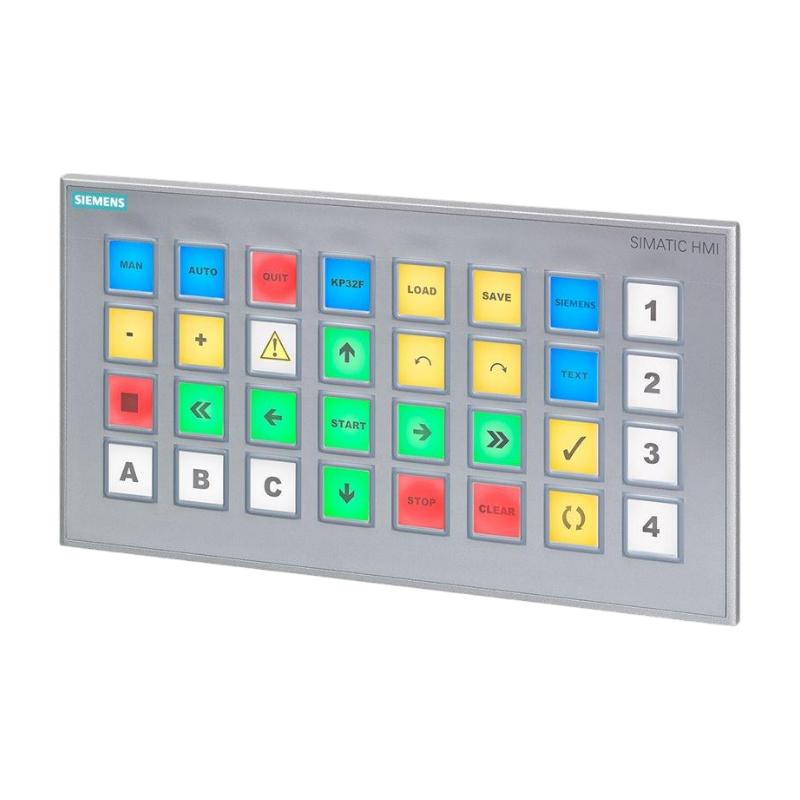
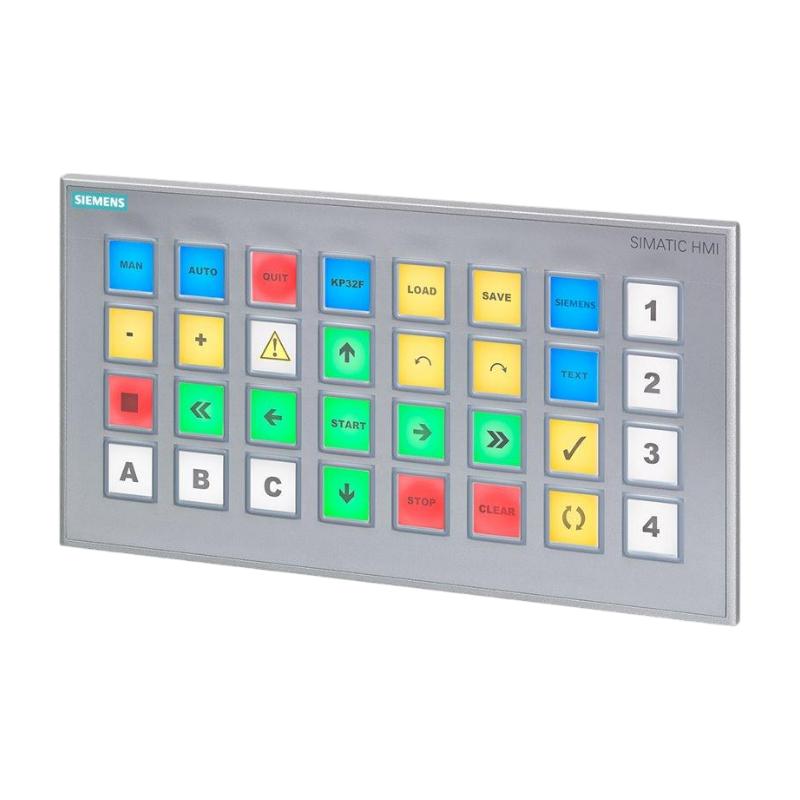
The Siemens 6AG1688-3EH47-2AX0 SIPLUS HMI KP32F PN Key Panel is an industrial operator interface designed for machine control, status indication, and safety-related operator input. It belongs to the Siemens SIPLUS HMI product family and is based on the SIMATIC HMI KP32F PN platform.
Unlike conventional touchscreen operator panels, the KP32F PN uses physical short-stroke keys with integrated multicolor LED indicators. This design is suitable for industrial environments where operators need clearly identifiable controls, repeatable button operation, and immediate visual feedback. It can be used for machine commands, operating-mode selection, process acknowledgments, and other configured control functions.
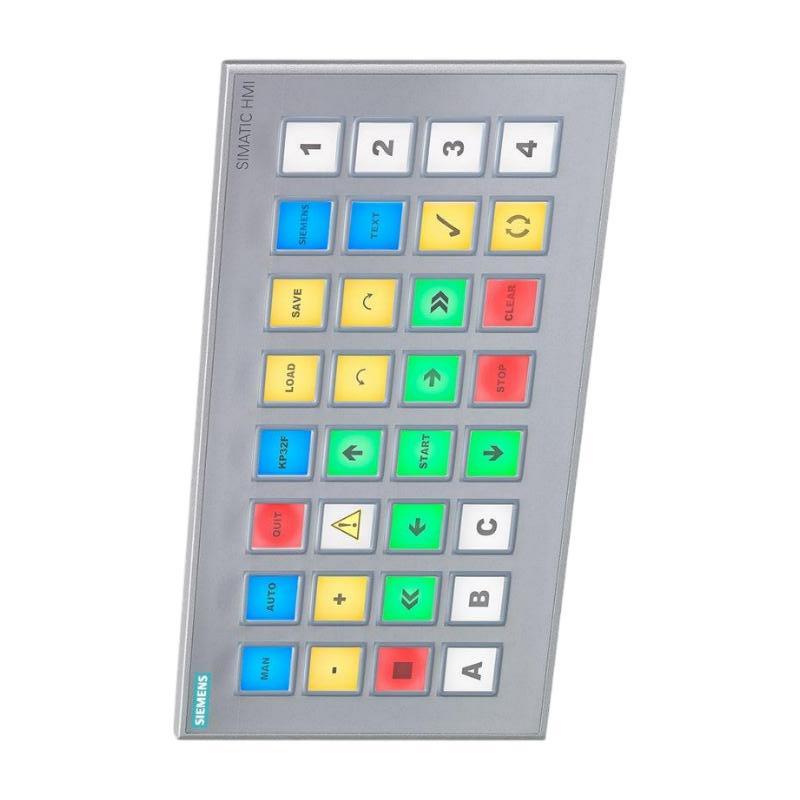
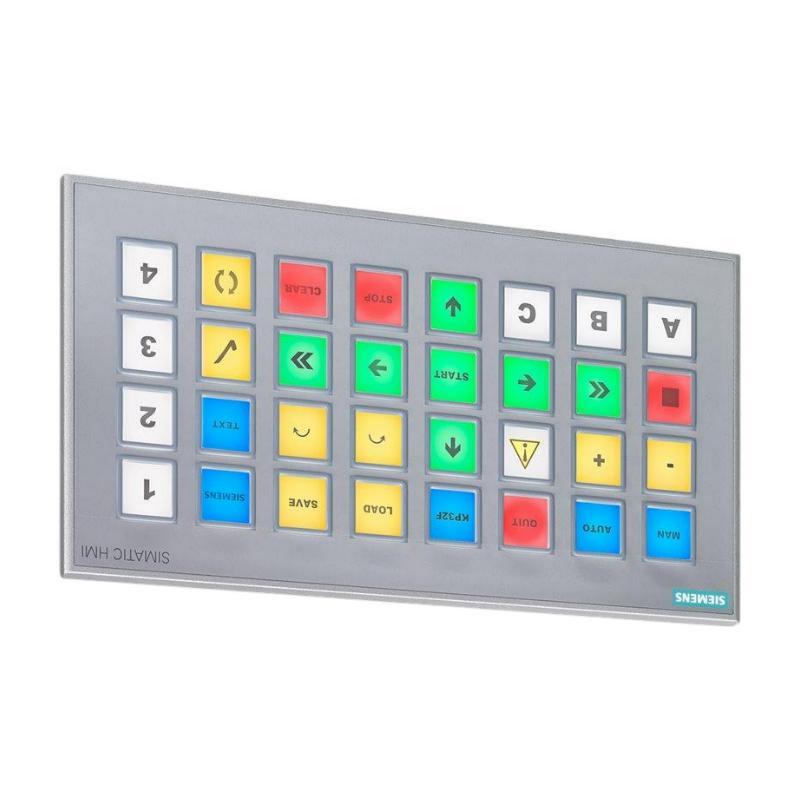
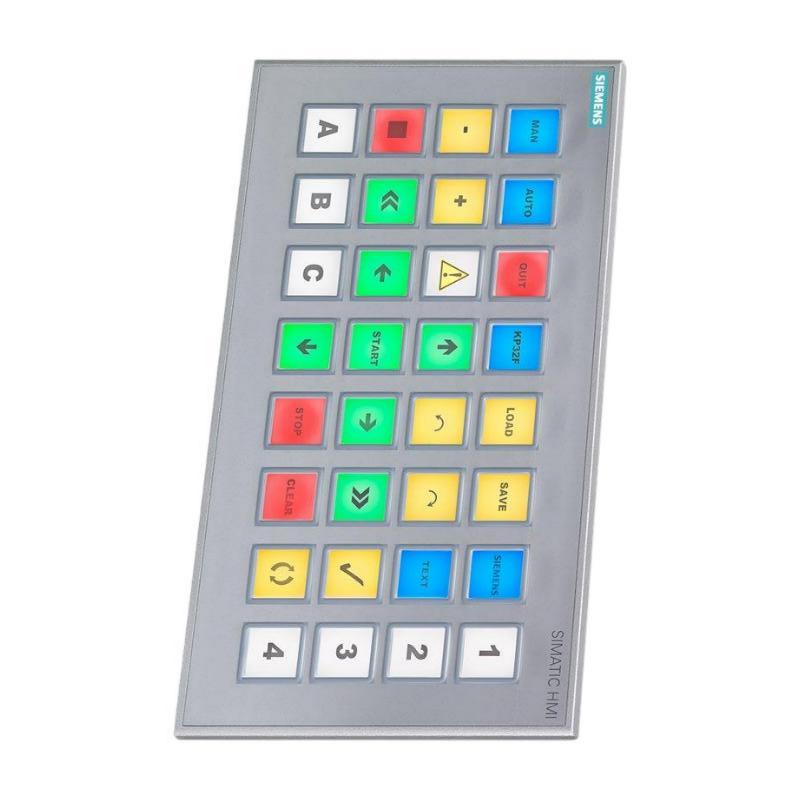
The 6AG1688-3EH47-2AX0 is equipped with 32 short-stroke keys, two PROFINET interfaces, PROFIsafe support, digital input/output capabilities, and safety-related digital inputs. Its configurable keys allow engineers to assign functions according to the requirements of the machine or production line.
As a SIPLUS product, this model includes conformal coating intended to improve protection of electronic assemblies under specified environmental conditions. Its published operating temperature range is -20°C to +55°C, making it suitable for installations that require a broader operating range than some standard HMI equipment.
This key panel can be integrated into compatible Siemens SIMATIC automation systems using supported engineering software and communication configurations. Correct configuration is essential because the function of each key, LED, input, and output depends on the application program and system design.
For industrial procurement and replacement projects, buyers should verify the complete order number, connector arrangement, safety requirements, mounting dimensions, and software compatibility before selecting the device.
Technical Specifications
| Parameter | Specification |
|---|---|
| Brand | Siemens |
| Product Family | SIPLUS HMI |
| Model | 6AG1688-3EH47-2AX0 |
| Product Type | KP32F PN Key Panel |
| Base Product | 6AV3688-3EH47-0AX0 |
| Interface Type | Industrial operator key panel |
| Number of Short-Stroke Keys | 32 |
| Key Illumination | Multicolor LED |
| Available LED Colors | Red, green, blue, yellow, white |
| PROFINET Interfaces | 2, with switch functionality |
| Communication Features | PROFINET IO and PROFIsafe |
| Digital Input/Output | 16 DI + 16 DI/DO configuration |
| Safety Inputs | 4 safety digital input pins |
| Rated Supply Voltage | 24 V DC |
| Permissible Supply Range | 20.4–28.8 V DC |
| Rated Current Consumption | Approximately 1 A |
| Operating Temperature | -20°C to +55°C |
| Front Protection | IP65 |
| Conformal Coating | Included |
| Configuration Software | STEP 7-compatible engineering environment |
| Dimensions Provided | 465 × 330 × 130 mm |
| Weight Provided | 1.849 kg |
| Typical Application | Machine operation, industrial control, safety-related operator input |
Note: The supplied dimensions may represent packaging dimensions rather than the device’s physical dimensions. The published panel dimensions are approximately 295 × 155 × 69 mm, including the angled SIMATIC Ethernet connector. Confirm the mechanical drawing and shipping specifications before installation or dispatch.
Function and Working Principle
The Siemens 6AG1688-3EH47-2AX0 provides a physical interface between machine operators and an industrial automation system. Operators use its keys to initiate configured commands, while integrated LEDs communicate operating states and other application-defined information.
1. Physical Operator Input
The panel has 32 short-stroke keys that can be configured for specific functions. Depending on the control program, these keys may be assigned to actions such as starting a sequence, stopping a process, acknowledging an alarm, selecting a machine mode, or enabling a particular operation.
Physical keys can be useful where operators wear gloves or need tactile feedback during repetitive tasks. The key assignments should be clearly documented so that operators understand the function of each control.
2. Multicolor LED Status Indication
The integrated LEDs provide visual feedback through configurable color modes. Supported colors include red, green, blue, yellow, and white.
An automation engineer may configure the indicators to represent operating states, equipment availability, alarms, or process conditions. For example, a green indicator may represent an available machine, while a red indicator may signal an abnormal condition.
The actual meaning of each color depends on the PLC program and panel configuration. Color assignments should remain consistent with the plant’s operating procedures and applicable safety requirements.
3. PROFINET Communication
The KP32F PN includes two PROFINET interfaces with switch functionality. This enables communication with compatible automation equipment and supports suitable network topologies.
PROFINET IO allows the panel to exchange configured input and output data with a compatible controller. The panel’s operator inputs and status indicators can therefore become part of a coordinated machine-control system.
Network design, device configuration, IP addressing, controller compatibility, and engineering software versions must be checked during commissioning.
4. PROFIsafe Support
The KP32F PN supports PROFIsafe for safety-related communication in appropriately designed automation systems. The device also provides safety-related digital input capabilities.
Safety-related functions must be engineered, configured, validated, and maintained according to the machine’s risk assessment and applicable standards. Simply installing a PROFIsafe-capable panel does not automatically make the overall machine safety compliant.
5. Digital Input and Output Functions
The device provides digital input and input/output capabilities that can be used in the configured automation architecture. These signals may support operator commands, status exchange, or other control functions.
The exact use of each channel depends on the system configuration and the electrical characteristics of the connected devices. Wiring and signal assignments should follow the manufacturer’s documentation.
Role in Industrial Automation Systems
The 6AG1688-3EH47-2AX0 serves as an operator-control component within a larger automation architecture. It does not replace the PLC or safety controller; instead, it provides a physical interface through which operators interact with the machine.
PLC Integration
A compatible SIMATIC controller can process operator inputs and coordinate the machine’s operation. For example, a key press may request a start command, but the PLC must still check relevant interlocks, operating conditions, and sequence requirements before activating the equipment.
The controller can also send status data to the panel so that its LEDs display the current machine state.
Safety System Integration
Where safety-related functions are required, the panel can be incorporated into a properly designed PROFIsafe architecture. The safety controller, communication configuration, safety inputs, and application logic must all meet the requirements of the intended safety function.
Emergency-stop devices and other safety components must be selected and implemented according to the risk assessment. Ordinary operator keys must not be treated as safety devices unless the specific device and its configured function are approved for that purpose.
HMI and Machine Operation
The KP32F PN is particularly useful where a physical button interface is preferred over a graphical touchscreen. Operators can use dedicated keys for frequent actions while LEDs provide immediate feedback.
It can complement a conventional HMI by providing frequently used machine controls close to the equipment. This approach can be beneficial when operators need tactile controls alongside a separate screen for detailed process visualization.
Industrial Applications
1. Manufacturing Machinery
The panel can be used on production machines that require frequent operator commands and clear status indication. Configured keys may support cycle control, mode selection, acknowledgment, and other machine-specific operations.
Its physical controls can help standardize operator interaction across equipment stations when the same interface layout is used consistently.
2. Packaging and Assembly Lines
Packaging and assembly equipment often requires operators to initiate sequences, select operating modes, and respond to process interruptions. A configurable key panel can provide dedicated controls for these functions.
Multicolor LEDs can help indicate whether a station is ready, operating, waiting for material, or reporting a fault, provided the control program defines these states appropriately.
3. Material Handling Systems
Conveyor stations, transfer equipment, and other material-handling installations may use operator panels for local commands and status indication.
The two PROFINET interfaces support integration into compatible industrial networks. The final network arrangement must be selected according to controller capabilities, topology requirements, and plant communication standards.
4. Process Equipment
Industrial process equipment may require operators to acknowledge alarms, select modes, or initiate specific sequences. The KP32F PN can provide physical controls for these functions when integrated into a suitable automation system.
The control program should prevent unintended actions and ensure that operating commands are accepted only when the relevant process conditions are satisfied.
5. Safety-Related Machine Stations
The PROFIsafe capability and safety-related input features allow the panel to be considered for applications requiring supported safety communication.
The panel must be integrated into a validated safety architecture. Safety functions, response times, diagnostics, and fault handling should be confirmed during engineering and commissioning.
6. Industrial Equipment Operating in Variable Conditions
The SIPLUS version includes conformal coating and supports an operating temperature range of -20°C to +55°C. These features can be useful in applications exposed to temperature variation or specified environmental stresses.
The actual suitability of the panel depends on humidity, condensation, chemical exposure, vibration, installation orientation, and other environmental conditions. Conformal coating does not eliminate the need for proper enclosure design.
Installation and System Integration
Correct installation helps maintain reliable communication, consistent key operation, and the required level of protection.
1. Verify the Power Supply
The panel uses a nominal 24 V DC supply, with a specified permissible range of 20.4–28.8 V DC. Confirm that the power supply can handle the panel’s current demand and any other devices connected to the same circuit.
Observe the correct polarity and grounding arrangement. Avoid voltage drops caused by undersized conductors or excessive cable lengths.
2. Confirm the Mounting Cutout
The published device dimensions are approximately 295 mm wide, 155 mm high, and 69 mm deep. The mounting cutout is approximately 277 × 137 mm, and the specified mounting plate thickness is 2–6 mm.
The dimensions provided in the product listing, 465 × 330 × 130 mm, may correspond to packaging. Use the manufacturer’s mechanical drawing for panel fabrication and installation clearance.
The unit is designed for front mounting using mounting clips. Check the permitted installation orientation and mounting conditions before cutting the control cabinet.
3. Connect PROFINET Correctly
Connect the panel to the intended PROFINET network and configure its device name, addressing, and controller relationship as required by the project.
Check cable quality, connector installation, shielding, grounding, and network topology. Where network redundancy or ring operation is required, verify that the selected topology and network devices support the intended configuration.
4. Configure the Keys and LEDs
Use the supported Siemens engineering environment to configure the panel’s key functions and indicator behavior.
Create a clear mapping between each key, its corresponding control function, and the associated LED indication. Test each function against the PLC logic before the equipment is released for production.
5. Validate Safety Functions
For applications using PROFIsafe or safety-related inputs, verify the complete safety configuration, including controller compatibility, parameterization, diagnostics, and fault responses.
Carry out the required validation and documentation in accordance with the machine’s safety design. Do not rely on LED indications alone to confirm the safe state of a machine.
6. Check Environmental Conditions
Install the panel in a location consistent with its specified environmental ratings. Its front protection rating is IP65 when correctly mounted under the specified conditions, but this does not mean the rear connections are fully protected against water or dust.
Provide suitable protection for the rear of the panel and its wiring. Observe the specified temperature range and avoid installation conditions that exceed the product’s environmental limits.
7. Commission the Complete System
After wiring and configuration, verify power supply stability, communication status, key response, LED behavior, input/output operation, and controller diagnostics.
For safety-related applications, complete the required safety validation before commissioning the equipment for normal operation. Record the configuration and device parameters to simplify future maintenance.
Compatible System Components
The KP32F PN is intended for integration into a compatible Siemens automation environment. The exact system components depend on the machine architecture and the required safety functions.
| Component | Function | Integration Considerations |
|---|---|---|
| Siemens SIMATIC PLC | Executes machine-control logic | Verify controller and engineering-software compatibility |
| Compatible fail-safe CPU | Processes configured safety functions | Required where safety-related functions are implemented |
| PROFINET network | Exchanges control and status data | Configure device names, addressing, and topology |
| PROFIsafe-compatible components | Support safety-related communication | Verify the complete safety architecture and configuration |
| 24 V DC power supply | Powers the key panel | Confirm voltage range, current capacity, and polarity |
| Industrial Ethernet cables | Connect the panel to the network | Use suitable cables and connectors for the installation |
| Control cabinet | Provides mounting and environmental protection | Confirm cutout, panel thickness, and rear-side protection |
| Additional HMI panel | Displays detailed process information | Can complement the physical key panel where required |
| Digital signal devices | Provide or receive configured I/O signals | Check electrical characteristics and signal assignments |
These components are examples of equipment that may be used in a complete system. They are not necessarily included with the key panel.
Alternative Models and Replacement Considerations
When replacing the 6AG1688-3EH47-2AX0, the closest technical alternative may be the corresponding standard SIMATIC HMI KP32F PN model, 6AV3688-3EH47-0AX0. However, the standard and SIPLUS versions are not automatically interchangeable in every environment because their environmental specifications differ.
| Alternative | Main Consideration |
|---|---|
| Siemens 6AV3688-3EH47-0AX0 | Corresponding standard KP32F PN platform; check environmental requirements and configuration |
| Siemens SIPLUS KP8 or KP8F PN | Smaller key-panel family; fewer keys and different application requirements |
| Siemens SIPLUS KP32F PN | Same product family; verify the exact order number and hardware configuration |
| Compatible Siemens SIMATIC HMI panel | May be considered if a different operator-interface design is acceptable |
| A newer operator-interface solution | May require engineering changes, program updates, and new commissioning work |
Before approving a replacement, compare the following:
- Complete order number and product version.
- Number and arrangement of keys.
- LED functions and supported colors.
- PROFINET interfaces and network requirements.
- PROFIsafe support and safety input requirements.
- Power supply voltage and current demand.
- Mounting cutout and mechanical dimensions.
- Operating temperature and environmental protection.
- Engineering software and controller compatibility.
- Key assignments, PLC program, and safety validation requirements.
A touchscreen HMI or a different key panel should not be treated as a direct replacement solely because it performs similar operator-control functions. Hardware interfaces, software configuration, and safety-related behavior must be reviewed.
Key Advantages
32 Physical Operator Keys
The panel provides a dedicated physical interface for frequent machine commands. Short-stroke keys can be useful where tactile input is preferred over touchscreen operation.
Multicolor LED Indication
Integrated LEDs provide configurable visual feedback for machine status, alarms, and operator guidance.
PROFINET Connectivity
Two PROFINET interfaces support communication with compatible automation equipment and suitable network arrangements.
PROFIsafe Capability
The supported safety communication features allow the panel to be incorporated into appropriately engineered safety-related automation systems.
Configurable Operator Functions
Keys and indicators can be assigned to application-specific functions, allowing the interface to reflect the machine’s operating requirements.
Conformal Coating
The SIPLUS configuration includes conformal coating intended to improve protection of electronic assemblies under specified environmental conditions.
Extended Operating Temperature Range
The published -20°C to +55°C operating range supports installations that require operation beyond some standard HMI environmental limits.
Technical FAQs
1. What is the Siemens 6AG1688-3EH47-2AX0?
It is a SIPLUS HMI KP32F PN industrial key panel with 32 short-stroke keys, multicolor LEDs, PROFINET interfaces, and PROFIsafe support.
2. Is this product a touchscreen HMI?
No. It is a physical key panel rather than a conventional touchscreen display. Operators use its configured keys to interact with the automation system.
3. How many keys does the panel have?
It has 32 short-stroke keys with multicolor LED indicators. The function of each key depends on the engineering configuration and application program.
4. What supply voltage does it require?
The rated supply voltage is 24 V DC, with a permissible range of 20.4–28.8 V DC.
5. Does the panel support PROFINET?
Yes. It has two PROFINET interfaces with switch functionality and supports PROFINET IO. It also supports PROFIsafe for appropriately designed safety-related applications.
6. What is the operating temperature range?
The published operating temperature range is -20°C to +55°C. Other environmental requirements should be checked against the product documentation.
7. What is the difference between the SIPLUS and standard versions?
The SIPLUS version includes conformal coating and specified environmental characteristics. The corresponding standard model may have different environmental limits, so suitability should be assessed against the installation conditions.
8. What are the actual dimensions of the panel?
Published physical dimensions are approximately 295 × 155 × 69 mm, including the angled Ethernet connector. The supplied listing dimensions of 465 × 330 × 130 mm may describe the packaged product rather than the device itself.
9. Can it be used in a safety-related application?
It supports PROFIsafe and has safety-related input capabilities. However, the complete system must be correctly engineered, configured, and validated for the required safety function.
10. What should be checked before purchasing a replacement?
Confirm the full order number, hardware condition, key layout, network interfaces, safety requirements, power supply, mounting cutout, environmental rating, and engineering-software compatibility.
Procurement and Maintenance Recommendations
When purchasing the Siemens 6AG1688-3EH47-2AX0, verify the complete order number and confirm that the SIPLUS KP32F PN configuration matches the intended application. Pay particular attention to the key arrangement, PROFINET connectivity, PROFIsafe requirements, and environmental specifications.
For replacement projects, compare the original unit with the proposed replacement before ordering. A standard SIMATIC key panel may provide similar operator functions but may not offer the same environmental characteristics as the SIPLUS version.
Check the physical dimensions separately from packaging dimensions. This is especially important for control-panel fabrication, spare-parts storage, international shipping, and installation planning.
During routine maintenance, inspect the front panel, mounting clips, connectors, cable condition, and power supply. Keep the operator interface clean using methods compatible with the manufacturer’s instructions. Confirm that the keys operate correctly and that the LEDs display the intended states.
For systems using safety-related functions, follow the established maintenance and validation procedures. Any changes to the safety configuration, controller program, network settings, or key assignments should be documented and verified before the equipment returns to service.
Conclusion
The Siemens 6AG1688-3EH47-2AX0 SIPLUS HMI KP32F PN is a physical operator key panel designed for industrial machine control and status indication. Its 32 short-stroke keys, multicolor LEDs, dual PROFINET interfaces, PROFIsafe support, digital I/O capabilities, and conformal coating make it suitable for appropriately engineered automation applications.
Correct configuration is essential to ensure that key functions, status indicators, communication, and safety-related behavior match the machine requirements. For purchasing and replacement projects, verify the full order number, mounting dimensions, environmental conditions, and compatibility with the existing SIMATIC automation system.