

ProductPRODUCT
Featured products
Contact Us
- Siemens
- 6AG1688-3AY36-2AX0
- Keypad Panel
- Germany
- 180 × 10 × 60 mm
- 0.336 kg
- Xiamen, China
- New & In Stock
- T/T, PayPal, Western Union
- 1 Year
- 1-3 Working Days
- DHL, UPS, TNT, FedEx and EMS.
- 24-Hour Service
- COO
- 4
Our advantage

Global Logistics
We have a 10-year logistics and express cooperation agreement, so our products can be shipped to any place in the world.

Brand new and original
Our products are imported in bulk from the place of origin. Because of the cooperative relationship, our products are all original and 100% new.

24-hour service
We provide 7*24 hours service to our customers. We will be there whenever you need us.

Price advantage
All our products are priced very favorably because we have our own warehouse and supply.
| Company Information | |||
| [email protected] | |||
| Mobile | +8615980777398 | ||
| +8615980777398 | |||
| 15980777398 |
Product Overview
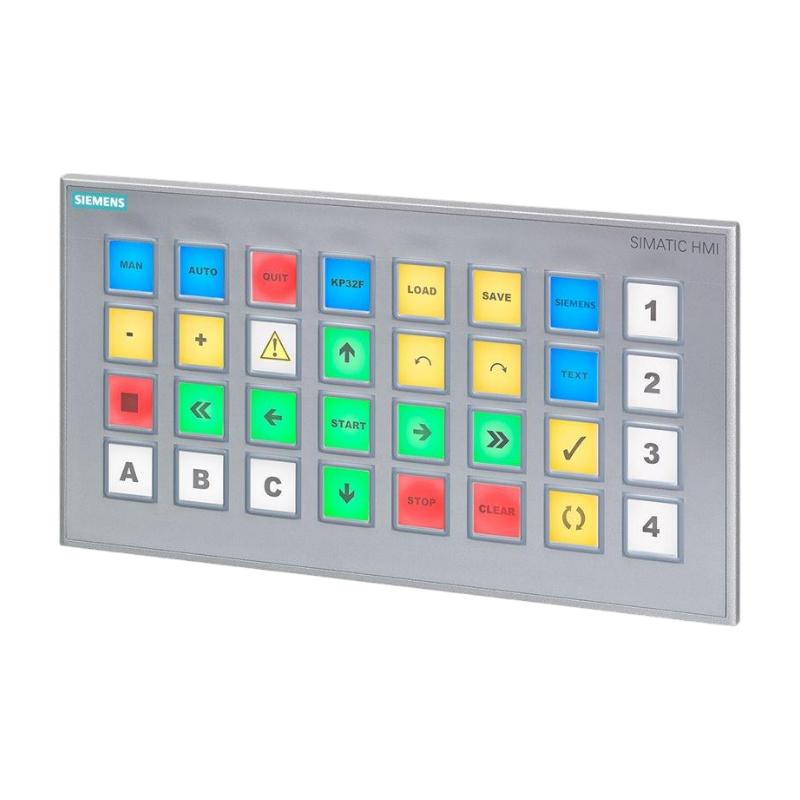
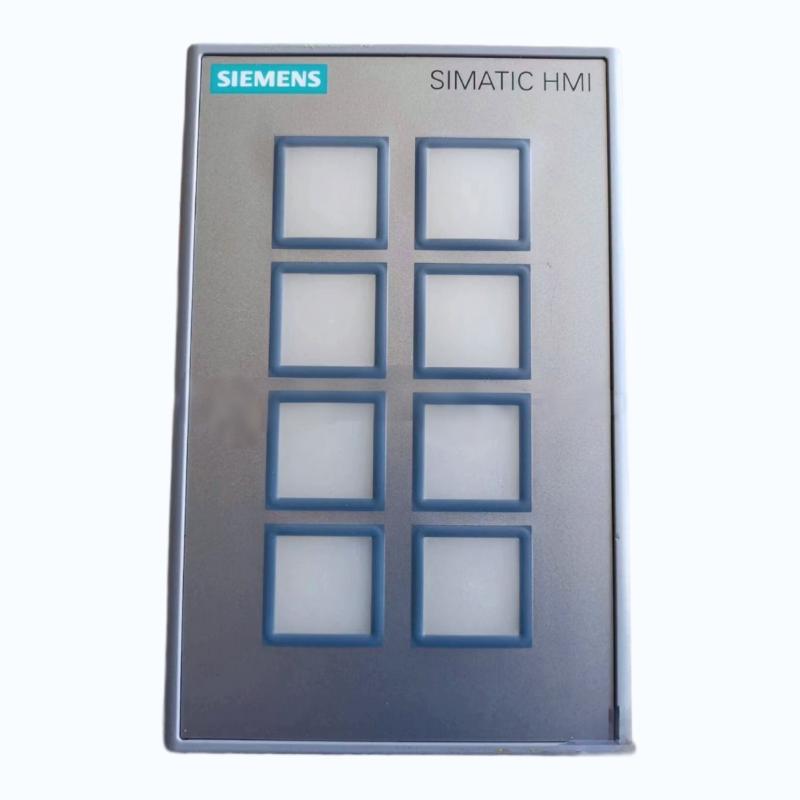
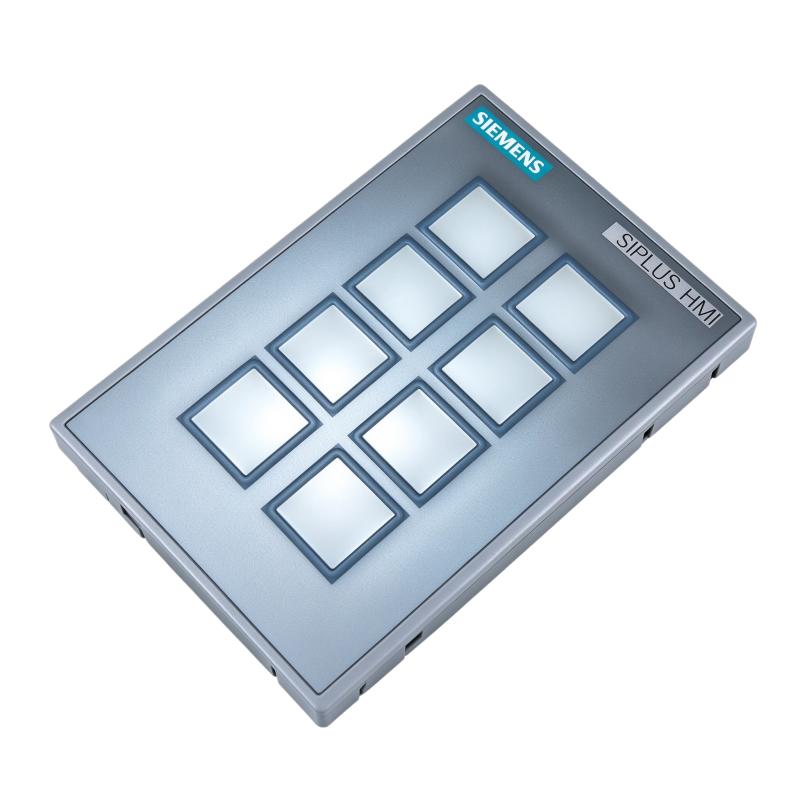
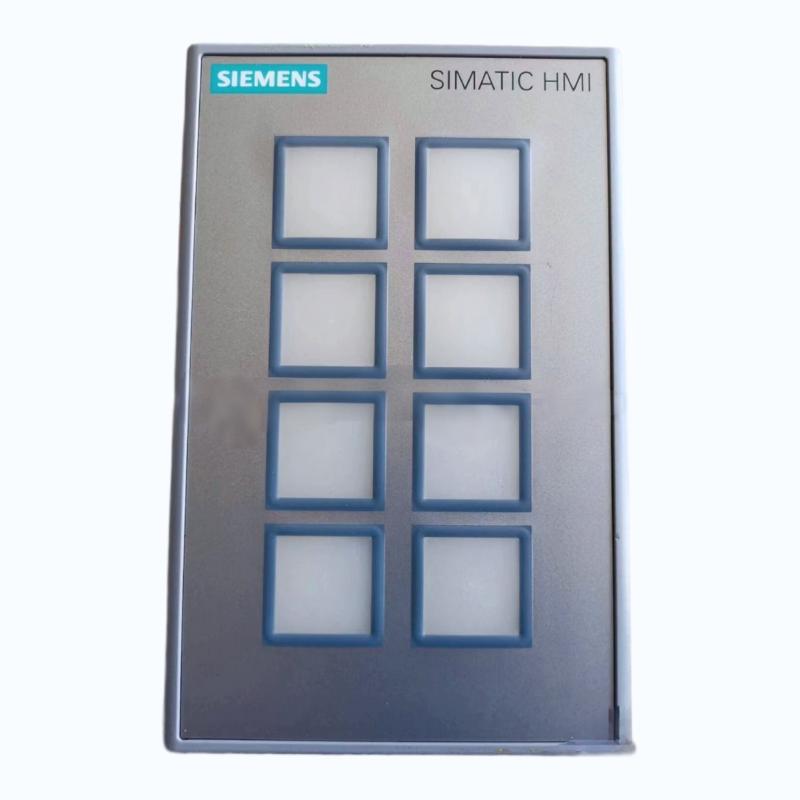
The Siemens 6AG1688-3AY36-2AX0 SIPLUS HMI KP8 PN Key Panel is an industrial operator control and monitoring device designed for machine-level operation in automation systems. As part of the Siemens SIPLUS HMI product family, it provides configurable physical keys, multicolor LED indicators, and PROFINET connectivity for industrial equipment that requires reliable operator interaction.
Unlike a conventional computer keyboard, this key panel is designed to work as part of an industrial automation architecture. Operators can use configured keys to initiate machine functions, acknowledge selected operating actions, or interact with equipment through a PLC-controlled application. The multicolor LEDs provide visual feedback, allowing machine designers to communicate equipment states and process information directly at the point of operation.
The 6AG1688-3AY36-2AX0 is based on the Siemens 6AV3688-3AY36-0AX0 KP8 PN key panel and incorporates conformal coating for demanding environmental conditions. This SIPLUS configuration is specified for an extended operating temperature range of -40°C to +60°C, with startup permitted from -25°C under the manufacturer’s stated conditions.
The panel supports PROFINET communication and can be integrated into suitable industrial Ethernet line or ring topologies. Its communication capabilities allow it to exchange configured operator and status information with compatible automation controllers.
This product is particularly relevant to industrial machine builders, system integrators, maintenance engineers, and facilities that require a compact physical operator interface. Typical applications include production machinery, equipment control stations, process auxiliary systems, and industrial installations where physical keys and clear visual status indication are preferred over a touchscreen-only interface.
When selecting this model, engineers should verify the exact order number, supply voltage, mounting arrangement, network configuration, and project-specific environmental requirements. The SIPLUS version should not automatically be treated as identical to the standard KP8 PN version for every environmental or installation condition.
Technical Specifications
| Parameter | Specification |
|---|---|
| Brand | Siemens |
| Product Series | SIPLUS HMI |
| Model | 6AG1688-3AY36-2AX0 |
| Product Type | KP8 PN Key Panel |
| Base Product | 6AV3688-3AY36-0AX0 |
| Main Function | Industrial operator control and monitoring |
| Operator Interface | Physical short-stroke keys |
| Configurable Keys | 8 |
| Short-Stroke Keys | 8 |
| Direct Keys | 8 |
| LED Indicators | Multicolor LEDs |
| LED Color Options | Red, green, blue, yellow, and white |
| Communication Interface | PROFINET |
| PROFINET Interfaces | 2 |
| Industrial Ethernet Interfaces | 2 |
| Supply Voltage | 20.4–28.8 V DC |
| Rated Current Consumption | Approximately 0.3 A |
| Conformal Coating | Included |
| Operating Temperature | -40°C to +60°C |
| Permitted Startup Temperature | -25°C under specified conditions |
| Mounting Type | Front mounting with mounting clips |
| Dimensions Provided | 180 × 10 × 60 mm |
| Weight Provided | 0.336 kg |
| Typical Application | Industrial machine operation and status indication |
Note: The dimensions and weight are the supplied listing specifications. Verify mounting dimensions, panel cutout requirements, and the exact interface details against the documentation for the installed hardware before installation.
Function and Working Principle
The Siemens SIPLUS HMI KP8 PN operates as a physical operator interface within an industrial automation system. Its primary role is to translate operator actions into configured control signals and provide visual feedback through its LED indicators.
The panel’s actual behavior depends on its engineering configuration, the PLC program, and the automation network. It does not independently perform all the logic required to control an industrial machine.
1. Physical Operator Control
The panel provides eight short-stroke keys that can be configured for specific operator functions. Depending on the machine design, these keys may be assigned to actions such as selecting an operating mode, requesting a sequence, initiating a permitted operation, or navigating machine functions.
The precise action associated with each key is determined during engineering. The PLC or other compatible controller processes the resulting input according to the application’s control logic.
This approach provides a straightforward way for operators to interact with equipment without relying on a touchscreen or a general-purpose computer.
2. Multicolor LED Status Indication
The KP8 PN supports multicolor LED indication. Configured indicators can communicate equipment conditions, operating states, or other application-defined information.
For example, an automation project may assign different colors to normal operation, standby, warnings, or maintenance conditions. Such assignments must be clearly defined in the machine documentation and should not be assumed to follow a universal color convention.
Visual feedback can reduce the need for operators to consult a separate screen for every routine machine condition. It can also help maintenance personnel identify operating states during troubleshooting.
3. PROFINET Communication
PROFINET is an industrial Ethernet communication technology used to exchange data between automation devices. The KP8 PN provides PROFINET connectivity for integration into supported control architectures.
In a typical installation, the panel communicates with a compatible PLC. Operator actions and indicator states are processed through the configured network and control program.
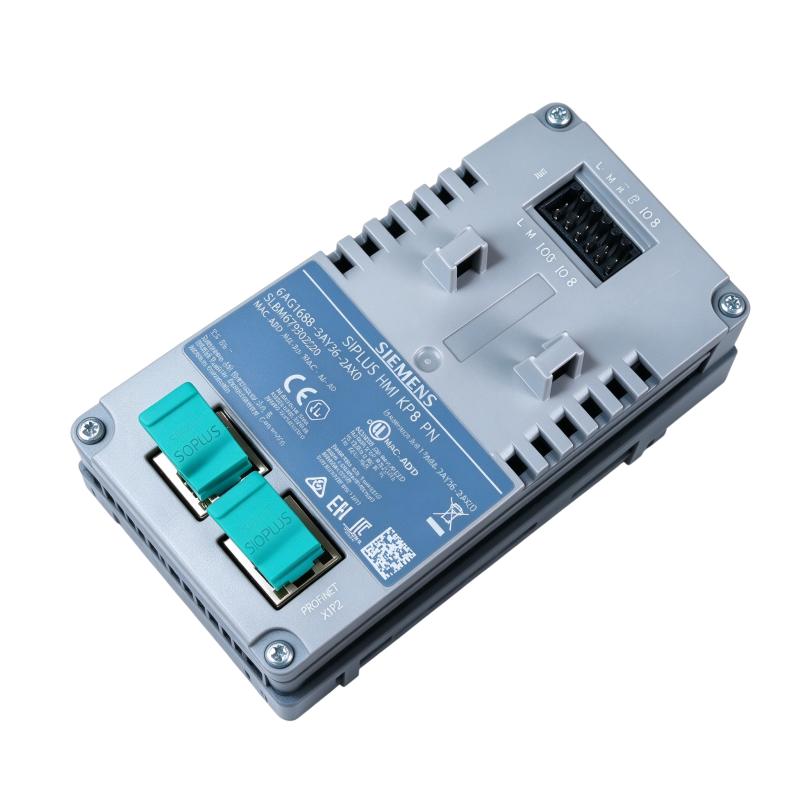
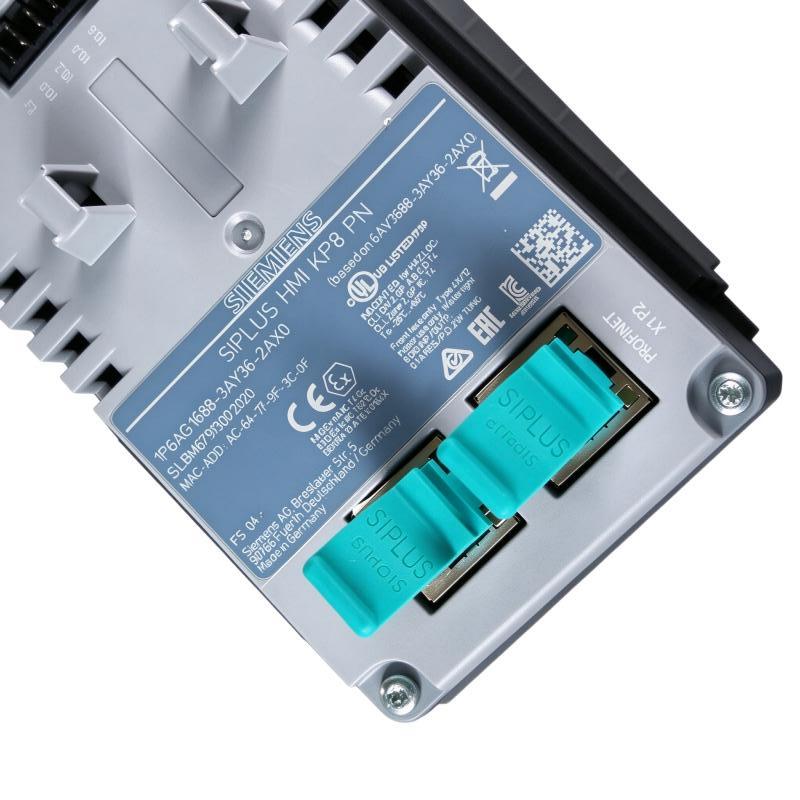
The panel provides two PROFINET interfaces, supporting suitable line or ring arrangements. The exact topology, device configuration, and network behavior must be verified against the controller, firmware, and engineering software used in the project.
4. Configurable Operator Functions
The key panel can be parameterized using supported Siemens engineering tools. This allows the panel’s operator functions to be matched to the machine’s operating sequence.
Configuration may include key assignments, LED behavior, and communication-related settings. The engineering project should document the meaning of each key and indicator so that operators and maintenance personnel can use the panel consistently.
5. Environmental Protection Through SIPLUS Design
The 6AG1688-3AY36-2AX0 includes conformal coating and an extended temperature specification. These features are intended to support applications exposed to environmental conditions beyond those covered by some standard automation products.
However, conformal coating does not make the device waterproof or suitable for every corrosive environment. The complete installation must still satisfy the specified temperature, humidity, contamination, mounting, and electrical requirements.
Role in Industrial Control Systems
The 6AG1688-3AY36-2AX0 is normally installed as part of a larger automation system rather than as a standalone controller. Its role is to provide the physical operator interface and communicate with compatible control equipment.
PLC Integration
A programmable logic controller processes machine inputs, executes the application program, and coordinates outputs. The KP8 PN allows an operator to interact with configured functions through the PROFINET network.
For example, a key may request that a machine enter a particular operating mode. The PLC evaluates the request against permissive conditions, safety logic, and the current machine state before allowing the corresponding action.
This separation between operator input and control logic is important. A key press should be treated as a request rather than as proof that an operation is safe to execute.
Machine Status Monitoring
The panel’s LEDs can provide direct visual feedback about selected machine conditions. Depending on the configured application, these indicators may show whether a process is active, an operation is available, or an operator action is required.
Indicator assignments should remain consistent with the machine’s operating instructions. Where an alarm or abnormal condition requires detailed diagnosis, the key panel may be used alongside an HMI, alarm display, or maintenance interface.
PROFINET Network Integration
The two PROFINET interfaces support integration into compatible network layouts. In an appropriate line or ring arrangement, the panel can be incorporated into a broader industrial Ethernet network without necessarily requiring a separate external switch at every device connection.
The final topology depends on network design, redundancy requirements, controller capabilities, and the equipment connected to the network. Network planning should include device names, IP configuration where applicable, cable routing, and commissioning checks.
Operator Stations and Machine Panels
The compact key-panel format is useful where operators need physical controls close to the machinery. It can be mounted on a suitable control cabinet, machine enclosure, or operator station according to the manufacturer’s mounting requirements.
This arrangement allows machine builders to place frequently used commands and visual indicators where they are most useful to the operator.
Industrial Applications
1. Manufacturing and Assembly Equipment
Manufacturing machines often require physical controls for starting permitted sequences, selecting functions, and monitoring operating states. The KP8 PN can provide these functions when configured within a suitable PLC-based control system.
Its multicolor indicators can communicate application-defined states, while the physical keys provide a consistent operator interface.
2. Packaging Machinery
Packaging equipment may use operator keys for selecting machine functions, requesting production sequences, or interacting with a PLC-controlled process.
The key panel can be installed near a packaging station where operators need quick access to common functions. The application designer must define the key assignments and ensure that machine interlocks and safety requirements are handled by the appropriate control system.
3. Material Handling Systems
Conveyors, transfer stations, and automated material-handling equipment often require local operator interfaces for routine operation and maintenance.
A configured KP8 PN can provide physical controls and status indication at selected stations. PROFINET connectivity allows it to communicate with compatible controllers that coordinate the wider material-handling process.
4. Industrial Process Equipment
Auxiliary process machinery may require a compact local interface for operator requests and equipment status. The panel can be used where physical keys and visible indicators suit the operating environment better than a full graphical display.
It can complement an existing HMI or supervisory system rather than replacing the need for detailed process visualization.
5. Equipment Installed in Challenging Environments
The SIPLUS configuration is designed for an extended temperature range and includes conformal coating. These characteristics may be beneficial for suitable installations exposed to more demanding environmental conditions.
The actual environment must still be checked against the product’s specified limits. High humidity, condensation, chemical exposure, vibration, and contamination should be assessed according to the installation requirements rather than assumed to be covered by the SIPLUS designation alone.
Installation and System Integration
Correct installation helps ensure reliable operator input, stable communication, and long-term performance.
1. Verify the Power Supply
The panel’s specified DC supply range is 20.4–28.8 V. Use a suitable regulated power supply with sufficient capacity for the connected equipment.
Check polarity, wiring, protective measures, and the voltage at the device terminals under operating conditions. Do not connect the panel to an AC supply or assume that every 24 V DC supply arrangement is suitable without checking the installation requirements.
2. Confirm Mounting Dimensions
The supplied listing dimensions are 180 × 10 × 60 mm. These figures should be treated as listing data rather than a substitute for the manufacturer’s mounting drawing.
Before cutting the panel or enclosure, verify the required cutout, mounting depth, mounting clips, clearances, and orientation. Incorrect cutout dimensions can lead to poor fit, mechanical stress, or difficulty servicing the device.
3. Plan PROFINET Connectivity
Connect the panel to the intended PROFINET network using compatible industrial Ethernet cabling and connectors. Follow the specified wiring, shielding, and grounding practices.
Before commissioning, verify the PLC configuration, device identification, network settings, and the topology supported by the connected equipment.
Where a line or ring topology is used, ensure that the network arrangement matches the engineering design. Do not assume that network redundancy is automatically available merely because the panel has two interfaces.
4. Configure Keys and Indicators
Assign each key a clear function and configure the LED indicators according to the application’s requirements. Document the meaning of the key labels and LED states.
For production equipment, the key-panel configuration should match the PLC program and the machine’s operating procedures. Changes to the PLC logic or panel configuration should be reviewed together to prevent mismatched commands and indications.
5. Verify Operating Conditions
The specified operating temperature range is -40°C to +60°C, with startup permitted from -25°C under the stated conditions. Verify the current product documentation for the exact environmental limitations.
Provide suitable protection against mechanical damage, direct liquid exposure, and contaminants outside the specified limits. Conformal coating should be treated as an additional protective feature, not as a replacement for correct enclosure design.
6. Commission the Complete System
After installation, verify the power supply, communication status, key response, and LED indication. Test each configured operator function with the PLC and confirm that the correct response occurs.
Test the panel as part of the machine’s operating sequence, including interlocks and fault conditions. Record the configuration and network settings so that maintenance personnel can restore the intended behavior after a device replacement.
Compatible System Components
The KP8 PN key panel is intended to work with compatible Siemens automation equipment and a correctly engineered industrial network.
| Component | Function | Integration Considerations |
|---|---|---|
| Siemens SIMATIC PLC | Executes machine-control logic | Confirm controller compatibility and engineering configuration |
| PROFINET network | Exchanges data between automation devices | Verify topology, device configuration, and network settings |
| Industrial Ethernet cables | Connects devices to the network | Use suitable cabling and connectors for the installation environment |
| 24 V DC power supply | Provides operating power | Ensure voltage and current capacity meet requirements |
| Control cabinet or operator station | Supports and protects the panel | Verify cutout, mounting depth, and environmental conditions |
| Siemens HMI panel | Provides graphical visualization and diagnostics | Can complement the key panel where detailed displays are required |
| Industrial switches, where required | Connects network devices | Select according to topology and project requirements |
| Engineering workstation | Configures and commissions the automation system | Use supported Siemens engineering tools and compatible project settings |
Compatibility depends on the specific controller, firmware, engineering software, and network design. The presence of a component in this table does not mean that it is included with the key panel.
Alternative Models and Replacement Considerations
When replacing a 6AG1688-3AY36-2AX0, it is important to distinguish between the SIPLUS version and standard KP8 PN products.
| Alternative Model or Product | Key Consideration |
|---|---|
| Siemens 6AV3688-3AY36-0AX0 | Standard KP8 PN base product; verify environmental specifications and coating differences |
| Siemens 6AG1688-3AY36-2AX0 | SIPLUS version with conformal coating and extended temperature specification |
| Siemens 6AG1688-3AF37-2AX0 | SIPLUS KP8F PN fail-safe key panel; different safety-related functionality and application requirements |
| Siemens 6AG1688-3EH47-2AX0 | SIPLUS KP32F PN panel with a larger key arrangement and safety-related features |
| Siemens SIMATIC HMI operator panel | May be suitable when the application requires a graphical display instead of a physical key-only interface |
Before choosing an alternative, compare the following:
- Physical dimensions and mounting cutout.
- Supply voltage and current requirements.
- Key functions and LED indication capabilities.
- PROFINET interfaces and network topology.
- Temperature range and environmental protection.
- Engineering software and configuration compatibility.
- PLC program dependencies and operator workflow.
- Safety-related requirements, if applicable.
A standard KP8 PN product should not automatically be considered an equivalent replacement for the SIPLUS model when extended temperature or environmental protection is required. Similarly, a fail-safe key panel should not be substituted without evaluating the safety architecture and applicable certification requirements.
Key Advantages
Physical Operator Interface
The panel provides physical keys that can be assigned to machine functions. This is useful where operators prefer dedicated controls for frequently used actions.
Multicolor LED Feedback
Configurable multicolor LEDs can provide immediate visual information about machine states, helping operators understand the status of selected functions.
PROFINET Connectivity
The panel supports integration with compatible PLC-based control systems through PROFINET, allowing operator input and visual feedback to be coordinated with the automation application.
Compact Installation Format
Its key-panel design allows installation at machine-level operator stations where a full-size HMI display may not be necessary.
Extended Temperature Capability
The SIPLUS configuration is specified for operation from -40°C to +60°C, with startup from -25°C under the manufacturer’s conditions.
Conformal Coating
The conformal coating provides an additional level of protection for electronic assemblies under suitable environmental conditions. Correct installation and compliance with the product’s environmental limits remain essential.
Integration with Existing Automation Architectures
When correctly engineered, the panel can complement Siemens PLCs, industrial Ethernet infrastructure, and other HMI equipment in a coordinated control system.
Technical FAQs
1. What is the Siemens 6AG1688-3AY36-2AX0?
It is a SIPLUS HMI KP8 PN industrial key panel used for operator control and monitoring. It provides configurable physical keys, multicolor LED indicators, and PROFINET connectivity.
2. Is it a touchscreen HMI?
No. The KP8 PN is a physical key panel rather than a touchscreen display. It is designed for configured operator actions and visual status indication.
3. What is the difference between 6AG1688-3AY36-2AX0 and 6AV3688-3AY36-0AX0?
The 6AG1688-3AY36-2AX0 is the SIPLUS version based on the 6AV3688-3AY36-0AX0. The SIPLUS model includes conformal coating and an extended environmental temperature specification. Check the product documentation before selecting one as a replacement for the other.
4. What power supply does this panel require?
The specified DC supply range is 20.4–28.8 V. Use a suitable power supply and follow the manufacturer’s wiring instructions.
5. How does the KP8 PN communicate with a PLC?
It uses PROFINET connectivity to exchange configured data with compatible automation equipment. The PLC program and panel configuration determine how operator actions and LED states are processed.
6. How many keys does the panel provide?
The KP8 PN has eight short-stroke keys that can be parameterized. Its product specifications also describe eight function keys and eight direct keys. Their actual use depends on the engineering configuration.
7. What is the operating temperature range?
The specified operating range for this SIPLUS model is -40°C to +60°C, with startup permitted from -25°C under the manufacturer’s stated conditions.
8. Does conformal coating make the panel waterproof?
No. Conformal coating offers additional protection for electronic assemblies, but it does not make the panel waterproof. Follow the specified environmental limits and provide suitable enclosure protection where necessary.
9. Can it be used in a PROFINET line or ring topology?
The panel has two PROFINET interfaces and supports suitable line or ring integration. The actual topology must be designed and verified according to the connected network equipment and application requirements.
10. What should be checked before purchasing a replacement?
Verify the complete order number, environmental requirements, power supply, mounting dimensions, network interfaces, key functions, and configuration compatibility. For critical equipment, also check the condition of the device and request appropriate functional testing.
Procurement and Maintenance Recommendations
When purchasing the Siemens 6AG1688-3AY36-2AX0, verify the full order number and confirm that the SIPLUS version meets the installation’s environmental requirements. Do not rely only on the generic description “keypad panel,” as standard and SIPLUS variants can differ in environmental specifications.
For replacement projects, check the panel’s physical condition, key response, LED operation, connector condition, and PROFINET communication. Confirm whether the device has the expected configuration and whether its existing engineering project is available.
During maintenance, keep the front panel clean using cleaning methods compatible with the product materials. Avoid liquids or cleaning agents that may damage the enclosure or compromise the installation. Inspect the mounting, connectors, power wiring, and network cabling according to the maintenance plan.
Maintain a record of the key assignments, LED meanings, network configuration, and associated PLC logic. This information helps technicians restore the correct operator interface after a replacement and reduces the risk of incorrect key behavior.
For systems operating in low-temperature or environmentally demanding conditions, verify that the actual operating and startup conditions remain within the manufacturer’s specifications. Conformal coating should not be treated as a substitute for proper environmental control.
Conclusion
The Siemens 6AG1688-3AY36-2AX0 SIPLUS HMI KP8 PN Key Panel is a compact industrial operator control and monitoring device designed for PLC-based automation systems. Its configurable physical keys, multicolor LED indicators, dual PROFINET interfaces, conformal coating, and extended temperature capability make it suitable for appropriately engineered industrial machine interfaces.
For procurement, installation, and replacement projects, the most important considerations are the exact order number, environmental requirements, mounting dimensions, power supply, PROFINET integration, and configuration compatibility. Correctly engineered and maintained, the panel can provide a practical operator interface for industrial equipment and production systems.