

ProductPRODUCT
Featured products
Contact Us
- Schneider
- XBTF034610
- Touchscreen
- France
- 10.4 inches
- 2.27 kg
- Xiamen, China
- New & In Stock
- T/T, PayPal, Western Union
- 1 Year
- 1-3 Working Days
- DHL, UPS, TNT, FedEx and EMS.
- 24-Hour Service
- COO
- 5
Our advantage

Global Logistics
We have a 10-year logistics and express cooperation agreement, so our products can be shipped to any place in the world.

Brand new and original
Our products are imported in bulk from the place of origin. Because of the cooperative relationship, our products are all original and 100% new.

24-hour service
We provide 7*24 hours service to our customers. We will be there whenever you need us.

Price advantage
All our products are priced very favorably because we have our own warehouse and supply.
| Company Information | |||
| [email protected] | |||
| Mobile | +8615980777398 | ||
| +8615980777398 | |||
| 15980777398 |
Product Overview
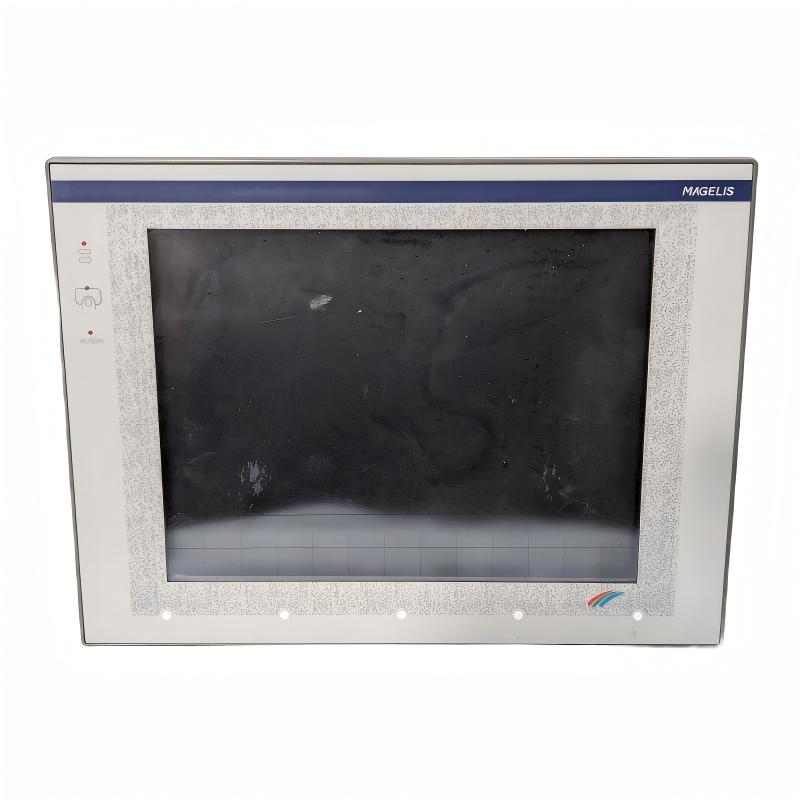
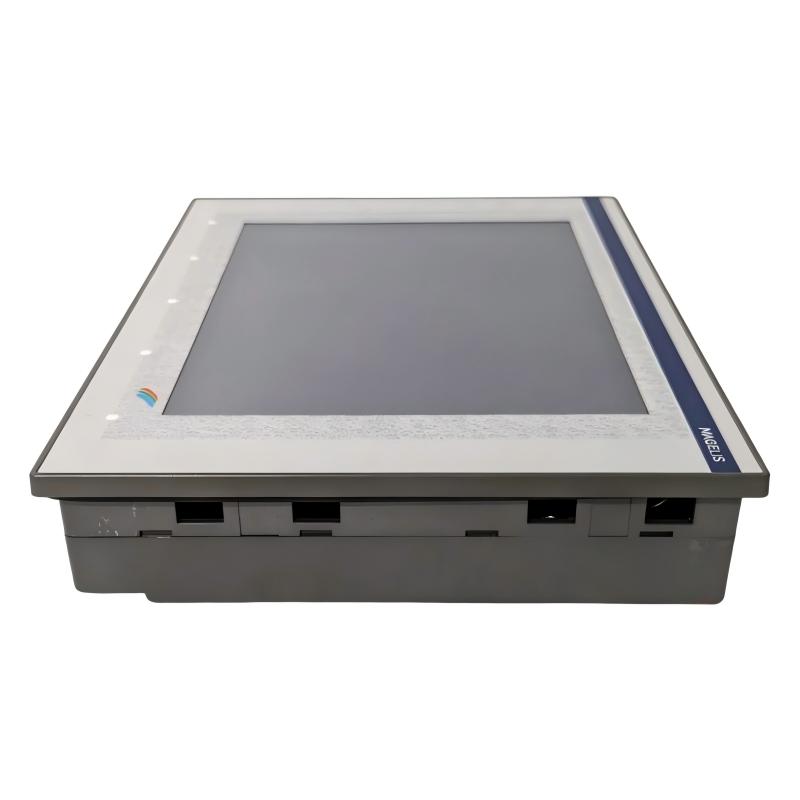
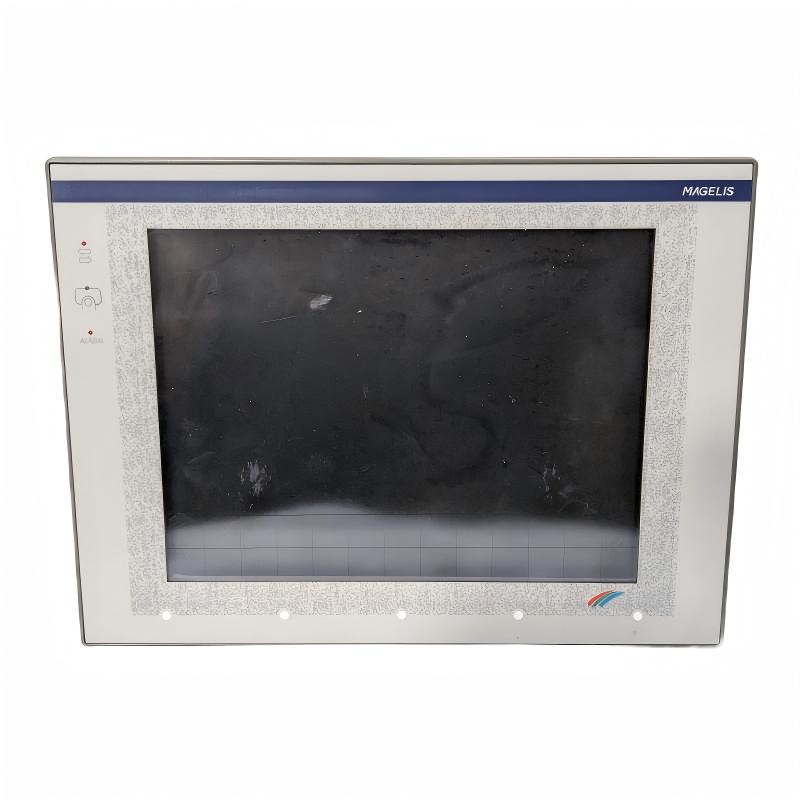
The Schneider Electric XBTF034610 is an industrial human-machine interface (HMI) terminal from the Magelis XBT-F series. Designed for operator interaction with industrial machinery and automation systems, this touchscreen terminal provides a graphical interface for monitoring process conditions, displaying operating information, and issuing commands to connected control equipment.
An HMI is an important part of an industrial automation architecture. It provides a visual connection between machine operators and the underlying control system. Instead of relying entirely on physical switches and indicator lamps, operators can use a touchscreen interface to view process information, acknowledge alarms, and interact with configured machine functions.
The XBTF034610 features a 10.4-inch color touchscreen with a 640 × 480 pixel display resolution. It operates from a 24 V DC power supply and has a published power consumption of approximately 35 W. Its Magelis platform supports graphical operator-interface applications, allowing machine builders to create screens for process visualization and equipment control.
The terminal is designed to work with compatible PLCs and industrial communication protocols. Depending on the system configuration, it can exchange information with control equipment to display operating values, alarms, machine states, and operator commands.
The XBTF034610 is a discontinued product. Schneider Electric identifies the XBTGT5330 as a recommended replacement, together with the XBTZGCO3 mechanical adapter for the specified substitution arrangement. Since the replacement belongs to a different product generation, users should check application compatibility, communication configuration, and panel installation requirements before upgrading.
Technical Specifications
| Parameter | Specification |
|---|---|
| Brand | Schneider Electric |
| Product Series | Magelis XBT-F |
| Model | XBTF034610 |
| Product Type | HMI / Operator Terminal |
| Display Size | 10.4 inches |
| Display Type | Color touchscreen |
| Display Resolution | 640 × 480 pixels |
| Power Supply | 24 V DC |
| Power Consumption | Approximately 35 W |
| Operating Interface | Touchscreen |
| Communication | Ethernet and supported industrial communication protocols, subject to configuration |
| Application | Industrial machine and process visualization |
| Product Status | Discontinued |
| Recommended Replacement | XBTGT5330 with XBTZGCO3 mechanical adapter |
| Weight Provided | 2.27 kg |
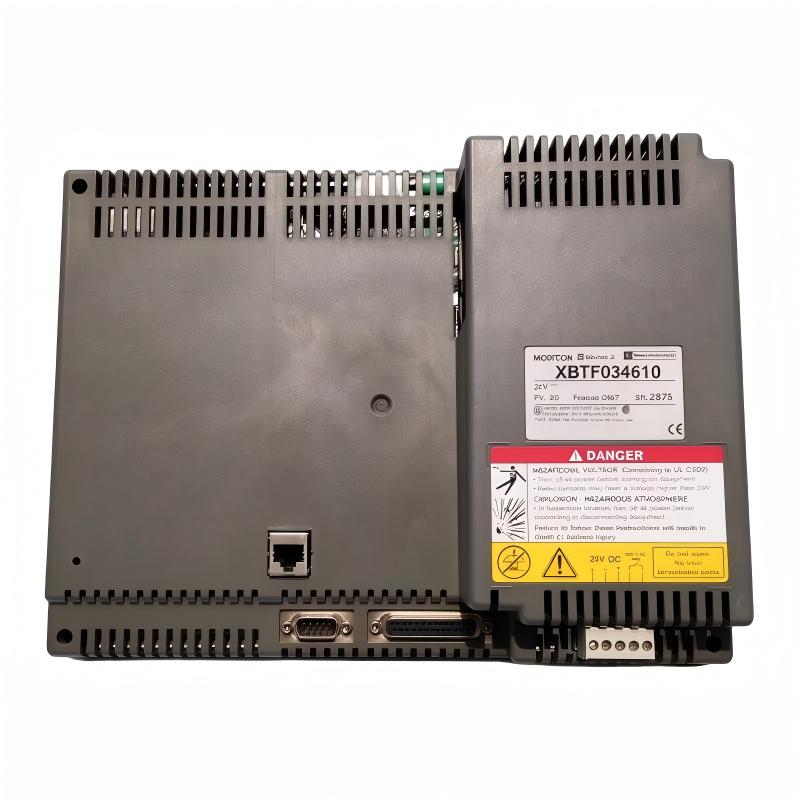
Note: The weight is based on the supplied product information and is consistent with published distributor data. Confirm the exact physical dimensions, connector arrangement, and mounting requirements from the unit or its installation documentation before panel design.
Function and Working Principle
The XBTF034610 operates as an operator-interface terminal within an industrial automation system. It displays information received from connected control equipment and allows operators to interact with configured machine functions.
1. Graphical Process Visualization
The terminal provides a graphical display for presenting operating information in a structured format. Depending on the application developed for the HMI, screens may include:
- Machine operating status.
- Process values and equipment parameters.
- Motor and actuator conditions.
- Production progress.
- Alarm messages and system notifications.
- Operator instructions and control selections.
A well-designed HMI layout helps operators understand machine conditions without needing to inspect individual control devices.
2. Touchscreen Operator Input
The touchscreen allows operators to select graphical controls and interact with application screens. Typical functions may include selecting operating modes, entering numerical values, acknowledging alarms, and navigating between process pages.
The available functions depend on the application loaded into the terminal. The touchscreen itself does not determine machine behavior; commands are processed through the configured communication and control architecture.
3. PLC Data Communication
The XBTF034610 exchanges information with compatible PLCs and other control devices through supported communication interfaces and protocols.
For example, a PLC may send motor status, temperature values, production counts, or alarm conditions to the HMI. The operator can then view this information on the terminal. When an operator enters a command, the HMI transfers the configured data or request to the control system.
Communication settings, PLC addressing, protocol selection, and application configuration must be consistent between the terminal and the connected equipment.
4. Alarm and Event Display
Industrial machinery often requires operators to respond to abnormal conditions. An HMI can present alarm messages and relevant process information to help operators understand what has happened.
Depending on the configured application, alarm pages may identify equipment faults, process-limit violations, communication problems, or operating conditions that require attention.
The terminal serves as the visualization interface. Actual fault detection and machine protection are normally handled by the PLC, drive, safety controller, or other dedicated control equipment.
5. Operator Navigation
The HMI application can organize machine functions into multiple screens. Operators may navigate between overview pages, equipment-specific screens, parameter pages, and alarm displays.
This arrangement helps make complex industrial systems easier to operate. The screen structure and available functions depend on the software project created for the machine.
Role in Industrial Control Systems
The XBTF034610 is generally installed as the operator-facing component of a PLC-based automation system. It complements the controller by providing a visual interface for machine monitoring and operator interaction.
PLC Integration
A PLC performs the control logic for industrial machinery. It receives signals from sensors, processes operating conditions, and controls connected outputs.
The HMI provides a convenient way to display selected PLC data. Operators can view machine states, monitor process values, and issue authorized commands through the configured application.
When integrating the XBTF034610 with a PLC, engineers should verify the supported protocol, physical communication interface, PLC model, and application configuration.
Motor and Drive Monitoring
The terminal can be configured to display information from a PLC-controlled motor system. Typical screen elements may include motor running status, speed references, operating modes, and drive fault notifications.
The HMI does not replace the motor drive or perform the drive’s power-control functions. It presents information and operator commands through the automation system.
Process Monitoring
In process applications, the HMI may display values such as temperature, pressure, flow, level, and equipment status. These values are normally acquired and processed by the PLC or other instrumentation system.
The operator can use the displayed information to monitor production conditions and respond to alarms.
Centralized Operator Interface
For machinery with multiple operating sections, an HMI can consolidate information into a single interface. This reduces the need for operators to interact with numerous separate indicators and switches.
The effectiveness of the interface depends on clear screen design, suitable alarm organization, and correct communication with the control system.
Industrial Applications
The Magelis XBTF034610 is intended for industrial operator-interface applications where visual monitoring and touchscreen interaction are required.
1. Manufacturing Machinery
Manufacturing equipment often requires operators to monitor production status, select operating modes, and respond to machine alarms.
The XBTF034610 can serve as the main operator terminal for compatible machinery, displaying machine status and configured process information through a graphical interface.
2. Packaging and Assembly Lines
Packaging and assembly systems may contain conveyors, sensors, motors, pneumatic actuators, and inspection equipment.
An HMI can present operating conditions for these devices and provide a central interface for selecting production modes or acknowledging alarms. This can make machine operation more organized and accessible.
3. Material Handling Systems
Material-handling equipment often requires operators to monitor conveyor conditions, transfer sequences, and equipment availability.
When connected to a suitable PLC, the terminal can display the status of individual sections and provide access to configured operator commands.
4. Process Control Equipment
Industrial process systems may use an HMI to display measurements and equipment conditions. Examples include pump status, tank levels, temperature values, and pressure readings.
The XBTF034610 can provide a visual interface for such information when the application and connected PLC are designed to support these functions.
5. Water and Wastewater Equipment
Water-treatment and wastewater systems often contain pumps, valves, motors, and measurement instruments.
An HMI can display equipment status, process values, and alarm information. Operators can use the interface to monitor the system and interact with authorized control functions.
6. Industrial Utility Systems
Compressed-air systems, ventilation equipment, auxiliary machinery, and other industrial utilities may use operator terminals to provide centralized equipment monitoring.
The suitability of the XBTF034610 depends on the required communication interface, application design, and environmental conditions.
Installation and System Integration
Correct installation and configuration are essential for reliable HMI operation.
1. Verify the Power Supply
The XBTF034610 uses a 24 V DC power supply. Before connecting the terminal, verify that the power source provides the required voltage and sufficient current capacity.
The power supply should be installed and protected according to the applicable electrical standards. Check polarity and terminal connections before energizing the equipment.
2. Panel Mounting
The terminal is intended for installation in an industrial control panel. Before cutting the panel, confirm the required mounting dimensions and clearance from the manufacturer’s installation documentation.
Allow sufficient space behind the panel for power wiring, communication cables, connectors, and maintenance access.
The front of the HMI should be installed in a suitable panel environment. Avoid exposing the terminal to excessive vibration, direct liquid ingress, or environmental conditions outside its specified operating limits.
3. Communication Wiring
Communication wiring must match the selected PLC interface and protocol. Confirm connector type, cable specification, pin assignment, and communication settings before connecting the terminal.
Where communication cables are installed near motor drives or high-power equipment, follow the applicable cable separation and grounding practices to reduce electromagnetic interference.
4. Application Configuration
The HMI requires a compatible application project containing the required screens, data addresses, navigation structure, and operator functions.
Before commissioning, verify that the application matches the connected PLC program. Incorrect data addresses or communication parameters may result in missing values, incorrect status displays, or failed operator commands.
5. Functional Testing
After installation, test the terminal systematically:
- Confirm that the display starts normally.
- Check touchscreen response across the operating area.
- Verify PLC communication.
- Confirm that displayed values match the controller data.
- Test screen navigation and operator commands.
- Verify alarm messages and acknowledgements.
- Confirm that power interruptions and restart conditions are handled correctly.
Document the final configuration and retain a backup of the HMI application where possible.
Compatible System Components
The XBTF034610 is part of a wider industrial automation architecture. The following components may be used with it, depending on the application design.
| Component | Function | Integration Considerations |
|---|---|---|
| Schneider Electric PLC | Executes machine and process-control logic | Verify supported communication protocols and data addressing |
| Modicon automation controller | Controls connected industrial equipment | Confirm the specific controller model and interface |
| 24 V DC power supply | Supplies operating power to the HMI | Check voltage, current capacity, and protection |
| Industrial Ethernet equipment | Provides network connectivity where supported | Verify the terminal’s communication configuration |
| Communication cable | Connects the HMI with PLC or network equipment | Match cable type and connector to the selected interface |
| Motor drive | Controls AC motor operation | HMI monitoring is normally implemented through the PLC or supported communication path |
| Sensors and transmitters | Provide process measurements | Values are generally acquired through PLC input modules |
| Control cabinet | Houses automation and electrical components | Provide appropriate mounting, wiring space, and environmental protection |
Compatibility should be checked against the exact terminal hardware, communication options, PLC model, and application software. A component’s presence in this table does not mean it is included with the XBTF034610.
Alternative Models and Replacement Considerations
The XBTF034610 has been discontinued. Schneider Electric identifies the XBTGT5330 as a recommended replacement, together with the XBTZGCO3 mechanical adapter for the specified substitution arrangement.
| Model | Description | Replacement Considerations |
|---|---|---|
| XBTF034610 | Original Magelis XBT-F 10.4-inch touchscreen terminal | Existing installed model |
| XBTGT5330 | Magelis XBT-GT 10.4-inch advanced touchscreen panel | Manufacturer-recommended replacement; verify application and communication compatibility |
| XBTZGCO3 | Mechanical adapter | Used in the specified mechanical substitution arrangement |
A replacement project should consider more than display size. Engineers should verify:
- Display resolution and screen layout.
- Power supply requirements.
- Communication ports and supported protocols.
- PLC compatibility.
- Application software and project conversion requirements.
- Data addressing and communication configuration.
- Panel cutout and mechanical mounting.
- Cable and connector arrangements.
- Operator functions and alarm behavior.
An HMI from a newer product generation may require an application conversion or redevelopment process. Existing project files should be backed up before any migration work begins.
Key Advantages
Large 10.4-Inch Display
The 10.4-inch display provides space for graphical process information, equipment status, alarm messages, and operator controls.
Touchscreen Operation
The touchscreen interface allows operators to interact with configured application screens without relying exclusively on physical push buttons.
Graphical Process Monitoring
The Magelis platform supports graphical visualization of machine and process information, helping operators understand operating conditions.
PLC-Based Integration
The terminal can exchange data with compatible control equipment through supported communication interfaces and configured protocols.
Centralized Operator Interaction
Machine information and operator functions can be organized into a single interface, supporting more convenient operation of complex equipment.
Established Industrial Platform
The Magelis XBT-F family has been used in industrial automation installations. Accurate identification is important when maintaining existing systems or sourcing discontinued spare parts.
Technical FAQs
1. What is the Schneider Electric XBTF034610?
The XBTF034610 is a Magelis XBT-F series industrial HMI terminal designed for graphical machine monitoring and touchscreen operator interaction.
2. What is the screen size?
The terminal has a 10.4-inch color touchscreen.
3. What is the display resolution?
The published display resolution is 640 × 480 pixels.
4. What power supply does the XBTF034610 require?
It operates from a 24 V DC supply. Confirm the power-source capacity and wiring requirements before installation.
5. Can the XBTF034610 communicate with a PLC?
Yes. It is designed for use with compatible PLCs through supported communication interfaces and protocols. The exact connection depends on the controller, communication configuration, and installed application.
6. Is the XBTF034610 still manufactured?
No. Schneider Electric lists the model as discontinued. Availability is generally dependent on existing inventory, surplus stock, or specialist industrial spare-parts suppliers.
7. What is the recommended replacement?
Schneider Electric identifies the XBTGT5330 as a recommended replacement, together with the XBTZGCO3 mechanical adapter for the specified substitution arrangement.
8. Can the original HMI application be used on the replacement model?
Not necessarily without modification. The original application may require conversion or redevelopment depending on software compatibility, communication settings, and differences between the two product generations.
9. What should be checked before purchasing a used XBTF034610?
Check the complete model number, display condition, touchscreen response, connectors, power-up behavior, and available functional-test information. Confirm whether the unit includes the required accessories and whether its condition matches the intended application.
10. What should be considered when replacing an existing terminal?
Verify the PLC model, communication protocol, application project, power supply, panel cutout, cable connections, and required operator functions. Mechanical compatibility alone does not guarantee a successful replacement.
Procurement and Maintenance Recommendations
Because the XBTF034610 is discontinued, procurement should begin with confirmation of the complete model number and the installed terminal’s condition.
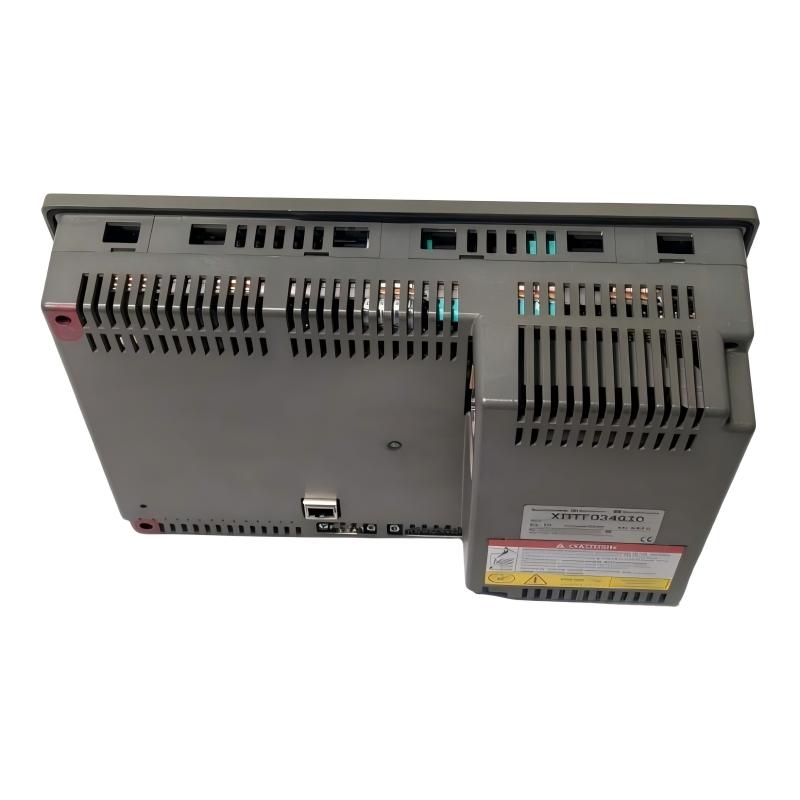
When purchasing a replacement or spare unit, check the front display, touchscreen surface, rear connectors, terminal condition, and power-up behavior. For used or refurbished equipment, request photographs and functional-test information. Confirm the warranty and return conditions before ordering.
For existing installations, retain a backup of the HMI application and record communication settings, PLC addresses, and screen configurations. This information can reduce troubleshooting time if the terminal fails or requires replacement.
During routine maintenance, inspect the touchscreen and display for physical damage, clean the front surface using an appropriate method, and check the power and communication connections. Avoid using cleaning agents that may damage the display surface or enclosure.
When upgrading to the XBTGT5330 or another modern HMI, plan for application migration, communication testing, mechanical adaptation, and operator verification. A replacement should be validated as part of the complete automation system rather than treated as a simple display exchange.
Conclusion
The Schneider Electric XBTF034610 Magelis XBT-F is a 10.4-inch industrial touchscreen HMI designed for operator interaction, machine visualization, and PLC-based automation systems. With a 640 × 480 pixel display and 24 V DC power supply, it provides a graphical interface for monitoring process conditions and accessing configured machine functions.
Although the XBTF034610 has been discontinued, it remains relevant to maintenance and spare-parts requirements in existing industrial installations. Accurate model identification, application backup, communication compatibility, and careful replacement planning are essential for maintaining reliable operation.