

ProductPRODUCT
Featured products
Contact Us
- Schneider
- TWDXCPMFK32
- Memory Card
- France
- 70 x 22.5 x 90 mm
- 0.005 kg
- Xiamen, China
- New & In Stock
- T/T, PayPal, Western Union
- 1 Year
- 1-3 Working Days
- DHL, UPS, TNT, FedEx and EMS.
- 24-Hour Service
- COO
- 2
Our advantage

Global Logistics
We have a 10-year logistics and express cooperation agreement, so our products can be shipped to any place in the world.

Brand new and original
Our products are imported in bulk from the place of origin. Because of the cooperative relationship, our products are all original and 100% new.

24-hour service
We provide 7*24 hours service to our customers. We will be there whenever you need us.

Price advantage
All our products are priced very favorably because we have our own warehouse and supply.
| Company Information | |||
| [email protected] | |||
| Mobile | +8615980777398 | ||
| +8615980777398 | |||
| 15980777398 |
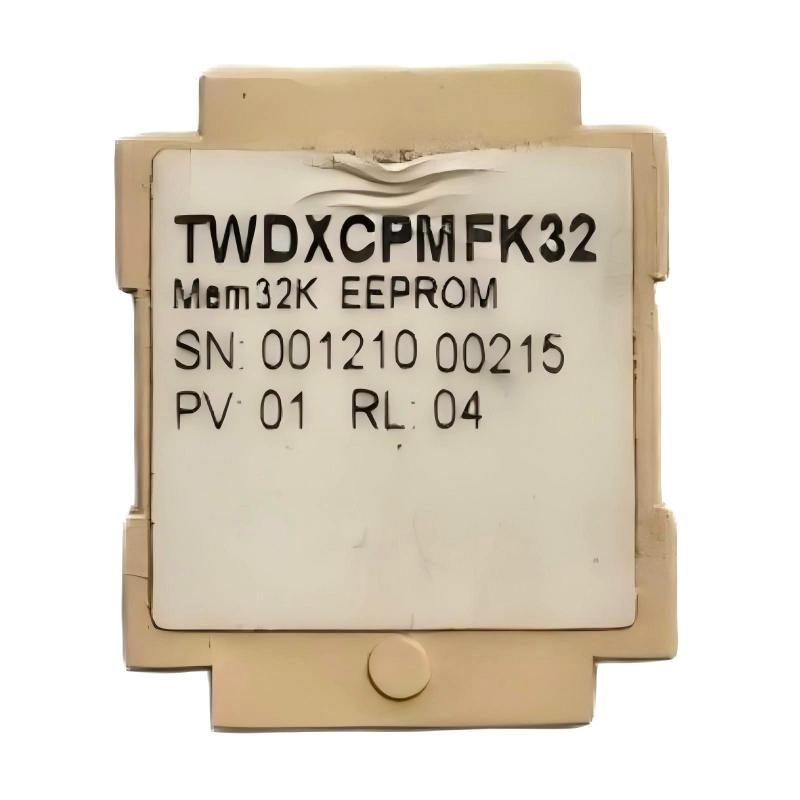
1. Product Overview
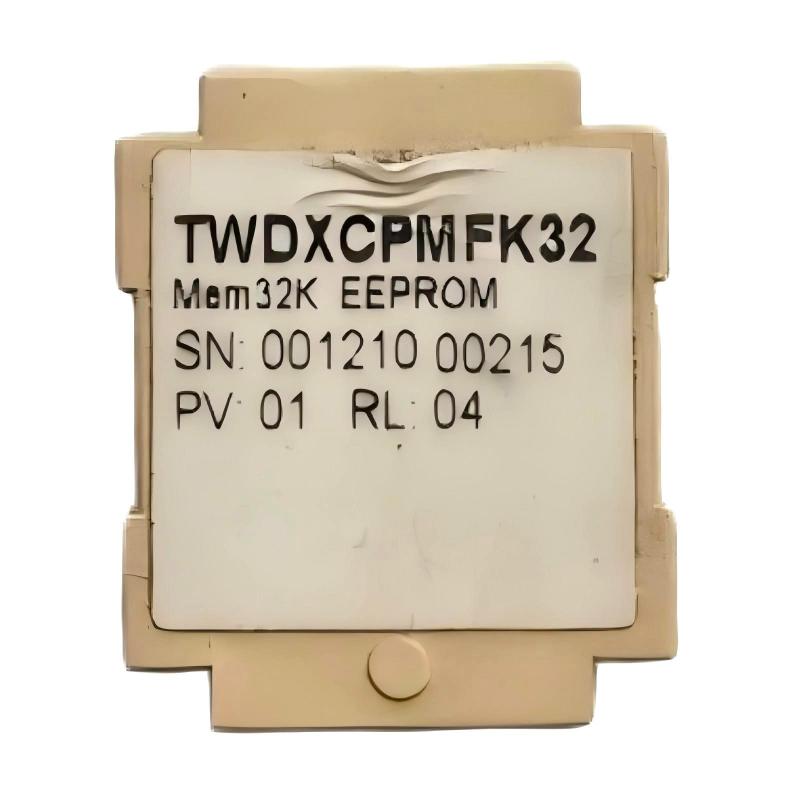
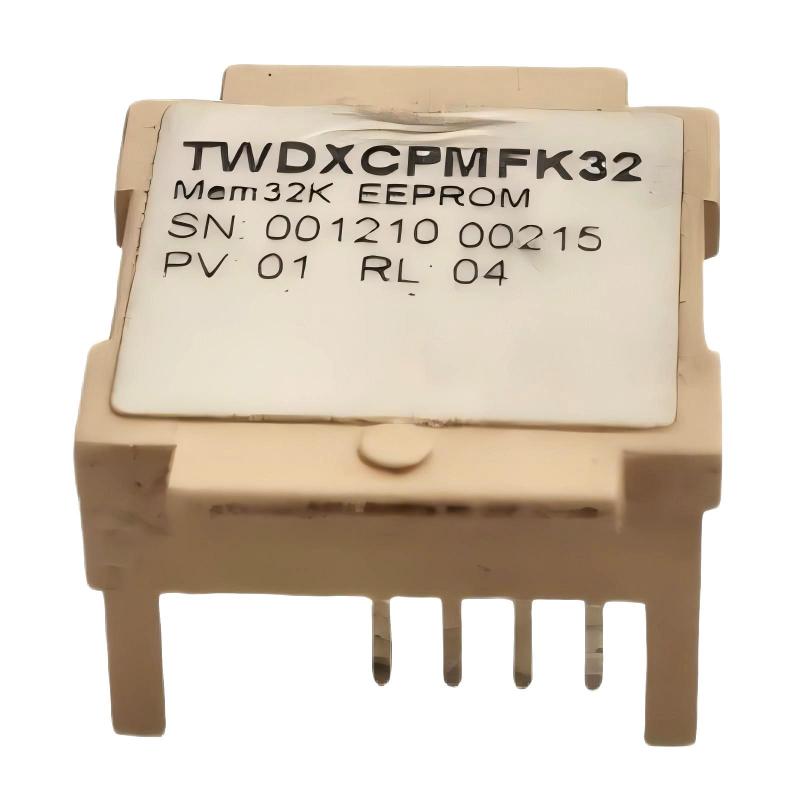
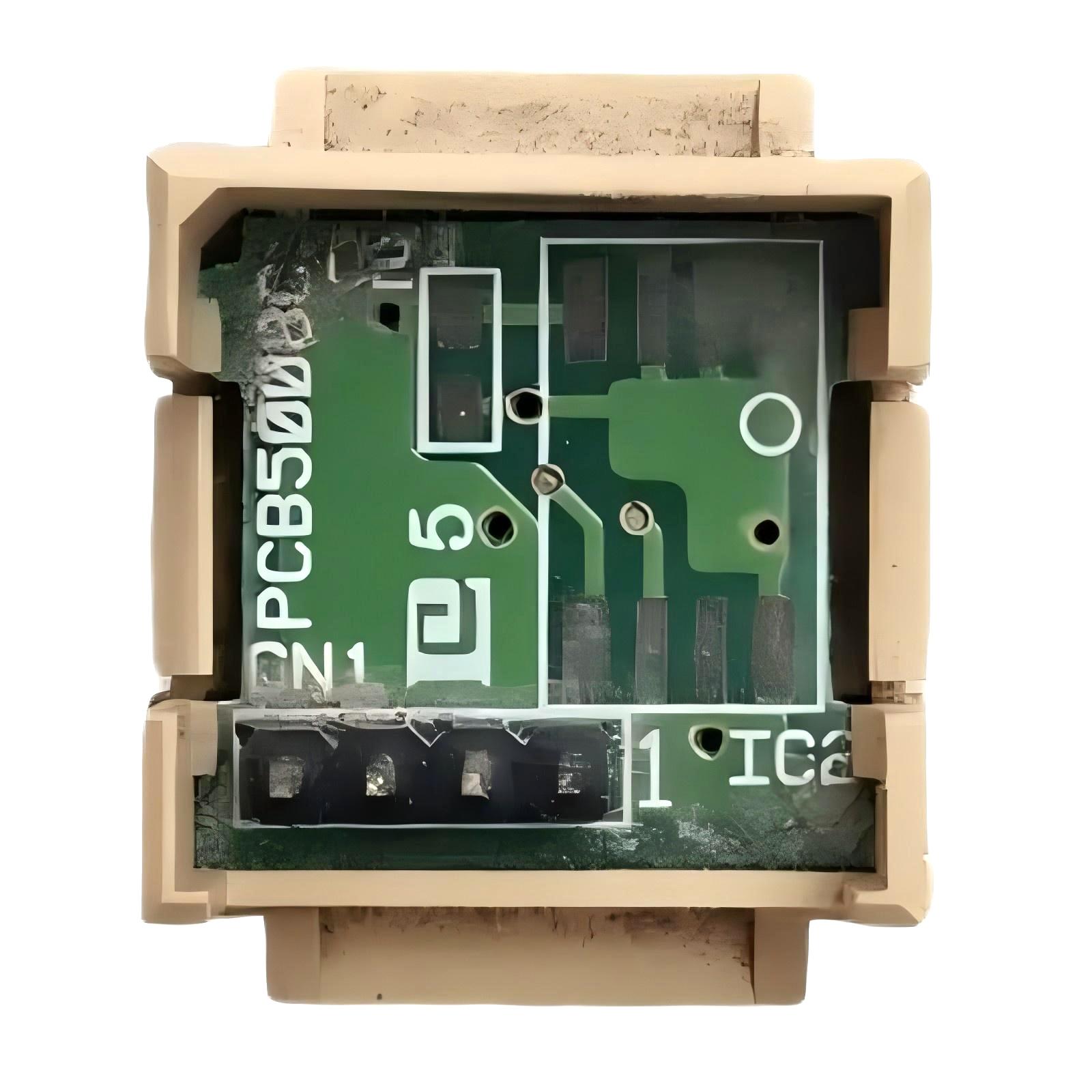
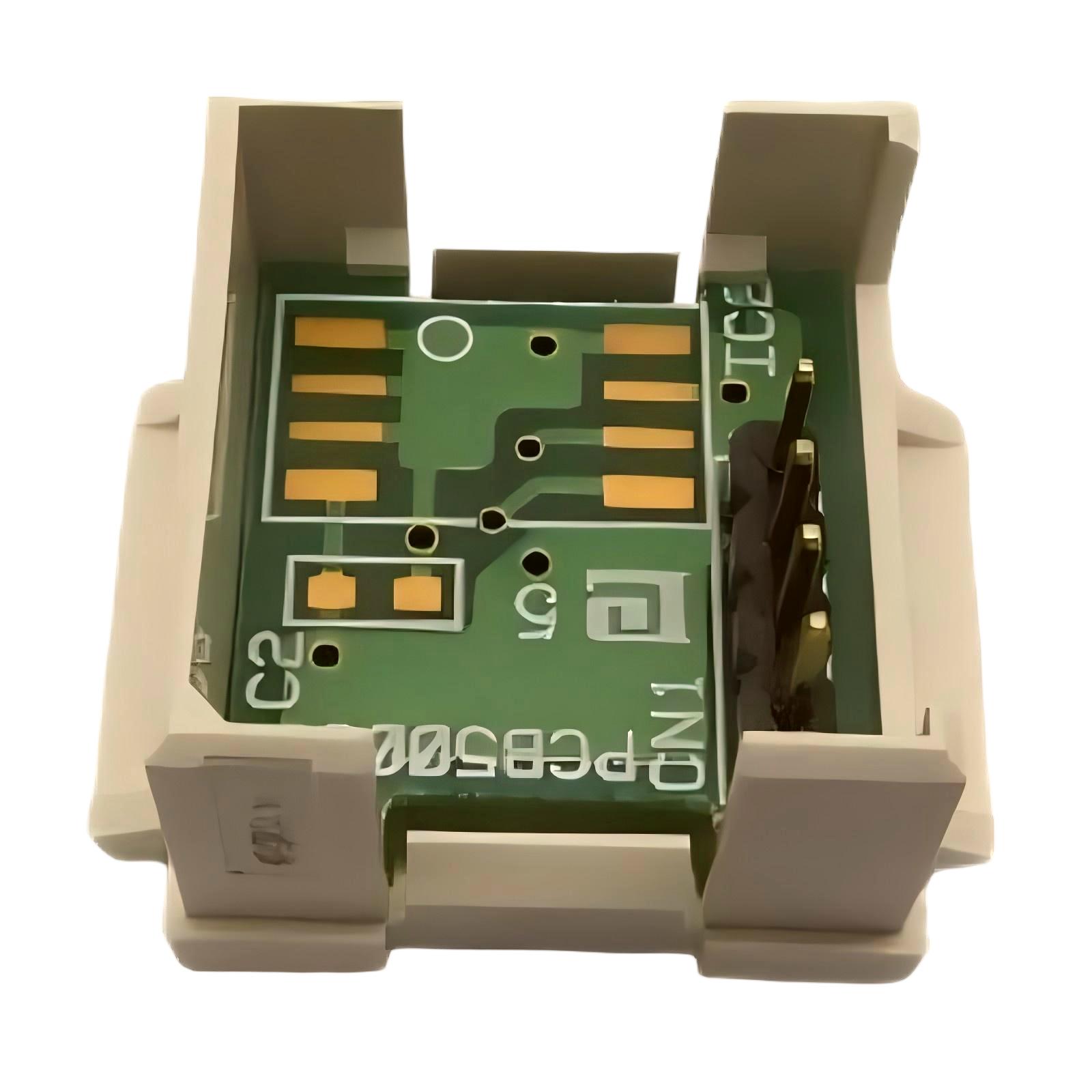
The Schneider Electric TWDXCPMFK32 Memory Card is an industrial automation component identified by the model number TWDXCPMFK32. Memory-related accessories are used in automation environments to support designated data storage, program handling, or configuration-related functions, depending on the controller platform and the specific accessory design.
In industrial control systems, memory accessories can play an important role in maintaining application data and supporting equipment maintenance. Selecting the correct memory card is essential because industrial controllers may require a particular memory format, hardware interface, or supported accessory type. A card that appears physically similar may not be compatible with the intended controller.
The TWDXCPMFK32 should therefore be evaluated according to its exact product identification and the requirements of the associated Schneider Electric automation equipment. Before installation or replacement, users should confirm its supported controller models, memory capacity, data-handling capabilities, and installation procedure using the applicable product documentation.
With supplied dimensions of 70 × 22.5 × 90 mm and a listed weight of 0.005 kg, the TWDXCPMFK32 can be identified for preliminary inventory management and equipment planning. These physical specifications do not independently establish its electrical interface, memory capacity, or functional compatibility.
For industrial maintenance teams, correct identification of this component helps reduce the risk of selecting an unsuitable spare part and supports more organized controller maintenance.
2. Technical Specifications
| Parameter | Specification |
|---|---|
| Brand | Schneider Electric |
| Model Number | TWDXCPMFK32 |
| Product Type | Memory Card |
| Product Category | Industrial automation memory accessory |
| Dimensions | 70 × 22.5 × 90 mm |
| Weight | 0.005 kg |
| Primary Purpose | Memory-related functionality, subject to verification for the exact model |
| Compatible Controller | Confirm the supported controller models before use |
| Memory Capacity | Verify from the model-specific technical documentation |
| Data Format | Confirm the supported format and storage characteristics |
| Installation Method | Follow the approved procedure for the compatible controller |
| Operating Conditions | Confirm the applicable environmental and storage requirements |
| Replacement Requirements | Verify exact model identity and hardware compatibility |
The dimensions and weight listed above are the supplied product specifications. Other technical characteristics, including memory capacity, storage format, supported controller families, and data-retention behavior, should not be assumed without confirmation.
3. Function and Working Principle
A memory card used in industrial automation provides a designated means of storing or handling data supported by the target equipment. Depending on the controller architecture, a memory accessory may be associated with application programs, configuration information, selected data, or other controller-specific functions.
The precise working principle of the TWDXCPMFK32 must be confirmed for the exact model and its intended controller. The product designation alone is not sufficient to establish which data types it supports or whether it is intended for program transfer, backup, expansion, or another memory-related task.
3.1 Data Storage and Handling
In automation systems, memory functions help controllers retain or access information needed for their intended operation. The type of information supported depends on the controller and the memory accessory.
Before using the TWDXCPMFK32, confirm which data operations are supported and whether any restrictions apply to storing, transferring, or restoring controller information.
3.2 Controller Integration
A memory card must match the mechanical and functional requirements of the equipment in which it is installed. Even when a card appears to fit, its memory format or supported functions may differ from those required by the controller.
The target controller model and its approved accessory list should be checked before installation.
3.3 Data Integrity
Industrial control systems rely on accurate application and configuration information. When a memory accessory is used for a supported data operation, correct handling is important to reduce the risk of data loss or an incomplete transfer.
Users should follow the equipment manufacturer’s instructions when installing, removing, writing to, or replacing the card.
3.4 Maintenance and Replacement
Memory accessories may be managed as part of an industrial site’s spare-parts inventory. Correct model identification helps maintenance teams distinguish between similar components and select an appropriate replacement.
Before replacing an existing card, determine whether it contains required data and whether the replacement process involves transferring or restoring any information.
4. Role in Industrial Automation Systems
Memory-related accessories can support the maintenance and management of industrial controllers. Their exact role depends on the controller platform and the operations supported by the specific accessory.
Controller Program Management
Industrial controllers execute programs that coordinate machine sequences, process operations, and equipment responses. Where a controller supports a compatible memory accessory for program-related functions, that accessory may form part of the site’s program-management procedure.
The TWDXCPMFK32 should only be used for program operations if that function is confirmed for the exact model and controller combination.
Configuration Management
Automation equipment may rely on configuration settings that determine how modules, communication interfaces, and application functions operate. Where supported, memory accessories can assist with designated configuration-related tasks.
Before transferring or restoring configuration information, verify that the data corresponds to the correct controller and hardware arrangement.
Maintenance and Equipment Recovery
Industrial maintenance teams often need reliable procedures for restoring equipment after a controller fault or component replacement. If the target system supports the relevant memory operations, a compatible memory accessory may be part of that recovery process.
The recovery procedure should be documented and tested rather than relying on assumptions about the card’s capabilities.
Spare-Parts Management
Accurate product identification supports purchasing, warehousing, and maintenance planning. Recording the complete model number helps reduce the chance of confusing the TWDXCPMFK32 with other memory cards or automation accessories.
5. Industrial Applications
The suitability of the TWDXCPMFK32 for a particular application depends on its verified function and compatibility. The following examples describe environments where memory accessories may be relevant when supported by the installed control equipment.
Manufacturing Machinery
Manufacturing systems use controllers to coordinate machine sequences, monitor operating conditions, and control connected equipment. Compatible memory accessories may support designated data-management or maintenance procedures.
When servicing a machine, technicians should verify that any memory operation follows the approved controller-specific process.
Packaging Equipment
Packaging machinery commonly uses programmable control systems to coordinate product handling, machine timing, and equipment interlocks. Maintaining the correct application and configuration data is important for consistent operation.
If the installed controller supports the TWDXCPMFK32, its use should follow the manufacturer’s requirements for that application.
Material Handling Systems
Conveyors, sorting equipment, and transfer systems may use industrial controllers to coordinate motors, sensors, and other control devices. Maintenance procedures may include controller data management or recovery where the platform supports it.
The memory accessory must be selected according to the actual controller and its supported functions.
Process Control Equipment
Industrial process systems can rely on controller configurations that govern sequences, equipment states, and interactions with field devices. Proper management of supported controller data helps maintenance teams preserve the intended system configuration.
Before using a memory card in a process-control environment, verify compatibility and follow the site’s change-control procedures.
Legacy Automation Systems
Older automation installations may require specific accessories that are not interchangeable with newer products. Correct identification is especially important when maintaining legacy controllers or sourcing replacement components.
The TWDXCPMFK32 should be matched to the original equipment requirements rather than selected solely on the basis of its dimensions or general product category.
6. Installation and System Integration
Correct installation begins with confirming the card’s identity and the controller’s requirements. The following checklist provides general guidance. The official instructions for the exact controller and accessory take precedence.
Step 1: Confirm the Model Number
Inspect the product label or packaging and confirm that the model number is TWDXCPMFK32. Compare it with the existing part, equipment documentation, or spare-parts list.
Do not substitute a similar-looking memory card without verifying its compatibility.
Step 2: Identify the Target Controller
Determine the exact controller model and hardware configuration in which the card will be used. Confirm that the controller supports this accessory and the intended operation.
If compatibility cannot be established, do not proceed with installation.
Step 3: Review the Installation Procedure
Check the applicable instructions for card orientation, insertion method, removal procedure, and any required controller operating state.
Do not assume that the card can be inserted or removed while the controller is powered. Follow the procedure specified for the actual hardware.
Step 4: Protect the Card from Damage
Handle the card carefully and protect it from electrostatic discharge, contamination, moisture, and physical damage. Avoid touching exposed contacts where applicable.
Keep the component in suitable protective packaging when it is not installed.
Step 5: Check Existing Data Requirements
Before removing or replacing an existing memory accessory, determine whether it contains information that must be retained. Follow the approved backup or transfer procedure, if supported.
Do not format, overwrite, or initialize a card unless the required operation and its consequences are understood.
Step 6: Install the Card
Install the accessory according to the specified procedure for the compatible controller. Ensure that it is correctly oriented and fully seated without applying excessive force.
If the card does not fit as expected, stop and recheck the model number and installation instructions.
Step 7: Verify Recognition and Status
After installation, use the controller’s approved diagnostic methods to check whether the accessory is recognized and whether any relevant status messages are present.
Interpret diagnostic indicators and software messages according to the documentation for the actual equipment.
Step 8: Validate the Intended Function
If the card is being used for a supported data operation, confirm that the operation completes as expected. Check the relevant application or configuration information before returning the equipment to normal service.
Document the installation and any associated data-management actions.
7. Common Problems and Troubleshooting
Problems involving a memory accessory may arise from incompatibility, installation errors, damaged contacts, data issues, or controller-specific restrictions. Troubleshooting should begin with product identification and the approved installation procedure.
| Symptom | Possible Cause | Recommended Action |
|---|---|---|
| Controller does not recognize the card | Unsupported accessory, incorrect installation, or contact problem | Confirm the model, controller compatibility, orientation, and seating |
| Card cannot be installed correctly | Incorrect card type or installation method | Stop and verify the required accessory and installation procedure |
| Data operation does not complete | Unsupported operation, incompatible data, or controller restriction | Review the controller’s supported functions and diagnostic information |
| Controller reports a memory-related error | Accessory, data, configuration, or hardware issue | Record the error and follow the applicable troubleshooting procedure |
| Previously stored information is unavailable | Data loss, incorrect handling, or unsupported data operation | Avoid further writes and follow the approved data-recovery procedure |
| Problem remains after replacement | Root cause may be in the controller or application | Check the controller, configuration, supported accessory list, and related diagnostics |
7.1 Verify Compatibility First
A memory card should not be considered compatible merely because its dimensions appear suitable. Confirm the controller model, supported accessory designation, and required functionality.
If the installed equipment does not support the TWDXCPMFK32, using the card may not resolve the problem.
7.2 Inspect Installation and Contacts
Where applicable, inspect the card and the corresponding interface for visible damage, contamination, or improper seating. Follow the approved handling procedure and avoid touching exposed contacts unnecessarily.
Do not force the card into the slot.
7.3 Review Controller Diagnostics
Record error messages before making changes. Diagnostic information may help distinguish an unsupported accessory from an installation problem or another controller fault.
Use only the diagnostic tools and procedures applicable to the installed system.
7.4 Protect Existing Data
If a memory operation fails, avoid repeated write, initialization, or formatting attempts until the cause is understood. Such actions may affect information stored on the card.
When important data may be involved, follow the site’s approved recovery procedure or consult qualified automation personnel.
7.5 Evaluate the Controller and Associated Hardware
If the card is correctly identified and installed but remains unavailable, investigate the controller’s compatibility, condition, configuration, and diagnostic status. The fault may not originate in the memory accessory itself.
Replace components only after the likely cause has been identified.
8. Preventive Maintenance and Storage
Appropriate handling and inventory management help preserve the condition of industrial memory accessories.
- Verify product identification: Keep the full model number visible in inventory and maintenance records.
- Use suitable storage: Store unused cards in protective packaging under conditions appropriate for electronic components.
- Prevent electrostatic damage: Follow the site’s electrostatic-discharge precautions when handling the card.
- Protect contacts: Avoid contamination, moisture, and unnecessary contact with conductive surfaces.
- Control data operations: Follow approved procedures before writing, transferring, initializing, or restoring information.
- Maintain configuration records: Document controller models, accessory assignments, and relevant data-management procedures.
- Track replacements: Record the model number and installation date when a card is replaced.
- Review spare-parts compatibility: Ensure that stored replacement components are approved for the intended controller.
Maintenance intervals and inspection requirements should be determined by the operating environment, equipment criticality, and the manufacturer’s instructions.
9. Compatibility and Replacement Considerations
Selecting a replacement for the Schneider Electric TWDXCPMFK32 requires more than comparing physical dimensions. The replacement must meet the requirements of the intended controller and support the necessary functions.
| Selection Factor | What to Verify |
|---|---|
| Exact model | Confirm the complete TWDXCPMFK32 designation |
| Controller compatibility | Check the supported controller models and hardware configuration |
| Memory function | Verify the intended operation supported by the accessory |
| Memory capacity | Confirm the required capacity from the applicable documentation |
| Data format | Verify that the card and controller support the required format |
| Physical interface | Check the connector, orientation, and installation arrangement |
| Data retention | Confirm the applicable data-retention characteristics where relevant |
| Product condition | Inspect for physical damage and assess storage and handling history |
| Replacement procedure | Determine whether data backup, transfer, or restoration is required |
| Commissioning | Confirm the steps needed to verify recognition and normal operation |
Choosing an Alternative
An alternative memory card should only be selected after its technical equivalence has been established for the target controller and intended function. A different card may have similar dimensions but use an incompatible interface, format, or operating method.
For legacy automation systems, retaining the exact supported model may be preferable when the original configuration depends on a specific accessory. Any substitution should be documented and validated before the equipment is returned to service.
10. Key Benefits of Correct Product Selection
Choosing the correct memory accessory supports more reliable industrial maintenance and helps reduce avoidable compatibility problems.
Accurate Spare-Parts Identification
Using the full model number helps purchasing and maintenance teams identify the intended component and avoid confusion with similar products.
Better Maintenance Planning
Documented accessory information supports inventory control, replacement planning, and troubleshooting procedures.
Reduced Installation Risk
Verifying compatibility before installation helps prevent problems caused by unsupported hardware or incorrect handling.
Improved Data-Management Practices
Where the controller supports relevant memory operations, following the correct procedure helps protect important application or configuration information.
Efficient Equipment Servicing
Clear records of the controller, memory accessory, and installation procedure can help technicians investigate faults more systematically.
These benefits depend on the accessory being used for its verified function and in a compatible system.
11. Technical FAQs
Q1: What is the Schneider Electric TWDXCPMFK32?
The TWDXCPMFK32 is identified in the supplied product information as a Schneider Electric Memory Card. Its exact functions and supported controller models should be confirmed from the technical documentation for this specific model.
Q2: What are the dimensions of the TWDXCPMFK32?
The supplied dimensions are 70 × 22.5 × 90 mm.
Q3: What is the weight of the TWDXCPMFK32?
The supplied product weight is 0.005 kg.
Q4: What is the memory capacity of the TWDXCPMFK32?
The memory capacity has not been established from the supplied product information. Check the model-specific technical specifications before purchasing or using the card.
Q5: Which controllers are compatible with the TWDXCPMFK32?
Compatibility should be confirmed against the exact controller model and its supported accessories. Do not assume that the card works with every Schneider Electric controller.
Q6: Can the card be used to back up a controller program?
That capability must be verified for the TWDXCPMFK32 and the target controller. Confirm the supported data operations and follow the approved backup procedure.
Q7: Can the card be removed while the controller is powered?
Do not assume that powered removal is supported. Follow the installation and removal instructions for the exact controller and accessory.
Q8: What should be checked if the controller does not recognize the card?
Confirm the model number, controller compatibility, installation orientation, and seating. Then review controller diagnostics and follow the applicable troubleshooting instructions.
Q9: Can a similar memory card replace the TWDXCPMFK32?
Only if the alternative is confirmed to be compatible with the controller and supports the required function. Similar dimensions or a similar product description are not sufficient proof of equivalence.
Q10: What precautions are recommended when handling the card?
Protect the card from electrostatic discharge, contamination, moisture, and physical damage. Follow the manufacturer’s instructions before installing, removing, or performing data operations.
12. Conclusion
The Schneider Electric TWDXCPMFK32 Memory Card is an industrial automation memory accessory identified by its specific model number. Its supplied dimensions of 70 × 22.5 × 90 mm and weight of 0.005 kg provide useful information for preliminary product identification and spare-parts planning.
Before purchasing, installing, or replacing the card, users should confirm its exact function, memory capacity, supported data operations, and compatibility with the intended controller. Careful handling, appropriate data-management procedures, and systematic troubleshooting help reduce the risk of installation errors and data-related problems.
For maintenance teams and industrial automation buyers, verifying the complete model designation and system requirements is the most reliable approach to selecting the TWDXCPMFK32 for its intended application.