

ProductPRODUCT
Featured products
Contact Us
- Schneider
- HMIGTO2310
- Advanced Touchscreen Panel
- France
- 169.5 × 59.5 × 137 mm
- 0.8 kg
- Xiamen, China
- New & In Stock
- T/T, PayPal, Western Union
- 1 Year
- 1-3 Working Days
- DHL, UPS, TNT, FedEx and EMS.
- 24-Hour Service
- COO
- 2
Our advantage

Global Logistics
We have a 10-year logistics and express cooperation agreement, so our products can be shipped to any place in the world.

Brand new and original
Our products are imported in bulk from the place of origin. Because of the cooperative relationship, our products are all original and 100% new.

24-hour service
We provide 7*24 hours service to our customers. We will be there whenever you need us.

Price advantage
All our products are priced very favorably because we have our own warehouse and supply.
| Company Information | |||
| [email protected] | |||
| Mobile | +8615980777398 | ||
| +8615980777398 | |||
| 15980777398 |
Product Overview
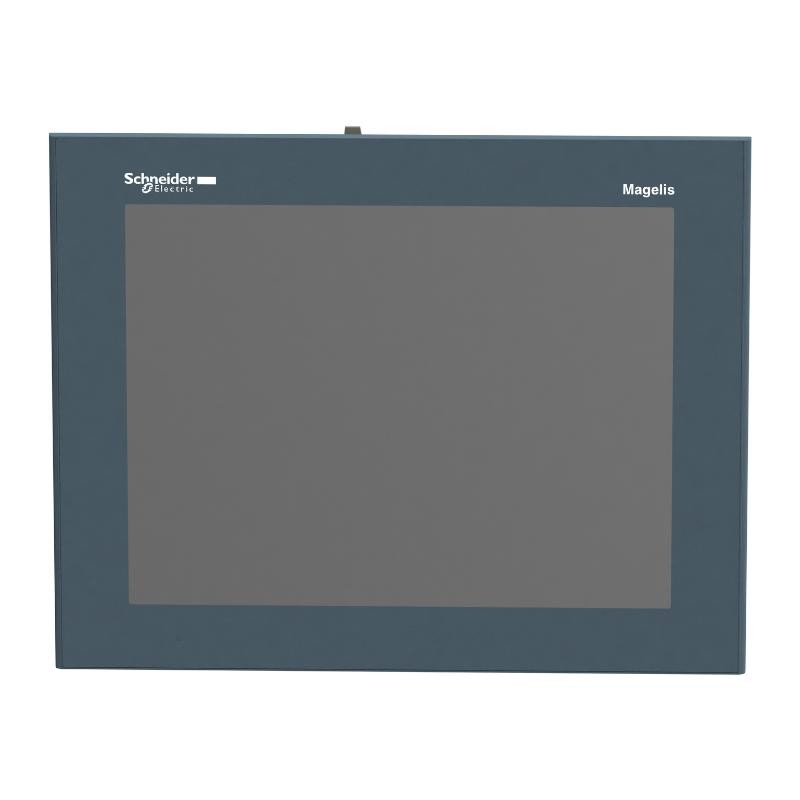
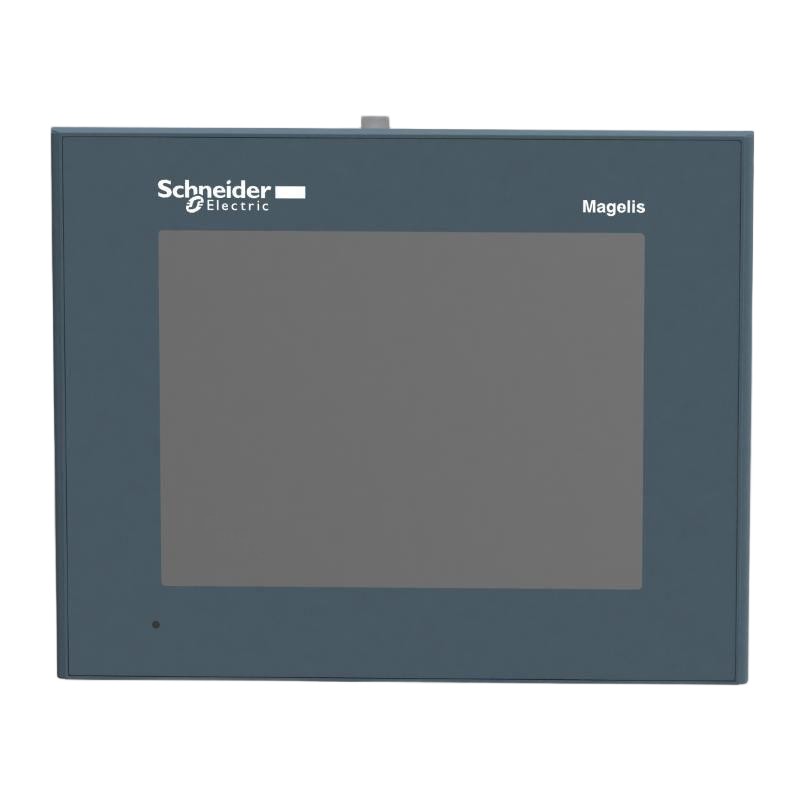
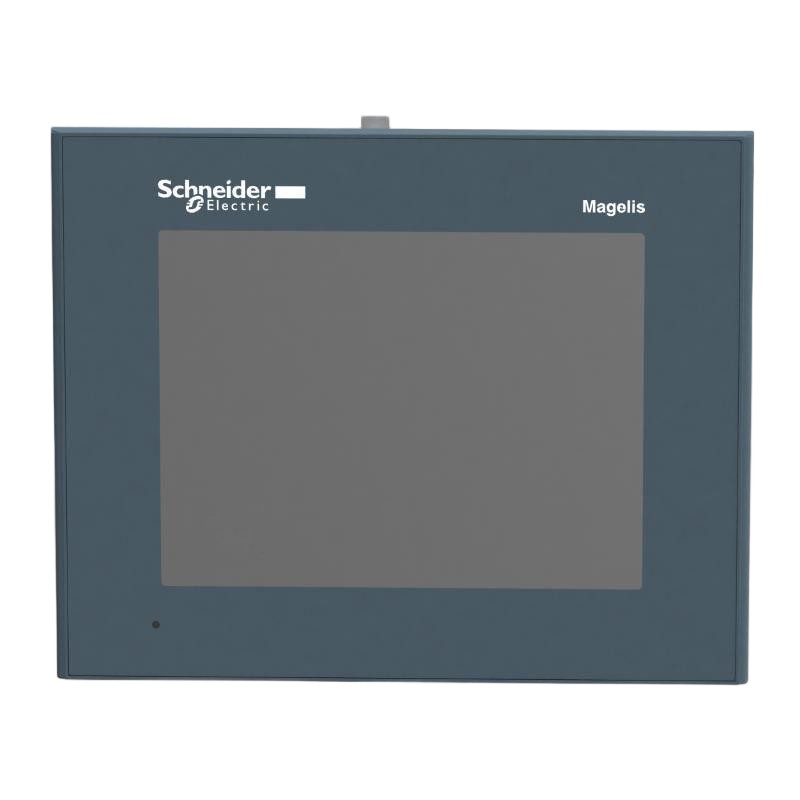
The Schneider Electric HMIGTO2310 is a 5.7-inch color touchscreen terminal from the Harmony GTO series. It is suited to machine control panels where operators need to monitor process values, review alarms, and adjust operating parameters through a local graphical interface. Its 320 × 240 pixel QVGA display supports equipment status screens, numerical indicators, alarm lists, and simplified process diagrams.
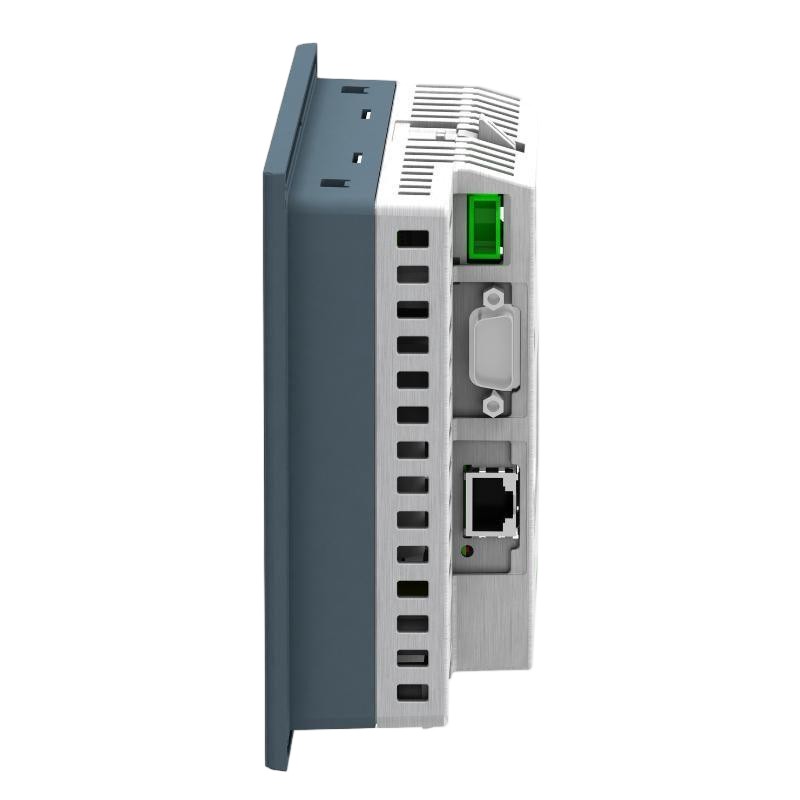
The main distinction between the HMIGTO2310 and the HMIGTO2300 is network connectivity. The HMIGTO2310 includes an Ethernet interface alongside its serial communication ports, making it suitable for applications in which the HMI exchanges data with a PLC over an industrial Ethernet network. It also supports RS-232C and RS-485 communication for compatible serial-connected equipment.
On an automated packaging line, for example, the terminal can display production counts, conveyor status, machine faults, and operating setpoints. An operator can acknowledge an alarm or change an authorized parameter directly on the touchscreen, while the HMI application exchanges the relevant data with the PLC. For equipment connected to a plant network, Ethernet can simplify integration with the existing control architecture, provided the selected protocol and controller driver are supported.
The HMIGTO2310 runs the Harmony HMI environment and supports Vijeo Designer for application development. It has 96 MB of Flash EPROM application memory and 512 KB of battery-backed SRAM. An SD card slot supports compatible storage operations, while USB Type-A and Mini-B interfaces provide additional options for supported peripherals and service tasks.
When selecting this terminal for a replacement or retrofit, engineers should examine the existing HMI project, PLC communication driver, Ethernet addressing, serial connections, and screen configuration. The HMIGTO2310 shares its display format with the HMIGTO2300, but its additional network interface and SD card support can make it a better fit for systems that require Ethernet communication and removable storage.
Technical Specifications
| Parameter | Specification |
|---|---|
| Manufacturer | Schneider Electric |
| Model | HMIGTO2310 |
| Product Family | Harmony GTO |
| Product Type | Advanced Touchscreen Panel |
| Display Type | Backlit Color TFT LCD |
| Display Size | 5.7 inches |
| Display Resolution | 320 × 240 pixels, QVGA |
| Display Colors | 65,536 |
| Touch Panel | Resistive analog touchscreen |
| Touch-Sensitive Resolution | 1024 × 1024 |
| Application Memory | 96 MB Flash EPROM |
| Backup Memory | 512 KB SRAM |
| Rated Supply Voltage | 24 V DC |
| Supply Voltage Limits | 19.2–28.8 V DC |
| Maximum Power Consumption | 10.5 W |
| Ethernet Interface | 1 × RJ45, 10BASE-T/100BASE-TX |
| COM1 Interface | RS-232C, 9-pin D-Sub |
| COM2 Interface | RS-485, RJ45 |
| USB Type-A | 1 × USB 2.0 host |
| USB Mini-B | 1 × USB 2.0 |
| Memory Card Interface | SD / SDHC, up to 32 GB |
| Configuration Software | Vijeo Designer |
| Supported Communication Protocols | Modbus, Modbus TCP/IP, Uni-Telway, and supported PLC protocols |
| Backlight Service Life | Approximately 50,000 hours |
| Brightness Adjustment | 16 levels |
| Front Protection | IP65, NEMA 4X for indoor use, subject to installation conditions |
| Rear Protection | IP20 |
| Cooling Method | Natural air circulation |
| Operating Temperature | 0–55°C |
| Storage Temperature | -20–60°C |
| Dimensions | 169.5 × 59.5 × 137 mm |
| Weight | 0.8 kg |
Product Features
- 5.7-inch color touchscreen: Presents operating parameters, machine status, and alarm information on a QVGA display.
- Ethernet connectivity: Supports 10BASE-T/100BASE-TX communication with compatible PLCs and industrial networks.
- Dedicated serial interfaces: Provides RS-232C through COM1 and RS-485 through COM2 for compatible equipment.
- 96 MB application memory: Supports the terminal’s configured HMI project and runtime environment.
- SD card support: Accepts compatible SD and SDHC cards up to 32 GB for supported storage and transfer operations.
- Vijeo Designer configuration: Allows engineers to build screen layouts, define communication drivers, and assign operator controls.
- USB connectivity: Provides Type-A and Mini-B interfaces for supported service and peripheral functions.
- Industrial front-panel protection: Meets IP65 and NEMA 4X indoor-use requirements when installed under the specified conditions.
- Status indication: Uses a multicolor status LED to indicate the terminal’s operating state.
Working Principle
The HMIGTO2310 acts as the operator interface between personnel and a PLC-controlled machine. Its internal processing environment executes the configured HMI application, while the touchscreen displays controller data and accepts operator input.
A typical communication arrangement is:
PLC or Machine Controller → Ethernet / Serial Communication → HMIGTO2310 → Touchscreen → Operator
During normal operation, the HMI application exchanges data with the connected controller through the selected communication driver. Process values are displayed as numerical readings, status indicators, alarm messages, and graphical representations. When an operator selects a screen control, the terminal processes the input and sends the corresponding request to the controller.
The Ethernet interface supports 10BASE-T/100BASE-TX connections. With a compatible controller and correctly configured protocol, the HMIGTO2310 can exchange data over the plant’s industrial network. Network addressing, communication permissions, and controller settings must be consistent with the existing architecture.
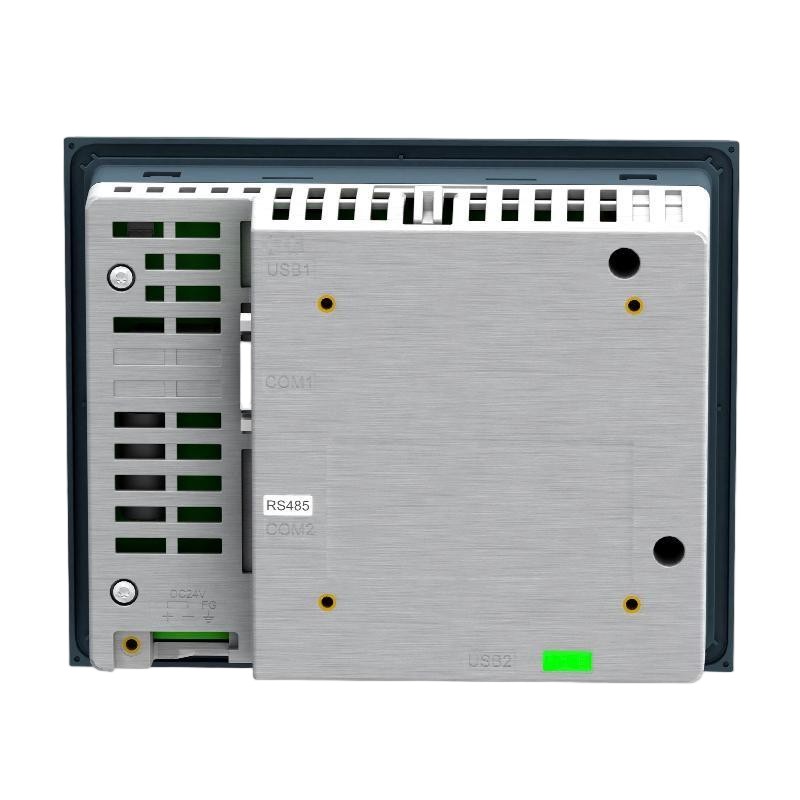
COM1 provides RS-232C communication through a 9-pin D-Sub connector, while COM2 uses RS-485 through an RJ45 connector. These ports serve different electrical and wiring requirements. The selected port, cable arrangement, protocol, and communication parameters must match the connected equipment.
Vijeo Designer defines the application’s behavior, including screen navigation, displayed variables, alarm handling, and permitted operator actions. The SD card and USB interfaces can support applicable project-transfer or service procedures, depending on the software configuration and supported workflow.
The HMIGTO2310 does not replace the PLC’s control logic. The controller remains responsible for machine sequencing, interlocks, and physical outputs. The HMI supplies the local visualization and operator-input layer through which personnel supervise the process.
Role in an Industrial HMI Architecture
The HMIGTO2310 sits at the operator-interface layer of an automation system. Ethernet provides a network connection to compatible controllers, while the serial ports support equipment that requires a direct serial link.
PLC / Machine Controller → Ethernet or Serial Network → HMIGTO2310 → Operator
| System Element | Function |
|---|---|
| HMIGTO2310 Terminal | Displays process information and handles operator input |
| Touchscreen | Provides access to configured screens and graphical controls |
| PLC or Machine Controller | Executes machine logic and exchanges process data |
| Ethernet Interface | Supports network communication with compatible controllers |
| COM1 RS-232C | Connects compatible serial equipment through a D-Sub interface |
| COM2 RS-485 | Supports compatible serial communication through an RJ45 interface |
| Vijeo Designer Project | Defines screens, controller drivers, alarms, and operator functions |
| SD Card | Supports compatible removable-storage operations |
| USB Interfaces | Support applicable peripheral and service functions |
Industrial Applications
| Application | Typical Use |
|---|---|
| Packaging Machinery | Displaying production counts, machine states, and fault messages |
| Automated Assembly Lines | Monitoring station status and providing access to permitted manual operations |
| Conveyor Systems | Showing conveyor status, transfer conditions, and alarms |
| Labeling Equipment | Presenting production settings, fault information, and operating values |
| Pump and Utility Panels | Displaying controller data and selected operating parameters |
| Industrial Test Stations | Presenting test progress, measured values, and completion status |
| Networked Machine Panels | Communicating with compatible PLCs through Ethernet |
| Serial-Controlled Equipment | Connecting supported devices through RS-232C or RS-485 |
| Machine Retrofit Projects | Retaining a compatible operator interface while updating the HMI hardware |
| Maintenance Stations | Displaying diagnostic information and equipment status |
Installation and Maintenance
- Verify the model: Confirm that HMIGTO2310 is the required terminal and that its display, Ethernet, and serial interfaces match the application.
- Check the panel cutout: Verify the mounting opening against the installation drawings before preparing the cabinet.
- Confirm the DC supply: Use a compatible 24 V DC supply within the specified 19.2–28.8 V operating range.
- Inspect the mounting gasket: Ensure the panel surface is clean and the sealing arrangement is correctly installed to maintain the specified front protection.
- Configure Ethernet: Check the network cable, IP address, subnet settings, and communication parameters used by the connected PLC.
- Verify serial connections: Confirm the COM1 or COM2 assignment, connector wiring, electrical standard, and protocol settings.
- Check the HMI project: Verify the Vijeo Designer project version, target model, controller driver, and screen configuration before transferring the application.
- Inspect the SD card: Use a compatible card within the supported capacity and confirm that the required files are accessible before starting a transfer or recovery procedure.
- Check USB peripherals: Ensure that connected devices are supported and that the selected USB interface is appropriate for the intended operation.
- Test touchscreen response: Confirm that screen navigation, numerical entry, and configured controls respond correctly.
- Validate communication: Check process-value updates, alarm reporting, and permitted commands over the selected Ethernet or serial connection.
- Record commissioning details: Document the project version, network settings, serial configuration, storage arrangement, and test results for future maintenance.
Compatible System Components
| Component | Function |
|---|---|
| Compatible Modicon PLCs | Execute machine logic and exchange process data with the HMI |
| Ethernet-Compatible Controllers | Communicate through the HMIGTO2310’s Ethernet interface using a supported protocol |
| PLCs with RS-232C Interfaces | Connect through COM1 using compatible serial wiring |
| PLCs and Devices with RS-485 Interfaces | Connect through COM2 using the appropriate serial configuration |
| Vijeo Designer Software | Configures HMI screens, communication drivers, alarms, and operator controls |
| SD / SDHC Memory Card | Supports compatible storage and transfer operations |
| USB Type-A Peripherals | Support compatible USB host functions |
| USB Mini-B Connection | Supports applicable service and device communication functions |
| 24 V DC Power Supply | Provides the terminal’s operating power |
| Industrial Ethernet Cable | Connects the terminal to compatible controllers and networks |
| RS-232C / RS-485 Cables | Connect the terminal to supported serial equipment |
| Panel Mounting Hardware | Secures the terminal and supports the required front-panel sealing arrangement |
Recommended Related Models
| Model | Product Type | Selection Consideration |
|---|---|---|
| Schneider HMIGTO2300 | Advanced Touchscreen Panel | Shares the 5.7-inch QVGA display format but lacks Ethernet connectivity |
| Schneider HMIGTO2315 | Harmony GTO Stainless Steel HMI Panel | Consider for applications requiring a stainless-steel operator-facing construction |
| Schneider HMIGTO3510 | Advanced Touchscreen Panel | Offers a 7-inch WVGA display for screens requiring more viewing area |
| Schneider HMIGTO4310 | Advanced Touchscreen Panel | Provides a 7.5-inch VGA display for applications needing a different screen format |
| Schneider HMIGTO5310 | Advanced Touchscreen Panel | Offers a 10.4-inch VGA display for more detailed operator screens |
Key Advantages
- Combines a 5.7-inch color touchscreen with Ethernet and serial communication.
- Supports Modbus TCP/IP and other compatible PLC protocols.
- Provides RS-232C and RS-485 interfaces for serial-connected equipment.
- Supports removable SD/SDHC storage and USB service connections.
- Uses Vijeo Designer for HMI application development.
- Provides IP65 and NEMA 4X indoor-use front-panel protection under specified installation conditions.
Technical FAQs
What distinguishes the HMIGTO2310 from the HMIGTO2300?
The HMIGTO2310 includes Ethernet connectivity and an SD card interface, while the HMIGTO2300 lacks Ethernet and does not provide an SD card slot. Both use a 5.7-inch QVGA display, but the HMIGTO2310 is the more suitable option when the control system requires network communication.
Which communication interface should be used to connect the HMIGTO2310 to a PLC?
Use Ethernet when the PLC supports a compatible network protocol and the application is configured accordingly. COM1 supports RS-232C, while COM2 supports RS-485. The selected interface must match the controller’s electrical interface, wiring, protocol, and communication settings.
Can an SD card be used to transfer an HMI project?
The terminal supports SD and SDHC cards up to 32 GB for compatible storage operations. Whether a project can be transferred through the card depends on the software workflow, project configuration, and supported transfer procedure. Verify the application instructions before using the card for deployment or recovery.
What should be checked before replacing an HMIGTO2310?
Confirm the panel cutout, 24 V DC supply, HMI project compatibility, Ethernet settings, serial wiring, and SD card requirements. After installation, test the touchscreen, controller communication, alarm display, and operator commands before returning the machine to service.