

ProductPRODUCT
Featured products
Contact Us
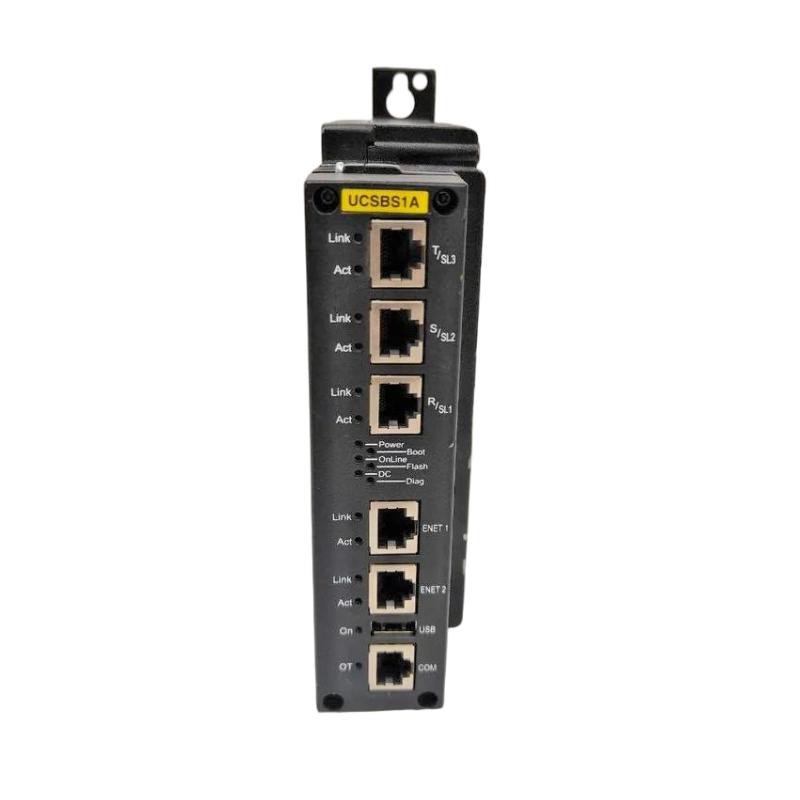
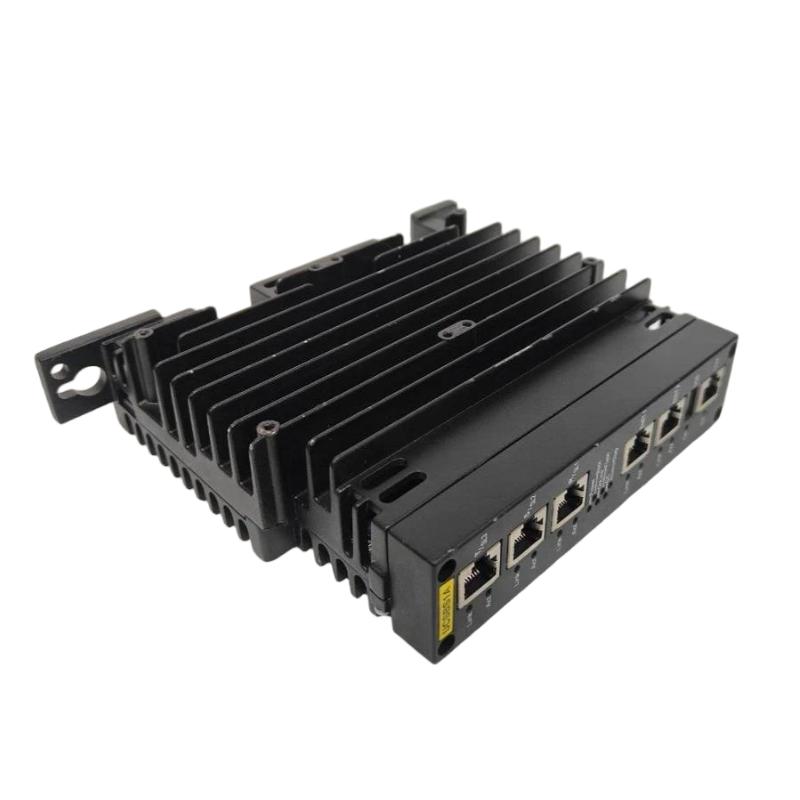
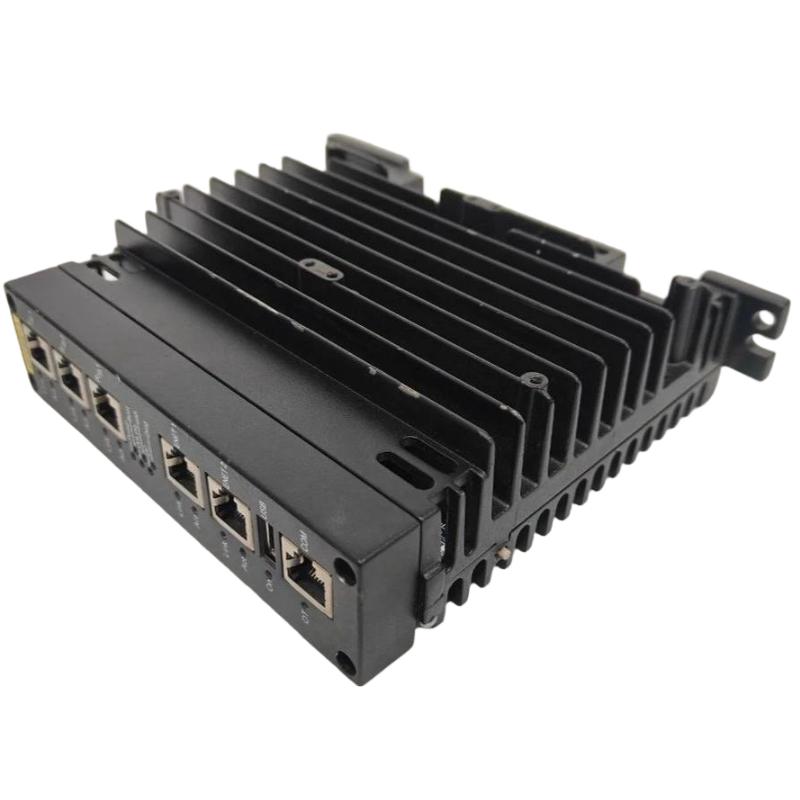
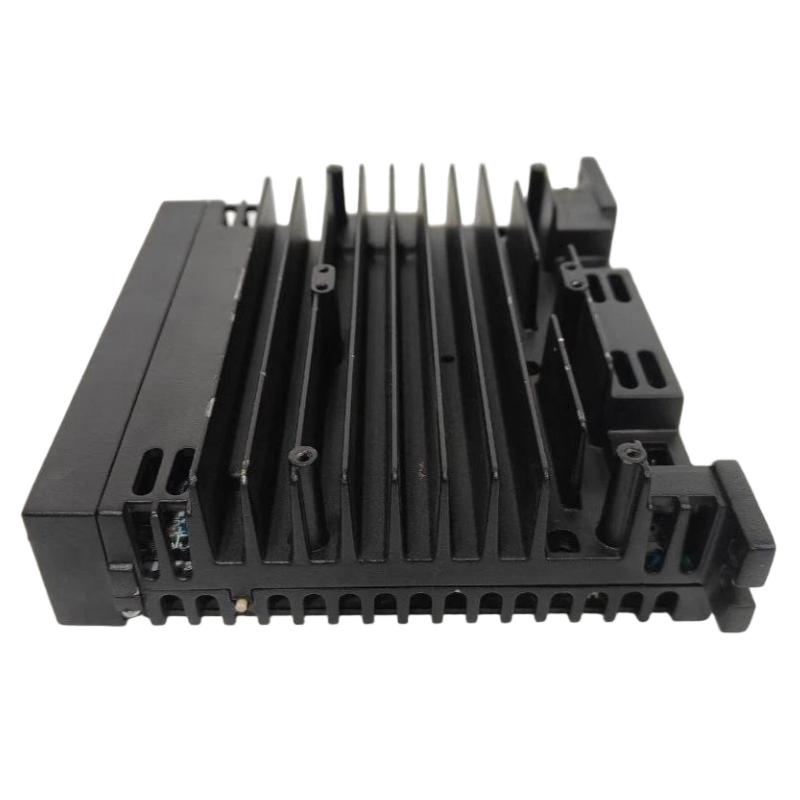
- GE
- IS420UCSBS1A
- Controller Module
- USA
- 32 × 8 × 25 mm
- 0.25 kg
- Xiamen, China
- New & In Stock
- T/T, PayPal, Western Union
- 1 Year
- 1-3 Working Days
- DHL, UPS, TNT, FedEx and EMS.
- 24-Hour Service
- COO
- 4
Our advantage

Global Logistics
We have a 10-year logistics and express cooperation agreement, so our products can be shipped to any place in the world.

Brand new and original
Our products are imported in bulk from the place of origin. Because of the cooperative relationship, our products are all original and 100% new.

24-hour service
We provide 7*24 hours service to our customers. We will be there whenever you need us.

Price advantage
All our products are priced very favorably because we have our own warehouse and supply.
| Company Information | |||
| [email protected] | |||
| Mobile | +8615980777398 | ||
| +8615980777398 | |||
| 15980777398 |
Product Overview
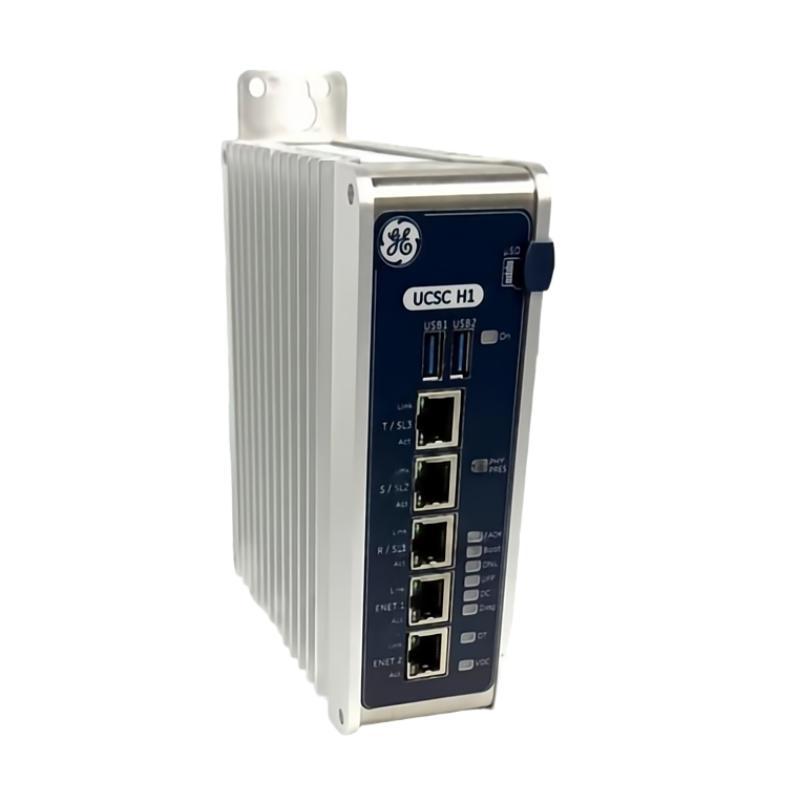
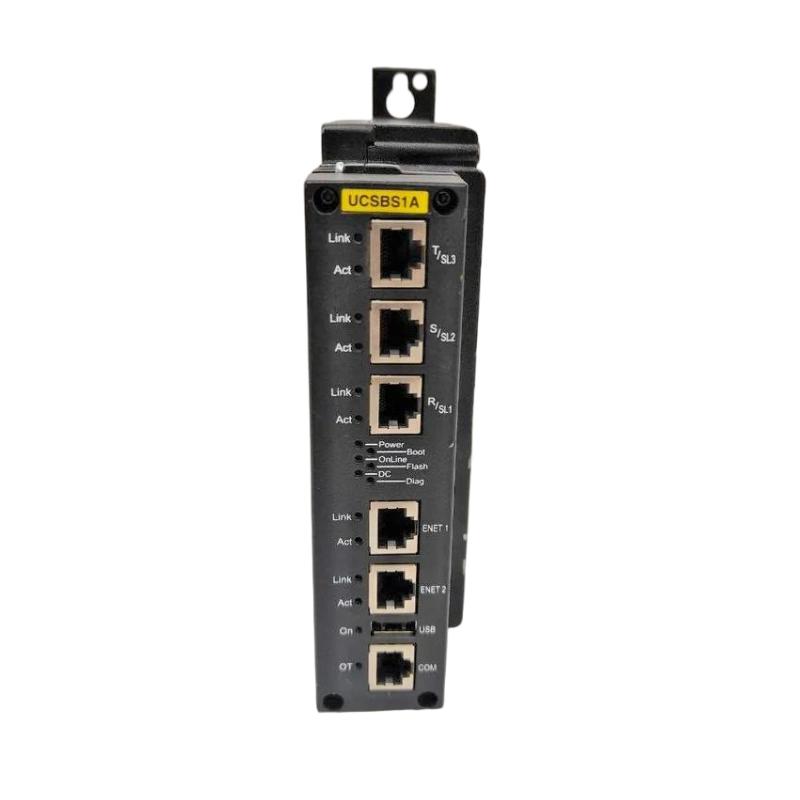
The GE IS420UCSBS1A Controller Module is an industrial automation component associated with control-system applications. Controller hardware plays an important role in coordinating process operations, executing configured control functions, and supporting communication between system components. In industrial environments where continuous operation and dependable equipment coordination are essential, selecting the correct controller component is critical to maintaining system stability and simplifying maintenance.
Industrial control architectures commonly combine controller hardware, I/O interfaces, field instrumentation, communication equipment, and operator interfaces. These components work together to collect process information, execute control logic, monitor equipment status, and coordinate appropriate responses. A controller module must therefore be matched carefully to the host platform and the intended control-system configuration.
The GE IS420UCSBS1A is identified by its model designation as a Controller Module. Its listed dimensions are 32 × 8 × 25 mm, and its listed weight is approximately 0.25 kg. These physical specifications are useful for inventory management and replacement planning. Before installation, users should verify the product label, hardware revision, mounting arrangement, electrical requirements, and compatibility with the existing GE control system.
Technical Specifications
| Parameter | Specification |
|---|---|
| Manufacturer | General Electric (GE) |
| Model Number | IS420UCSBS1A |
| Product Type | Controller Module |
| Product Family | GE Industrial Automation and Control Hardware |
| Primary Role | Control-system operation and integration, subject to the module’s documented functions |
| Dimensions | 32 × 8 × 25 mm |
| Weight | 0.25 kg |
| Installation | According to the compatible host-system design |
| Control Functions | Verify against the applicable hardware documentation |
| Communication Interfaces | Confirm from the specific product revision |
| Power Requirements | Verify before installation |
| Firmware and Configuration | Confirm compatibility with the host system |
| Typical Application | Industrial control and automation systems |
Note: Model-specific electrical ratings, processor specifications, supported protocols, memory capacity, and detailed interface characteristics should be verified against the documentation for the exact IS420UCSBS1A revision.
What Is the GE IS420UCSBS1A Controller Module?
The GE IS420UCSBS1A is identified as a controller module intended for industrial automation applications. In a control system, controller hardware is responsible for carrying out the functions assigned by the system architecture. Depending on its design, a controller may execute application logic, process system information, coordinate connected hardware, or participate in communication with other control components.
A controller module should not be treated as interchangeable with every other module in the same product family. Different assemblies may perform specialized functions, use different interfaces, or require different firmware and configuration settings. Correct identification is therefore essential when selecting a replacement or planning a new installation.
For the IS420UCSBS1A, the exact role within a particular control architecture should be confirmed using its hardware identification and the requirements of the host equipment. This ensures that installation and commissioning are based on the actual supported functions rather than assumptions derived from the product category.
Function and Working Principle
Control-System Coordination
Industrial automation equipment relies on coordinated operation between the control platform and connected devices. Controller hardware provides the processing or coordination functions defined by its design and configuration.
The controller’s specific responsibilities may differ between installations. Users should confirm whether the IS420UCSBS1A performs the intended control, processing, or system-interface role in the target configuration.
Processing of System Information
Control systems receive information from sensors, I/O interfaces, communication devices, and other connected equipment. The controller uses supported data and configured logic to determine how the system should respond.
Depending on the installed architecture, this process may involve evaluating operating states, monitoring configured conditions, and coordinating actions through compatible hardware.
Communication with Related Equipment
Industrial controllers often operate as part of a larger network of automation components. Communication may be required to exchange status information, process values, commands, or diagnostic data.
The supported interfaces and protocols of the IS420UCSBS1A should be confirmed before network connections are made. Correct communication configuration is necessary to avoid addressing conflicts, incompatible settings, or loss of data exchange.
System Monitoring and Diagnostics
Control platforms may provide diagnostic information that helps maintenance personnel identify hardware faults, configuration errors, communication problems, or abnormal operating conditions.
The available diagnostic functions depend on the specific module and its host system. Technicians should consult the applicable system diagnostics rather than assume that every feature is available on this model.
Role in Industrial Automation Systems
A controller module is one part of an integrated automation architecture. Its contribution depends on how the host system assigns control and coordination functions.
A typical industrial control structure may include:
- Field sensors and transmitters that measure process conditions
- Input interfaces that receive field signals
- Controller hardware that performs configured processing or control functions
- Output interfaces that connect the control system to compatible equipment
- Communication hardware that exchanges information between system components
- Operator interfaces that present operating status, alarms, and process information
- Engineering tools used for configuration, diagnostics, and maintenance
Within this structure, the IS420UCSBS1A must be installed in a supported configuration and matched to the required system function. The controller’s exact position in the architecture should be established from the equipment documentation and the existing installation.
Industrial Applications
Power Generation and Plant Automation
Power-generation facilities use industrial control equipment to coordinate machinery, monitor operating conditions, and manage auxiliary systems. Appropriate controller hardware can form part of these control architectures when supported by the installed platform.
Turbine and Equipment Control
Turbine installations may include specialized controllers, I/O assemblies, communication components, and monitoring equipment. Any use of the IS420UCSBS1A in a turbine-related application should be verified against the specific control-system design.
Process Automation
Manufacturing and process facilities use control systems to coordinate equipment, monitor process variables, and execute configured operating sequences. A compatible controller module can contribute to these functions according to its documented capabilities.
Industrial Machinery
Automated machinery relies on coordinated control of operating states, connected devices, and process sequences. Controller hardware must be selected according to the machine architecture, timing requirements, interface specifications, and applicable safety design.
Utilities and Infrastructure
Utility installations often integrate monitoring devices, control processors, communication equipment, and operator stations. Correctly matched controller components support the operation of the wider automation system.
These are general application areas for industrial control technology. They should not be interpreted as confirmation that the IS420UCSBS1A is approved for every listed application. Suitability depends on its verified technical specification and the requirements of the host system.
Installation and System Integration
Correct installation helps prevent hardware damage, communication problems, and unexpected system behavior. Before replacing or installing the GE IS420UCSBS1A, technicians should follow the approved maintenance procedures for the associated control equipment.
1. Verify the Model and Revision
Check the product label and confirm the complete part number: IS420UCSBS1A. Record the hardware revision and any additional identification information shown on the module.
Compare these details with the component being replaced and the host-system records. Similar model numbers may identify components with different functions or compatibility requirements.
2. Confirm Host-System Compatibility
Verify that the module is supported by the target control platform, hardware location, and system configuration. Check the required mounting arrangement, associated components, firmware requirements, and configuration procedures.
Do not assume that physical fit alone establishes electrical or functional compatibility.
3. Follow Electrical Safety Procedures
Before handling the module, follow the site’s isolation, lockout, and electrostatic-discharge precautions. Confirm that the equipment has been placed in the required safe state before performing installation work.
Use the electrical and handling procedures specified for the host equipment.
4. Inspect the Installation Location
Check the mounting location for contamination, moisture, excessive heat, vibration, or mechanical damage. Confirm that the module can be installed securely and that associated connections can be routed without strain.
The listed dimensions of 32 × 8 × 25 mm should be checked against the actual module and installation requirements before preparing the mounting arrangement.
5. Check Connections and Configuration
Inspect applicable connectors and verify that they match the system design. Confirm power, signal, and communication requirements using the relevant hardware documentation.
Where software or firmware configuration is required, ensure that the selected settings are compatible with the installed control platform.
6. Commission the Module
After installation, carry out the approved startup and diagnostic procedures. Confirm that the system recognizes the hardware where applicable, that required connections are established, and that no unexpected diagnostic conditions are present.
Test the intended functions under controlled conditions before returning the equipment to normal operation. Document the module identification, revision, and final configuration for future maintenance.
Troubleshooting the GE IS420UCSBS1A
Troubleshooting should consider the module, host platform, associated hardware, configuration, and connected equipment as a complete system.
Controller Module Not Recognized
If the control system does not recognize the module, check:
- Full model number and hardware revision
- Correct installation position
- Connector seating and physical condition
- Compatibility with the host system
- Applicable power requirements
- Hardware configuration and diagnostic messages
A configuration mismatch or connection problem may cause symptoms that resemble a defective module.
Communication Problems
If the module is associated with a communication fault, verify the interface and network requirements specified for the installation. Inspect connectors, cable condition, addressing, configuration parameters, and the status of related equipment where applicable.
Do not assume a particular communication protocol or interface without confirming that it is supported by the installed hardware.
Unexpected Control-System Behavior
Unexpected behavior may be caused by configuration errors, incompatible firmware, incorrect system settings, faults in connected equipment, or problems elsewhere in the control architecture.
Review available diagnostics and recent configuration changes. Confirm that the installed module is the correct type for the assigned function before replacing additional hardware.
Intermittent Operation
Intermittent faults can be associated with loose connections, vibration, environmental conditions, unstable power, or communication issues. Inspect the installation and examine diagnostic records for recurring patterns.
Any physical inspection or replacement should follow the approved procedures for the host equipment.
Startup or Initialization Failure
If the system fails to initialize after installation, verify the product identity, hardware compatibility, connection arrangement, and applicable configuration requirements. Check the control platform’s diagnostic information to determine whether the problem originates in the module or another system component.
Avoid repeated power cycling or configuration changes unless they are permitted by the applicable maintenance procedure.
Maintenance Recommendations
Regular inspection and accurate documentation help support reliable operation of industrial controller hardware.
Visual inspection: Check for visible damage, contamination, corrosion, or signs of overheating.
Connection checks: Inspect applicable connectors and associated wiring for secure seating and physical integrity.
Environmental management: Keep the installation within the environmental limits specified for the host system and module.
Diagnostic monitoring: Review system alarms, hardware status information, and fault records when investigating abnormal behavior.
Configuration management: Maintain records of the module’s model number, hardware revision, installation position, and approved configuration.
Replacement planning: Confirm the exact replacement identifier and compatibility requirements before purchasing or installing another component.
Controlled maintenance: Perform installation, removal, and testing under the approved safety and maintenance procedures for the equipment.
Compatible System Components
The IS420UCSBS1A should be evaluated as part of the complete control architecture. Depending on the installation, the surrounding system may include the following component categories.
| Component Category | Typical Function |
|---|---|
| Compatible Controller Hardware | Performs assigned control or processing functions |
| I/O Modules | Connect field signals to the control system |
| Field Instrumentation | Measures process variables and equipment conditions |
| Communication Components | Exchange data between supported system devices |
| Power Supply Hardware | Provides electrical power to compatible equipment |
| Terminal and Connection Assemblies | Organize field wiring and equipment connections |
| Operator Interface | Displays system status, alarms, and process information |
| Engineering Software and Tools | Support configuration, diagnostics, and maintenance |
| Cabinet and Mounting Hardware | Provides mechanical support and environmental protection |
This table identifies common system-level categories rather than confirmed compatible part numbers. The exact combination of hardware and software must be verified against the IS420UCSBS1A’s technical documentation and the installed control-system design.
Replacement and Procurement Considerations
Selecting the correct replacement controller module is essential for minimizing downtime and avoiding compatibility issues.
Before ordering a GE IS420UCSBS1A, verify the following information:
- Complete model number: IS420UCSBS1A
- Product designation: Controller Module
- Hardware revision and label details
- Host-system model and installation location
- Required control-system function
- Applicable firmware and configuration requirements
- Supported interfaces and associated hardware
- Physical dimensions and installation arrangement
- Product condition and traceability
The supplied physical specifications are 32 × 8 × 25 mm and 0.25 kg. These values can assist with inventory and logistics planning, but they do not establish compatibility with a particular control system.
For used or refurbished equipment, check the product label and visible condition and confirm that the revision meets the requirements of the target installation. A similar appearance or a related model number should not be treated as proof of interchangeability.
Key Advantages
Compact Physical Profile
The supplied dimensions provide a reference for equipment planning, storage, and replacement logistics.
Integration into Industrial Control Architectures
When correctly matched to the host platform, controller hardware contributes to the coordinated operation of connected automation components.
Support for System Maintenance
Clear hardware identification and accurate configuration records help technicians investigate faults and manage replacement activities.
Contribution to Process Coordination
Controller components support the configured processing and coordination functions assigned within the overall automation system.
Structured Troubleshooting
Checking the module alongside its connections, configuration, and related hardware helps maintenance teams distinguish local hardware problems from wider system issues.
Technical FAQs
What is the GE IS420UCSBS1A?
The GE IS420UCSBS1A is identified as a Controller Module for industrial automation and control applications. Its exact function should be confirmed against the applicable product documentation.
What are the dimensions of the IS420UCSBS1A?
The supplied dimensions are 32 × 8 × 25 mm.
What is the weight of the IS420UCSBS1A?
The supplied weight is approximately 0.25 kg.
What does a controller module do in industrial automation?
A controller module performs or supports control-system functions according to its design. Depending on the architecture, these functions may involve processing system information, coordinating equipment, or participating in communication with other components.
Which control systems are compatible with the IS420UCSBS1A?
Compatibility must be confirmed using the exact model number, hardware revision, host-system requirements, and approved configuration. The product name alone is not sufficient to establish compatibility with a particular platform.
What should be checked before replacing the module?
Verify the complete part number, hardware revision, installation location, required control function, associated hardware, and configuration requirements. Follow the approved isolation and handling procedures before removing or installing the component.
What can cause the module to malfunction?
Potential causes include incompatible hardware, connection problems, incorrect configuration, power issues, environmental conditions, or faults elsewhere in the control system. Diagnostic information should be reviewed before concluding that the module itself has failed.
Can a similar GE controller module be used as a direct replacement?
Not without verification. The replacement must meet the electrical, functional, firmware, and system compatibility requirements of the original installation.
Conclusion
The GE IS420UCSBS1A Controller Module is an industrial control component intended for use within a compatible automation architecture. Controller hardware supports the processing and coordination functions required by industrial systems, while its specific responsibilities depend on the module’s documented design and the host-system configuration.
With supplied dimensions of 32 × 8 × 25 mm and a weight of 0.25 kg, the module’s physical specifications can assist with inventory management and replacement planning. Reliable integration depends on confirming the complete product identity, hardware revision, electrical requirements, interfaces, and compatibility with the target control platform.
For installation, maintenance, or procurement, verify the IS420UCSBS1A designation against the existing equipment and applicable technical documentation. Careful identification, controlled commissioning, and systematic troubleshooting help maintain dependable operation and reduce unnecessary replacement of industrial control hardware.