

ProductPRODUCT
Featured products
Contact Us
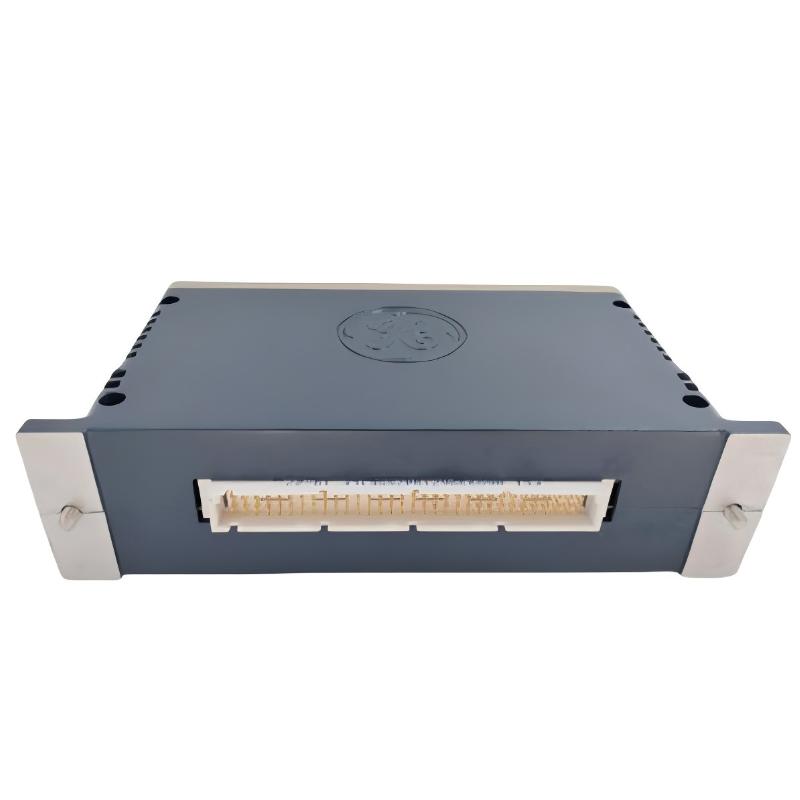
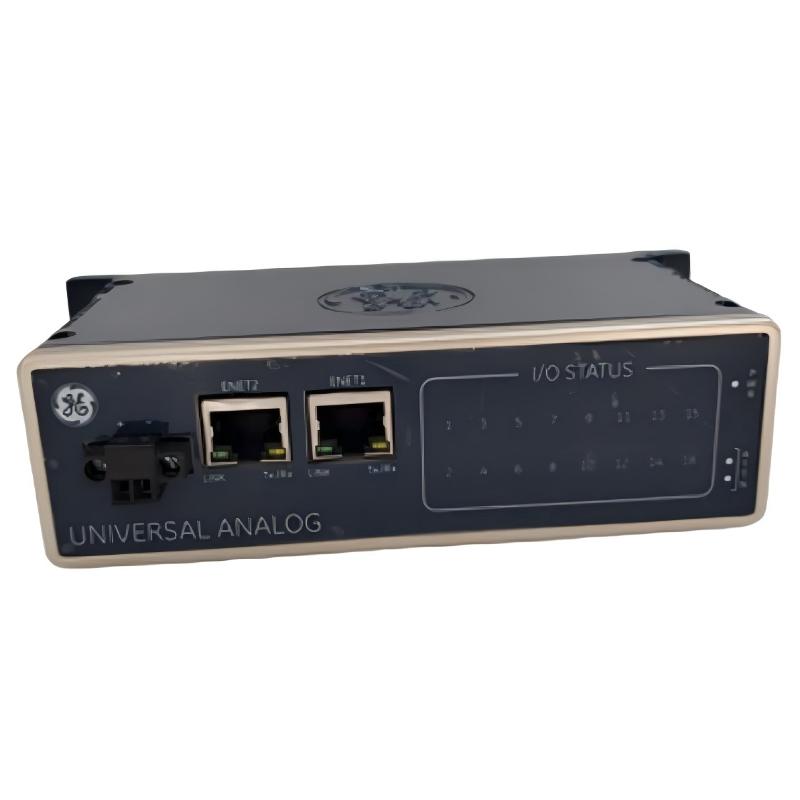
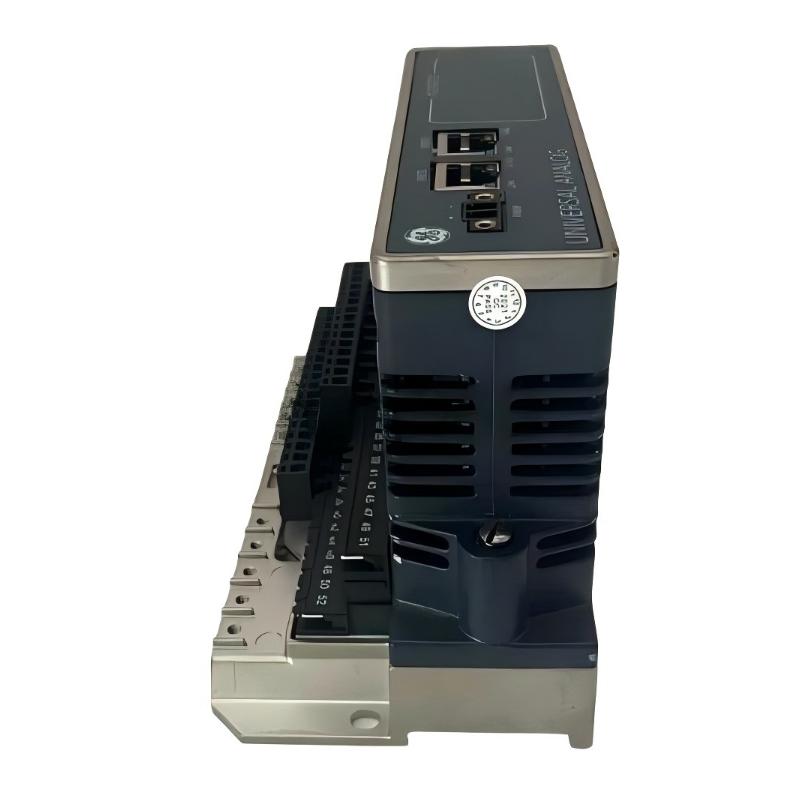
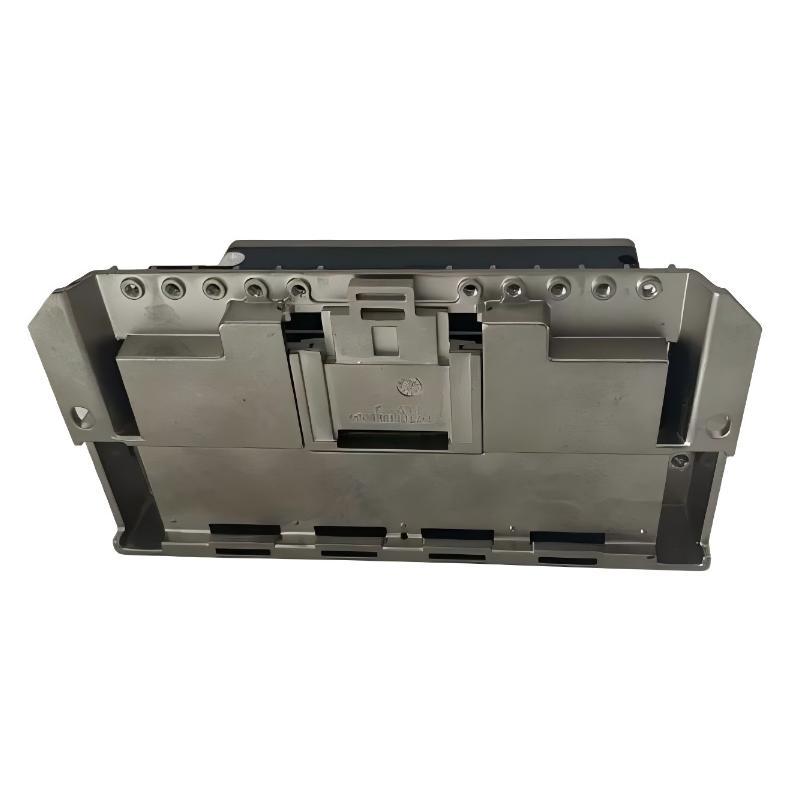
- GE
- IS420PUAAH1A
- Universal I/O Package
- USA
- 180 x 100 x 40 mm
- 0.6 kg
- Xiamen, China
- New & In Stock
- T/T, PayPal, Western Union
- 1 Year
- 1-3 Working Days
- DHL, UPS, TNT, FedEx and EMS.
- 24-Hour Service
- COO
- 4
Our advantage

Global Logistics
We have a 10-year logistics and express cooperation agreement, so our products can be shipped to any place in the world.

Brand new and original
Our products are imported in bulk from the place of origin. Because of the cooperative relationship, our products are all original and 100% new.

24-hour service
We provide 7*24 hours service to our customers. We will be there whenever you need us.

Price advantage
All our products are priced very favorably because we have our own warehouse and supply.
| Company Information | |||
| [email protected] | |||
| Mobile | +8615980777398 | ||
| +8615980777398 | |||
| 15980777398 |
Product Overview
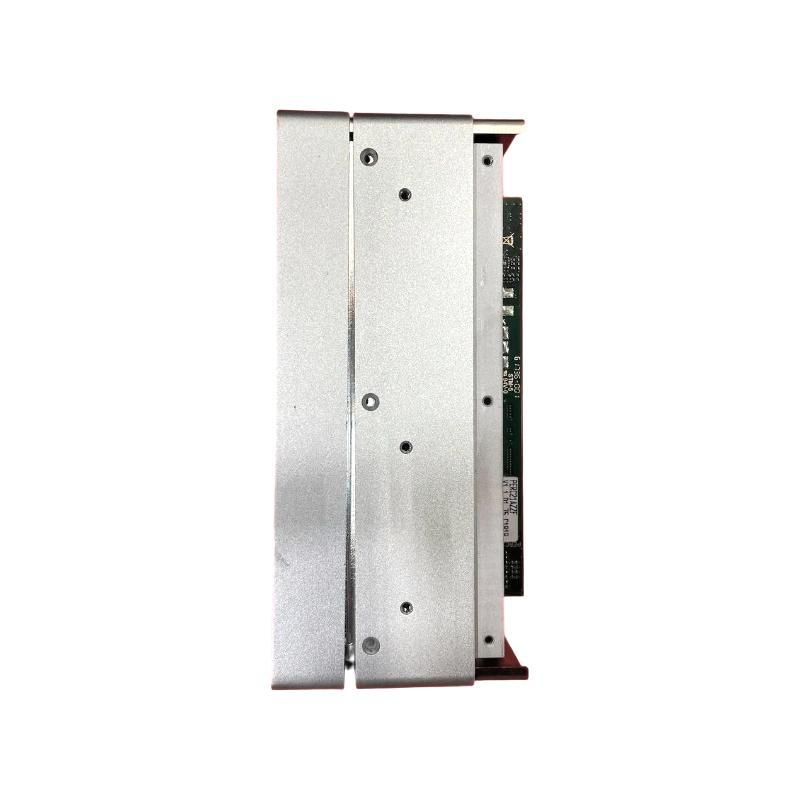
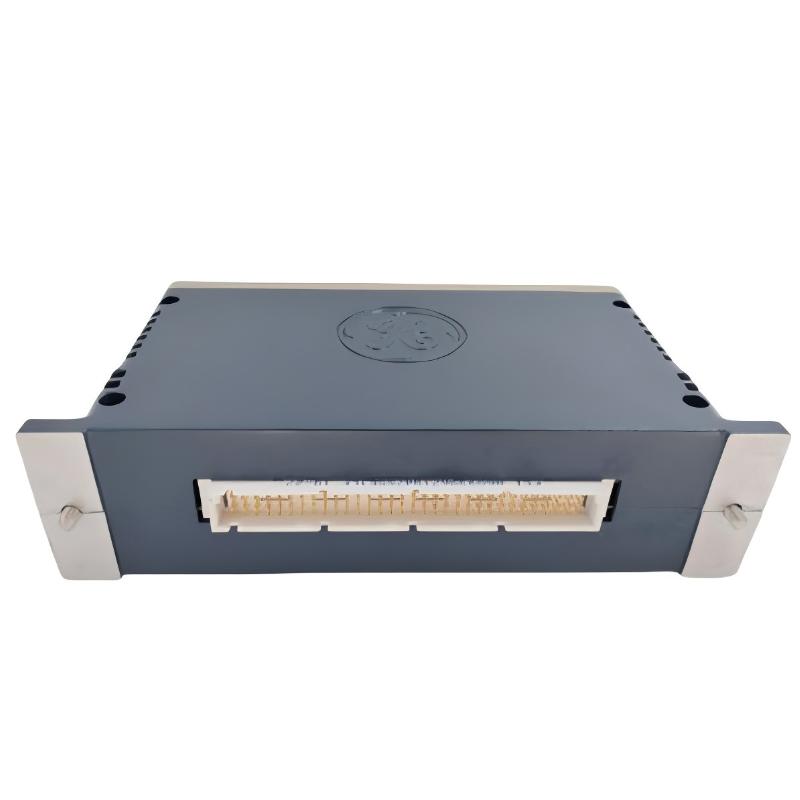
The GE IS420PUAAH1A Universal I/O Package is an industrial control component designed for integration into compatible GE automation systems. Universal I/O technology supports the connection between field-level devices and control-system electronics, helping industrial equipment acquire process signals and exchange information with the control platform. Depending on the specific hardware configuration, universal I/O architectures can support different types of field signals, reducing the need for separate interface hardware for every signal category.
In industrial automation, reliable communication between sensors, transmitters, switches, actuators, and control processors is essential for maintaining stable operation. An I/O package forms part of this interface layer, helping field information become available to the control system for monitoring, logic execution, alarms, and process supervision.
The GE IS420PUAAH1A has listed dimensions of 180 × 100 × 40 mm and a weight of approximately 0.6 kg. Its compact form factor makes it suitable for installations where control hardware must fit within organized industrial equipment assemblies. Before installation or replacement, users should confirm the complete model designation, hardware revision, electrical characteristics, and compatibility with the existing GE control platform.
Technical Specifications
| Parameter | Specification |
|---|---|
| Manufacturer | General Electric (GE) |
| Model Number | IS420PUAAH1A |
| Product Name | Universal I/O Package |
| Product Category | Industrial Control I/O Component |
| Primary Function | Field signal interface within a compatible control system |
| Control System | Compatible GE industrial automation architecture |
| Dimensions | 180 × 100 × 40 mm |
| Weight | 0.6 kg |
| Installation | According to the host-system hardware design |
| Application | Industrial process monitoring and control |
| Hardware Revision | Verify from the product label |
| Electrical Ratings | Confirm against the applicable hardware documentation |
| Signal Types and Channel Capacity | Confirm for the specific package configuration |
| Communication and Interface Details | Verify against the host-system requirements |
What Is the GE IS420PUAAH1A Universal I/O Package?
The IS420PUAAH1A is identified as a Universal I/O Package intended for industrial control applications. I/O equipment provides the connection between field devices and the electronic systems responsible for supervising and controlling an industrial process.
Input signals may originate from sensors, transmitters, switches, or other monitoring devices. Output signals may be used to command compatible field equipment, depending on the functions supported by the installed hardware. The control system interprets incoming information and executes its configured control logic to maintain the required operating conditions.
The term universal I/O generally describes an architecture that can accommodate multiple signal types through a configurable interface. However, the exact supported signal types, channel count, electrical ratings, and configuration options of the IS420PUAAH1A should be verified against the documentation for the specific hardware revision. These details should not be inferred from the product name alone.
Function and Working Principle
Field Signal Interface
In a typical industrial automation system, field devices generate electrical signals representing process conditions or equipment status. The I/O layer connects these devices to the control architecture through the appropriate terminals, connectors, and signal interfaces.
The exact connection method for the IS420PUAAH1A depends on its intended installation and associated hardware.
Signal Acquisition and Processing
Input interfaces allow a control system to receive information from connected devices. Depending on the supported configuration, this information may represent a measured process variable, a discrete equipment state, or another electrical signal.
The control platform then uses the acquired information in its application logic. Correct signal interpretation depends on selecting the appropriate configuration and matching the field device to the interface’s electrical requirements.
Control Output and Field Response
Where the installed configuration supports output functions, the control system can use processed information to command compatible equipment. Typical industrial control actions include adjusting a process setting, changing an operating state, or issuing a command to an actuator.
Output capability and supported signal types must be confirmed for the actual IS420PUAAH1A configuration before connecting field equipment.
Integration with the Control Platform
The I/O package operates as part of a larger control system rather than as an independent replacement for the controller. Its operation depends on the host hardware, configuration, wiring, and applicable control-system software.
A simplified signal path is:
Field Device → I/O Interface → Control Platform → Control Logic → Compatible Field Equipment
This arrangement allows the automation system to coordinate process monitoring, equipment status, alarms, and control actions.
Role in Industrial Control Systems
Industrial control systems depend on reliable signal exchange between field instrumentation and control logic. The GE IS420PUAAH1A Universal I/O Package can serve as part of this interface layer when installed in a compatible system.
Its role in the broader architecture may include:
- Connecting field instrumentation to control-system hardware
- Supporting the acquisition of process and equipment information
- Providing an interface for configured control signals
- Contributing to process monitoring and equipment supervision
- Supporting the exchange of field information with application logic
- Helping organize field-level connections within a control installation
The actual functions available in a particular installation depend on the hardware specification and system configuration. The package should therefore be selected and commissioned as part of a verified control-system design.
Industrial Applications
Power Generation
Power-generation facilities use distributed instrumentation and control equipment to monitor operating conditions and coordinate equipment functions. Suitable I/O components can form part of the interface between field devices and the control platform.
Industrial Process Control
Manufacturing and process facilities rely on continuous access to field information for monitoring process variables, equipment states, and operating conditions. An appropriate I/O package can help integrate these signals into the wider control architecture.
Turbine and Auxiliary Equipment Systems
Industrial turbine installations may use multiple layers of control hardware to manage monitoring and auxiliary functions. Any application involving turbine control must confirm that the selected package is explicitly supported by the relevant system configuration.
Manufacturing Automation
Automated production lines use field devices to detect equipment status and provide process information. Compatible I/O hardware helps the controller receive these signals and coordinate the configured sequence of operations.
Utilities and Infrastructure
Utility installations often combine instrumentation, control processors, operator interfaces, and field equipment. Properly matched I/O hardware supports the signal interface required by these systems.
These are general application areas for industrial I/O technology, not a guarantee that every application is supported by the IS420PUAAH1A. Suitability must be confirmed against the package’s technical documentation and the host system.
Installation and System Integration
Correct installation is essential for reliable operation and long-term equipment performance. Before handling or replacing the IS420PUAAH1A, technicians should follow the applicable plant safety procedures and the instructions for the installed GE control platform.
1. Verify the Product Identification
Check the complete model number on the product label. Confirm that the installed or replacement component is specifically identified as IS420PUAAH1A.
Record the hardware revision, serial information where applicable, installation position, and any associated assembly identifiers. Similar-looking components may have different functions or electrical characteristics.
2. Confirm Host-System Compatibility
Before installation, verify that the package is supported by the target control system and the intended hardware location. Check the applicable system configuration, interface requirements, and any required associated components.
Do not assume that a package is compatible simply because it belongs to the same product family or has similar physical dimensions.
3. Review Field Wiring
Inspect the field wiring and terminal identification before making connections. Confirm signal type, polarity, electrical range, shielding requirements, and grounding arrangements using the applicable documentation.
Incorrect wiring can lead to invalid readings, unexpected output behavior, or damage to connected equipment.
4. Check the Installation Environment
Ensure that the mounting location provides the required mechanical support and environmental conditions. Avoid excessive vibration, moisture, conductive contamination, and temperatures outside the equipment’s specified operating range.
Allow sufficient space for cable routing and maintenance access.
5. Configure the Control System
Use the approved configuration procedure for the host system. Verify that the hardware is recognized where applicable and that the assigned signal configuration matches the connected field devices.
Do not assume a default channel assignment, communication setting, or automatic configuration function without confirming that it applies to the installed package.
6. Commission the Installation
After installation, inspect the wiring and hardware connections before restoring the system to service. Confirm that expected field signals are available and that the control application interprets them correctly.
Where outputs are involved, test the configured response using approved commissioning procedures and appropriate safeguards. Record the final hardware identification and configuration for future maintenance.
Troubleshooting the GE IS420PUAAH1A
Troubleshooting should begin with the complete signal path rather than assuming that the I/O package itself is faulty.
No Signal from a Connected Field Device
If the control system does not receive the expected signal, inspect:
- Field-device power and operating status
- Cable continuity and connector condition
- Terminal assignments and wiring polarity
- Compatibility between the field signal and the configured interface
- Hardware status indicators, if provided
- Host-system diagnostics and configuration
A field-device fault or wiring problem can produce symptoms similar to an I/O hardware failure.
Incorrect or Unstable Readings
Unexpected readings may result from incorrect configuration, poor connections, electrical interference, an unsuitable signal range, or a defective field instrument.
Compare the measured value with an appropriate reference and verify the signal type and scaling in the control application. Check grounding and shielding arrangements where relevant.
Hardware Not Recognized by the Control System
If the installed package is not recognized, confirm the complete model number and revision, installation position, physical connections, and host-system compatibility. Review any applicable hardware diagnostics and configuration records.
Do not replace unrelated components until the installation and compatibility requirements have been checked.
Intermittent Operation
Intermittent signal behavior can be associated with loose connections, damaged cables, vibration, environmental conditions, unstable field-device power, or hardware faults.
Inspect the complete interface path and review diagnostic information to determine whether the problem originates in the field device, wiring, I/O hardware, or control platform.
Unexpected Output Behavior
For systems using supported output functions, verify the application logic, output configuration, wiring, and connected equipment. Before testing outputs, ensure that the equipment can be placed in a safe state and that unintended movement or process changes cannot create a hazard.
Any electrical measurements or hardware replacement should be performed by qualified personnel using approved procedures.
Maintenance Recommendations
A consistent maintenance program can help reduce unexpected interruptions and simplify future troubleshooting.
Visual inspection: Check the package and surrounding installation for visible damage, contamination, corrosion, or signs of overheating.
Connection inspection: Verify that accessible connectors and wiring are secure and correctly identified. Follow the specified procedures for any terminal or connector work.
Environmental control: Maintain the installation within the host equipment’s specified temperature, humidity, ventilation, and contamination limits.
Diagnostic review: Examine available control-system diagnostics and event records when investigating abnormal operation.
Configuration records: Maintain an accurate record of the model number, revision, installation position, associated hardware, and approved configuration.
Replacement planning: Keep the identification and compatibility information needed to source a correct replacement. Avoid substituting an apparently similar package without confirming its electrical and system requirements.
Compatible System Components
The IS420PUAAH1A should be considered within the context of the complete control installation. Depending on the system design, related equipment may include the following functional categories.
| Component Category | Typical Role |
|---|---|
| GE Control Processor | Executes application logic and coordinates system operation |
| Compatible I/O Hardware | Provides the required field-signal interface |
| Field Sensors and Transmitters | Measure process variables and equipment conditions |
| Switches and Status Devices | Provide discrete equipment or process-state information |
| Actuators and Controlled Devices | Perform actions commanded by the control system |
| Terminal and Connection Hardware | Supports organized field wiring |
| Operator Interface | Displays process values, status, and alarms |
| Engineering and Configuration Tools | Support approved system configuration and diagnostics |
| Power and Protection Equipment | Supplies and protects equipment according to system design |
This table describes typical system-level component categories, not a confirmed bill of materials for the IS420PUAAH1A. Exact compatible modules, terminal assemblies, cables, and configuration tools should be selected using the host-system documentation.
Replacement and Procurement Considerations
When sourcing a replacement GE IS420PUAAH1A Universal I/O Package, accurate identification is essential. Industrial control components can have similar appearances while differing in supported functions, electrical characteristics, revisions, or system compatibility.
Before purchasing, confirm:
- Complete part number: IS420PUAAH1A
- Product designation: Universal I/O Package
- Hardware revision and label information
- Host control-system model and hardware location
- Required signal types and electrical characteristics
- Supported configuration and associated components
- Physical dimensions and mounting requirements
- Condition, packaging, and product traceability
The listed dimensions are 180 × 100 × 40 mm, and the listed weight is 0.6 kg. These values can assist with equipment planning, inventory management, and replacement logistics, but they do not establish electrical or functional compatibility.
For used, refurbished, or surplus components, inspect the product label and visible condition and request the identification information needed to confirm suitability. Final acceptance should be based on the complete model and revision requirements of the target installation.
Key Advantages
Flexible I/O Architecture
Universal I/O concepts can help simplify field-signal integration where the supported hardware and configuration allow multiple signal types to be accommodated.
Integration with Industrial Control
A compatible I/O package helps connect field-level information with the wider automation system, allowing the controller to use process data for monitoring and configured control actions.
Compact Physical Size
With listed dimensions of 180 × 100 × 40 mm, the package can be considered for equipment-layout and installation planning where space is a constraint.
Support for Organized Maintenance
Accurate product identification and documented configuration make it easier for maintenance teams to inspect, diagnose, and replace control hardware.
System-Level Process Visibility
When correctly installed and configured, appropriate I/O hardware contributes to the availability of field information needed for process supervision and equipment status monitoring.
Technical FAQs
What is the GE IS420PUAAH1A?
The GE IS420PUAAH1A is identified as a Universal I/O Package for use in compatible industrial control applications. Its suitability depends on the host system and the package’s documented capabilities.
What are the dimensions of the IS420PUAAH1A?
The listed dimensions are 180 × 100 × 40 mm.
How much does the IS420PUAAH1A weigh?
The listed weight is approximately 0.6 kg.
What does a Universal I/O Package do?
In general, universal I/O equipment provides an interface between field devices and a control system. Depending on the specific hardware, it may support configured input and output signal functions. Exact capabilities must be verified for the model and revision.
Which signal types does the IS420PUAAH1A support?
The supported signal types, channel count, electrical ranges, and configuration options should be confirmed using the applicable technical documentation. These specifications should not be assumed from the product name alone.
Can the IS420PUAAH1A replace another GE I/O component?
Not automatically. Replacement suitability depends on the full part number, revision, supported functions, electrical requirements, and compatibility with the target control system.
What should be checked if the package does not operate correctly?
Start by checking product identification, host-system compatibility, field wiring, connected-device power, signal configuration, and available hardware diagnostics. These checks help distinguish an interface problem from a field-device or controller issue.
What information is needed when ordering a replacement?
Provide the complete model number, revision information, host-system details, installation location, and any relevant configuration requirements. Confirm the required signal functions before finalizing the selection.
Conclusion
The GE IS420PUAAH1A Universal I/O Package is an industrial control component intended to form part of the field-signal interface in a compatible automation architecture. I/O technology enables field devices and control electronics to exchange the information needed for process monitoring, equipment supervision, and configured control functions.
With listed dimensions of 180 × 100 × 40 mm and a weight of 0.6 kg, the package offers a defined physical profile for equipment planning and replacement logistics. Reliable operation depends on correct product identification, host-system compatibility, appropriate field wiring, accurate configuration, and proper commissioning.
For maintenance and procurement, verify the complete IS420PUAAH1A designation and the relevant hardware revision before installation. Confirming the package’s exact electrical characteristics and supported functions is essential to ensuring a suitable replacement and maintaining dependable industrial control operation.