

ProductPRODUCT
Featured products
Contact Us
- GE
- IC754VSL06CTD
- Operator Interface
- USA
- 203 x 22 x 157 mm
- 0.91 kg
- Xiamen, China
- New & In Stock
- T/T, PayPal, Western Union
- 1 Year
- 1-3 Working Days
- DHL, UPS, TNT, FedEx and EMS.
- 24-Hour Service
- COO
- 32
Our advantage

Global Logistics
We have a 10-year logistics and express cooperation agreement, so our products can be shipped to any place in the world.

Brand new and original
Our products are imported in bulk from the place of origin. Because of the cooperative relationship, our products are all original and 100% new.

24-hour service
We provide 7*24 hours service to our customers. We will be there whenever you need us.

Price advantage
All our products are priced very favorably because we have our own warehouse and supply.
| Company Information | |||
| [email protected] | |||
| Mobile | +8615980777398 | ||
| +8615980777398 | |||
| 15980777398 |
Product Overview
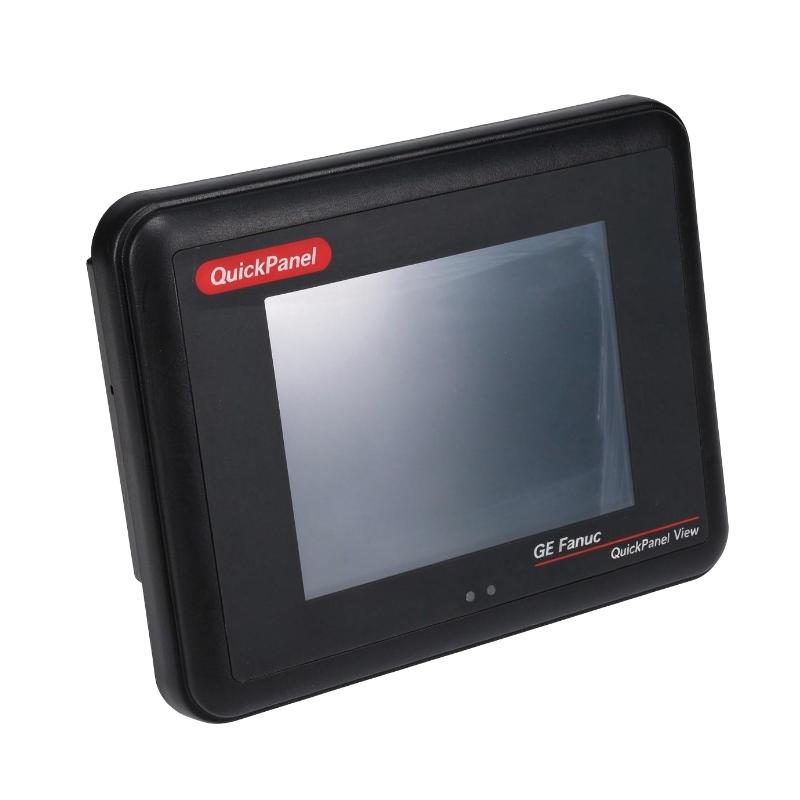
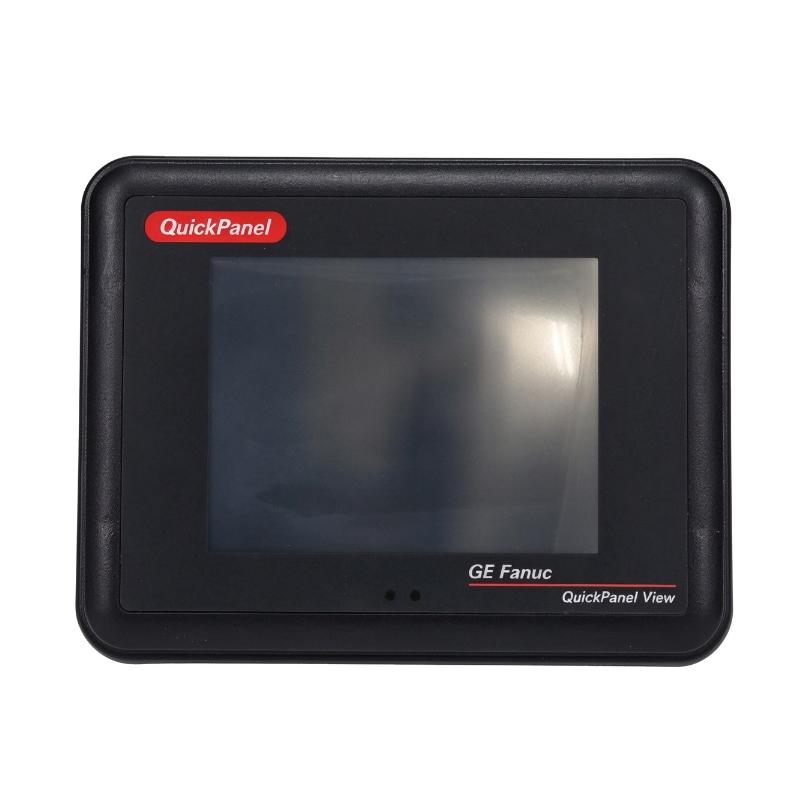
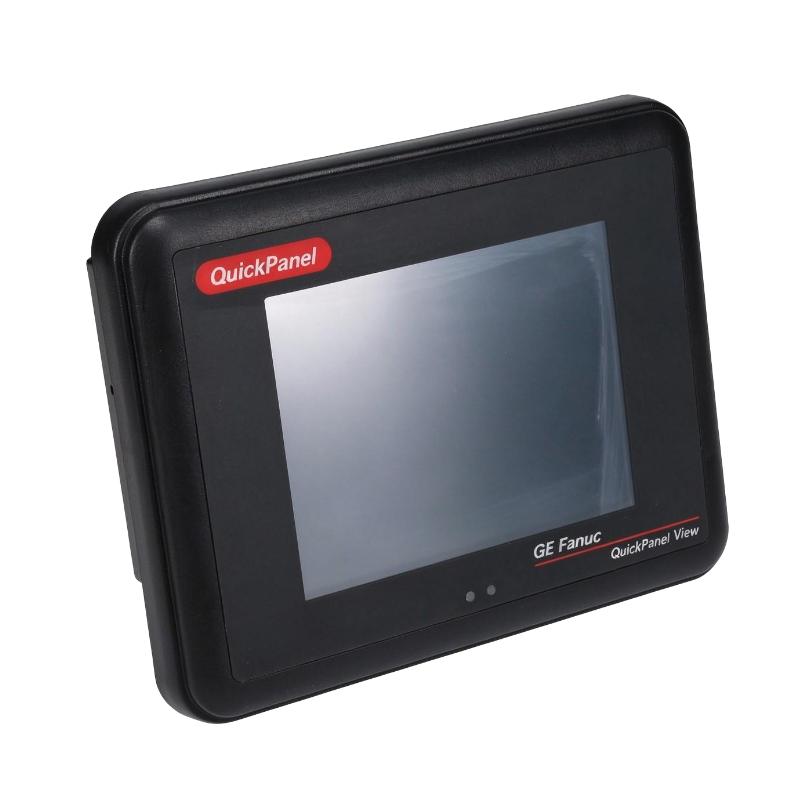
The GE IC754VSL06CTD Operator Interface is an industrial human-machine interface (HMI) from the GE Fanuc QuickPanel product family. Designed for factory automation and machine-control environments, this operator interface provides a visual connection between equipment operators and industrial control systems.
An HMI allows operators to monitor machine conditions, view process information, acknowledge alarms, and interact with control applications through a graphical interface. Instead of relying entirely on physical switches and indicator lights, operators can use a touchscreen to access operating information and execute authorized commands.
The IC754VSL06CTD features a 6-inch TFT color display and operates with a 24 V DC power supply. Its QuickPanel architecture combines a display interface with embedded computing functions, allowing it to run compatible operator-interface applications and communicate with supported industrial equipment.
In a typical installation, the panel is mounted on a machine enclosure or control cabinet. It communicates with a PLC or other automation controller through an available communication interface. The controller manages the actual machine logic, while the operator interface presents relevant information and allows users to interact with the system.
The IC754VSL06CTD is suitable for legacy industrial installations that use compatible GE Fanuc QuickPanel hardware and software. When replacing an existing unit, engineers should verify the exact catalog number, firmware revision, project compatibility, communication settings, and mounting requirements.
Technical Specifications
| Parameter | Specification |
|---|---|
| Brand | GE |
| Manufacturer | GE Fanuc / General Electric |
| Model | IC754VSL06CTD |
| Product Family | QuickPanel |
| Product Type | Operator Interface / HMI |
| Display Type | TFT Color Display |
| Display Size | 6 inches |
| Touch Interface | Touchscreen |
| Power Supply | 24 V DC |
| Communication Interfaces | Serial communication, including RS-232 and RS-485 configurations |
| Embedded Platform | Industrial embedded computer |
| Typical Function | Machine operation and process monitoring |
| Installation Type | Panel-mounted operator interface |
| Dimensions Provided | 203 × 22 × 157 mm |
| Weight Provided | 0.91 kg |
| Product Lifecycle | Discontinued / Legacy product |
| Typical Applications | Industrial machinery, PLC control panels, process monitoring, and factory automation |
Note: The dimensions and weight are the supplied listing values. Published QuickPanel documentation gives a different overall dimensional figure for the documented hardware version. Verify the actual unit and installation drawing before designing a panel cutout.
Function and Working Principle
The IC754VSL06CTD functions as the operator-facing component of an industrial automation system. It receives information from connected controllers, presents that information through graphical screens, and transfers operator commands to the control system.
1. Graphical Machine Monitoring
The TFT display allows machine conditions and process information to be presented in a visual format. Depending on the application developed for the panel, the display may include:
- Machine operating status.
- Motor and drive conditions.
- Process values and measurements.
- Production counters.
- Alarm and warning messages.
- Equipment operating modes.
- System communication status.
The actual screens and displayed information depend on the application project installed on the unit.
2. Touchscreen Operator Interaction
The touchscreen provides a direct way for operators to interact with the machine-control application. Typical operations include selecting operating modes, entering numerical values, acknowledging alarms, and navigating between display screens.
Touchscreen controls should be designed with clear labels and appropriate access restrictions. Critical machine functions must remain subject to the control system’s safety architecture and should not depend solely on an HMI screen.
3. Communication with PLC Systems
The operator interface exchanges information with supported industrial controllers through its configured communication interfaces.
A PLC generally performs the main control tasks, such as reading sensors, executing logic, and controlling outputs. The HMI provides a user-facing layer for displaying selected controller data and transmitting operator requests.
Communication settings such as protocol, station address, baud rate, and controller configuration must match the connected equipment. The available communication capabilities should be confirmed against the specific hardware revision and project requirements.
4. Alarm and Event Presentation
Industrial machinery often needs to notify operators when operating conditions fall outside normal limits. An HMI application can display alarm messages and provide information that helps operators understand the affected equipment or process.
Depending on the application design, alarm screens may include descriptions, timestamps, status indicators, and acknowledgment controls.
The HMI displays information supplied by the control application. Alarm detection and machine protection must be implemented in the appropriate controller and safety system.
5. Embedded Application Execution
The QuickPanel platform combines display hardware with embedded computing functions. This allows the panel to run a compatible operator-interface application without requiring a separate general-purpose computer at the machine.
Application compatibility depends on the panel’s hardware revision, firmware, operating environment, and development software version.
Role in Industrial Control Systems
The GE IC754VSL06CTD can serve as the operator interface within a PLC-based automation architecture. Its main purpose is to make machine information accessible and provide an organized method for operator interaction.
PLC and HMI Communication
A PLC executes the control program and manages the connected field devices. The HMI communicates with the controller to display relevant data and transfer operator inputs.
For example, an operator may enter a production speed setpoint through the HMI. The value is transferred to the PLC, where the control program checks the request and determines whether it can be applied.
This separation helps maintain a clear distinction between operator interaction and machine-control execution.
Machine Status Visualization
The panel can display information from multiple machine functions on organized screens. Operators may be able to view equipment status, production progress, operating modes, and selected process values without accessing the PLC programming environment.
The exact number of screens, displayed values, and available functions depends on the installed application.
Alarm Management
The HMI can provide a centralized location for viewing machine alarms and operating warnings. This helps operators identify abnormal conditions and follow the appropriate troubleshooting procedures.
For effective alarm management, messages should be specific, understandable, and associated with the correct equipment or process.
Operator Access and Production Control
In suitable applications, the panel can provide controls for starting or stopping equipment, selecting production modes, and entering process parameters.
Access to important settings should be controlled through suitable authorization and controller logic. The HMI should not be treated as a replacement for emergency-stop circuits, safety relays, or other required safety devices.
Industrial Applications
The IC754VSL06CTD can be used in compatible industrial control systems where operators need a local graphical interface for machine monitoring and operation.
1. Manufacturing Machinery
Manufacturing equipment often requires operators to monitor machine status and adjust operating parameters. The QuickPanel interface can provide access to production information, machine modes, and operating commands.
It may be used on individual machines or as part of a larger production line, depending on the installed PLC architecture.
2. Packaging Equipment
Packaging machinery commonly includes conveyors, feeders, filling equipment, and sealing mechanisms. An HMI can provide operators with access to production settings, machine status, and alarm information.
A properly designed operator interface can help make production adjustments more straightforward and improve visibility into machine operation.
3. Material Handling Systems
Material-handling equipment may include conveyors, transfer mechanisms, and automated sorting systems. The IC754VSL06CTD can provide a local interface for displaying operating status and communicating operator requests to the control system.
The application can be designed to show equipment readiness, operating modes, and relevant process information.
4. Process Automation
Industrial process systems often require continuous monitoring of measurements and equipment conditions. An HMI can display selected values from connected PLCs and provide access to authorized operating settings.
Typical information may include temperature, pressure, flow, equipment status, and process alarms, depending on the connected instrumentation and application program.
5. Utility and Auxiliary Equipment
Pumps, fans, compressors, and other auxiliary machinery may require local operator access. The QuickPanel interface can provide a convenient way to view equipment status and interact with compatible control systems.
The actual functions depend on the PLC program and communication configuration.
6. Legacy Automation Systems
The IC754VSL06CTD is particularly relevant to existing installations that use compatible GE Fanuc QuickPanel equipment. Maintaining the original HMI may help preserve an established operator workflow and reduce the immediate need for a complete control-system redesign.
Before replacement, however, engineers should verify project files, firmware revisions, communication settings, and physical mounting compatibility.
Installation and System Integration
Correct installation is important for reliable operation, display visibility, communication stability, and long-term serviceability.
1. Verify the Power Supply
The IC754VSL06CTD is specified for 24 V DC operation. Before connecting the unit, verify that the power supply provides the required voltage and sufficient current capacity.
Check polarity, terminal assignments, grounding, and protective arrangements. Avoid connecting the panel to a supply that exceeds its specified operating range.
2. Confirm Panel Mounting Requirements
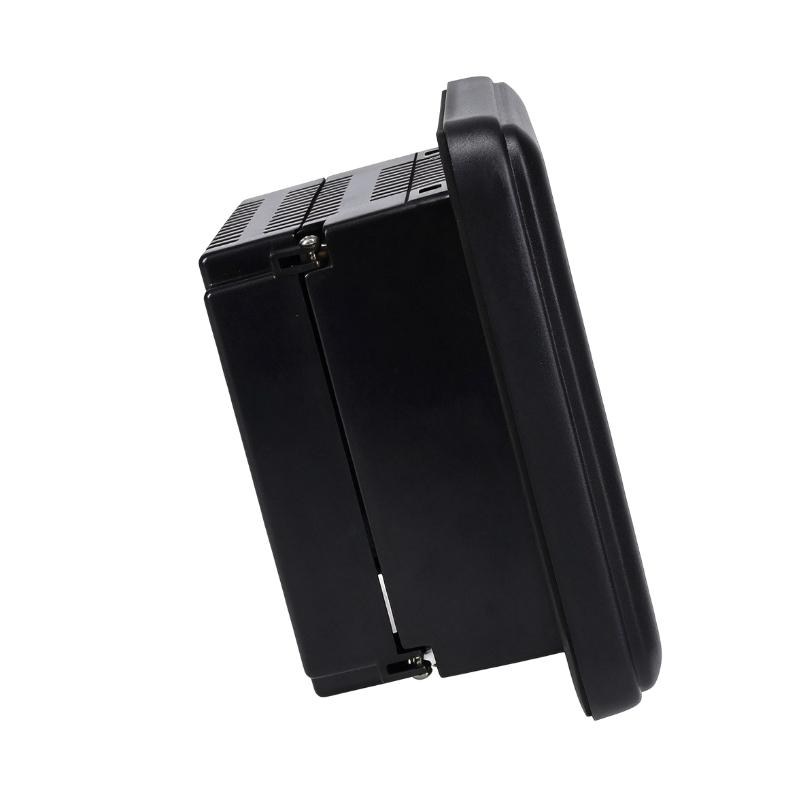
The supplied dimensions are 203 × 22 × 157 mm. However, published documentation for the QuickPanel hardware identifies a different overall dimension.
The physical dimensions of the display assembly, panel-mounted section, and rear enclosure may be measured differently. Therefore, do not use the listing dimensions alone to prepare a cabinet cutout.
Before installation, verify:
- Overall front-panel dimensions.
- Rear enclosure depth.
- Required panel cutout.
- Mounting clearance.
- Cable and connector access.
- Gasket and sealing requirements.
Correct mounting helps maintain mechanical stability and the intended environmental protection.
3. Establish Communication with the PLC
The communication interface must match the connected controller and the installed application.
Before commissioning, confirm the supported communication protocol, physical port, cable type, connector pinout, baud rate, and controller address.
If the panel is replacing an existing unit, record the original communication settings before disconnecting the old equipment.
4. Load and Verify the Application
The installed HMI project must be compatible with the panel’s hardware and firmware. Before downloading a project, verify the development environment and software version required for the specific QuickPanel model.
Where possible, back up the existing application and configuration before making changes. Confirm that the new or replacement panel displays the expected screens and communicates correctly with the PLC.
5. Check the Operating Environment
Industrial panels should be installed in locations that meet the manufacturer’s environmental requirements.
Avoid direct exposure to water, corrosive liquids, excessive dust, strong sunlight, and unsuitable ambient temperatures. The cabinet should provide appropriate ventilation and mechanical protection.
6. Commission the Operator Interface
After installation, verify that the display starts correctly, touch input responds as expected, and the panel communicates with the controller.
Test screen navigation, process-value updates, alarm presentation, and authorized operator commands. Confirm that communication loss or controller faults are handled appropriately by the application and the wider control system.
Compatible System Components
The IC754VSL06CTD normally operates as part of a broader automation system. The following components may be used in a compatible installation, subject to hardware and software verification.
| Component | Function | Integration Considerations |
|---|---|---|
| GE Fanuc PLC | Executes machine-control logic | Verify controller model and communication compatibility |
| 24 V DC power supply | Provides operating power to the HMI | Confirm voltage, polarity, and current capacity |
| RS-232 communication cable | Supports compatible serial communication | Check port configuration and cable pinout |
| RS-485 communication cable | Supports compatible serial communication networks | Verify protocol, wiring topology, and termination |
| Industrial Ethernet equipment | Provides network connectivity where supported | Confirm the exact panel revision and available interface |
| Control cabinet | Houses the operator interface and control equipment | Verify mounting dimensions and environmental requirements |
| Sensors and transmitters | Supply process measurements to the PLC | The PLC typically processes and transfers selected values to the HMI |
| Machine actuators | Perform physical machine operations | Controlled through the PLC and associated output circuits |
| Engineering workstation | Supports project development and maintenance | Use compatible software and project versions |
The listed components are examples of equipment that may be part of a complete installation. They are not necessarily included with the IC754VSL06CTD.
Alternative Models and Replacement Considerations
The IC754VSL06CTD belongs to an older QuickPanel product family. Replacement planning should consider both the physical hardware and the installed HMI application.
| Alternative or Related Product | Replacement Considerations |
|---|---|
| GE Fanuc IC754 QuickPanel View models | May provide related operator-interface functions, but display size, ports, and firmware must be checked |
| GE Fanuc QuickPanel Control models | May offer different integrated control capabilities and should not be assumed to be direct replacements |
| Other GE QuickPanel 6-inch models | Verify display characteristics, mounting, communication, and project compatibility |
| Newer industrial HMI panels | May be suitable for system modernization but can require application redevelopment |
| Third-party industrial HMI | Can be considered when supported PLC protocols and control requirements are satisfied |
Before selecting a replacement, compare:
- Display size and resolution.
- Touchscreen technology.
- Front-panel and rear-enclosure dimensions.
- Power supply requirements.
- Communication ports and supported protocols.
- PLC compatibility.
- Application software and firmware versions.
- Project migration requirements.
- Environmental and mounting specifications.
A replacement panel may look similar but still require changes to the application, communication configuration, or cabinet design.
Key Advantages
Clear Operator Visualization
The 6-inch TFT display provides a local visual interface for presenting machine information and operator controls.
Touchscreen Interaction
The touchscreen allows operators to navigate application screens and enter commands without relying exclusively on physical buttons.
Embedded HMI Platform
The QuickPanel architecture combines display and embedded computing functions in one industrial operator-interface unit.
Industrial Controller Communication
The panel can exchange information with compatible PLCs through its configured communication interfaces.
Centralized Alarm Presentation
A suitable application can organize alarms and operating warnings in a consistent interface, helping operators identify abnormal conditions.
Legacy System Maintenance
The IC754VSL06CTD can be useful when maintaining existing QuickPanel installations and preserving established machine interfaces.
Compact Operator Interface
Its panel-mounted design makes it suitable for machine control cabinets and local operator stations where a dedicated industrial HMI is required.
Technical FAQs
1. What is the GE IC754VSL06CTD?
The GE IC754VSL06CTD is a QuickPanel operator interface designed for industrial automation. It provides a 6-inch TFT display and touchscreen functions for machine monitoring and operator interaction.
2. What is the display size?
The model is identified as a 6-inch TFT QuickPanel operator interface. The display is used to present application screens, machine status, and other configured process information.
3. What power supply does the IC754VSL06CTD require?
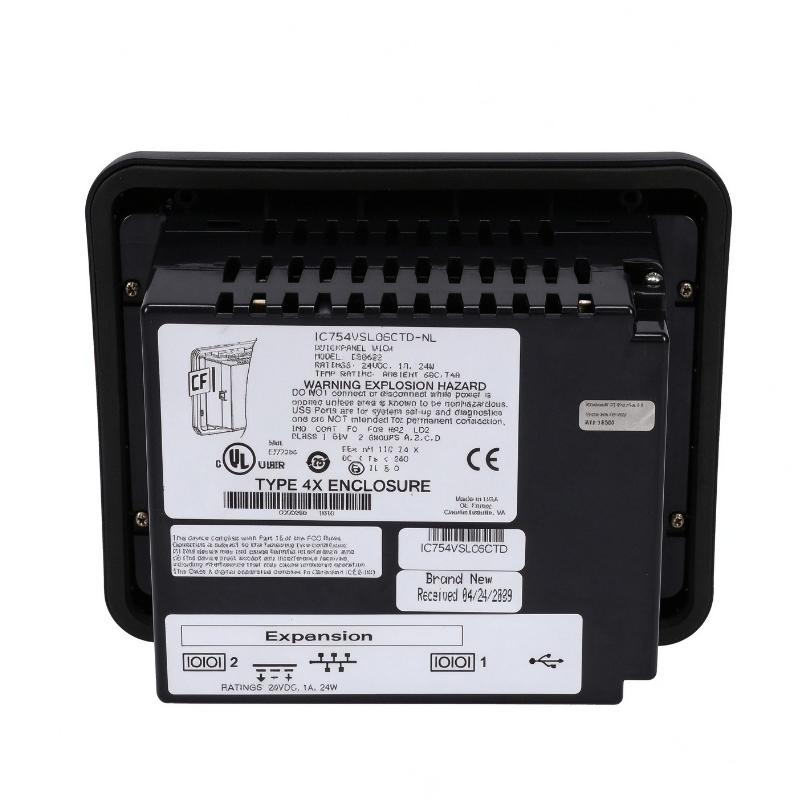
The model is specified for 24 V DC operation. Verify the actual unit’s nameplate and wiring documentation before connecting the power supply.
4. Can the IC754VSL06CTD communicate with a PLC?
Yes. It is designed to communicate with compatible industrial control equipment. The exact protocol, physical connection, and configuration depend on the installed hardware and application.
5. What is the difference between an HMI and a PLC?
A PLC executes control logic and operates connected field devices. An HMI provides a graphical interface for operators to view information and send authorized commands. They work together but perform different functions.
6. Can I use this panel as a direct replacement for another QuickPanel model?
Not automatically. Compare the display, hardware revision, communication interfaces, firmware, mounting dimensions, and application compatibility before replacement.
7. Is the IC754VSL06CTD discontinued?
The model is identified in the industrial spare-parts market as discontinued or obsolete. Availability may depend on new-old-stock, refurbished equipment, and remaining supplier inventory.
8. Can the original HMI project be reused?
Project reuse depends on the panel hardware revision, firmware, and development software version. Back up the existing project and verify compatibility before transferring it to another unit.
9. What should be checked before purchasing a used unit?
Check the full catalog number, nameplate, display condition, touchscreen response, connectors, power input, and available test records. Also confirm whether the unit has the correct firmware and whether the required project can be loaded.
10. Why should the panel dimensions be verified before installation?
Different documents may describe the display front, mounting area, or complete rear enclosure. These measurements are not interchangeable. Use the correct installation drawing to confirm the cutout and mounting clearances.
Procurement and Maintenance Recommendations
The GE IC754VSL06CTD is a legacy operator interface, so procurement should begin with exact model verification. The catalog number, hardware revision, firmware, display condition, and communication configuration should be checked before ordering.
For used or refurbished units, request clear photographs of the front display, rear label, connectors, and mounting area. Where possible, request a power-on test and confirmation that the touchscreen responds correctly.
Application compatibility is particularly important. A replacement panel may require a compatible project file and engineering software. Before removing an existing unit, back up the HMI project, communication settings, and relevant configuration information.
During routine maintenance, keep the display surface clean using an appropriate cleaning method. Inspect the power connector, communication cables, mounting hardware, and cabinet environment. Avoid using cleaning materials that may damage the touchscreen or display surface.
For long-term system planning, consider the availability of replacement hardware and the possibility of migrating to a newer HMI platform. Any modernization project should include application conversion, PLC communication testing, operator training, and commissioning.
Conclusion
The GE IC754VSL06CTD QuickPanel Operator Interface is a 6-inch TFT touchscreen HMI designed for industrial machine operation and process monitoring. With 24 V DC power and compatible communication interfaces, it provides operators with a graphical connection to PLC-based automation systems.
Its main role is to display machine information, present alarms, and support authorized operator interaction. For existing QuickPanel installations, the IC754VSL06CTD can be an important maintenance spare. Before purchasing or replacing the unit, verify its hardware revision, project compatibility, communication settings, and physical dimensions to ensure reliable integration with the existing control system.