

ProductPRODUCT
Featured products


Contact Us
- GE
- IC695ALG808
- RX3i Analog Output Module
- USA
- 145 x 34 x 140 mm
- 0.295 kg
- Xiamen, China
- New & In Stock
- T/T, PayPal, Western Union
- 1 Year
- 1-3 Working Days
- DHL, UPS, TNT, FedEx and EMS.
- 24-Hour Service
- COO
- 38
Our advantage

Global Logistics
We have a 10-year logistics and express cooperation agreement, so our products can be shipped to any place in the world.

Brand new and original
Our products are imported in bulk from the place of origin. Because of the cooperative relationship, our products are all original and 100% new.

24-hour service
We provide 7*24 hours service to our customers. We will be there whenever you need us.

Price advantage
All our products are priced very favorably because we have our own warehouse and supply.
| Company Information | |||
| [email protected] | |||
| Mobile | +8615980777398 | ||
| +8615980777398 | |||
| 15980777398 |
Product Overview
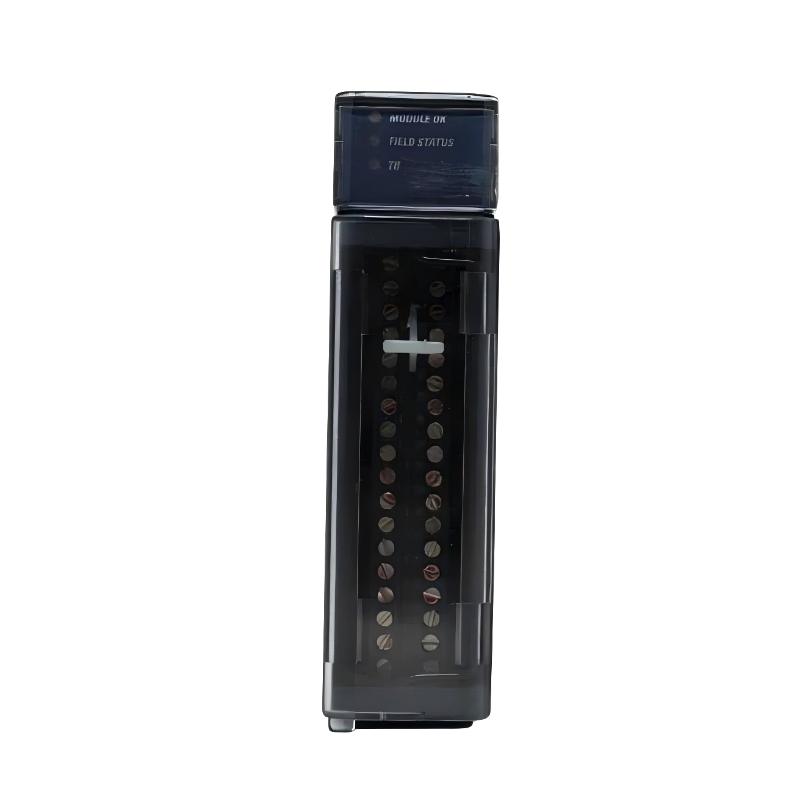
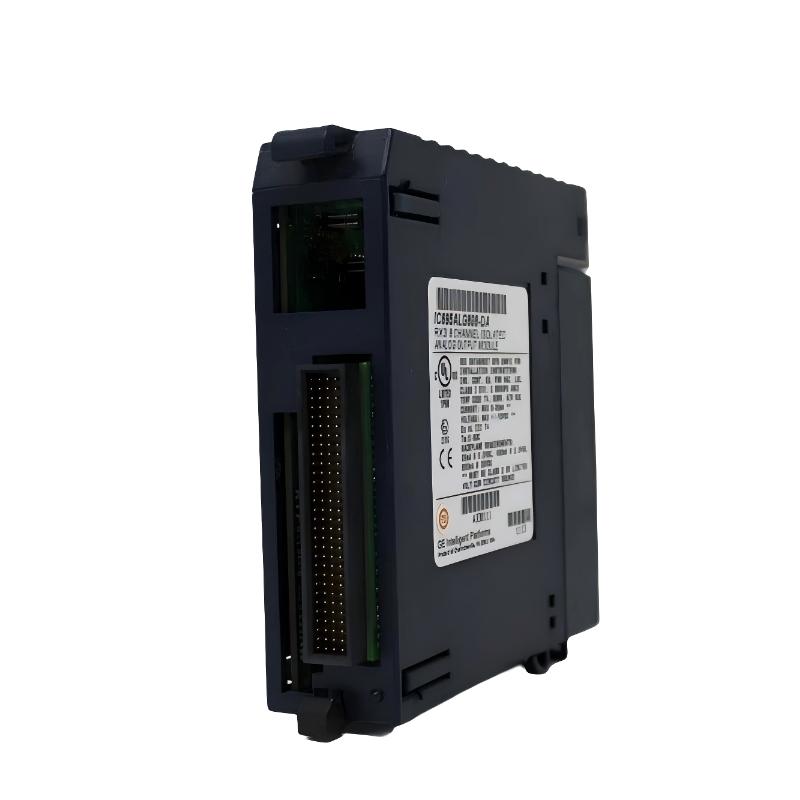
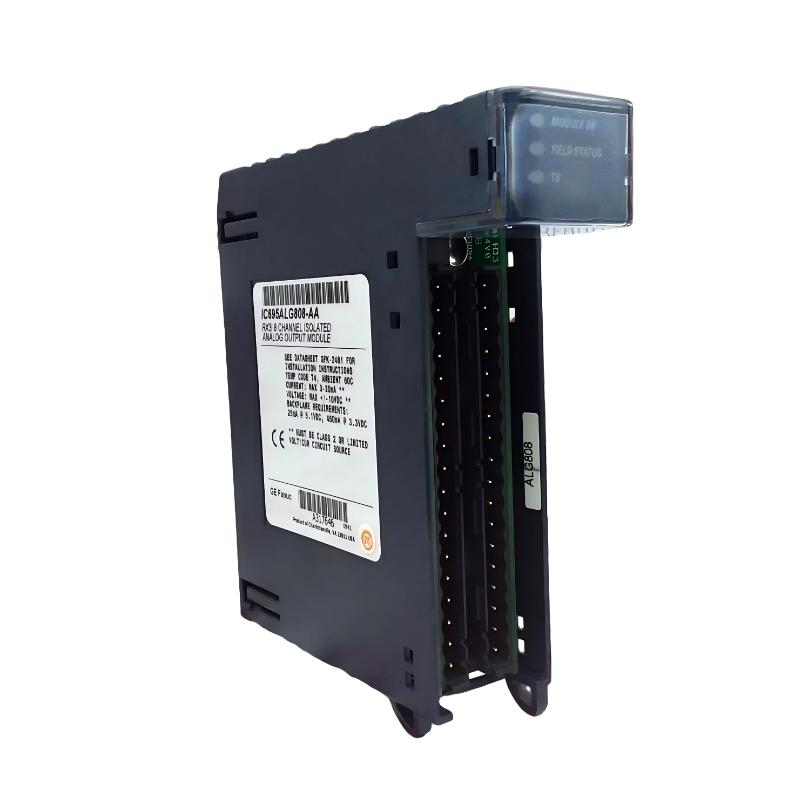
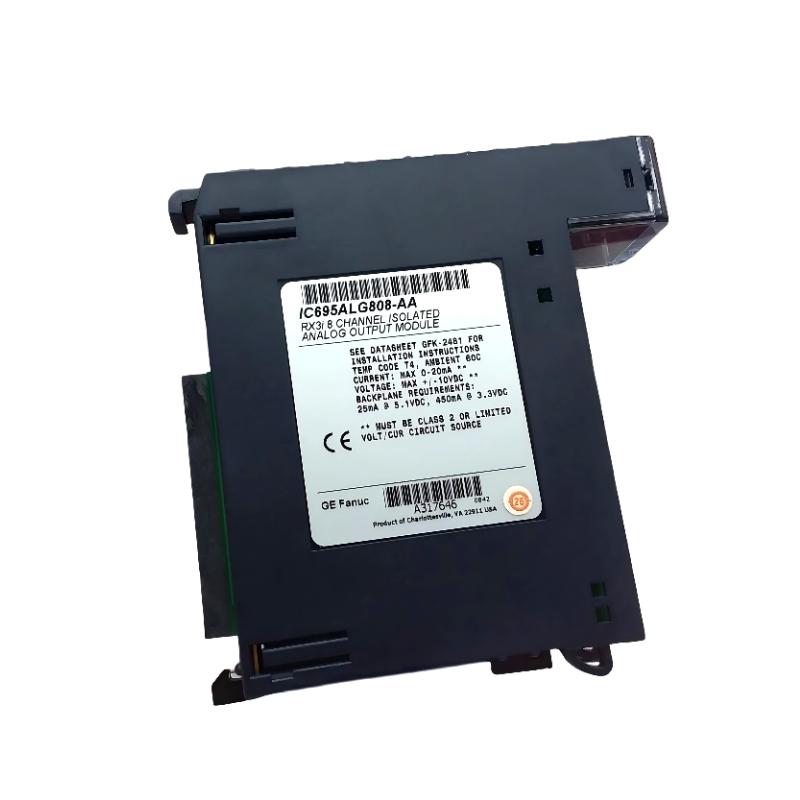
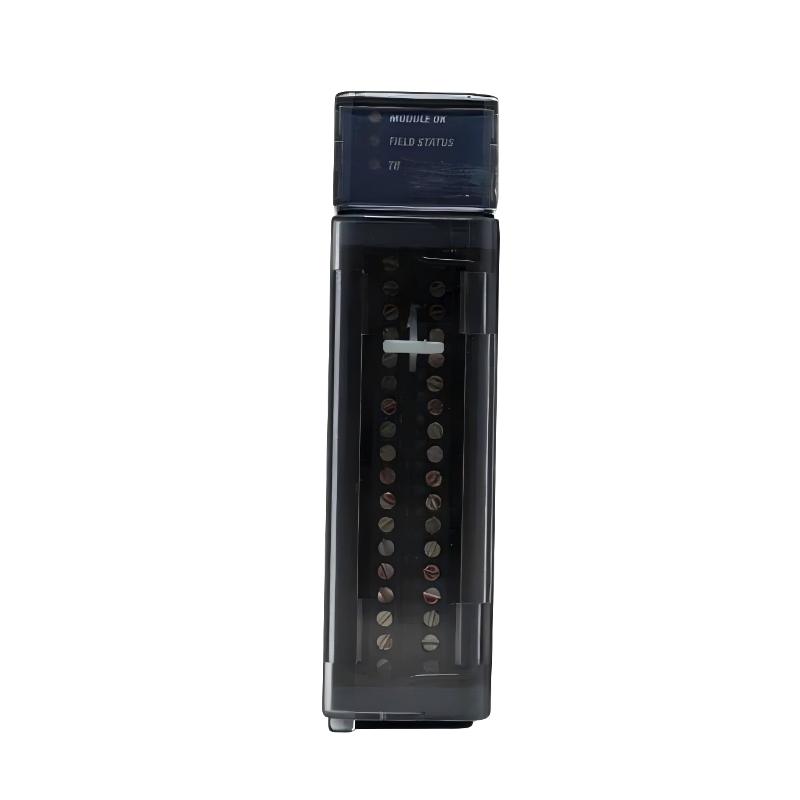
The GE IC695ALG808 is a high-performance RX3i Analog Output Module designed for the GE PACSystems RX3i programmable automation platform. The module converts digital output values generated by the RX3i CPU into accurate analog control signals for industrial field equipment. It plays a critical role in process automation systems where continuous analog control is required for variables such as speed, pressure, flow, temperature, and valve position.
Installed in an RX3i Universal Backplane, the IC695ALG808 communicates with the controller through the high-speed backplane bus, ensuring fast data exchange and deterministic control performance. Its industrial-grade design provides reliable operation under demanding environmental conditions while delivering excellent output accuracy and long-term stability.
With dimensions of 145 × 34 × 140 mm and a shipping weight of approximately 0.295 kg, the module offers a compact footprint that supports high-density control cabinet installations without sacrificing performance. Built-in diagnostic capabilities help maintenance personnel quickly identify wiring, communication, or channel-related issues, reducing troubleshooting time and improving overall system availability.
Product Identification
| Parameter | Specification |
|---|---|
| Manufacturer | GE |
| Product Series | PACSystems RX3i |
| Model | IC695ALG808 |
| Product Type | Analog Output Module |
| PLC Platform | RX3i |
| Primary Function | Digital-to-Analog Signal Conversion |
| Installation | RX3i Universal Backplane |
| Dimensions | 145 × 34 × 140 mm |
| Weight | 0.295 kg |
| Mounting Method | Rack Installation |
| Communication | RX3i Backplane Bus |
| Cooling Method | Natural Air Convection |
Technical Specifications
| Technical Item | Specification |
|---|---|
| Product Family | PACSystems RX3i |
| Module Category | Analog Output Module |
| Signal Direction | PLC to Field Device |
| Conversion Method | Digital-to-Analog (D/A) |
| Rack Compatibility | RX3i Universal Rack |
| Height | 145 mm |
| Width | 34 mm |
| Depth | 140 mm |
| Weight | Approximately 0.295 kg |
| Diagnostics | Module and Channel Diagnostics |
| Electrical Isolation | Industrial Grade |
| Operating Mode | Continuous Industrial Operation |
Main Functions
The IC695ALG808 generates analog output signals that regulate industrial equipment based on commands issued by the RX3i PLC.
Typical controlled equipment includes:
- Variable Frequency Drives (VFDs)
- Motor speed controllers
- Control valves
- Proportional valves
- Hydraulic actuators
- Pneumatic actuators
- Pressure regulators
- Flow control devices
- Industrial process controllers
- Automation equipment
Signal flow:
RX3i CPU
↓
PLC Application Program
↓
IC695ALG808
↓
Analog Output Signal
↓
Field Device
↓
Industrial Process
↓
Feedback Monitoring
Working Principle
During operation, the RX3i CPU continuously calculates output values according to the PLC control logic.
The module performs the following process:
- Receive digital control data from the RX3i CPU.
- Convert digital values into precision analog output signals using internal D/A conversion circuitry.
- Deliver analog signals to connected field equipment.
- Drive actuators or process equipment according to the required operating conditions.
- Receive feedback from analog input modules for closed-loop process control.
Accurate output depends on proper hardware configuration, stable power supply, correct wiring, and effective grounding.
Typical Industrial Applications
The GE IC695ALG808 is commonly used in:
- Power generation
- Oil and gas production
- Chemical processing
- Water and wastewater treatment
- Food and beverage manufacturing
- Pharmaceutical production
- Mining operations
- Steel manufacturing
- Cement plants
- Pulp and paper mills
- Marine automation
- General industrial process control
Installation Guide
1. Verify Module Information
Confirm the installed module is:
GE IC695ALG808 RX3i Analog Output Module
Ensure the model matches the PLC hardware configuration.
2. Confirm Platform Compatibility
Verify compatibility with:
- RX3i Universal Backplane
- RX3i CPU
- RX3i Power Supply
- Engineering software
- Existing I/O architecture
3. Inspect the Module
Before installation inspect:
- Front housing
- Product label
- Backplane connector
- Terminal interface
- Locking mechanism
- Overall mechanical condition
Replace the module if any physical damage is found.
4. Prepare Installation Space
Module dimensions:
- Height: 145 mm
- Width: 34 mm
- Depth: 140 mm
Allow sufficient clearance for:
- Air circulation
- Cable routing
- Maintenance access
- Future module replacement
5. Disconnect Power
Before installation:
- Stop PLC operation.
- Remove control power.
- Verify zero voltage.
- Follow lockout/tagout procedures.
6. Install the Module
Insert the module into the designated RX3i rack slot.
Verify:
- Proper alignment
- Fully seated connector
- Secure locking mechanism
- Correct slot assignment
7. Connect Output Wiring
Wire the analog output channels according to approved engineering documentation.
Check:
- Channel assignment
- Signal polarity
- Cable identification
- Shield grounding
- Terminal integrity
Keep analog signal wiring separated from high-voltage cables to minimize electrical interference.
8. Verify Grounding
Inspect:
- Protective earth
- Signal ground
- Cable shield termination
- Ground continuity
Correct grounding improves output stability and minimizes electrical noise.
9. Configure the Module
Using the engineering software:
- Add the IC695ALG808 to the hardware configuration.
- Configure output channels.
- Select appropriate signal ranges.
- Assign engineering units.
- Configure diagnostics and fault handling.
10. Power Up the System
Restore power and verify:
- Module status LEDs
- CPU communication
- Output signal values
- Field device operation
- Diagnostic status
Commissioning Procedure
Step 1
Download the hardware configuration.
Step 2
Verify module recognition by the RX3i CPU.
Step 3
Confirm successful backplane communication.
Step 4
Measure analog output signals using calibrated test equipment.
Step 5
Verify proper operation of connected field devices.
Step 6
Test the complete control loop under actual operating conditions.
Troubleshooting Guide
Fault 1 — Module Not Detected
Possible causes:
- Incorrect installation
- Improper rack slot
- Hardware configuration mismatch
- Power supply failure
- Backplane communication problem
Fault 2 — No Analog Output Signal
Possible causes:
- Incorrect PLC programming
- Disabled output channel
- Wiring fault
- Field device malfunction
- Hardware configuration error
Fault 3 — Incorrect Output Value
Possible causes:
- Wrong scaling parameters
- Incorrect output range
- Programming error
- Calibration issue
- Wiring polarity error
Fault 4 — Output Signal Instability
Possible causes:
- Poor grounding
- Electromagnetic interference
- Loose wiring
- Unstable control algorithm
- Faulty actuator
Fault 5 — Controlled Equipment Does Not Respond
Inspect:
- Output wiring
- Signal measurement
- Device power supply
- PLC logic
- Field device status
Fault 6 — Multiple Channels Fail
Possible causes:
- Module failure
- Rack power issue
- Backplane communication fault
- Hardware configuration mismatch
Fault 7 — Single Channel Failure
Check:
- Wiring continuity
- Output configuration
- Terminal condition
- Connected device
- Channel diagnostics
Fault 8 — Module Diagnostic Alarm
Possible causes:
- Internal hardware fault
- Wiring short circuit
- Output overload
- Configuration error
- Communication fault
Review PLC diagnostic information before replacing the module.
Fault 9 — Communication Failure
Inspect:
- RX3i CPU
- Backplane connector
- Rack communication
- Power supply
- Module seating
Fault 10 — Unstable Process Control
Possible causes:
- Incorrect analog scaling
- Controller tuning issues
- Sensor feedback errors
- Electrical interference
- Wiring defects
Verify the entire control loop before replacing hardware.
Diagnostic Workflow
Follow this troubleshooting sequence:
RX3i CPU
↓
PLC Application
↓
IC695ALG808
↓
Analog Output Wiring
↓
Field Device
↓
Controlled Equipment
↓
Process Feedback
↓
Analog Input Module
Using this structured workflow helps isolate the actual source of faults while reducing unnecessary module replacement.
Preventive Maintenance
Routine inspections should include:
Mechanical Inspection
- Housing condition
- Rack mounting
- Connector integrity
- Locking mechanism
Electrical Inspection
- Terminal tightness
- Cable insulation
- Ground continuity
- Shield integrity
Software Inspection
- Hardware configuration
- Diagnostic records
- Alarm history
- Firmware compatibility
Environmental Inspection
- Cabinet temperature
- Ventilation
- Dust accumulation
- Humidity
- Cooling airflow
Preventive Maintenance Checklist
| Inspection Item | Recommended Action |
|---|---|
| Module Housing | Visual inspection |
| Backplane Connector | Check contacts |
| Output Wiring | Tighten terminals |
| Grounding | Verify continuity |
| Cable Shield | Inspect integrity |
| Diagnostics | Review alarm history |
| PLC Backup | Archive project |
| Cabinet Cooling | Clean ventilation system |
Replacement Procedure
- Record the rack slot location.
- Back up the PLC application.
- Shut down the PLC.
- Disconnect control power.
- Remove field wiring.
- Remove the existing module.
- Inspect the rack connector.
- Install the replacement IC695ALG808.
- Reconnect field wiring.
- Restore the hardware configuration.
- Apply power.
- Verify module communication.
- Measure analog output signals.
- Test connected field equipment.
- Return the system to normal operation.
Key Advantages
- High-accuracy analog output performance
- Fast digital-to-analog signal conversion
- Reliable RX3i backplane communication
- Compact rack-mounted design
- Comprehensive diagnostic capabilities
- Excellent resistance to industrial electrical noise
- Easy installation and maintenance
- Stable long-term operational reliability
- Seamless integration with PACSystems RX3i
- Ideal for demanding industrial process control applications
Frequently Asked Questions
What is the GE IC695ALG808?
The GE IC695ALG808 is an RX3i Analog Output Module that converts digital PLC commands into analog control signals for industrial automation equipment.
What are its dimensions?
145 × 34 × 140 mm
What is its weight?
Approximately 0.295 kg.
Which automation platform supports this module?
It is designed for the GE PACSystems RX3i PLC platform.
What devices can it control?
It can provide analog output signals to variable frequency drives, control valves, proportional actuators, pressure regulators, flow controllers, and other analog-controlled equipment.
Why is there no analog output signal?
Possible causes include incorrect PLC programming, disabled output channels, wiring problems, hardware configuration errors, field device failures, or communication faults.
Why is the analog output unstable?
Common causes include poor grounding, electromagnetic interference, loose wiring, incorrect controller tuning, or unstable process feedback.
What should be checked before replacing the module?
Verify the PLC program, hardware configuration, output wiring, field devices, power supply, backplane communication, and diagnostic information to ensure the module is the actual source of the problem.
Conclusion
The GE IC695ALG808 RX3i Analog Output Module is a dependable and high-performance solution for precision analog signal generation in industrial automation systems. With compact dimensions of 145 × 34 × 140 mm and a lightweight design of 0.295 kg, it is ideal for high-density control cabinet installations while providing reliable long-term operation.
Correct installation, proper wiring practices, accurate hardware configuration, and regular preventive maintenance are essential to achieving stable analog output performance. By following a systematic troubleshooting methodology that evaluates the complete control loop—from the PLC and output module to the field device and process feedback—maintenance personnel can minimize downtime, improve system reliability, and extend the operational life of the automation system.