

ProductPRODUCT
Featured products
Contact Us
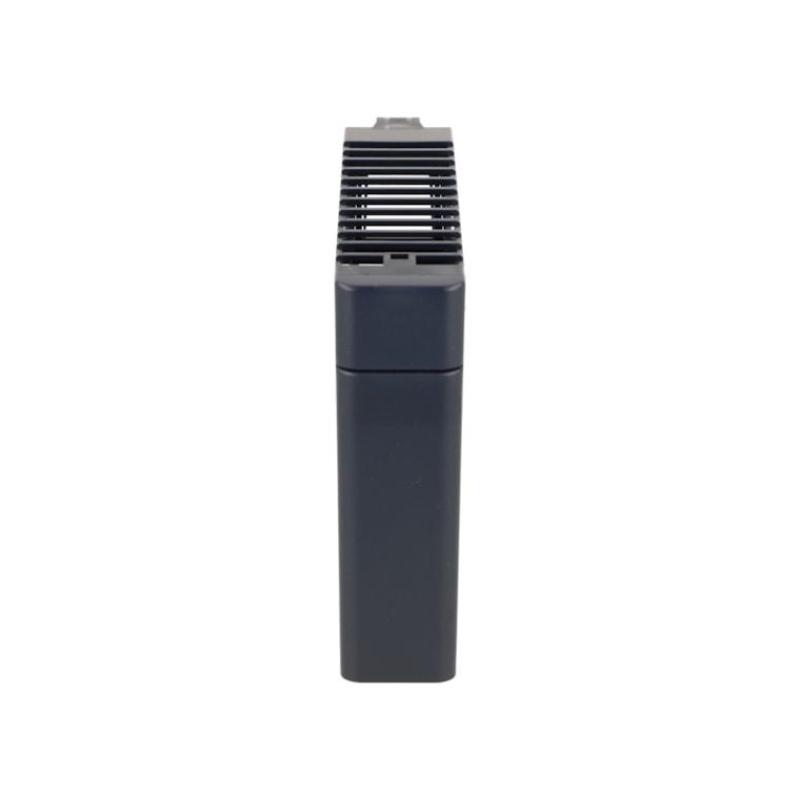
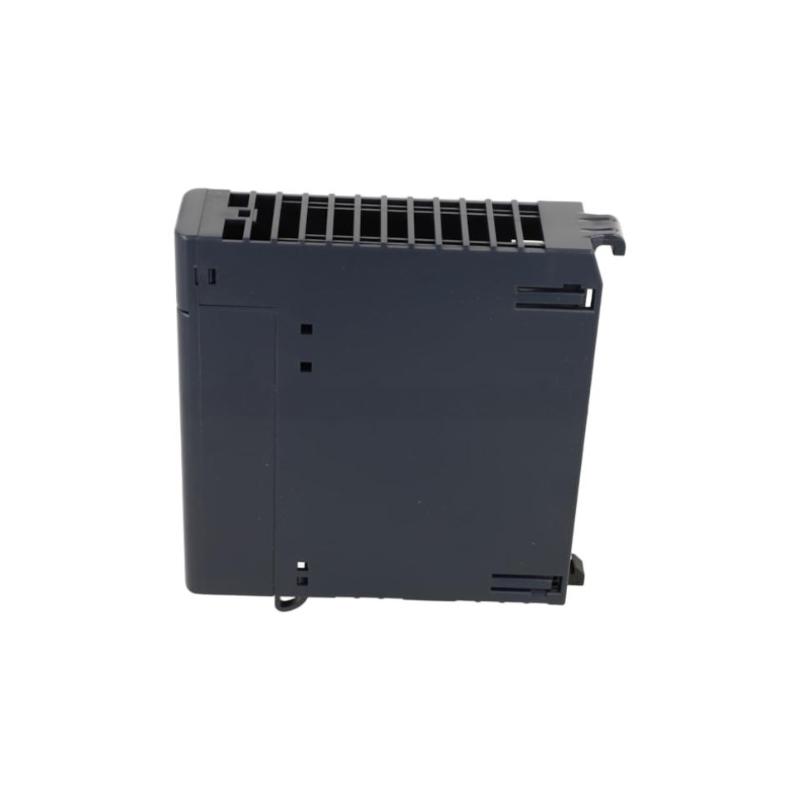
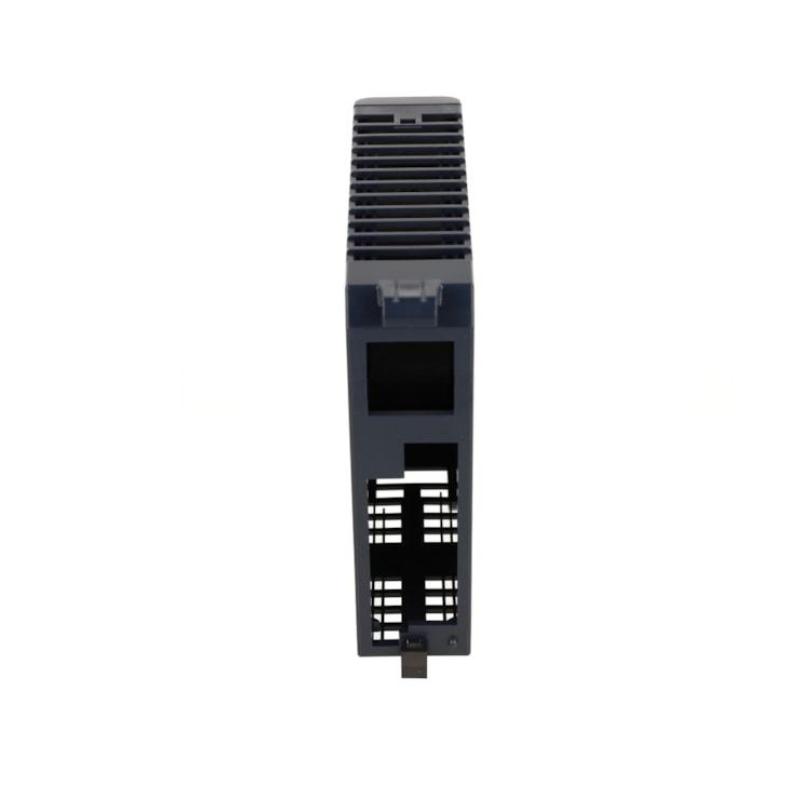
- GE
- IC694ACC310
- Blank Slot Filling Module
- USA
- 134 x 35 x 137 mm
- 0.265 kg
- Xiamen, China
- New & In Stock
- T/T, PayPal, Western Union
- 1 Year
- 1-3 Working Days
- DHL, UPS, TNT, FedEx and EMS.
- 24-Hour Service
- COO
- 36
Our advantage

Global Logistics
We have a 10-year logistics and express cooperation agreement, so our products can be shipped to any place in the world.

Brand new and original
Our products are imported in bulk from the place of origin. Because of the cooperative relationship, our products are all original and 100% new.

24-hour service
We provide 7*24 hours service to our customers. We will be there whenever you need us.

Price advantage
All our products are priced very favorably because we have our own warehouse and supply.
| Company Information | |||
| [email protected] | |||
| Mobile | +8615980777398 | ||
| +8615980777398 | |||
| 15980777398 |
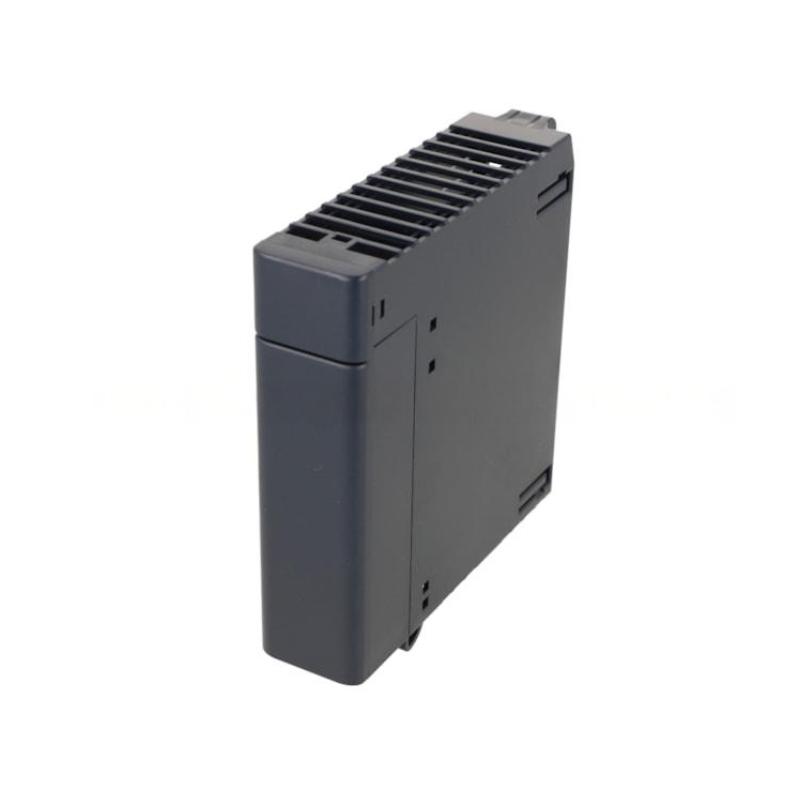
Product Overview
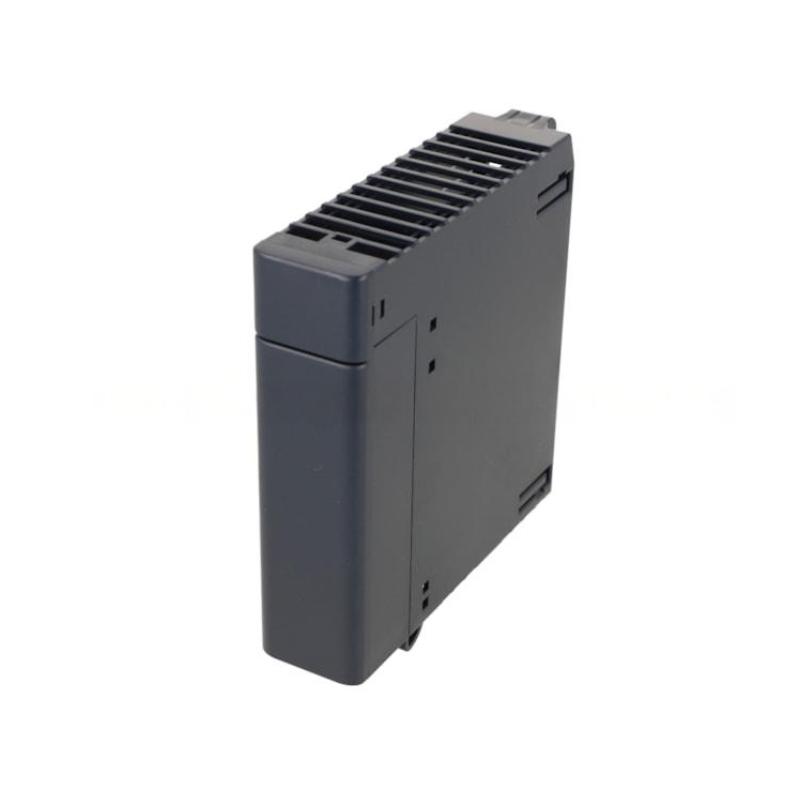
The GE IC694ACC310 Blank Slot Filling Module is a panel and rack-management accessory used to occupy an unused module position within a compatible industrial automation system. Although it does not perform PLC logic processing, signal acquisition, or output control, a blank slot filling module can serve an important mechanical and system-protection function.
Unused positions in a PLC rack should not always be left physically open. An appropriately designed blank module can help maintain a consistent rack appearance, reduce exposure of internal areas to dust and accidental contact, and provide a more orderly installation when the control system has fewer active modules than the available rack positions.
The specified dimensions of the GE IC694ACC310 are 134 × 35 × 137 mm, with a specified weight of 0.265 kg.
Because the IC694ACC310 is a passive mechanical accessory rather than an active I/O module, installation focuses primarily on correct rack compatibility, mechanical seating, clearance, environmental protection, and maintenance.
Product Identification
| Parameter | Specification |
|---|---|
| Manufacturer | GE |
| Series | IC694 |
| Model | IC694ACC310 |
| Product Type | Blank Slot Filling Module |
| Main Function | Occupies Unused Module Position |
| Application | Industrial Automation |
| Dimensions | 134 × 35 × 137 mm |
| Weight | 0.265 kg |
| Installation | Compatible PLC / Rack System |
| Electrical Function | Passive / No Active I/O Function |
| Typical Application | Unused Rack Slot Protection |
| Maintenance | Mechanical Inspection |
Technical Specifications
| Technical Item | Specification |
|---|---|
| Manufacturer | GE |
| Model | IC694ACC310 |
| Product Category | Blank Slot Filling Module |
| Application | PLC Rack Management |
| Function | Fills an Unused Module Position |
| Dimensions | 134 × 35 × 137 mm |
| Weight | 0.265 kg |
| Installation Environment | Industrial Control Cabinet |
| Electrical Role | No Active Control Function |
| Typical Use | Spare / Unused Rack Position |
| Maintenance | Visual and Mechanical Inspection |
The IC694ACC310 should be used only in a compatible rack architecture. The exact rack position, mechanical retention method, and system-specific installation requirements should be verified before installation.
What Is a Blank Slot Filling Module?
A blank slot filling module is a physical component designed to occupy an unused position in an automation rack.
A typical rack may contain:
Power Supply
↓
CPU / Controller
↓
I/O Module
↓
I/O Module
↓
Unused Position
Instead of leaving the unused position open, a compatible blank module can be installed:
Power Supply
↓
CPU / Controller
↓
I/O Module
↓
I/O Module
↓
IC694ACC310 Blank Slot Filling Module
This creates a more complete mechanical installation while keeping the unused position available for future system expansion.
Role in Industrial Automation
The IC694ACC310 does not replace a PLC CPU, input module, output module, communication module, or power supply.
Its primary role is mechanical and installation-oriented.
Potential benefits include:
- Filling unused rack positions
- Maintaining a consistent rack configuration
- Reducing exposure of open areas
- Helping prevent accidental contact
- Improving cabinet organization
- Supporting orderly system expansion
- Providing a cleaner physical installation
The component should therefore be considered part of the mechanical infrastructure of the control system.
Installation Guide
Step 1 – Identify the Rack
Before installation, identify the rack or automation platform where the IC694ACC310 will be installed.
Verify:
- Rack series
- Module position
- Available slot
- Mechanical compatibility
- Adjacent modules
- Cabinet clearance
Do not assume that a blank module is universally compatible with every PLC rack.
Step 2 – Inspect the IC694ACC310
Before installation, inspect the module for:
- Cracks
- Deformation
- Damaged locking mechanism
- Damaged mounting surfaces
- Corrosion
- Excessive contamination
- Missing mechanical parts
A damaged blank module should not be installed.
Step 3 – Inspect the Empty Slot
Before inserting the module, inspect the unused rack position.
Check for:
- Dust
- Metal particles
- Moisture
- Foreign objects
- Damaged guides
- Damaged retention hardware
- Mechanical obstruction
The rack should be clean and dry.
Step 4 – Isolate the System When Required
Because installation procedures vary according to the rack architecture, follow the applicable system maintenance procedure.
Where the installation requires access to energized equipment or potentially hazardous electrical areas:
- Place the machine in a safe state.
- Isolate the required power.
- Apply lockout/tagout procedures.
- Verify the absence of hazardous voltage.
- Follow plant electrical safety procedures.
Do not remove or install active rack components in an unsafe energized condition.
Step 5 – Check Physical Dimensions
The specified dimensions are:
134 × 35 × 137 mm
Consider these dimensions when planning:
- Rack installation
- Cabinet depth
- Adjacent wiring
- Door clearance
- Maintenance access
- Ventilation
The module should not interfere with neighboring components.
Step 6 – Install the Module
Align the IC694ACC310 with the unused rack position.
Insert it carefully according to the applicable rack installation method.
Avoid:
- Excessive force
- Misalignment
- Twisting
- Impact
- Contact with adjacent modules
The module should seat naturally.
Step 7 – Secure the Module
After insertion, verify that the retention mechanism is properly engaged.
Check:
- Mechanical seating
- Locking mechanism
- Alignment
- Stability
- Adjacent-module clearance
A loose blank module can create unnecessary vibration or maintenance problems.
Step 8 – Inspect the Completed Rack
After installation, visually inspect the rack.
Verify:
- The unused position is completely covered.
- The module is mechanically secure.
- Adjacent modules remain properly seated.
- No wiring has been displaced.
- Cabinet airflow is not obstructed.
Commissioning Considerations
Because the IC694ACC310 is a blank slot filling module, commissioning is primarily mechanical rather than electrical.
After installation, verify that:
- The rack is mechanically complete.
- No adjacent module has been disturbed.
- Controller wiring remains secure.
- No diagnostic condition has been introduced.
- Cabinet doors and covers can close normally.
The blank module itself does not normally provide PLC input or output functionality.
Troubleshooting Guide
Fault 1 – Blank Module Does Not Fit
Possible Causes
- Incorrect rack type
- Wrong module position
- Mechanical obstruction
- Damaged module
- Damaged rack guide
Corrective Action
Do not force the module into the slot.
Verify the rack model and intended module compatibility, then inspect the mechanical guides and retention structure.
Fault 2 – Module Does Not Seat Correctly
Possible Causes
- Misalignment
- Foreign material
- Damaged guide
- Deformed housing
- Incorrect installation orientation
Diagnostic Procedure
Remove the module safely and inspect both the module and rack.
Clean appropriate surfaces if contamination is present and reinstall carefully.
Fault 3 – Module Becomes Loose
Possible Causes
- Retention mechanism not engaged
- Damaged mounting structure
- Vibration
- Incorrect installation
Corrective Action
Check the retention mechanism and rack structure.
The module should remain mechanically stable during normal cabinet operation.
Fault 4 – Rack Experiences Unexpected Diagnostic Problems After Installation
A blank module itself is normally a passive component, so a newly appearing system fault should prompt an inspection of what may have been disturbed during installation.
Possible causes include:
- Adjacent module moved
- Connector disturbed
- Rack connection affected
- Power wiring disturbed
- Existing system problem
Check the surrounding modules rather than automatically assuming that the blank module is the cause.
Fault 5 – Cabinet Door Cannot Close
Possible Causes
- Insufficient clearance
- Incorrect rack installation
- Cable interference
- Adjacent equipment obstruction
- Cabinet layout problem
Verify the complete installation envelope.
Fault 6 – Excessive Dust Accumulation Around the Rack
Possible Causes
- Poor cabinet sealing
- Open cabinet areas
- Environmental contamination
- Inadequate maintenance
A blank module can help occupy an unused position, but it does not eliminate the need for proper cabinet environmental control.
Fault 7 – Visible Damage to the Module
Possible Causes
- Mechanical impact
- Improper installation
- Vibration
- Age-related deterioration
- Cabinet maintenance incident
Replace damaged mechanical components rather than relying on a compromised module.
Preventive Maintenance
Visual Inspection
During scheduled maintenance, inspect:
- Module housing
- Retention mechanism
- Rack guides
- Adjacent modules
- Dust accumulation
- Corrosion
- Mechanical stability
Rack Inspection
A blank module should be inspected as part of the overall PLC rack.
Check:
- Rack mounting
- Module alignment
- Retention hardware
- Wiring
- Grounding
- Cabinet condition
- Ventilation
Environmental Maintenance
Keep the cabinet:
- Clean
- Dry
- Properly ventilated
- Free from conductive dust
- Protected from excessive humidity
The blank module does not eliminate the need for appropriate cabinet environmental management.
Preventive Maintenance Table
| Maintenance Area | Recommended Action |
|---|---|
| Module Housing | Inspect for cracks or deformation |
| Rack Guides | Check mechanical condition |
| Retention Mechanism | Verify secure engagement |
| Adjacent Modules | Check seating |
| Cabinet | Inspect cleanliness |
| Dust | Remove accumulated contamination |
| Moisture | Check for condensation |
| Vibration | Inspect for looseness |
| Clearance | Confirm adequate space |
| Rack Configuration | Verify physical arrangement |
System Expansion Applications
One useful application of a blank slot filling module is temporary occupation of a rack position reserved for future expansion.
For example:
Current Configuration
CPU → Input → Output → Blank Position
Later, the system may become:
CPU → Input → Output → New I/O Module
The blank module therefore allows the unused position to remain physically managed until an active module is added.
Before future expansion, the blank module should be removed according to the applicable maintenance procedure and replaced with the intended active module.
Cabinet Organization
A well-organized control cabinet improves maintenance efficiency.
The IC694ACC310 can contribute to a cleaner physical layout by eliminating unnecessary open rack positions.
A consistent rack arrangement makes it easier for technicians to:
- Identify active modules
- Identify reserved positions
- Inspect equipment
- Perform maintenance
- Plan future expansion
Replacement Considerations
When replacing the IC694ACC310, verify:
Model
GE IC694ACC310
Product Type
Blank Slot Filling Module.
Dimensions
134 × 35 × 137 mm
Weight
0.265 kg
Mechanical Compatibility
Confirm:
- Rack compatibility
- Slot compatibility
- Retention arrangement
- Physical clearance
- Adjacent-module spacing
Environmental Compatibility
Verify that the installation location is appropriate for the industrial control cabinet environment.
Key Advantages
- Designed to occupy an unused rack position
- Supports orderly PLC rack configuration
- Provides a clean mechanical installation
- Helps reduce open rack areas
- Useful for systems with reserved expansion positions
- Simple passive installation
- Compact module form factor
- Dimensions: 134 × 35 × 137 mm
- Weight: 0.265 kg
- Suitable for compatible industrial automation rack systems
- Supports cabinet organization and maintenance
Technical FAQs
What is the GE IC694ACC310?
The GE IC694ACC310 is identified as a blank slot filling module used to occupy an unused position in a compatible industrial automation rack.
Does the IC694ACC310 perform PLC I/O functions?
No. Its primary role is mechanical rather than active control, signal input, or signal output.
What are the dimensions of the IC694ACC310?
The specified dimensions are 134 × 35 × 137 mm.
What is the weight of the IC694ACC310?
The specified weight is 0.265 kg.
Why use a blank slot filling module?
It can help maintain an orderly rack arrangement, occupy unused positions, reduce exposure of open rack areas, and support future system expansion.
Can the blank module be installed in any PLC rack?
No. Mechanical compatibility with the specific rack system should be confirmed before installation.
Does the blank module need electrical wiring?
As a passive blank slot filling component, it does not normally serve as an active I/O device requiring field wiring.
Can a blank module improve cabinet protection?
It can help occupy an unused physical rack position, but overall cabinet protection still depends on proper enclosure design, sealing, ventilation, and environmental control.
What should be checked if the module does not fit?
Check the rack type, module orientation, mechanical guides, retention mechanism, foreign objects, and module condition. Never force the component into place.
Can the IC694ACC310 be replaced with an active I/O module later?
A future active-module installation should follow the applicable rack configuration, electrical design, and maintenance procedure. The blank module can be removed when the reserved position is needed for a compatible active component.
Does the IC694ACC310 require regular maintenance?
It generally requires mainly visual and mechanical inspection rather than electrical maintenance. Check its physical condition, retention, rack alignment, and surrounding environment during scheduled maintenance.
Conclusion
The GE IC694ACC310 Blank Slot Filling Module is a simple but useful mechanical component for compatible industrial automation rack systems. Its primary purpose is to occupy an unused module position rather than provide PLC processing, signal input, signal output, or communication functionality.
With specified dimensions of 134 × 35 × 137 mm and a weight of 0.265 kg, the component should be considered during cabinet layout, rack organization, maintenance access, and future system expansion planning.
Installation is primarily concerned with mechanical compatibility, correct seating, secure retention, adequate clearance, and appropriate cabinet conditions. During maintenance, technicians should inspect the module together with the surrounding rack, paying attention to mechanical damage, looseness, dust, moisture, vibration, and adjacent module connections.
For systems with unused or reserved rack positions, the IC694ACC310 provides a straightforward way to maintain a more organized and serviceable PLC installation while leaving the system ready for future expansion.