
NewsNEWCENTER
Featured products
Contact Us
Emerson VE6006 Media Converter Troubleshooting Guide
2026-10-10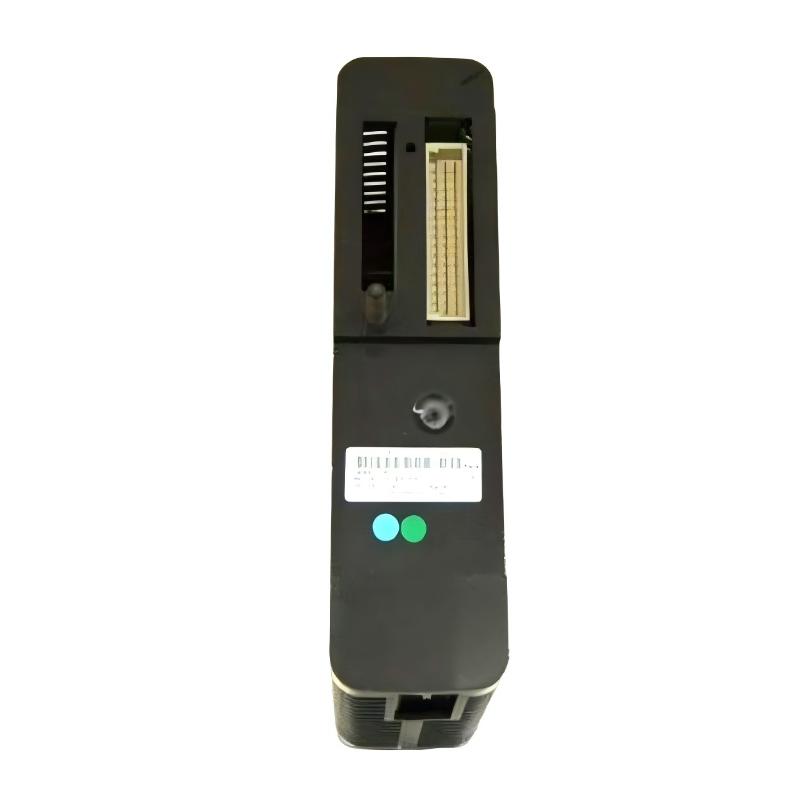
Emerson VE6006 Media Converter troubleshooting should begin with the physical communication path, including power, interfaces, cables, connectors, link status, and the connected control devices. If communication is intermittent or unavailable, technicians should first determine whether the problem originates in the media conversion device or elsewhere in the network. Because the exact VE6006 interface design must be confirmed for the installed hardware revision, diagnosis should follow the applicable equipment documentation rather than assumed port functions.
Understanding VE6006 Communication Faults
A communication path can fail even when the controller and remote device are both powered and operational. The problem may be associated with an incompatible interface, damaged cable, loose connector, incorrect network configuration, or a fault in an adjacent device.
Local Controller
      ↓
Local Communication Cable
      ↓
VE6006 / Conversion Interface
      ↓
Remote Communication Cable
      ↓
Remote Device
      ↓
Control Application
Troubleshooting should identify the first point at which the expected communication behavior is lost.
Common Emerson VE6006 Symptoms
- No communication between connected devices.
- Intermittent data exchange.
- Communication drops during machine operation.
- Link or status indicators show an unexpected condition.
- Remote devices appear unavailable to the controller.
- Communication returns after a cable is reseated.
- Network performance deteriorates after installation or maintenance.
- Several devices connected through the same communication path become unavailable.
Common VE6006 Fault Causes
| Symptom | Possible Cause | Initial Check |
|---|---|---|
| No communication | Missing power, incorrect interface, disconnected cable | Check power and physical connections |
| Intermittent connection | Loose connector, damaged cable, electrical interference | Inspect cable condition and routing |
| Link unavailable | Interface mismatch or connection fault | Verify both connected interfaces |
| Link present but data unavailable | Network configuration or downstream device issue | Test end-to-end communication |
| Multiple devices offline | Shared network segment or upstream fault | Investigate common communication components |
Emerson VE6006 Diagnostic Flow
Communication Failure
         ↓
Check Device Identification
         ↓
Power / Status Normal?
      ↙          ↘
     NO           YES
     ↓             ↓
Check Supply    Inspect Cables
and Connections and Interfaces
                    ↓
             Physical Link Present?
                ↙         ↘
               NO         YES
               ↓           ↓
          Check Cable   Test End-to-End
          Compatibility Communication
                            ↓
                    Check Network Settings
                            ↓
                    Inspect Adjacent Devices
                            ↓
                    Evaluate VE6006 Hardware
Step-by-Step VE6006 Troubleshooting
1. Confirm the Scope of the Fault
Determine whether communication loss affects one device, one network segment, or the entire control system. If only one endpoint is affected, begin with its cable and interface. If several devices become unavailable simultaneously, investigate shared network components and common power or communication paths.
2. Check Power and Device Status
Where applicable, verify the power supply and inspect available status indicators. Compare observed conditions with the correct device documentation. A dark or abnormal indicator should not be assigned a specific meaning without confirmation.
3. Inspect the Communication Cables
Check the complete cable path for loose connectors, damaged insulation, excessive bending, and mechanical strain. Confirm that the cable type matches the interface at both ends.
For optical links, where applicable, inspect connector cleanliness and verify that the optical interface and fiber type are compatible. Follow appropriate laser safety precautions and never look directly into an energized optical connector.
4. Verify Interface Compatibility
Confirm that the connected devices use compatible physical interfaces. A connector that can be mechanically attached may still be electrically or functionally unsuitable for the intended connection.
5. Test the Communication Path
Use approved diagnostics to check the local device, the remote device, and the communication path between them. If the physical link is available but data exchange fails, investigate addressing, protocol settings, device configuration, and the health of the adjacent network equipment.
6. Investigate Electrical Interference
If communication drops occur mainly during motor starts, switching events, or changes in machine load, inspect cable routing and grounding. Keep communication cables away from major interference sources where practical, and follow the network’s shielding and bonding requirements.
Diagnosing Intermittent Communication
Intermittent communication faults are often more difficult to isolate than a complete loss of connection. Record when the problem occurs and compare the event with machine operation, environmental conditions, maintenance activity, and network diagnostics.
Intermittent Communication
          ↓
Record Fault Time and Conditions
          ↓
Inspect Connectors and Cables
          ↓
Check Power / Status History
          ↓
Correlate with Machine Activity
          ↓
Test Adjacent Network Devices
          ↓
Identify the Fault Boundary
          ↓
Correct and Retest
A repeatable relationship between communication loss and a particular machine event can help identify interference, power disturbances, or a connection that is sensitive to vibration.
Illustrative VE6006 Diagnostic Record
The following example is intended for troubleshooting guidance and is not a verified field report or a VE6006-specific fault code.
Reported Symptom:
Remote device periodically loses communication.

Power:
No obvious interruption observed

Physical Connection:
Connector appears secure

Cable Inspection:
Possible mechanical strain near cabinet entry

Network Configuration:
No recent changes reported

Diagnostic Direction:
Inspect the cable route and connector condition,
then perform a controlled communication test.

Verification:
Monitor the connection during normal machine operation.
This example illustrates how a physical cable issue can produce intermittent network symptoms that might otherwise be mistaken for a device hardware fault.
When to Suspect VE6006 Hardware Failure
Consider hardware failure only after confirming the device’s intended function, power conditions, interface compatibility, cable integrity, and adjacent network equipment. Stronger evidence includes a repeatable fault that remains associated with the device after external connection problems have been eliminated.
Where an approved replacement or test procedure is available, use it to distinguish a device fault from a cable or upstream network issue. Do not replace components solely because communication is unavailable at the remote endpoint.
Emerson VE6006 Repair and Replacement Procedure
For industrial communication equipment, repair decisions should follow the site’s maintenance policy. If the device is not intended for field-level component repair, replacement with a verified compatible unit may be the more practical option.
- Document the fault symptoms and affected network segment.
- Notify operations if the work may interrupt control communications.
- Follow approved isolation procedures where required.
- Record the installed device identification and connection layout.
- Label cables before disconnecting them.
- Inspect connectors and cables for damage.
- Correct external faults before replacing the device.
- Install a compatible replacement if hardware failure is confirmed.
- Restore connections according to the recorded layout.
- Verify communication and control-system operation.
Post-Repair Verification Checklist
- Device identification and compatibility confirmed.
- Power and status checked where applicable.
- All communication cables correctly connected.
- Physical link verified.
- End-to-end data exchange confirmed.
- Connected controllers and remote devices accessible.
- Intermittent faults no longer observed during the test period.
- Control application behavior verified.
- Network documentation updated.
Emerson VE6006 Troubleshooting FAQs
Why is communication unavailable through the VE6006?
Possible causes include power problems, incompatible interfaces, incorrect cabling, damaged connectors, network configuration issues, or faults in adjacent devices. Check the physical path before replacing the unit.
Why does communication work intermittently?
Intermittent failures may result from loose connections, cable damage, mechanical strain, electrical interference, or unstable power. Record the fault conditions and inspect the physical installation.
What if the link is active but the controller cannot exchange data?
A physical link does not guarantee successful data exchange. Check the connected devices, network settings, protocol compatibility, and the full communication path.
Should the VE6006 be replaced immediately after a communication failure?
No. Verify power, cables, interfaces, and adjacent network components first. Replacement should be based on evidence that the device itself is faulty.
Can the device’s port functions be inferred from its connector layout?
No. Confirm the exact interface and port functions from the applicable documentation for the installed model and hardware revision.
Technical Summary
Effective Emerson VE6006 Media Converter troubleshooting requires a systematic examination of power, communication interfaces, cabling, network settings, adjacent devices, and end-to-end data exchange. By isolating the fault boundary before replacing hardware, maintenance personnel can reduce unnecessary component changes and restore reliable communication in industrial automation systems.