
NewsNEWCENTER
Featured products
Contact Us
Allen-Bradley 2711P-K12C6A6 PanelView Plus 1250 HMI Installation Guide
2026-06-01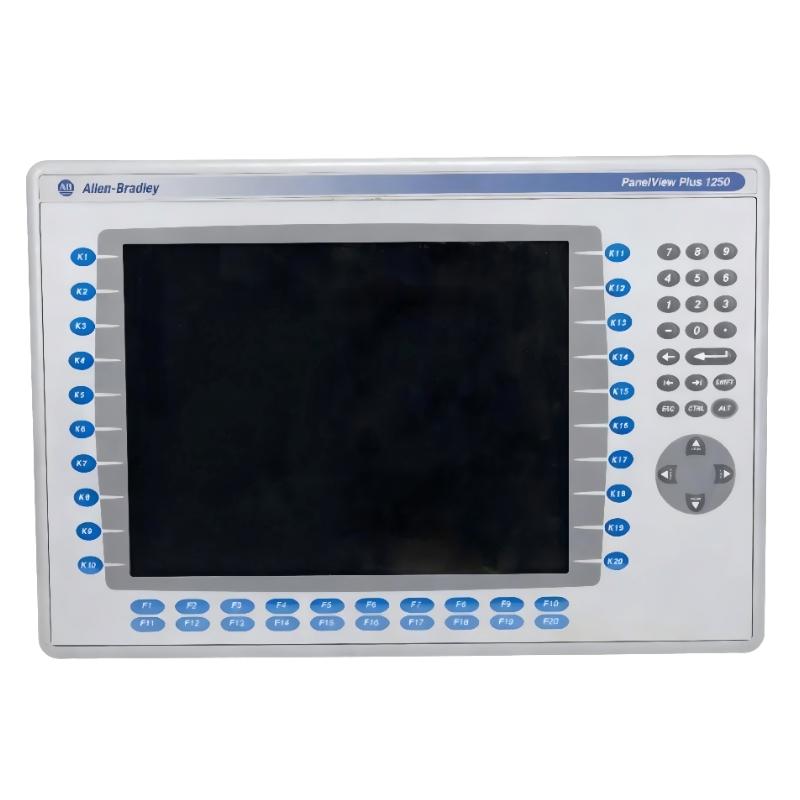
Table of Contents
- Installation Overview of 2711P-K12C6A6 PanelView Plus 1250
- Role of 2711P-K12C6A6 HMI in Control System
- Preparation Before Installation
- Mounting Instructions for PanelView Plus 1250
- Electrical Connections and Wiring Setup
- System Commissioning and Configuration
- FAQs on Installation
- Conclusion
Installation Overview of 2711P-K12C6A6 PanelView Plus 1250
Allen-Bradley 2711P-K12C6A6 PanelView Plus 1250 HMI installation ensures reliable operator interface and smooth PLC communication. Field experience shows that incorrect panel mounting often causes EMI-induced input errors, resolved after proper grounding and spacing.
Role of 2711P-K12C6A6 HMI in Control System
The PanelView Plus 1250 provides operator interaction, process visualization, and alarm management. In real applications, properly installed HMIs reduce downtime by ensuring clear status visibility and accurate input/output monitoring.
Preparation Before Installation
- Power down the control cabinet before installation.
- Check available panel cutout dimensions and clearances.
- Verify ambient temperature and ventilation conditions.
- Ensure availability of mounting hardware and cabling.
- Review HMI wiring diagrams and network topology.
Mounting Instructions for PanelView Plus 1250
- Insert the panel into the prepared cutout and secure clamps evenly.
- Maintain at least 50 mm spacing around the panel for heat dissipation.
- Check for mechanical stress on cables or connectors.
- Verify panel is level to prevent touchscreen calibration errors.
Electrical Connections and Wiring Setup
Proper electrical setup ensures stable communication with the PLC controller:
- Connect 24V DC supply to the HMI using correct polarity.
- Verify DH+, RIO, or Ethernet connections per network design.
- Ensure cable shielding and grounding to minimize EMI interference.
- Check all connectors for secure fit to prevent intermittent faults.
System Commissioning and Configuration
During commissioning:
- Power on HMI and confirm proper boot sequence.
- Load and verify runtime application (.MER file).
- Test all touch inputs, indicators, and communication channels.
- Document panel ID, IP address, and network connections for maintenance.
Field engineers recommend checking HMI operation under load conditions for 24 hours to detect early issues.
FAQs on Installation
Can the PanelView Plus 1250 be installed in high-temperature cabinets?
Yes, but ensure proper ventilation and temperature below 55°C to avoid touch and display failures.
Is special software required for configuration?
Yes, use FactoryTalk View Studio or ControlFlash for firmware updates and application downloads.
How to ensure reliable communication with PLC?
Use shielded cables, proper grounding, and verify network settings in commissioning.
Conclusion
Proper installation of Allen-Bradley 2711P-K12C6A6 PanelView Plus 1250 ensures reliable HMI operation, stable PLC communication, and reduces downtime. Field experience highlights the importance of correct mounting, grounding, and verification during commissioning.