

ProductPRODUCT
Featured products
Contact Us
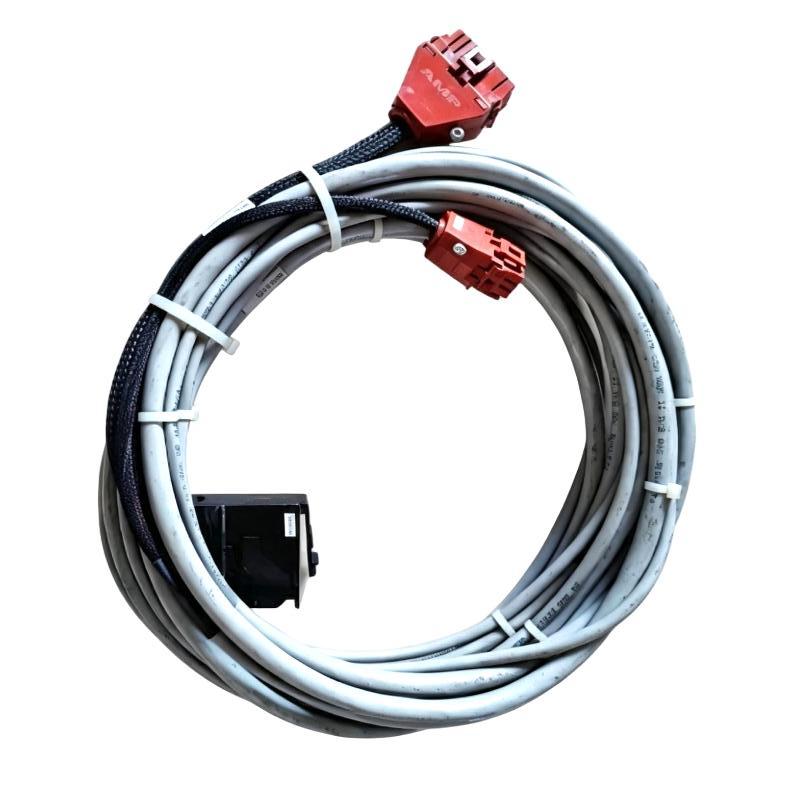
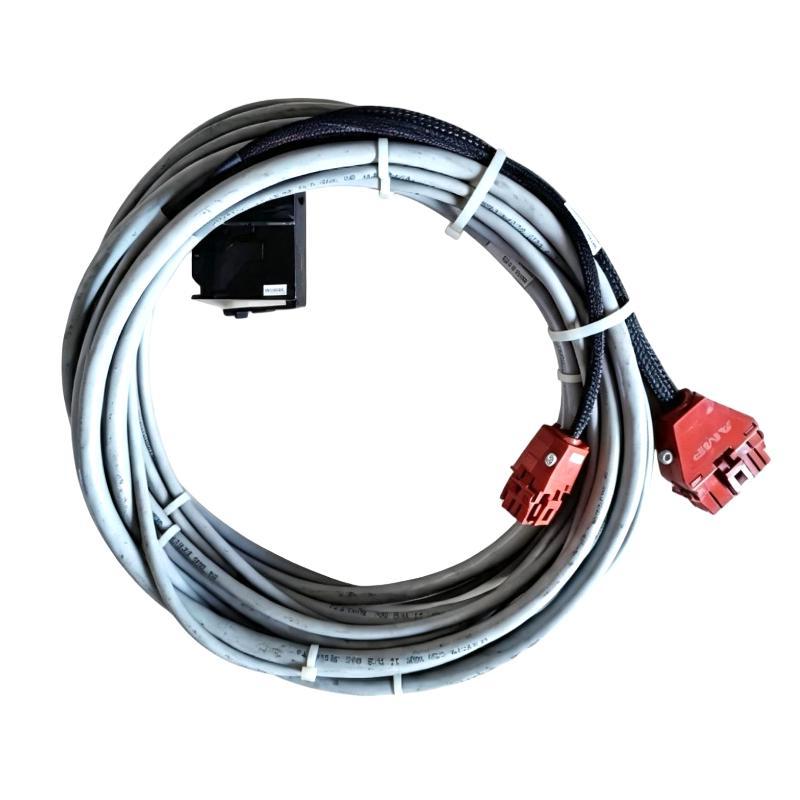
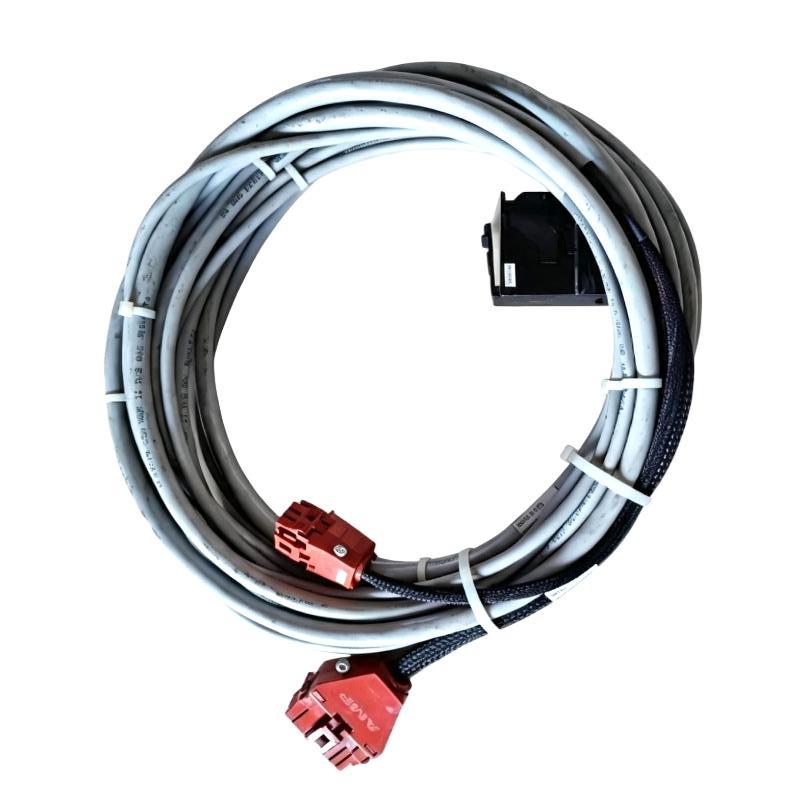
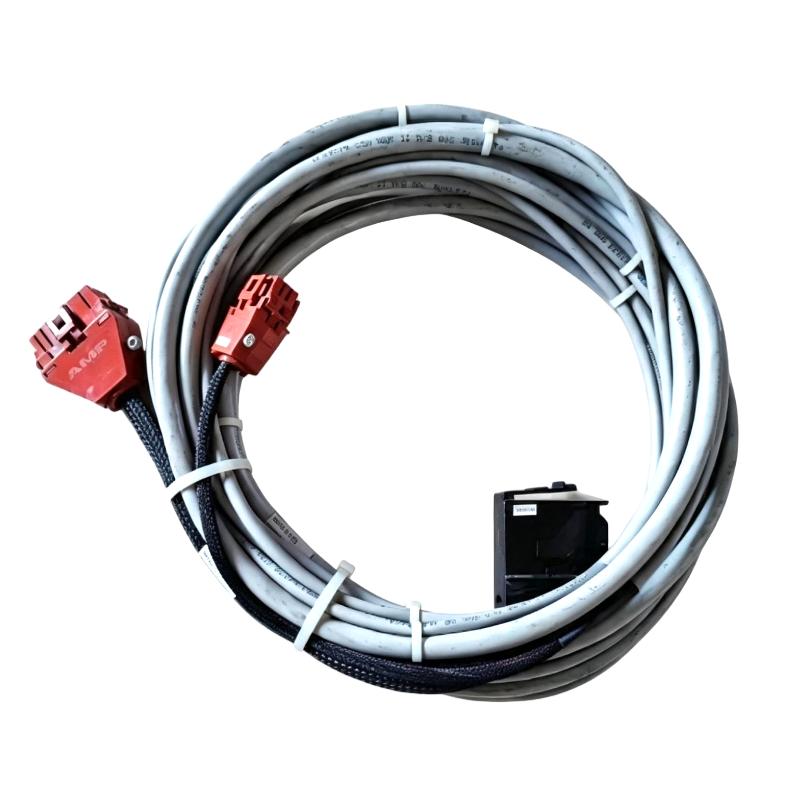
- ABB Bailey
- NKST11-20
- SOE Time Synchronization Cable
- Sweden (SE)
- 20 feet
- 3 kg
- Xiamen, China
- New & In Stock
- T/T, PayPal, Western Union
- 1 Year
- 1-3 Working Days
- DHL, UPS, TNT, FedEx and EMS.
- 24-Hour Service
- COO
- 50
Our advantage

Global Logistics
We have a 10-year logistics and express cooperation agreement, so our products can be shipped to any place in the world.

Brand new and original
Our products are imported in bulk from the place of origin. Because of the cooperative relationship, our products are all original and 100% new.

24-hour service
We provide 7*24 hours service to our customers. We will be there whenever you need us.

Price advantage
All our products are priced very favorably because we have our own warehouse and supply.
| Company Information | |||
| [email protected] | |||
| Mobile | +8615980777398 | ||
| +8615980777398 | |||
| 15980777398 |
Product Overview
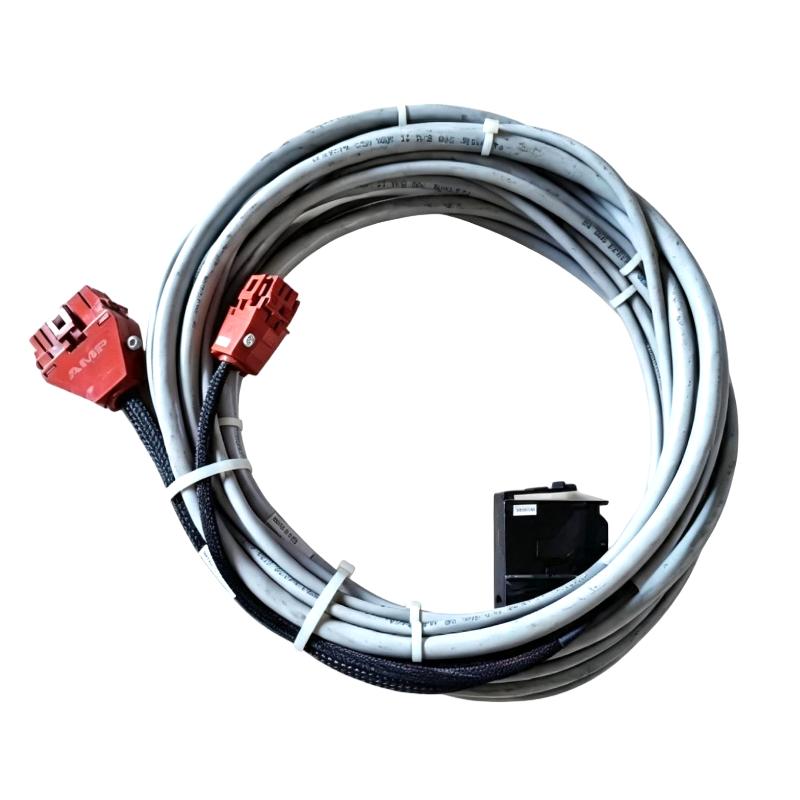
The ABB Bailey NKST11-20 INFI 90 SOE Time Synchronization Cable is a cable assembly used in compatible ABB Bailey INFI 90 installations for Sequence of Events (SOE) time synchronization.
With a specified 20-foot cable length, the NKST11-20 suits installations where the relevant synchronization equipment and SOE hardware are not positioned immediately adjacent to one another. This can be useful in larger control cabinets, equipment rooms, or distributed control-system arrangements where the physical routing distance exceeds shorter cable configurations.
SOE systems are used when the exact order of equipment events matters. During a plant trip, a protection device may operate first, followed by a breaker status change, motor shutdown, alarm activation, or interlock transition. Engineers can use synchronized event records to reconstruct this sequence during troubleshooting and post-event analysis.
The NKST11-20 forms part of the physical timing connection supporting this process.
Time Synchronization Source → NKST11-20 → INFI 90 SOE Hardware → Event Records
The cable does not perform event processing or control logic. Its function is to maintain the required physical connection within the compatible SOE synchronization architecture.
Technical Specifications
| Parameter | Specification |
|---|---|
| Manufacturer | ABB Bailey |
| Model | NKST11-20 |
| Product Family | INFI 90 |
| Product Type | SOE Time Synchronization Cable |
| Primary Function | SOE Time Synchronization |
| System Role | Timing / Synchronization Connection |
| Application | Industrial Automation / Process Control |
| Cable Length | 20 feet |
| Shipping Weight | 3 kg |
Product Features
- ABB Bailey INFI 90 SOE Time Synchronization Cable
- Model NKST11-20
- 20-foot cable length
- Used for SOE time synchronization connections
- Suitable for compatible INFI 90 system hardware
- Supports time-correlated event recording
- Applicable to industrial process-control installations
- Useful for control-system maintenance
- Suitable for replacement of compatible synchronization cabling
- Provides additional routing distance compared with shorter NKST11 configurations
Working Principle
The NKST11-20 carries the synchronization connection required between compatible timing and SOE hardware in an INFI 90 installation.
An SOE system may receive event information from multiple sources. Each source can report a state change independently, while the synchronization infrastructure establishes the common timing reference used to compare those events.
A practical sequence might be:
Equipment Fault → Protection Contact Changes → I/O Detects Event → SOE Records Event → Synchronized Timestamp
Another equipment event may occur shortly afterward:
Breaker Opens → Status Input Changes → SOE Records Event → Synchronized Timestamp
The resulting records can be examined together to establish the chronological relationship between the events.
The NKST11-20 serves the connection between the synchronization hardware and the SOE architecture. It does not itself determine the event sequence or interpret process conditions.
Role in an INFI 90 SOE Architecture
The NKST11-20 sits within the timing and event-recording infrastructure of the INFI 90 system.
Time Reference → NKST11-20 → Synchronization Hardware → SOE Recording → Event Analysis
| System Element | Function |
|---|---|
| ABB Bailey NKST11-20 | Provides the SOE time synchronization connection |
| INFI 90 Control System | Provides process-control infrastructure |
| SOE Hardware | Records sequence-of-events information |
| Time Synchronization Source | Establishes the common time reference |
| Digital Input Hardware | Detects discrete equipment events |
| Field Contacts | Generate equipment-status changes |
| Protection Equipment | Generates trip and protection events |
| Controller Hardware | Processes control-system information |
| Operator Interface | Displays alarms and equipment conditions |
| Engineering Workstation | Supports event investigation |
The physical routing and connection points depend on the specific INFI 90 installation.
Event Sequence Analysis
The main engineering value of synchronized SOE information appears during abnormal events.
A plant disturbance may generate several changes:
| Event | Example |
|---|---|
| Protection Trip | Protective device changes state |
| Breaker Operation | Electrical equipment changes status |
| Motor Shutdown | Motor-running indication changes |
| Alarm Activation | Alarm contact becomes active |
| Interlock Action | Permissive condition changes |
| Valve Status Change | Equipment position changes |
If the timing reference is consistent, engineers can compare these events and determine their relative order.
For example, if a motor stopped after a protection signal was recorded, the SOE timeline can help establish that relationship. If the motor status changed before the protection event, the investigation may need to follow a different path.
This makes synchronized event data useful for root-cause investigation, equipment troubleshooting, protection analysis, and control-system maintenance.
Industrial Applications
| Application | Typical Use |
|---|---|
| Power Generation | Generator and protection-event analysis |
| Power Distribution | Breaker operation chronology |
| Oil and Gas | Equipment-trip investigation |
| Petrochemical Plants | Alarm and interlock analysis |
| Chemical Processing | Process-event sequencing |
| Water Treatment | Pump and valve event recording |
| Industrial Utilities | Equipment disturbance investigation |
| Process Automation | Time-correlated event monitoring |
Installation and Maintenance
The 20-foot cable length should be considered together with the actual equipment layout. Cable routing should avoid unnecessary mechanical stress and should preserve the intended connection between the synchronization hardware and SOE system.
- Confirm the complete NKST11-20 model.
- Verify the required SOE synchronization function.
- Confirm the 20-foot cable length.
- Identify both cable connection points.
- Record the existing routing before removal.
- Inspect connectors for damage.
- Check the cable jacket for cuts, crushing, or deformation.
- Avoid excessive bending during installation.
- Prevent unnecessary tension at the connectors.
- Keep the cable routing orderly within the installation.
- Confirm both ends are correctly connected.
- Check the associated synchronization hardware.
- Verify synchronization status after installation.
- Review newly recorded SOE events.
- Check event timestamps.
- Compare timestamps against known equipment operations.
- Confirm the expected event sequence is being recorded.
- Document the replacement and final routing.
If the SOE system continues to show incorrect timing after cable replacement, check the synchronization source and connected hardware in addition to the cable itself.
Compatible System Components
| Component | Function |
|---|---|
| ABB Bailey NKST11-20 | INFI 90 SOE Time Synchronization Cable |
| ABB Bailey NKST11-15 | INFI 90 SOE Time Synchronization Cable |
| ABB Bailey NKST11-10 | INFI 90 SOE Time Synchronization Cable |
| ABB Bailey NKST11 | INFI 90 SOE Time Synchronization Cable |
| ABB Bailey NKST01-10 | INFI 90 SOE Time Synchronization Cable |
| INFI 90 Control Hardware | Process-control infrastructure |
| SOE Hardware | Sequence-of-events recording |
| Time Synchronization Equipment | Common timing reference |
| Digital Input Hardware | Event-state acquisition |
| Protection Equipment | Trip and protection signals |
| Field Contacts | Discrete equipment events |
| Engineering Workstation | Event analysis |
Recommended Related Models
| Model / Product Family | Product Type | Typical Application |
|---|---|---|
| ABB Bailey NKST11-20 | INFI 90 SOE Time Synchronization Cable | 20-foot SOE timing connection |
| ABB Bailey NKST11-15 | INFI 90 SOE Time Synchronization Cable | 15-foot SOE timing connection |
| ABB Bailey NKST11-10 | INFI 90 SOE Time Synchronization Cable | 10-foot SOE timing connection |
| ABB Bailey NKST11 | INFI 90 SOE Time Synchronization Cable | SOE synchronization connection |
| ABB Bailey NKST01-10 | INFI 90 SOE Time Synchronization Cable | SOE timing connection |
| ABB Bailey INFI 90 | Distributed Control System | Industrial process control |
| ABB Bailey SOE Hardware | Sequence-of-Events Equipment | Event recording |
Key Advantages
- ABB Bailey INFI 90 SOE Time Synchronization Cable.
- Model NKST11-20.
- 20-foot cable configuration.
- Supports SOE timing connections.
- Suitable for time-correlated event recording.
- Useful for trip and disturbance investigation.
- Applicable to INFI 90 maintenance projects.
- Suitable for installations requiring a longer synchronization connection.
Technical FAQs
Why would an INFI 90 installation require the NKST11-20 rather than a shorter cable?
The 20-foot configuration accommodates installations where the physical distance between the relevant synchronization and SOE connection points exceeds the available length of shorter configurations. The actual cable length should be selected from the existing system layout.
Does the NKST11-20 directly connect field sensors to the INFI 90 system?
No. It belongs to the SOE time synchronization path rather than the ordinary field-signal path. Field sensors and contacts normally reach the control system through the appropriate I/O hardware.
How does synchronized timing help during a plant trip?
It allows events from different equipment and I/O points to be compared against a common time reference. Engineers can use the resulting timeline to determine the order of protection actions, equipment trips, alarms, interlocks, and status changes.
What is the first thing to inspect if SOE timing is lost after replacing the cable?
Start with the physical connection and connector seating, then check the associated synchronization hardware and time-reference source. If those conditions are normal, review the system configuration and newly recorded SOE events to isolate the fault.