

ProductPRODUCT
Featured products
Contact Us
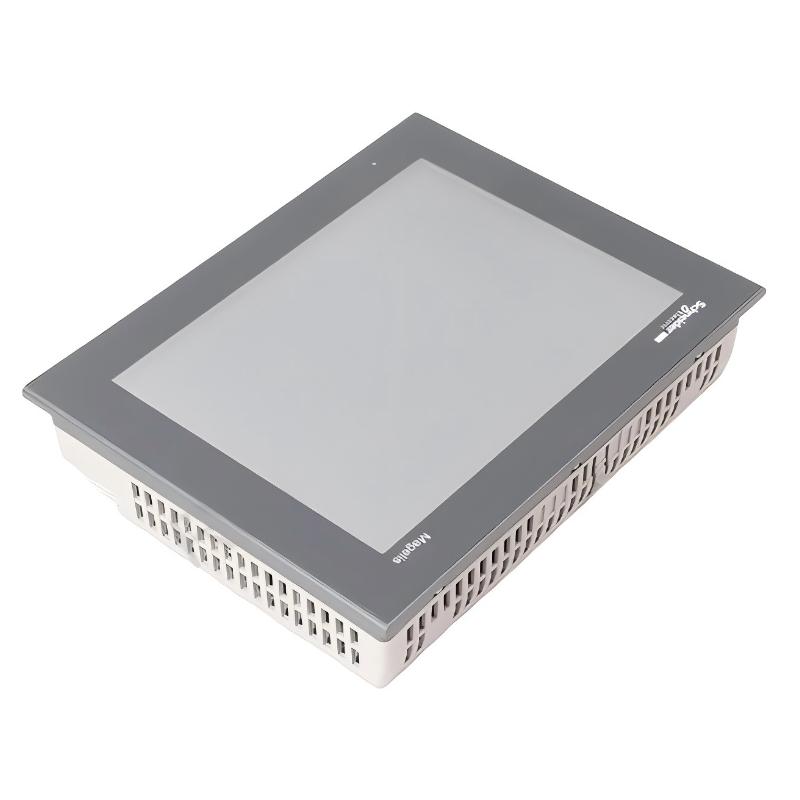
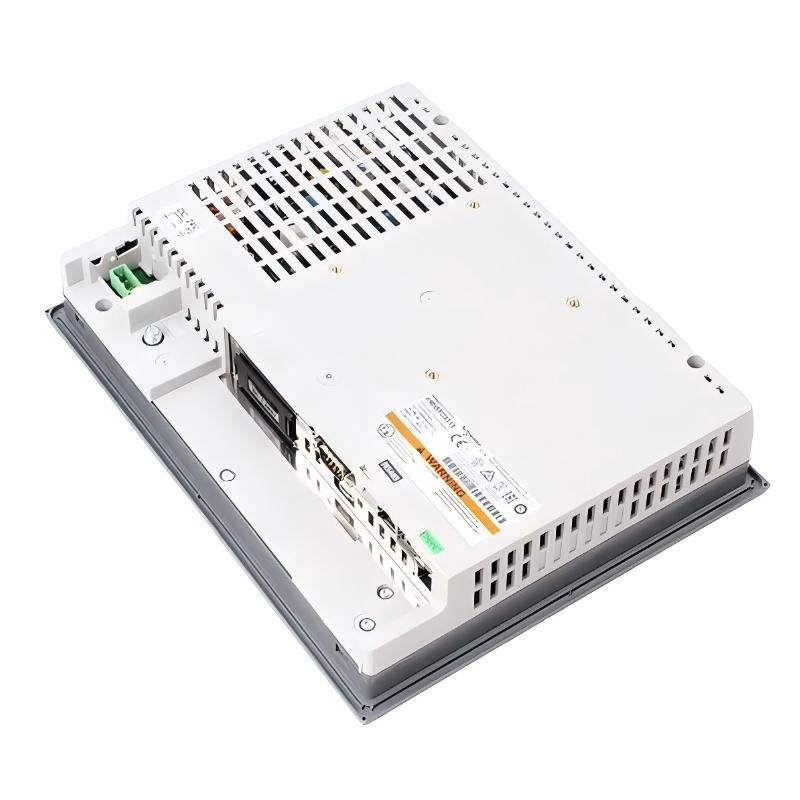
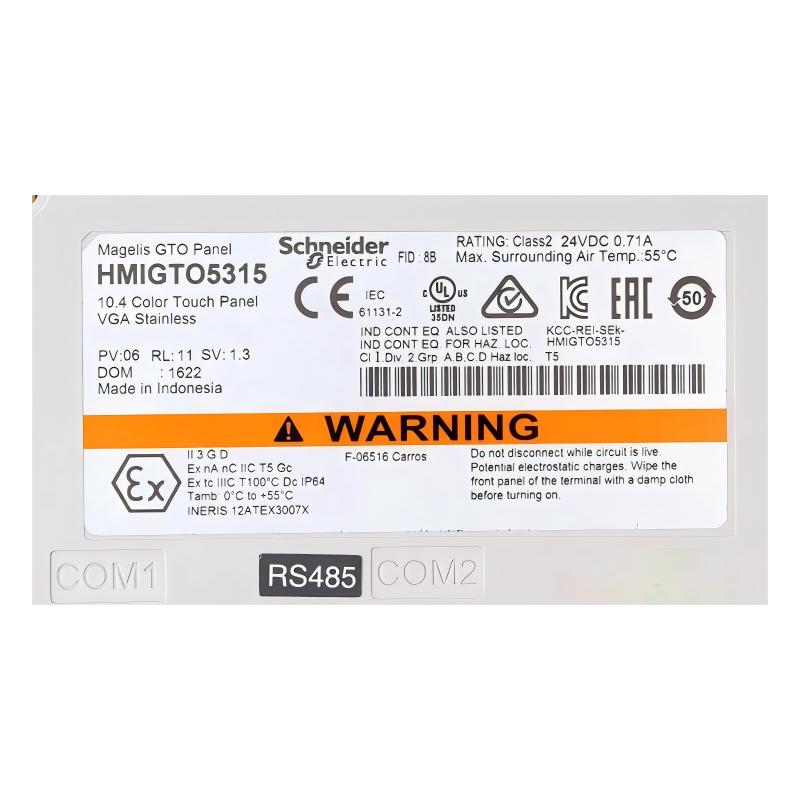
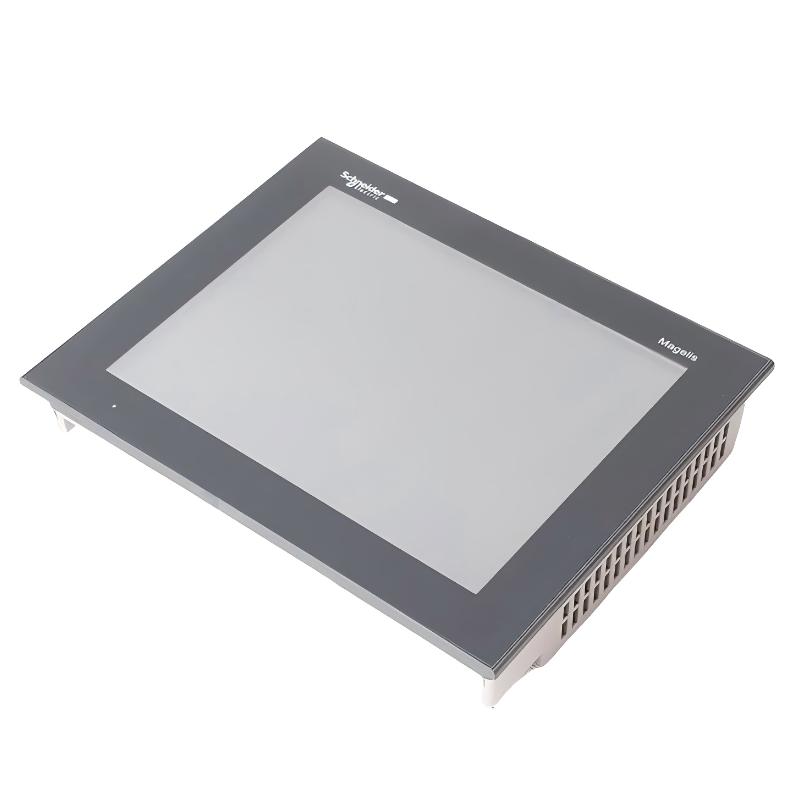
- Schneider
- HMIGTO5315
- Advanced Touchscreen Panel
- France
- 316.5 × 57 × 258.5 mm
- 2.5 kg
- Xiamen, China
- New & In Stock
- T/T, PayPal, Western Union
- 1 Year
- 1-3 Working Days
- DHL, UPS, TNT, FedEx and EMS.
- 24-Hour Service
- COO
- 6
Our advantage

Global Logistics
We have a 10-year logistics and express cooperation agreement, so our products can be shipped to any place in the world.

Brand new and original
Our products are imported in bulk from the place of origin. Because of the cooperative relationship, our products are all original and 100% new.

24-hour service
We provide 7*24 hours service to our customers. We will be there whenever you need us.

Price advantage
All our products are priced very favorably because we have our own warehouse and supply.
| Company Information | |||
| [email protected] | |||
| Mobile | +8615980777398 | ||
| +8615980777398 | |||
| 15980777398 |
Product Overview
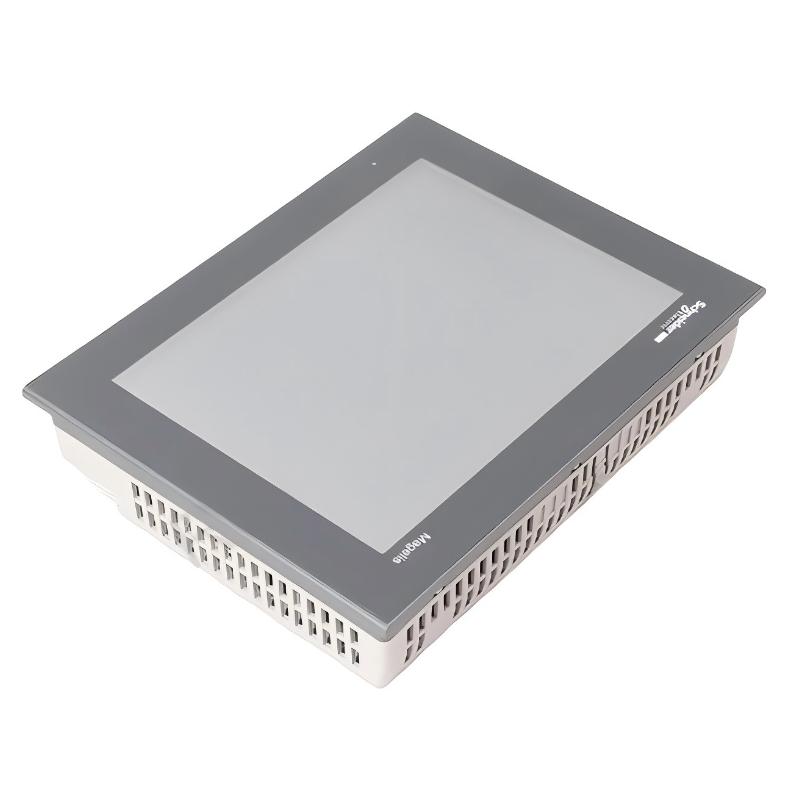
The Schneider Electric HMIGTO5315 is an advanced touchscreen panel in the Harmony GTO series. It is a 10.4-inch industrial HMI terminal with a stainless-steel front panel, intended for machine operation, process visualization, and operator interaction in industrial environments.
Unlike standard plastic-front HMI terminals, the HMIGTO5315 uses a stainless-steel front construction that makes it suitable for applications such as food and beverage production, where equipment surfaces are frequently cleaned. Its 640 × 480 VGA color display presents machine status, operating parameters, alarms, and process information through graphical screens configured for the application.
The panel uses a resistive touchscreen with a 1024 × 1024 touch-sensitive zone and supports 65,536 display colors. Its 96 MB memory accommodates the application data required for operator interface projects. Vijeo Designer is used to develop and configure the HMI application.
Communication interfaces include serial connections, Ethernet, and USB. This allows the panel to communicate with compatible PLCs and automation equipment using supported protocols. In a typical machine installation, an operator can use the screen to monitor production status, enter operating values, acknowledge alarms, and control machine functions without accessing the PLC cabinet directly.
The HMIGTO5315 is particularly relevant where a larger operator display, stainless-steel front construction, and multiple communication interfaces are required in one HMI terminal.
Technical Specifications
| Parameter | Specification |
|---|---|
| Manufacturer | Schneider Electric |
| Model | HMIGTO5315 |
| Product Type | Advanced Touchscreen Panel |
| Product Series | Harmony GTO |
| Display Size | 10.4 inch |
| Display Type | Backlit Color TFT LCD |
| Display Resolution | 640 × 480 pixels (VGA) |
| Display Colors | 65,536 |
| Touch Panel | Resistive Film |
| Touch Sensitive Zone | 1024 × 1024 |
| Internal Memory | 96 MB |
| Operating Software | Vijeo Designer |
| Operating System | Harmony |
| Rated Supply Voltage | 24 V DC |
| Supply Voltage Range | 19.2–28.8 V DC |
| Maximum Power Consumption | 17 W |
| COM1 Interface | RS-232C, 9-pin SUB-D |
| COM2 Interface | RS-485, RJ45 |
| Ethernet Interface | 10BASE-T / 100BASE-TX |
| USB Interface | USB 2.0 Type A and Mini-B |
| Front Panel Material | Stainless Steel 304 |
| Cooling Method | Natural Convection |
| Front Protection | IP66K / NEMA 4X |
| Operating Temperature | 0–55°C |
| Backlight Life | 50,000 hours |
| Dimensions | 316.5 × 57 × 258.5 mm |
| Weight | 2.5 kg |
Product Features
10.4-Inch VGA Color Display
The HMIGTO5315 uses a 640 × 480 VGA TFT color display with 65,536 colors. The screen supports graphical operator interfaces for displaying machine status, process values, alarm messages, and operating instructions.
Stainless-Steel Front Panel
The front panel is made of stainless steel 304. This construction is useful in food and beverage production environments and other installations where the operator interface is exposed to regular surface cleaning.
Resistive Touchscreen Operation
The resistive touch panel has a 1024 × 1024 touch-sensitive zone and a rated operating life of one million cycles. Operators can select screen objects, enter numerical values, acknowledge alarms, and navigate application screens directly.
96 MB Application Memory
The panel includes 96 MB of memory for its HMI application. This supports the storage and execution of configured operator interface projects.
Multiple Communication Interfaces
The terminal provides RS-232C, RS-485, Ethernet, and USB interfaces. These connections allow communication with compatible PLCs, programming equipment, and other industrial devices.
Vijeo Designer Configuration
HMI applications are developed using Vijeo Designer. Screen layouts, operating commands, alarm displays, and communication settings can be configured according to the machine’s control requirements.
Internal Battery Backup
An internal lithium battery supports RAM retention. The specified autonomy is approximately 100 days, with a charging time of five days and an expected battery life of ten years under specified conditions.
Front-Panel Environmental Protection
The stainless-steel version has an IP66K / NEMA 4X front protection configuration when correctly installed. This is relevant for installations exposed to cleaning procedures and demanding industrial environments.
Working Principle
The HMIGTO5315 functions as the operator interface between the machine control system and production personnel. It receives data from connected controllers, processes the configured HMI application, and displays the information through its graphical touchscreen.
When the PLC updates a machine variable, the HMI reads the corresponding data through the configured communication driver. The screen then displays the current operating condition, such as motor status, production count, temperature, pressure, or alarm information.
Operators interact with the displayed objects through the resistive touchscreen. For example, selecting a control button may send a command or update a PLC variable, depending on the application configuration and the machine’s control logic.
The panel also supports alarm and status displays. When a configured PLC variable reaches an alarm condition, the HMI can display the corresponding message so that the operator can identify the affected machine function and take the appropriate action.
Its serial interfaces support compatible RS-232C and RS-485 communication, while the Ethernet interface supports network-based communication with compatible automation equipment. USB connections can be used for supported data transfer and maintenance operations.
Typical Operator Communication Path:
PLC / Controller → Ethernet or Serial Communication → HMIGTO5315 → Touchscreen Display → Operator Input → PLC
Application Configuration Path:
Engineering Computer → Vijeo Designer → HMI Project → HMIGTO5315
Role in Harmony GTO Control Architecture
Within a Schneider Electric automation system, the HMIGTO5315 serves as the operator-facing interface. It presents information generated by the PLC and provides a graphical method for entering commands and operating parameters.
The PLC remains responsible for executing control logic, processing field signals, and controlling connected equipment. The HMI handles the presentation and operator interaction functions.
For example, in a packaging machine, the PLC can control conveyor movement, product detection, and machine sequencing. The HMIGTO5315 displays production status, operating modes, alarms, and parameter settings. Operators can use the touchscreen to select operating modes or modify permitted settings.
| Control System Component | Function |
|---|---|
| Schneider PLC | Executes machine control logic and processes field signals |
| HMIGTO5315 | Displays operating information and accepts operator commands |
| Ethernet Network | Provides communication between compatible controllers and HMI equipment |
| RS-232C Interface | Supports serial communication with compatible automation devices |
| RS-485 Interface | Supports serial communication with compatible controllers and equipment |
| Vijeo Designer | Develops and configures the HMI application |
| Engineering Computer | Supports application development, transfer, and maintenance |
| Field I/O Modules | Acquire sensor signals and control connected actuators |
Industrial Applications
| Application | HMI Function |
|---|---|
| Food and Beverage Processing | Provides machine operation and process monitoring through a stainless-steel front panel |
| Pharmaceutical Production | Displays operating parameters, equipment status, and alarm information |
| Packaging Machinery | Allows operators to monitor production cycles and adjust permitted machine settings |
| Automated Assembly | Displays station status, operating modes, and production information |
| Process Equipment | Presents process values, alarms, and operating conditions |
| Water Treatment Systems | Provides a local interface for monitoring pumps, operating status, and process parameters |
| Material Handling | Displays conveyor status, equipment conditions, and operator commands |
| Industrial Machinery | Provides centralized touchscreen operation for compatible PLC-controlled equipment |
Installation and Maintenance
- Verify the model number: Confirm that the panel is HMIGTO5315. Check the stainless-steel front configuration and communication requirements before replacing an existing HMI.
- Prepare the mounting opening: Check the panel cutout against the specified installation dimensions and ensure that the mounting surface is suitable for the terminal.
- Inspect the mounting hardware: Check the fixing nuts or mounting brackets and ensure that the panel is securely attached to the enclosure.
- Verify the power supply: Use a regulated 24 V DC supply and confirm that the voltage remains within the specified 19.2–28.8 V DC range.
- Check grounding: Connect the functional ground according to the installation requirements to reduce electrical interference and maintain proper equipment grounding.
- Inspect communication cables: Check the Ethernet, RS-232C, and RS-485 connections for correct wiring, secure connectors, and damaged insulation.
- Configure communication parameters: Match the HMI communication settings with the connected PLC, including the selected protocol, interface, baud rate, and device address where applicable.
- Verify the HMI application: Confirm that the installed Vijeo Designer project matches the connected controller and the intended machine functions.
- Check touchscreen operation: Test screen navigation, numerical input, control buttons, and alarm acknowledgment to ensure that operator commands are registered correctly.
- Inspect the stainless-steel front: Clean the front surface using appropriate materials and cleaning procedures. Avoid chemicals or tools that could damage the surface or protective sealing.
- Monitor display performance: Check backlight operation, screen visibility, touch response, and communication status during normal machine operation.
- Maintain application records: Keep a backup of the Vijeo Designer project, communication settings, PLC addresses, and maintenance history for future replacement or troubleshooting.
Compatible System Components
| Component | Product Type | Application |
|---|---|---|
| Schneider Modicon M340 | Programmable Automation Controller | PLC control and process data exchange |
| Schneider Modicon M580 | ePAC Controller | Industrial process and machine control |
| Schneider Modicon M221 | Logic Controller | Compact machine automation |
| Schneider Modicon M241 | Logic Controller | Machine control and Ethernet communication |
| Schneider Modicon M251 | Logic Controller | Distributed machine automation |
| Vijeo Designer | HMI Configuration Software | Develops and transfers operator interface applications |
| Ethernet Communication Cable | Industrial Network Cable | Connects the HMI to compatible PLCs |
| RS-232C Serial Cable | Serial Communication Cable | Supports compatible serial connections |
| RS-485 Serial Cable | Serial Communication Cable | Supports compatible multi-device serial communication |
Recommended Related Models
| Model | Product Description |
|---|---|
| HMIGTO5310 | Harmony GTO 10.4-Inch Advanced Touchscreen Panel |
| HMIGTO6315 | Harmony GTO 12.1-Inch Stainless-Steel Advanced Touchscreen Panel |
| HMIGTO6310 | Harmony GTO 12.1-Inch Advanced Touchscreen Panel |
| HMIGTO4310 | Harmony GTO 7.5-Inch Advanced Touchscreen Panel |
| HMIGTO2315 | Harmony GTO 5.7-Inch Stainless-Steel Touchscreen Panel |
| HMIGTO3510 | Harmony GTO 7-Inch Advanced Touchscreen Panel |
Key Advantages
- 10.4-inch VGA color touchscreen for machine visualization.
- Stainless-steel 304 front panel for demanding industrial environments.
- 65,536-color TFT LCD display.
- 96 MB application memory.
- Resistive touchscreen rated for one million cycles.
- RS-232C, RS-485, Ethernet, and USB communication interfaces.
- Vijeo Designer application configuration.
- IP66K / NEMA 4X front protection when correctly installed.
Technical FAQs
What makes the HMIGTO5315 different from the HMIGTO5310?
Both models belong to the Harmony GTO family and use a 10.4-inch VGA display. The HMIGTO5315 has a stainless-steel front panel, making it more suitable for installations where surface cleaning and front-panel material are important considerations. The HMIGTO5310 uses a different front-panel construction.
Which communication interfaces are available on the HMIGTO5315?
The panel provides COM1 RS-232C through a 9-pin SUB-D connector, COM2 RS-485 through an RJ45 connector, 10BASE-T/100BASE-TX Ethernet, USB 2.0 Type A, and USB Mini-B. The selected interface must match the communication capabilities of the connected controller.
Can the HMIGTO5315 communicate with third-party PLCs?
Yes. The panel supports communication protocols for several third-party automation platforms, including Siemens SIMATIC, Rockwell Automation Allen-Bradley, Mitsubishi MELSEC, and Omron SYSMAC. The appropriate communication driver and PLC protocol configuration must be selected in the HMI project.
Which software is used to develop applications for the HMIGTO5315?
Vijeo Designer is used to create and configure the HMI application. It allows engineers to develop graphical screens, configure communication with controllers, define alarms, and create operator input functions.