

ProductPRODUCT
Featured products
Contact Us
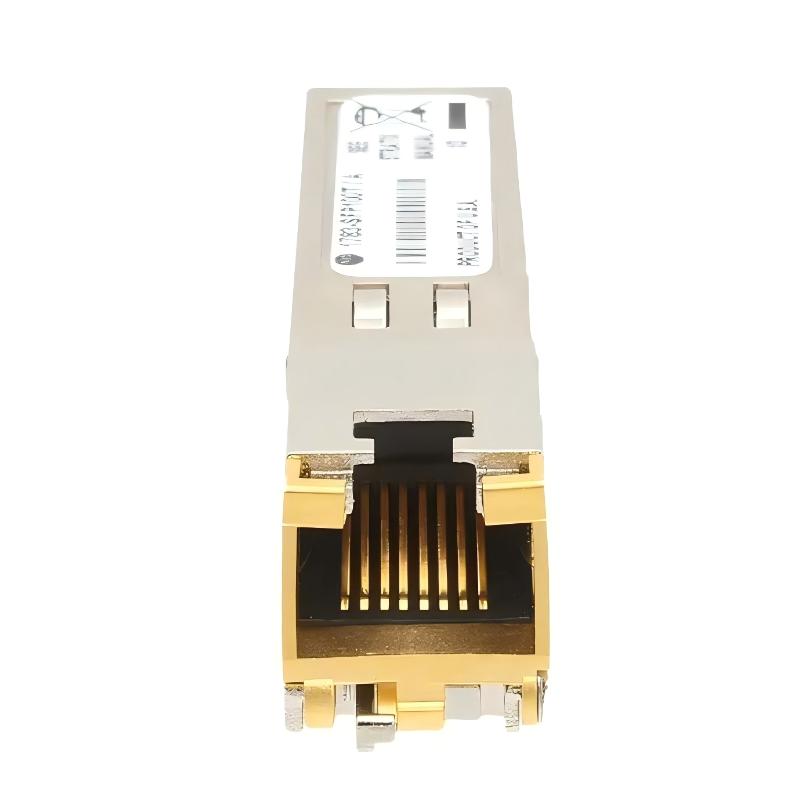
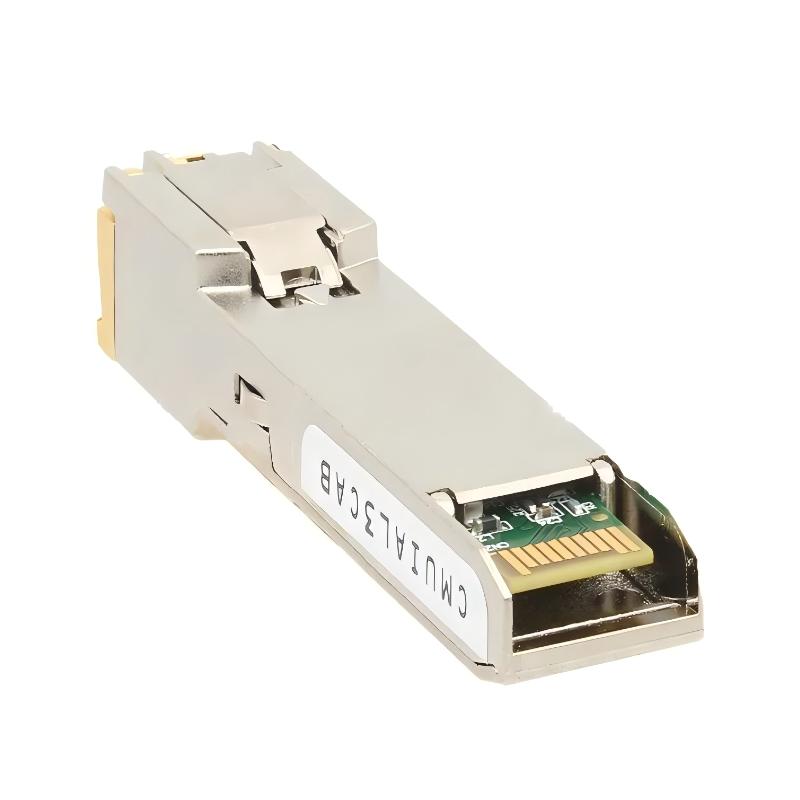
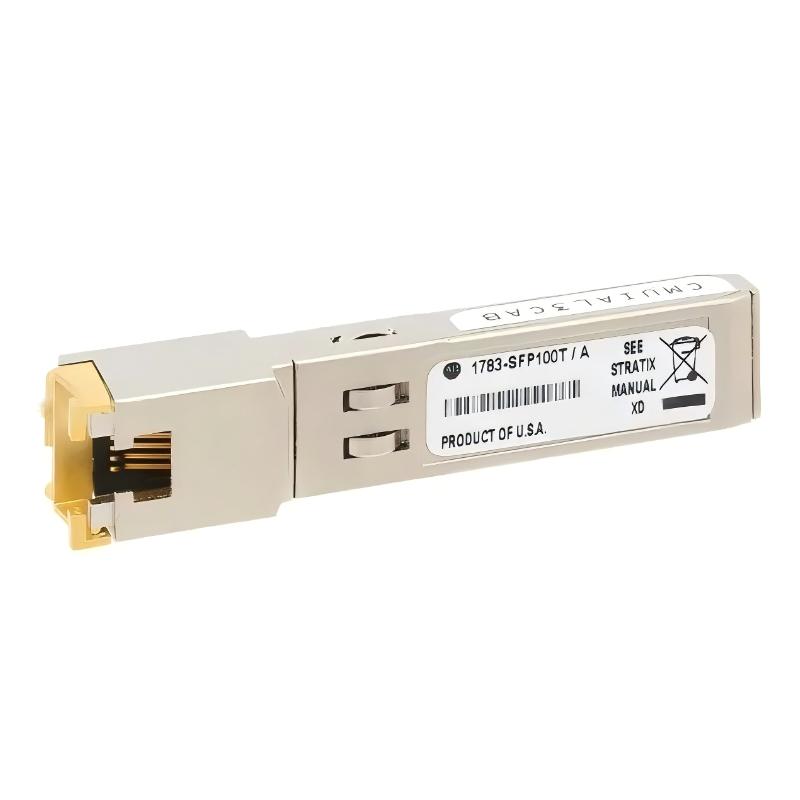
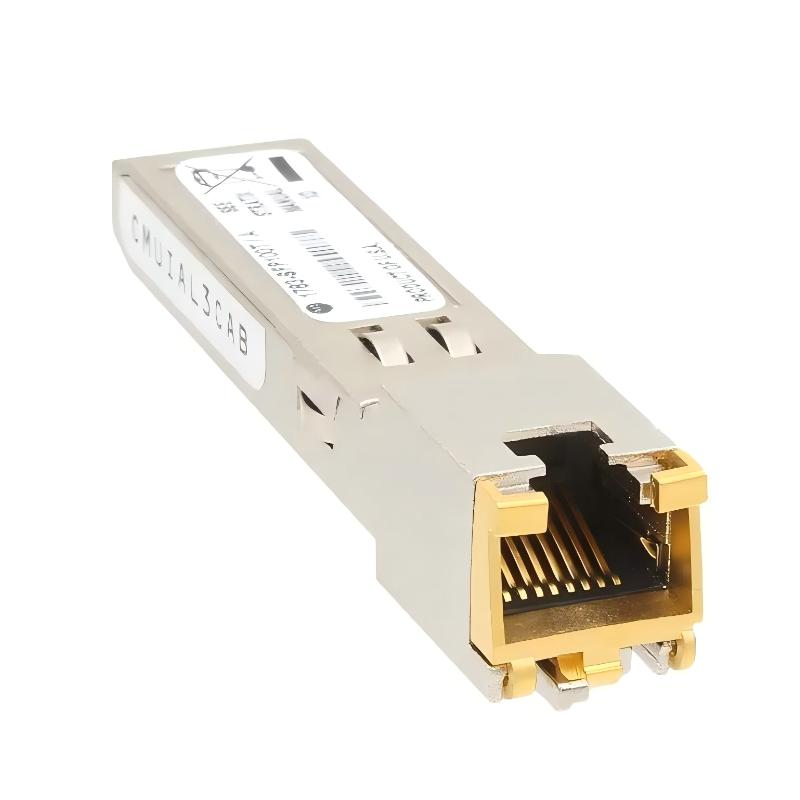
- Allen Bradley
- 1783-SFP100T
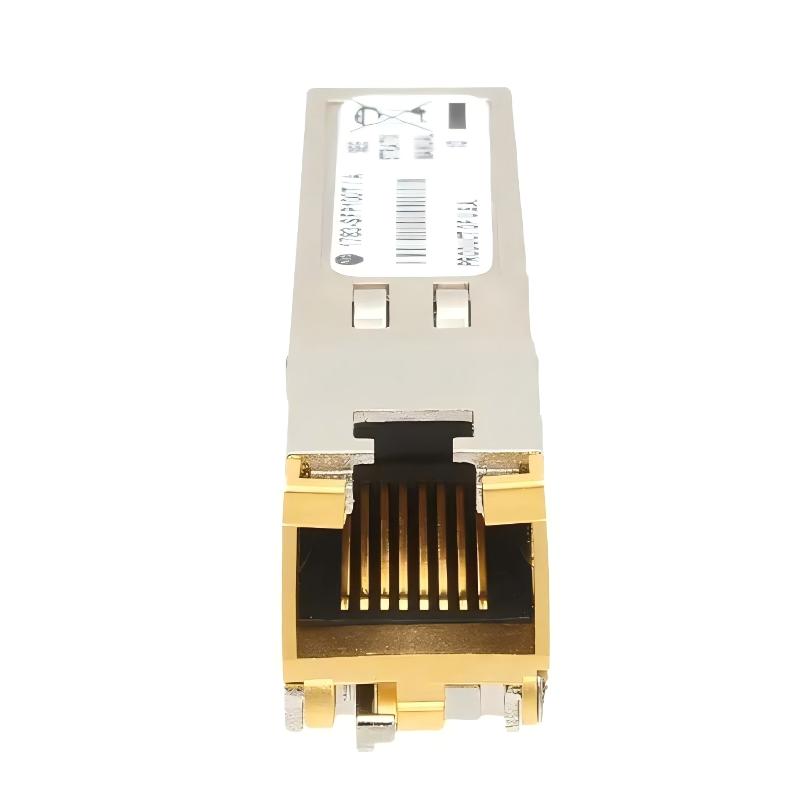
- Stratix 100M Copper SFP Transceiver
- USA
- 90 × 25 × 50 mm
- 0.2 kg
- Xiamen, China
- New & In Stock
- T/T, PayPal, Western Union
- 1 Year
- 1-3 Working Days
- DHL, UPS, TNT, FedEx and EMS.
- 24-Hour Service
- COO
- 5
Our advantage

Global Logistics
We have a 10-year logistics and express cooperation agreement, so our products can be shipped to any place in the world.

Brand new and original
Our products are imported in bulk from the place of origin. Because of the cooperative relationship, our products are all original and 100% new.

24-hour service
We provide 7*24 hours service to our customers. We will be there whenever you need us.

Price advantage
All our products are priced very favorably because we have our own warehouse and supply.
| Company Information | |||
| [email protected] | |||
| Mobile | +8615980777398 | ||
| +8615980777398 | |||
| 15980777398 |
Product Overview
The Allen-Bradley 1783-SFP100T is a 100 Mbps copper Small Form-factor Pluggable (SFP) transceiver for compatible Stratix industrial Ethernet switches. It provides a 100BASE-T copper Ethernet interface through an RJ45 connector, allowing a switch with a supported SFP slot to connect to a copper Ethernet cable rather than a fiber-optic link. The specified Ethernet cable reach is up to 100 m under the applicable cabling requirements. <Cite refs={[“turn845855search0″,”turn845855search12”]}/>
In an industrial control cabinet, this module can be used to connect a Stratix switch to a nearby PLC, HMI, engineering workstation, or another Ethernet-enabled device. For example, a switch installed in a machine control panel may use a copper SFP connection to link the cabinet network to equipment in an adjacent panel, provided the switch model and firmware support the module.
The 1783-SFP100T is particularly relevant when an installation requires a copper connection but the available switch interface is an SFP slot. Instead of using a separate media converter, the transceiver provides the RJ45 connection directly at the supported switch port. This can simplify the physical network arrangement, although the switch’s port capabilities and supported firmware must be checked before installation.
This is a Fast Ethernet transceiver, not a Gigabit Ethernet module. Its 100BASE-T interface is intended for 100 Mbps copper links, so it should not be selected where the connection specifically requires 1000 Mbps operation. It is also different from the Stratix fiber SFP variants, which use optical connectors and require compatible fiber types and link budgets.
When replacing an existing module, confirm the switch model, SFP slot type, firmware revision, and required Ethernet speed. Compatibility is especially important on Stratix switches with different port generations or firmware requirements.
Technical Specifications
| Parameter | Specification |
|---|---|
| Manufacturer | Allen-Bradley |
| Model | 1783-SFP100T |
| Product Family | Stratix Ethernet Networking |
| Product Type | 100M Copper SFP Transceiver |
| Transceiver Form Factor | SFP |
| Ethernet Standard | 100BASE-T |
| Data Rate | 100 Mbps |
| Physical Interface | RJ45 |
| Transmission Medium | Copper Ethernet cable |
| Maximum Specified Cable Reach | 100 m |
| Gigabit Ethernet Support | No |
| Fiber-Optic Interface | No |
| Compatible Equipment | Supported Stratix Ethernet switch SFP slots |
| Dimensions | 90 × 25 × 50 mm |
| Weight | 0.2 kg |
Product Features
- 100 Mbps copper Ethernet: Supports Fast Ethernet connections over compatible copper cabling.
- RJ45 interface: Uses a familiar connector for standard Ethernet patch cables.
- SFP form factor: Fits supported switch SFP slots without requiring a separate external media converter.
- Up to 100 m link reach: Supports the specified copper Ethernet distance when the cabling and installation meet applicable requirements.
- Industrial network integration: Can connect supported Stratix switches to PLCs, HMIs, and other Ethernet-enabled equipment.
- Distinct from fiber SFPs: Uses copper signaling rather than optical transmission.
- Firmware-dependent compatibility: Requires a supported switch model and firmware revision.
Working Principle
The 1783-SFP100T converts the electrical Ethernet signaling at its RJ45 copper interface into the electrical interface used by the switch’s SFP port, and vice versa. This allows Ethernet frames to pass between the copper cable and the switch fabric.
A typical connection is:
PLC / HMI / Ethernet Device → Copper Ethernet Cable → 1783-SFP100T → Stratix Switch → Industrial Network
When a connected device sends Ethernet traffic, the module receives the electrical signals from the copper cable and passes the data into the switch. Traffic sent back toward the connected device travels through the module and out through the RJ45 interface. The switch remains responsible for forwarding traffic according to its configuration.
Because the module supports 100BASE-T rather than Gigabit Ethernet, the link must be configured and negotiated within the capabilities of the connected equipment. A Gigabit-only connection requirement cannot be met simply by installing this 100 Mbps transceiver.
The copper connection also has practical installation limits. Cable routing, connector termination, electromagnetic interference, and the distance between devices can affect communication quality. If a link repeatedly drops or fails to establish, check the cable and RJ45 termination, switch-port configuration, module seating, and firmware compatibility before replacing the transceiver.
Role in a Stratix Industrial Ethernet Network
The 1783-SFP100T provides the physical copper connection at a compatible Stratix switch. It does not perform routing, switching, or industrial protocol processing independently; those functions belong to the connected network equipment.
Industrial Ethernet Device → RJ45 Copper Link → 1783-SFP100T → Stratix Switch → Control Network
| System Element | Function |
|---|---|
| 1783-SFP100T | Provides a 100BASE-T copper Ethernet interface |
| Stratix Ethernet Switch | Forwards network traffic between connected devices |
| PLC or PAC | Executes machine-control logic and exchanges industrial data |
| HMI Panel | Displays machine status and accepts operator commands |
| Engineering Workstation | Supports configuration, diagnostics, and programming |
| RJ45 Ethernet Cable | Carries copper Ethernet signals between devices |
| Industrial Ethernet Network | Connects automation equipment and supervisory systems |
Industrial Applications
| Application | Practical Use |
|---|---|
| PLC Control Cabinets | Connecting a controller or network device to a compatible Stratix switch |
| HMI Communication | Providing a copper Ethernet link for operator-interface equipment |
| Machine Networking | Connecting Ethernet-enabled devices within an industrial machine |
| Production Line Networks | Linking local equipment to a supported industrial Ethernet switch |
| Engineering Access | Connecting a maintenance workstation to an available switch port |
| Control Panel Interconnection | Establishing a copper Ethernet link between nearby panels |
| Factory Automation | Supporting Fast Ethernet communication in compatible control networks |
| Industrial Network Maintenance | Replacing a matching copper SFP without redesigning the network interface |
Installation and Maintenance
- Verify the module reference: Confirm that the installed component is 1783-SFP100T and that a 100 Mbps copper interface meets the network requirement.
- Check switch compatibility: Confirm that the Stratix switch model and SFP slot support this transceiver.
- Verify firmware requirements: Check the switch firmware revision before installation. The required revision varies by supported Stratix switch family.
- Inspect the SFP slot: Check for contamination, damaged contacts, or mechanical obstructions before inserting the module.
- Follow electrical safety procedures: Observe the switch manufacturer’s installation instructions and applicable precautions when handling network hardware.
- Insert the transceiver correctly: Align the module with the supported SFP slot and secure it according to the specified installation method.
- Inspect the Ethernet cable: Check the cable category, termination, connector condition, and routing for the intended 100BASE-T connection.
- Connect the RJ45 interface: Seat the Ethernet plug fully and confirm that the cable is connected to the intended device.
- Check link status: Verify the switch-port indicators and management interface to determine whether the Ethernet link has been established.
- Confirm communication speed: Check that the connected equipment negotiates or operates at a supported 100 Mbps connection speed.
- Investigate intermittent links: Inspect cable termination, electromagnetic interference, module seating, and switch-port configuration if communication drops unexpectedly.
- Document the network connection: Record the switch port, connected device, cable route, module reference, and relevant firmware information.
Compatible System Components
| Component | Function |
|---|---|
| Allen-Bradley 1783-SFP100T | Provides the 100 Mbps copper SFP interface |
| Stratix 5700 Ethernet Switch | Supports compatible SFP configurations subject to model and firmware |
| Stratix 5400 Ethernet Switch | Supports the module under applicable firmware requirements |
| Stratix 5410 Ethernet Switch | Supports compatible copper SFP arrangements subject to configuration |
| Stratix 8000 Ethernet Switch | Supports the module in compatible configurations |
| RJ45 Ethernet Cable | Connects the transceiver to the Ethernet device |
| Allen-Bradley ControlLogix Controller | Exchanges control and diagnostic data over the network |
| Allen-Bradley CompactLogix Controller | Connects machine-control equipment to the industrial network |
| PanelView HMI | Provides operator interaction and machine-status visualization |
| Engineering Computer | Supports network diagnostics and controller configuration |
Recommended Related Models
| Model | Product Type | Typical Application |
|---|---|---|
| Allen-Bradley 1783-SFP1GTE | Stratix 1000M Copper SFP Transceiver | Copper Ethernet connections requiring Gigabit Ethernet |
| Allen-Bradley 1783-SFP100FX | Stratix 100M Multimode Fiber SFP Transceiver | 100 Mbps optical links over compatible multimode fiber |
| Allen-Bradley 1783-SFP100LX | Stratix 100M Singlemode Fiber SFP Transceiver | 100 Mbps optical links over compatible singlemode fiber |
| Allen-Bradley 1783-SFP100EXC | Stratix 100M Extended-Reach Singlemode Fiber SFP Transceiver | Extended-distance 100 Mbps fiber connections |
| Allen-Bradley 1783-SFP100ZXC | Stratix 100M Long-Reach Singlemode Fiber SFP Transceiver | Long-distance 100 Mbps optical communication |
| Allen-Bradley 1783-SFP100T-ND | Stratix SFP With No Diagnostics, 100M Copper | Compatible copper Ethernet installations requiring the non-diagnostic variant |
Key Advantages
- Provides an RJ45 copper interface for compatible Stratix SFP slots.
- Supports 100 Mbps Ethernet over copper cabling.
- Allows direct connection to Ethernet devices without a separate external media converter.
- Offers an alternative to fiber-based SFP modules where copper cabling is appropriate.
- Supports industrial network maintenance using a matching transceiver configuration.
Technical FAQs
Can the 1783-SFP100T be used for a Gigabit Ethernet connection?
No. The 1783-SFP100T supports 100BASE-T at 100 Mbps, not 1000BASE-T. For a Gigabit copper connection, a compatible Gigabit SFP such as the 1783-SFP1GTE may be considered, provided the switch slot supports it.
What is the maximum copper cable distance for this transceiver?
The specified link reach is up to 100 m. The actual installation must use suitable Ethernet cabling and terminations, with cable routing and environmental conditions considered.
Why might the module fail to establish a link after installation?
Check the switch’s SFP compatibility, firmware revision, cable termination, RJ45 connector seating, port configuration, and connected-device speed. A physically compatible slot does not guarantee support for every transceiver and firmware combination.
Is the 1783-SFP100T interchangeable with the 1783-SFP100FX?
No, not as a direct media replacement. The 1783-SFP100T uses an RJ45 copper interface, whereas the 1783-SFP100FX uses a multimode fiber interface. Replacing one with the other requires corresponding changes to the cable medium and the equipment at the opposite end of the link.