

ProductPRODUCT
Featured products
Contact Us
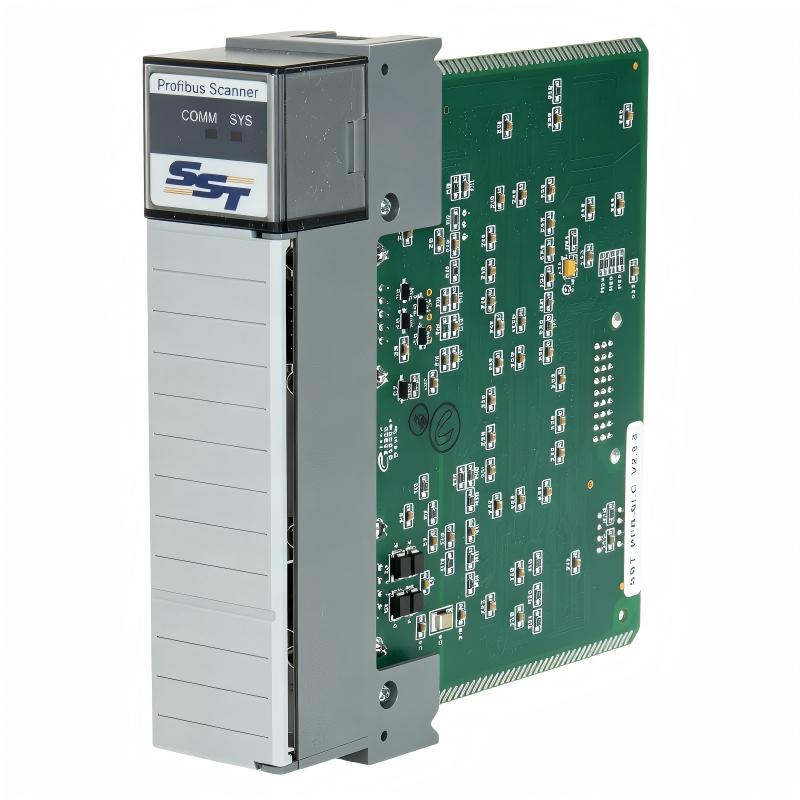
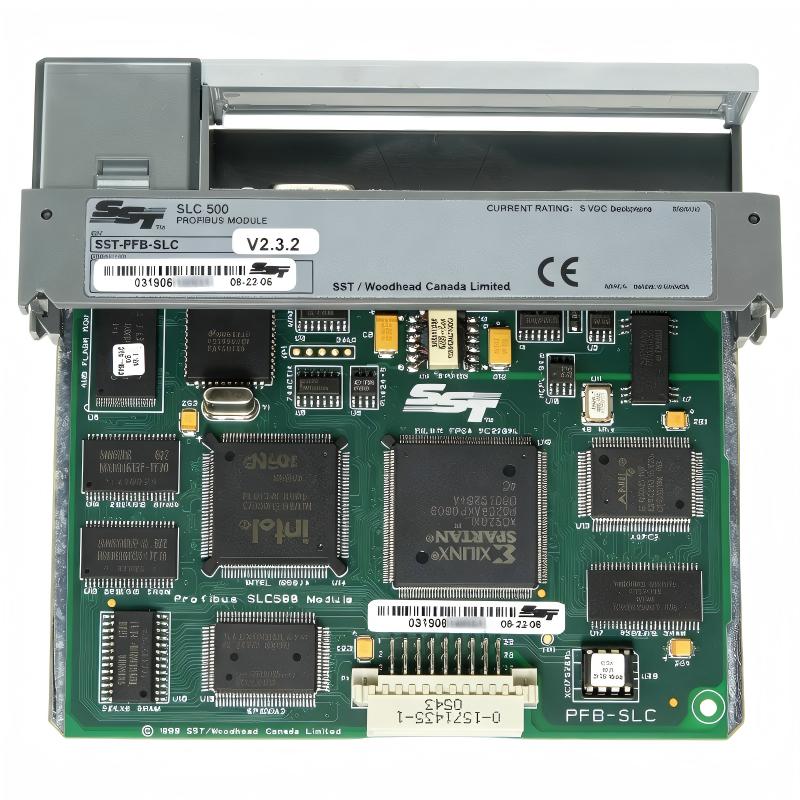
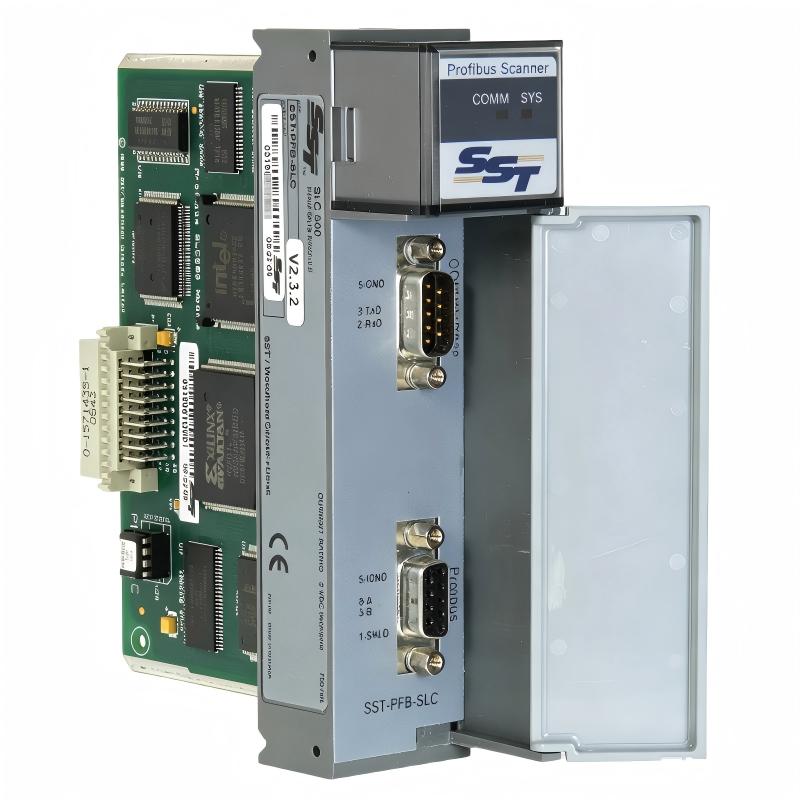
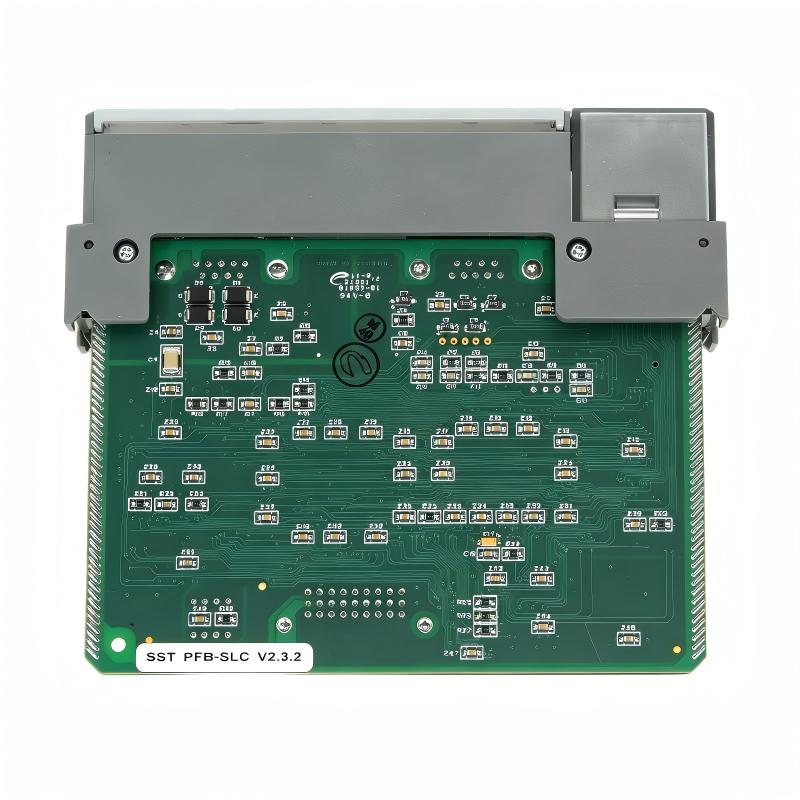
- Allen Bradley
- SST-PFB-SLC
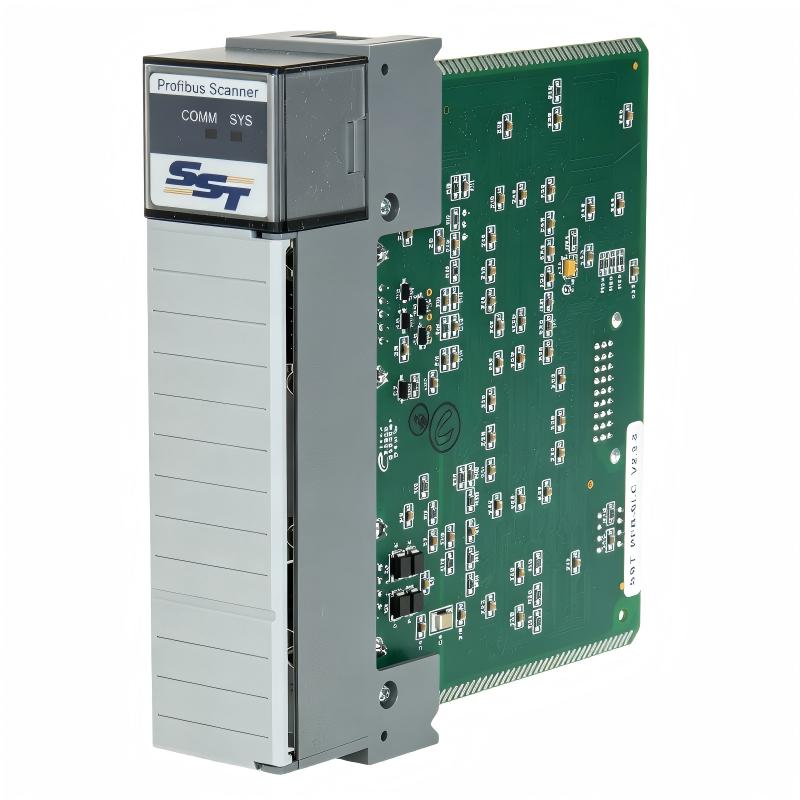
- SLC 500 Profibus DP Remote I/O Scanner Module
- USA
- 145.2 x 34.6 x 139.6 mm
- 0.249 kg
- Xiamen, China
- New & In Stock
- T/T, PayPal, Western Union
- 1 Year
- 1-3 Working Days
- DHL, UPS, TNT, FedEx and EMS.
- 24-Hour Service
- COO
- 8
Our advantage

Global Logistics
We have a 10-year logistics and express cooperation agreement, so our products can be shipped to any place in the world.

Brand new and original
Our products are imported in bulk from the place of origin. Because of the cooperative relationship, our products are all original and 100% new.

24-hour service
We provide 7*24 hours service to our customers. We will be there whenever you need us.

Price advantage
All our products are priced very favorably because we have our own warehouse and supply.
| Company Information | |||
| [email protected] | |||
| Mobile | +8615980777398 | ||
| +8615980777398 | |||
| 15980777398 |
1. Product Overview
The Allen-Bradley SST-PFB-SLC is a PROFIBUS communication scanner module designed to connect an Allen-Bradley SLC 500 programmable logic controller (PLC) with distributed field devices on a PROFIBUS DP network. It provides a communication interface between the SLC processor and compatible remote I/O systems, drives, and other PROFIBUS-enabled industrial equipment.
In many industrial automation environments, different machines and control devices may use different communication protocols. The SST-PFB-SLC helps integrate PROFIBUS DP devices into an existing SLC 500 control architecture, allowing the PLC to exchange process data with equipment that would otherwise require a separate communication solution.
The module is intended for SLC 500 systems using compatible SLC 5/03 or later processors. Once installed and configured, it can scan PROFIBUS DP slave devices, exchange input and output data, and provide network diagnostic information for troubleshooting and maintenance.
For facilities operating established production lines, this communication capability can be particularly useful when replacing an individual device, expanding a machine, or integrating third-party equipment without redesigning the entire control system.
The SST-PFB-SLC is a specialized communication module rather than a conventional digital or analog I/O card. Its primary role is to coordinate data exchange between the PLC backplane and the PROFIBUS network. Correct configuration of the network, device addresses, data lengths, and PLC data mapping is therefore essential for reliable operation.
2. Technical Specifications
| Parameter | Specification |
|---|---|
| Product Brand | Allen-Bradley / SST product family |
| Model Number | SST-PFB-SLC |
| Product Type | PROFIBUS DP Scanner Module |
| Compatible PLC Platform | Allen-Bradley SLC 500 |
| Processor Compatibility | SLC 5/03 or later, subject to system requirements |
| Communication Protocol | PROFIBUS DP |
| Network Role | PROFIBUS scanner |
| Maximum Slave Devices | Up to 96, depending on network configuration |
| Supported Baud Rates | Standard rates from 9.6 kbps to 12 Mbps |
| Maximum Data per Slave | Up to 244 bytes of input and 244 bytes of output data, subject to configuration limits |
| Configuration Software | SST PROFIBUS Configuration Tool or compatible supported configuration software |
| Configuration Storage | Flash memory |
| Backplane Power Requirement | 5 V DC |
| Backplane Current Consumption | Approximately 700 mA |
| Installation | SLC 500 chassis I/O slot, excluding slot 0 |
| Dimensions | 145.2 × 34.6 × 139.6 mm |
| Weight | 0.249 kg |
| Main Function | PROFIBUS DP network communication and remote I/O data exchange |
Actual network capacity depends on the scanner configuration, firmware, configuration software, available PLC data files, and the requirements of connected devices. Confirm the applicable manual and hardware revision before commissioning or replacing a module.
3. Function and Working Principle
3.1 PROFIBUS DP Communication
PROFIBUS DP is an industrial fieldbus protocol designed for communication between controllers and distributed field devices. It is commonly used to connect remote I/O stations, variable frequency drives, motor control equipment, and other automation components.
The SST-PFB-SLC allows an SLC 500 controller to communicate with compatible devices over this network. Instead of requiring every field signal to be wired directly to the main PLC cabinet, a system can exchange configured process data through PROFIBUS.
This architecture can reduce extensive point-to-point wiring and simplify the connection of equipment distributed across a machine or production area.
3.2 Remote I/O Scanning
During normal operation, the scanner communicates with configured PROFIBUS slave devices and exchanges their process data. Input information from field devices can be transferred to the PLC for monitoring and control decisions. Output data generated by the PLC can be sent to supported devices as required by the configured application.
Typical data may include:
- Digital input and output states
- Analog process values
- Drive status and operating feedback
- Command and reference values
- Device status information
- Configured diagnostic data
The precise data available depends on the connected slave device and its configuration.
3.3 Data Mapping to the SLC 500
The module makes network data available to the SLC processor through the SLC 500 data-file structure. Depending on the configuration, data can be mapped through the input and output image as well as the M0 and M1 file areas.
This mapping determines how the ladder logic program accesses information received from remote devices and how it prepares output data for transmission.
A clear mapping plan is important for reliable PLC programming. Engineers should document the relationship between PROFIBUS device addresses, data offsets, PLC addresses, and the meaning of each data word.
For example, a drive’s status word might indicate whether the motor is running, while another data word contains its speed feedback. The PLC program must interpret these values according to the drive’s communication profile.
3.4 Configuration Storage
The scanner stores its configuration in flash memory. This allows the configured network settings to remain available after the system is powered down, avoiding the need to reload the configuration every time the PLC is restarted.
Configuration should nevertheless be backed up whenever changes are made. Maintaining the correct configuration file, device list, addressing plan, and firmware information can significantly simplify future maintenance.
3.5 Network Diagnostics
The module provides diagnostic information associated with slave status and network communication. This information helps maintenance personnel identify communication faults, unavailable devices, and other network-related issues.
When a remote device stops communicating, technicians can investigate the network status, wiring, device power, address configuration, and PLC data mapping rather than immediately assuming that the scanner itself has failed.
4. Role in Industrial Control Systems
4.1 Connecting SLC 500 PLCs to PROFIBUS Devices
The SLC 500 family is used in a variety of established machine-control and industrial automation applications. The SST-PFB-SLC adds a PROFIBUS communication interface to compatible systems, allowing them to exchange information with equipment using the same fieldbus.
This can be useful in facilities where the central control program is stable but individual devices need to be integrated or replaced.
4.2 Supporting Distributed Automation
Distributed I/O places selected input and output modules closer to the equipment they monitor or control. Instead of routing every field signal back to a central cabinet, remote I/O stations communicate with the PLC over a fieldbus.
The SST-PFB-SLC can support this type of architecture by scanning compatible PROFIBUS DP remote devices. The result can be a more organized control installation with reduced field wiring and easier grouping of equipment by machine or process area.
4.3 Integrating Third-Party Equipment
Industrial plants frequently combine products from different manufacturers. A drive, remote I/O station, or specialized machine controller may use PROFIBUS even when the main PLC belongs to the Allen-Bradley SLC 500 family.
The SST-PFB-SLC provides a practical way to integrate compatible PROFIBUS equipment into the existing PLC system. Device compatibility, supported data formats, and configuration requirements must be verified for each application.
4.4 Maintaining Existing Equipment
For long-running production systems, replacing the entire PLC platform may require substantial engineering work, production downtime, testing, and operator training.
Where the existing SLC 500 installation remains suitable, maintaining the communication layer can help extend the useful service life of the wider system. A replacement SST-PFB-SLC should match the required hardware and configuration, and the restored system should be tested before production resumes.
5. Typical Industrial Applications
5.1 Manufacturing and Assembly Lines
Assembly systems often contain multiple machines, sensors, actuators, and drive systems. PROFIBUS communication can help connect distributed equipment to the main PLC.
The SST-PFB-SLC can exchange configured process data between a compatible SLC 500 processor and PROFIBUS devices, supporting machine sequencing, status monitoring, and production coordination.
5.2 Material Handling Systems
Conveyors, transfer stations, lifting equipment, and automated material handling systems may use remote I/O and networked drives. A PROFIBUS scanner can allow the PLC to receive equipment status and send control commands through the fieldbus.
This arrangement can help centralize control while keeping field devices near their associated machinery.
5.3 Packaging Machinery
Packaging equipment may include motors, drives, sensors, and distributed control stations. PROFIBUS communication can provide a structured method for exchanging status and command data between these devices and a PLC.
The scanner’s usefulness depends on the communication capabilities and data requirements of the specific packaging equipment.
5.4 Process Automation
Industrial processes often require continuous monitoring of operating conditions, equipment status, and interlocks. PROFIBUS-connected remote I/O can transmit configured data to a central controller, allowing the PLC program to process information and coordinate machine operation.
Applications may include production utilities, water treatment equipment, industrial material processing, and other facilities with compatible field devices.
5.5 Motor and Drive Control
Some motor drives support PROFIBUS communication through an integrated or optional communication interface. When properly configured, a PLC can exchange control and status data with compatible drives.
Typical information may include run status, fault codes, operating commands, and speed references. Exact functions depend on the drive’s communication profile and the PLC application.
5.6 Equipment Upgrades and Legacy System Support
When a plant adds a new PROFIBUS device to an existing SLC 500 system, the scanner may help bridge the communication requirements without replacing the complete control architecture.
Before adding equipment, engineers should check available data capacity, network topology, device compatibility, baud rate, addressing, and the scanner’s configuration limits.
6. Installation and System Integration
Correct installation and configuration are essential for stable PROFIBUS communication.
6.1 Confirm PLC Compatibility
Before installation, verify the SLC 500 processor model, processor firmware, chassis type, available slot, and applicable scanner documentation. The SST-PFB-SLC is intended for SLC 5/03 or later processors; compatibility should not be assumed for every SLC processor or firmware revision.
The module must be installed in a supported I/O slot. Slot 0 is reserved for the SLC processor.
6.2 Install the Module Safely
Before inserting or removing the module, follow the approved shutdown and electrical safety procedures for the control cabinet. Isolate the relevant power sources and verify that the equipment is in a safe condition.
Align the module with the chassis guides and secure it according to the manufacturer’s installation instructions. Do not force the card into the chassis or modify its connectors.
The module draws power from the SLC backplane, so available power capacity and the total chassis loading should be checked during system planning.
6.3 Connect the PROFIBUS Network
The module uses a standard DB9 PROFIBUS connector. Use suitable PROFIBUS cable, connectors, shielding, and termination components for the network design.
During wiring and commissioning, verify:
- Correct cable type and connector pinout
- Appropriate network termination at the required segment endpoints
- Cable shielding and grounding practices
- Device power and communication status
- Network topology and permitted cable lengths
- Correct PROFIBUS addresses and baud rate
Poor termination, incorrect wiring, electrical interference, and address conflicts can cause intermittent communication or prevent the scanner from detecting slave devices.
6.4 Configure the Scanner
Use the configuration software supported by the installed module and project. Configure the required slave devices, their addresses, data lengths, and the input/output mapping used by the PLC application.
The selected configuration must remain within the scanner’s supported limits. Maximum per-slave data figures do not necessarily mean that every slave can use the maximum data size simultaneously; total capacity and PLC data-file limitations must also be considered.
Back up the completed configuration and record the software version used to generate it.
6.5 Program and Verify Data Mapping
After configuration, check the PLC ladder logic and confirm that the mapped data corresponds to the intended field devices.
A commissioning test should verify representative input values, output commands, status information, and fault responses. Test each device under controlled conditions before returning the machine to normal production.
Pay particular attention to the distinction between the scanner’s I/O image and M0/M1 data areas. Incorrect assumptions about offsets or data lengths can result in values being read from or written to the wrong locations.
6.6 Commissioning Checklist
Before placing the system into service, confirm that:
- The PLC processor and scanner are compatible.
- The module is correctly installed in a supported slot.
- The PROFIBUS wiring and termination are correct.
- Each configured slave has the intended address.
- The baud rate and device configuration match the network.
- PLC input/output mappings have been verified.
- Network diagnostics show expected communication status.
- Configuration files and relevant project documentation are backed up.
- Machine interlocks and fault responses have been tested.
7. Compatible System Components
The SST-PFB-SLC operates as part of a wider control system. The exact compatible components depend on the application and the supported network configuration.
| Component | Role in the System |
|---|---|
| Allen-Bradley SLC 500 chassis | Houses the processor and communication module |
| Compatible SLC 5/03 or later processor | Executes the PLC control program |
| SLC 500 power supply | Supplies power to the chassis and installed modules |
| PROFIBUS DP remote I/O station | Connects distributed digital or analog field signals |
| PROFIBUS-compatible variable frequency drive | Exchanges configured drive commands and status data |
| PROFIBUS cable and DB9 connector | Provides the physical network connection |
| PROFIBUS termination components | Help maintain signal integrity at the appropriate segment endpoints |
| SST PROFIBUS Configuration Tool | Configures supported scanner network settings |
| PLC programming software and project files | Maintains the ladder logic and data mapping |
| Field sensors and actuators | Provide process inputs and perform control actions |
Compatibility should be confirmed for each device model, firmware revision, communication profile, and required data size. A device having a PROFIBUS interface does not automatically guarantee that every feature or data format will be supported by the existing scanner configuration.
8. Replacement and Alternative Selection
When replacing an SST-PFB-SLC, selecting a device based only on its connector or general PROFIBUS capability is insufficient. The replacement must support the required PLC platform, network role, data mapping, and application behavior.
| Replacement Approach | Key Considerations |
|---|---|
| Another SST-PFB-SLC module | Confirm exact part number, hardware revision, condition, and configuration compatibility |
| A supported successor from the same product family | Verify chassis compatibility, firmware, configuration migration, and supported network features |
| A third-party PROFIBUS gateway | Check whether it supports the required SLC 500 interface and can exchange the necessary data |
| A PLC platform upgrade | Evaluate programming changes, I/O migration, communication architecture, downtime, and commissioning requirements |
There is no universal drop-in replacement for every application. An alternative scanner or gateway may require new configuration software, different data mapping, modified ladder logic, or additional interface hardware.
Before ordering a replacement, record the existing module’s catalog number, series or revision, firmware information where available, PLC processor model, network baud rate, slave list, and configuration backup.
For used or refurbished modules, confirm the physical condition, connector integrity, communication test results, and seller’s return or warranty terms. If the original configuration is unavailable, plan for the engineering work required to reconstruct and validate it.
9. Key Advantages of the SST-PFB-SLC
Integration with an Existing SLC 500 System
The module provides PROFIBUS communication capability for compatible SLC 500 installations, helping connect the PLC with supported field devices without automatically requiring a complete controller replacement.
Support for Distributed I/O
By communicating with remote I/O stations, the scanner can help reduce extensive point-to-point field wiring and support a distributed control architecture.
Broad PROFIBUS Baud Rate Support
The module supports standard PROFIBUS baud rates up to 12 Mbps. The operating rate must be selected according to the network configuration and the capabilities of the connected devices.
Configurable Data Exchange
The scanner supports configured input and output data exchange. This allows engineers to define how device status, process values, and control information are presented to the PLC application.
Retained Configuration
Configuration storage in flash memory helps preserve the scanner setup across power cycles. Maintaining a separate backup remains important for recovery and replacement work.
Diagnostic Support
Network and slave status information can assist troubleshooting and reduce the time spent identifying communication problems.
Value for Legacy Automation Systems
For suitable installed systems, maintaining the original communication architecture may be less disruptive than a full platform migration. The condition of the hardware, availability of technical support, and long-term maintenance strategy should all be considered.
10. Frequently Asked Questions
Q1. What is the Allen-Bradley SST-PFB-SLC?
The SST-PFB-SLC is a PROFIBUS DP scanner module designed to connect compatible SLC 500 PLC systems with PROFIBUS field devices. It manages configured network data exchange between the PLC and supported slave devices.
Q2. Which SLC 500 processors are supported?
The module is intended for SLC 5/03 or later processors. Always check the specific processor, firmware, and module documentation before installation.
Q3. How many PROFIBUS devices can it scan?
The SST-PFB-SLC documentation describes scanning up to 96 slave devices. The practical number of devices and the amount of data exchanged depend on the network design and configuration limits.
Q4. What communication speeds are supported?
The module supports standard PROFIBUS baud rates ranging from 9.6 kbps to 12 Mbps. The configured rate must be supported by the connected devices and the network installation.
Q5. What is the backplane power requirement?
The module uses the SLC chassis 5 V DC backplane supply and draws approximately 700 mA according to its user documentation. Check the chassis power budget before adding the module or other hardware.
Q6. Does it support remote I/O?
Yes. It is designed to scan compatible PROFIBUS DP devices, including supported remote I/O stations. The remote devices must be configured correctly, and their data must be mapped into the PLC application.
Q7. Which connector is used for PROFIBUS?
The module uses a standard DB9 PROFIBUS connector. Correct cable selection, shielding, grounding, and termination are important for reliable communication.
Q8. Does the scanner retain its configuration after a power cycle?
The module stores its configuration in flash memory. Nevertheless, the configuration should be backed up externally so it can be restored or transferred during maintenance.
Q9. Why might a configured slave fail to communicate?
Possible causes include an incorrect slave address, mismatched baud rate, incorrect wiring, missing or incorrect termination, device power problems, incompatible device configuration, or a faulty network component. Use the scanner diagnostics and check the physical network before replacing the module.
Q10. Can the SST-PFB-SLC be replaced by any PROFIBUS gateway?
No. A replacement must support the required SLC 500 interface and the application’s communication behavior. Differences in configuration, data mapping, firmware, and PLC programming may prevent a gateway from functioning as a direct replacement.
Q11. What should be checked before purchasing a replacement?
Verify the complete part number, hardware revision, physical condition, supported processor, required PROFIBUS devices, configuration backup, and supplier’s warranty or return policy. Confirm that the replacement supports the existing application’s data mapping and network requirements.
Q12. Is the module suitable for a new automation project?
It may be technically suitable where the application specifically requires a compatible SLC 500 system and PROFIBUS communication. For a new project, engineers should also evaluate current platform support, spare-part availability, cybersecurity requirements, lifecycle costs, and the long-term availability of engineering tools.
11. Procurement and Maintenance Recommendations
When purchasing an SST-PFB-SLC module for maintenance, repair, or system expansion, start by confirming the exact model and the existing system requirements. Catalog number, hardware revision, processor compatibility, and configuration support are more important than a general description such as “PROFIBUS scanner.”
For spare-part procurement, consider the following:
- Model verification: Match the SST-PFB-SLC catalog number and review any revision-specific requirements.
- Condition assessment: Determine whether the module is new, unused surplus, refurbished, or used.
- Functional testing: Where possible, confirm that the module powers up and communicates with compatible test equipment.
- Configuration backup: Keep copies of scanner configuration files, PLC programs, and network addressing records.
- Installation planning: Schedule work so that shutdown, replacement, testing, and production recovery can be completed safely.
- Supplier evaluation: Confirm availability, warranty conditions, delivery arrangements, and return procedures before placing an order.
- Lifecycle planning: Assess the long-term need for the SLC 500 platform and consider a controlled migration plan if spare parts or engineering support become difficult to obtain.
During maintenance, inspect the module’s connector and chassis seating, review communication diagnostics, and check network wiring and termination. If faults recur, investigate environmental conditions, electrical interference, cable integrity, device configuration, and the condition of the connected equipment.
12. Conclusion
The Allen-Bradley SST-PFB-SLC PROFIBUS DP Scanner Module provides a communication interface between compatible SLC 500 PLC systems and PROFIBUS DP field devices. With support for standard PROFIBUS baud rates up to 12 Mbps, configured remote I/O data exchange, and network diagnostic information, it can help maintain communication between a legacy PLC platform and distributed industrial equipment.
For maintenance engineers, system integrators, and industrial spare-parts purchasers, the most important considerations are processor compatibility, network configuration, PLC data mapping, physical condition, and the availability of a verified configuration backup.
Selecting the correct module and validating the installation carefully can help restore communication, reduce unnecessary downtime, and preserve the operation of an established industrial control system.