

ProductPRODUCT
Featured products
Contact Us
- Schneider
- HMIG5U2
- Base Unit
- France
- 188 × 45 × 131 mm
- 0.9 kg
- Xiamen, China
- New & In Stock
- T/T, PayPal, Western Union
- 1 Year
- 1-3 Working Days
- DHL, UPS, TNT, FedEx and EMS.
- 24-Hour Service
- COO
- 3
Our advantage

Global Logistics
We have a 10-year logistics and express cooperation agreement, so our products can be shipped to any place in the world.

Brand new and original
Our products are imported in bulk from the place of origin. Because of the cooperative relationship, our products are all original and 100% new.

24-hour service
We provide 7*24 hours service to our customers. We will be there whenever you need us.

Price advantage
All our products are priced very favorably because we have our own warehouse and supply.
| Company Information | |||
| [email protected] | |||
| Mobile | +8615980777398 | ||
| +8615980777398 | |||
| 15980777398 |
Product Overview
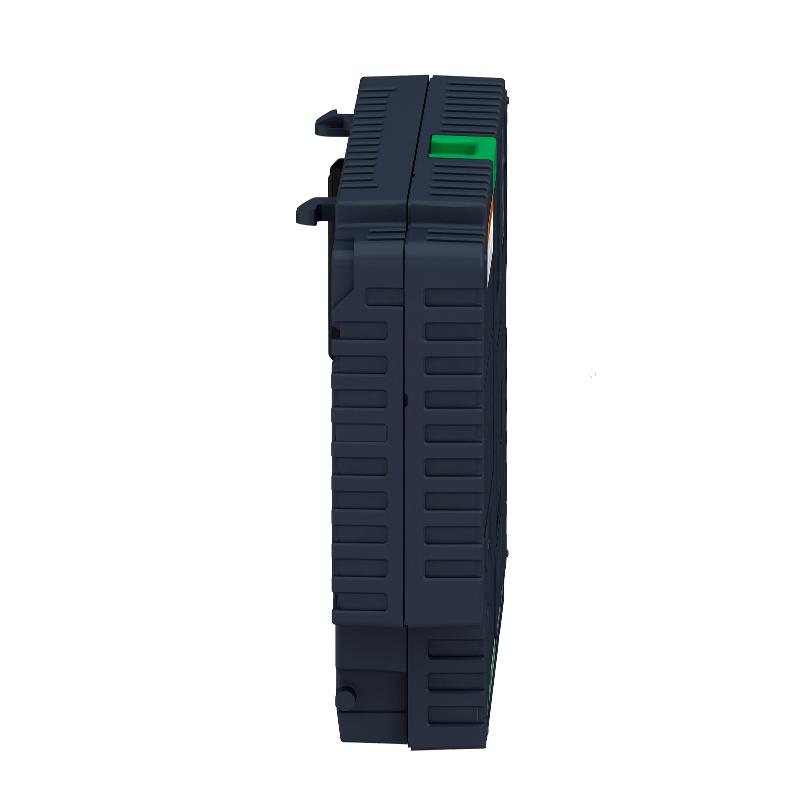
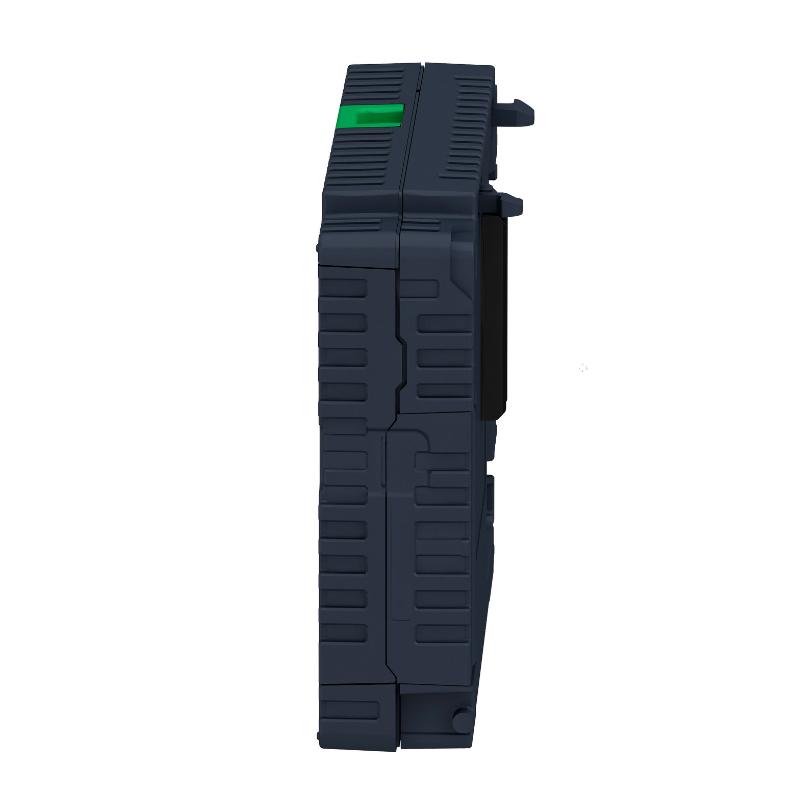
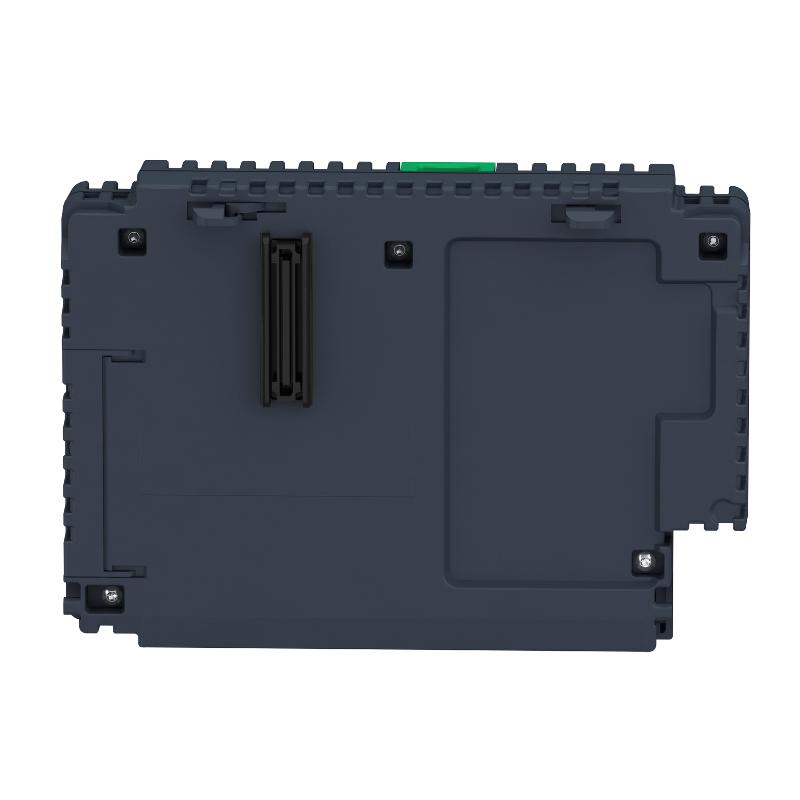
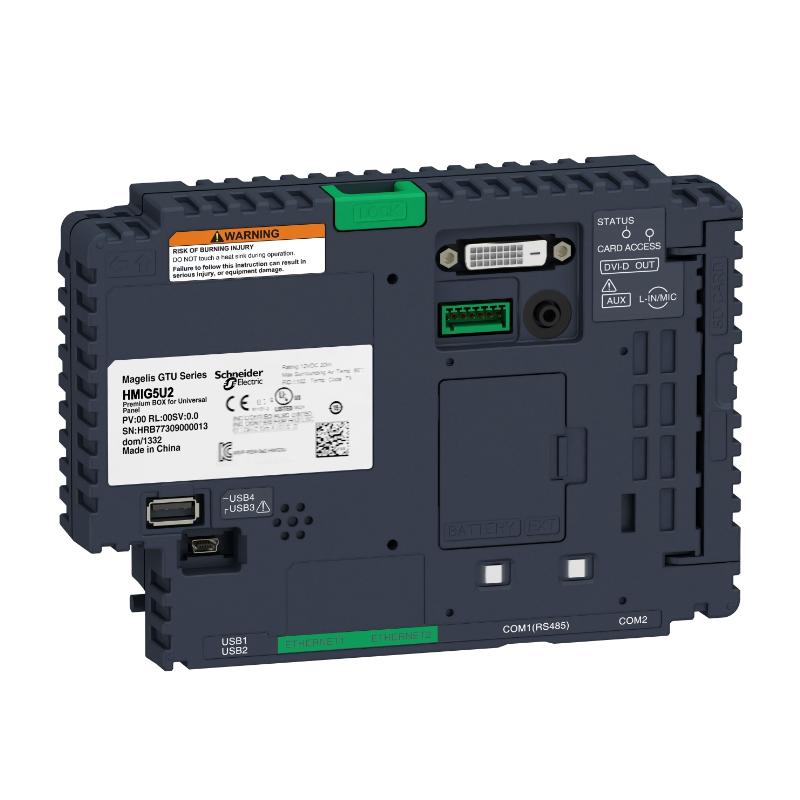
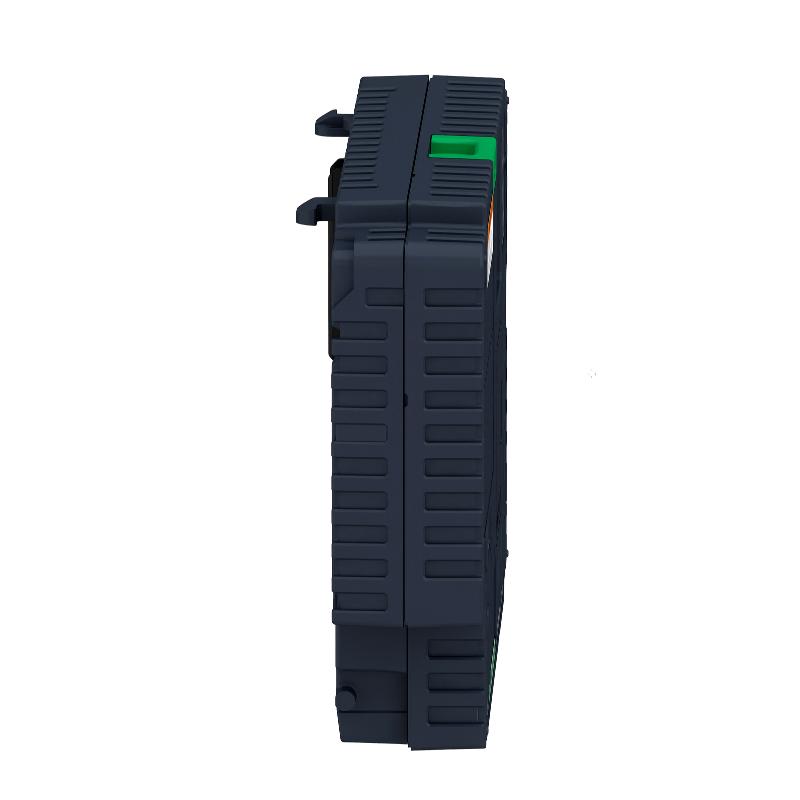
The Schneider Electric HMIG5U2 is an open-box base unit in the Harmony GTU modular HMI platform. Unlike a conventional operator panel with an integrated display, this unit supplies the computing, communication, and application-processing functions for a compatible modular HMI terminal. A separate Harmony GTU display module is used to provide the operator-facing interface.
In a production line, the HMIG5U2 can serve as the processing unit behind an operator station used to supervise machine sequences, review process values, acknowledge alarms, and access operating screens. The display module presents the interface, while the base unit executes the HMI application and exchanges data with connected automation equipment.
The HMIG5U2 uses an Intel x86 processor and includes 2 GB of internal RAM and a 32 GB CFast card. Its software environment supports Vijeo Designer runtime alongside applications such as a Vijeo Citect web client, VNC client/server, and other listed utilities. These capabilities make the unit suitable for HMI installations that need more than basic push-button replacement, particularly where operators need access to application screens, networked process information, and maintenance functions.
Communication is another important part of the unit’s role. Two Ethernet ports support network connections, while the serial interfaces accommodate RS-485 and RS-232C/RS-422/RS-485 communication, depending on the selected port. USB, DVI-D, and auxiliary connections support additional peripheral and system integration requirements.
When replacing an existing HMIG5U2, compatibility involves more than the display connection. The installed Harmony GTU display module, project software, CFast storage arrangement, serial devices, Ethernet network, and peripheral connections all need to be considered. A replacement base unit should match the intended hardware and application configuration before it is introduced into an operating machine.
Technical Specifications
| Parameter | Specification |
|---|---|
| Manufacturer | Schneider Electric |
| Model | HMIG5U2 |
| Product Family | Harmony GTU |
| Product Type | Base Unit |
| Device Short Name | Open Box |
| Platform | Modular HMI |
| Processor | Intel x86, 1.33 GHz |
| Internal RAM | 2 GB |
| Storage | 32 GB CFast Card |
| Backup Memory | 512 KB NVRAM |
| Rated Supply Voltage | 12–24 V DC |
| Ethernet | 2 × RJ45, 10BASE-T/100BASE-TX/1000BASE-T |
| COM1 | RJ45, RS-485 |
| COM2 | 9-pin D-Sub, RS-232C/RS-422/RS-485 |
| USB Type-A | 3 × USB 2.0 |
| USB Mini-B | 1 × USB 2.0 |
| Video Interface | DVI-D |
| Auxiliary Interface | Terminal block |
| Supported Communication Protocols | Modbus, Modbus TCP/IP, Uni-Telway |
| Software Environment | Windows Embedded 7 |
| Supported Software | Vijeo Designer Runtime, Vijeo Citect Web Client, VNC Client/Server and other listed utilities |
| Cooling Method | Natural convection |
| Operating Temperature | 0–60°C |
| Storage Temperature | -20–60°C |
| Number of Fieldbus Expansion Slots | 1 |
| Dimensions | 188 × 45 × 131 mm |
| Weight | 0.9 kg |
Product Features
- Modular HMI architecture: Separates the computing unit from the display, allowing the base unit and compatible display module to be handled as distinct components.
- Intel x86 processing platform: Supports the software environment and application requirements associated with the HMIG5U2.
- 32 GB CFast storage: Provides local storage for the configured operating environment and application files.
- Dual Ethernet connectivity: Supports network communication with automation equipment and other connected systems.
- Multi-standard serial communication: Accommodates RS-485, RS-232C, and RS-422 connections through the specified interfaces.
- Multiple USB ports: Supports compatible peripherals and service connections.
- DVI-D video interface: Provides a video connection for supported display arrangements.
- Fieldbus expansion capability: Includes a slot for a compatible fieldbus expansion unit.
- Fanless cooling: Uses natural convection rather than a forced-air cooling fan.
- Integrated HMI software environment: Supports the listed runtime and utility applications required for operator-interface tasks.
Working Principle
The HMIG5U2 functions as the processing and communication center of a modular HMI terminal. It receives power through its DC supply arrangement, starts its operating environment, and runs the configured HMI software. The compatible display module supplies the visual interface through which operators view information and enter commands.
A typical operating arrangement follows this path:
PLC or Controller → Ethernet or Serial Communication → HMIG5U2 Base Unit → Compatible Display Module → Operator
When a machine operator opens a production screen, the HMI application retrieves the relevant data from connected controllers through the configured communication driver. Values such as operating speed, temperature, production counts, and alarm status can then be displayed. When an operator enters a permitted command, the application processes the input and communicates the corresponding request to the controller.
The Ethernet interfaces support network-based communication, including Modbus TCP/IP where the connected device and project configuration support it. The serial ports accommodate compatible devices using the configured RS-485, RS-232C, or RS-422 interface. The selected protocol, communication parameters, and wiring must match the connected controller or peripheral.
The HMIG5U2 also handles the application environment and local storage. Its 32 GB CFast card provides the specified storage medium, while internal RAM supports the running software. The backup NVRAM retains supported backup data according to the system configuration. These functions are relevant when transferring an existing application or restoring a base unit after maintenance.
The display module and base unit should be treated as parts of one configured HMI system. The supported display model, application project, operating environment, and connection requirements must be checked together. A compatible physical connection alone does not guarantee that a project will run correctly after a hardware replacement.
Role in an Industrial HMI Architecture
Within an automation system, the HMIG5U2 occupies the operator-interface layer between the machine control network and the person supervising the process. It presents information from connected controllers and passes permitted operator inputs back through the configured communication channels.
PLC / Machine Controller → Industrial Network → HMIG5U2 Base Unit → Harmony GTU Display Module → Operator
| System Element | Function |
|---|---|
| HMIG5U2 Base Unit | Runs the configured HMI software and handles application processing |
| Compatible Harmony GTU Display Module | Presents screens, process values, alarms, and operator controls |
| PLC or Machine Controller | Executes machine logic and exchanges process data with the HMI |
| Ethernet Network | Carries supported network communication between the HMI and connected devices |
| Serial Communication Devices | Connect through the configured RS-485, RS-232C, or RS-422 interface |
| CFast Storage | Holds the specified storage medium for the system environment and application |
| Fieldbus Expansion Unit | Adds a supported fieldbus interface when required by the installation |
| Plant Network | Supports broader monitoring or data exchange where the application architecture permits |
Industrial Applications
| Application | Typical Use |
|---|---|
| Automated Production Lines | Displaying machine states, production counts, alarms, and operator commands |
| Packaging Machinery | Providing access to operating modes, recipes, fault messages, and production settings |
| Process Equipment | Presenting process values and control information from connected PLCs |
| Material Handling Systems | Supervising conveyors, transfer stations, and automated handling sequences |
| Industrial Assembly Cells | Giving operators access to cycle status, diagnostics, and station controls |
| Utilities and Plant Equipment | Monitoring connected equipment through supported communication interfaces |
| Machine Retrofit Projects | Replacing a compatible base unit while retaining a suitable modular HMI arrangement |
| Maintenance Stations | Providing access to diagnostic screens and application information |
| Networked Automation Systems | Exchanging data with compatible controllers over Ethernet or serial links |
| Centralized Operator Interfaces | Running configured HMI applications on a compatible Harmony GTU display |
Installation and Maintenance
- Verify the model number: Confirm that the replacement is HMIG5U2 and that the existing system requires the Open Box configuration rather than another Harmony GTU base unit.
- Check display compatibility: Verify that the connected Harmony GTU display module is supported by the HMIG5U2 and that its interface matches the intended assembly.
- Confirm the DC supply: Check that the supply arrangement meets the specified 12–24 V DC requirement and follows the applicable electrical installation instructions.
- Inspect the mounting arrangement: Confirm that the unit is secured correctly and that the installation allows natural convection cooling.
- Review Ethernet connections: Identify the correct network ports and verify cable condition, link status, and the intended network configuration.
- Check serial interface assignments: Confirm whether each connected device uses RS-485, RS-232C, or RS-422 and verify that the selected port supports the required interface.
- Inspect USB and peripheral connections: Check connected storage devices and peripherals for physical damage and confirm their compatibility with the installed software environment.
- Verify the CFast card: Confirm that the required storage medium is present and that the intended system image and application files are available before startup.
- Check the HMI project: Verify project compatibility, runtime requirements, communication drivers, and display settings before loading the application.
- Test controller communication: Confirm that the HMI can read the required controller data and that permitted operator commands reach the intended control device.
- Review system diagnostics: Check startup messages, communication status, application behavior, and any reported hardware or software faults after installation.
- Document the final configuration: Record the base-unit model, display model, software version, storage arrangement, network settings, serial parameters, and commissioning results for future maintenance.
Compatible System Components
| Component | Function |
|---|---|
| Harmony GTU Display Modules | Provide the operator-facing screen when the specific display model is supported by the HMIG5U2 |
| PLCs with Supported Ethernet Communication | Exchange process data with the HMI through the configured network protocol |
| PLCs and Devices with RS-485 Interfaces | Connect through the supported serial interface and matching communication settings |
| Devices with RS-232C or RS-422 Interfaces | Communicate through the COM2 interface when wiring and protocol settings are compatible |
| 32 GB CFast Card | Provides the specified storage medium for the HMIG5U2 configuration |
| Compatible Fieldbus Expansion Unit | Adds a supported fieldbus interface through the expansion slot |
| Ethernet Cables | Connect the base unit to compatible controllers and industrial networks |
| USB Peripherals | Support compatible peripheral and service functions |
| DVI-D Display Equipment | Connects to supported video equipment where the application requires it |
| Compatible DC Power Supply | Supplies the required DC input within the specified operating range |
Recommended Related Models
| Model | Product Type | Selection Consideration |
|---|---|---|
| Schneider HMIG5U | Harmony GTU Base Unit | Compare the hardware configuration, storage arrangement, operating environment, and required interfaces |
| Schneider HMIG3U | Harmony GTU Base Unit | Consider the application and performance requirements before selecting a different GTU base-unit configuration |
| Schneider HMIG2U | Harmony GTU Base Unit | Check supported display modules, available interfaces, and project requirements |
| Schneider HMIDT952 | Harmony GTU Display Module | Verify display compatibility before pairing it with a GTU base unit |
| Schneider HMIDT752 | Harmony GTU Display Module | Confirm supported base-unit combinations and the required display interface |
| Schneider HMIDT732 | Harmony GTU Display Module | Check the display requirements and compatibility with the intended base unit |
Key Advantages
- Separates HMI processing from the display module.
- Supports Ethernet and multiple serial communication interfaces.
- Includes 32 GB CFast storage and 2 GB internal RAM.
- Supports compatible HMI runtime software and listed utility applications.
- Provides a fieldbus expansion slot for supported interface options.
- Uses natural convection cooling without a forced-air fan.
Technical FAQs
Can the HMIG5U2 operate as a complete HMI without a separate display module?
The HMIG5U2 is a base unit rather than an integrated display terminal. A compatible Harmony GTU display module is required for the conventional local operator-screen arrangement.
What should be checked before connecting a PLC to the HMIG5U2?
Confirm the communication interface, protocol, wiring, and application driver. For Ethernet connections, check network addressing and the configured protocol. For serial connections, verify the selected port, electrical standard, baud rate, parity, and other required communication parameters.
What is the purpose of the CFast card in this base unit?
The HMIG5U2 specification identifies a 32 GB CFast card as its storage medium. The installed card and its contents should be checked when restoring an application, replacing the base unit, or investigating startup problems.
Can an existing HMI project be transferred directly to a replacement HMIG5U2?
Transfer depends on the project version, runtime environment, application files, display configuration, and connected-device settings. Before commissioning the replacement, verify software compatibility and back up the existing project and required system data.