

ProductPRODUCT
Featured products
Contact Us
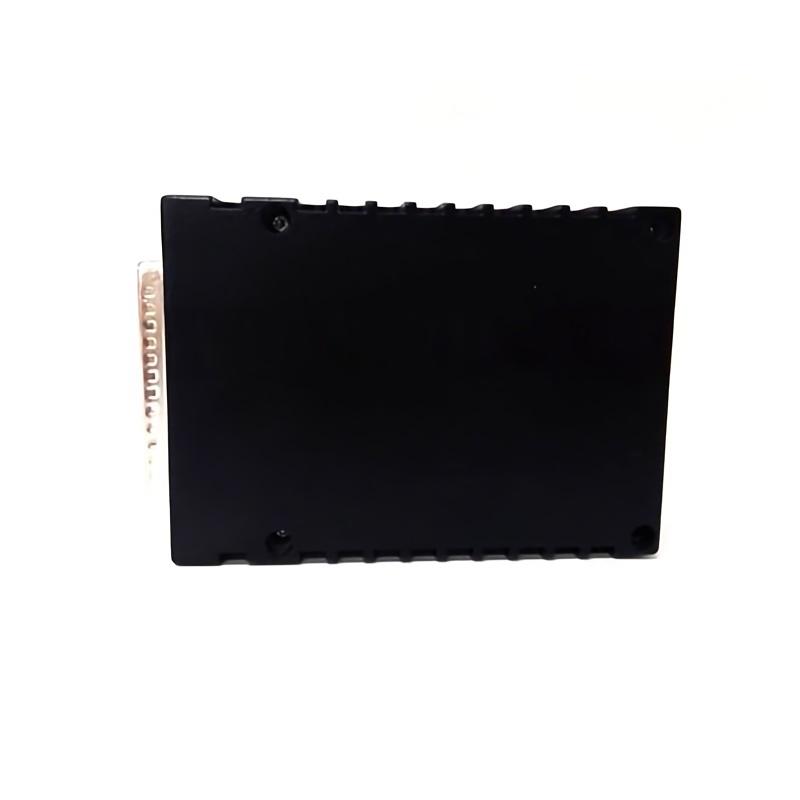
- GE
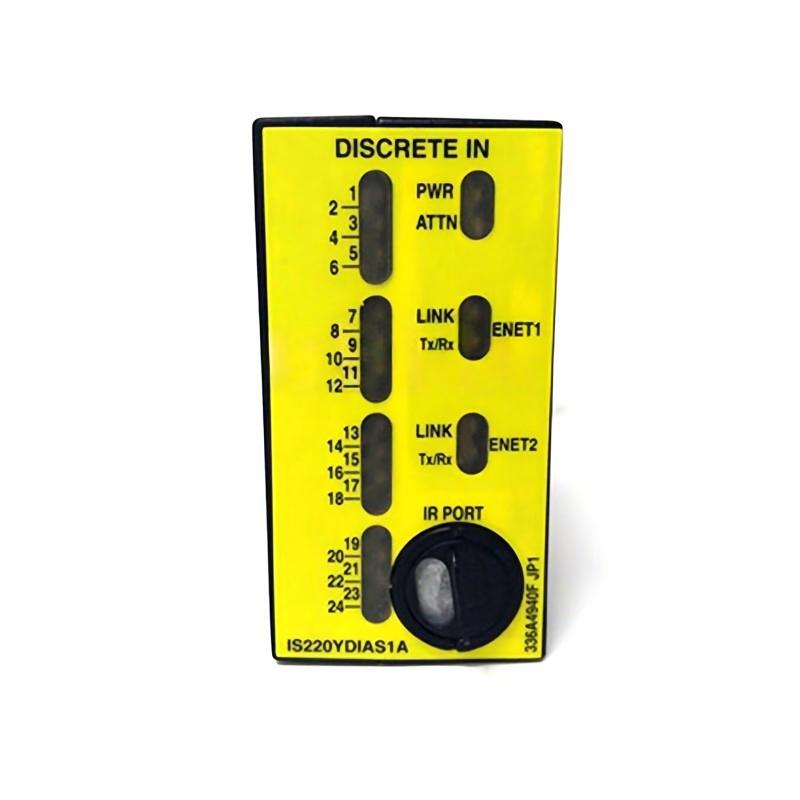
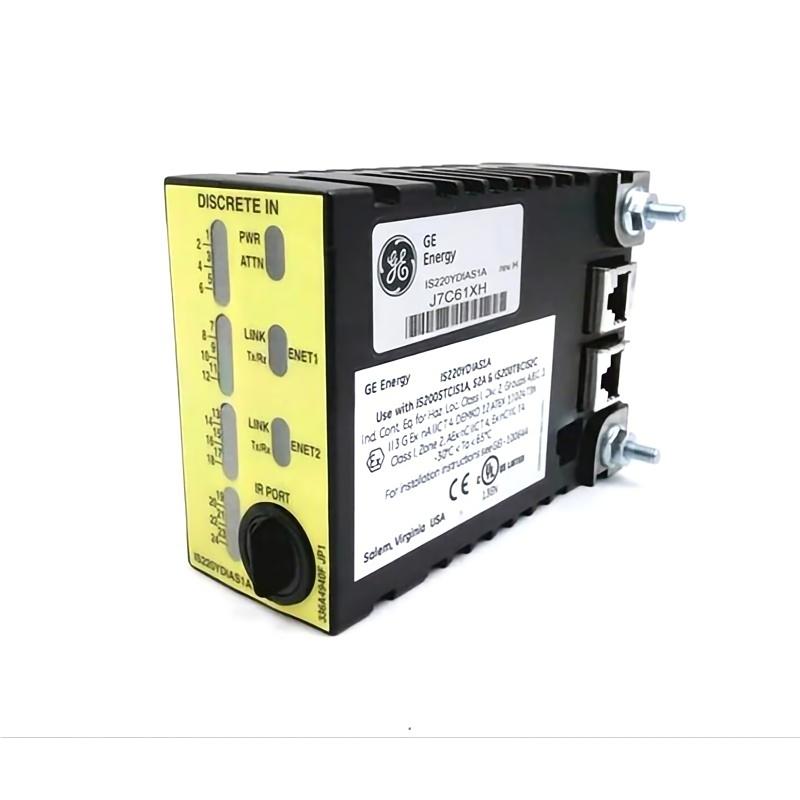
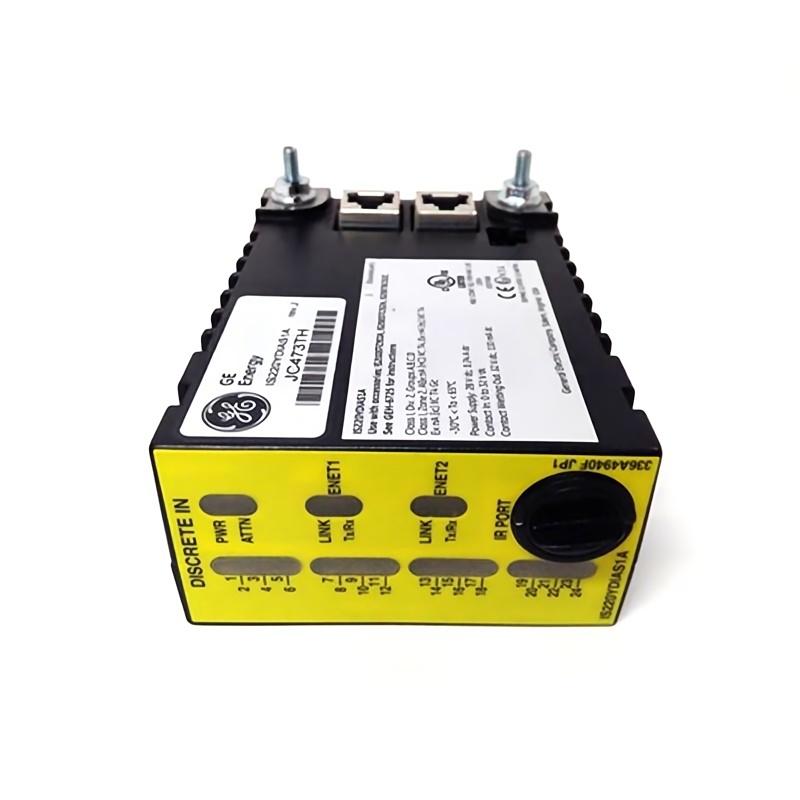
- IS220YDIAS1AK
- Discrete Input Module
- USA
- 280 x 115 x 45 mm
- 0.6 kg
- Xiamen, China
- New & In Stock
- T/T, PayPal, Western Union
- 1 Year
- 1-3 Working Days
- DHL, UPS, TNT, FedEx and EMS.
- 24-Hour Service
- COO
- 5
Our advantage

Global Logistics
We have a 10-year logistics and express cooperation agreement, so our products can be shipped to any place in the world.

Brand new and original
Our products are imported in bulk from the place of origin. Because of the cooperative relationship, our products are all original and 100% new.

24-hour service
We provide 7*24 hours service to our customers. We will be there whenever you need us.

Price advantage
All our products are priced very favorably because we have our own warehouse and supply.
| Company Information | |||
| [email protected] | |||
| Mobile | +8615980777398 | ||
| +8615980777398 | |||
| 15980777398 |
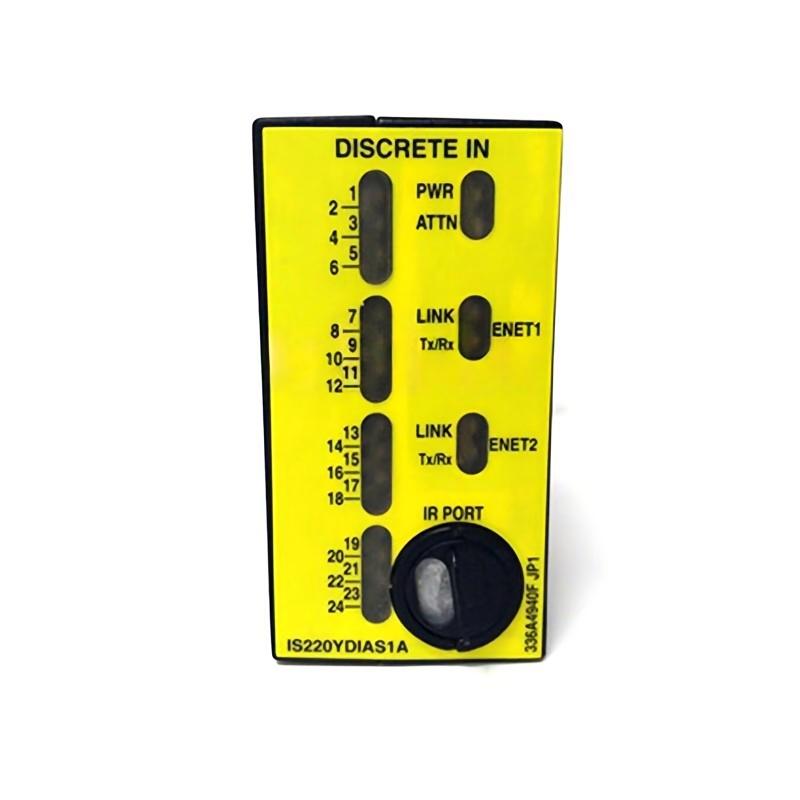
Product Overview
The GE IS220YDIAS1AK Discrete Input Module is an industrial automation component designed for discrete signal acquisition and integration into compatible control systems. Discrete input modules enable controllers to monitor field-device states, such as switch positions, equipment status signals, and other ON/OFF conditions, supporting automated sequencing, equipment monitoring, and process interlocking.
In an industrial control architecture, field devices generate electrical signals representing the status of machines or processes. The input interface transfers these signals into the control system, where the controller can evaluate operating conditions and execute programmed logic. This arrangement supports coordinated machine operation, alarm handling, and equipment protection.
The GE IS220YDIAS1AK has listed dimensions of 280 × 115 × 45 mm and a weight of 0.6 kg. These physical specifications are useful for cabinet planning, installation preparation, replacement assessment, and maintenance logistics.
The module’s exact input-channel count, supported voltage levels, electrical thresholds, isolation characteristics, terminal assignments, and diagnostic capabilities should be verified against the specific hardware revision and compatible system documentation before installation.
Technical Specifications
| Parameter | Specification |
|---|---|
| Manufacturer | General Electric (GE) |
| Model | IS220YDIAS1AK |
| Product Type | Discrete Input Module |
| Product Family | GE IS220 Series |
| Primary Function | Discrete field-signal acquisition |
| Signal Category | Digital / ON-OFF signals |
| Dimensions | 280 × 115 × 45 mm |
| Weight | 0.6 kg |
| Installation | Compatible industrial control equipment |
| System Role | Field-device status interface |
| Typical Applications | Equipment monitoring, machine sequencing, interlocks, alarms, and industrial automation |
Note: Electrical ratings, channel configuration, and wiring details must be confirmed for the exact module and host-system arrangement.
What Is the GE IS220YDIAS1AK?
The GE IS220YDIAS1AK is identified as a discrete input module intended to support the acquisition of binary status information within an industrial control system.
Unlike analog input modules, which handle continuously varying signals, discrete input interfaces work with signals representing defined states. Examples include a switch being open or closed, a limit switch being activated, or an auxiliary contact indicating whether equipment is running.
A typical signal path is:
Field Device → Discrete Input Interface → Control Processor → Programmed Logic → System Response
The controller uses the acquired state information to determine whether operating conditions have been satisfied, whether an alarm should be generated, or whether a machine sequence can proceed.
Discrete Input Operating Principle
Discrete input processing begins when a field device changes state. The input circuit detects the corresponding electrical condition and makes the status available to the control system through its supported interface.
The control program then evaluates the input against configured logic.
For example, a machine may require a guard-closed signal before an automatic cycle can start. The controller checks the input state and permits or prevents the sequence according to the program.
The overall process can be summarized as follows:
- A field device detects a physical or operating condition.
- The device produces a discrete electrical signal.
- The input interface receives the signal.
- The control system reads the corresponding status.
- Programmed logic determines the appropriate response.
- The system updates machine operation, alarms, or status displays.
The actual electrical detection method and signal limits depend on the module’s specifications.
Role in Industrial Control Systems
Discrete input modules connect field-level status signals with control-system logic. Their importance lies in giving the controller information about the current state of equipment and process conditions.
Typical functions supported by discrete input architecture include:
- Monitoring equipment running and stopped states
- Detecting limit-switch activation
- Reading operator pushbuttons and selector switches
- Monitoring auxiliary contacts
- Identifying sequence-completion signals
- Supporting permissive logic
- Reporting fault and alarm conditions
- Confirming equipment status after a control command
The IS220YDIAS1AK should be integrated only into a system configuration that supports its specific hardware and interface requirements.
Industrial Applications
Manufacturing Equipment
Discrete input signals allow a control system to monitor machine states, component presence, cycle completion, and equipment readiness.
Material Handling Systems
Conveyors, transfer mechanisms, and automated handling equipment may use discrete signals to indicate position, movement status, or the activation of limit switches.
Industrial Process Control
Discrete inputs can represent valve limit positions, pump status, equipment permissives, and other binary process conditions.
Packaging Machinery
Automated packaging systems use status signals to coordinate feeding, indexing, product detection, and sequence transitions.
Equipment Protection and Interlocking
Discrete input states can contribute to programmed interlocks that prevent a sequence from proceeding when required operating conditions are not satisfied.
Safety-related functions must use appropriately rated and validated safety equipment; a conventional discrete input module should not be assumed to provide a certified safety function without confirmation.
Alarm and Status Monitoring
Input states can be used to identify abnormal equipment conditions and display relevant information through operator interfaces or supervisory systems.
Signal Acquisition and Control Logic
The value of a discrete input module depends on the reliability of the complete signal path, from the field device through the interface to the controller.
A typical implementation may use input states in logic such as:
- Start permissive
- Equipment-ready confirmation
- Cycle-complete detection
- Limit-position monitoring
- Fault-state detection
- Alarm generation
- Interlock evaluation
For reliable operation, the electrical state detected by the module must correspond to the intended field condition. Incorrect wiring, incompatible signal levels, or poor connections can cause the control system to interpret a device state incorrectly.
Installation Guidelines
Correct installation is essential for dependable signal acquisition and long-term service.
1. Verify the Module Identification
Confirm the complete model number GE IS220YDIAS1AK and check its hardware revision and intended system position before installation.
2. Inspect the Module
Check the module and its connectors for visible damage, contamination, corrosion, or deformation. Do not install a component with damaged interfaces.
3. Confirm System Compatibility
Verify that the module is supported by the host control equipment, associated interface hardware, and system configuration.
4. Review Wiring Requirements
Identify the correct field connections and electrical signal requirements before connecting conductors. Do not infer terminal assignments from appearance or from a different module variant.
5. Secure the Installation
Mount the module according to the requirements of the applicable equipment. Maintain sufficient clearance for wiring, inspection, and maintenance.
6. Check Grounding and Cable Routing
Follow the host-system grounding requirements and route signal wiring appropriately to reduce exposure to electrical interference.
7. Inspect Before Energizing
Check wiring, connector engagement, mounting security, and system configuration before returning the equipment to service.
Wiring and Signal Integrity
Discrete input reliability depends on correct field wiring and compatible electrical conditions.
Important considerations include:
- Correct input signal type
- Appropriate voltage and current levels
- Secure field-device connections
- Correct common or reference connections
- Suitable cable routing
- Grounding and shielding practices where applicable
- Separation from high-noise power conductors
- Protection against moisture and contamination
The precise wiring arrangement must be confirmed from the applicable documentation for the IS220YDIAS1AK and its host system.
Where signals are unstable or intermittently detected, technicians should examine the field device, cable, terminals, electrical reference, and input interface rather than immediately assuming that the module has failed.
Commissioning Procedure
A structured commissioning process helps confirm that discrete signals are being detected and interpreted correctly.
Step 1: Confirm hardware identity. Check the model number and revision.
Step 2: Verify the installation. Inspect mounting, connectors, and field wiring.
Step 3: Confirm system configuration. Check that the host controller and associated hardware recognize and support the module.
Step 4: Inspect field devices. Verify that switches, contacts, and other signal sources operate as intended.
Step 5: Check input status. Use approved diagnostic tools to compare actual field-device states with the states reported by the control system.
Step 6: Test programmed logic. Confirm that input changes produce the expected control-system response.
Step 7: Verify alarms and interlocks. Test applicable logic under an approved commissioning procedure.
Step 8: Record the results. Document any abnormal states, corrective actions, and final configuration.
Testing must follow the site’s operating procedures, particularly where machinery movement or hazardous process conditions are involved.
Troubleshooting the GE IS220YDIAS1AK
Discrete input faults can originate from the field device, wiring, electrical supply, configuration, or module interface. A structured investigation helps identify the actual cause.
No Input Signal
If an expected input state is not detected, check:
- Field-device operation
- Cable continuity
- Terminal connections
- Signal voltage at the appropriate test point
- Input common or reference wiring
- Module seating and connectors
- Host-system diagnostics
- Hardware compatibility
Use approved test methods and the specified electrical limits. Do not apply an arbitrary test voltage to an input.
Input State Remains ON
Possible causes include a field contact that remains closed, wiring shorted to an active signal, an incorrect common connection, or an issue with the input circuit.
Compare the physical device state with the electrical signal and the status displayed by the controller.
Input State Remains OFF
Possible causes include an open circuit, disconnected conductor, inactive field device, incorrect signal level, or a configuration issue.
Verify the signal at the appropriate measurement point before replacing the module.
Intermittent Input Status
Intermittent behavior can result from:
- Loose terminals
- Damaged cables
- Worn field contacts
- Electrical interference
- Vibration
- Unstable reference connections
- Configuration or communication issues
Monitor the input while checking the field wiring and device operation under controlled conditions.
Multiple Inputs Fail Simultaneously
When several input points become abnormal at the same time, investigate shared causes first. These may include common wiring, shared field power, interface connections, module installation, or host-system faults.
A simultaneous failure across multiple points does not automatically establish that the module itself is defective.
Preventive Maintenance
Routine inspection can help prevent avoidable input faults.
Inspect Field Wiring
Look for loose terminals, damaged insulation, cable abrasion, and signs of moisture ingress.
Check Connectors
Ensure connectors are secure and free from visible contamination or damage.
Review Diagnostic Information
Record recurring input faults, module alarms, and communication-related events where applicable.
Verify Field Devices
Test switches, contacts, and sensors according to their own maintenance requirements.
Maintain the Installation Environment
Protect the module from conditions outside the permitted limits of the host equipment. Excessive dust, moisture, vibration, and temperature can affect industrial electronic assemblies.
Preserve Configuration Records
Maintain accurate records of the module identity, hardware revision, wiring assignments, and associated controller configuration.
Replacement and Compatibility Considerations
When replacing the GE IS220YDIAS1AK, verify the full part number and revision information.
Important checks include:
- Complete model designation
- Hardware revision
- Host-system compatibility
- Interface and connector arrangement
- Electrical input requirements
- Field wiring
- Configuration requirements
- Physical dimensions
- Installation position
The specified physical characteristics are 280 × 115 × 45 mm and 0.6 kg.
Matching dimensions alone does not establish electrical or functional interchangeability. A substitute module must be verified against the actual system requirements before installation.
Physical Dimensions and Cabinet Planning
The listed dimensions of 280 × 115 × 45 mm provide a reference for mechanical layout and installation preparation.
When planning cabinet space, consider:
- Module mounting requirements
- Cable-entry direction
- Connector access
- Wiring bend radius
- Maintenance clearance
- Separation from heat-producing equipment
- Accessibility for inspection and replacement
The listed weight of 0.6 kg is useful for handling and installation planning. The support structure and mounting arrangement should nevertheless be determined according to the requirements of the complete control assembly.
Integration with HMI and Supervisory Systems
Discrete input states can be made available to operator interfaces and supervisory applications through the compatible control system.
Depending on the programmed application, operators may be able to view:
- Equipment running or stopped status
- Switch and limit-position states
- Machine-ready conditions
- Sequence progress
- Fault indications
- Alarm status
- Interlock conditions
Correct integration requires consistent signal naming, appropriate logic, and accurate mapping between physical inputs and displayed status information.
Key Advantages
- Discrete status acquisition: Supports the collection of binary field-device states in a compatible control architecture.
- Automation logic integration: Input information can be used in machine sequencing, status monitoring, and interlock logic.
- Maintenance support: Input diagnostics can help technicians investigate field-device and wiring problems.
- Compact installation reference: The listed dimensions support cabinet-layout and replacement planning.
- Defined physical weight: The 0.6 kg specification assists handling and installation preparation.
- System-level monitoring: Discrete signals can contribute to equipment status displays and alarm handling when appropriately configured.
Technical FAQs
What is the GE IS220YDIAS1AK?
The GE IS220YDIAS1AK is identified as a Discrete Input Module for industrial automation applications involving binary field-signal acquisition.
What are the dimensions of the IS220YDIAS1AK?
The listed dimensions are 280 × 115 × 45 mm.
How much does the module weigh?
The listed weight is 0.6 kg.
What does a discrete input module do?
It receives discrete electrical status signals from compatible field devices and makes the corresponding states available to a control system.
What can cause an input signal to be missing?
Potential causes include a faulty field device, disconnected wiring, an incompatible signal level, incorrect reference wiring, a connector problem, or a module or configuration fault.
Can the IS220YDIAS1AK be replaced by another GE input module?
Not automatically. The full part number, revision, electrical characteristics, connector arrangement, and host-system compatibility must be checked before substitution.
What information should be verified before wiring?
Confirm the supported input type, electrical limits, terminal assignments, reference connections, and host-system wiring requirements using the documentation applicable to the exact hardware.
How should the module be maintained?
Inspect connectors, wiring, mounting, field devices, and system diagnostics. Investigate recurring input abnormalities and maintain accurate configuration records.
Conclusion
The GE IS220YDIAS1AK Discrete Input Module provides a discrete-signal interface for compatible industrial automation systems. By making field-device states available to control logic, discrete input functionality supports equipment monitoring, machine sequencing, alarm processing, and operational interlocks.
With listed dimensions of 280 × 115 × 45 mm and a weight of 0.6 kg, the module’s physical specifications support installation planning, cabinet-layout preparation, and replacement logistics.
Reliable performance depends on the complete signal path, including the field device, wiring, electrical reference, input interface, host controller, and programmed logic. For installation or replacement, verify the complete GE IS220YDIAS1AK designation and confirm its electrical and system compatibility before commissioning.