

ProductPRODUCT
Featured products
Contact Us
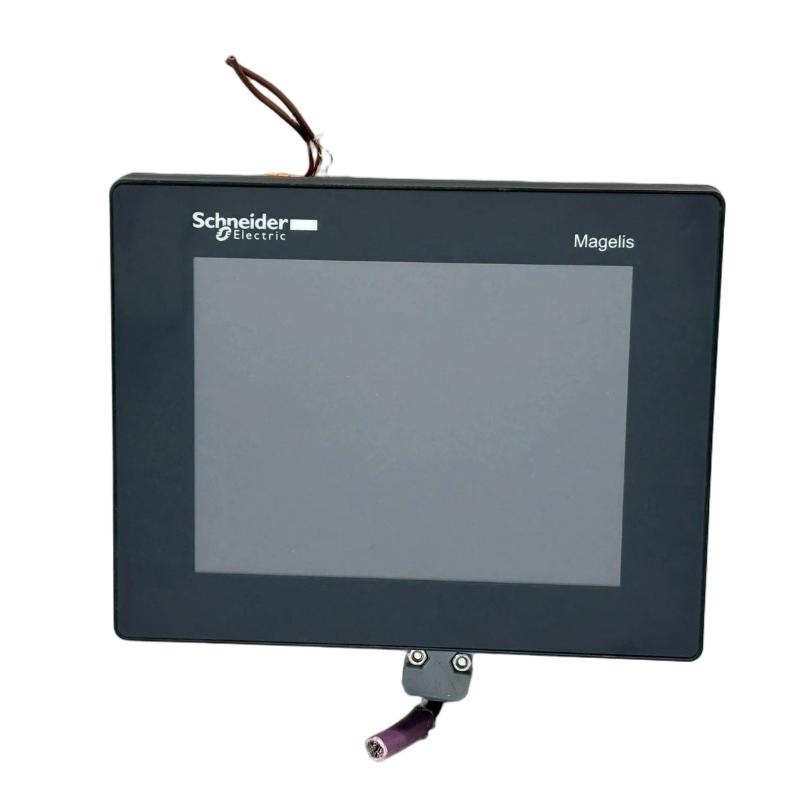
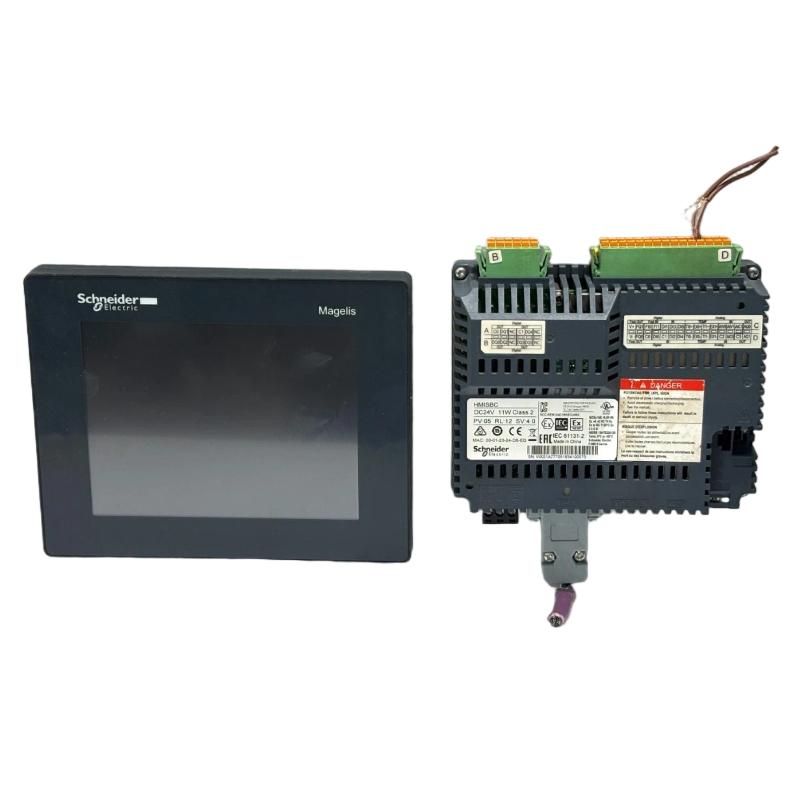
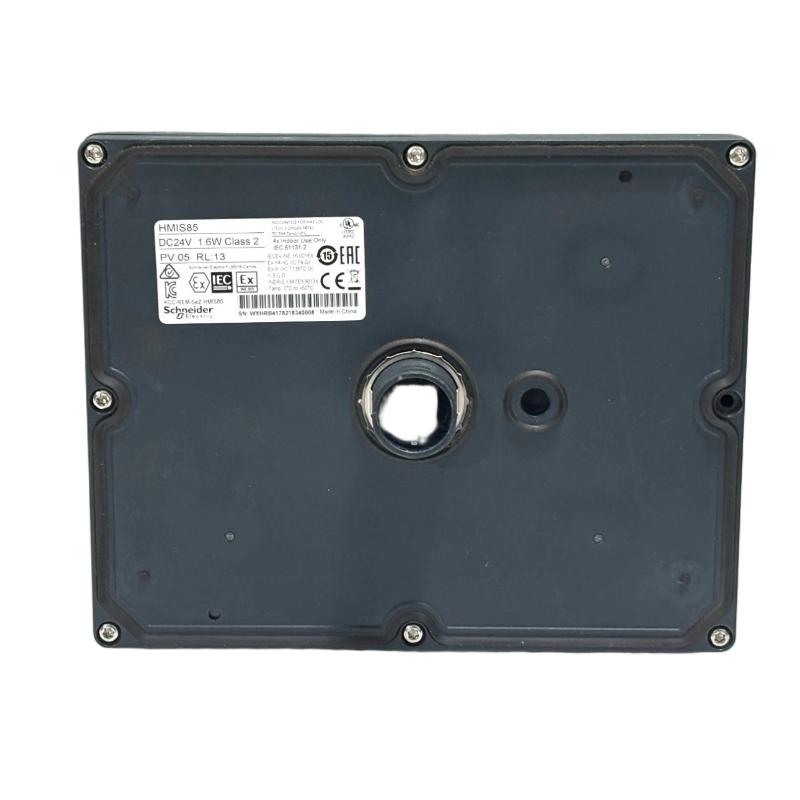
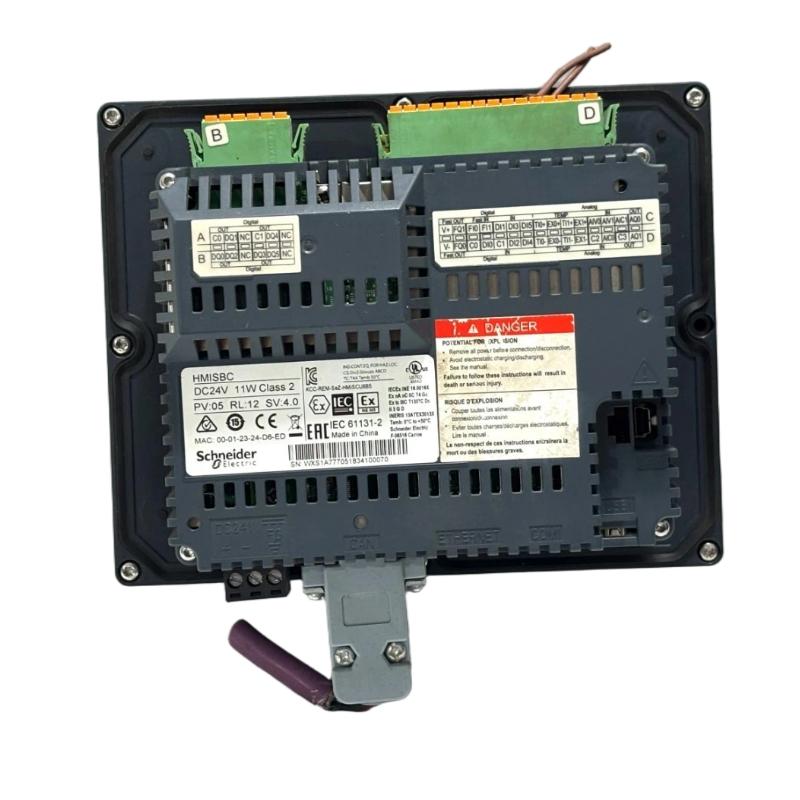
- Schneider
- HMIS85
- Small Touchscreen Display
- France
- 129.15 × 163 × 129.4 mm
- 0.405 kg
- Xiamen, China
- New & In Stock
- T/T, PayPal, Western Union
- 1 Year
- 1-3 Working Days
- DHL, UPS, TNT, FedEx and EMS.
- 24-Hour Service
- COO
- 4
Our advantage

Global Logistics
We have a 10-year logistics and express cooperation agreement, so our products can be shipped to any place in the world.

Brand new and original
Our products are imported in bulk from the place of origin. Because of the cooperative relationship, our products are all original and 100% new.

24-hour service
We provide 7*24 hours service to our customers. We will be there whenever you need us.

Price advantage
All our products are priced very favorably because we have our own warehouse and supply.
| Company Information | |||
| [email protected] | |||
| Mobile | +8615980777398 | ||
| +8615980777398 | |||
| 15980777398 |
Product Overview
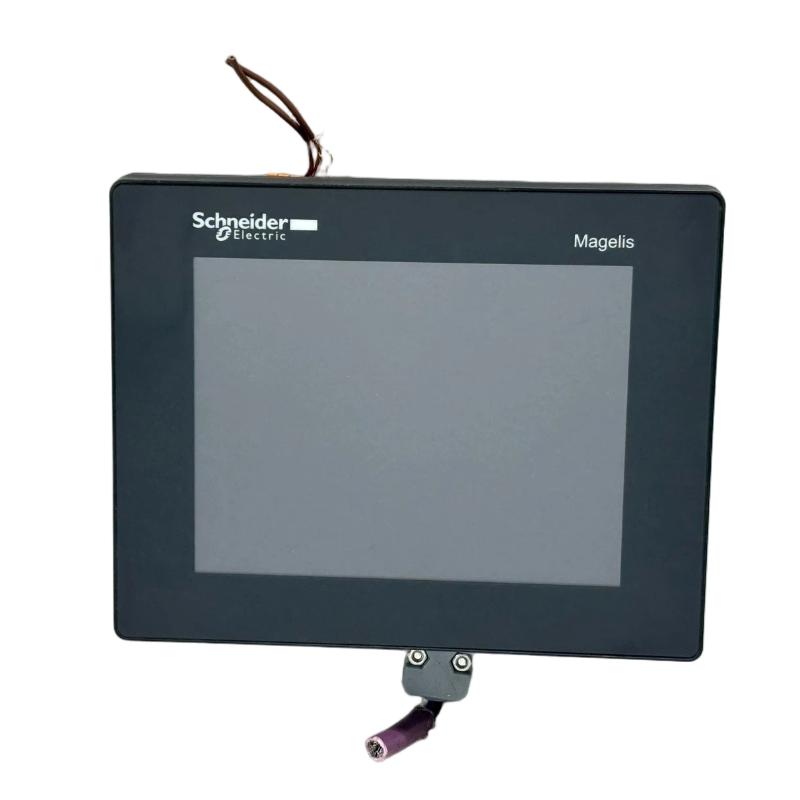
The Schneider Electric HMIS85 Small Touchscreen Display is an industrial operator-interface device designed to support human-machine interaction in compatible automation systems. Touchscreen displays play an important role in industrial environments by allowing operators to access equipment information, monitor operating conditions, navigate application screens, and interact with configured control functions.
The HMIS85 is intended for applications where a compact operator interface can provide convenient access to machine or process information. Depending on the supported hardware and application configuration, an industrial touchscreen may display equipment status, process values, alarm messages, operating modes, and other information needed for daily operation.
With listed dimensions of 129.15 × 163 × 129.4 mm and a weight of approximately 0.405 kg, the HMIS85 can be evaluated for installations requiring a compact display unit. Before selecting a mounting position, these dimensions should be checked against the product’s mechanical drawing to confirm the overall enclosure size, installation clearance, and required panel opening.
For industrial users, the main considerations when selecting this display include physical compatibility, electrical requirements, supported communication interfaces, application compatibility, and environmental suitability. These details should be verified against the exact HMIS85 product documentation before commissioning or replacement.
Technical Specifications
| Parameter | Specification |
|---|---|
| Manufacturer | Schneider Electric |
| Model | HMIS85 |
| Product Type | Small Touchscreen Display |
| Product Category | Industrial Operator Interface |
| Primary Function | Operator interaction and process visualization |
| Display Interface | Touchscreen |
| Dimensions | 129.15 × 163 × 129.4 mm |
| Weight | 0.405 kg |
| Installation | Compatible equipment or panel mounting arrangement |
| Typical Application | Industrial machine monitoring and operator interaction |
| System Integration | Dependent on supported hardware, communications, and software |
Note: Display resolution, screen technology, power supply requirements, communication ports, supported protocols, operating temperature, protection rating, and software compatibility should be confirmed using the technical documentation for the exact HMIS85 model.
Function and Working Principle
The HMIS85 functions as an operator-facing interface within an industrial automation environment. In a typical system, the touchscreen presents information from a controller and provides a means for operators to interact with the configured application.
1. Process and Equipment Visualization
An operator interface can present information such as machine status, operating values, alarm conditions, and process messages. This allows personnel to assess equipment conditions without directly accessing the controller or individual field devices.
The specific screens and information available depend on the application developed for the installed display.
2. Touchscreen Operator Interaction
The touchscreen allows operators to select configured controls, navigate menus, and access application functions. Depending on the system design, these functions may include acknowledging alarms, selecting operating modes, entering permitted values, or viewing diagnostic screens.
Critical machine functions should remain governed by the appropriate controller logic and safety architecture rather than relying solely on the display.
3. Communication with Automation Equipment
Industrial displays commonly exchange data with PLCs or other supported control devices through defined communication interfaces. The controller executes the control program, while the display provides visualization and operator interaction.
For the HMIS85, the supported communication method and compatible controller models must be verified before wiring and configuration.
4. Alarm and Status Presentation
When supported by the application, an operator interface can display warnings, fault messages, operating states, and other diagnostic information. Clear presentation of these messages can help maintenance personnel identify abnormal conditions and reduce troubleshooting time.
Role in Industrial Automation
The HMIS85 can be considered for applications where operators need a local interface to a compatible automation system. A well-configured display helps translate controller data into information that is easier to understand and use during normal production and maintenance.
Its potential role includes:
- Presenting equipment operating status
- Displaying configured process information
- Providing access to application menus
- Supporting operator commands permitted by the control system
- Presenting alarms and diagnostic messages
- Helping operators identify abnormal operating conditions
- Improving access to machine information at the point of use
The available functions depend on the device’s supported capabilities and the application configured for the installation.
Industrial Applications
Manufacturing Machinery
In manufacturing environments, touchscreen operator interfaces can provide access to machine status, production information, and configured operating functions. The HMIS85 may be considered for such applications when its technical specifications meet the installation requirements.
Packaging Equipment
Packaging systems often require accessible operator controls and clear equipment-status information. A compatible display can provide a local interface for viewing configured operating screens and fault messages.
Material Handling
Conveyor systems and material-handling equipment may use operator displays to present operating modes, machine states, and diagnostic information from the control system.
Industrial Assembly Stations
Assembly equipment can benefit from local visualization of operating conditions and configured operator instructions. A compact touchscreen can help simplify access to the functions needed by operators.
Equipment Control Panels
A small display may be suitable for control panels where installation space is limited. Before use, the available mounting space, enclosure depth, panel opening, and environmental requirements should be checked carefully.
Installation and System Integration
Correct installation helps ensure reliable operation and reduces the risk of communication or configuration problems.
Confirm the Product Identification
Check the device label for the full model designation and any revision information. For replacement projects, compare the identification and connections of the existing display with those of the proposed HMIS85 unit.
Verify Mounting Dimensions
The listed dimensions are 129.15 × 163 × 129.4 mm. Confirm the manufacturer’s mechanical drawing before cutting a panel or preparing a mounting bracket. Overall product dimensions should not be assumed to represent the required panel cutout.
Allow sufficient clearance for connectors, cables, ventilation where applicable, and future maintenance access.
Check Electrical Requirements
Confirm the specified supply voltage, current requirements, polarity, grounding arrangements, and protective measures before applying power. Do not infer electrical ratings from the model number or physical dimensions.
Confirm Communication Compatibility
Identify the supported communication interface and verify that the connected PLC or controller supports the required connection method. Check cable specifications, connector assignments, communication settings, and network configuration where applicable.
Configure the Application
The operator application should be compatible with the HMIS85 hardware and the connected automation system. Confirm that screen navigation, process values, alarms, and configured operator commands function as intended.
Perform Commissioning Tests
After installation, verify that the display starts correctly, responds to touch input, communicates with the controller, and presents the correct information. Test operator commands under controlled conditions before returning the equipment to normal operation.
Troubleshooting the HMIS85
When problems occur, investigate the complete operator-interface system rather than assuming that the display itself is defective.
Display Does Not Power On
Possible causes include an incorrect power supply, loose wiring, damaged connectors, or an internal hardware fault.
Recommended checks:
- Verify the specified supply voltage.
- Inspect power connections and connector condition.
- Check for visible physical damage.
- Review available device indicators and system diagnostics.
- Confirm that the supply remains stable during startup.
Display Has No Communication with the Controller
If the display starts but does not show current process information, inspect the communication path.
Check the connection cable, port selection, controller availability, communication settings, and application configuration. Confirm that the selected interface is supported by both devices.
Touch Input Is Unresponsive
An unresponsive touchscreen may be caused by surface contamination, physical damage, unsuitable operating conditions, or a device fault.
Clean the screen using an approved method and inspect it for visible damage. If the problem persists, follow the applicable diagnostic procedure rather than repeatedly restarting the system.
Incorrect Process Values
Incorrect values may result from incorrect tag assignments, application configuration errors, communication problems, or outdated data. Compare the displayed information with the corresponding controller values to determine whether the issue originates in the application, communications, or control system.
Intermittent Operation
Unexpected restarts, temporary communication loss, or inconsistent operation may be associated with unstable power, loose connections, electrical interference, or environmental conditions outside the device’s specifications.
Inspect the installation and record any diagnostic messages before replacing the hardware.
Maintenance Recommendations
Regular maintenance helps preserve display usability and supports reliable operation.
- Clean the touchscreen: Use a cleaning method compatible with the screen surface.
- Inspect cables and connectors: Look for loose connections, worn insulation, damaged connectors, and cable strain.
- Check mounting security: Ensure that the display remains securely installed.
- Monitor communication errors: Investigate recurring communication failures and intermittent data updates.
- Maintain suitable environmental conditions: Follow the specified limits for temperature, humidity, dust, and vibration.
- Protect application configurations: Maintain backups of the operator application and configuration when supported.
- Document maintenance work: Record the model, revision, observed symptoms, and corrective actions.
Always follow the relevant equipment instructions and site safety procedures when inspecting or servicing the display.
Compatible System Components
The HMIS85 may be integrated into a larger automation installation containing the following component categories, provided the specific hardware and software are compatible.
| Component | Function |
|---|---|
| Compatible PLC | Executes machine-control logic |
| Industrial Power Supply | Provides the required electrical supply |
| Communication Cable | Transfers data between supported devices |
| Operator Application | Defines screens, menus, and interaction behavior |
| Control Cabinet | Houses and protects automation equipment |
| Network Equipment | Supports communication where required |
| Sensors | Provide process measurements and equipment feedback |
| Actuators and Drives | Carry out control actions through the automation system |
The exact combination must be established from the HMIS85 specifications and the requirements of the host system.
Replacement and Procurement Considerations
When sourcing a Schneider Electric HMIS85 Small Touchscreen Display, verify several details before purchasing or installing a replacement.
Model identification: Confirm that the unit is marked HMIS85 and check the hardware revision where applicable.
Physical fit: Compare the listed dimensions of 129.15 × 163 × 129.4 mm with the available installation space and the manufacturer’s mechanical drawing.
Weight: The supplied weight is approximately 0.405 kg. Consider the mounting arrangement and mechanical support required by the equipment.
Electrical compatibility: Confirm the power supply and grounding requirements.
Communication compatibility: Verify that the display supports the controller interface and communication configuration used by the installation.
Application compatibility: Determine whether the existing application is supported by the replacement unit and whether configuration changes will be necessary.
Condition and testing: For refurbished equipment, inspect the touchscreen, enclosure, connectors, and available functional-test records.
A replacement should not be considered compatible based on physical appearance alone. Electrical specifications, interfaces, software support, and the intended control-system configuration are equally important.
Technical FAQs
What is the Schneider Electric HMIS85?
The HMIS85 is identified as a small touchscreen display intended for operator interaction and visualization in a compatible industrial automation installation.
What are the dimensions of the HMIS85?
The supplied dimensions are 129.15 × 163 × 129.4 mm. Confirm the manufacturer’s mechanical drawing to determine the required panel cutout and installation clearances.
How much does the HMIS85 weigh?
The supplied weight is approximately 0.405 kg.
Can the HMIS85 be connected to any PLC?
No universal compatibility should be assumed. The supported communication interface, software requirements, and controller compatibility must be confirmed for the exact device.
What should be checked if the display shows no process data?
Inspect the communication cable, controller status, interface settings, application configuration, and data mapping. A display that powers on may still have a communication or configuration problem.
Does the display control machinery directly?
An operator display typically provides visualization and operator interaction, while the connected controller executes the machine-control logic. The exact system architecture depends on the application.
What should be checked before replacing an HMIS85?
Confirm the model designation, revision, physical mounting requirements, power supply, communication interfaces, and application compatibility.
Conclusion
The Schneider Electric HMIS85 Small Touchscreen Display is an operator-interface component intended to provide convenient access to configured machine information and operator functions within a compatible industrial automation system. Its listed dimensions of 129.15 × 163 × 129.4 mm and weight of 0.405 kg make physical fit and mounting requirements important considerations during equipment selection.
For dependable operation, users should verify the device’s electrical ratings, supported communications, software compatibility, and environmental limits before installation. Proper configuration, commissioning, and routine maintenance help maintain a reliable operator interface and support efficient industrial equipment operation.