

ProductPRODUCT
Featured products

Contact Us
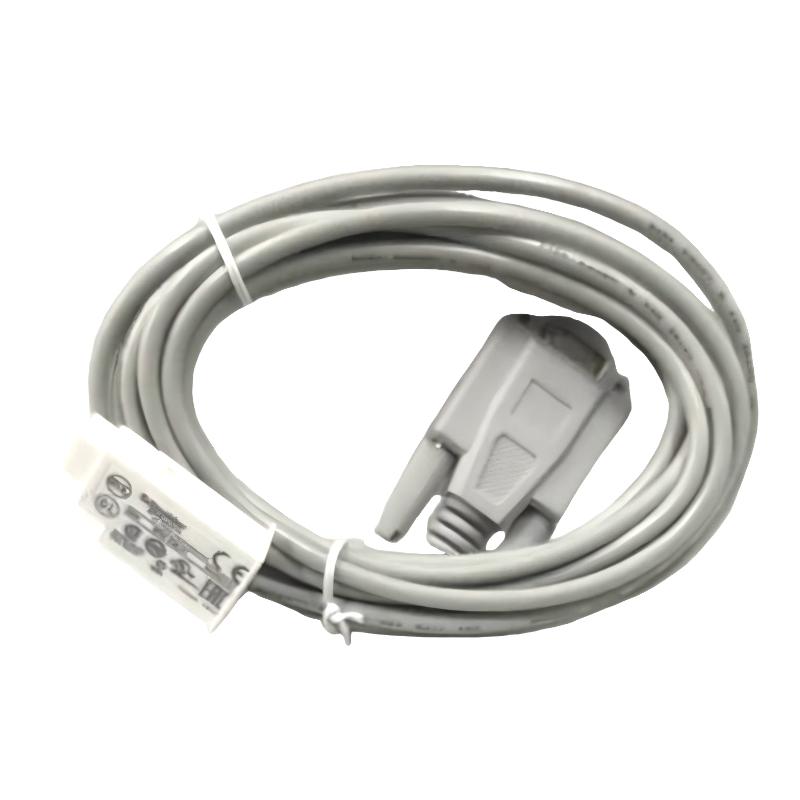
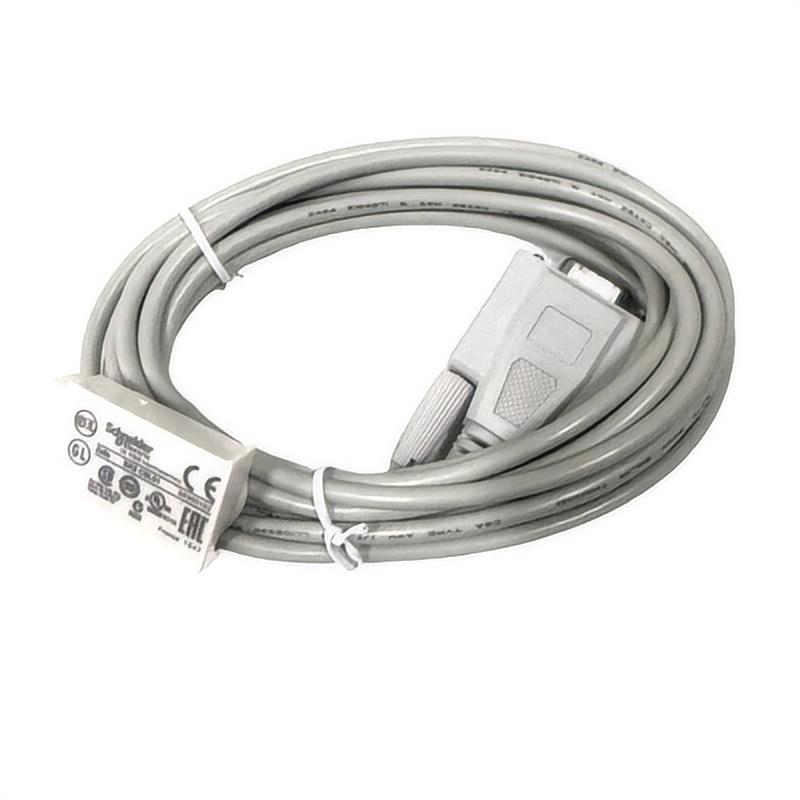
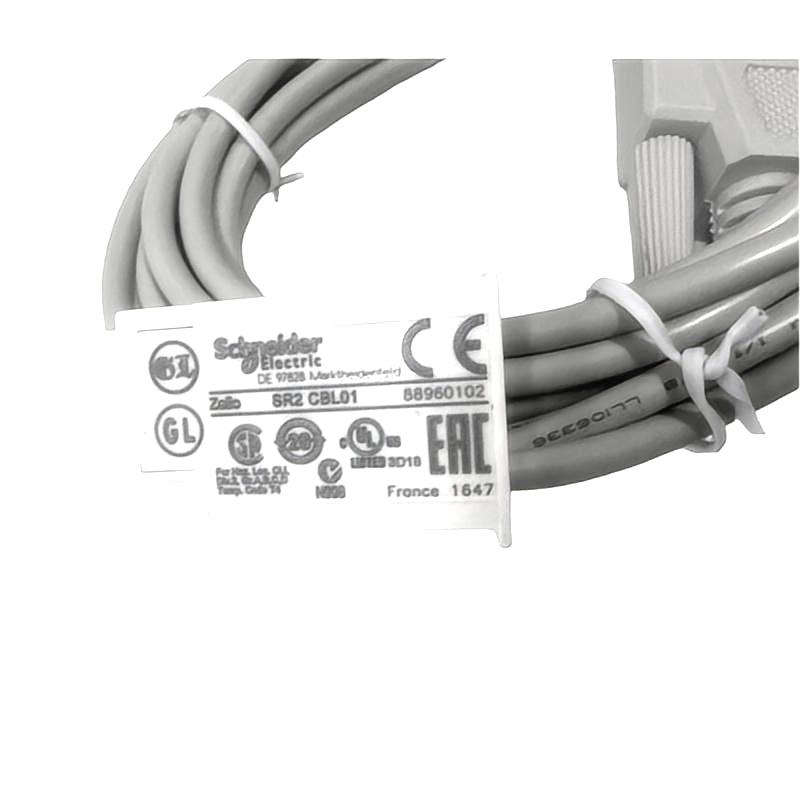
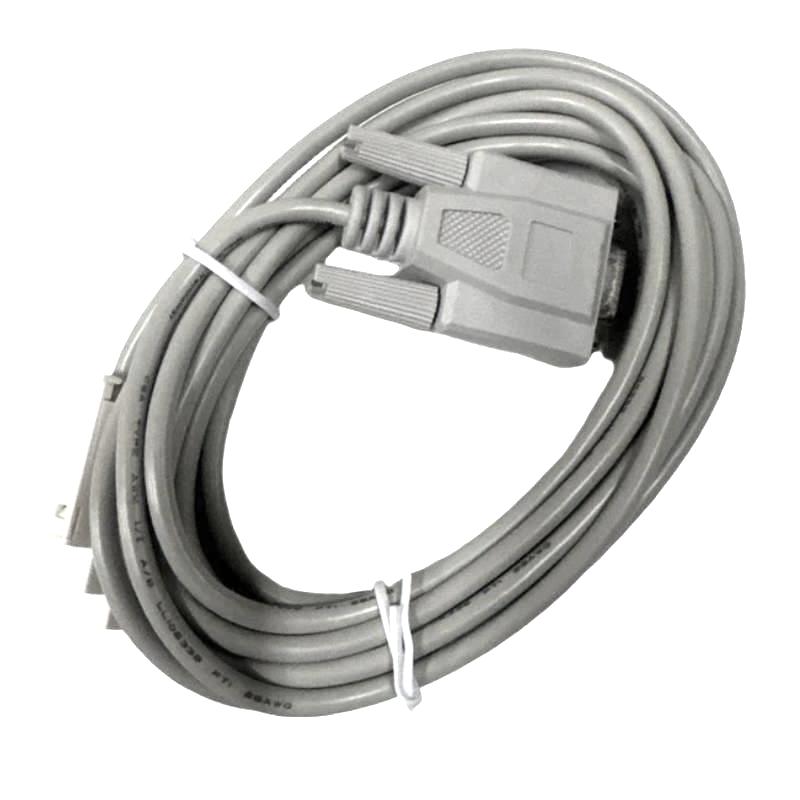
- Schneider
- SR2CBL01
- 9-Pin PC Cable
- France
- 3 meters
- 0.15 kg
- Xiamen, China
- New & In Stock
- T/T, PayPal, Western Union
- 1 Year
- 1-3 Working Days
- DHL, UPS, TNT, FedEx and EMS.
- 24-Hour Service
- COO
- 5
Our advantage

Global Logistics
We have a 10-year logistics and express cooperation agreement, so our products can be shipped to any place in the world.

Brand new and original
Our products are imported in bulk from the place of origin. Because of the cooperative relationship, our products are all original and 100% new.

24-hour service
We provide 7*24 hours service to our customers. We will be there whenever you need us.

Price advantage
All our products are priced very favorably because we have our own warehouse and supply.
| Company Information | |||
| [email protected] | |||
| Mobile | +8615980777398 | ||
| +8615980777398 | |||
| 15980777398 |
Product Overview
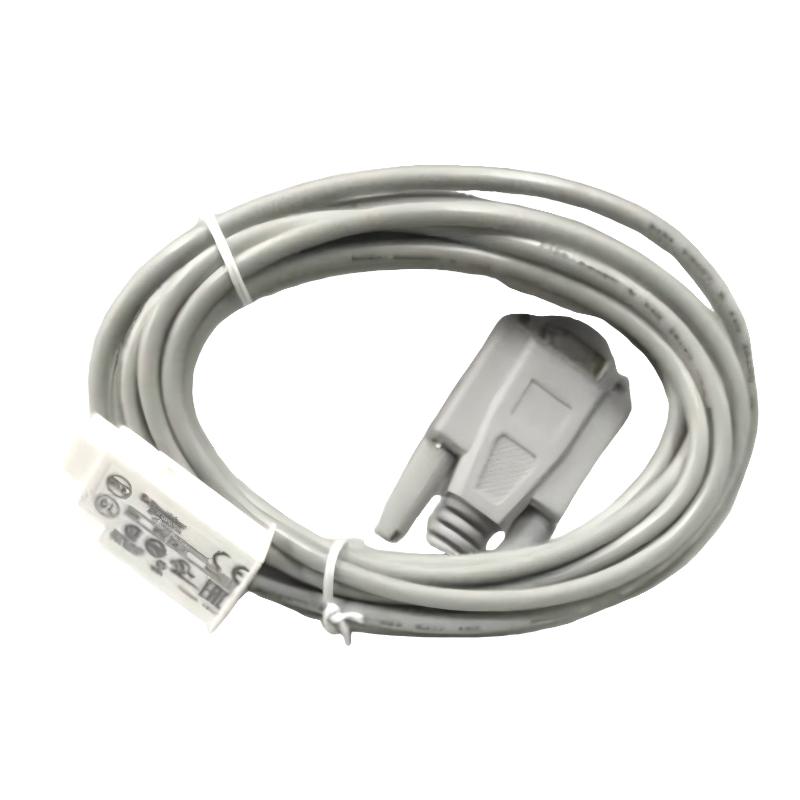
The Schneider Electric SR2CBL01 9-Pin PC Cable is a programming and communication accessory designed for use with compatible Schneider Electric smart relay systems. It provides a physical connection between a computer and supported control equipment, helping technicians configure relay logic, transfer programs, and perform maintenance tasks during installation and commissioning.
In industrial automation, smart relays are commonly used for compact control applications that require straightforward logic processing without the complexity of a larger PLC system. Typical examples include lighting control, small pumping systems, ventilation equipment, machine interlocks, and basic sequencing operations. A suitable programming cable is an important service accessory because it enables authorized personnel to connect programming equipment to a compatible relay and manage its control logic.
The SR2CBL01 features a 9-pin connector interface and a cable length of 3 meters, providing practical reach between the computer and the control device during setup or maintenance. Its listed weight is 0.15 kg, making it convenient for storage in a maintenance toolbox or control-system spare-parts inventory.
Before use, technicians should confirm that the cable’s connector arrangement and interface are compatible with the specific Schneider Electric smart relay and programming environment. Connector appearance alone is not sufficient to establish compatibility.
Technical Specifications
| Parameter | Specification |
|---|---|
| Manufacturer | Schneider Electric |
| Model | SR2CBL01 |
| Product Type | 9-Pin PC Cable |
| Product Category | Smart Relay Programming Accessory |
| Connector Interface | 9-pin |
| Cable Length | 3 meters |
| Weight | 0.15 kg |
| Primary Function | Computer-to-compatible-relay connection |
| Typical Use | Programming, configuration, commissioning, and maintenance |
| Installation | Connected to compatible computer and control equipment |
| Compatibility | Must be verified against the exact relay model and software requirements |
What Is the Schneider Electric SR2CBL01?
The SR2CBL01 is a PC connection cable intended for use in compatible Schneider Electric control applications. Its primary purpose is to provide a wired interface between a computer and supported smart relay equipment.
A smart relay executes a configured control program based on input conditions and programmed logic. During commissioning, technicians may need to create or modify that program, transfer it to the relay, or check the configuration when troubleshooting a control problem. A compatible PC cable supports this workflow by establishing the required physical connection.
The cable does not independently perform control logic, measure process variables, or replace a PLC or smart relay. Instead, it serves as an accessory that supports programming and servicing of compatible equipment.
A simplified programming arrangement is:
Computer → SR2CBL01 Cable → Compatible Smart Relay → Field Control Circuit
The actual connection method, software requirements, and supported operations depend on the relay model and its interface specifications.
Function and Working Principle
1. Establishing the Connection
The cable connects the computer-side interface to the designated programming or communication port on compatible control equipment. Both ends must be connected securely, with the relay and computer interfaces correctly identified before use.
2. Supporting Program Transfer
When the hardware and software are compatible, the connection can support the transfer of control programs between the computer and the smart relay. This allows technicians to configure automation logic during initial setup or update an existing program during authorized maintenance.
3. Assisting Commissioning
During commissioning, a programming connection can help technicians verify that the intended program is loaded and that the relay behaves as expected under defined test conditions. Program transfer and verification procedures should follow the requirements of the specific relay model.
4. Supporting Maintenance
When a control sequence needs to be reviewed or revised, the cable can provide a convenient service connection. Maintaining an approved copy of the current control program helps reduce the risk of losing configuration information during maintenance.
5. Enabling Troubleshooting
A suitable programming connection can assist in distinguishing configuration-related issues from problems in field wiring, sensors, actuators, or the relay itself. The cable’s exact diagnostic capabilities depend on the connected equipment and software.
Role in Industrial Automation
The SR2CBL01 supports the engineering and maintenance workflow around compatible smart relay installations. Although it is a relatively small accessory, it can be important when configuring equipment or restoring a control system after a fault.
Its typical role includes:
- Connecting a computer to compatible relay equipment.
- Supporting authorized program loading and updates.
- Assisting commissioning and configuration checks.
- Facilitating maintenance of existing control logic.
- Helping technicians review control-system setup.
- Supporting service work on compact automation installations.
A programming cable should be treated as part of the overall engineering toolkit rather than as an independent automation controller.
Industrial Applications
Machine Control
Compact machines often use smart relays to manage basic sequences, operating conditions, and interlocks. A compatible PC cable can support program setup and subsequent maintenance.
Lighting Automation
Smart relays may control lighting schedules, switching sequences, and other simple electrical functions. A programming connection can be useful when modifying operating logic.
Pump and Ventilation Systems
Small pump stations and ventilation systems may use relay logic to coordinate operating states. The cable can support configuration work when the installed relay is compatible.
Building Automation
Basic building-control functions can include lighting, ventilation, and equipment-status logic. A programming cable helps technicians maintain supported smart relay configurations.
Industrial Maintenance
Maintenance teams may keep programming accessories available for troubleshooting, replacing equipment, and restoring approved configurations after servicing.
These examples describe common smart relay applications; the suitability of the SR2CBL01 for a particular installation depends on the exact connected device.
Installation and Connection Guide
Correct connection is essential for reliable programming and to avoid damage to equipment.
Confirm Compatibility
Before connecting the cable, check the complete model number of the smart relay, the required programming interface, and the applicable software. Confirm that the SR2CBL01 is approved for the intended device.
Inspect the Cable
Check the cable for damaged insulation, bent connector pins, loose housings, corrosion, or other visible defects. Do not use a cable with damaged connectors or exposed conductors.
Connect Carefully
Identify the correct ports on the computer and relay before connecting either end. Align the connector properly and avoid applying excessive force. Do not assume that every 9-pin port uses the same electrical interface or pin assignment.
Prepare the Programming Environment
Install or launch the programming software specified for the connected relay. If a driver or communication setting is required, use the configuration appropriate to the computer, operating system, and relay model.
Verify Communication
After connection, confirm that the programming software recognizes the intended device before attempting to read or transfer a program. If communication fails, check the port selection, software compatibility, cable condition, and relay connection.
Follow Safe Working Procedures
Before working on the control cabinet, follow the site’s electrical safety procedures. Isolate hazardous circuits where required, prevent unintended machine movement, and ensure that program changes are authorized. Never connect or disconnect equipment in a manner prohibited by the relay’s operating instructions.
Troubleshooting the SR2CBL01 PC Cable
If a computer cannot communicate with the smart relay, investigate the complete connection rather than assuming that the cable is faulty.
Computer Does Not Recognize the Relay
Possible causes include an incorrect port selection, incompatible software, missing drivers, a loose connector, or an unsupported relay interface.
Recommended checks:
- Confirm the relay model and cable compatibility.
- Check both cable connections.
- Verify the selected communication port.
- Confirm that the programming software supports the connected device.
- Inspect the connectors for damage.
- Test with an approved alternative cable or computer if available.
Communication Is Intermittent
Intermittent communication may be associated with loose connectors, damaged cable conductors, electrical interference, or unstable computer settings.
Inspect the cable along its full length and avoid placing it under tension or bending it sharply. Keep communication wiring away from sources of electrical interference when practical.
Program Transfer Fails
A failed transfer does not necessarily indicate a defective cable. The problem may involve software compatibility, an incorrect device selection, connection settings, or a problem with the target relay.
Verify the programming procedure and confirm that the correct program is being transferred to the intended device. Where supported, preserve the existing program before making changes.
Connector Does Not Fit
Do not force the connector into a port. A similar-looking connector may use a different interface or pin configuration. Recheck the cable part number and the relay’s required programming connection before proceeding.
Cable Appears Damaged
If the cable has damaged insulation, bent pins, a loose connector, or evidence of overheating, remove it from service and replace it with a verified compatible unit. Avoid makeshift repairs that could compromise communication reliability or electrical safety.
Maintenance and Storage
The SR2CBL01 requires relatively simple care, but good handling practices can help extend its service life.
- Inspect the cable and connectors before use.
- Keep connectors free from dust, moisture, and contamination.
- Avoid pulling the cable by its connector housing.
- Prevent sharp bends, crushing, and excessive tension.
- Store the cable in a dry location away from heat and corrosive substances.
- Keep the cable’s part-number identification with the accessory.
- Replace damaged cables rather than continuing to use unreliable connections.
For facilities that maintain several relay types, labeling each programming cable with its verified compatible equipment can reduce selection errors during maintenance.
Compatible System Components
The SR2CBL01 may be used as part of a programming and maintenance setup containing the following components, subject to compatibility verification.
| Component | Typical Function |
|---|---|
| Compatible Schneider Electric Smart Relay | Executes configured control logic |
| SR2CBL01 PC Cable | Provides the programming connection |
| Computer | Hosts the programming software |
| Compatible Programming Software | Creates, transfers, or manages relay programs |
| Relay Power Supply | Provides the power required by the installed relay |
| Input Devices | Supply operating conditions to the control system |
| Output Devices | Carry out switching or control actions |
| Electrical Control Cabinet | Houses and protects the installed equipment |
The exact relay models, software versions, and communication settings must be checked before the cable is put into service.
Replacement and Procurement Considerations
When purchasing a replacement SR2CBL01, verify the full model number and physical condition of the existing accessory. A cable with a similar connector may not provide the correct electrical connection or support the required programming function.
Important checks include:
- Exact part number: SR2CBL01
- 9-pin connector interface
- Cable length of 3 meters
- Listed weight of 0.15 kg
- Compatibility with the intended relay model
- Connector condition and cable insulation
- Required computer interface and software environment
For spare-parts management, record the cable’s part number and its approved application. This helps technicians select the correct accessory and reduces unnecessary downtime caused by incompatible connections.
Technical FAQs
What is the Schneider Electric SR2CBL01?
The SR2CBL01 is a 9-pin PC cable intended to provide a programming or communication connection for compatible Schneider Electric smart relay equipment.
What is the cable length?
The specified cable length is 3 meters.
How much does the SR2CBL01 weigh?
Its listed weight is 0.15 kg.
What is the purpose of a smart relay programming cable?
A compatible programming cable connects a computer to supported relay equipment, allowing authorized users to configure or transfer control programs and perform relevant maintenance tasks.
Can the SR2CBL01 connect to any 9-pin port?
No. A matching connector shape does not guarantee electrical or software compatibility. The interface and pin configuration must be confirmed for the intended device.
What should I do if the computer cannot communicate with the relay?
Check the cable connections, relay compatibility, software version, communication-port selection, and connector condition. If necessary, test with a known-good compatible cable.
Can a damaged SR2CBL01 be repaired?
Minor external contamination may be addressed through appropriate cleaning, but damaged conductors, connectors, or insulation should be evaluated by qualified personnel. Replacement with a verified compatible cable is generally preferable to an improvised repair.
Conclusion
The Schneider Electric SR2CBL01 9-Pin PC Cable is a practical accessory for programming and maintaining compatible smart relay systems. It provides a wired connection between a computer and supported control equipment, helping technicians manage configuration tasks, transfer programs, and support commissioning and troubleshooting.
With a 3-meter cable length, a 9-pin connector interface, and a listed weight of 0.15 kg, the SR2CBL01 is convenient for service work and spare-parts inventory. Reliable operation depends on correct device compatibility, secure connections, suitable programming software, and proper cable handling.
Before installation or replacement, verify the complete part number and the interface requirements of the target relay. Correct identification and careful use help maintain dependable communication during industrial automation setup and maintenance.