

ProductPRODUCT
Featured products
Contact Us
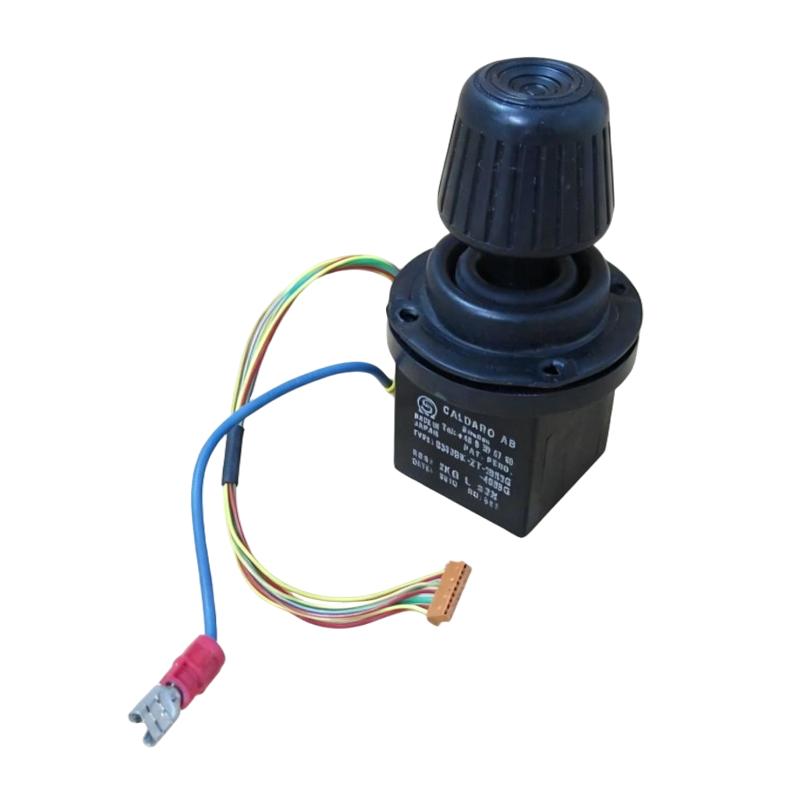
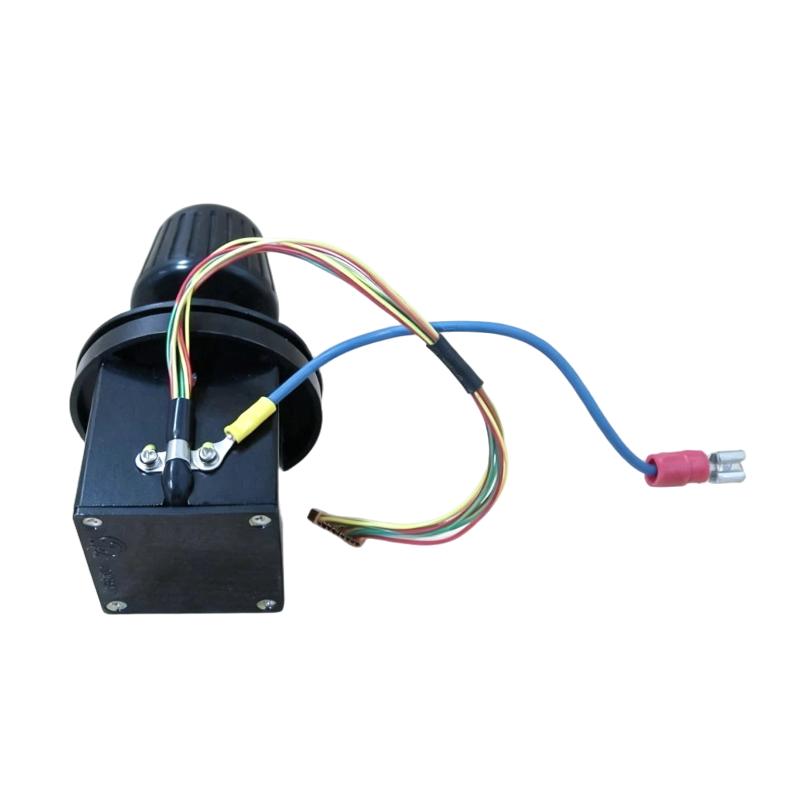
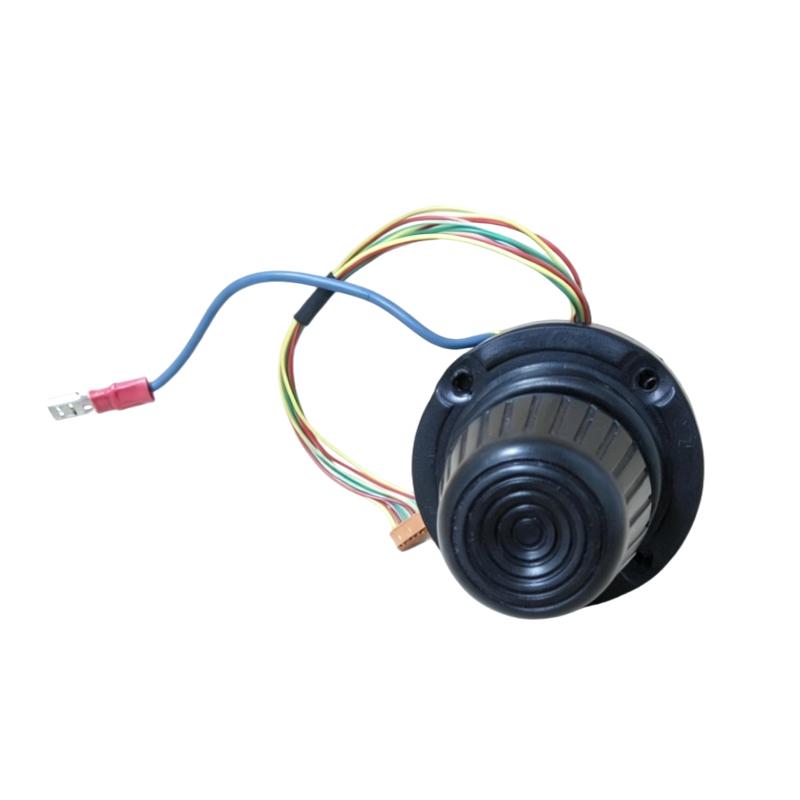
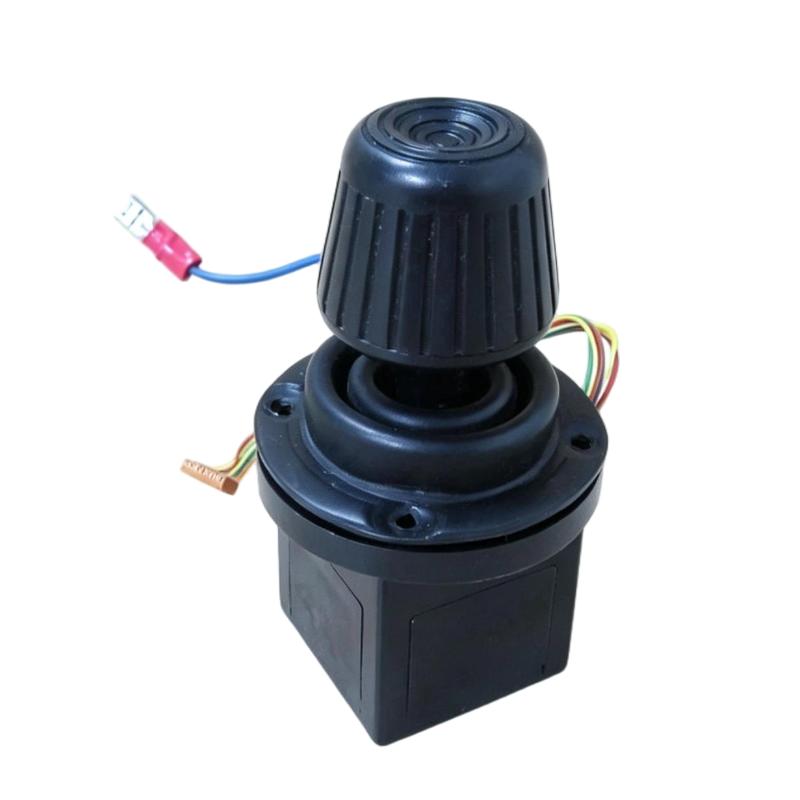
- ABB
- S30JBK-ZT-30R3G-4889G
- Teach Pendant Joystick
- Sweden (SE)
- 85 × 30 × 50 mm
- 0.25 kg
- Xiamen, China
- New & In Stock
- T/T, PayPal, Western Union
- 1 Year
- 1-3 Working Days
- DHL, UPS, TNT, FedEx and EMS.
- 24-Hour Service
- COO
- 4
Our advantage

Global Logistics
We have a 10-year logistics and express cooperation agreement, so our products can be shipped to any place in the world.

Brand new and original
Our products are imported in bulk from the place of origin. Because of the cooperative relationship, our products are all original and 100% new.

24-hour service
We provide 7*24 hours service to our customers. We will be there whenever you need us.

Price advantage
All our products are priced very favorably because we have our own warehouse and supply.
| Company Information | |||
| [email protected] | |||
| Mobile | +8615980777398 | ||
| +8615980777398 | |||
| 15980777398 |
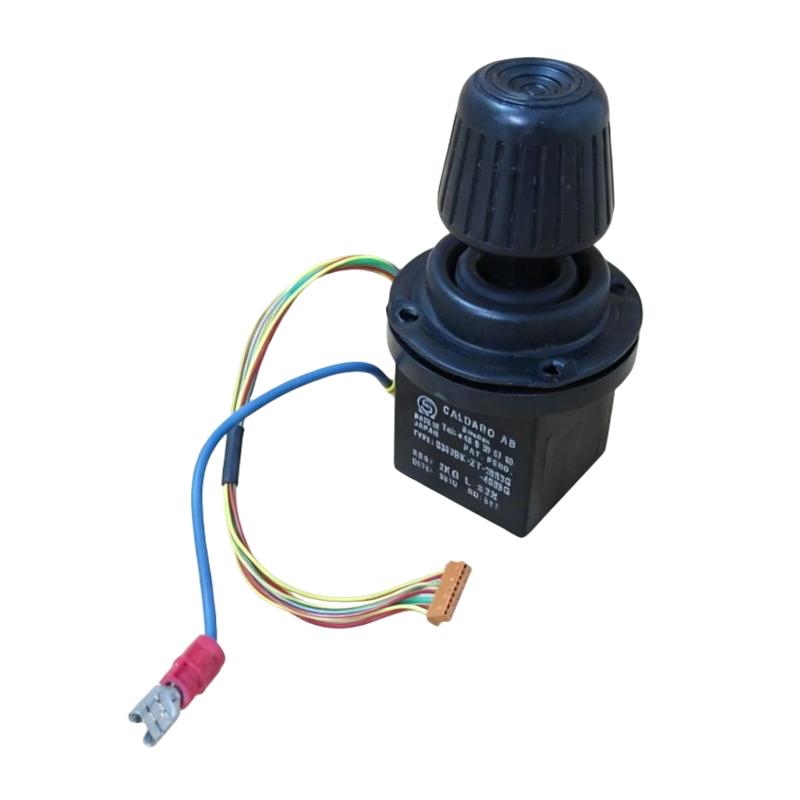
Product Overview
The ABB S30JBK-ZT-30R3G-4889G Teach Pendant Joystick is a manual control component used with ABB robotic systems for operator-guided robot movement and positioning. It provides proportional joystick input for controlling robot axes or configured motion functions during teaching, setup, and service operations.
The joystick is used as part of a teach pendant interface, allowing an operator to make controlled robot movements while observing the work area and checking programmed positions. It is particularly useful during robot commissioning, point teaching, program adjustment, maintenance, and troubleshooting.
Its function is centered on direct operator input rather than automatic process control. The joystick signal is interpreted by the robot controller according to the active operating mode, selected coordinate system, and configured motion settings.
Technical Specifications
| Parameter | Details |
|---|---|
| Model | S30JBK-ZT-30R3G-4889G |
| Brand | ABB |
| Product Type | Teach Pendant Joystick |
| Application | Robot Manual Control and Teaching |
| Interface | Teach Pendant Control |
| Control Function | Manual / Proportional Robot Motion |
| Dimensions | 85 × 30 × 50 mm |
| Weight | 0.25 kg |
Product Features
- Teach Pendant Control: Provides direct manual input for ABB robot operation.
- Proportional Joystick Input: Allows controlled movement based on joystick direction and operator input.
- Robot Teaching: Supports manual positioning when creating or modifying robot programs.
- Setup and Commissioning: Useful for robot installation, calibration, and process setup.
- Maintenance Operation: Allows controlled movement during service and troubleshooting procedures.
- Operator-Oriented Interface: Designed for direct interaction with the robot control system.
- Compact Control Component: Fits within the physical architecture of a robot teach pendant.
- Manual Motion Adjustment: Helps operators make fine positioning changes during teaching operations.
Working Principle
The S30JBK-ZT-30R3G-4889G joystick converts the operator’s physical movement of the joystick into control input for the teach pendant.
When the operator moves the joystick in a particular direction, the corresponding electrical signal is interpreted by the teach pendant electronics. The robot controller then determines the permitted robot motion based on the active operating mode, coordinate system, speed settings, and safety conditions.
For example, an operator may use the joystick to move a robot axis, adjust the position of the robot tool, or make small positioning corrections while teaching a program point. Releasing or returning the joystick to its neutral position removes the corresponding motion command.
Operator Input → Teach Pendant Joystick → Pendant Electronics → Robot Controller → Motion Control → Robot Axes
Role in an ABB Robot Control Architecture
| System Element | Function |
|---|---|
| Teach Pendant Joystick | Provides manual robot motion input |
| Teach Pendant | Provides operator interface for robot programming and control |
| Robot Controller | Processes motion commands and executes robot programs |
| Robot Drive System | Controls motor operation for robot axes |
| Robot Motors | Generate mechanical movement |
| Robot Manipulator | Performs programmed positioning and handling |
| Safety System | Monitors operating conditions and enables permitted robot operation |
| Emergency Stop Circuit | Provides rapid interruption of robot operation when required |
| Tool / End Effector | Performs the required production task |
| Robot Program | Defines programmed sequences and motion points |
| Position Feedback System | Provides axis position information to the controller |
| Field Equipment | Interfaces the robot with the surrounding production process |
Industrial Applications
| Application | Typical Use |
|---|---|
| Robot Commissioning | Manual robot movement during initial setup |
| Robot Programming | Teaching and adjusting motion positions |
| Welding Automation | Positioning the robot and welding tool during program development |
| Material Handling | Teaching pickup and placement positions |
| Assembly Automation | Fine adjustment of robot positions |
| Machine Tending | Setting robot approach and handling points |
| Palletizing | Adjusting programmed pallet positions |
| Painting Automation | Teaching programmed paths and positions |
| Robot Maintenance | Controlled manual movement during service |
| Production Line Setup | Adjusting robot positions during process commissioning |
Installation and Maintenance
- Verify the Part Number: Confirm that S30JBK-ZT-30R3G-4889G matches the required teach pendant configuration.
- Isolate the Equipment: Follow the robot manufacturer’s safety procedure before servicing the joystick or teach pendant.
- Inspect the Joystick: Check the mechanical condition of the joystick and surrounding housing.
- Check Mechanical Movement: Confirm that the joystick moves smoothly through its intended operating range.
- Verify Neutral Position: Make sure the joystick returns correctly to its neutral position after release.
- Inspect Electrical Connections: Check internal connectors and wiring for loose or damaged connections.
- Check Pendant Operation: Verify that joystick commands are correctly recognized by the teach pendant.
- Test Manual Motion: Perform controlled movement testing under the appropriate robot operating mode.
- Monitor Input Response: Check for intermittent, delayed, or unexpected joystick responses.
- Keep the Pendant Clean: Prevent dust, oil, and other contaminants from accumulating around the joystick mechanism.
- Inspect After Impact: Examine the joystick after any drop, collision, or mechanical shock to the teach pendant.
- Document Replacement: Record joystick replacement and functional test results as part of robot maintenance.
Related Components
| Component | Function |
|---|---|
| ABB Teach Pendant | Provides robot programming and manual control functions |
| Robot Controller | Processes operator commands and executes robot programs |
| Robot Manipulator | Performs programmed robot movements |
| Robot Drive Modules | Control individual robot axes |
| Robot Motors | Generate axis movement |
| Position Feedback Devices | Provide robot axis position information |
| Emergency Stop Circuit | Stops robot operation in an emergency |
| Safety Controller | Handles configured robot safety functions |
| End Effector | Performs the production operation |
| Robot Program | Defines motion sequences and process logic |
| Teach Pendant Keypad | Provides additional operator input |
| Pendant Display | Displays robot status, programs, and diagnostic information |
Recommended Related Models
| Model | Product Type / Application |
|---|---|
| ABB S30JBK-ZT-30R3G-4889G | Teach Pendant Joystick |
| ABB S30JBK-ZT-30R3G-4889G | Robot Manual Control Component |
| ABB Teach Pendant Assembly | Robot Programming and Manual Operation |
| ABB Robot Controller | Robot Control and Program Execution |
| ABB Robot Drive Module | Robot Axis Motion Control |
| ABB Robot Manipulator | Industrial Robot Motion |
| ABB Robot Position Feedback Component | Robot Axis Position Monitoring |
Key Advantages
- Provides direct manual robot motion control.
- Supports precise positioning during robot teaching.
- Useful for commissioning and program adjustment.
- Integrates with the teach pendant control architecture.
- Supports maintenance and troubleshooting operations.
- Enables practical operator control of robot movement.
Technical FAQs
What is the function of the ABB S30JBK-ZT-30R3G-4889G joystick?
It provides manual joystick input for controlling configured robot movements through the teach pendant during teaching, commissioning, setup, and service operations.
What should be checked if the joystick does not respond correctly?
Check the joystick’s mechanical movement, neutral return, internal electrical connections, pendant input response, and diagnostic information. Intermittent or unexpected movement should be investigated before further robot operation.
Can the joystick be used for robot program teaching?
Yes. A teach pendant joystick is used to manually position the robot while creating, adjusting, or verifying programmed positions and motion paths.
Why is the joystick neutral position important?
The neutral position determines whether a manual motion command is being generated. An incorrect neutral position or a joystick that does not return properly can cause unexpected input behavior and should be checked before normal operation.