

ProductPRODUCT
Featured products
Contact Us
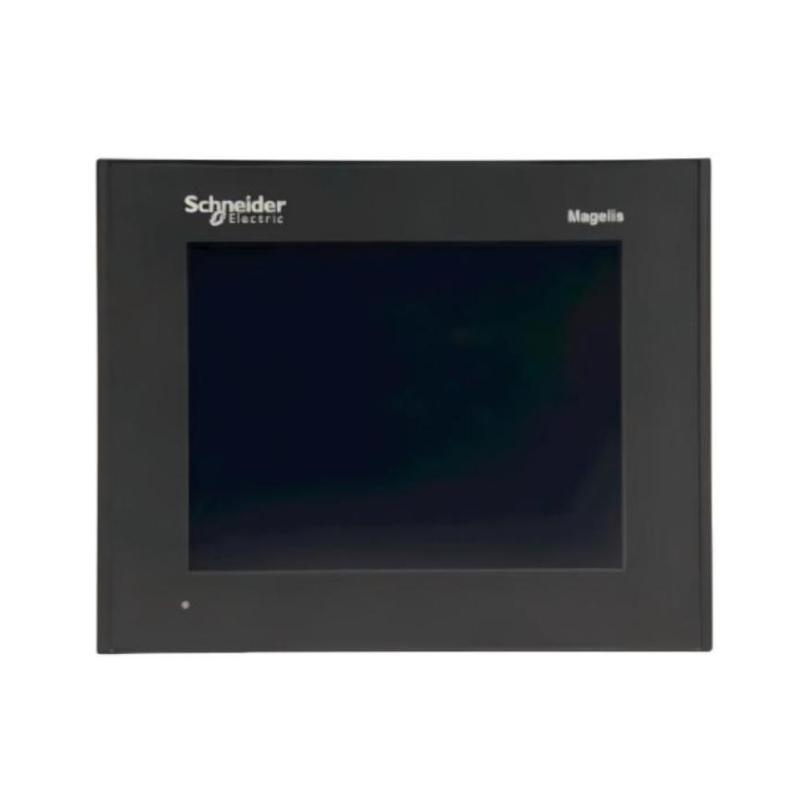
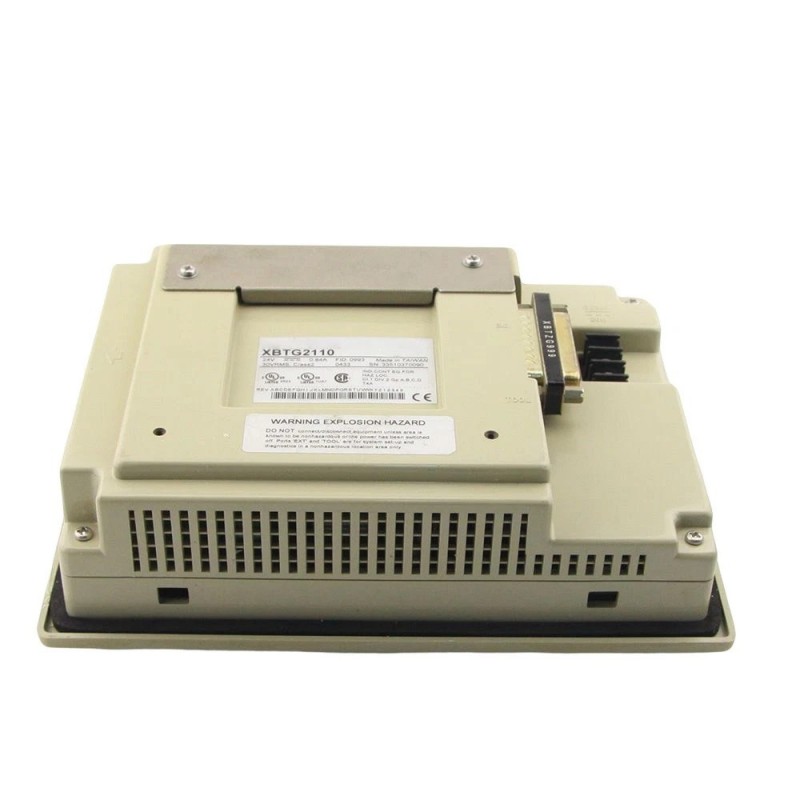
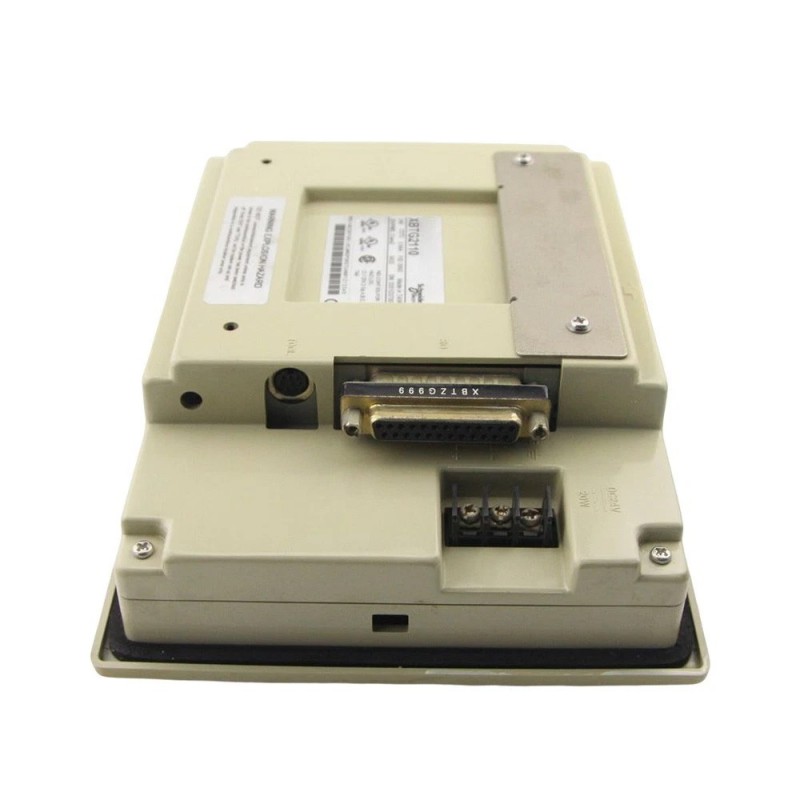
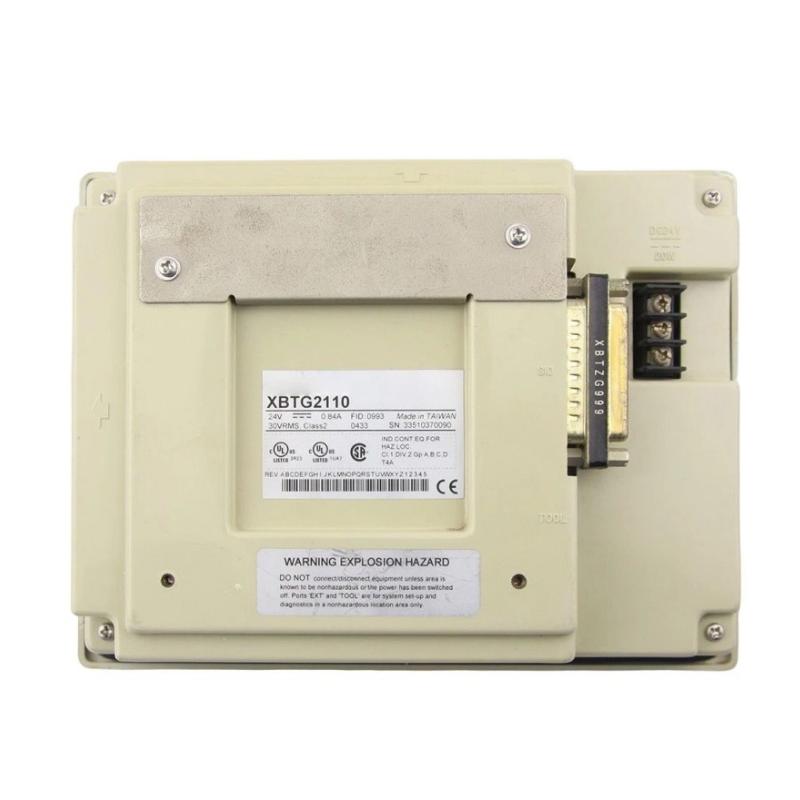
- Schneider
- XBTG2110
- 5.7" Touch Panel
- France
- 167.5 × 135 × 59.5 mm
- 1 kg
- Xiamen, China
- New & In Stock
- T/T, PayPal, Western Union
- 1 Year
- 1-3 Working Days
- DHL, UPS, TNT, FedEx and EMS.
- 24-Hour Service
- COO
- 53
Our advantage

Global Logistics
We have a 10-year logistics and express cooperation agreement, so our products can be shipped to any place in the world.

Brand new and original
Our products are imported in bulk from the place of origin. Because of the cooperative relationship, our products are all original and 100% new.

24-hour service
We provide 7*24 hours service to our customers. We will be there whenever you need us.

Price advantage
All our products are priced very favorably because we have our own warehouse and supply.
| Company Information | |||
| [email protected] | |||
| Mobile | +8615980777398 | ||
| +8615980777398 | |||
| 15980777398 |
Product Overview
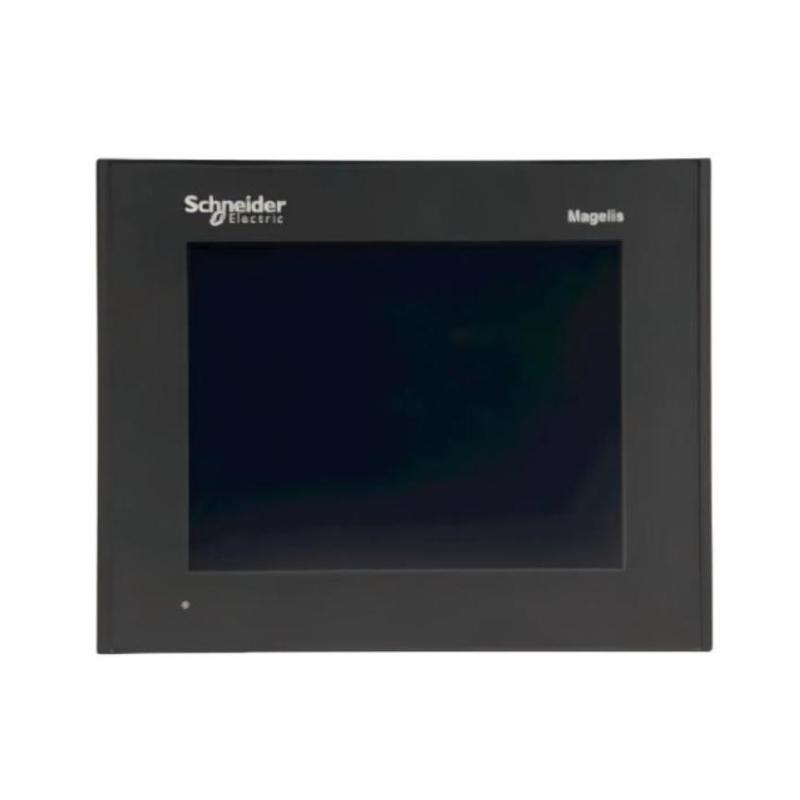
The Schneider XBTG2110 5.7″ Touch Panel is a compact graphical operator interface for machine-level monitoring and control. It gives operators a local touch-based point for viewing configured machine information and interacting with operating functions without accessing the PLC cabinet directly.
The 5.7-inch touch panel is suited to machines where a graphical interface is required but a larger HMI installation would take up unnecessary panel space. It can be used on individual machines, production cells, packaging equipment, and auxiliary systems where operators need local access to status information and control commands.
Within an automation architecture, the XBTG2110 operates at the HMI layer. The PLC or controller retains responsibility for sequencing and control logic, while the touch panel handles the presentation of configured information and the transfer of operator commands to the control system.
For commissioning and maintenance, a local touch interface can simplify machine-side troubleshooting. Technicians can observe configured operating conditions, check machine states, and use available manual functions directly from the operator station.
Technical Specifications
| Parameter | Specification |
|---|---|
| Manufacturer | Schneider Electric |
| Model | XBTG2110 |
| Product Family | Magelis XBT |
| Product Series | XBTG |
| Product Type | 5.7″ Touch Panel |
| Primary Function | Graphical touch-based operator interface |
| System Role | Human-machine interface |
| Application | Machine monitoring and operator control |
| Installation | Control panel / operator station |
| Dimensions | 167.5 × 135 × 59.5 mm |
| Weight | 1 kg |
Product Features
- Compact 5.7-inch graphical touch interface
- Magelis XBT operator-interface platform
- Suitable for machine-level HMI applications
- Direct touch interaction with configured operating functions
- Suitable for control panels with limited available space
- Provides local visualization of configured machine information
- Useful for machine operation, commissioning, and maintenance
- Suitable for compatible Schneider Electric automation systems
Working Principle
The XBTG2110 functions as the interface between the machine operator and the automation controller. The HMI application defines the information presented on the screen and the touch functions available to the operator.
Operator Touch Input → XBTG2110 → PLC / Controller → I/O System → Machine Equipment
When an operator selects a configured command, the XBTG2110 transfers the corresponding information to the control system. The PLC or controller evaluates the command against its programmed logic and operating conditions before controlling the associated equipment.
Machine information follows the opposite direction. Signals and process data handled by the controller are made available to the HMI application, allowing the XBTG2110 to present machine status, operating values, or other configured information to the operator.
Typical functions can include:
- Machine status monitoring
- Process information display
- Operator command entry
- Alarm indication
- Manual operating functions
- Maintenance interaction
Role in a Magelis XBT Control Architecture
The XBTG2110 forms the local operator-interface layer of the machine automation system. It provides access to configured control functions but does not replace the PLC, I/O system, or field equipment responsible for executing the actual process.
Operator → XBTG2110 → PLC / Controller → I/O Modules → Sensors & Actuators
| System Element | Function |
|---|---|
| Operator | Monitors machine conditions and enters commands |
| XBTG2110 | Provides the graphical touch operator interface |
| PLC / Controller | Executes control logic and machine sequencing |
| I/O Modules | Exchanges signals with field equipment |
| Sensors | Supplies machine and process feedback |
| Actuators | Performs commands generated by the controller |
| Machine Equipment | Executes the physical operation |
This separation allows the operator interface and control logic to perform different functions while working together as part of the same automation architecture.
Industrial Applications
| Application | Typical Use |
|---|---|
| Packaging Machinery | Local machine operation and status display |
| Assembly Equipment | Touch-based operator control |
| Machine Tools | Operating information and command entry |
| Material Handling | Conveyor and equipment monitoring |
| Production Cells | Local HMI for machine operation |
| OEM Machinery | Integrated operator station |
| Auxiliary Equipment | Local monitoring and control |
| Manufacturing Systems | Machine status and operator interaction |
Installation and Maintenance
- Install the XBTG2110 in a position that provides convenient access and clear screen visibility.
- Verify the control-panel mounting opening before installation.
- Ensure adequate clearance is available behind the panel for wiring and servicing.
- Confirm the terminal power connections before energizing the unit.
- Verify the communication connection between the touch panel and associated controller.
- Route communication wiring appropriately within the control cabinet.
- Check the configured HMI application before commissioning.
- Verify that displayed variables correspond to the intended PLC data.
- Test touch commands under controlled machine conditions.
- Check the touch interface periodically for physical damage or abnormal response.
- Keep the touch surface clean using suitable non-abrasive cleaning methods.
- After replacement, verify the HMI application and communication configuration before returning the machine to service.
For troubleshooting, check the touch panel, communication path, controller application, and field equipment separately. A missing value or failed command may originate from the PLC program or communication configuration rather than the operator panel.
Related Components
| Component | Function |
|---|---|
| Schneider PLC / Controller | Executes machine-control logic |
| Schneider Magelis XBT Terminals | Provides operator-interface functions |
| Schneider Digital I/O Modules | Interfaces with discrete field signals |
| Schneider Analog I/O Modules | Handles analog process signals |
| Machine Sensors | Provides equipment feedback |
| Relays and Contactors | Switches electrical loads |
| Motor Starters | Controls motor starting and stopping |
| Variable Speed Drives | Controls motor operating conditions |
Recommended Related Models
| Model / Product Family | Product Type | Typical Application |
|---|---|---|
| Schneider Magelis XBT | Operator Terminal Family | Machine-level operator interface |
| Schneider Magelis XBTG | Graphic Touch Panel Family | Graphical machine operation |
| Schneider Magelis XBT GT | Graphic HMI | Machine and process visualization |
| Schneider Magelis XBT GK | Keypad HMI | Industrial operator control |
| Schneider Magelis HMIG | HMI Terminal | Machine and process visualization |
| Schneider Modicon M340 | PLC Platform | Machine and automation control |
Key Advantages
- Compact 5.7-inch touch interface for machine operation
- Suitable for space-constrained control panels
- Provides graphical visualization and touch-based operator interaction
- Allows operators to access configured machine functions locally
- Useful for operation, commissioning, and maintenance
- Separates operator interaction from the underlying PLC control logic
- Suitable for compatible Schneider Electric automation architectures
Technical FAQs
What type of machine is suitable for the XBTG2110?
The XBTG2110 is suitable for machines and production cells that require a compact graphical touch interface for local monitoring and operator control.
Why use a 5.7-inch touch panel instead of a larger HMI?
A 5.7-inch interface can be appropriate when the application requires graphical operation but the control panel has limited available space or the machine does not require a large visualization area.
Does the XBTG2110 control field devices directly?
The XBTG2110 acts as the operator interface. Commands are passed to the associated control system, while the PLC or controller normally determines the actual machine action and controls the relevant I/O and field equipment.
What should be checked when the XBTG2110 cannot execute an operator command?
Check whether the touch input is recognized, then verify the HMI configuration, communication path, PLC logic, permissive conditions, and corresponding machine output. This approach helps identify whether the fault is located at the HMI or elsewhere in the control system.