

ProductPRODUCT
Featured products
Contact Us
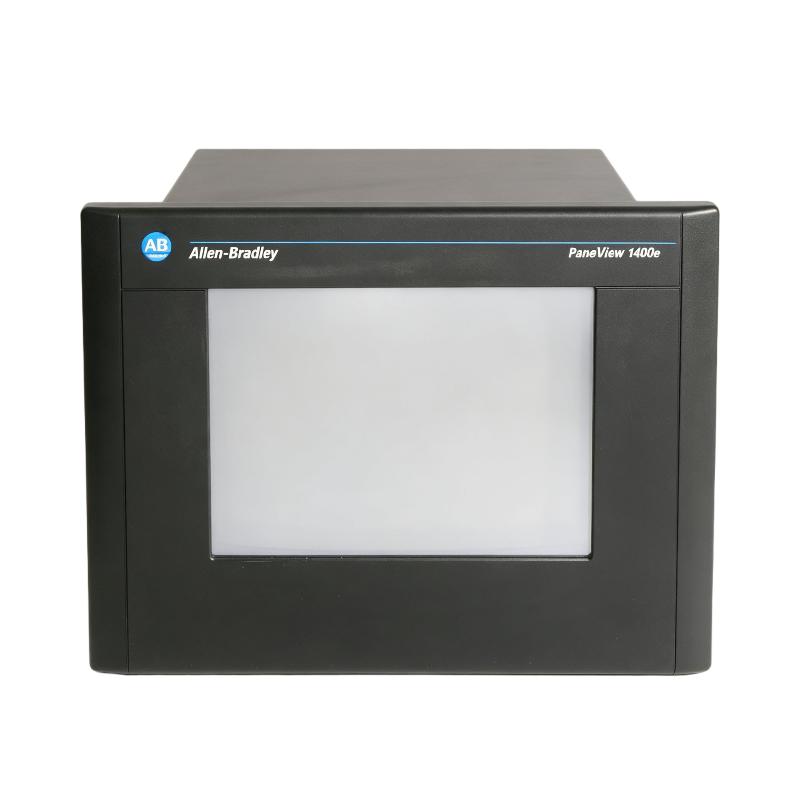
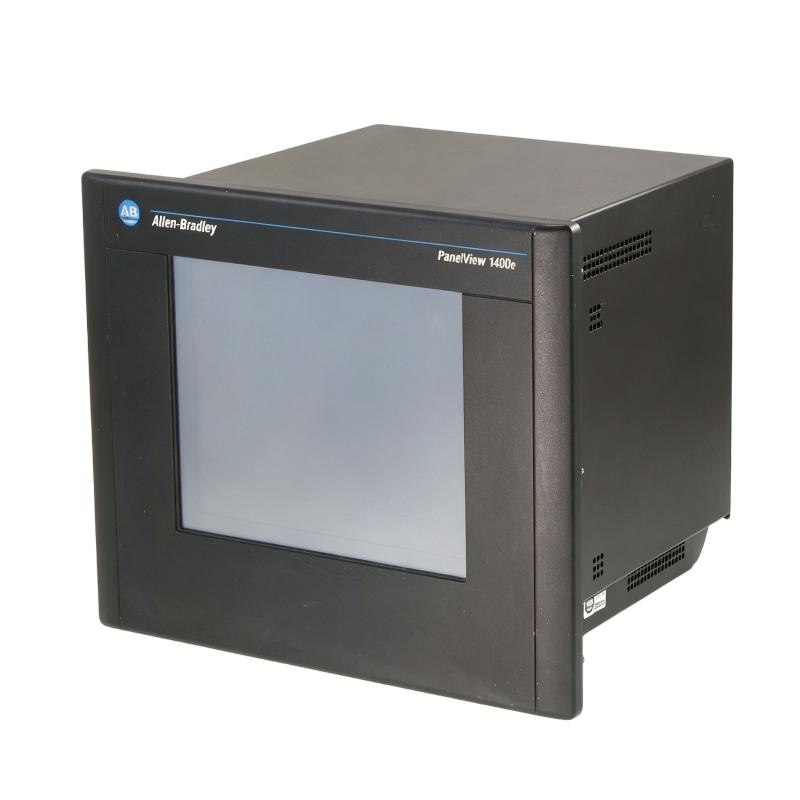
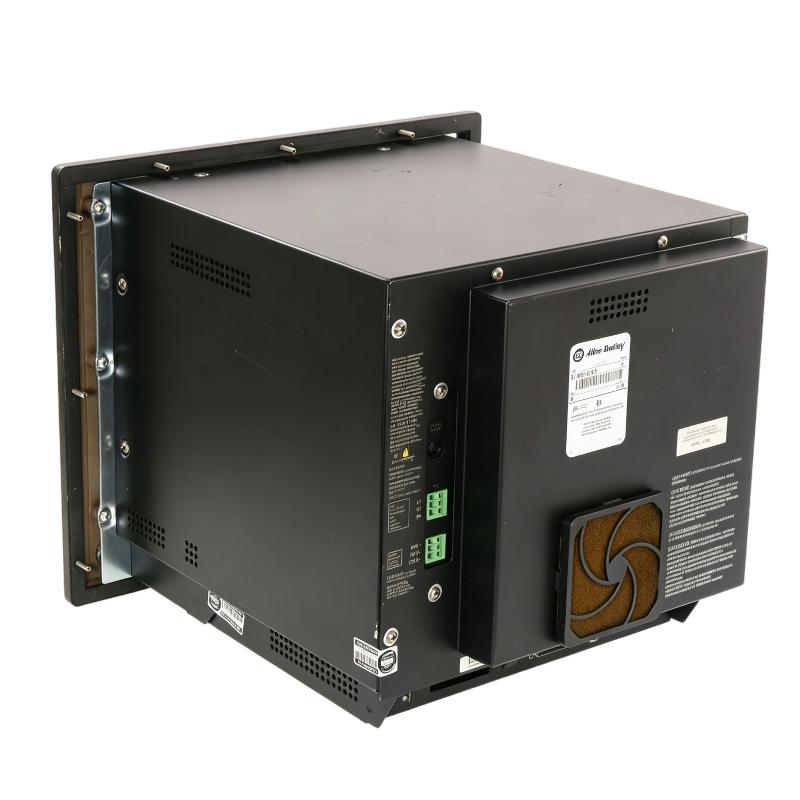
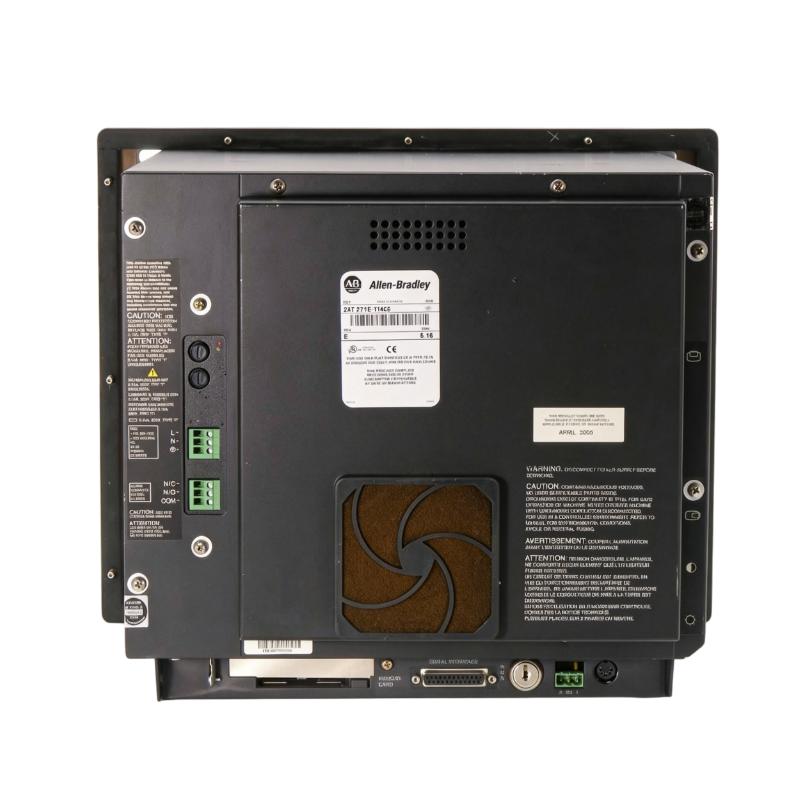
- Allen Bradley
- 2711E-T14C6
- 4-Inch Color CRT Touch Screen
- USA
- 351 × 342 × 389 mm
- 14.8 kg
- Xiamen, China
- New & In Stock
- T/T, PayPal, Western Union
- 1 Year
- 1-3 Working Days
- DHL, UPS, TNT, FedEx and EMS.
- 24-Hour Service
- COO
- 61
Our advantage

Global Logistics
We have a 10-year logistics and express cooperation agreement, so our products can be shipped to any place in the world.

Brand new and original
Our products are imported in bulk from the place of origin. Because of the cooperative relationship, our products are all original and 100% new.

24-hour service
We provide 7*24 hours service to our customers. We will be there whenever you need us.

Price advantage
All our products are priced very favorably because we have our own warehouse and supply.
| Company Information | |||
| [email protected] | |||
| Mobile | +8615980777398 | ||
| +8615980777398 | |||
| 15980777398 |
Product Overview
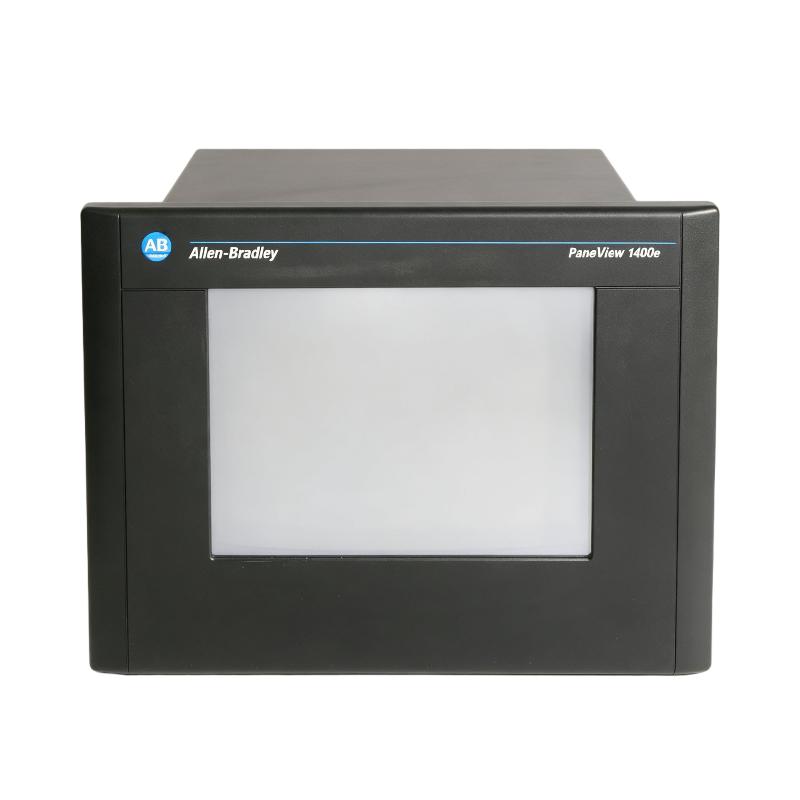
The Allen Bradley 2711E-T14C6 PanelView 1400e 4-Inch Color CRT Touch Screen is an operator interface terminal used to provide machine and process information directly to plant operators. It belongs to the PanelView 1400e family and is intended for applications where operators need to view operating conditions, interact with control functions, and monitor automation equipment from a dedicated HMI station.
Unlike a PLC or I/O module, the 2711E-T14C6 does not normally execute the core machine-control logic. The PLC or controller remains responsible for sequencing and control, while the PanelView terminal provides the human-machine interface between the operator and the control system.
The terminal can be used for displaying process values, equipment status, alarms, operating screens, and operator commands. In a production environment, this allows personnel to interact with the machine without accessing the PLC program directly.
As a color CRT touchscreen terminal, the 2711E-T14C6 represents an earlier generation of industrial HMI technology. It is therefore particularly relevant to maintenance teams supporting established Allen-Bradley control systems where preserving the existing operator interface and PLC architecture is important.
Technical Specifications
| Parameter | Specification |
|---|---|
| Manufacturer | Allen-Bradley |
| Model | 2711E-T14C6 |
| Product Family | PanelView 1400e |
| Product Type | Operator Interface / HMI Terminal |
| Display Type | Color CRT |
| Input Method | Touch Screen |
| Application | Industrial Human-Machine Interface |
| System Role | Operator Interface |
| Control System Integration | PLC / Industrial Automation System |
| Dimensions | 351 × 342 × 389 mm |
| Weight | 14.8 kg |
Product Features
The 2711E-T14C6 combines a color display and touchscreen interface for operator interaction with industrial control equipment.
Key characteristics include:
- Allen-Bradley PanelView 1400e terminal
- Model 2711E-T14C6
- Color CRT display technology
- Touchscreen operator input
- Designed for industrial HMI applications
- Suitable for machine and process monitoring
- Provides operator access to control-system information
- Supports graphical visualization of operating conditions
- Suitable for alarm and status monitoring
- Intended for integration with compatible control systems
- Useful for maintenance of legacy Allen-Bradley automation installations
The terminal should be considered part of the complete HMI architecture. Its practical function depends on the controller, communication connection, application configuration, and operator screens used by the machine.
Working Principle
The 2711E-T14C6 operates as the operator-facing layer of an industrial automation system.
A simplified architecture can be represented as:
Field Devices → PLC / Controller → HMI Communication → PanelView 1400e → Operator
The PLC receives information from field devices and executes the control program. The PanelView terminal communicates with the controller to obtain relevant operating information and presents that information through graphical screens.
The operator can then interact with the machine through the touchscreen. Depending on the application, an operator may acknowledge alarms, enter process values, select operating modes, issue permitted commands, or monitor equipment status.
The important distinction is that the HMI does not replace the PLC’s control logic. It provides the interface through which authorized operators can interact with the control system.
If the display operates but process information is missing, the fault may be related to the communication path or controller rather than the display hardware itself. Troubleshooting should therefore consider the HMI, communication connection, PLC, application configuration, and power supply as one system.
Role in an HMI-Based Control Architecture
The 2711E-T14C6 occupies the operator interface layer between the control system and the person operating the machine.
A typical arrangement is:
PLC / Controller → Communication Network → PanelView 1400e → Operator
The PLC handles machine logic, sequencing, interlocks, and I/O processing, while the PanelView provides a visual representation of that information.
This separation allows operators to work with the machine through dedicated screens rather than interacting with the controller directly. For example, a production line can use an HMI screen to display motor status, process values, alarm conditions, and operating selections while the PLC continues to execute the underlying control logic.
For older installations, maintaining the original PanelView terminal can also be important because the HMI application may contain established screen layouts, alarm structures, operator procedures, and control-system conventions.
Industrial Applications
The 2711E-T14C6 is suitable for established industrial automation systems requiring a dedicated operator interface.
| Application | Typical Use |
|---|---|
| Manufacturing Machinery | Machine status and operator control |
| Production Lines | Process monitoring and operator commands |
| Material Handling | Conveyor and equipment status display |
| Packaging Equipment | Production-cycle monitoring |
| Process Machinery | Displaying process conditions |
| Industrial Utilities | Equipment status and alarm monitoring |
| Legacy PLC Systems | Maintaining existing HMI architecture |
| Machine Operator Stations | Local equipment interaction |
The terminal’s suitability depends on the communication architecture and application software of the existing control system.
Installation and Maintenance
The 2711E-T14C6 should be installed in an operator panel or enclosure that provides appropriate mechanical support and suitable environmental protection.
Because this is a CRT-based terminal, maintenance considerations differ from those of modern flat-panel HMIs. The physical condition of the display, touchscreen, ventilation area, mounting arrangement, and connected cables should be checked during service.
Recommended checks include:
- Confirm the complete 2711E-T14C6 catalog number.
- Verify the existing PanelView application.
- Identify the connected PLC or controller.
- Document communication connections.
- Check the terminal’s power supply.
- Inspect the display for abnormal visual conditions.
- Check touchscreen response across the active area.
- Inspect communication cables and connectors.
- Verify mounting hardware.
- Check enclosure ventilation.
- Review HMI application configuration.
- Confirm operator screens after startup.
- Test alarm display and acknowledgement functions.
- Verify communication with the PLC.
- Record any configuration changes made during maintenance.
If the HMI powers on but displays outdated or missing process information, check communication and application configuration before replacing the terminal. Conversely, if the controller and communication system operate normally but the display or touchscreen fails, the terminal itself becomes a stronger candidate for replacement.
Related Components
The PanelView 1400e normally operates together with several control-system components.
| Component | Function |
|---|---|
| Allen-Bradley PLC | Executes machine-control logic |
| PLC I/O Modules | Collect field inputs and control outputs |
| Communication Interface | Transfers data between PLC and HMI |
| Industrial Network | Provides controller-to-HMI communication |
| Touchscreen | Receives operator commands |
| Display System | Presents process and machine information |
| Power Supply | Provides operating power |
| Field Sensors | Supply process and equipment information |
| Actuators | Perform physical machine operations |
| HMI Application | Defines screens, alarms, data displays, and operator functions |
A properly functioning HMI therefore depends on both the terminal hardware and the surrounding automation architecture.
Recommended Related Models
For an existing PanelView installation, replacement selection should consider the HMI family, display technology, communication architecture, application compatibility, and available mounting arrangement.
| Model / Product Family | Product Type | Typical Application |
|---|---|---|
| Allen-Bradley 2711E-T14C6 | PanelView 1400e HMI | Color CRT touchscreen operator interface |
| Allen-Bradley PanelView 1400e Series | HMI Family | Legacy industrial operator stations |
| Allen-Bradley PanelView Terminals | HMI Family | Machine and process visualization |
| Allen-Bradley PanelView Standard | HMI Family | Operator control and monitoring |
| Allen-Bradley PanelView Plus | HMI Family | Modernized industrial visualization |
| Allen-Bradley PLC Systems | Controller Hardware | HMI control-system integration |
When replacing a legacy 2711E terminal, simply selecting a newer HMI with a similar display size is not enough. The existing application, communication protocol, PLC architecture, panel cutout, power requirements, and operator workflow should all be reviewed.
Key Advantages
- Allen-Bradley PanelView 1400e operator interface.
- Model 2711E-T14C6.
- Color CRT display.
- Touchscreen operator input.
- Suitable for industrial HMI applications.
- Provides local machine and process visualization.
- Supports operator interaction with compatible control systems.
- Suitable for alarm and status monitoring.
- Useful for maintaining legacy Allen-Bradley automation systems.
- Can serve as the operator-facing layer of a PLC-based control architecture.
Technical FAQs
What is the difference between the 2711E-T14C6 and a PLC module?
The 2711E-T14C6 is an operator interface terminal, not the primary controller. The PLC executes the machine logic and manages I/O, while the PanelView terminal presents information to the operator and accepts permitted operator commands.
What should be investigated if the PanelView display works but process values are missing?
The communication path should be checked first, including the PLC, communication interface, network connection, and HMI application configuration. A functioning display does not necessarily indicate that the terminal is successfully exchanging data with the controller.
Why is the CRT display technology important when replacing this PanelView terminal?
CRT technology affects the physical characteristics, mounting arrangement, service requirements, and replacement strategy. A modern flat-panel HMI may not be a direct mechanical or application-level replacement even if it can perform similar operator-interface functions.
What information should be preserved before replacing a 2711E-T14C6?
The existing HMI application, communication settings, PLC information, alarm configuration, operator-screen structure, and panel installation details should be documented. Preserving these details can significantly reduce commissioning time when migrating an established machine to replacement HMI hardware.